
Building Java Programs Supplement 3 G Graphics These
Building Java Programs Supplement 3 G: Graphics These lecture notes are copyright (C) Marty Stepp and Stuart Reges, 2007. They may not be rehosted, sold, or modified without expressed permission from the authors. All rights reserved. 1
Lecture outline Lecture 8 n Drawing 2 D graphics n n n n Drawing. Panel and Graphics objects drawing and filling shapes coordinate system colors drawing with loops drawing with parameterized methods basic animation 2
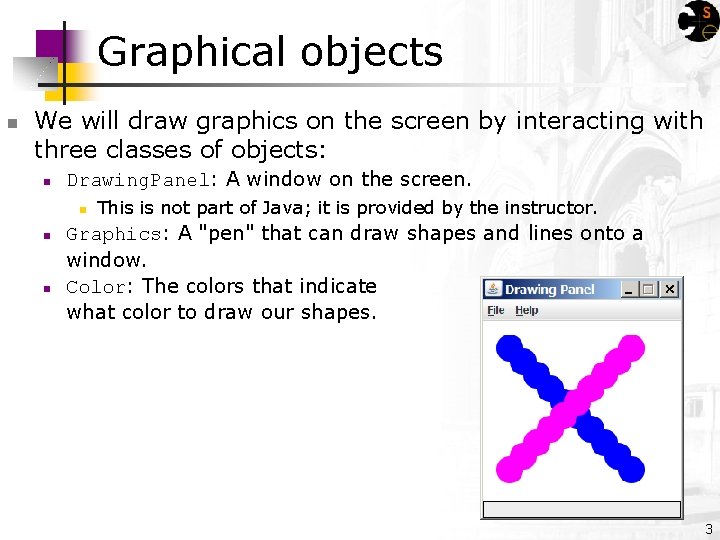
Graphical objects n We will draw graphics on the screen by interacting with three classes of objects: n Drawing. Panel: A window on the screen. n n n This is not part of Java; it is provided by the instructor. Graphics: A "pen" that can draw shapes and lines onto a window. Color: The colors that indicate what color to draw our shapes. 3
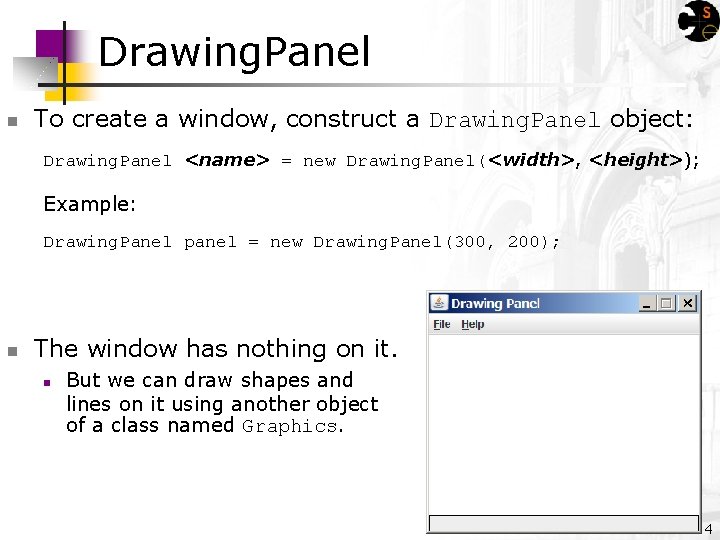
Drawing. Panel n To create a window, construct a Drawing. Panel object: Drawing. Panel <name> = new Drawing. Panel(<width>, <height>); Example: Drawing. Panel panel = new Drawing. Panel(300, 200); n The window has nothing on it. n But we can draw shapes and lines on it using another object of a class named Graphics. 4
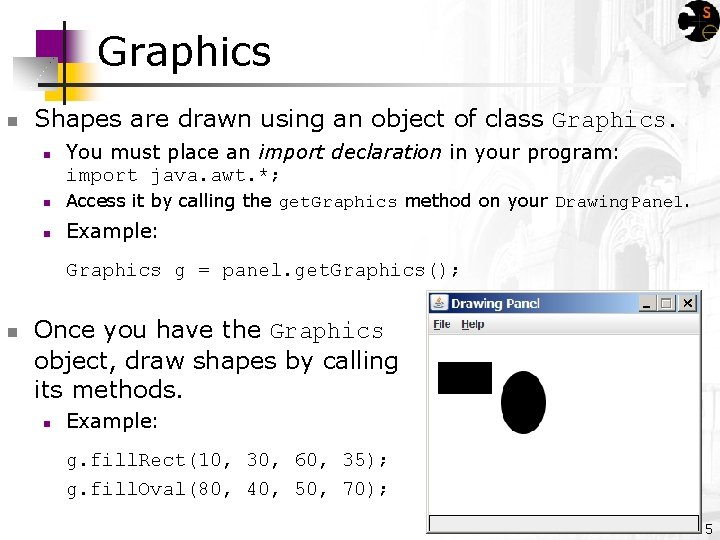
Graphics n Shapes are drawn using an object of class Graphics. n You must place an import declaration in your program: import java. awt. *; n Access it by calling the get. Graphics method on your Drawing. Panel. n Example: Graphics g = panel. get. Graphics(); n Once you have the Graphics object, draw shapes by calling its methods. n Example: g. fill. Rect(10, 30, 60, 35); g. fill. Oval(80, 40, 50, 70); 5
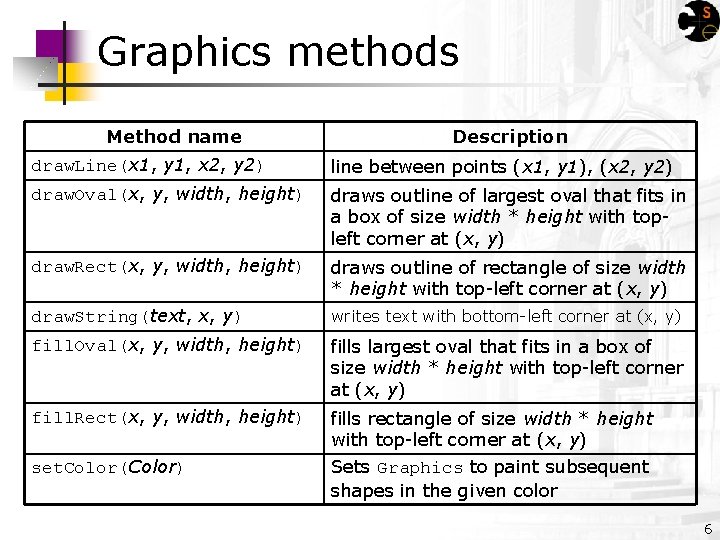
Graphics methods Method name Description draw. Line(x 1, y 1, x 2, y 2) line between points (x 1, y 1), (x 2, y 2) draw. Oval(x, y, width, height) draws outline of largest oval that fits in a box of size width * height with topleft corner at (x, y) draw. Rect(x, y, width, height) draws outline of rectangle of size width * height with top-left corner at (x, y) draw. String(text, x, y) writes text with bottom-left corner at (x, y) fill. Oval(x, y, width, height) fills largest oval that fits in a box of size width * height with top-left corner at (x, y) fill. Rect(x, y, width, height) fills rectangle of size width * height with top-left corner at (x, y) Sets Graphics to paint subsequent shapes in the given color set. Color(Color) 6

Coordinate system n n Each (x, y) position on the Drawing. Panel is represented by a pixel (picture element). The origin (0, 0) is at the window's top-left corner. n n n x increases rightward and the y increases downward The y is reversed from what you may expect. For example, the rectangle from (0, 0) to (200, 100) looks like this: (0, 0) (200, 100) 7
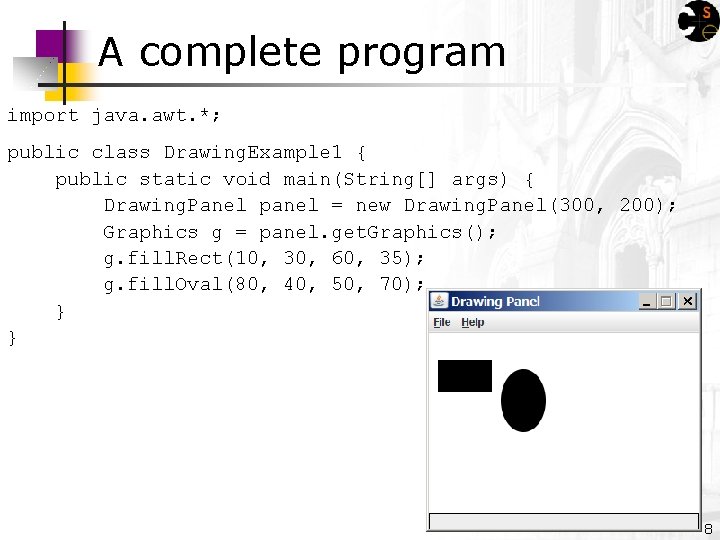
A complete program import java. awt. *; public class Drawing. Example 1 { public static void main(String[] args) { Drawing. Panel panel = new Drawing. Panel(300, 200); Graphics g = panel. get. Graphics(); g. fill. Rect(10, 30, 60, 35); g. fill. Oval(80, 40, 50, 70); } } 8
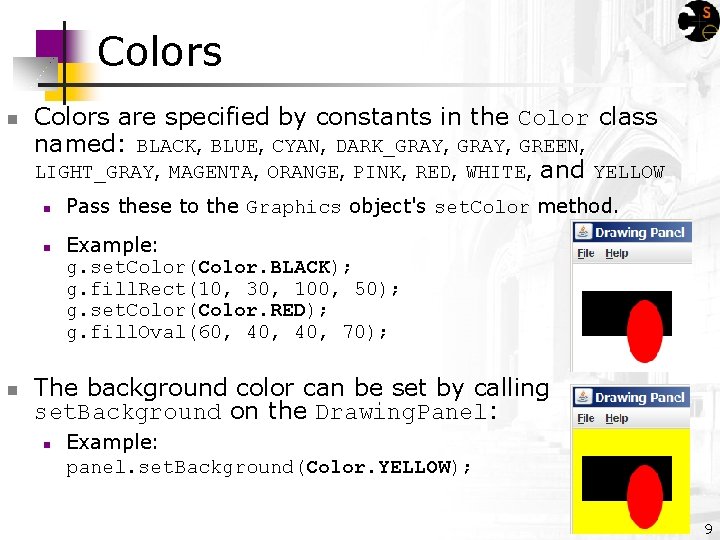
Colors n Colors are specified by constants in the Color class named: BLACK, BLUE, CYAN, DARK_GRAY, GREEN, LIGHT_GRAY, MAGENTA, ORANGE, PINK, RED, WHITE, and YELLOW n n n Pass these to the Graphics object's set. Color method. Example: g. set. Color(Color. BLACK); g. fill. Rect(10, 30, 100, 50); g. set. Color(Color. RED); g. fill. Oval(60, 40, 70); The background color can be set by calling set. Background on the Drawing. Panel: n Example: panel. set. Background(Color. YELLOW); 9
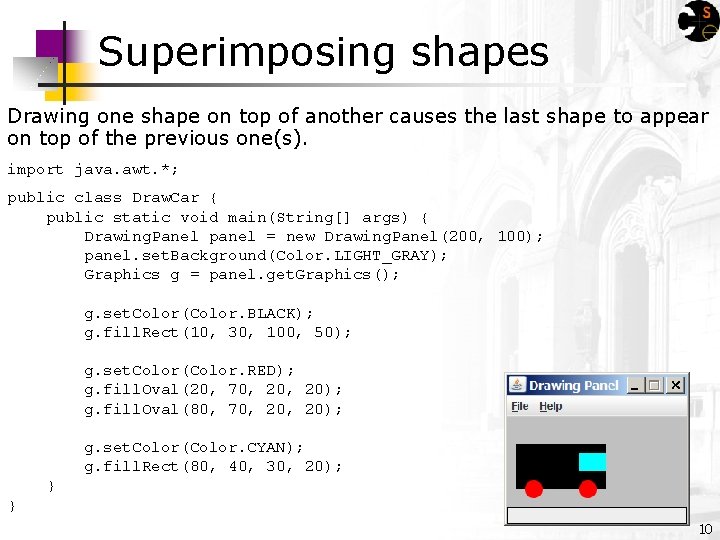
Superimposing shapes Drawing one shape on top of another causes the last shape to appear on top of the previous one(s). import java. awt. *; public class Draw. Car { public static void main(String[] args) { Drawing. Panel panel = new Drawing. Panel(200, 100); panel. set. Background(Color. LIGHT_GRAY); Graphics g = panel. get. Graphics(); g. set. Color(Color. BLACK); g. fill. Rect(10, 30, 100, 50); g. set. Color(Color. RED); g. fill. Oval(20, 70, 20); g. fill. Oval(80, 70, 20); g. set. Color(Color. CYAN); g. fill. Rect(80, 40, 30, 20); } } 10
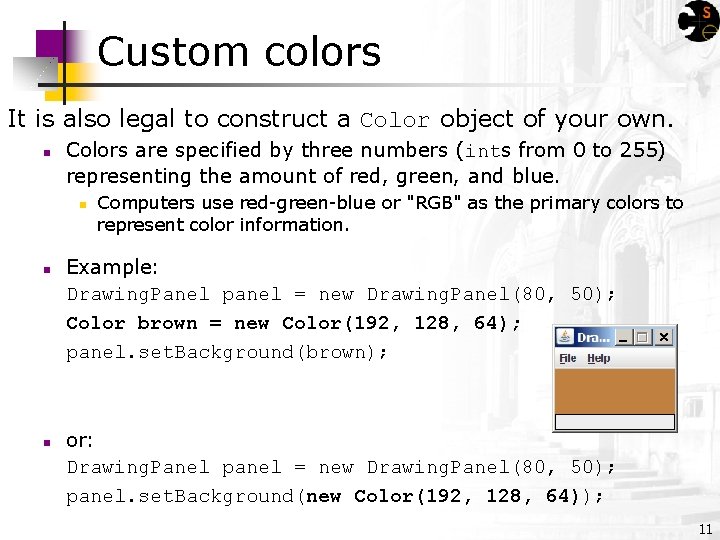
Custom colors It is also legal to construct a Color object of your own. n Colors are specified by three numbers (ints from 0 to 255) representing the amount of red, green, and blue. n n n Computers use red-green-blue or "RGB" as the primary colors to represent color information. Example: Drawing. Panel panel = new Drawing. Panel(80, 50); Color brown = new Color(192, 128, 64); panel. set. Background(brown); or: Drawing. Panel panel = new Drawing. Panel(80, 50); panel. set. Background(new Color(192, 128, 64)); 11
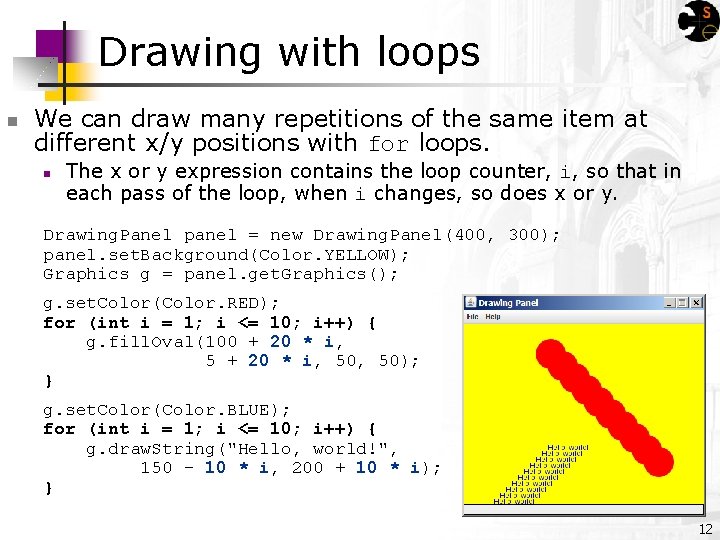
Drawing with loops n We can draw many repetitions of the same item at different x/y positions with for loops. n The x or y expression contains the loop counter, i, so that in each pass of the loop, when i changes, so does x or y. Drawing. Panel panel = new Drawing. Panel(400, 300); panel. set. Background(Color. YELLOW); Graphics g = panel. get. Graphics(); g. set. Color(Color. RED); for (int i = 1; i <= 10; i++) { g. fill. Oval(100 + 20 * i, 50, 50); } g. set. Color(Color. BLUE); for (int i = 1; i <= 10; i++) { g. draw. String("Hello, world!", 150 - 10 * i, 200 + 10 * i); } 12
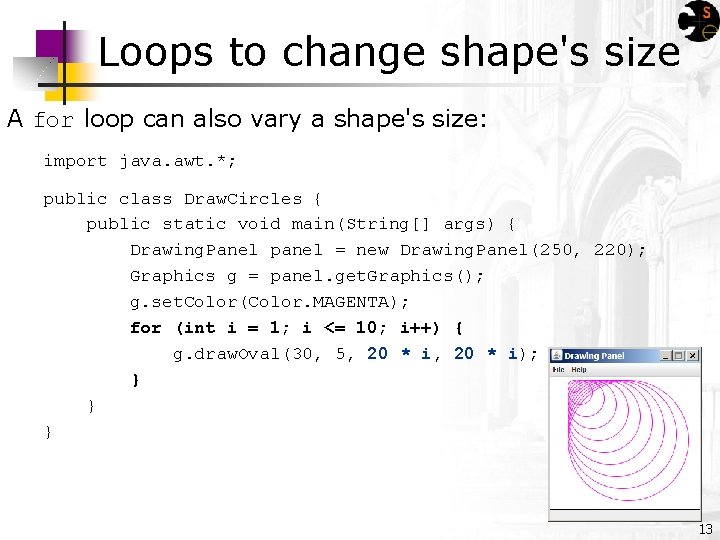
Loops to change shape's size A for loop can also vary a shape's size: import java. awt. *; public class Draw. Circles { public static void main(String[] args) { Drawing. Panel panel = new Drawing. Panel(250, 220); Graphics g = panel. get. Graphics(); g. set. Color(Color. MAGENTA); for (int i = 1; i <= 10; i++) { g. draw. Oval(30, 5, 20 * i); } } } 13
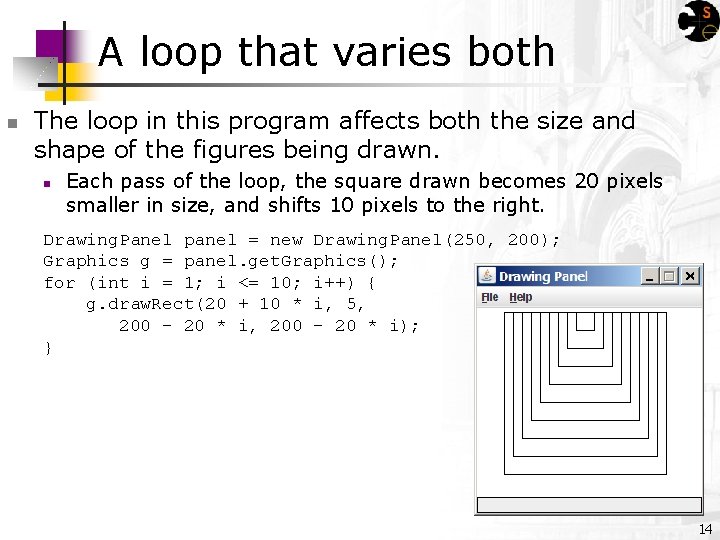
A loop that varies both n The loop in this program affects both the size and shape of the figures being drawn. n Each pass of the loop, the square drawn becomes 20 pixels smaller in size, and shifts 10 pixels to the right. Drawing. Panel panel = new Drawing. Panel(250, 200); Graphics g = panel. get. Graphics(); for (int i = 1; i <= 10; i++) { g. draw. Rect(20 + 10 * i, 5, 200 - 20 * i); } 14
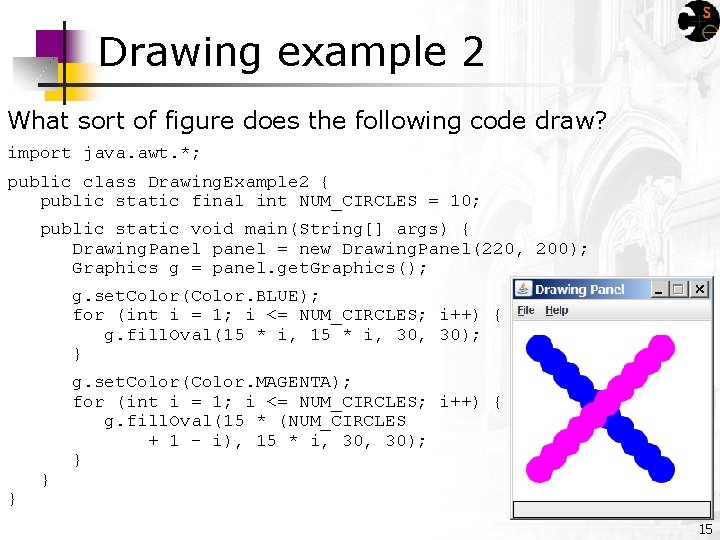
Drawing example 2 What sort of figure does the following code draw? import java. awt. *; public class Drawing. Example 2 { public static final int NUM_CIRCLES = 10; public static void main(String[] args) { Drawing. Panel panel = new Drawing. Panel(220, 200); Graphics g = panel. get. Graphics(); g. set. Color(Color. BLUE); for (int i = 1; i <= NUM_CIRCLES; i++) { g. fill. Oval(15 * i, 30, 30); } } } g. set. Color(Color. MAGENTA); for (int i = 1; i <= NUM_CIRCLES; i++) { g. fill. Oval(15 * (NUM_CIRCLES + 1 - i), 15 * i, 30); } 15
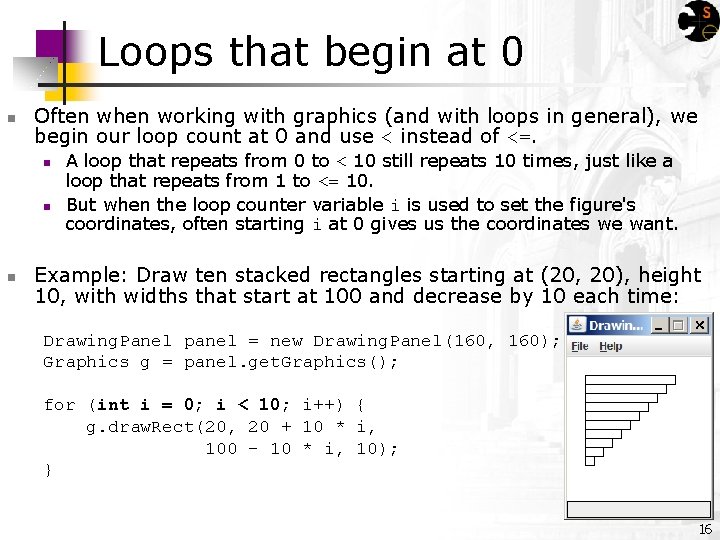
Loops that begin at 0 n Often when working with graphics (and with loops in general), we begin our loop count at 0 and use < instead of <=. n n n A loop that repeats from 0 to < 10 still repeats 10 times, just like a loop that repeats from 1 to <= 10. But when the loop counter variable i is used to set the figure's coordinates, often starting i at 0 gives us the coordinates we want. Example: Draw ten stacked rectangles starting at (20, 20), height 10, with widths that start at 100 and decrease by 10 each time: Drawing. Panel panel = new Drawing. Panel(160, 160); Graphics g = panel. get. Graphics(); for (int i = 0; i < 10; i++) { g. draw. Rect(20, 20 + 10 * i, 100 - 10 * i, 10); } 16
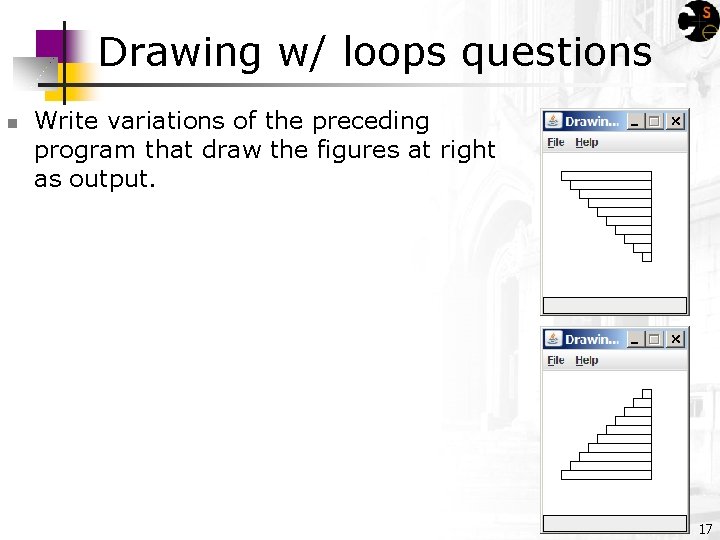
Drawing w/ loops questions n Write variations of the preceding program that draw the figures at right as output. 17
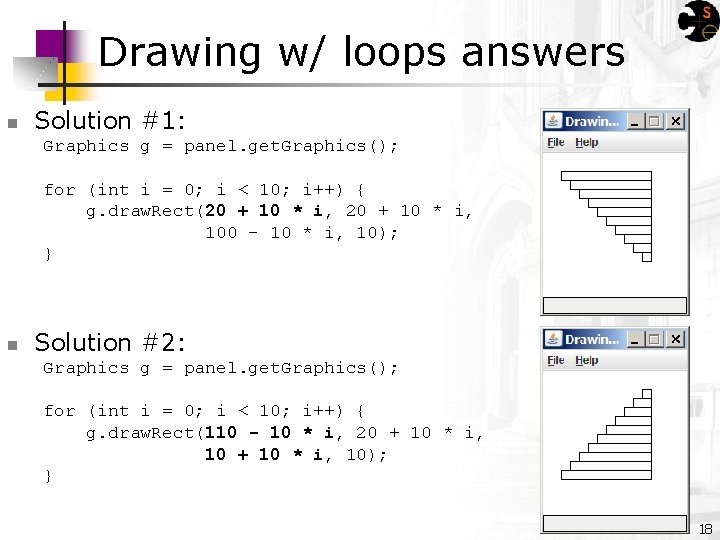
Drawing w/ loops answers n Solution #1: Graphics g = panel. get. Graphics(); for (int i = 0; i < 10; i++) { g. draw. Rect(20 + 10 * i, 100 - 10 * i, 10); } n Solution #2: Graphics g = panel. get. Graphics(); for (int i = 0; i < 10; i++) { g. draw. Rect(110 - 10 * i, 20 + 10 * i, 10); } 18
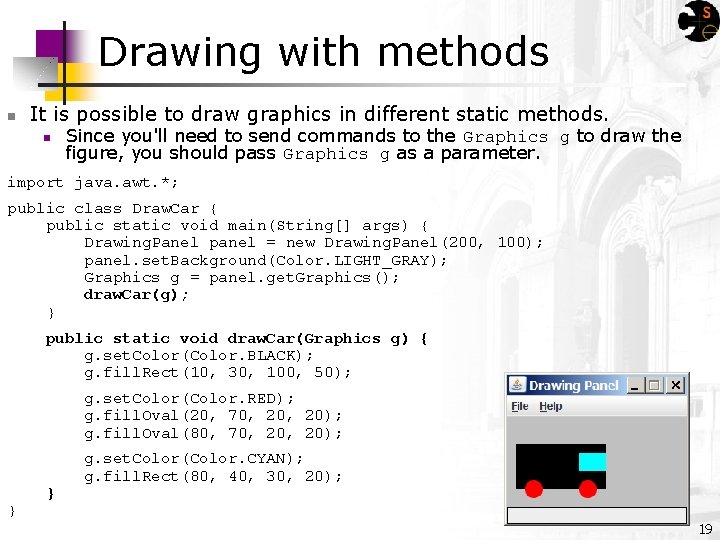
Drawing with methods n It is possible to draw graphics in different static methods. n Since you'll need to send commands to the Graphics g to draw the figure, you should pass Graphics g as a parameter. import java. awt. *; public class Draw. Car { public static void main(String[] args) { Drawing. Panel panel = new Drawing. Panel(200, 100); panel. set. Background(Color. LIGHT_GRAY); Graphics g = panel. get. Graphics(); draw. Car(g); } public static void draw. Car(Graphics g) { g. set. Color(Color. BLACK); g. fill. Rect(10, 30, 100, 50); g. set. Color(Color. RED); g. fill. Oval(20, 70, 20); g. fill. Oval(80, 70, 20); } } g. set. Color(Color. CYAN); g. fill. Rect(80, 40, 30, 20); 19
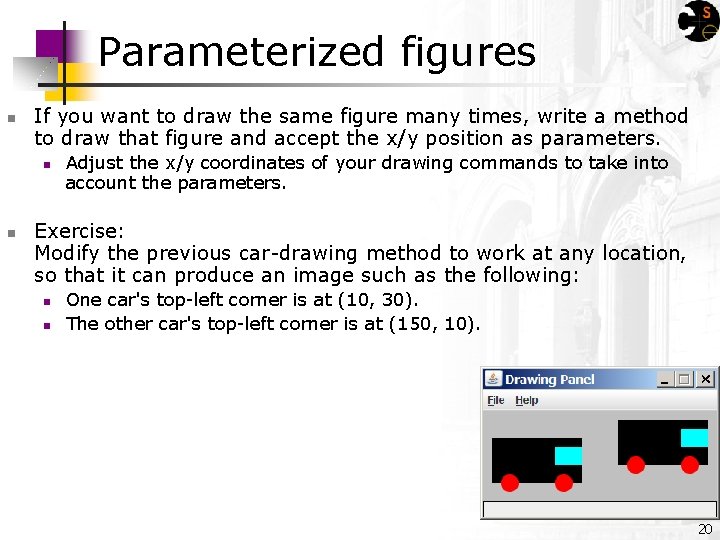
Parameterized figures n If you want to draw the same figure many times, write a method to draw that figure and accept the x/y position as parameters. n n Adjust the x/y coordinates of your drawing commands to take into account the parameters. Exercise: Modify the previous car-drawing method to work at any location, so that it can produce an image such as the following: n n One car's top-left corner is at (10, 30). The other car's top-left corner is at (150, 10). 20
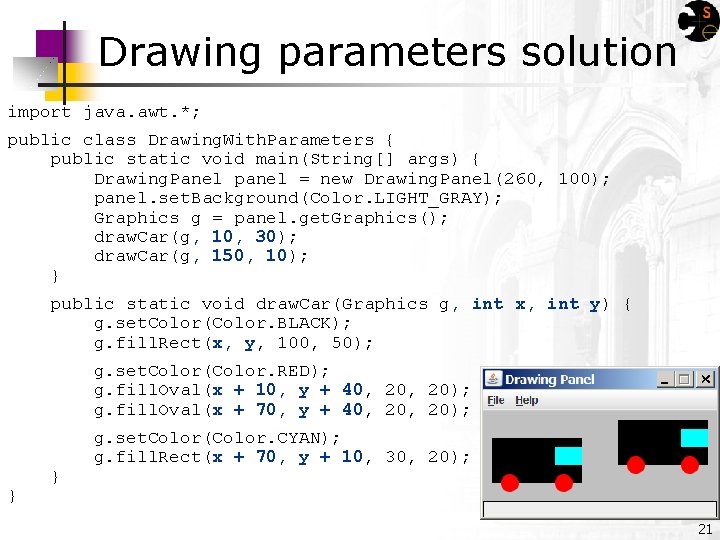
Drawing parameters solution import java. awt. *; public class Drawing. With. Parameters { public static void main(String[] args) { Drawing. Panel panel = new Drawing. Panel(260, 100); panel. set. Background(Color. LIGHT_GRAY); Graphics g = panel. get. Graphics(); draw. Car(g, 10, 30); draw. Car(g, 150, 10); } public static void draw. Car(Graphics g, int x, int y) { g. set. Color(Color. BLACK); g. fill. Rect(x, y, 100, 50); g. set. Color(Color. RED); g. fill. Oval(x + 10, y + 40, 20); g. fill. Oval(x + 70, y + 40, 20); } } g. set. Color(Color. CYAN); g. fill. Rect(x + 70, y + 10, 30, 20); 21
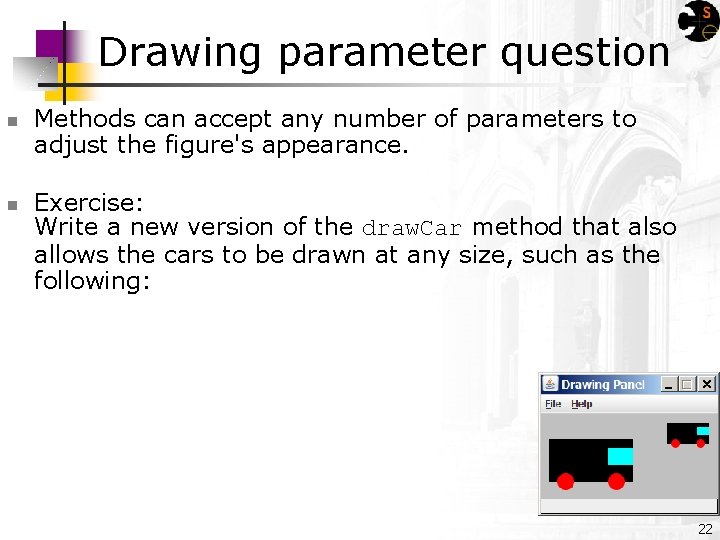
Drawing parameter question n n Methods can accept any number of parameters to adjust the figure's appearance. Exercise: Write a new version of the draw. Car method that also allows the cars to be drawn at any size, such as the following: 22
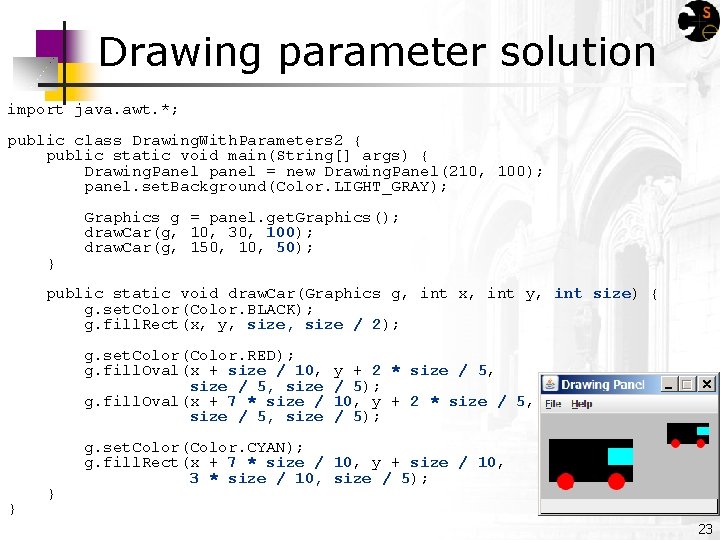
Drawing parameter solution import java. awt. *; public class Drawing. With. Parameters 2 { public static void main(String[] args) { Drawing. Panel panel = new Drawing. Panel(210, 100); panel. set. Background(Color. LIGHT_GRAY); } Graphics g = panel. get. Graphics(); draw. Car(g, 10, 30, 100); draw. Car(g, 150, 10, 50); public static void draw. Car(Graphics g, int x, int y, int size) { g. set. Color(Color. BLACK); g. fill. Rect(x, y, size / 2); g. set. Color(Color. RED); g. fill. Oval(x + size / 10, size / 5, size g. fill. Oval(x + 7 * size / 5, size } } y + 2 * size / 5, / 5); 10, y + 2 * size / 5, / 5); g. set. Color(Color. CYAN); g. fill. Rect(x + 7 * size / 10, y + size / 10, 3 * size / 10, size / 5); 23
Animation with sleep n n Drawing. Panel has a method named sleep that pauses your program for a given number of milliseconds. You can use sleep to produce simple animations. Drawing. Panel panel = new Drawing. Panel(250, 200); Graphics g = panel. get. Graphics(); g. set. Color(Color. BLUE); for (int i = 1; i <= NUM_CIRCLES; i++) { g. fill. Oval(15 * i, 30, 30); panel. sleep(500); } n Try adding sleep commands to loops in past exercises in this chapter and watch the panel draw itself piece by piece! 24
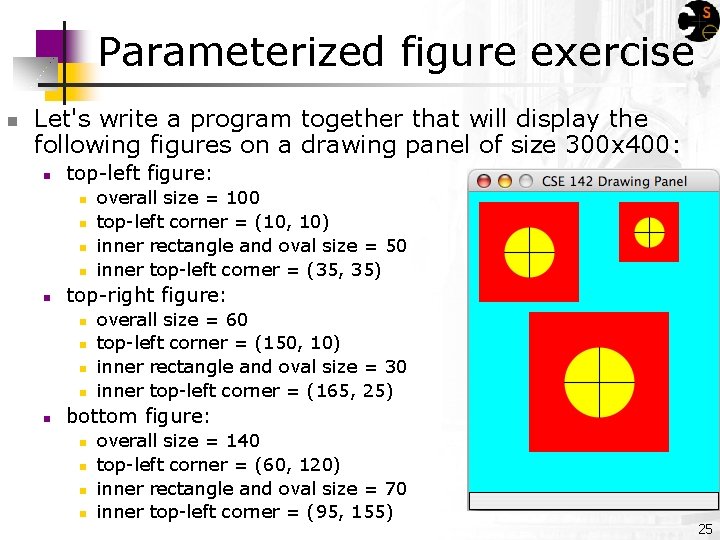
Parameterized figure exercise n Let's write a program together that will display the following figures on a drawing panel of size 300 x 400: n top-left figure: n n n top-right figure: n n n overall size = 100 top-left corner = (10, 10) inner rectangle and oval size = 50 inner top-left corner = (35, 35) overall size = 60 top-left corner = (150, 10) inner rectangle and oval size = 30 inner top-left corner = (165, 25) bottom figure: n n overall size = 140 top-left corner = (60, 120) inner rectangle and oval size = 70 inner top-left corner = (95, 155) 25
- Slides: 25