
Building Java Programs n Copyright 2006 by Pearson
Building Java Programs n Copyright 2006 by Pearson Education Chapter 6: File Processing 1
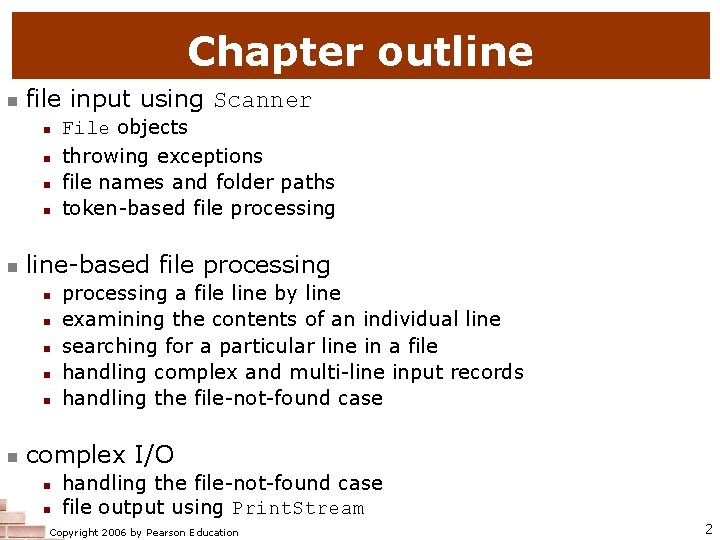
Chapter outline n file input using Scanner n n n line-based file processing n n n File objects throwing exceptions file names and folder paths token-based file processing a file line by line examining the contents of an individual line searching for a particular line in a file handling complex and multi-line input records handling the file-not-found case complex I/O n n handling the file-not-found case file output using Print. Stream Copyright 2006 by Pearson Education 2
File input using Scanner reading: 6. 1 - 6. 2 Copyright 2006 by Pearson Education 3
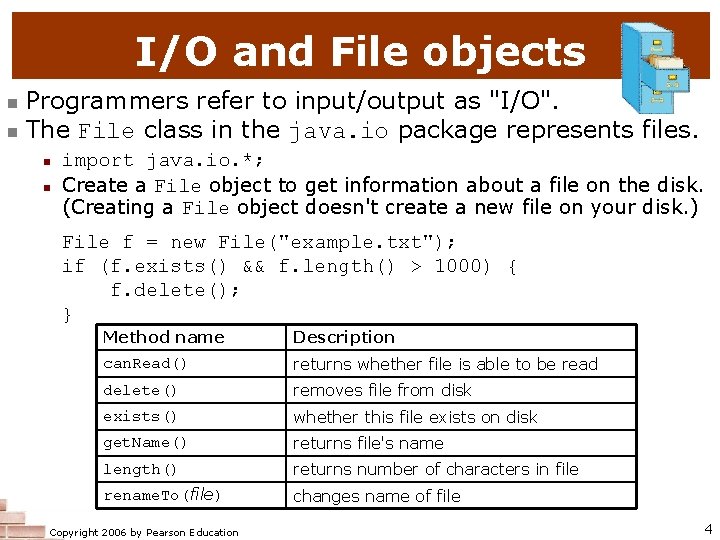
I/O and File objects n n Programmers refer to input/output as "I/O". The File class in the java. io package represents files. n n import java. io. *; Create a File object to get information about a file on the disk. (Creating a File object doesn't create a new file on your disk. ) File f = new File("example. txt"); if (f. exists() && f. length() > 1000) { f. delete(); } Method name Description can. Read() returns whether file is able to be read delete() removes file from disk exists() whether this file exists on disk get. Name() returns file's name length() returns number of characters in file rename. To(file) changes name of file Copyright 2006 by Pearson Education 4
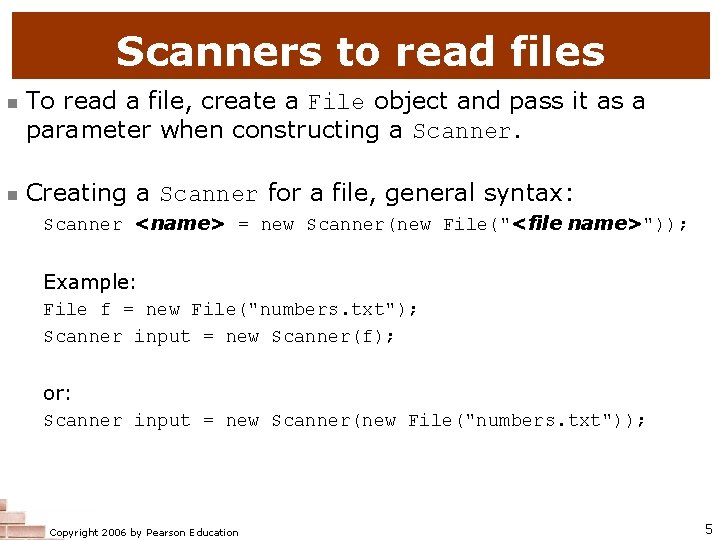
Scanners to read files n n To read a file, create a File object and pass it as a parameter when constructing a Scanner. Creating a Scanner for a file, general syntax: Scanner <name> = new Scanner(new File("<file name>")); Example: File f = new File("numbers. txt"); Scanner input = new Scanner(f); or: Scanner input = new Scanner(new File("numbers. txt")); Copyright 2006 by Pearson Education 5
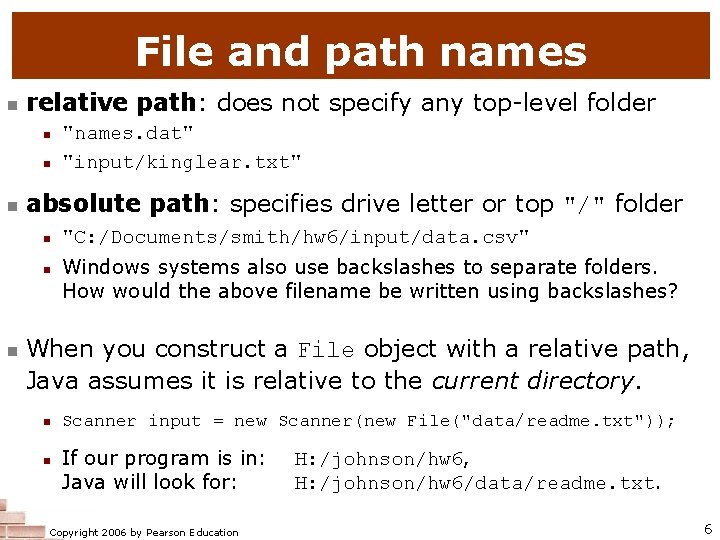
File and path names n relative path: does not specify any top-level folder n n n absolute path: specifies drive letter or top "/" folder n n n "names. dat" "input/kinglear. txt" "C: /Documents/smith/hw 6/input/data. csv" Windows systems also use backslashes to separate folders. How would the above filename be written using backslashes? When you construct a File object with a relative path, Java assumes it is relative to the current directory. n n Scanner input = new Scanner(new File("data/readme. txt")); If our program is in: Java will look for: Copyright 2006 by Pearson Education H: /johnson/hw 6, H: /johnson/hw 6/data/readme. txt. 6

Compiler error with files n The following program does not compile: import java. io. *; import java. util. *; // for File // for Scanner public class Read. File { public static void main(String[] args) { Scanner input = new Scanner(new File("data. txt")); String text = input. next(); System. out. println(text); } } n The following compiler error is produced: Read. File. java: 6: unreported exception java. io. File. Not. Found. Exception; must be caught or declared to be thrown Scanner input = new Scanner(new File("data. txt")); ^ Copyright 2006 by Pearson Education 7
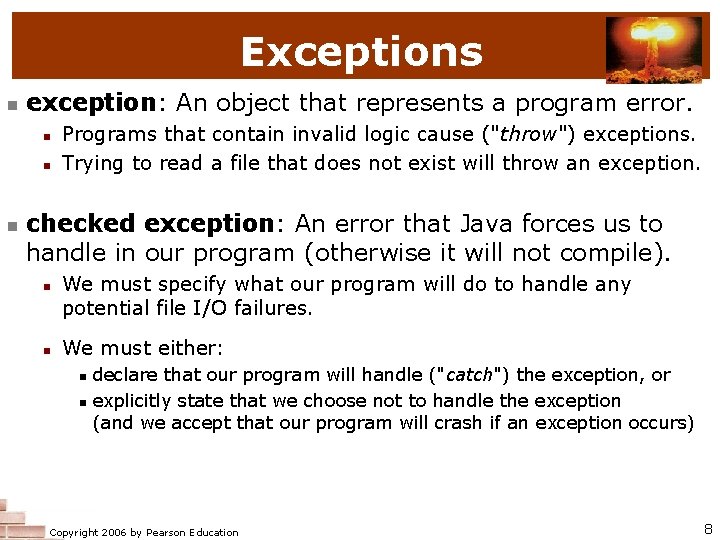
Exceptions n exception: An object that represents a program error. n n n Programs that contain invalid logic cause ("throw") exceptions. Trying to read a file that does not exist will throw an exception. checked exception: An error that Java forces us to handle in our program (otherwise it will not compile). n n We must specify what our program will do to handle any potential file I/O failures. We must either: n n declare that our program will handle ("catch") the exception, or explicitly state that we choose not to handle the exception (and we accept that our program will crash if an exception occurs) Copyright 2006 by Pearson Education 8
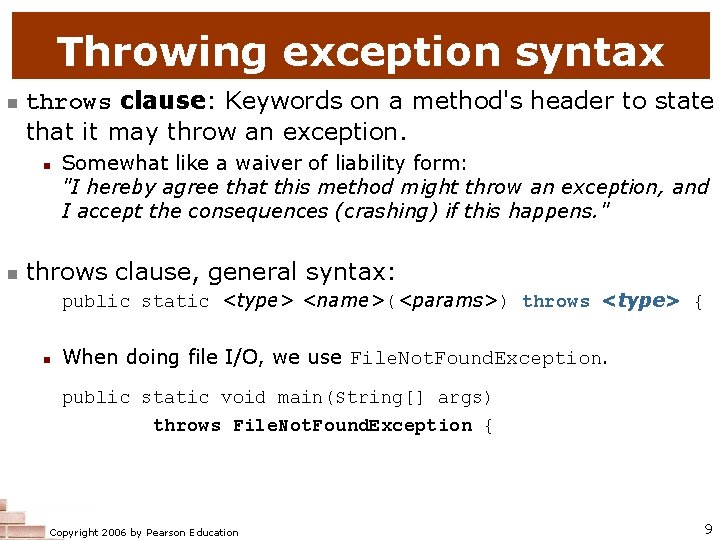
Throwing exception syntax n throws clause: Keywords on a method's header to state that it may throw an exception. n n Somewhat like a waiver of liability form: "I hereby agree that this method might throw an exception, and I accept the consequences (crashing) if this happens. " throws clause, general syntax: public static <type> <name>(<params>) throws <type> { n When doing file I/O, we use File. Not. Found. Exception. public static void main(String[] args) throws File. Not. Found. Exception { Copyright 2006 by Pearson Education 9
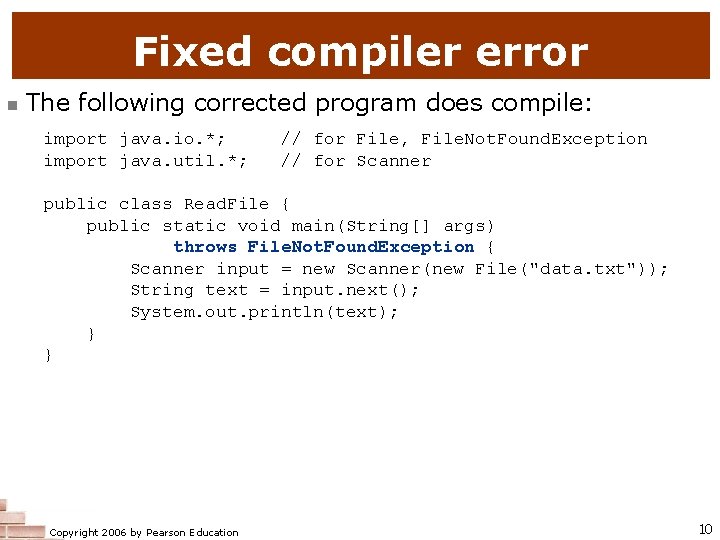
Fixed compiler error n The following corrected program does compile: import java. io. *; import java. util. *; // for File, File. Not. Found. Exception // for Scanner public class Read. File { public static void main(String[] args) throws File. Not. Found. Exception { Scanner input = new Scanner(new File("data. txt")); String text = input. next(); System. out. println(text); } } Copyright 2006 by Pearson Education 10
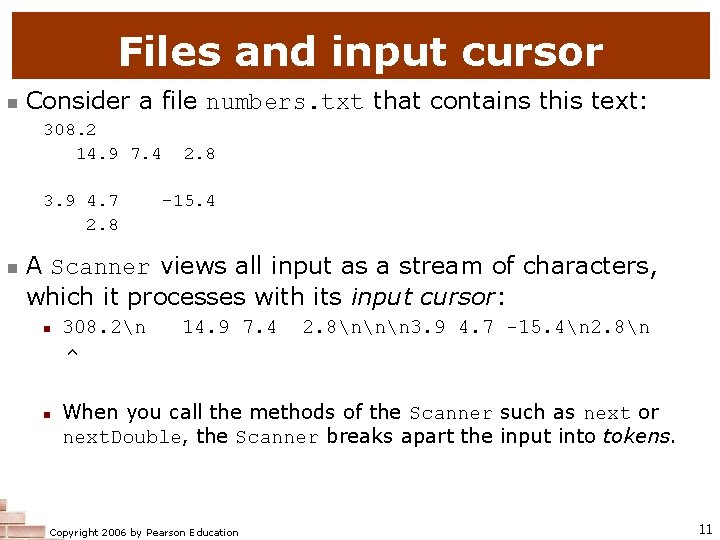
Files and input cursor n Consider a file numbers. txt that contains this text: 308. 2 14. 9 7. 4 3. 9 4. 7 2. 8 n 2. 8 -15. 4 A Scanner views all input as a stream of characters, which it processes with its input cursor: n n 308. 2n ^ 14. 9 7. 4 2. 8nnn 3. 9 4. 7 -15. 4n 2. 8n When you call the methods of the Scanner such as next or next. Double, the Scanner breaks apart the input into tokens. Copyright 2006 by Pearson Education 11
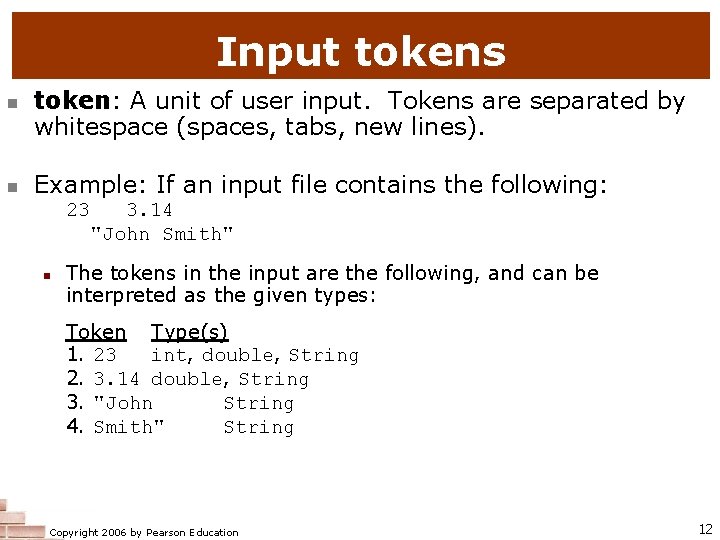
Input tokens n n token: A unit of user input. Tokens are separated by whitespace (spaces, tabs, new lines). Example: If an input file contains the following: 23 3. 14 "John Smith" n The tokens in the input are the following, and can be interpreted as the given types: Token Type(s) 1. 23 int, double, String 2. 3. 14 double, String 3. "John String 4. Smith" String Copyright 2006 by Pearson Education 12
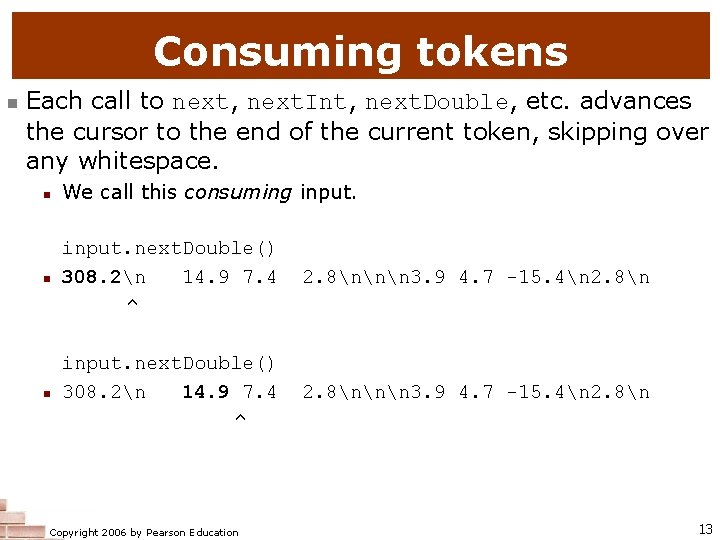
Consuming tokens n Each call to next, next. Int, next. Double, etc. advances the cursor to the end of the current token, skipping over any whitespace. n We call this consuming input. n input. next. Double() 308. 2n 14. 9 7. 4 ^ 2. 8nnn 3. 9 4. 7 -15. 4n 2. 8n Copyright 2006 by Pearson Education 13
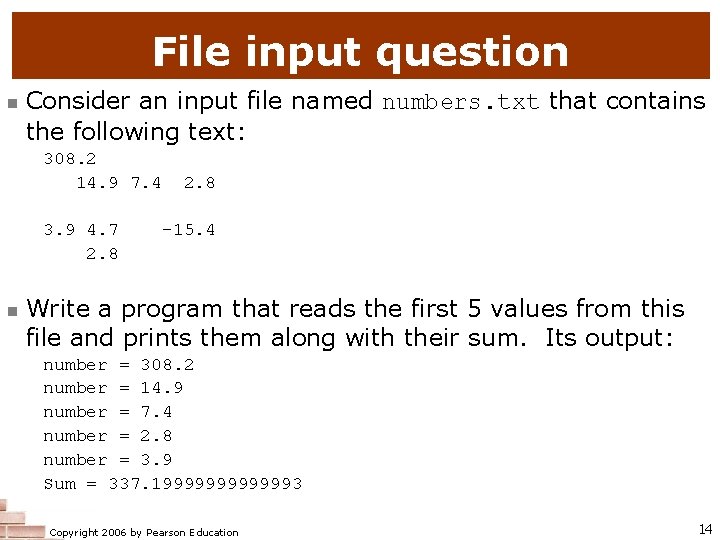
File input question n Consider an input file named numbers. txt that contains the following text: 308. 2 14. 9 7. 4 3. 9 4. 7 2. 8 n 2. 8 -15. 4 Write a program that reads the first 5 values from this file and prints them along with their sum. Its output: number = 308. 2 number = 14. 9 number = 7. 4 number = 2. 8 number = 3. 9 Sum = 337. 19999993 Copyright 2006 by Pearson Education 14
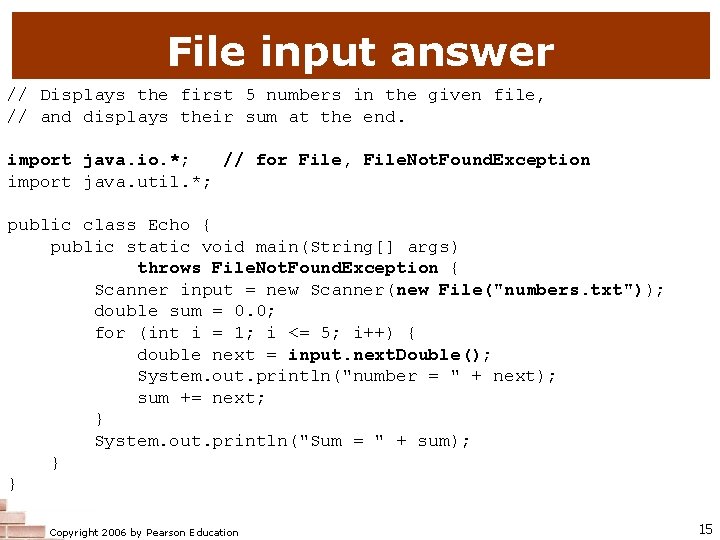
File input answer // Displays the first 5 numbers in the given file, // and displays their sum at the end. import java. io. *; // for File, File. Not. Found. Exception import java. util. *; public class Echo { public static void main(String[] args) throws File. Not. Found. Exception { Scanner input = new Scanner(new File("numbers. txt")); double sum = 0. 0; for (int i = 1; i <= 5; i++) { double next = input. next. Double(); System. out. println("number = " + next); sum += next; } System. out. println("Sum = " + sum); } } Copyright 2006 by Pearson Education 15
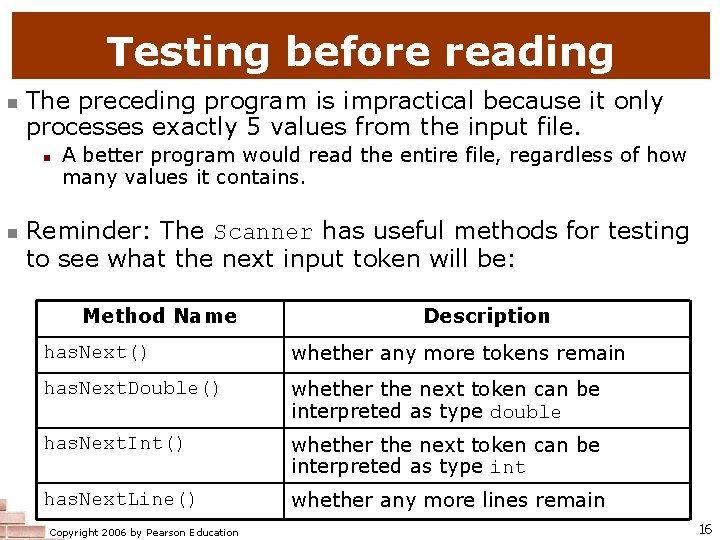
Testing before reading n The preceding program is impractical because it only processes exactly 5 values from the input file. n n A better program would read the entire file, regardless of how many values it contains. Reminder: The Scanner has useful methods for testing to see what the next input token will be: Method Name Description has. Next() whether any more tokens remain has. Next. Double() whether the next token can be interpreted as type double has. Next. Int() whether the next token can be interpreted as type int has. Next. Line() whether any more lines remain Copyright 2006 by Pearson Education 16
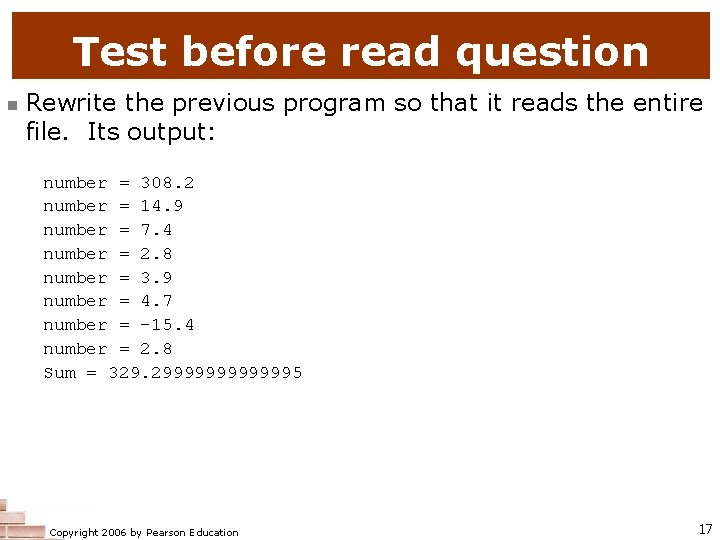
Test before read question n Rewrite the previous program so that it reads the entire file. Its output: number = 308. 2 number = 14. 9 number = 7. 4 number = 2. 8 number = 3. 9 number = 4. 7 number = -15. 4 number = 2. 8 Sum = 329. 29999995 Copyright 2006 by Pearson Education 17
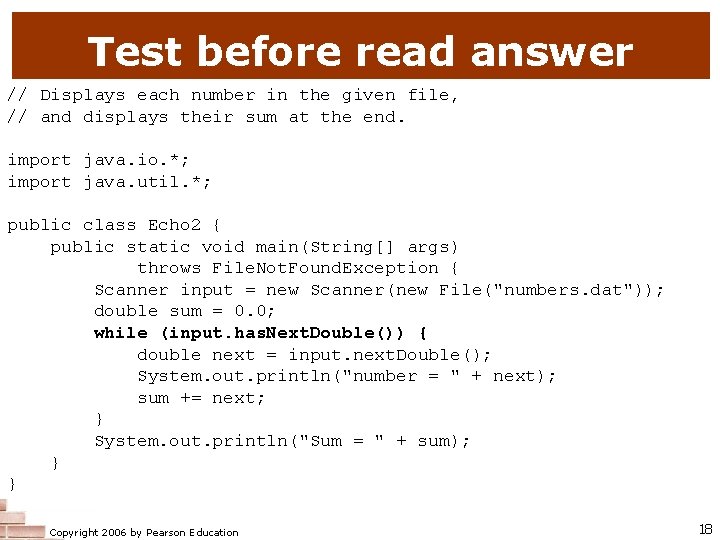
Test before read answer // Displays each number in the given file, // and displays their sum at the end. import java. io. *; import java. util. *; public class Echo 2 { public static void main(String[] args) throws File. Not. Found. Exception { Scanner input = new Scanner(new File("numbers. dat")); double sum = 0. 0; while (input. has. Next. Double()) { double next = input. next. Double(); System. out. println("number = " + next); sum += next; } System. out. println("Sum = " + sum); } } Copyright 2006 by Pearson Education 18
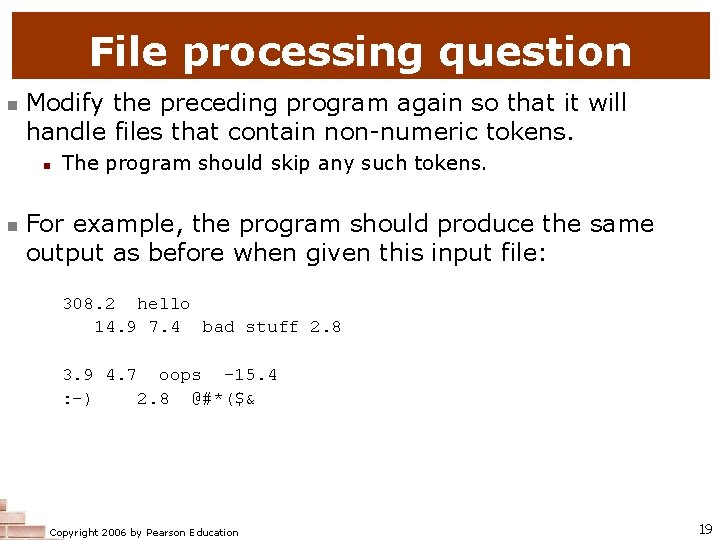
File processing question n Modify the preceding program again so that it will handle files that contain non-numeric tokens. n n The program should skip any such tokens. For example, the program should produce the same output as before when given this input file: 308. 2 hello 14. 9 7. 4 bad stuff 2. 8 3. 9 4. 7 oops -15. 4 : -) 2. 8 @#*($& Copyright 2006 by Pearson Education 19
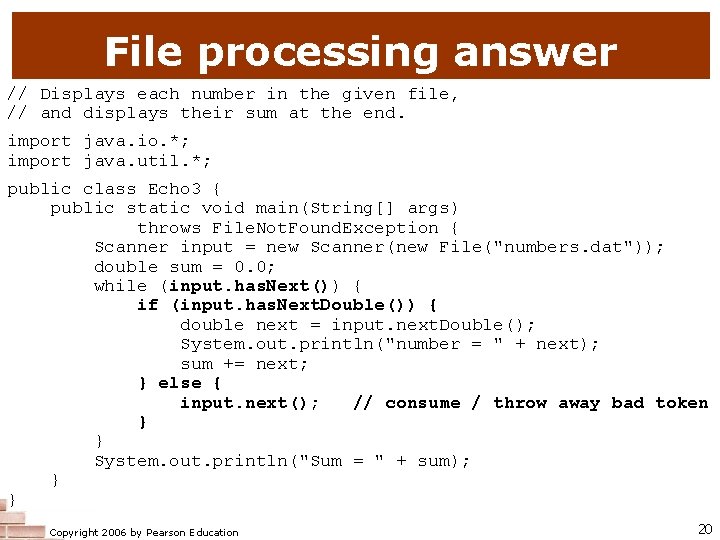
File processing answer // Displays each number in the given file, // and displays their sum at the end. import java. io. *; import java. util. *; public class Echo 3 { public static void main(String[] args) throws File. Not. Found. Exception { Scanner input = new Scanner(new File("numbers. dat")); double sum = 0. 0; while (input. has. Next()) { if (input. has. Next. Double()) { double next = input. next. Double(); System. out. println("number = " + next); sum += next; } else { input. next(); // consume / throw away bad token } } System. out. println("Sum = " + sum); } } Copyright 2006 by Pearson Education 20
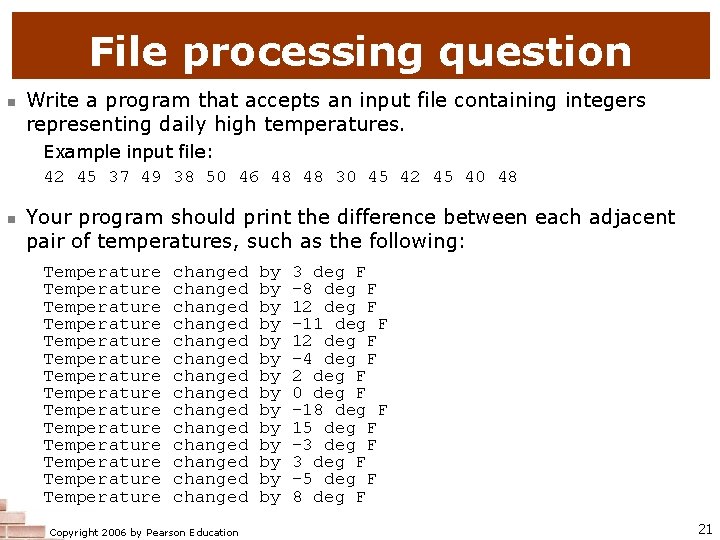
File processing question n Write a program that accepts an input file containing integers representing daily high temperatures. Example input file: 42 45 37 49 38 50 46 48 48 30 45 42 45 40 48 n Your program should print the difference between each adjacent pair of temperatures, such as the following: Temperature Temperature Temperature Temperature changed changed changed changed Copyright 2006 by Pearson Education by by by by 3 deg F -8 deg F 12 deg F -11 deg F 12 deg F -4 deg F 2 deg F 0 deg F -18 deg F 15 deg F -3 deg F -5 deg F 8 deg F 21
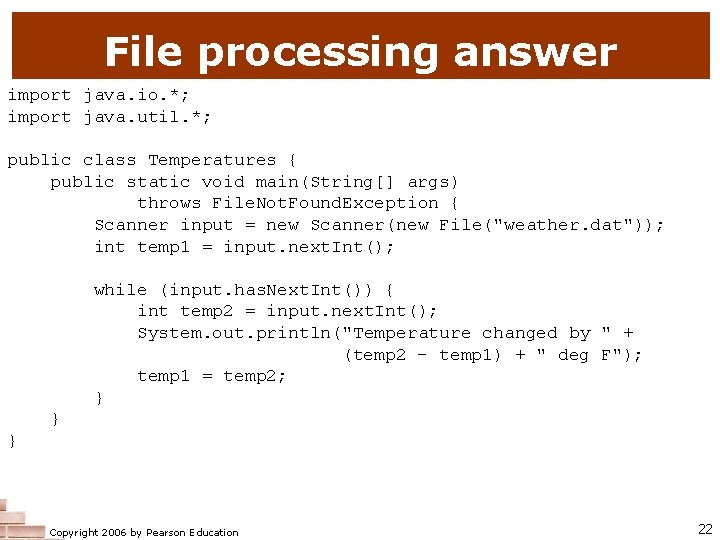
File processing answer import java. io. *; import java. util. *; public class Temperatures { public static void main(String[] args) throws File. Not. Found. Exception { Scanner input = new Scanner(new File("weather. dat")); int temp 1 = input. next. Int(); while (input. has. Next. Int()) { int temp 2 = input. next. Int(); System. out. println("Temperature changed by " + (temp 2 - temp 1) + " deg F"); temp 1 = temp 2; } } } Copyright 2006 by Pearson Education 22
Line-based file processing reading: 6. 3 Copyright 2006 by Pearson Education 23
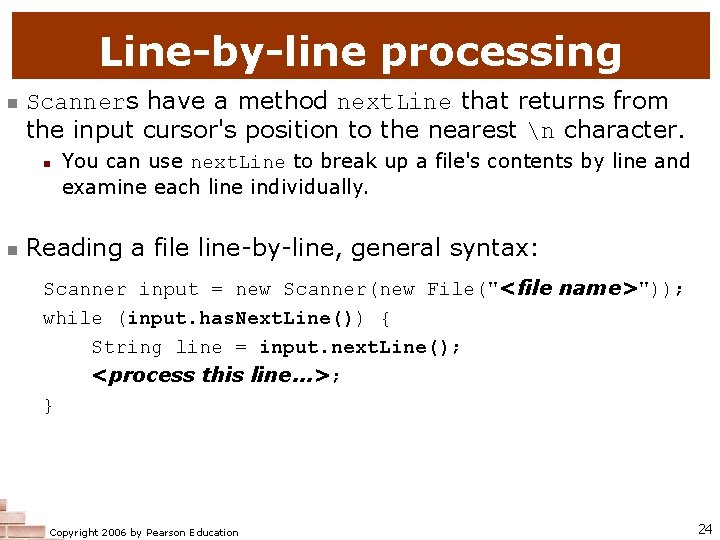
Line-by-line processing n Scanners have a method next. Line that returns from the input cursor's position to the nearest n character. n n You can use next. Line to break up a file's contents by line and examine each line individually. Reading a file line-by-line, general syntax: Scanner input = new Scanner(new File("<file name>")); while (input. has. Next. Line()) { String line = input. next. Line(); <process this line. . . >; } Copyright 2006 by Pearson Education 24
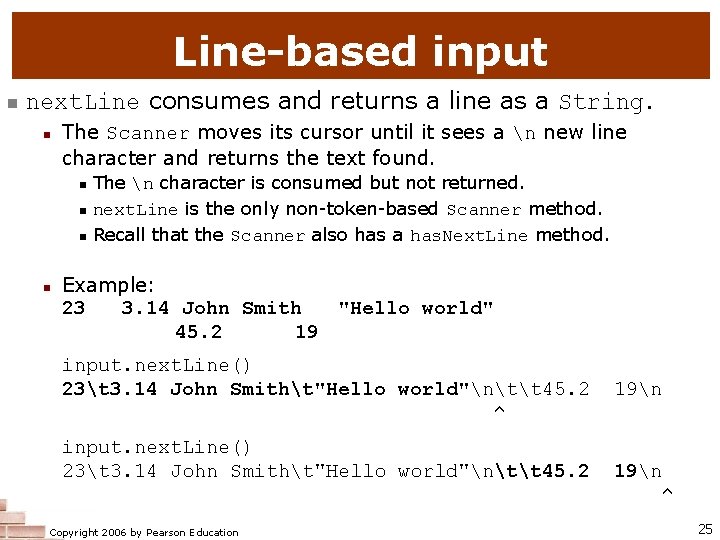
Line-based input n next. Line consumes and returns a line as a String. n The Scanner moves its cursor until it sees a n new line character and returns the text found. n n The n character is consumed but not returned. next. Line is the only non-token-based Scanner method. Recall that the Scanner also has a has. Next. Line method. Example: 23 3. 14 John Smith "Hello world" 45. 2 19 input. next. Line() 23t 3. 14 John Smitht"Hello world"ntt 45. 2 ^ input. next. Line() 23t 3. 14 John Smitht"Hello world"ntt 45. 2 Copyright 2006 by Pearson Education 19n ^ 25
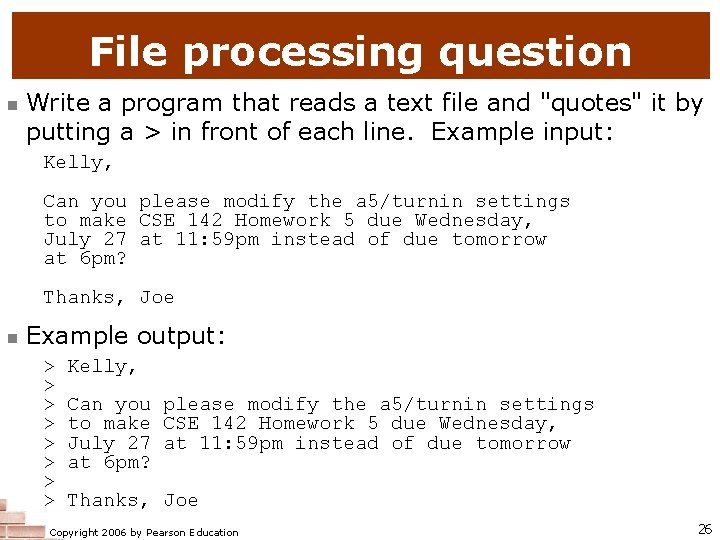
File processing question n Write a program that reads a text file and "quotes" it by putting a > in front of each line. Example input: Kelly, Can you please modify the a 5/turnin settings to make CSE 142 Homework 5 due Wednesday, July 27 at 11: 59 pm instead of due tomorrow at 6 pm? Thanks, Joe n Example output: > > > > Kelly, Can you please modify the a 5/turnin settings to make CSE 142 Homework 5 due Wednesday, July 27 at 11: 59 pm instead of due tomorrow at 6 pm? Thanks, Joe Copyright 2006 by Pearson Education 26
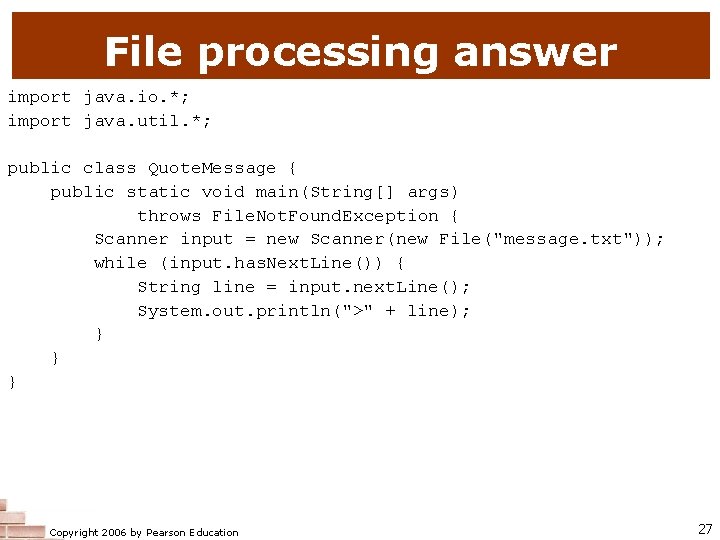
File processing answer import java. io. *; import java. util. *; public class Quote. Message { public static void main(String[] args) throws File. Not. Found. Exception { Scanner input = new Scanner(new File("message. txt")); while (input. has. Next. Line()) { String line = input. next. Line(); System. out. println(">" + line); } } } Copyright 2006 by Pearson Education 27
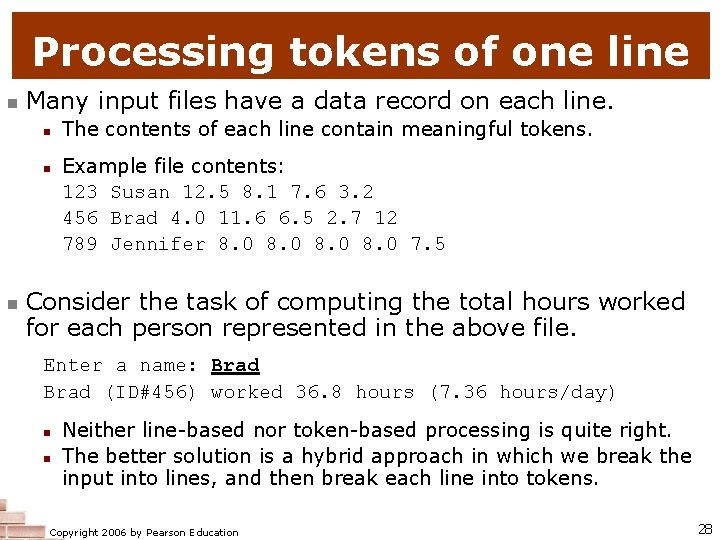
Processing tokens of one line n Many input files have a data record on each line. n n n The contents of each line contain meaningful tokens. Example file contents: 123 Susan 12. 5 8. 1 7. 6 3. 2 456 Brad 4. 0 11. 6 6. 5 2. 7 12 789 Jennifer 8. 0 7. 5 Consider the task of computing the total hours worked for each person represented in the above file. Enter a name: Brad (ID#456) worked 36. 8 hours (7. 36 hours/day) n n Neither line-based nor token-based processing is quite right. The better solution is a hybrid approach in which we break the input into lines, and then break each line into tokens. Copyright 2006 by Pearson Education 28
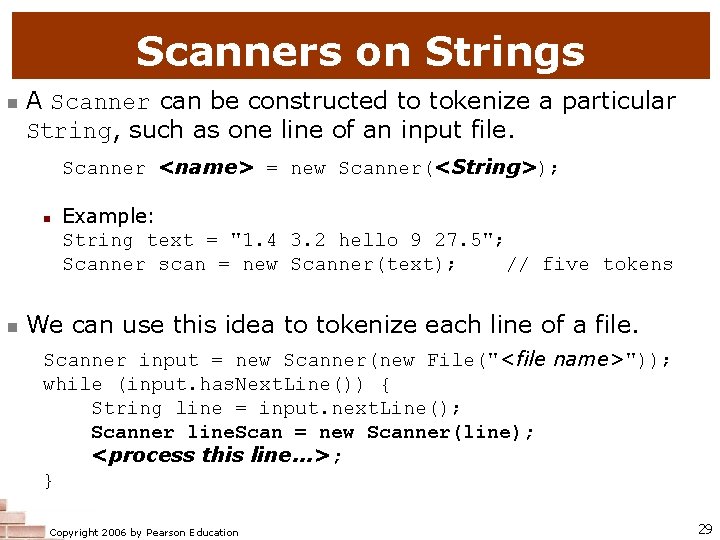
Scanners on Strings n A Scanner can be constructed to tokenize a particular String, such as one line of an input file. Scanner <name> = new Scanner(<String>); n n Example: String text = "1. 4 3. 2 hello 9 27. 5"; Scanner scan = new Scanner(text); // five tokens We can use this idea to tokenize each line of a file. Scanner input = new Scanner(new File("<file name>")); while (input. has. Next. Line()) { String line = input. next. Line(); Scanner line. Scan = new Scanner(line); <process this line. . . >; } Copyright 2006 by Pearson Education 29
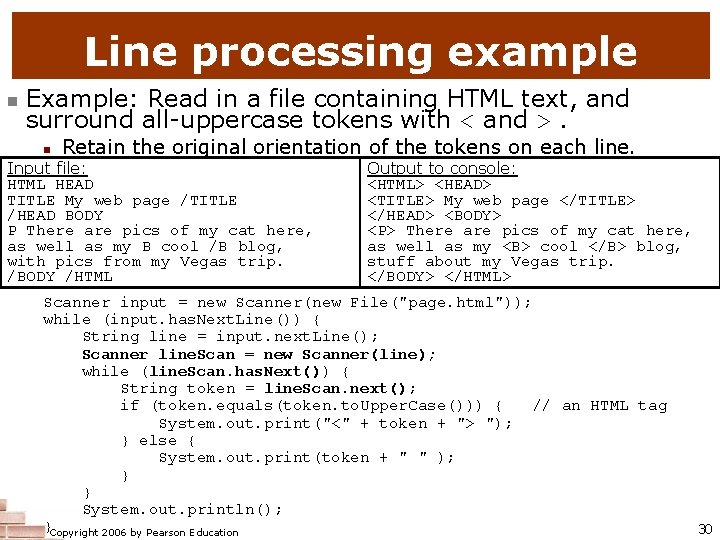
Line processing example n Example: Read in a file containing HTML text, and surround all-uppercase tokens with < and >. n Retain the original orientation of the tokens on each line. Input file: HTML HEAD TITLE My web page /TITLE /HEAD BODY P There are pics of my cat here, as well as my B cool /B blog, with pics from my Vegas trip. /BODY /HTML Output to console: <HTML> <HEAD> <TITLE> My web page </TITLE> </HEAD> <BODY> <P> There are pics of my cat here, as well as my <B> cool </B> blog, stuff about my Vegas trip. </BODY> </HTML> Scanner input = new Scanner(new File("page. html")); while (input. has. Next. Line()) { String line = input. next. Line(); Scanner line. Scan = new Scanner(line); while (line. Scan. has. Next()) { String token = line. Scan. next(); if (token. equals(token. to. Upper. Case())) { // an HTML tag System. out. print("<" + token + "> "); } else { System. out. print(token + " " ); } } System. out. println(); }Copyright 2006 by Pearson Education 30
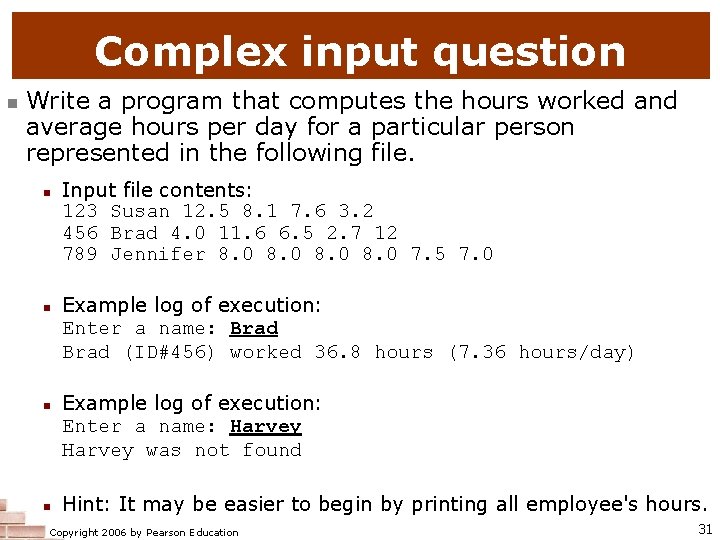
Complex input question n Write a program that computes the hours worked and average hours per day for a particular person represented in the following file. n n Input file contents: 123 Susan 12. 5 8. 1 7. 6 3. 2 456 Brad 4. 0 11. 6 6. 5 2. 7 12 789 Jennifer 8. 0 7. 5 7. 0 Example log of execution: Enter a name: Brad (ID#456) worked 36. 8 hours (7. 36 hours/day) Example log of execution: Enter a name: Harvey was not found Hint: It may be easier to begin by printing all employee's hours. Copyright 2006 by Pearson Education 31
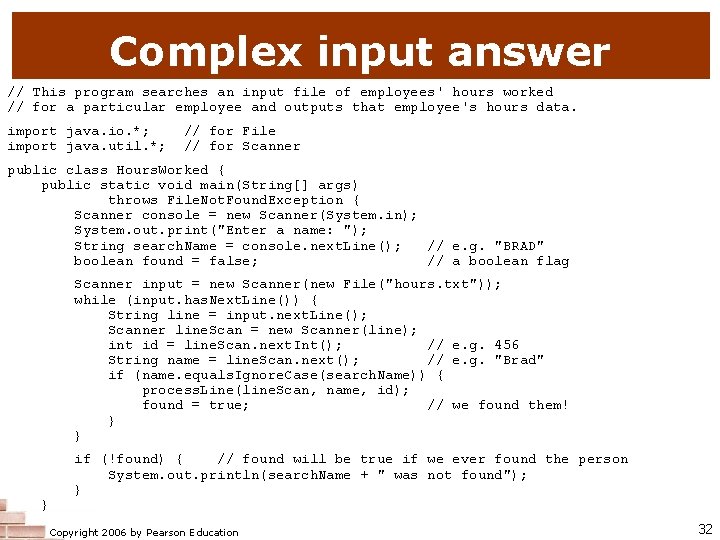
Complex input answer // This program searches an input file of employees' hours worked // for a particular employee and outputs that employee's hours data. import java. io. *; import java. util. *; // for File // for Scanner public class Hours. Worked { public static void main(String[] args) throws File. Not. Found. Exception { Scanner console = new Scanner(System. in); System. out. print("Enter a name: "); String search. Name = console. next. Line(); // e. g. "BRAD" boolean found = false; // a boolean flag Scanner input = new Scanner(new File("hours. txt")); while (input. has. Next. Line()) { String line = input. next. Line(); Scanner line. Scan = new Scanner(line); int id = line. Scan. next. Int(); // e. g. 456 String name = line. Scan. next(); // e. g. "Brad" if (name. equals. Ignore. Case(search. Name)) { process. Line(line. Scan, name, id); found = true; // we found them! } } } if (!found) { // found will be true if we ever found the person System. out. println(search. Name + " was not found"); } Copyright 2006 by Pearson Education 32
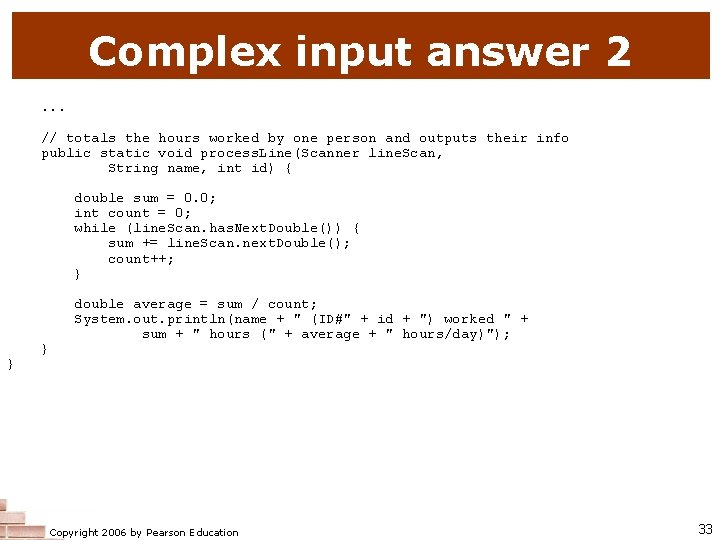
Complex input answer 2. . . // totals the hours worked by one person and outputs their info public static void process. Line(Scanner line. Scan, String name, int id) { double sum = 0. 0; int count = 0; while (line. Scan. has. Next. Double()) { sum += line. Scan. next. Double(); count++; } } } double average = sum / count; System. out. println(name + " (ID#" + id + ") worked " + sum + " hours (" + average + " hours/day)"); Copyright 2006 by Pearson Education 33
Advanced I/O reading: 6. 4 - 6. 5 Copyright 2006 by Pearson Education 34
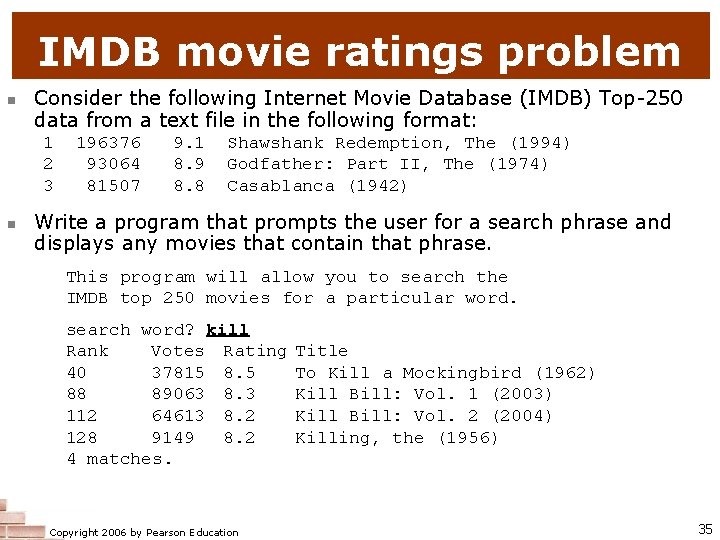
IMDB movie ratings problem n Consider the following Internet Movie Database (IMDB) Top-250 data from a text file in the following format: 1 2 3 n 196376 93064 81507 9. 1 8. 9 8. 8 Shawshank Redemption, The (1994) Godfather: Part II, The (1974) Casablanca (1942) Write a program that prompts the user for a search phrase and displays any movies that contain that phrase. This program will allow you to search the IMDB top 250 movies for a particular word. search word? kill Rank Votes Rating 40 37815 8. 5 88 89063 8. 3 112 64613 8. 2 128 9149 8. 2 4 matches. Copyright 2006 by Pearson Education Title To Kill a Mockingbird (1962) Kill Bill: Vol. 1 (2003) Kill Bill: Vol. 2 (2004) Killing, the (1956) 35
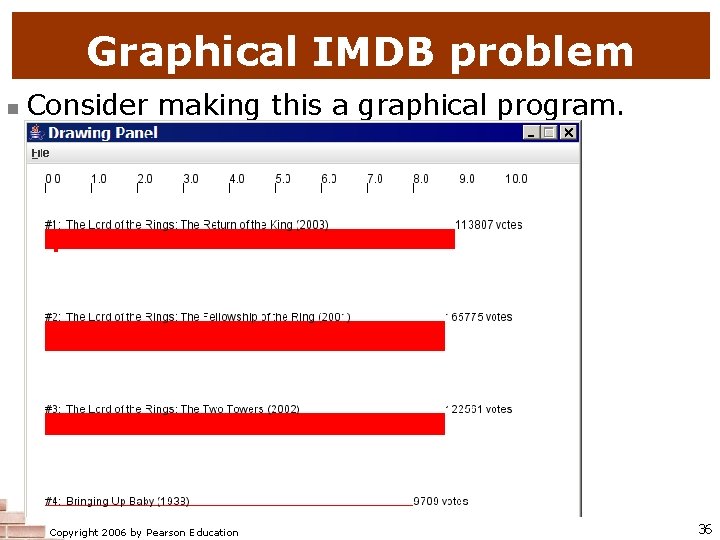
Graphical IMDB problem n Consider making this a graphical program. Expected appearance: n n n top-left tick mark at (20, 20) ticks 10 px tall, 50 px apart first red bar t/l corner at (20, 70) 100 px apart vertically (max of 5) 1 px tall per 5000 votes 50 px wide per rating point Copyright 2006 by Pearson Education 36
Mixing graphical, text output n When solving complex file I/O problems with a mix of text and graphical output, attack the problem in pieces. Do the text input/output and file I/O first: n Handle any welcome message and initial console input. n Write code to open the input file and print some of the file's data. (Perhaps print the first token of each line, or print all tokens on a given line. ) n Write code to process the input file and retrieve the record being searched for. n Produce the complete and exact text output. Next, begin the graphical output: n First draw any fixed items that do not depend on the user input or file results. n Lastly draw the graphical output that depends on the search record from the file. Copyright 2006 by Pearson Education 37
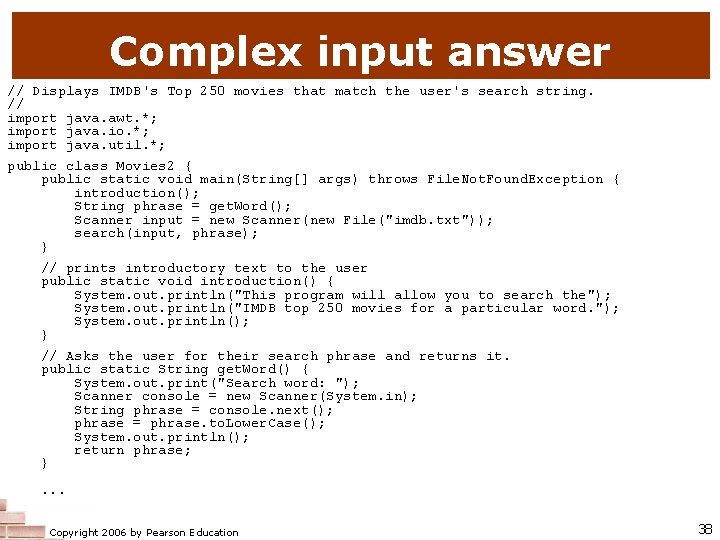
Complex input answer // Displays IMDB's Top 250 movies that match the user's search string. // import java. awt. *; import java. io. *; import java. util. *; public class Movies 2 { public static void main(String[] args) throws File. Not. Found. Exception { introduction(); String phrase = get. Word(); Scanner input = new Scanner(new File("imdb. txt")); search(input, phrase); } // prints introductory text to the user public static void introduction() { System. out. println("This program will allow you to search the"); System. out. println("IMDB top 250 movies for a particular word. "); System. out. println(); } // Asks the user for their search phrase and returns it. public static String get. Word() { System. out. print("Search word: "); Scanner console = new Scanner(System. in); String phrase = console. next(); phrase = phrase. to. Lower. Case(); System. out. println(); return phrase; }. . . Copyright 2006 by Pearson Education 38
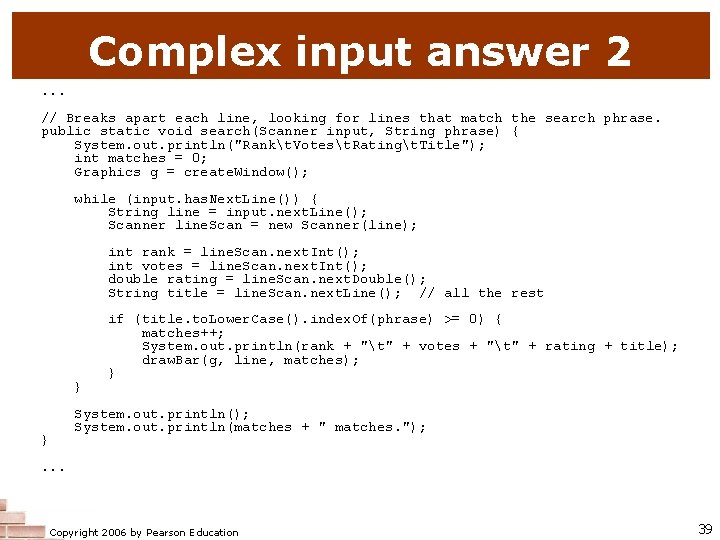
Complex input answer 2. . . // Breaks apart each line, looking for lines that match the search phrase. public static void search(Scanner input, String phrase) { System. out. println("Rankt. Votest. Ratingt. Title"); int matches = 0; Graphics g = create. Window(); while (input. has. Next. Line()) { String line = input. next. Line(); Scanner line. Scan = new Scanner(line); int rank = line. Scan. next. Int(); int votes = line. Scan. next. Int(); double rating = line. Scan. next. Double(); String title = line. Scan. next. Line(); // all the rest } } if (title. to. Lower. Case(). index. Of(phrase) >= 0) { matches++; System. out. println(rank + "t" + votes + "t" + rating + title); draw. Bar(g, line, matches); } System. out. println(); System. out. println(matches + " matches. "); . . . Copyright 2006 by Pearson Education 39
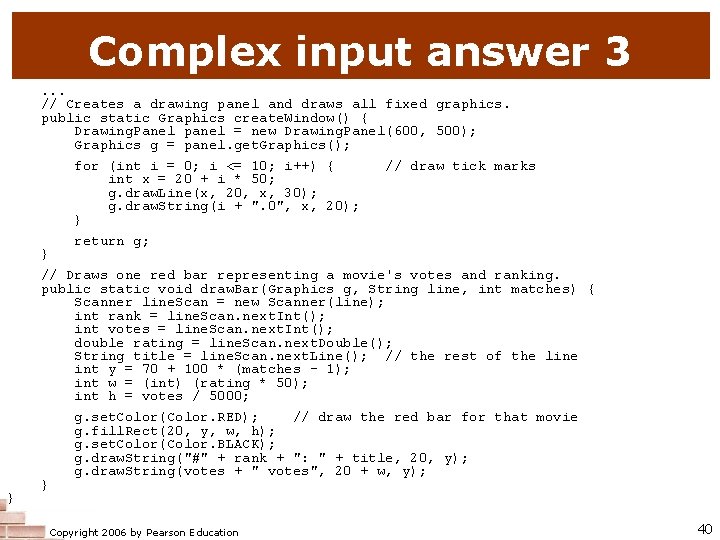
Complex input answer 3. . . // Creates a drawing panel and draws all fixed graphics. public static Graphics create. Window() { Drawing. Panel panel = new Drawing. Panel(600, 500); Graphics g = panel. get. Graphics(); for (int i = 0; i <= 10; i++) { int x = 20 + i * 50; g. draw. Line(x, 20, x, 30); g. draw. String(i + ". 0", x, 20); } } // draw tick marks return g; // Draws one red bar representing a movie's votes and ranking. public static void draw. Bar(Graphics g, String line, int matches) { Scanner line. Scan = new Scanner(line); int rank = line. Scan. next. Int(); int votes = line. Scan. next. Int(); double rating = line. Scan. next. Double(); String title = line. Scan. next. Line(); // the rest of the line int y = 70 + 100 * (matches - 1); int w = (int) (rating * 50); int h = votes / 5000; } } g. set. Color(Color. RED); // draw the red bar for that movie g. fill. Rect(20, y, w, h); g. set. Color(Color. BLACK); g. draw. String("#" + rank + ": " + title, 20, y); g. draw. String(votes + " votes", 20 + w, y); Copyright 2006 by Pearson Education 40
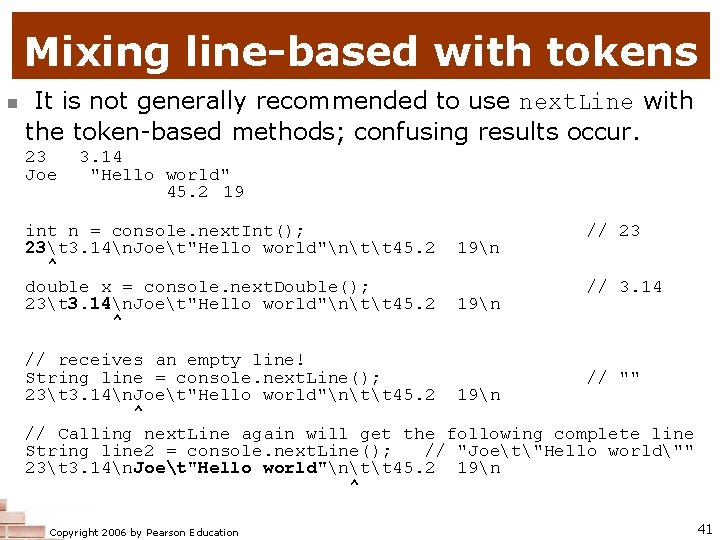
Mixing line-based with tokens n It is not generally recommended to use next. Line with the token-based methods; confusing results occur. 23 Joe 3. 14 "Hello world" 45. 2 19 int n = console. next. Int(); 23t 3. 14n. Joet"Hello world"ntt 45. 2 ^ double x = console. next. Double(); 23t 3. 14n. Joet"Hello world"ntt 45. 2 ^ 19n // 23 // 3. 14 // receives an empty line! String line = console. next. Line(); // "" 23t 3. 14n. Joet"Hello world"ntt 45. 2 19n ^ // Calling next. Line again will get the following complete line String line 2 = console. next. Line(); // "Joet"Hello world"" 23t 3. 14n. Joet"Hello world"ntt 45. 2 19n ^ Copyright 2006 by Pearson Education 41
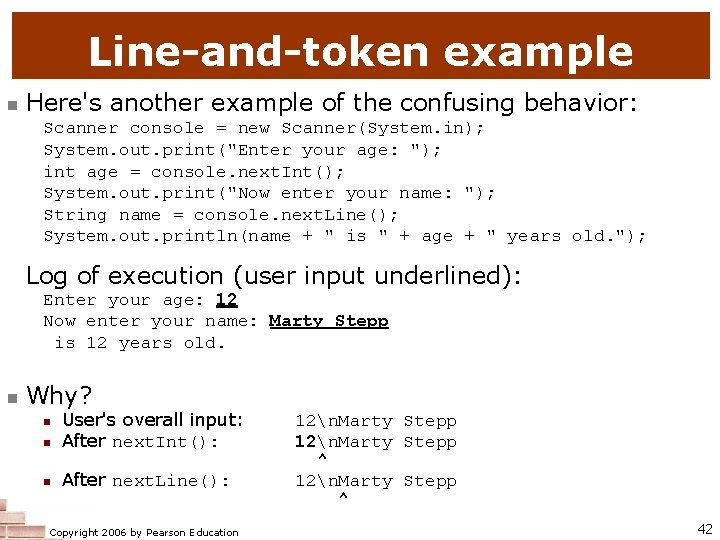
Line-and-token example n Here's another example of the confusing behavior: Scanner console = new Scanner(System. in); System. out. print("Enter your age: "); int age = console. next. Int(); System. out. print("Now enter your name: "); String name = console. next. Line(); System. out. println(name + " is " + age + " years old. "); Log of execution (user input underlined): Enter your age: 12 Now enter your name: Marty Stepp is 12 years old. n Why? n User's overall input: After next. Int(): n After next. Line(): n Copyright 2006 by Pearson Education 12n. Marty Stepp ^ 42
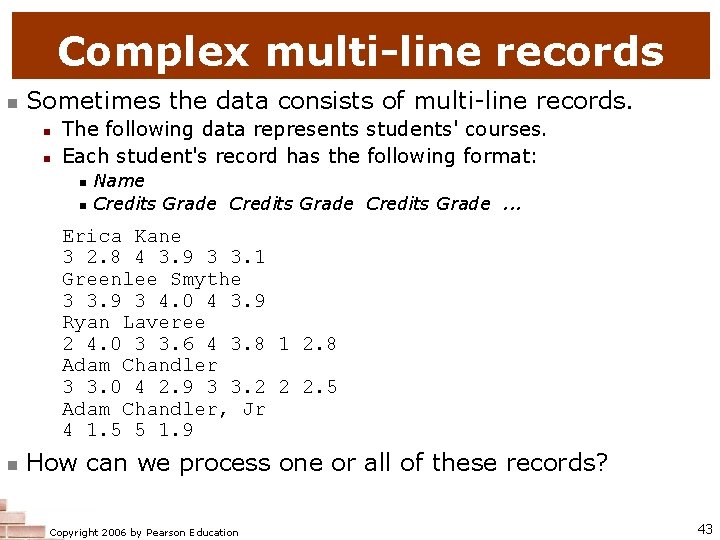
Complex multi-line records n Sometimes the data consists of multi-line records. n n The following data represents students' courses. Each student's record has the following format: n n Name Credits Grade. . . Erica Kane 3 2. 8 4 3. 9 3 3. 1 Greenlee Smythe 3 3. 9 3 4. 0 4 3. 9 Ryan Laveree 2 4. 0 3 3. 6 4 3. 8 1 2. 8 Adam Chandler 3 3. 0 4 2. 9 3 3. 2 2 2. 5 Adam Chandler, Jr 4 1. 5 5 1. 9 n How can we process one or all of these records? Copyright 2006 by Pearson Education 43
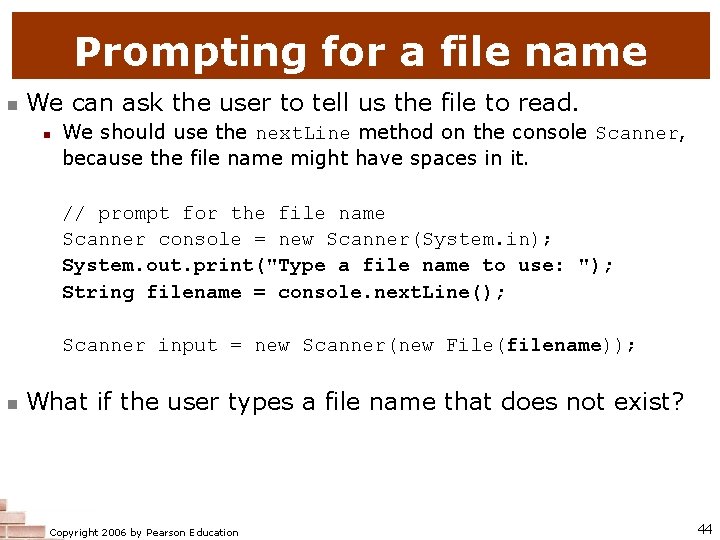
Prompting for a file name n We can ask the user to tell us the file to read. n We should use the next. Line method on the console Scanner, because the file name might have spaces in it. // prompt for the file name Scanner console = new Scanner(System. in); System. out. print("Type a file name to use: "); String filename = console. next. Line(); Scanner input = new Scanner(new File(filename)); n What if the user types a file name that does not exist? Copyright 2006 by Pearson Education 44
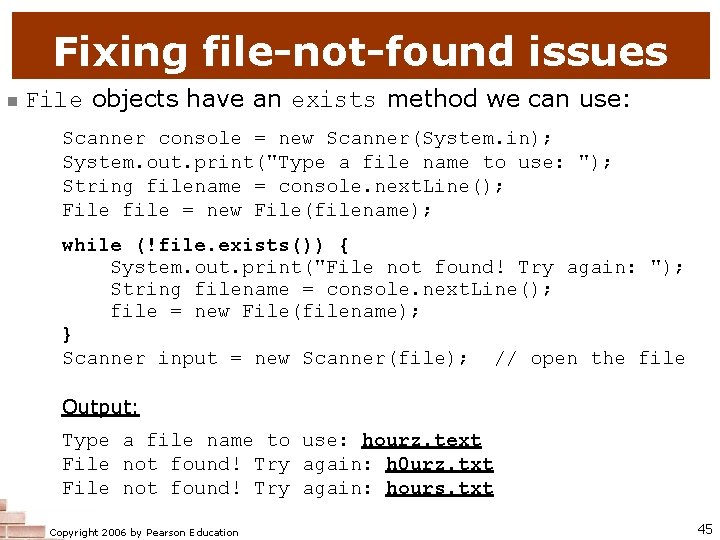
Fixing file-not-found issues n File objects have an exists method we can use: Scanner console = new Scanner(System. in); System. out. print("Type a file name to use: "); String filename = console. next. Line(); File file = new File(filename); while (!file. exists()) { System. out. print("File not found! Try again: "); String filename = console. next. Line(); file = new File(filename); } Scanner input = new Scanner(file); // open the file Output: Type a file name to use: hourz. text File not found! Try again: h 0 urz. txt File not found! Try again: hours. txt Copyright 2006 by Pearson Education 45
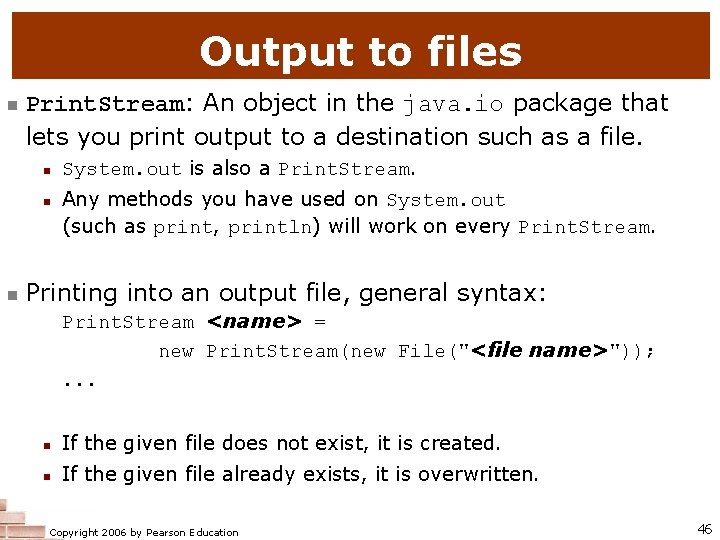
Output to files n Print. Stream: An object in the java. io package that lets you print output to a destination such as a file. n n n System. out is also a Print. Stream. Any methods you have used on System. out (such as print, println) will work on every Print. Stream. Printing into an output file, general syntax: Print. Stream <name> = new Print. Stream(new File("<file name>")); . . . n If the given file does not exist, it is created. n If the given file already exists, it is overwritten. Copyright 2006 by Pearson Education 46
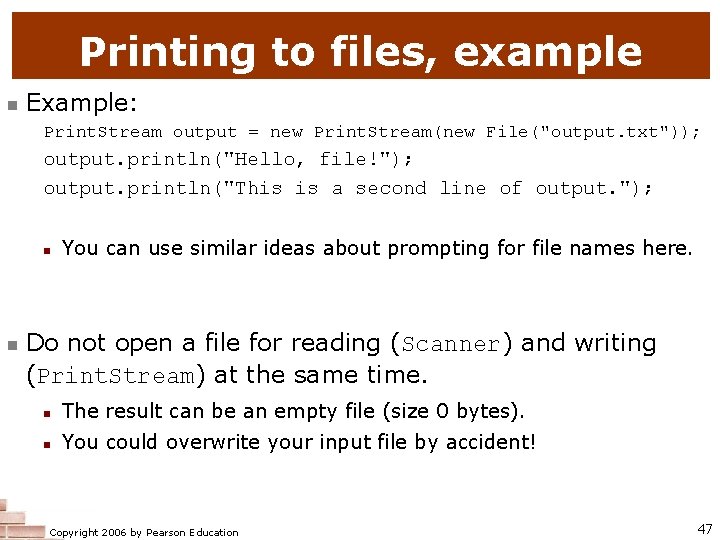
Printing to files, example n Example: Print. Stream output = new Print. Stream(new File("output. txt")); output. println("Hello, file!"); output. println("This is a second line of output. "); n n You can use similar ideas about prompting for file names here. Do not open a file for reading (Scanner) and writing (Print. Stream) at the same time. n The result can be an empty file (size 0 bytes). n You could overwrite your input file by accident! Copyright 2006 by Pearson Education 47
- Slides: 47