
Building Java Programs Chapter 8 Lecture 8 1
Building Java Programs Chapter 8 Lecture 8 -1: Classes and Objects reading: 8. 1 - 8. 2 Copyright 2010 by Pearson Education
Copyright 2010 by Pearson Education 2
File output reading: 6. 4 - 6. 5 Copyright 2010 by Pearson Education 3
Output to files �Print. Stream: An object in the java. io package that lets you print output to a destination such as a file. � Any methods you have used on System. out (such as print, println) will work on a Print. Stream. � Syntax: Print. Stream <name> = new Print. Stream(new File("<filename>")); Example: Print. Stream output = new Print. Stream(new File("out. txt")); output. println("Hello, file!"); output. println("This is a second line of output. "); Copyright 2010 by Pearson Education 4
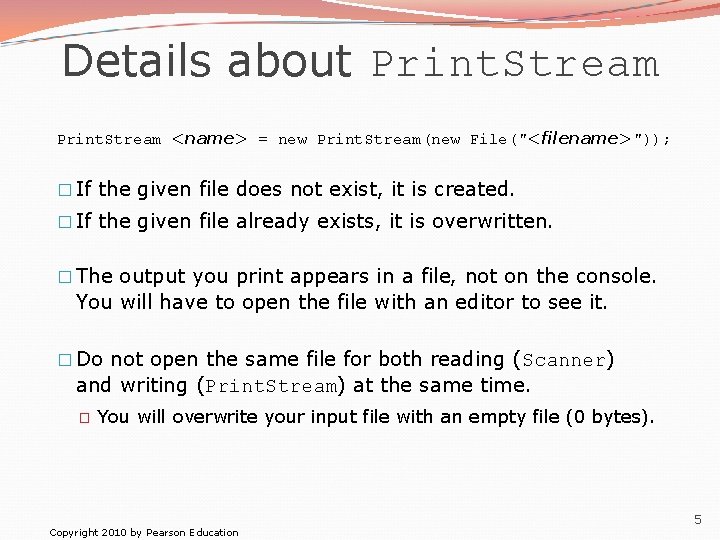
Details about Print. Stream <name> = new Print. Stream(new File("<filename>")); � If the given file does not exist, it is created. � If the given file already exists, it is overwritten. � The output you print appears in a file, not on the console. You will have to open the file with an editor to see it. � Do not open the same file for both reading (Scanner) and writing (Print. Stream) at the same time. � You will overwrite your input file with an empty file (0 bytes). Copyright 2010 by Pearson Education 5
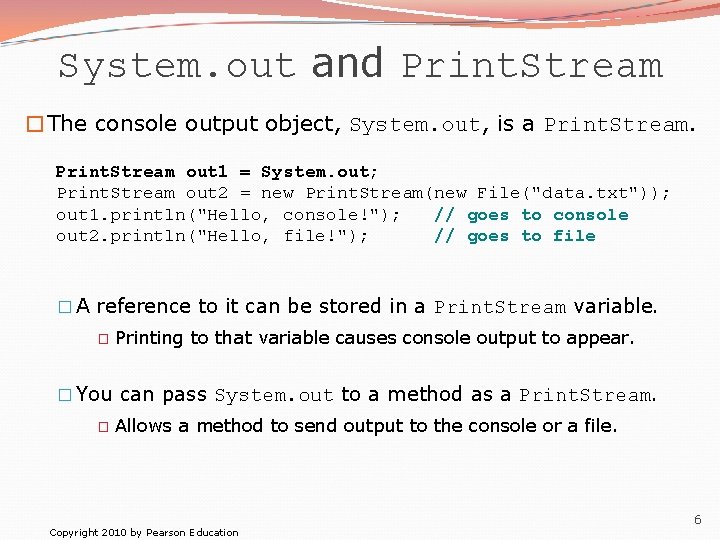
System. out and Print. Stream �The console output object, System. out, is a Print. Stream out 1 = System. out; Print. Stream out 2 = new Print. Stream(new File("data. txt")); out 1. println("Hello, console!"); // goes to console out 2. println("Hello, file!"); // goes to file � A reference to it can be stored in a Print. Stream variable. � Printing to that variable causes console output to appear. � You can pass System. out to a method as a Print. Stream. � Allows a method to send output to the console or a file. Copyright 2010 by Pearson Education 6
Objects and classes reading: 8. 1 – 8. 2 Copyright 2010 by Pearson Education 7
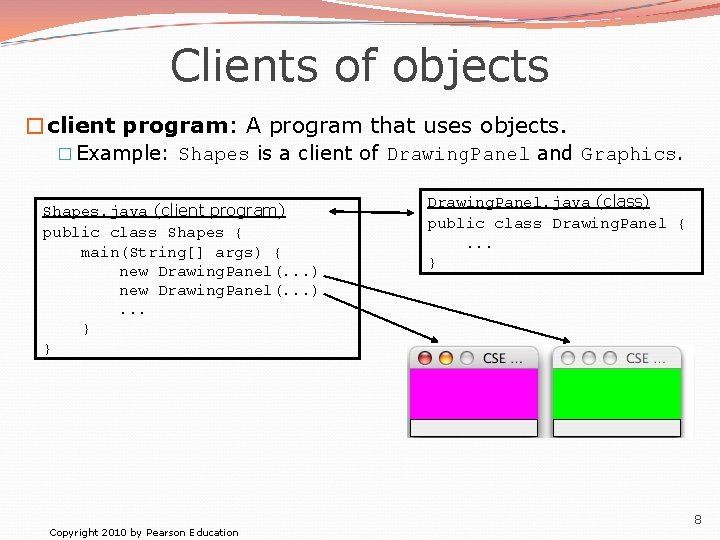
Clients of objects �client program: A program that uses objects. � Example: Shapes is a client of Drawing. Panel and Graphics. Shapes. java (client program) public class Shapes { main(String[] args) { new Drawing. Panel(. . . ). . . } } Copyright 2010 by Pearson Education Drawing. Panel. java (class) public class Drawing. Panel {. . . } 8
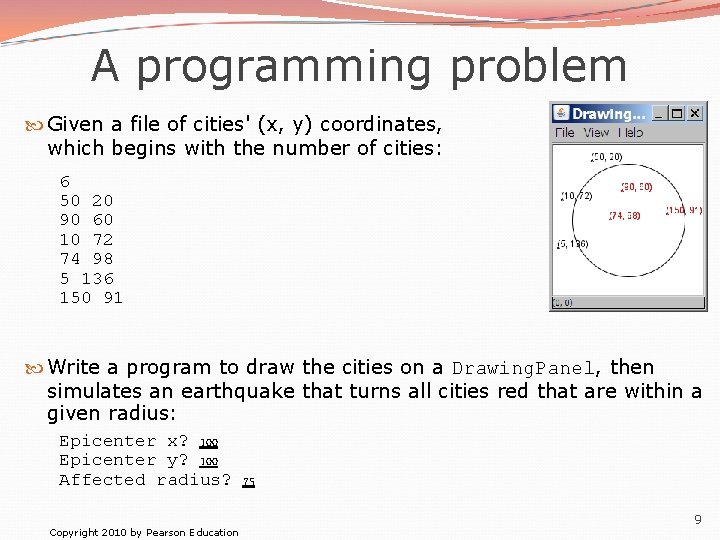
A programming problem Given a file of cities' (x, y) coordinates, which begins with the number of cities: 6 50 20 90 60 10 72 74 98 5 136 150 91 Write a program to draw the cities on a Drawing. Panel, then simulates an earthquake that turns all cities red that are within a given radius: Epicenter x? 100 Epicenter y? 100 Affected radius? 75 Copyright 2010 by Pearson Education 9
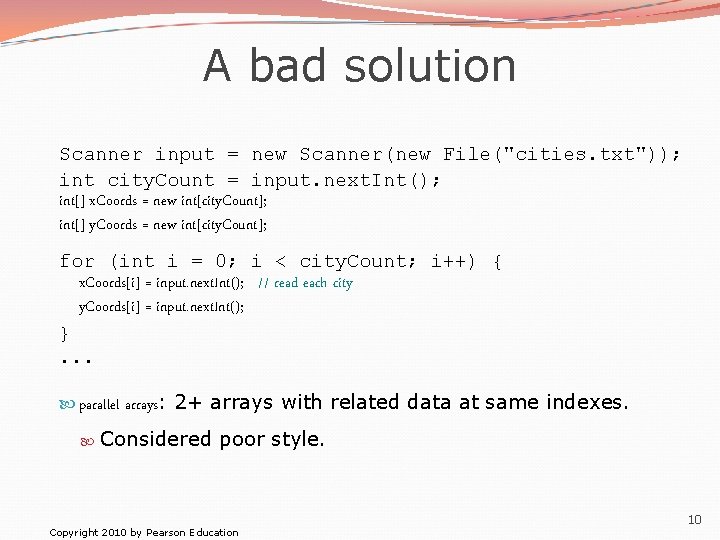
A bad solution Scanner input = new Scanner(new File("cities. txt")); int city. Count = input. next. Int(); int[] x. Coords = new int[city. Count]; int[] y. Coords = new int[city. Count]; for (int i = 0; i < city. Count; i++) { x. Coords[i] = input. next. Int(); // read each city y. Coords[i] = input. next. Int(); }. . . parallel arrays: 2+ arrays with related data at same indexes. Considered poor style. Copyright 2010 by Pearson Education 10
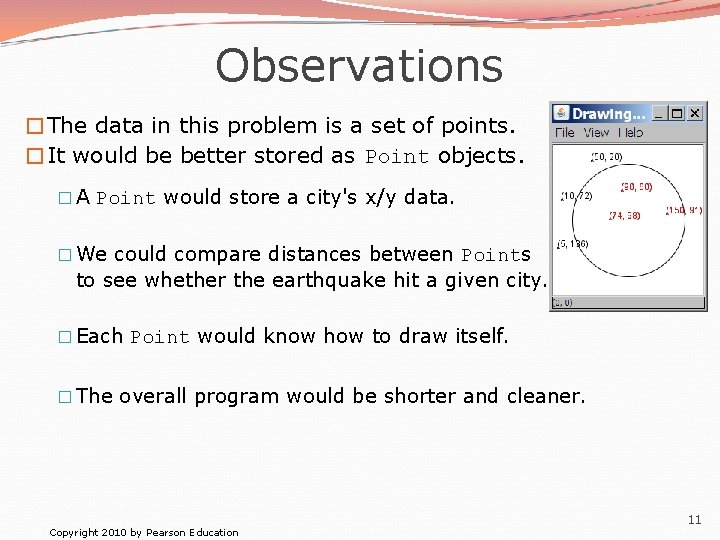
Observations �The data in this problem is a set of points. �It would be better stored as Point objects. � A Point would store a city's x/y data. � We could compare distances between Points to see whether the earthquake hit a given city. � Each Point would know how to draw itself. � The overall program would be shorter and cleaner. Copyright 2010 by Pearson Education 11
Classes and objects �class: A program entity that represents either: 1. A program / module, or 2. A template for a new type of objects. � The Drawing. Panel class is a template for creating Drawing. Panel objects. �object: An entity that combines state and behavior. � object-oriented programming (OOP): Programs that perform their behavior as interactions between objects. Copyright 2010 by Pearson Education 12
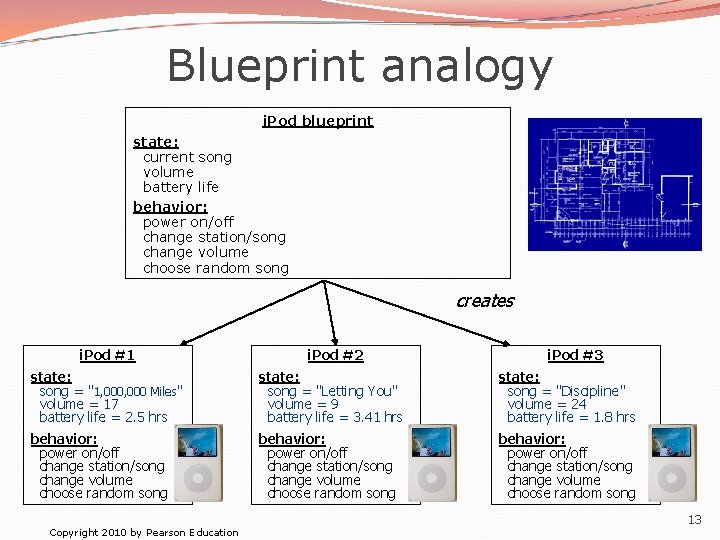
Blueprint analogy i. Pod blueprint state: current song volume battery life behavior: power on/off change station/song change volume choose random song creates i. Pod #1 i. Pod #2 i. Pod #3 state: song = "1, 000 Miles" volume = 17 battery life = 2. 5 hrs state: song = "Letting You" volume = 9 battery life = 3. 41 hrs state: song = "Discipline" volume = 24 battery life = 1. 8 hrs behavior: power on/off change station/song change volume choose random song Copyright 2010 by Pearson Education 13
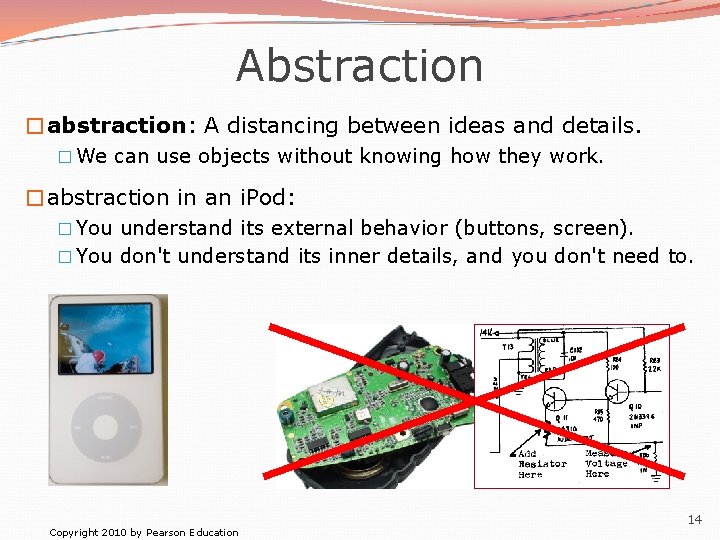
Abstraction �abstraction: A distancing between ideas and details. � We can use objects without knowing how they work. �abstraction in an i. Pod: � You understand its external behavior (buttons, screen). � You don't understand its inner details, and you don't need to. Copyright 2010 by Pearson Education 14
Our task �In the following slides, we will implement a Point class as a way of learning about defining classes. � We will define a type of objects named Point. � Each Point object will contain x/y data called fields. � Each Point object will contain behavior called methods. � Client programs will use the Point objects. Copyright 2010 by Pearson Education 15
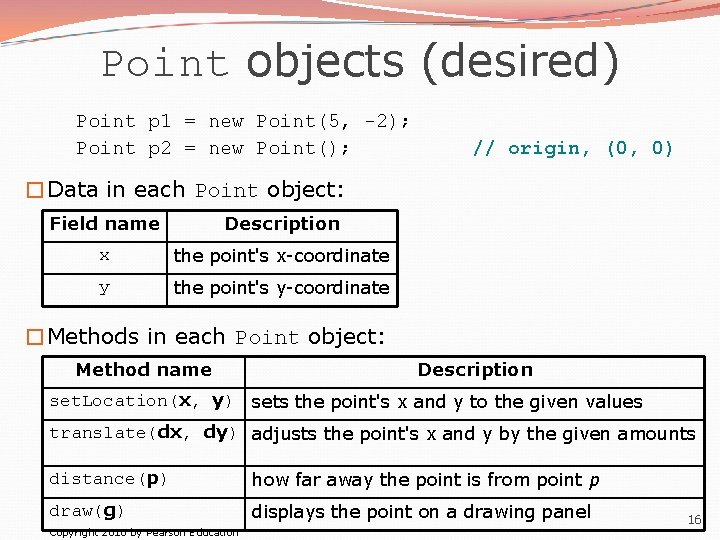
Point objects (desired) Point p 1 = new Point(5, -2); Point p 2 = new Point(); // origin, (0, 0) �Data in each Point object: Field name Description x the point's x-coordinate y the point's y-coordinate �Methods in each Point object: Method name Description set. Location(x, y) sets the point's x and y to the given values translate(dx, dy) adjusts the point's x and y by the given amounts distance(p) how far away the point is from point p draw(g) displays the point on a drawing panel Copyright 2010 by Pearson Education 16
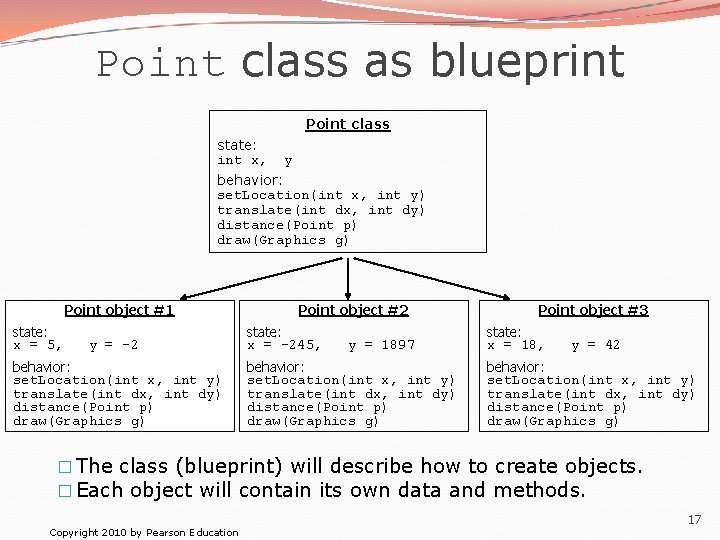
Point class as blueprint Point class state: int x, y behavior: set. Location(int x, int y) translate(int dx, int dy) distance(Point p) draw(Graphics g) Point object #1 state: x = 5, y = -2 behavior: set. Location(int x, int y) translate(int dx, int dy) distance(Point p) draw(Graphics g) Point object #2 state: x = -245, y = 1897 behavior: set. Location(int x, int y) translate(int dx, int dy) distance(Point p) draw(Graphics g) Point object #3 state: x = 18, y = 42 behavior: set. Location(int x, int y) translate(int dx, int dy) distance(Point p) draw(Graphics g) � The class (blueprint) will describe how to create objects. � Each object will contain its own data and methods. Copyright 2010 by Pearson Education 17
Object state: Fields reading: 8. 2 Copyright 2010 by Pearson Education 18
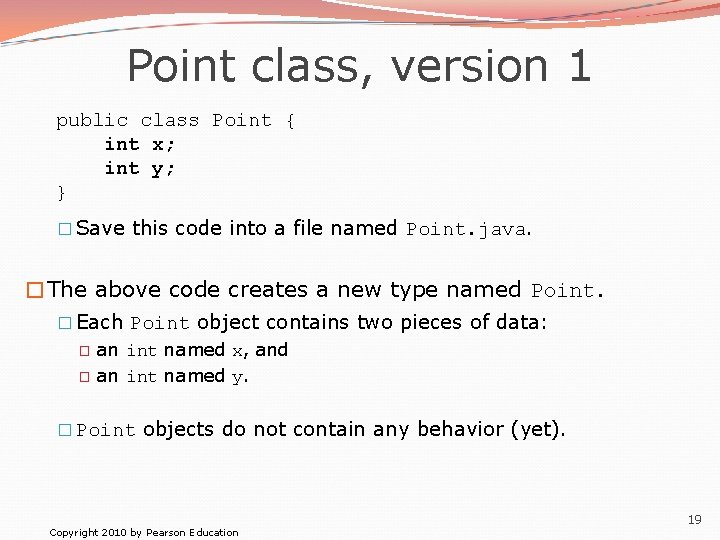
Point class, version 1 public class Point { int x; int y; } � Save this code into a file named Point. java. �The above code creates a new type named Point. � Each Point object contains two pieces of data: � � an int named x, and an int named y. � Point objects do not contain any behavior (yet). Copyright 2010 by Pearson Education 19
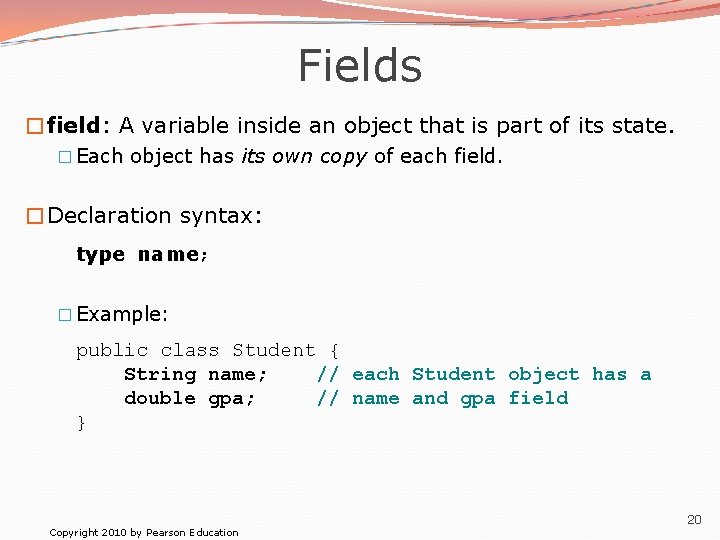
Fields �field: A variable inside an object that is part of its state. � Each object has its own copy of each field. �Declaration syntax: type name; � Example: public class Student { String name; // each Student object has a double gpa; // name and gpa field } Copyright 2010 by Pearson Education 20
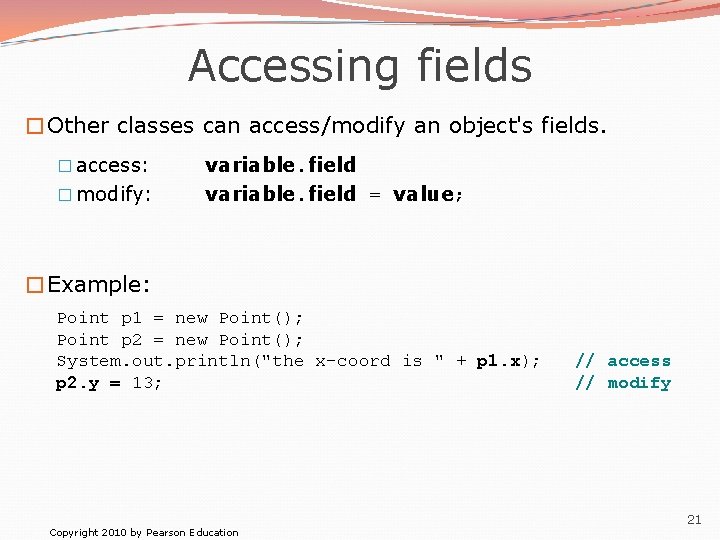
Accessing fields �Other classes can access/modify an object's fields. � access: � modify: variable. field = value; �Example: Point p 1 = new Point(); Point p 2 = new Point(); System. out. println("the x-coord is " + p 1. x); p 2. y = 13; Copyright 2010 by Pearson Education // access // modify 21
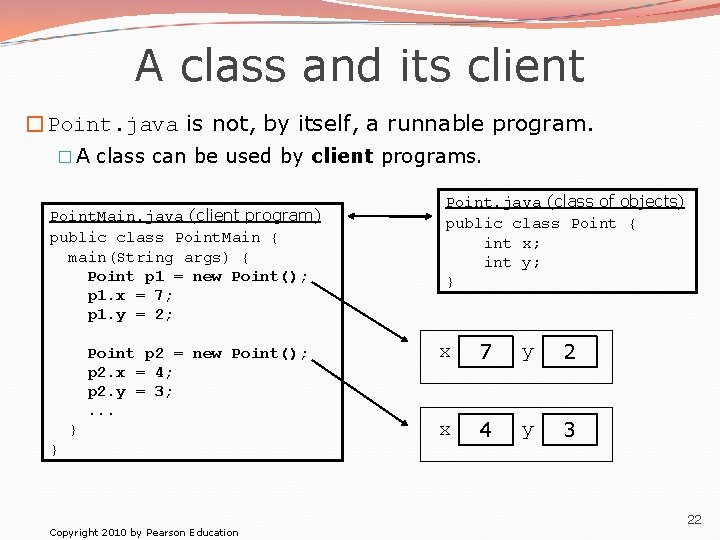
A class and its client �Point. java is not, by itself, a runnable program. � A class can be used by client programs. Point. Main. java (client program) public class Point. Main { main(String args) { Point p 1 = new Point(); p 1. x = 7; p 1. y = 2; Point p 2 = new Point(); p 2. x = 4; p 2. y = 3; . . . } } Copyright 2010 by Pearson Education Point. java (class of objects) public class Point { int x; int y; } x 7 y 2 x 4 y 3 22
![Point. Main client example public class Point. Main { public static void main(String[] args)](http://slidetodoc.com/presentation_image_h2/d0a56ee5831b31aa058b493aaa433027/image-23.jpg "Point. Main client example public class Point. Main { public static void main(String[] args)")
Point. Main client example public class Point. Main { public static void main(String[] args) { // create two Point objects Point p 1 = new Point(); p 1. y = 2; Point p 2 = new Point(); p 2. x = 4; System. out. println(p 1. x + ", " + p 1. y); // 0, 2 // move p 2 and then print it p 2. x += 2; p 2. y++; System. out. println(p 2. x + ", " + p 2. y); // 6, 1 } } Copyright 2010 by Pearson Education 23
Object behavior: Methods reading: 8. 3 Copyright 2010 by Pearson Education 24
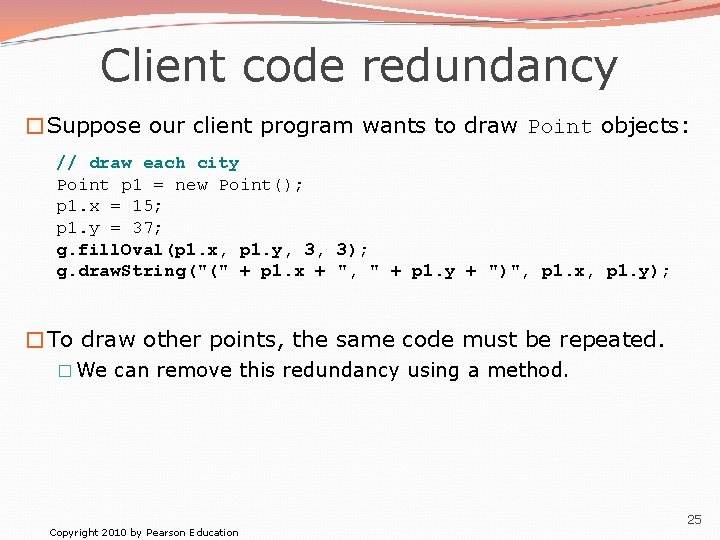
Client code redundancy �Suppose our client program wants to draw Point objects: // draw each city Point p 1 = new Point(); p 1. x = 15; p 1. y = 37; g. fill. Oval(p 1. x, p 1. y, 3, 3); g. draw. String("(" + p 1. x + ", " + p 1. y + ")", p 1. x, p 1. y); �To draw other points, the same code must be repeated. � We can remove this redundancy using a method. Copyright 2010 by Pearson Education 25
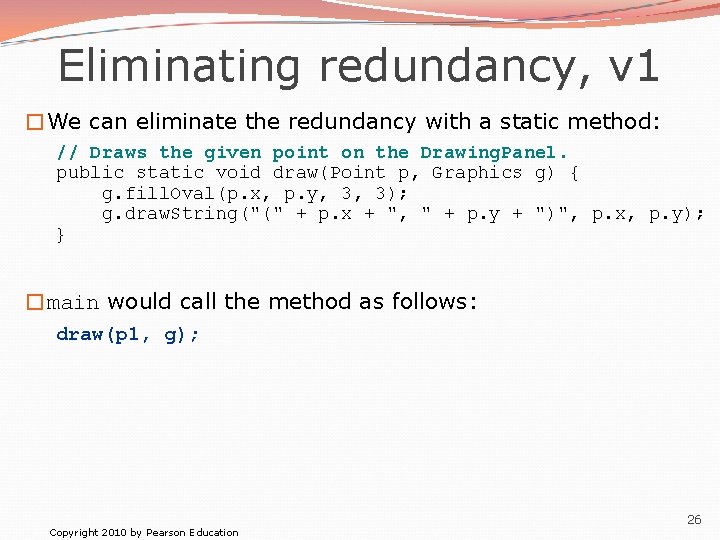
Eliminating redundancy, v 1 �We can eliminate the redundancy with a static method: // Draws the given point on the Drawing. Panel. public static void draw(Point p, Graphics g) { g. fill. Oval(p. x, p. y, 3, 3); g. draw. String("(" + p. x + ", " + p. y + ")", p. x, p. y); } �main would call the method as follows: draw(p 1, g); Copyright 2010 by Pearson Education 26
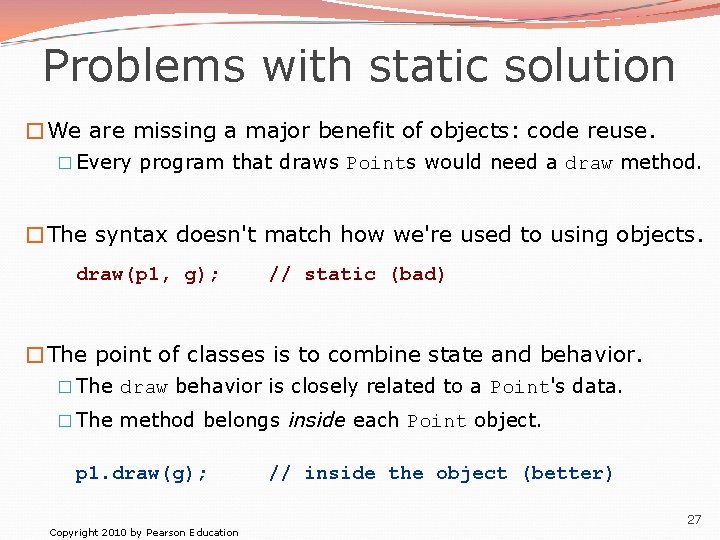
Problems with static solution �We are missing a major benefit of objects: code reuse. � Every program that draws Points would need a draw method. �The syntax doesn't match how we're used to using objects. draw(p 1, g); // static (bad) �The point of classes is to combine state and behavior. � The draw behavior is closely related to a Point's data. � The method belongs inside each Point object. p 1. draw(g); Copyright 2010 by Pearson Education // inside the object (better) 27
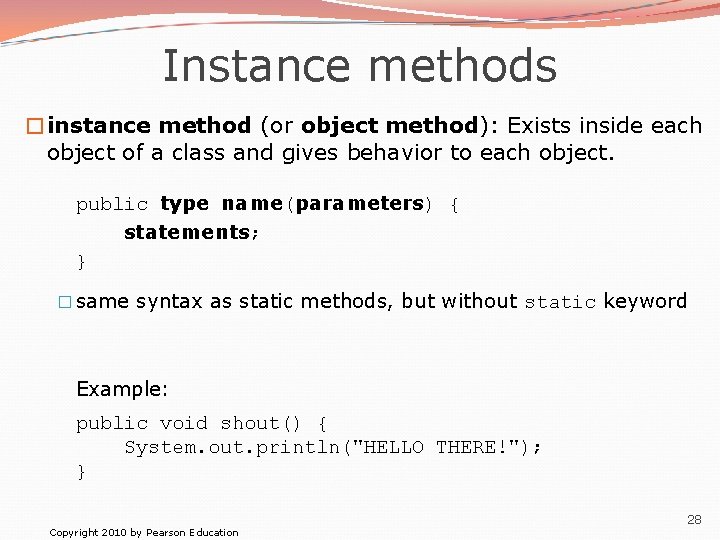
Instance methods �instance method (or object method): Exists inside each object of a class and gives behavior to each object. public type name(parameters) { statements; } � same syntax as static methods, but without static keyword Example: public void shout() { System. out. println("HELLO THERE!"); } Copyright 2010 by Pearson Education 28
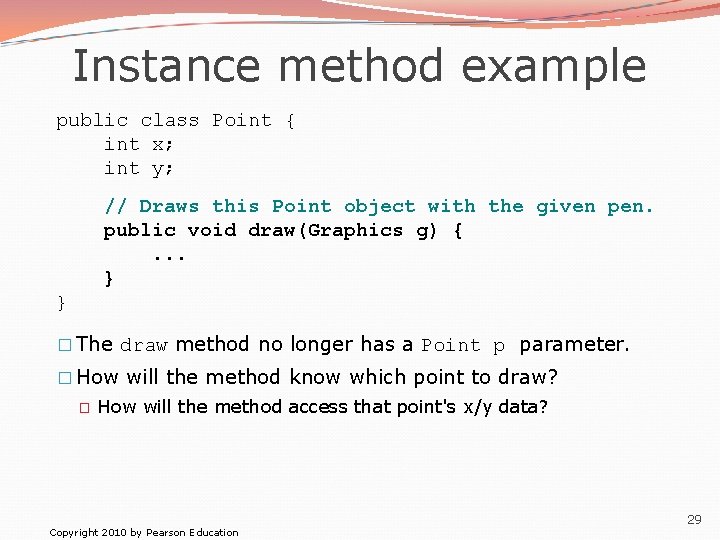
Instance method example public class Point { int x; int y; // Draws this Point object with the given pen. public void draw(Graphics g) {. . . } } � The draw method no longer has a Point p parameter. � How will the method know which point to draw? � How will the method access that point's x/y data? Copyright 2010 by Pearson Education 29
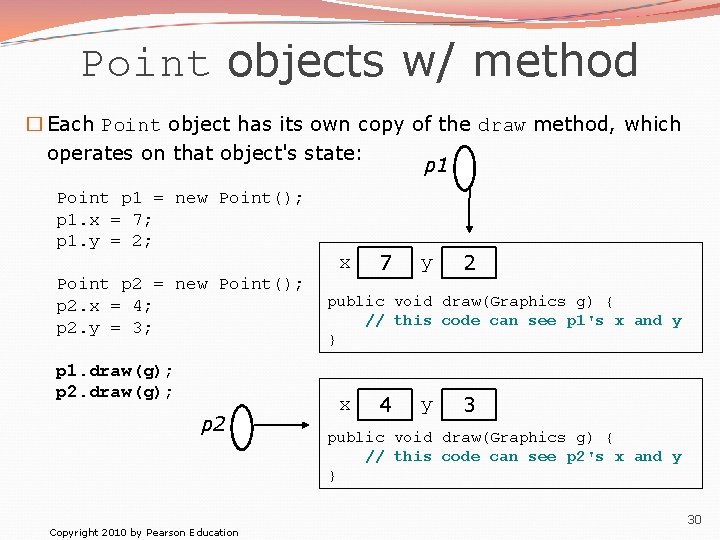
Point objects w/ method � Each Point object has its own copy of the draw method, which operates on that object's state: p 1 Point p 1 = new Point(); p 1. x = 7; p 1. y = 2; Point p 2 = new Point(); p 2. x = 4; p 2. y = 3; p 1. draw(g); p 2. draw(g); p 2 Copyright 2010 by Pearson Education x 7 y 2 public void draw(Graphics g) { // this code can see p 1's x and y } x 4 y 3 public void draw(Graphics g) { // this code can see p 2's x and y } 30
The implicit parameter �implicit parameter: The object on which an instance method is called. � During the call p 1. draw(g); the object referred to by p 1 is the implicit parameter. � During the call p 2. draw(g); the object referred to by p 2 is the implicit parameter. � The instance method can refer to that object's fields. � We say that it executes in the context of a particular object. � draw can refer to the x and y of the object it was called on. Copyright 2010 by Pearson Education 31
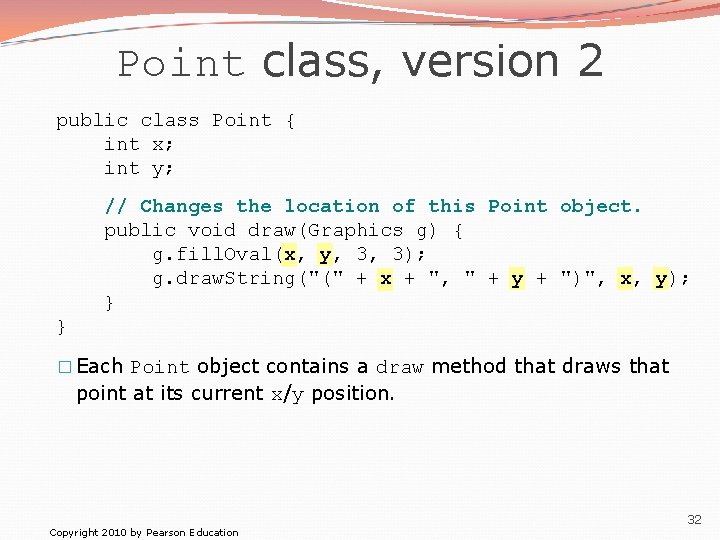
Point class, version 2 public class Point { int x; int y; // Changes the location of this Point object. public void draw(Graphics g) { g. fill. Oval(x, y, 3, 3); g. draw. String("(" + x + ", " + y + ")", x, y); } } � Each Point object contains a draw method that draws that point at its current x/y position. Copyright 2010 by Pearson Education 32
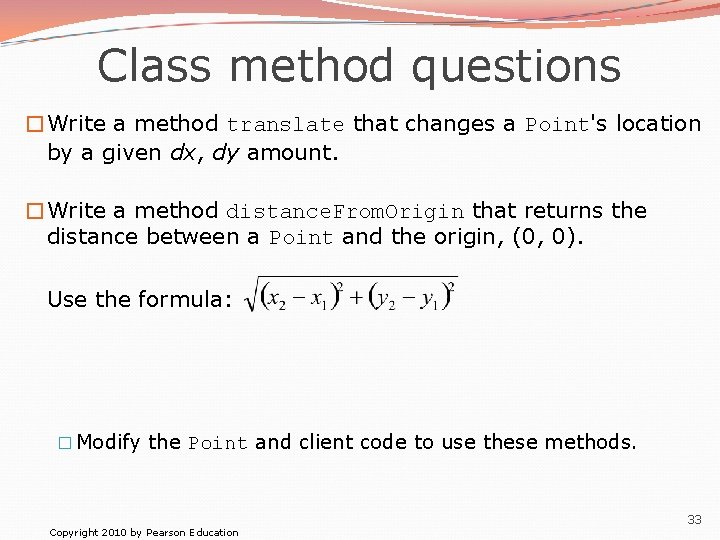
Class method questions �Write a method translate that changes a Point's location by a given dx, dy amount. �Write a method distance. From. Origin that returns the distance between a Point and the origin, (0, 0). Use the formula: � Modify the Point and client code to use these methods. Copyright 2010 by Pearson Education 33
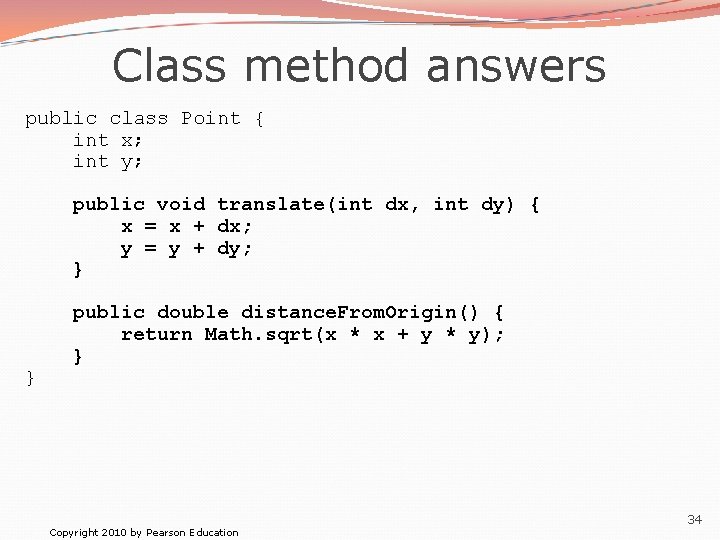
Class method answers public class Point { int x; int y; public void translate(int dx, int dy) { x = x + dx; y = y + dy; } } public double distance. From. Origin() { return Math. sqrt(x * x + y * y); } Copyright 2010 by Pearson Education 34
- Slides: 34