
Building Java Programs Chapter 4 Lecture 4 1
Building Java Programs Chapter 4 Lecture 4 -1: Scanner; if/else reading: 3. 4 - 3. 5, 4. 2, 4. 6 Copyright 2010 by Pearson Education 1
Interactive Programs with Scanner reading: 3. 4 - 3. 5 self-check: #16 -19 exercises: #11 videos: Ch. 3 #4 Copyright 2010 by Pearson Education 2
Input and System. in interactive program: Reads input from the console. While the program runs, it asks the user to type input. The input typed by the user is stored in variables in the code. Can be tricky; users are unpredictable and misbehave. But interactive programs have more interesting behavior. Copyright 2010 by Pearson Education 3
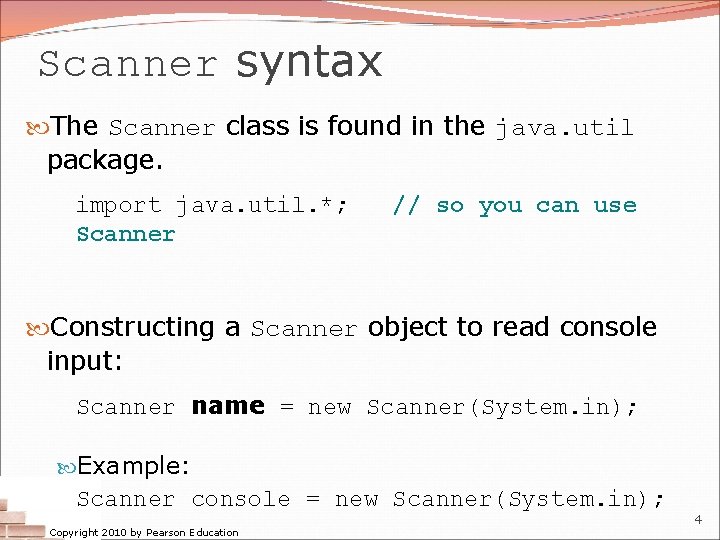
Scanner syntax The Scanner class is found in the java. util package. import java. util. *; Scanner // so you can use Constructing a Scanner object to read console input: Scanner name = new Scanner(System. in); Example: Scanner console = new Scanner(System. in); Copyright 2010 by Pearson Education 4

Scanner methods Method next. Int() Description reads an int from the user and returns it next. Double() reads a double from the user next() reads a one-word String from the user next. Line() reads a one-line String from the user Each method waits until the user presses Enter. The value typed by the user is returned. System. out. print("How old are you? "); // prompt int age = console. next. Int(); System. out. println("You typed " + age); Copyright 2010 by Pearson Education 5
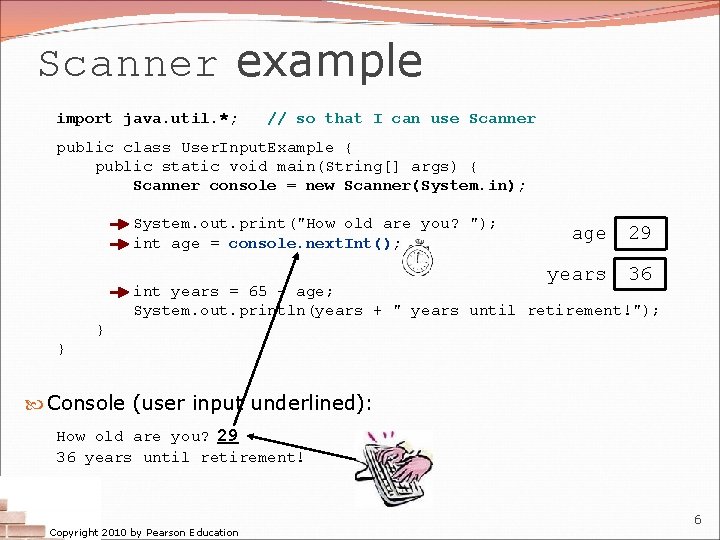
Scanner example import java. util. *; // so that I can use Scanner public class User. Input. Example { public static void main(String[] args) { Scanner console = new Scanner(System. in); System. out. print("How old are you? "); int age = console. next. Int(); age 29 years 36 int years = 65 - age; System. out. println(years + " years until retirement!"); } } Console (user input underlined): How old are you? 29 36 years until retirement! Copyright 2010 by Pearson Education 6
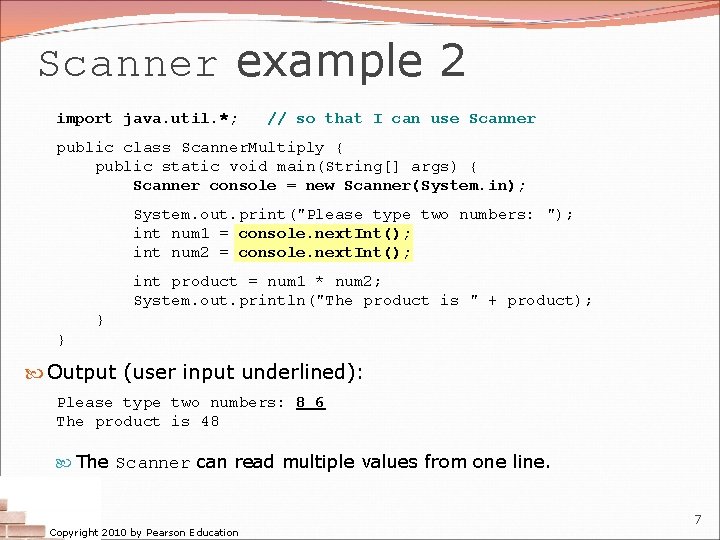
Scanner example 2 import java. util. *; // so that I can use Scanner public class Scanner. Multiply { public static void main(String[] args) { Scanner console = new Scanner(System. in); System. out. print("Please type two numbers: "); int num 1 = console. next. Int(); int num 2 = console. next. Int(); int product = num 1 * num 2; System. out. println("The product is " + product); } } Output (user input underlined): Please type two numbers: 8 6 The product is 48 The Scanner can read multiple values from one line. Copyright 2010 by Pearson Education 7
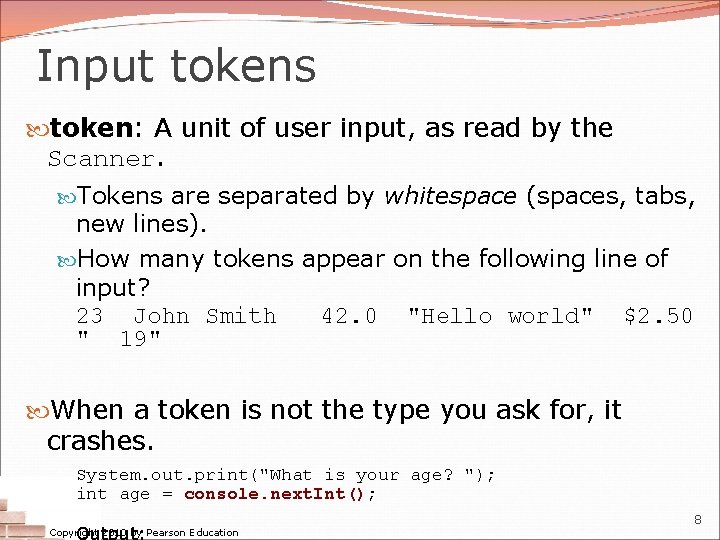
Input tokens token: A unit of user input, as read by the Scanner. Tokens are separated by whitespace (spaces, tabs, new lines). How many tokens appear on the following line of input? 23 John Smith 42. 0 "Hello world" $2. 50 " 19" When a token is not the type you ask for, it crashes. System. out. print("What is your age? "); int age = console. next. Int(); Output: Copyright 2010 by Pearson Education 8
The if/else statement reading: 4. 2, 4. 6 self-check: #4 -11, 24 -27 exercises: #7, 10 -14 videos: Ch. 4 #2 -4 Copyright 2010 by Pearson Education 9
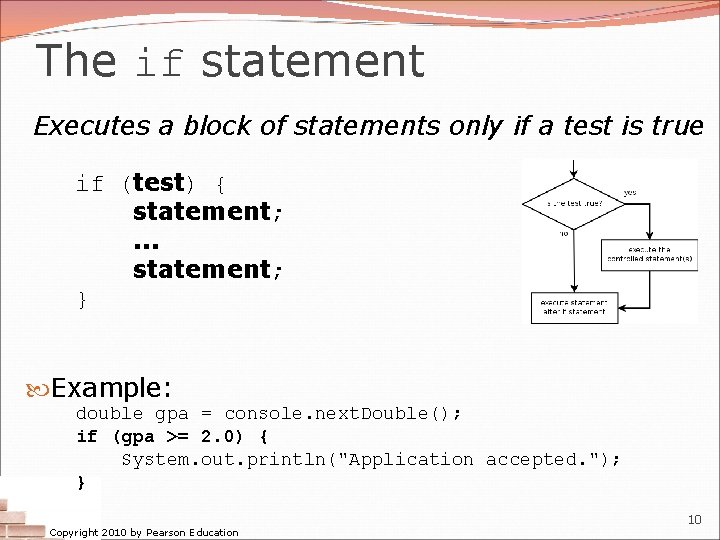
The if statement Executes a block of statements only if a test is true if (test) { statement; . . . statement; } Example: double gpa = console. next. Double(); if (gpa >= 2. 0) { System. out. println("Application accepted. "); } Copyright 2010 by Pearson Education 10
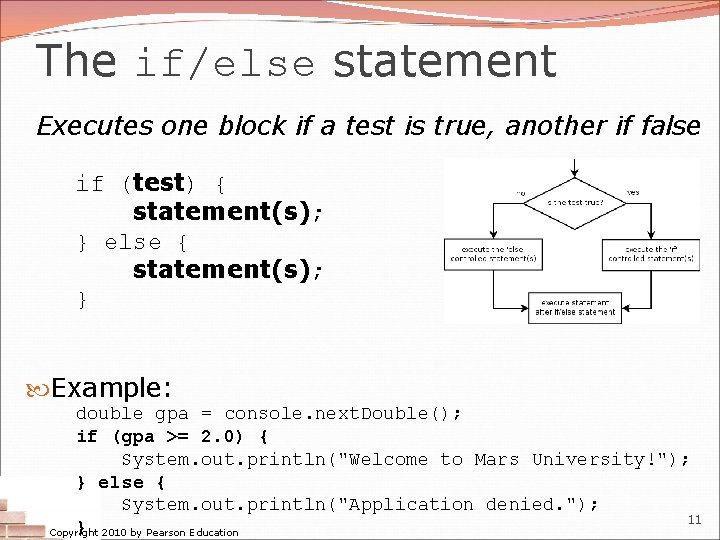
The if/else statement Executes one block if a test is true, another if false if (test) { statement(s); } else { statement(s); } Example: double gpa = console. next. Double(); if (gpa >= 2. 0) { System. out. println("Welcome to Mars University!"); } else { System. out. println("Application denied. "); 11 } 2010 by Pearson Education Copyright
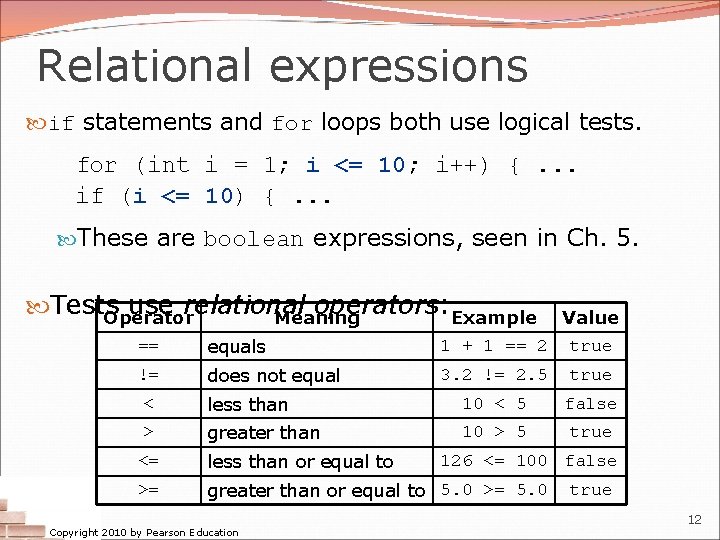
Relational expressions if statements and for loops both use logical tests. for (int i = 1; i <= 10; i++) {. . . if (i <= 10) {. . . These are boolean expressions, seen in Ch. 5. Tests use relational operators: Example Operator Meaning == equals Value 1 + 1 == 2 true != does not equal 3. 2 != 2. 5 true < less than 10 < 5 false > greater than 10 > 5 true <= less than or equal to >= greater than or equal to 5. 0 >= 5. 0 Copyright 2010 by Pearson Education 126 <= 100 false true 12
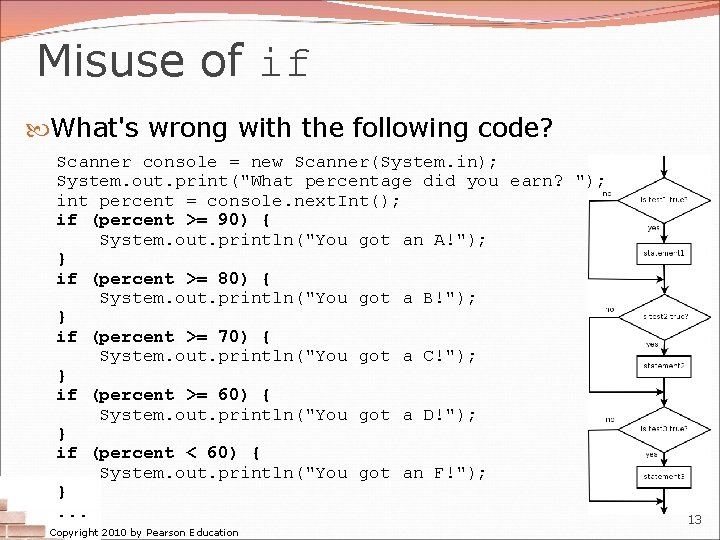
Misuse of if What's wrong with the following code? Scanner console = new Scanner(System. in); System. out. print("What percentage did you earn? "); int percent = console. next. Int(); if (percent >= 90) { System. out. println("You got an A!"); } if (percent >= 80) { System. out. println("You got a B!"); } if (percent >= 70) { System. out. println("You got a C!"); } if (percent >= 60) { System. out. println("You got a D!"); } if (percent < 60) { System. out. println("You got an F!"); }. . . Copyright 2010 by Pearson Education 13
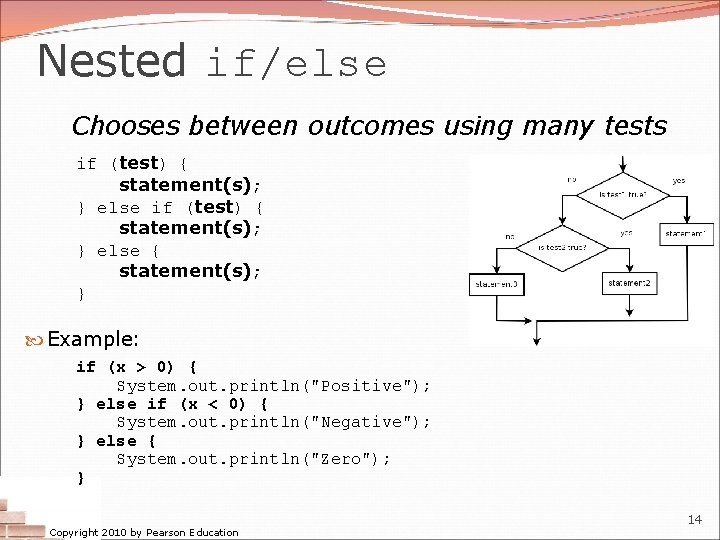
Nested if/else Chooses between outcomes using many tests if (test) { statement(s); } else { statement(s); } Example: if (x > 0) { System. out. println("Positive"); } else if (x < 0) { System. out. println("Negative"); } else { System. out. println("Zero"); } Copyright 2010 by Pearson Education 14
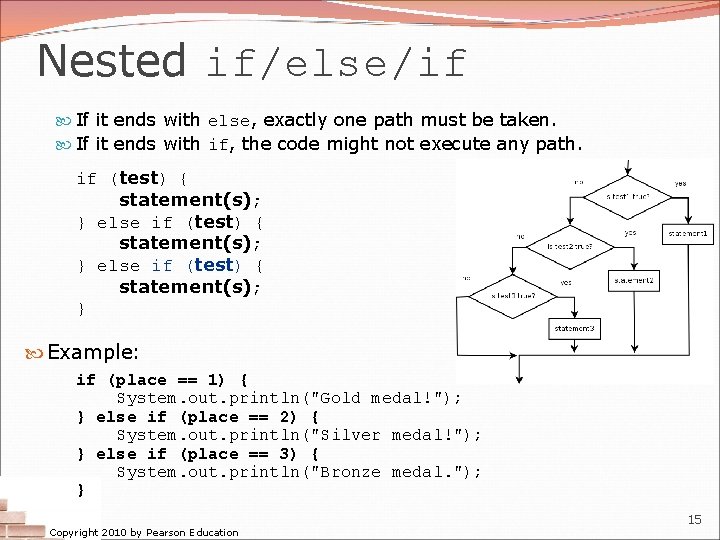
Nested if/else/if If it ends with else, exactly one path must be taken. If it ends with if, the code might not execute any path. if (test) { statement(s); } else if (test) { statement(s); } Example: if (place == 1) { System. out. println("Gold medal!"); } else if (place == 2) { System. out. println("Silver medal!"); } else if (place == 3) { System. out. println("Bronze medal. "); } Copyright 2010 by Pearson Education 15
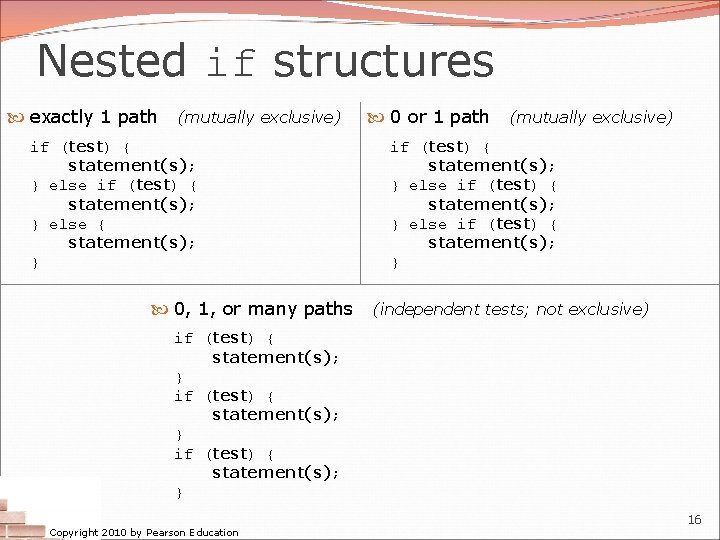
Nested if structures exactly 1 path (mutually exclusive) if (test) { statement(s); } else { statement(s); } 0, 1, or many paths 0 or 1 path (mutually exclusive) if (test) { statement(s); } else if (test) { statement(s); } (independent tests; not exclusive) if (test) { statement(s); } Copyright 2010 by Pearson Education 16
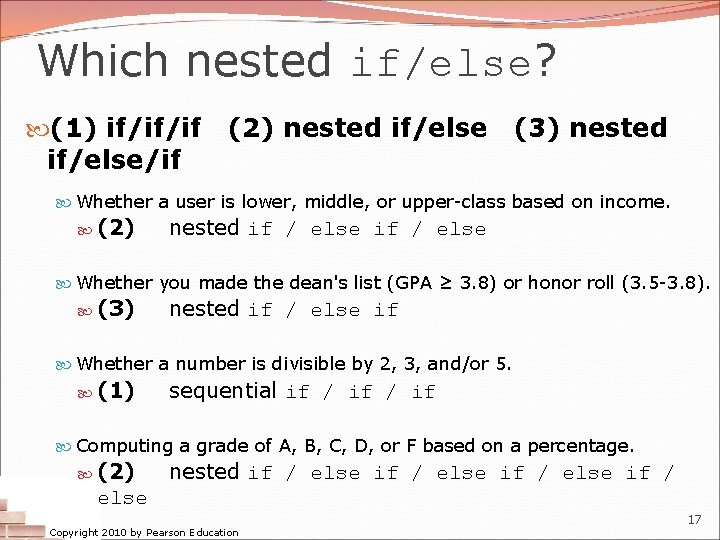
Which nested if/else? (1) if/if/if if/else/if (2) nested if/else (3) nested Whether a user is lower, middle, or upper-class based on income. (2) nested if / else Whether you made the dean's list (GPA ≥ 3. 8) or honor roll (3. 5 -3. 8). (3) nested if / else if Whether a number is divisible by 2, 3, and/or 5. (1) sequential if / if Computing a grade of A, B, C, D, or F based on a percentage. (2) nested if / else Copyright 2010 by Pearson Education 17
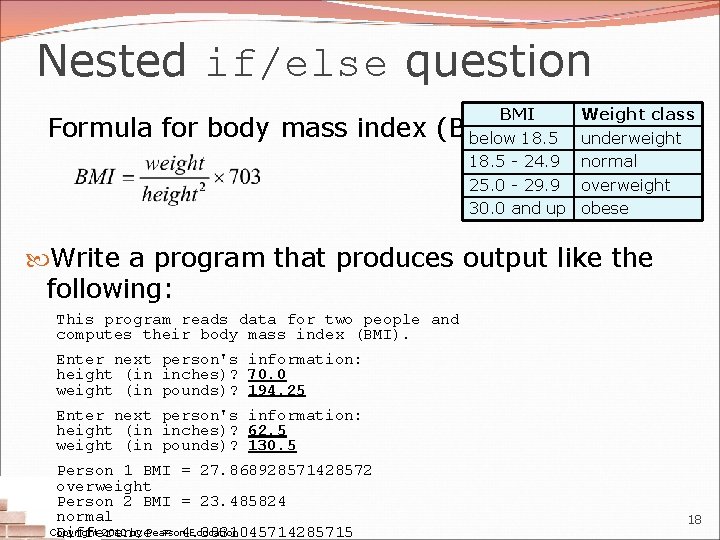
Nested if/else question BMI below 18. 5 - 24. 9 25. 0 - 29. 9 30. 0 and up Formula for body mass index (BMI): Weight class underweight normal overweight obese Write a program that produces output like the following: This program reads data for two people and computes their body mass index (BMI). Enter next person's information: height (in inches)? 70. 0 weight (in pounds)? 194. 25 Enter next person's information: height (in inches)? 62. 5 weight (in pounds)? 130. 5 Person 1 BMI = 27. 868928571428572 overweight Person 2 BMI = 23. 485824 normal Copyright 2010 by Pearson Education Difference = 4. 3831045714285715 18
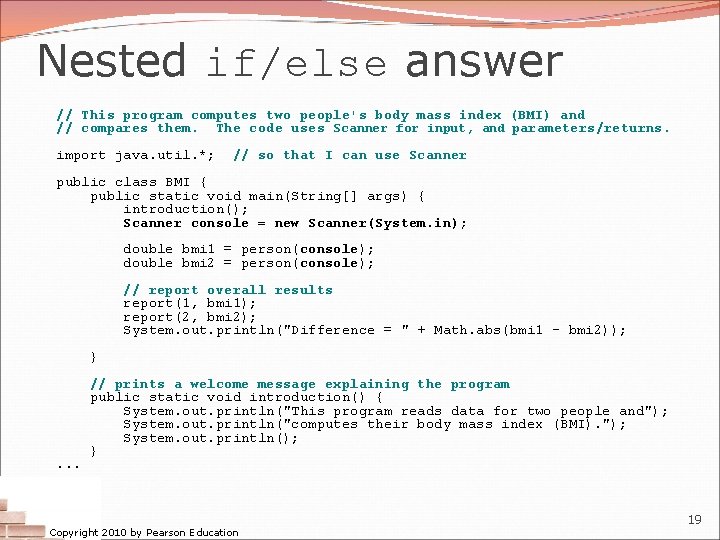
Nested if/else answer // This program computes two people's body mass index (BMI) and // compares them. The code uses Scanner for input, and parameters/returns. import java. util. *; // so that I can use Scanner public class BMI { public static void main(String[] args) { introduction(); Scanner console = new Scanner(System. in); double bmi 1 = person(console); double bmi 2 = person(console); // report overall results report(1, bmi 1); report(2, bmi 2); System. out. println("Difference = " + Math. abs(bmi 1 - bmi 2)); } . . . // prints a welcome message explaining the program public static void introduction() { System. out. println("This program reads data for two people and"); System. out. println("computes their body mass index (BMI). "); System. out. println(); } Copyright 2010 by Pearson Education 19
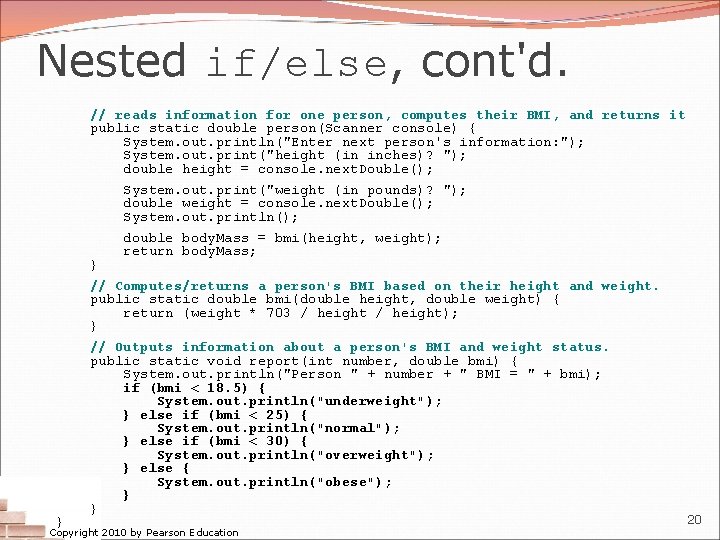
Nested if/else, cont'd. // reads information for one person, computes their BMI, and returns it public static double person(Scanner console) { System. out. println("Enter next person's information: "); System. out. print("height (in inches)? "); double height = console. next. Double(); System. out. print("weight (in pounds)? "); double weight = console. next. Double(); System. out. println(); } double body. Mass = bmi(height, weight); return body. Mass; // Computes/returns a person's BMI based on their height and weight. public static double bmi(double height, double weight) { return (weight * 703 / height); } } // Outputs information about a person's BMI and weight status. public static void report(int number, double bmi) { System. out. println("Person " + number + " BMI = " + bmi); if (bmi < 18. 5) { System. out. println("underweight"); } else if (bmi < 25) { System. out. println("normal"); } else if (bmi < 30) { System. out. println("overweight"); } else { System. out. println("obese"); } } Copyright 2010 by Pearson Education 20
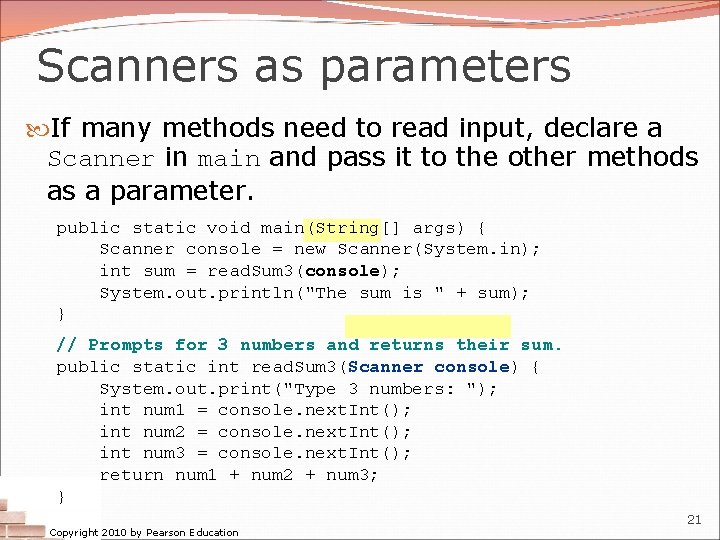
Scanners as parameters If many methods need to read input, declare a Scanner in main and pass it to the other methods as a parameter. public static void main(String[] args) { Scanner console = new Scanner(System. in); int sum = read. Sum 3(console); System. out. println("The sum is " + sum); } // Prompts for 3 numbers and returns their sum. public static int read. Sum 3(Scanner console) { System. out. print("Type 3 numbers: "); int num 1 = console. next. Int(); int num 2 = console. next. Int(); int num 3 = console. next. Int(); return num 1 + num 2 + num 3; } Copyright 2010 by Pearson Education 21
- Slides: 21