
Building Java Programs Chapter 2 Lecture 2 2
Building Java Programs Chapter 2 Lecture 2 -2: The for Loop reading: 2. 3 self-check: 12 -26 exercises: 2 -14 videos: Ch. 2 #3 Copyright 2008 by Pearson Education 1
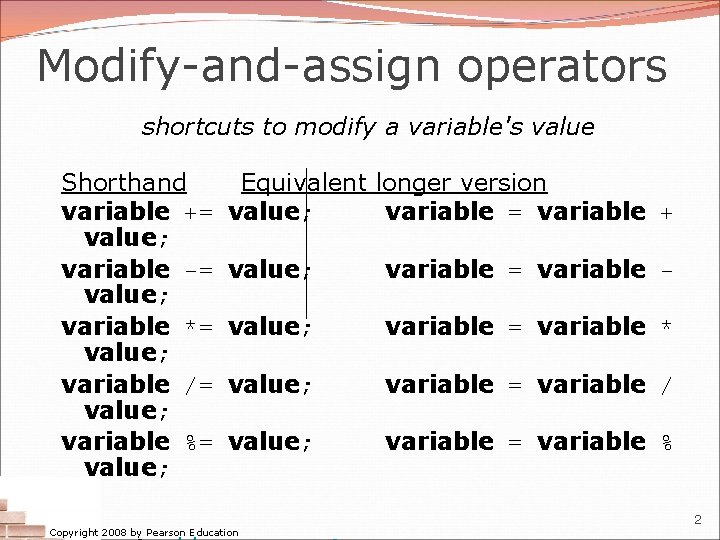
Modify-and-assign operators shortcuts to modify a variable's value Shorthand variable += value; variable -= value; variable *= value; variable /= value; variable %= value; Equivalent longer version value; variable = variable + value; variable = variable - value; variable = variable * value; variable = variable / value; variable = variable % Copyright 2008 by Pearson Education 2
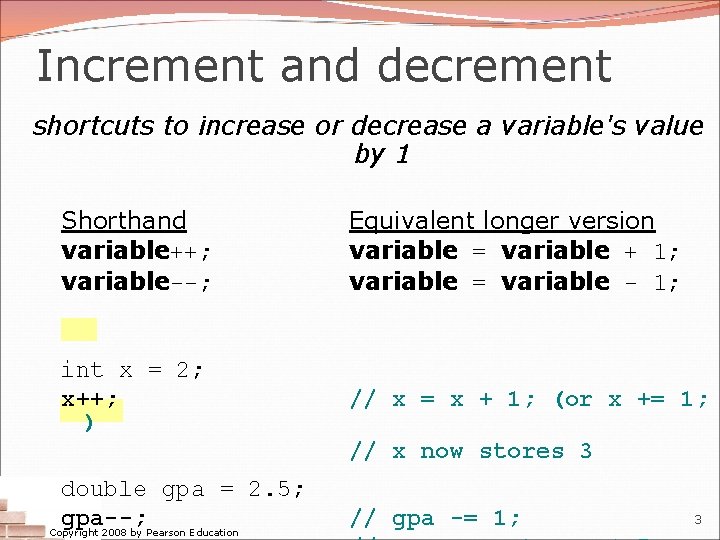
Increment and decrement shortcuts to increase or decrease a variable's value by 1 Shorthand variable++; variable--; Equivalent longer version variable = variable + 1; variable = variable - 1; int x = 2; x++; ) // x = x + 1; (or x += 1; // x now stores 3 double gpa = 2. 5; gpa--; Copyright 2008 by Pearson Education // gpa -= 1; 3
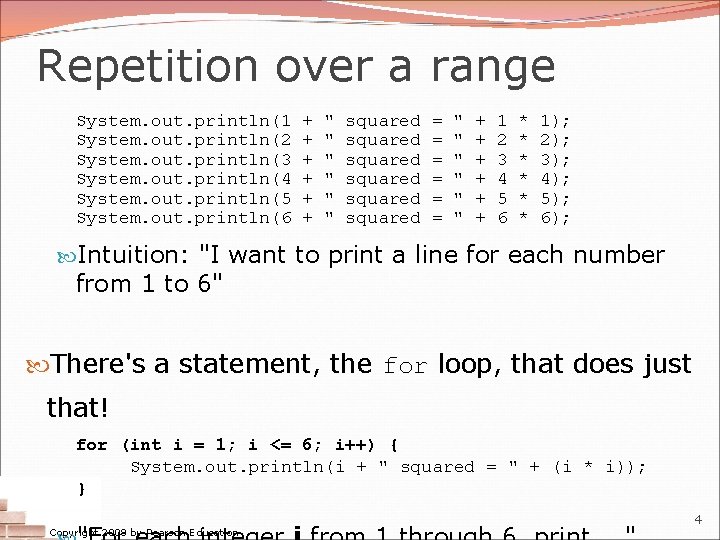
Repetition over a range System. out. println(1 System. out. println(2 System. out. println(3 System. out. println(4 System. out. println(5 System. out. println(6 + + + " " " squared squared = = = " " " + + + 1 2 3 4 5 6 * * * 1); 2); 3); 4); 5); 6); Intuition: "I want to print a line for each number from 1 to 6" There's a statement, the for loop, that does just that! for (int i = 1; i <= 6; i++) { System. out. println(i + " squared = " + (i * i)); } Copyright 2008 by Pearson Education 4
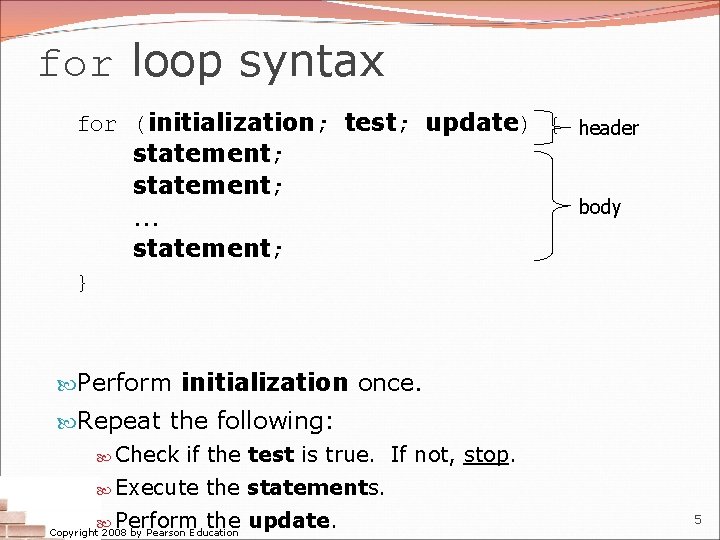
for loop syntax for (initialization; test; update) { header statement; body. . . statement; } Perform initialization once. Repeat the following: Check if the test is true. If not, stop. Execute the statements. Perform the update. Copyright 2008 by Pearson Education 5
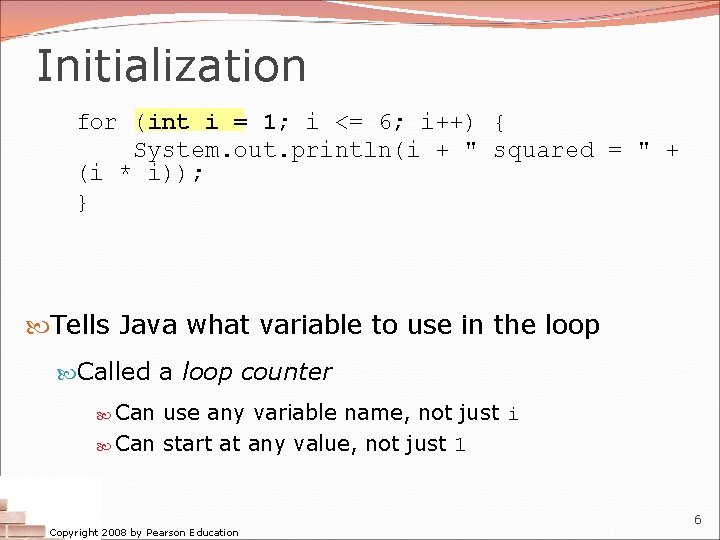
Initialization for (int i = 1; i <= 6; i++) { System. out. println(i + " squared = " + (i * i)); } Tells Java what variable to use in the loop Called a loop counter Can use any variable name, not just i Can start at any value, not just 1 Copyright 2008 by Pearson Education 6
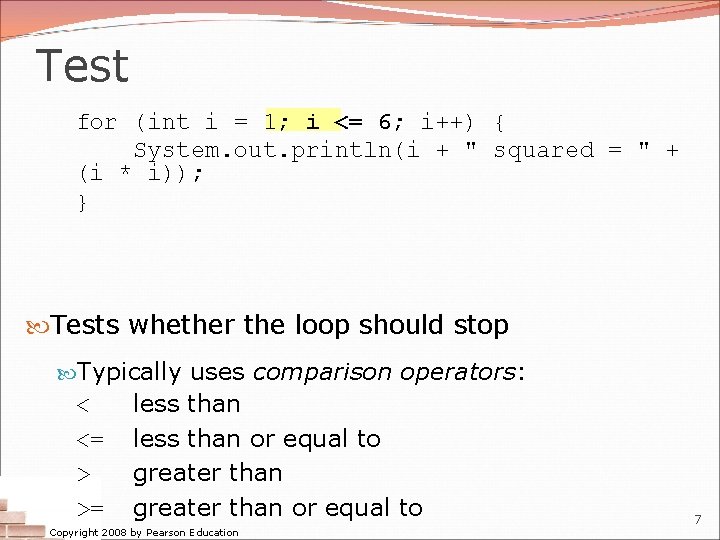
Test for (int i = 1; i <= 6; i++) { System. out. println(i + " squared = " + (i * i)); } Tests whether the loop should stop Typically uses comparison operators: < <= > >= less than or equal to greater than or equal to Copyright 2008 by Pearson Education 7
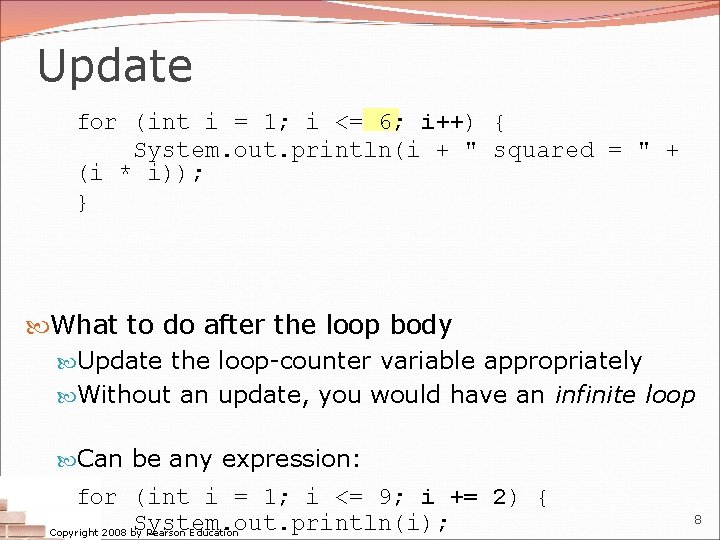
Update for (int i = 1; i <= 6; i++) { System. out. println(i + " squared = " + (i * i)); } What to do after the loop body Update the loop-counter variable appropriately Without an update, you would have an infinite loop Can be any expression: for (int i = 1; i <= 9; i += 2) { System. out. println(i); Copyright 2008 by Pearson Education 8
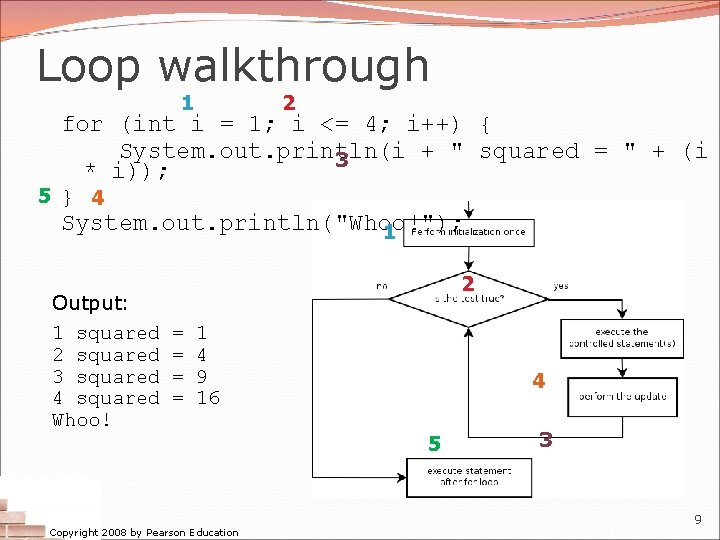
Loop walkthrough 1 2 for (int i = 1; i <= 4; i++) { System. out. println(i + " squared = " + (i 3 * i)); 5 } 4 System. out. println("Whoo!"); 1 Output: 1 squared 2 squared 3 squared 4 squared Whoo! 2 = = 1 4 9 16 Copyright 2008 by Pearson Education 4 5 3 9
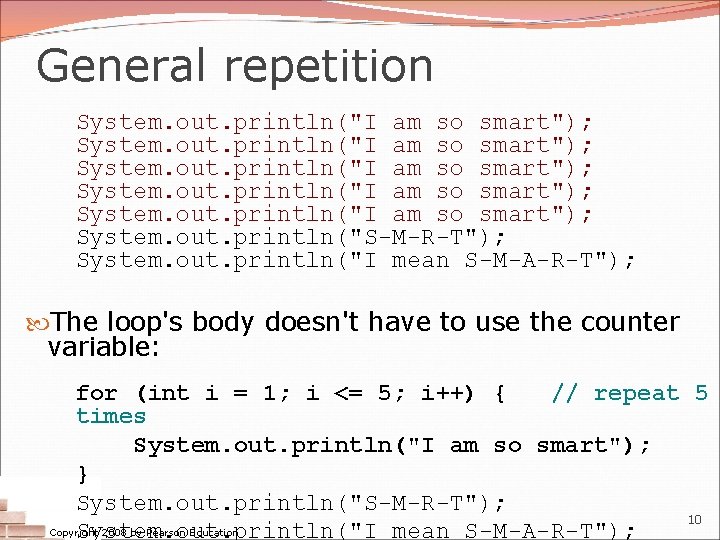
General repetition System. out. println("I am so smart"); System. out. println("S-M-R-T"); System. out. println("I mean S-M-A-R-T"); The loop's body doesn't have to use the counter variable: for (int i = 1; i <= 5; i++) { // repeat 5 times System. out. println("I am so smart"); } System. out. println("S-M-R-T"); 10 Copyright 2008 by Pearson Education System. out. println("I mean S-M-A-R-T");
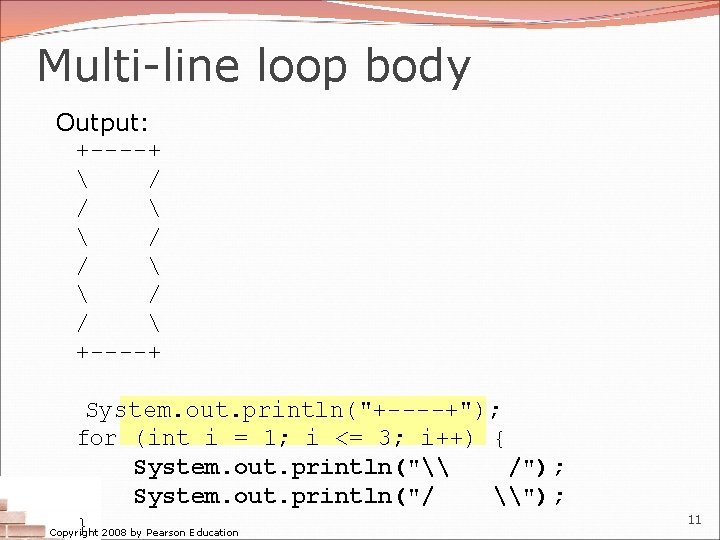
Multi-line loop body Output: +----+ / / +----+ System. out. println("+----+"); for (int i = 1; i <= 3; i++) { System. out. println("\ /"); System. out. println("/ \"); } 2008 by Pearson Education Copyright 11
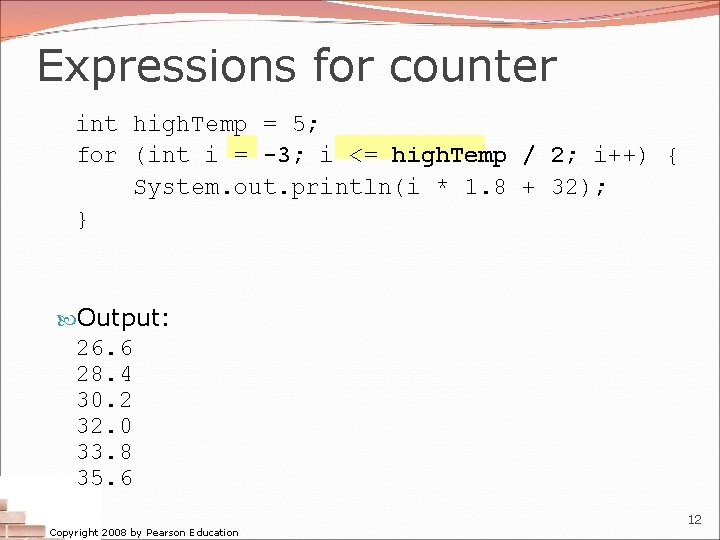
Expressions for counter int high. Temp = 5; for (int i = -3; i <= high. Temp / 2; i++) { System. out. println(i * 1. 8 + 32); } Output: 26. 6 28. 4 30. 2 32. 0 33. 8 35. 6 Copyright 2008 by Pearson Education 12
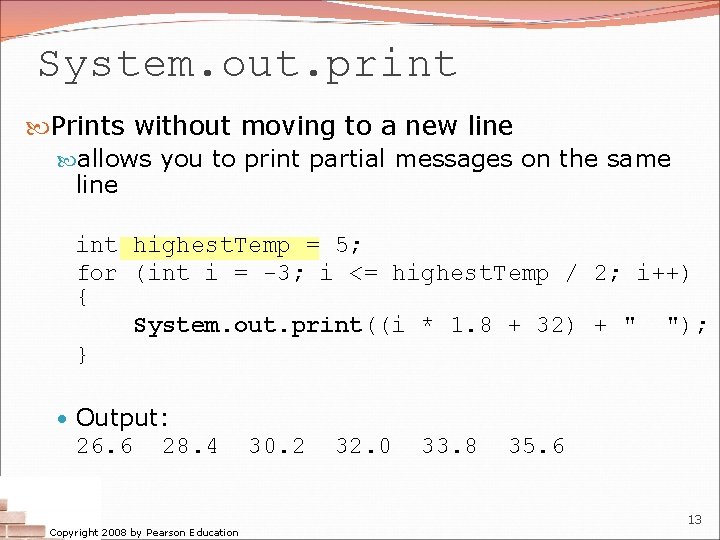
System. out. print Prints without moving to a new line allows you to print partial messages on the same line int highest. Temp = 5; for (int i = -3; i <= highest. Temp / 2; i++) { System. out. print((i * 1. 8 + 32) + " "); } • Output: 26. 6 28. 4 Copyright 2008 by Pearson Education 30. 2 32. 0 33. 8 35. 6 13
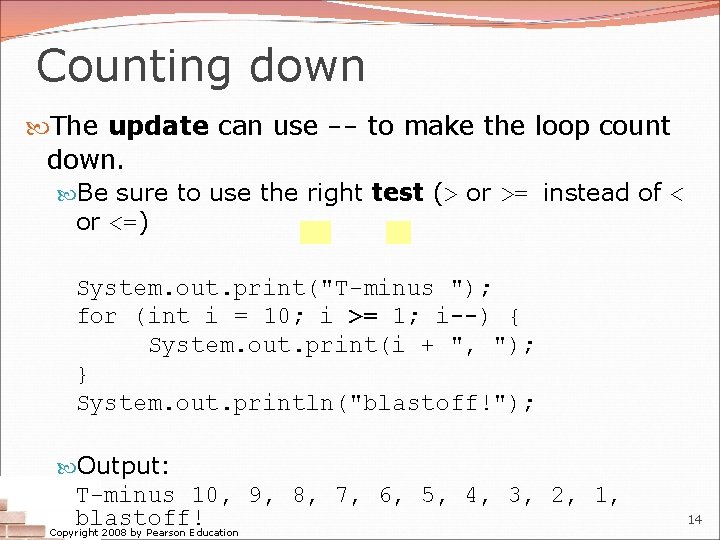
Counting down The update can use -- to make the loop count down. Be sure to use the right test (> or >= instead of < or <=) System. out. print("T-minus "); for (int i = 10; i >= 1; i--) { System. out. print(i + ", "); } System. out. println("blastoff!"); Output: T-minus 10, 9, 8, 7, 6, 5, 4, 3, 2, 1, blastoff! Copyright 2008 by Pearson Education 14
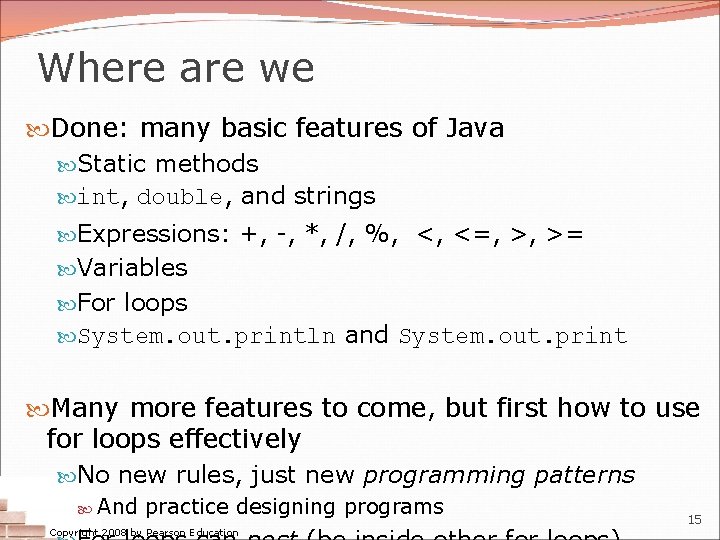
Where are we Done: many basic features of Java Static methods int, double, and strings Expressions: +, -, *, /, %, <, <=, >, >= Variables For loops System. out. println and System. out. print Many more features to come, but first how to use for loops effectively No new rules, just new programming patterns And practice designing programs Copyright 2008 by Pearson Education 15
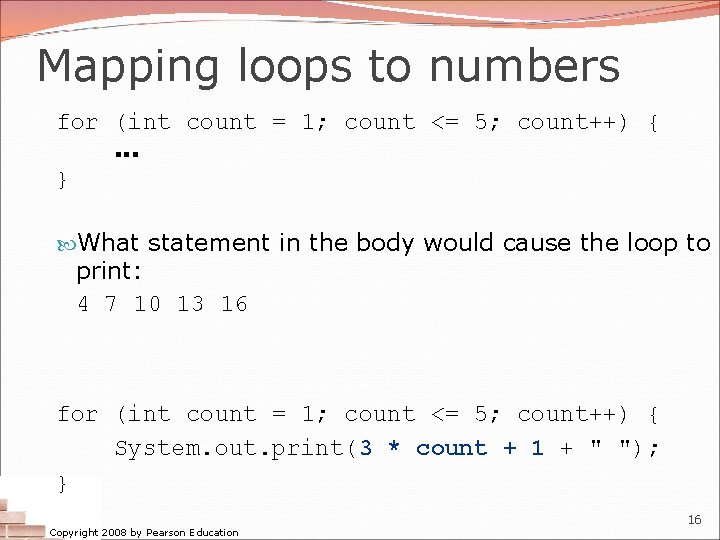
Mapping loops to numbers for (int count = 1; count <= 5; count++) {. . . } What statement in the body would cause the loop to print: 4 7 10 13 16 for (int count = 1; count <= 5; count++) { System. out. print(3 * count + 1 + " "); } Copyright 2008 by Pearson Education 16
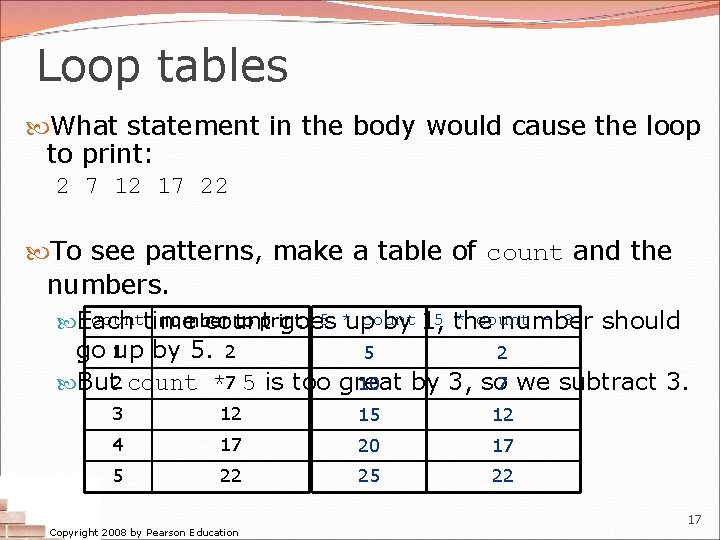
Loop tables What statement in the body would cause the loop to print: 2 7 12 17 22 To see patterns, make a table of count and the numbers. counttime 5 *up count * count - 3 number to print Each count goes by 1, 5 the number should go 1 up by 5. 2 5 2 10 But 2 count *7 5 is too great by 3, so 7 we subtract 3. 3 12 15 12 4 17 20 17 5 22 25 22 Copyright 2008 by Pearson Education 17
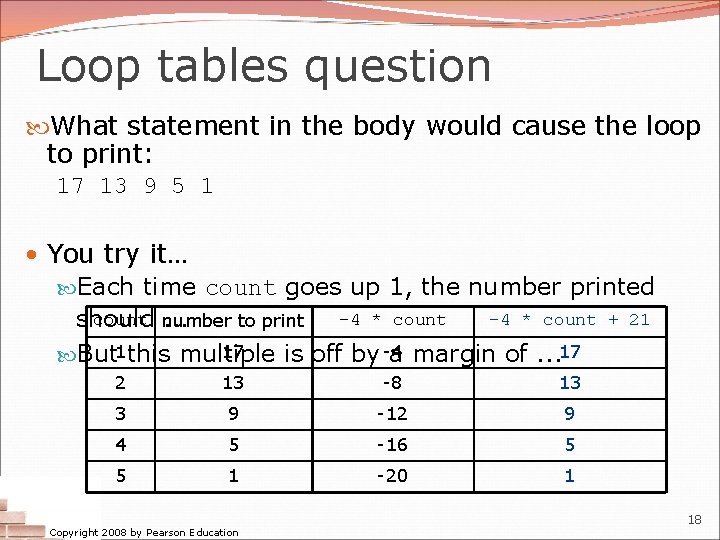
Loop tables question What statement in the body would cause the loop to print: 17 13 9 5 1 • You try it… Each time count goes up 1, the number printed count number -4 * count + 21 should. . . to print 17 But 1 this multiple is off by -4 a margin of. . . 17 2 13 -8 13 3 9 -12 9 4 5 -16 5 5 1 -20 1 Copyright 2008 by Pearson Education 18
Nested loops reading: 2. 3 self-check: 22 -26 exercises: 10 -14 videos: Ch. 2 #4 Copyright 2008 by Pearson Education 19
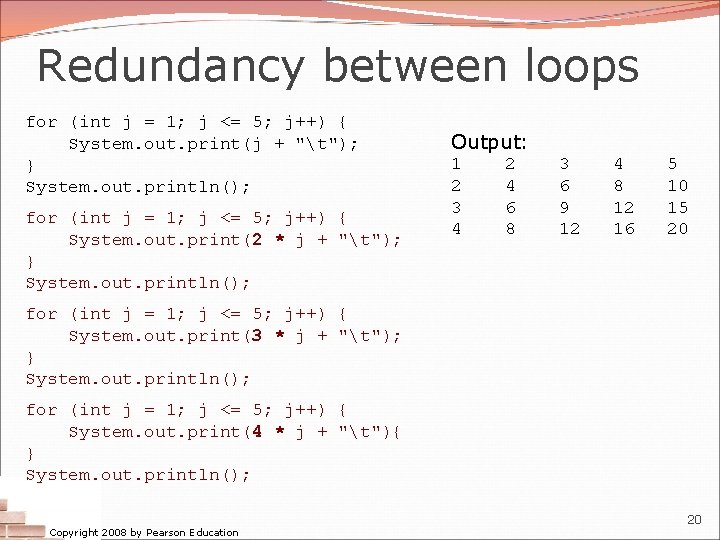
Redundancy between loops for (int j = 1; j <= 5; j++) { System. out. print(j + "t"); } System. out. println(); for (int j = 1; j <= 5; j++) { System. out. print(2 * j + "t"); } System. out. println(); Output: 1 2 3 4 2 4 6 8 3 6 9 12 4 8 12 16 5 10 15 20 for (int j = 1; j <= 5; j++) { System. out. print(3 * j + "t"); } System. out. println(); for (int j = 1; j <= 5; j++) { System. out. print(4 * j + "t"){ } System. out. println(); Copyright 2008 by Pearson Education 20
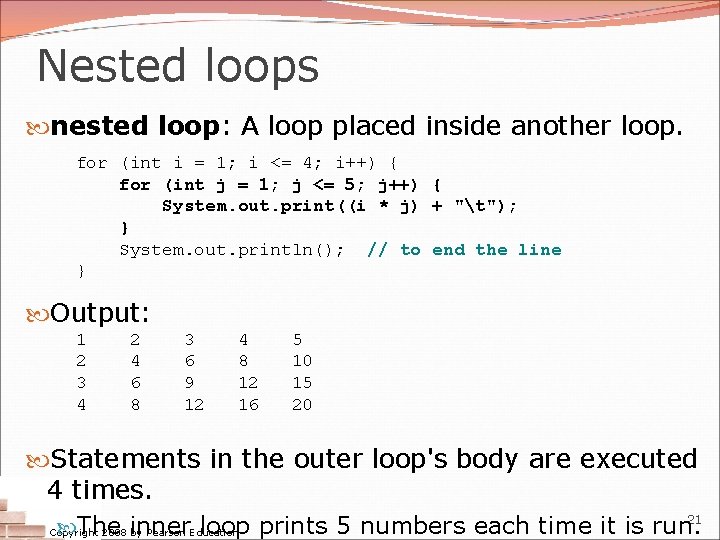
Nested loops nested loop: A loop placed inside another loop. for (int i = 1; i <= 4; i++) { for (int j = 1; j <= 5; j++) { System. out. print((i * j) + "t"); } System. out. println(); // to end the line } Output: 1 2 3 4 2 4 6 8 3 6 9 12 4 8 12 16 5 10 15 20 Statements in the outer loop's body are executed 4 times. 21 The inner loop prints 5 numbers each time it is run. Copyright 2008 by Pearson Education
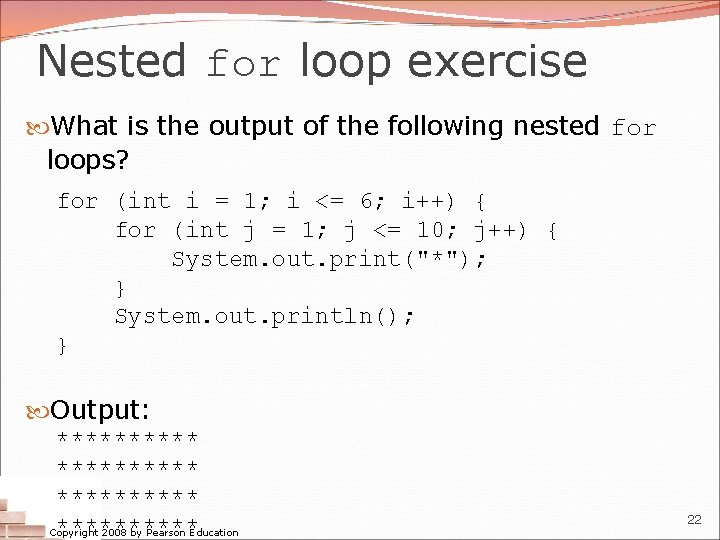
Nested for loop exercise What is the output of the following nested for loops? for (int i = 1; i <= 6; i++) { for (int j = 1; j <= 10; j++) { System. out. print("*"); } System. out. println(); } Output: ********** Copyright 2008 by Pearson Education 22
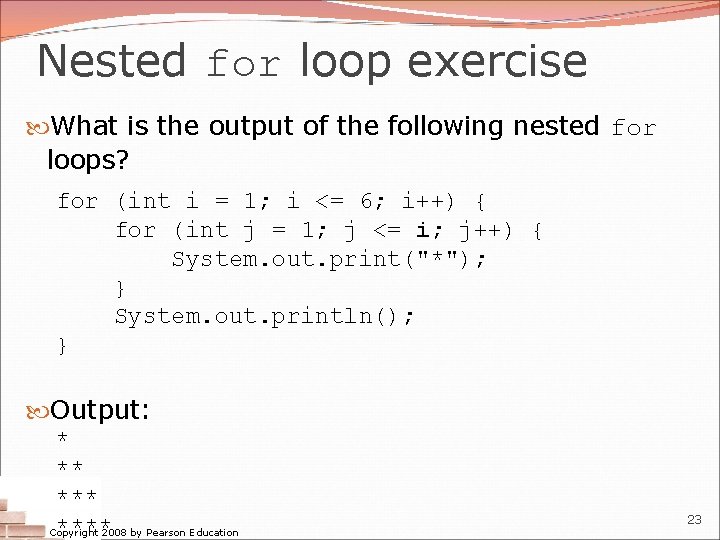
Nested for loop exercise What is the output of the following nested for loops? for (int i = 1; i <= 6; i++) { for (int j = 1; j <= i; j++) { System. out. print("*"); } System. out. println(); } Output: * ** **** Copyright 2008 by Pearson Education 23
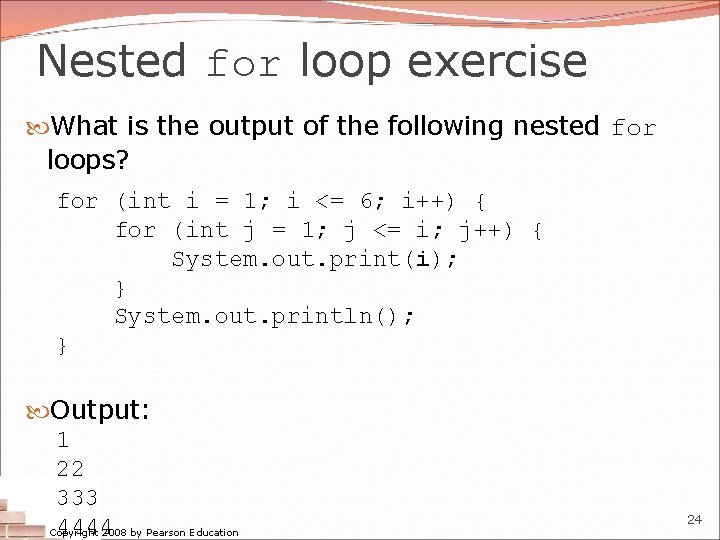
Nested for loop exercise What is the output of the following nested for loops? for (int i = 1; i <= 6; i++) { for (int j = 1; j <= i; j++) { System. out. print(i); } System. out. println(); } Output: 1 22 333 4444 Copyright 2008 by Pearson Education 24
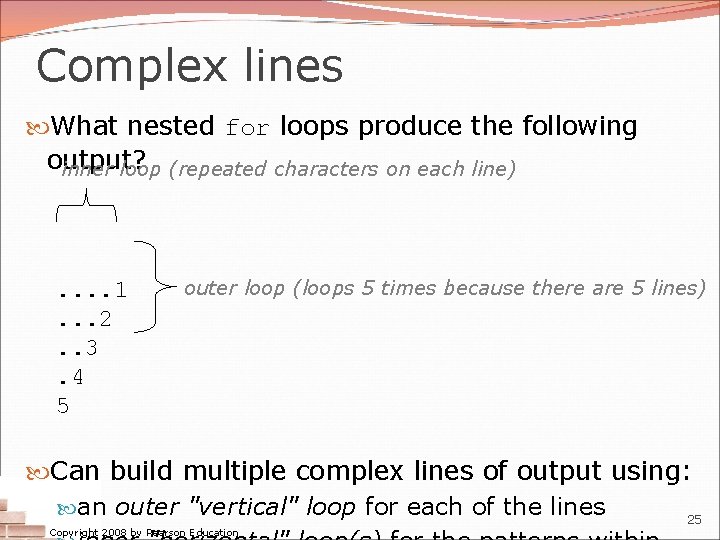
Complex lines What nested for loops produce the following output? inner loop (repeated characters on each line) . . 1. . . 2. . 3. 4 5 outer loop (loops 5 times because there are 5 lines) Can build multiple complex lines of output using: an outer "vertical" loop for each of the lines 25 Copyright 2008 by Pearson Education
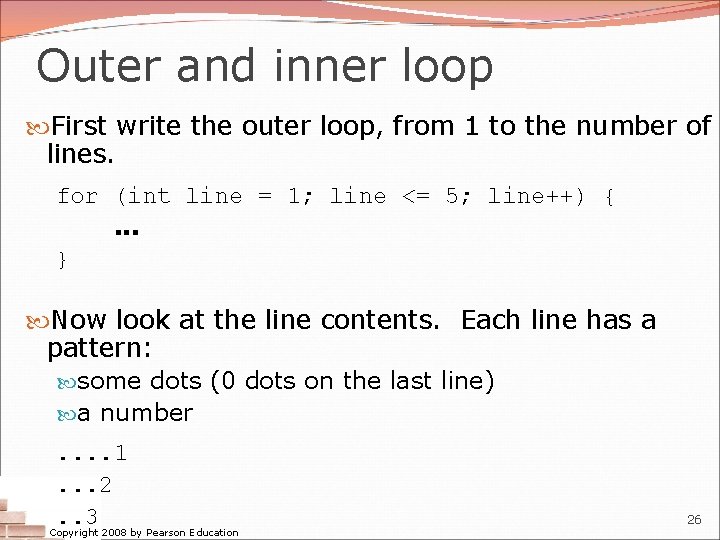
Outer and inner loop First write the outer loop, from 1 to the number of lines. for (int line = 1; line <= 5; line++) {. . . } Now look at the line contents. Each line has a pattern: some dots (0 dots on the last line) a number. . 1. . . 2. . 3 Copyright 2008 by Pearson Education 26
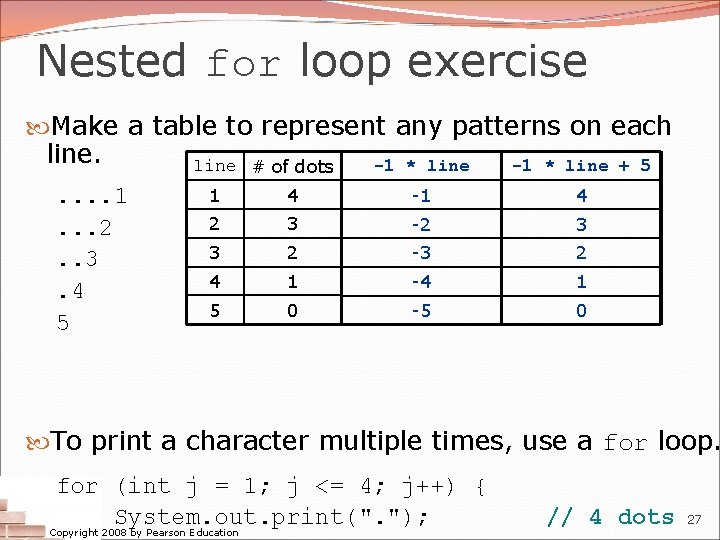
Nested for loop exercise Make a table to represent any patterns on each line # of dots -1 * line + 5. . 1. . . 2. . 3. 4 5 1 4 -1 4 2 3 -2 3 3 2 -3 2 4 1 -4 1 5 0 -5 0 To print a character multiple times, use a for loop. for (int j = 1; j <= 4; j++) { System. out. print(". "); Copyright 2008 by Pearson Education // 4 dots 27
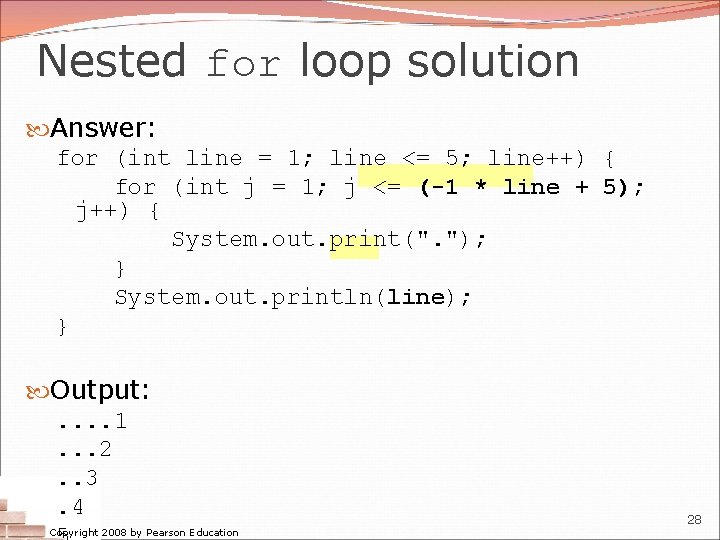
Nested for loop solution Answer: for (int line = 1; line <= 5; line++) { for (int j = 1; j <= (-1 * line + 5); j++) { System. out. print(". "); } System. out. println(line); } Output: . . 1. . . 2. . 3. 4 Copyright 2008 by Pearson Education 28
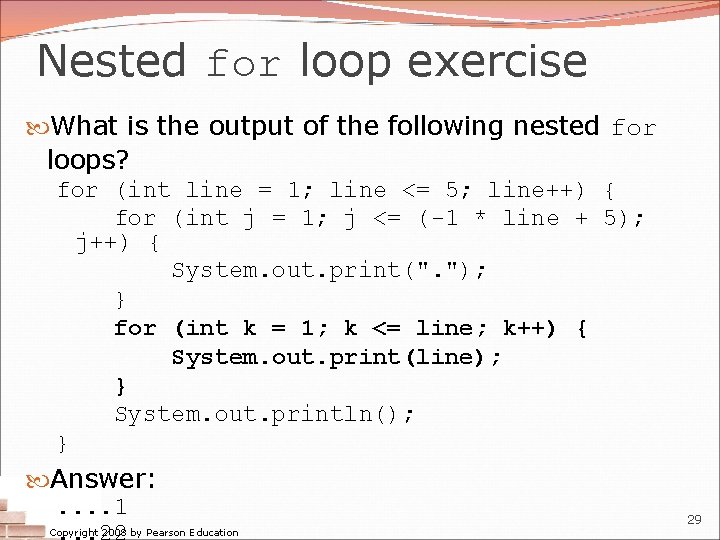
Nested for loop exercise What is the output of the following nested for loops? for (int line = 1; line <= 5; line++) { for (int j = 1; j <= (-1 * line + 5); j++) { System. out. print(". "); } for (int k = 1; k <= line; k++) { System. out. print(line); } System. out. println(); } Answer: . . 1 Copyright 2008 by Pearson Education 29
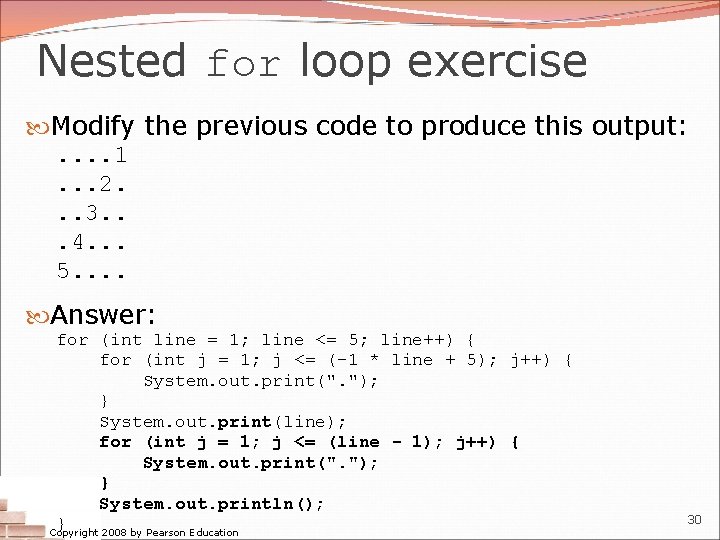
Nested for loop exercise Modify the previous code to produce this output: . . 1. . . 2. . . 3. . . 4. . . 5. . Answer: for (int line = 1; line <= 5; line++) { for (int j = 1; j <= (-1 * line + 5); j++) { System. out. print(". "); } System. out. print(line); for (int j = 1; j <= (line - 1); j++) { System. out. print(". "); } System. out. println(); } Copyright 2008 by Pearson Education 30
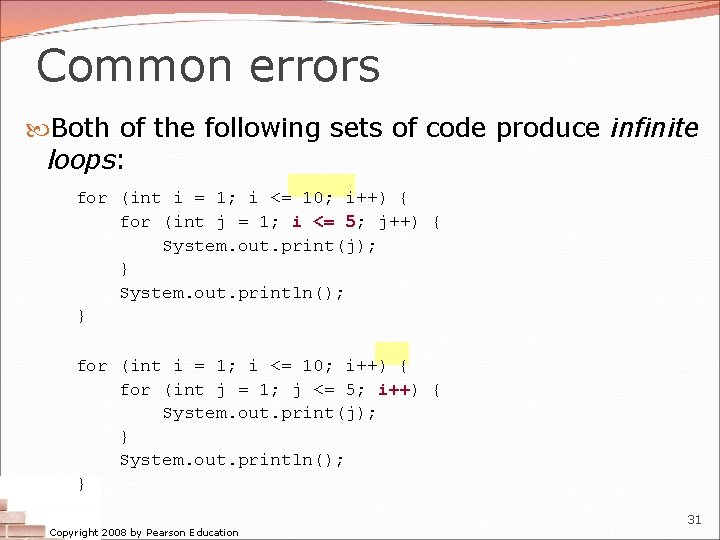
Common errors Both of the following sets of code produce infinite loops: for (int i = 1; i <= 10; i++) { for (int j = 1; i <= 5; j++) { System. out. print(j); } System. out. println(); } for (int i = 1; i <= 10; i++) { for (int j = 1; j <= 5; i++) { System. out. print(j); } System. out. println(); } Copyright 2008 by Pearson Education 31
- Slides: 31