
Building Java Programs Chapter 2 Lecture 2 1
Building Java Programs Chapter 2 Lecture 2 -1: Expressions and Variables reading: 2. 1 - 2. 2 1
2
Data and expressions reading: 2. 1 3
The computer’s view Internally, computers store everything as 1’s and 0’s Example: h "hi" 104 01101000110101 0110100 How can the computer tell the difference between an h and 104? type: A category or set of data values. Constrains the operations that can be performed on data Many languages ask the programmer to specify types Examples: integer, real number, string 4
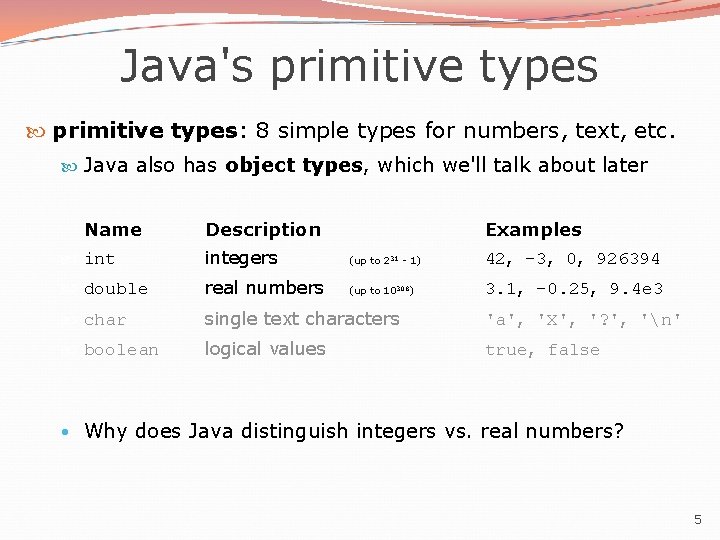
Java's primitive types: 8 simple types for numbers, text, etc. Java also has object types, which we'll talk about later Name Description Examples integers (up to 231 - 1) 42, -3, 0, 926394 double real numbers (up to 10308) 3. 1, -0. 25, 9. 4 e 3 char single text characters 'a', 'X', '? ', 'n' boolean logical values true, false • Why does Java distinguish integers vs. real numbers? 5

Integer or real number? Which category is more appropriate? integer (int) 1. 2. 3. 4. 5. 6. Temperature in degrees Celsius The population of lemmings Your grade point average A person's age in years A person's weight in pounds A person's height in meters real number (double) 7. Number of miles traveled 8. Number of dry days in the past month 9. Your locker number 10. Number of seconds left in a game 11. The sum of a group of integers 12. The average of a group of integers credit: Kate Deibel 6
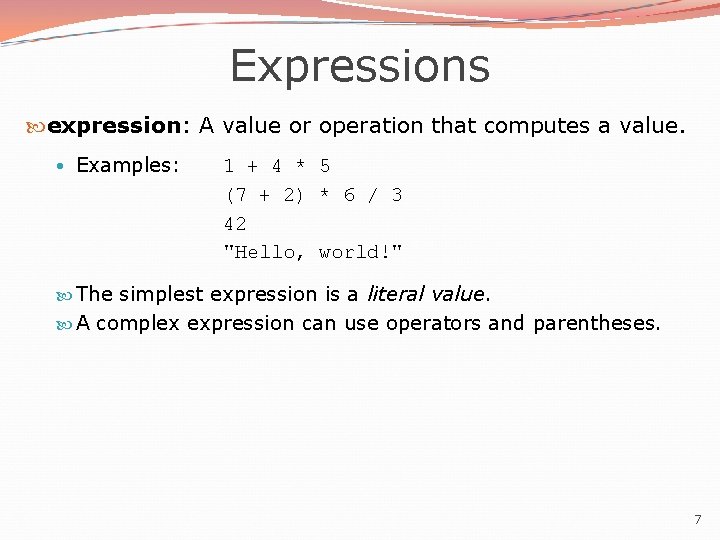
Expressions expression: A value or operation that computes a value. • Examples: 1 + 4 * 5 (7 + 2) * 6 / 3 42 "Hello, world!" The simplest expression is a literal value. A complex expression can use operators and parentheses. 7
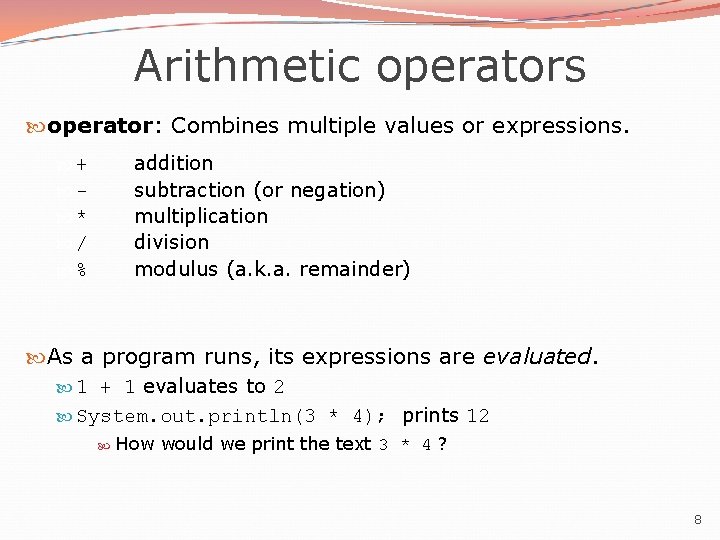
Arithmetic operators operator: Combines multiple values or expressions. addition subtraction (or negation) multiplication division modulus (a. k. a. remainder) + * / % As a program runs, its expressions are evaluated. 1 + 1 evaluates to 2 System. out. println(3 * 4); prints 12 How would we print the text 3 * 4 ? 8
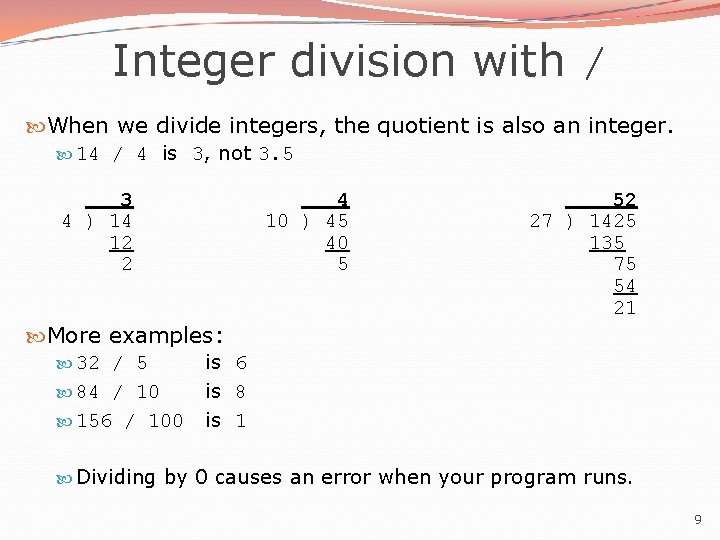
Integer division with / When we divide integers, the quotient is also an integer. 14 / 4 is 3, not 3. 5 3 4 ) 14 12 2 4 10 ) 45 40 5 52 27 ) 1425 135 75 54 21 More examples: 32 / 5 84 / 10 156 / 100 is 6 is 8 is 1 Dividing by 0 causes an error when your program runs. 9
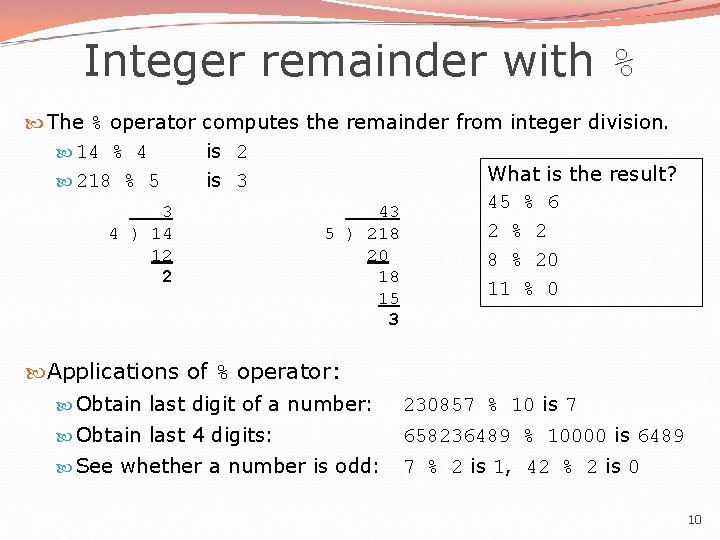
Integer remainder with % The % operator computes the remainder from integer division. 14 % 4 is 2 What is the result? 218 % 5 is 3 45 % 6 3 43 2 % 2 4 ) 14 5 ) 218 12 20 8 % 20 2 18 11 % 0 15 3 Applications of % operator: Obtain last digit of a number: 230857 % 10 is 7 Obtain last 4 digits: 658236489 % 10000 is 6489 See whether a number is odd: 7 % 2 is 1, 42 % 2 is 0 10
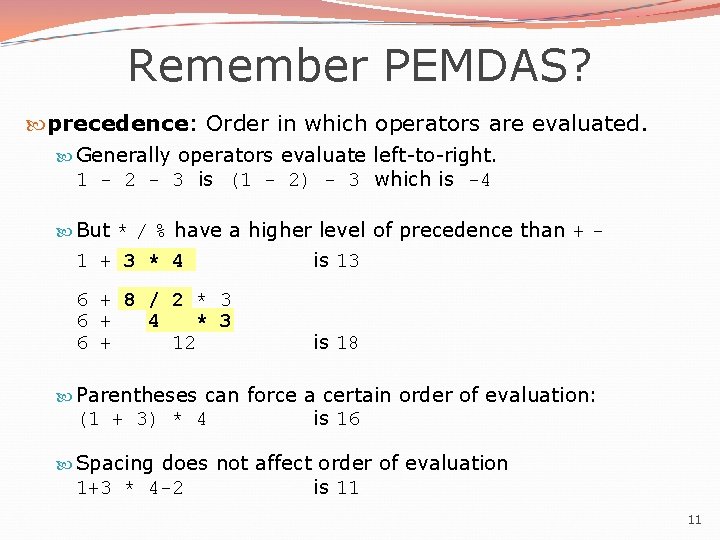
Remember PEMDAS? precedence: Order in which operators are evaluated. Generally operators evaluate left-to-right. 1 - 2 - 3 is (1 - 2) - 3 which is -4 But * / % have a higher level of precedence than + - 1 + 3 * 4 is 13 6 + 8 / 2 * 3 6 + 4 * 3 6 + 12 is 18 Parentheses can force a certain order of evaluation: (1 + 3) * 4 is 16 Spacing does not affect order of evaluation 1+3 * 4 -2 is 11 11
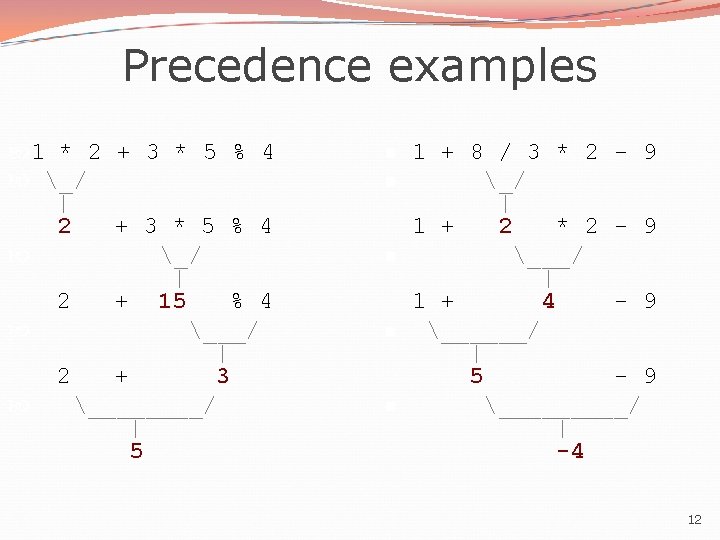
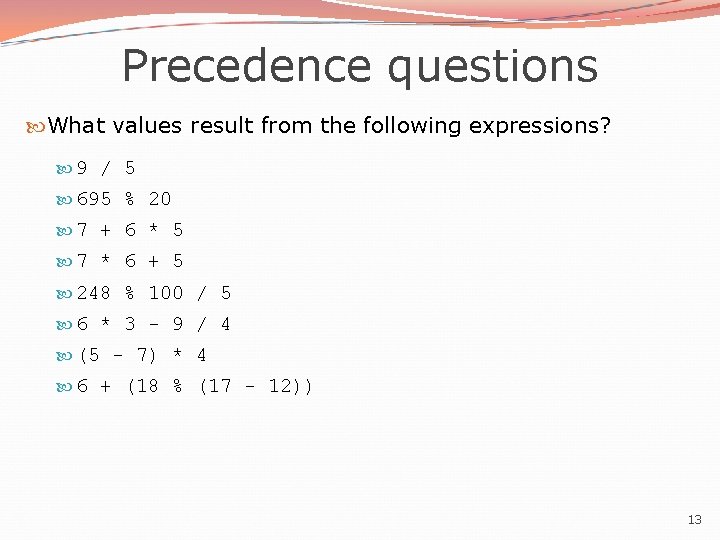
Precedence questions What values result from the following expressions? 9 / 5 695 % 20 7 + 6 * 5 7 * 6 + 5 248 % 100 / 5 6 * 3 - 9 / 4 (5 - 7) * 4 6 + (18 % (17 - 12)) 13
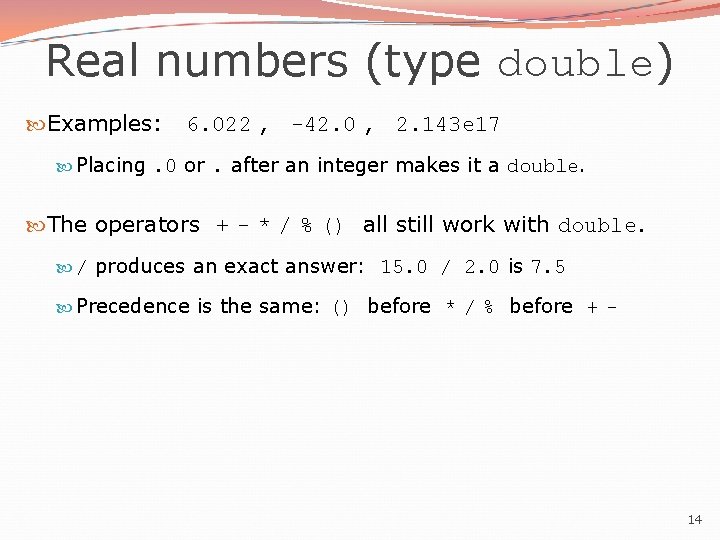
Real numbers (type double) Examples: 6. 022 , -42. 0 , 2. 143 e 17 Placing. 0 or. after an integer makes it a double. The operators + - * / % () all still work with double. / produces an exact answer: 15. 0 / 2. 0 is 7. 5 Precedence is the same: () before * / % before + - 14
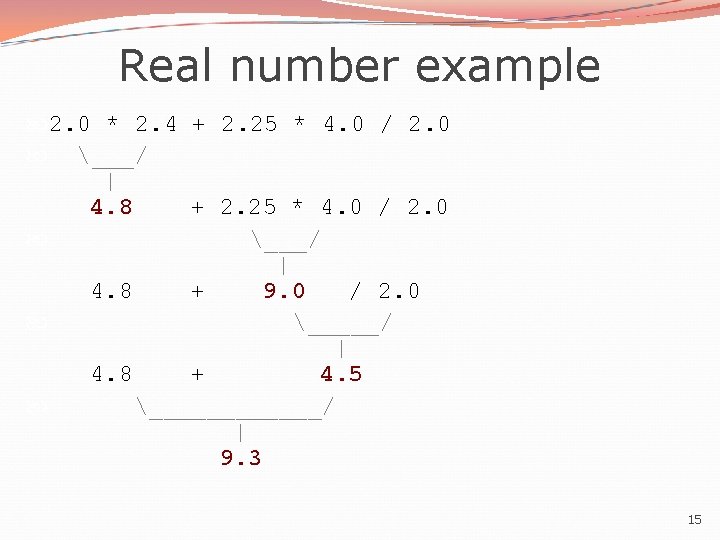
Real number example 2. 0 * 2. 4 + 2. 25 * 4. 0 / 2. 0 ___/ | 4. 8 + 9. 0 / 2. 0 _____/ | 4. 8 + 4. 5 ______/ | 9. 3 15
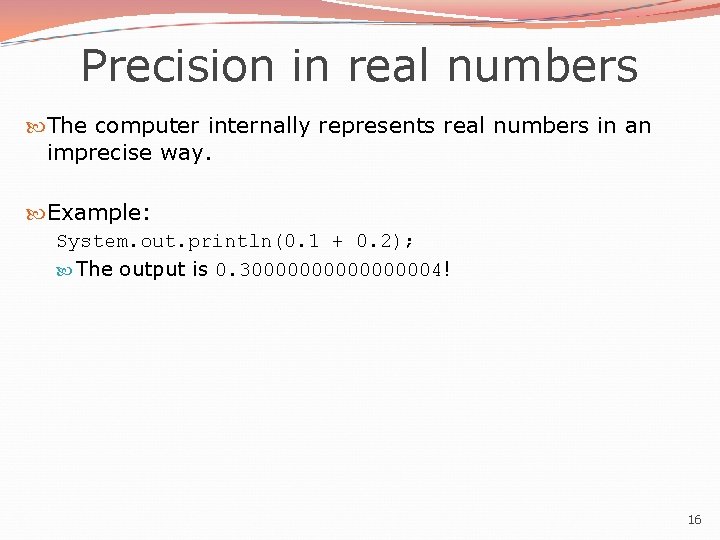
Precision in real numbers The computer internally represents real numbers in an imprecise way. Example: System. out. println(0. 1 + 0. 2); The output is 0. 3000000004! 16
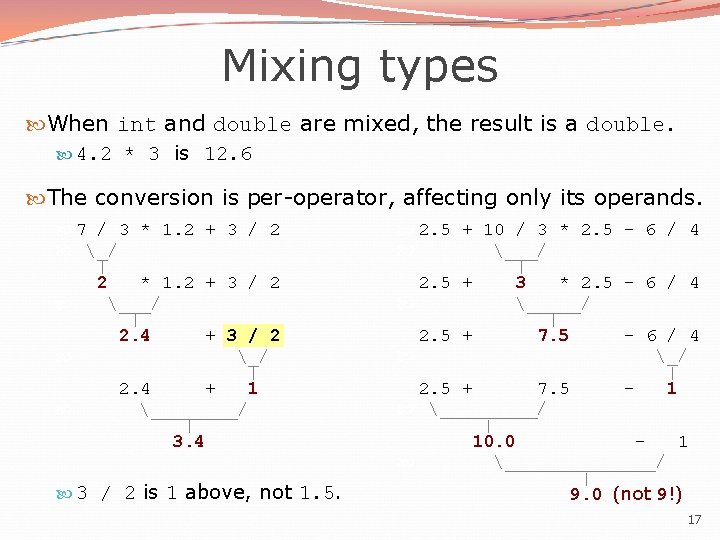
Mixing types When int and double are mixed, the result is a double. 4. 2 * 3 is 12. 6 The conversion is per-operator, affecting only its operands. 7 / 3 * 1. 2 + 3 / 2 _/ | 2 * 1. 2 + 3 / 2 ___/ | 2. 4 + 3 / 2 _/ | 2. 4 + 1 ____/ | 3. 4 3 / 2 is 1 above, not 1. 5. 2. 5 + 10 / 3 * 2. 5 - 6 / 4 ___/ | 2. 5 + 3 * 2. 5 - 6 / 4 _____/ | 2. 5 + 7. 5 - 6 / 4 _/ | 2. 5 + 7. 5 1 _____/ | 10. 0 1 _______/ | 9. 0 (not 9!) 17
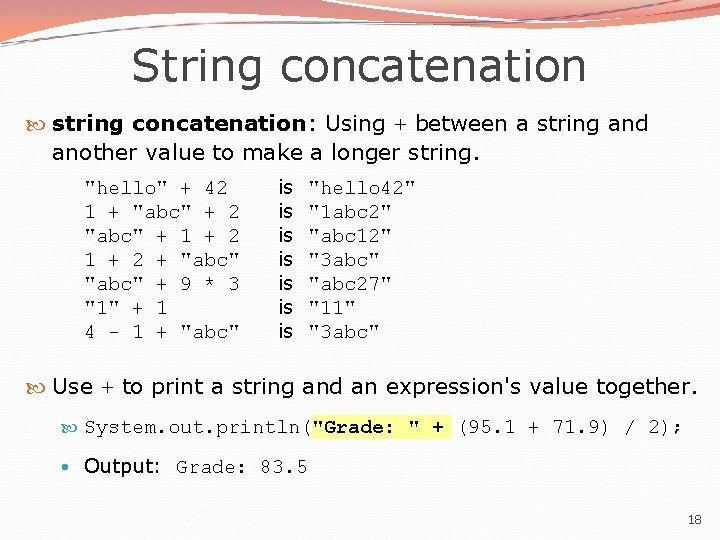
String concatenation string concatenation: Using + between a string and another value to make a longer string. "hello" + 42 1 + "abc" + 2 "abc" + 1 + 2 + "abc" + 9 * 3 "1" + 1 4 - 1 + "abc" is is "hello 42" "1 abc 2" "abc 12" "3 abc" "abc 27" "11" "3 abc" Use + to print a string and an expression's value together. System. out. println("Grade: " + (95. 1 + 71. 9) / 2); • Output: Grade: 83. 5 18
Variables reading: 2. 2 19
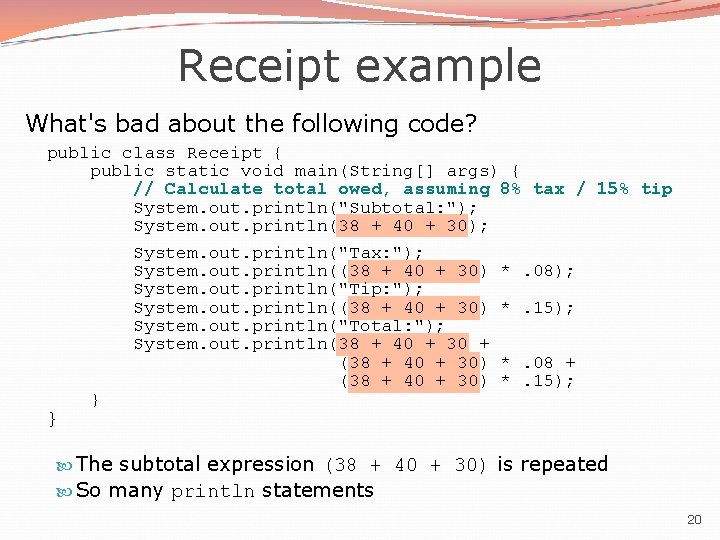
Receipt example What's bad about the following code? public class Receipt { public static void main(String[] args) { // Calculate total owed, assuming 8% tax / 15% tip System. out. println("Subtotal: "); System. out. println(38 + 40 + 30); System. out. println("Tax: "); System. out. println((38 + 40 + 30) *. 08); System. out. println("Tip: "); System. out. println((38 + 40 + 30) *. 15); System. out. println("Total: "); System. out. println(38 + 40 + 30 + (38 + 40 + 30) *. 08 + (38 + 40 + 30) *. 15); } } The subtotal expression (38 + 40 + 30) is repeated So many println statements 20
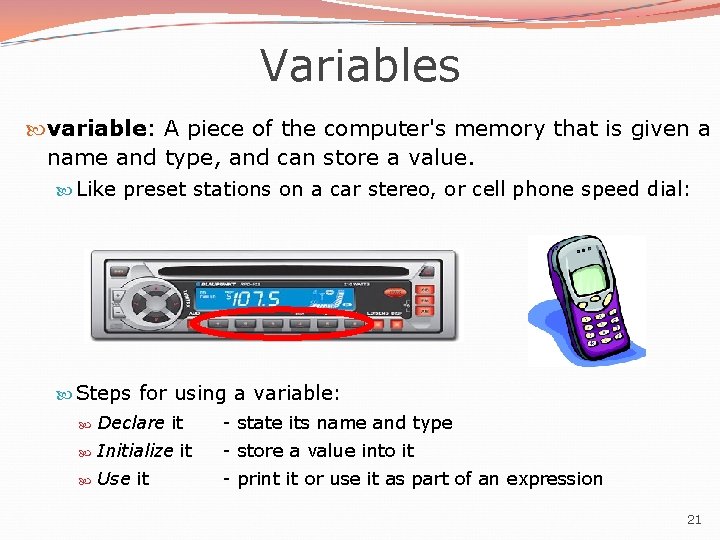
Variables variable: A piece of the computer's memory that is given a name and type, and can store a value. Like preset stations on a car stereo, or cell phone speed dial: Steps for using a variable: Declare it - state its name and type Initialize it - store a value into it Use it - print it or use it as part of an expression 21
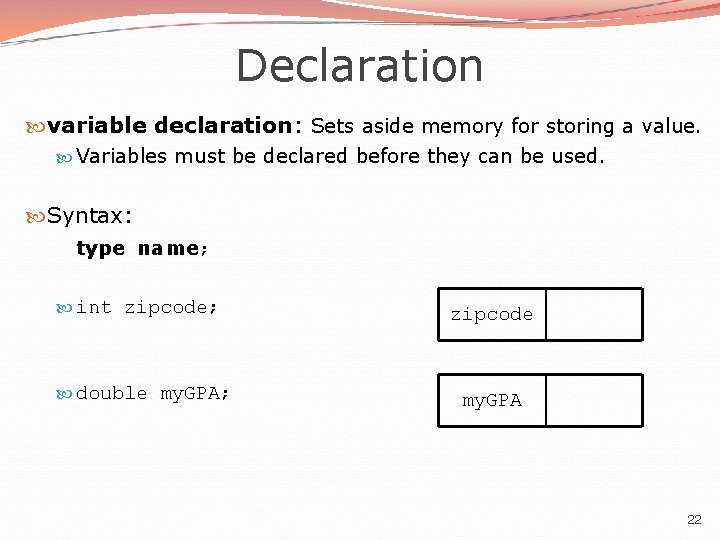
Declaration variable declaration: Sets aside memory for storing a value. Variables must be declared before they can be used. Syntax: type name; int zipcode; double my. GPA; zipcode my. GPA 22
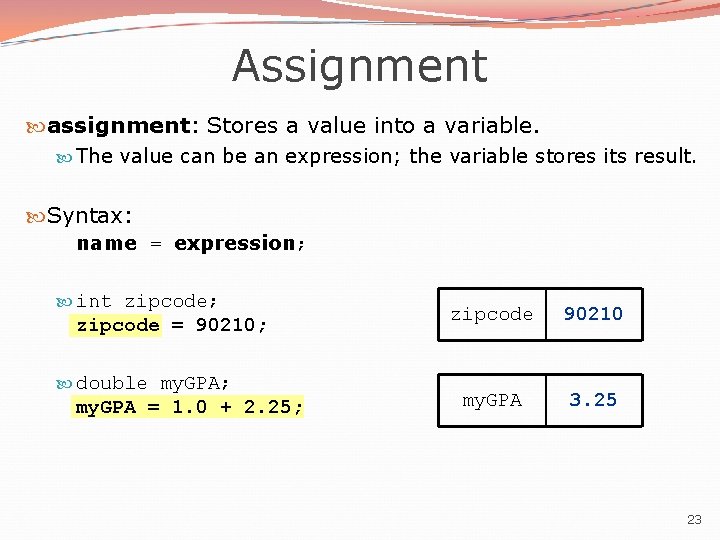
Assignment assignment: Stores a value into a variable. The value can be an expression; the variable stores its result. Syntax: name = expression; int zipcode; zipcode = 90210; double my. GPA; my. GPA = 1. 0 + 2. 25; zipcode 90210 my. GPA 3. 25 23
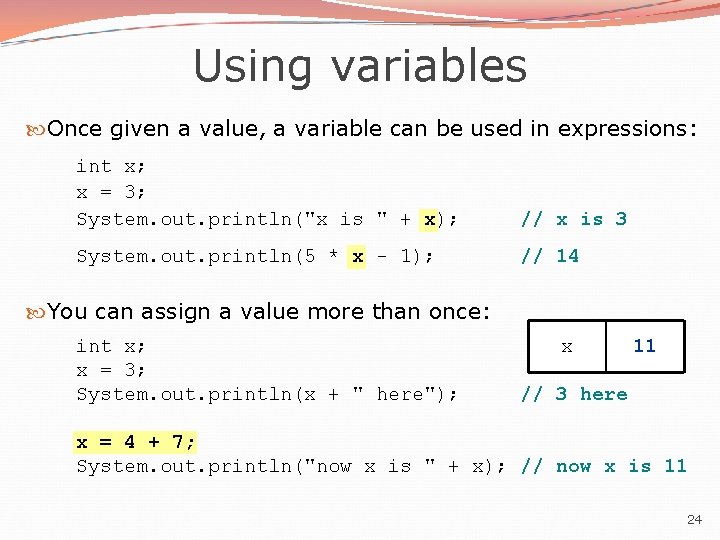
Using variables Once given a value, a variable can be used in expressions: int x; x = 3; System. out. println("x is " + x); // x is 3 System. out. println(5 * x - 1); // 14 You can assign a value more than once: int x; x = 3; System. out. println(x + " here"); x 11 3 // 3 here x = 4 + 7; System. out. println("now x is " + x); // now x is 11 24
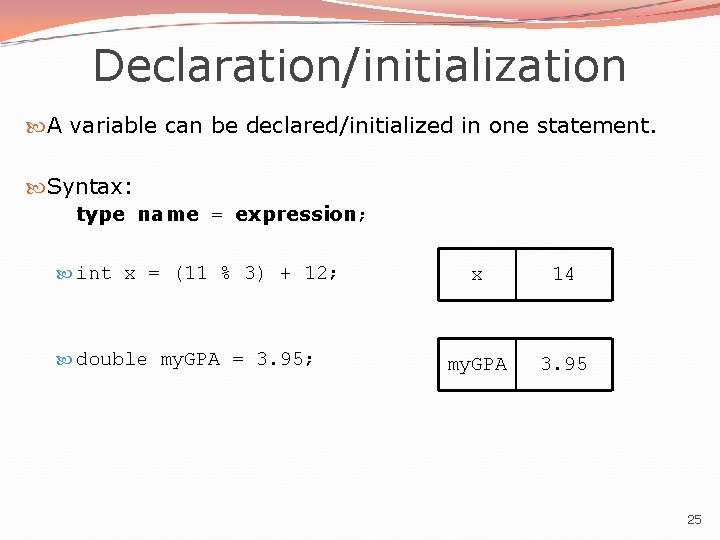
Declaration/initialization A variable can be declared/initialized in one statement. Syntax: type name = expression; int x = (11 % 3) + 12; double my. GPA = 3. 95; x 14 my. GPA 3. 95 25
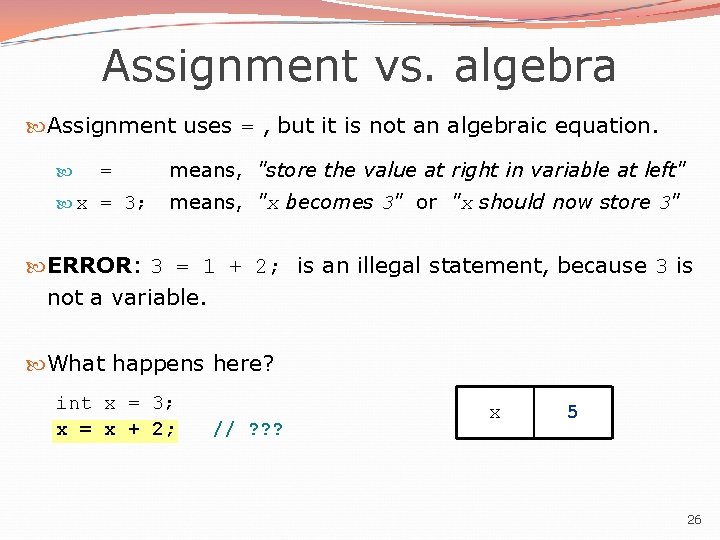
Assignment vs. algebra Assignment uses = , but it is not an algebraic equation. = means, "store the value at right in variable at left" x = 3; means, "x becomes 3" or "x should now store 3" ERROR: 3 = 1 + 2; is an illegal statement, because 3 is not a variable. What happens here? int x = 3; x = x + 2; // ? ? ? x 3 5 26
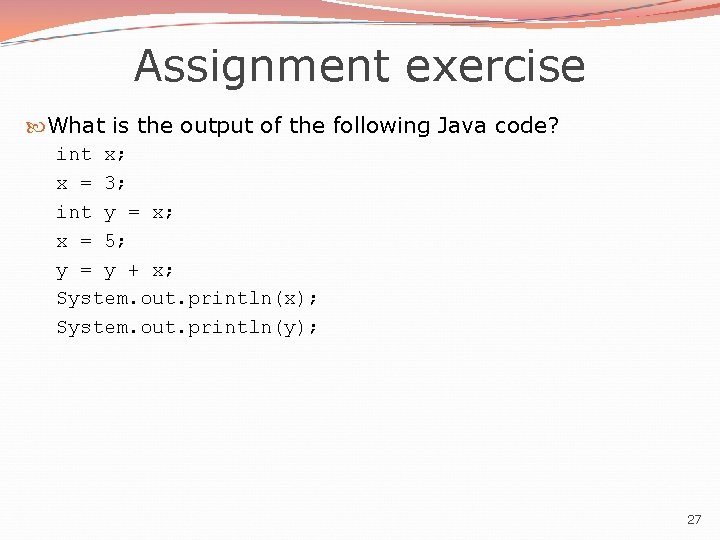
Assignment exercise What is the output of the following Java code? int x; x = 3; int y = x; x = 5; y = y + x; System. out. println(x); System. out. println(y); 27
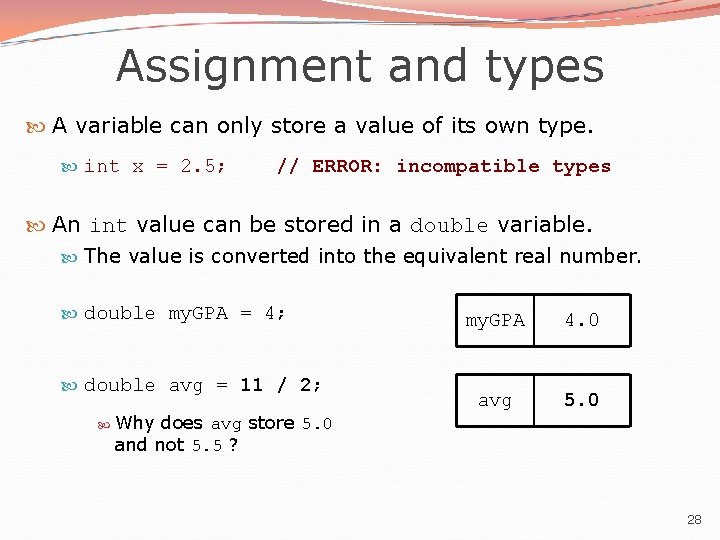
Assignment and types A variable can only store a value of its own type. int x = 2. 5; // ERROR: incompatible types An int value can be stored in a double variable. The value is converted into the equivalent real number. double my. GPA = 4; double avg = 11 / 2; Why does avg store 5. 0 and not 5. 5 ? my. GPA 4. 0 avg 5. 0 28
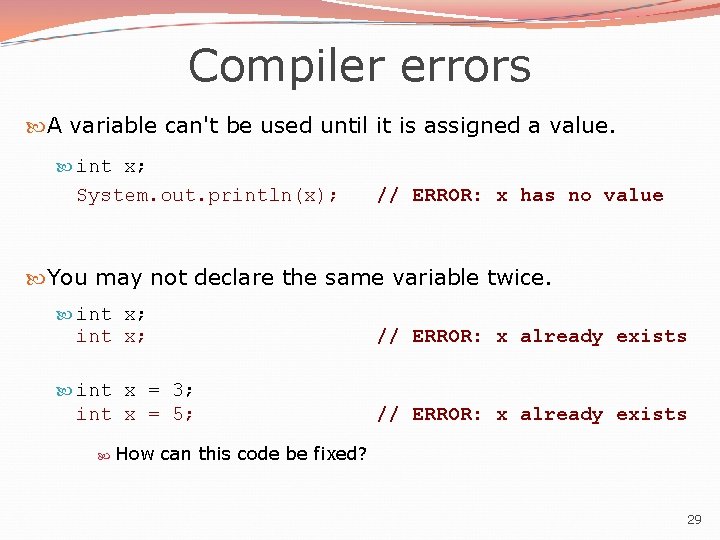
Compiler errors A variable can't be used until it is assigned a value. int x; System. out. println(x); // ERROR: x has no value You may not declare the same variable twice. int x; // ERROR: x already exists int x = 3; int x = 5; // ERROR: x already exists How can this code be fixed? 29
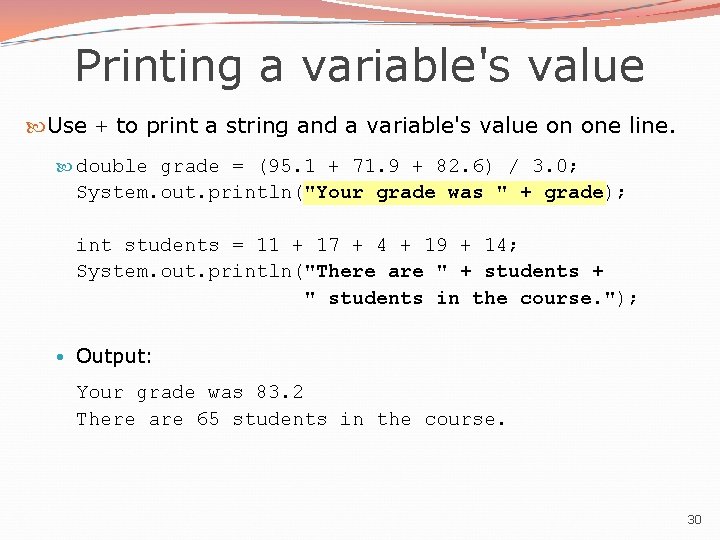
Printing a variable's value Use + to print a string and a variable's value on one line. double grade = (95. 1 + 71. 9 + 82. 6) / 3. 0; System. out. println("Your grade was " + grade); int students = 11 + 17 + 4 + 19 + 14; System. out. println("There are " + students + " students in the course. "); • Output: Your grade was 83. 2 There are 65 students in the course. 30
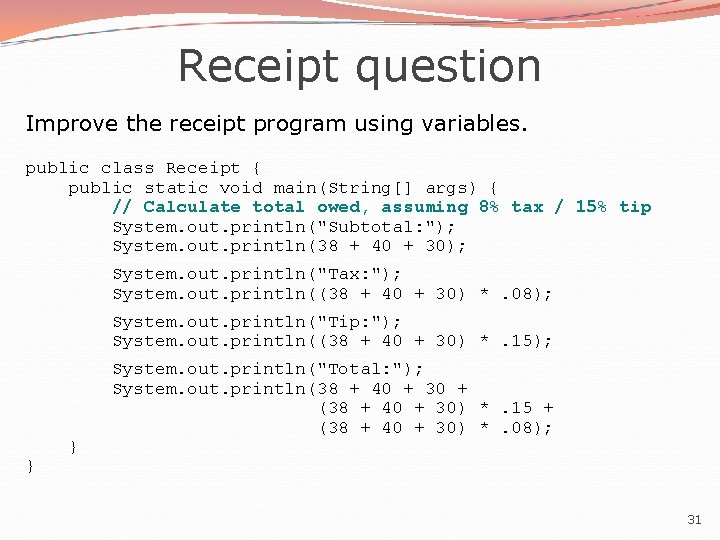
Receipt question Improve the receipt program using variables. public class Receipt { public static void main(String[] args) { // Calculate total owed, assuming 8% tax / 15% tip System. out. println("Subtotal: "); System. out. println(38 + 40 + 30); System. out. println("Tax: "); System. out. println((38 + 40 + 30) *. 08); System. out. println("Tip: "); System. out. println((38 + 40 + 30) *. 15); } } System. out. println("Total: "); System. out. println(38 + 40 + 30 + (38 + 40 + 30) *. 15 + (38 + 40 + 30) *. 08); 31
![Receipt answer public class Receipt { public static void main(String[] args) { // Calculate](http://slidetodoc.com/presentation_image_h2/c29d9b0d213e67a1ebe7165b4f75689f/image-32.jpg "Receipt answer public class Receipt { public static void main(String[] args) { // Calculate")
Receipt answer public class Receipt { public static void main(String[] args) { // Calculate total owed, assuming 8% tax / 15% tip int subtotal = 38 + 40 + 30; double tax = subtotal *. 08; double tip = subtotal *. 15; double total = subtotal + tax + tip; } } System. out. println("Subtotal: " + subtotal); System. out. println("Tax: " + tax); System. out. println("Tip: " + tip); System. out. println("Total: " + total); 32
- Slides: 32