
Building for FTC with Rev Robotics Building for
Building for FTC with Rev Robotics
Building for FTC with Rev Robotics Basic robot design and wiring 2019 -2020 season kickoff class presented by: Vince Westin, Technical Evangelist, Dell Georgia FTC Lead FTA vincewestin@gmail. com
Overview • Robot hardware design • Rev Expansion Hub – Connections, controlling robot hardware – Configuration (linking hardware to software) • Useful parts – Things to consider for your robot
Read the game rules! • Every team member & mentor • Near matches, read it again • Check the forum for updates • Robots outside parameters cannot compete! – Size, weight, motor/servo count – Sharp edges, team number, alliance marker – Throwing too hard, intentional separation
Robot design strategy • Most effective way to score points? – Build the robot to meet the game goals! • Think outside the box – How would you score with your hands? – How could you build robot parts to do that? – How does the robot need to drive to enable it? • Keep it SIMPLE (and hopefully light) – Fast and reliable wins consistently
Robot hardware design overview • The right drive base – Separate class on drive base design • Robust base frame – Core of your robot – No weight on motor axles • Manipulators (arms, intakes, etc. ) • Sensors for the robot to ‘see’ • Use You. Tube/web for lots of ideas!
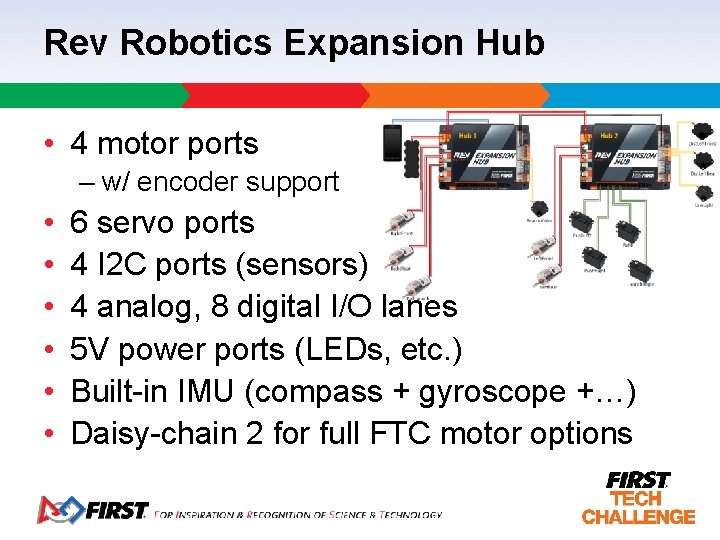
Rev Robotics Expansion Hub • 4 motor ports – w/ encoder support • • • 6 servo ports 4 I 2 C ports (sensors) 4 analog, 8 digital I/O lanes 5 V power ports (LEDs, etc. ) Built-in IMU (compass + gyroscope +…) Daisy-chain 2 for full FTC motor options
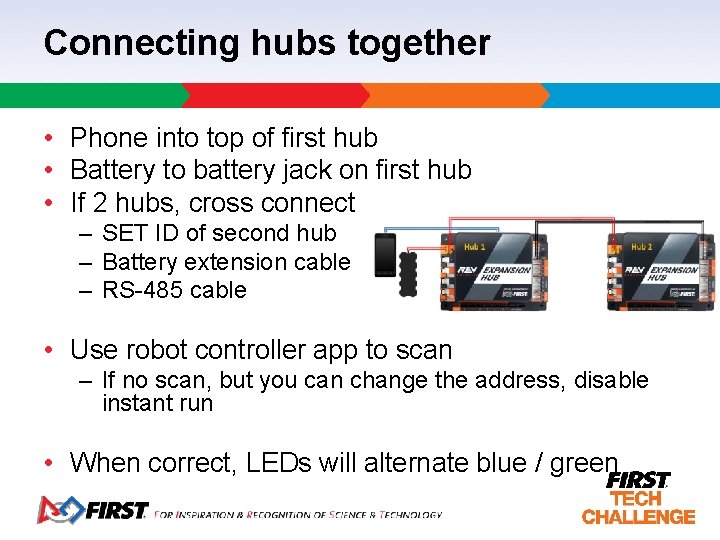
Connecting hubs together • Phone into top of first hub • Battery to battery jack on first hub • If 2 hubs, cross connect – SET ID of second hub – Battery extension cable – RS-485 cable • Use robot controller app to scan – If no scan, but you can change the address, disable instant run • When correct, LEDs will alternate blue / green
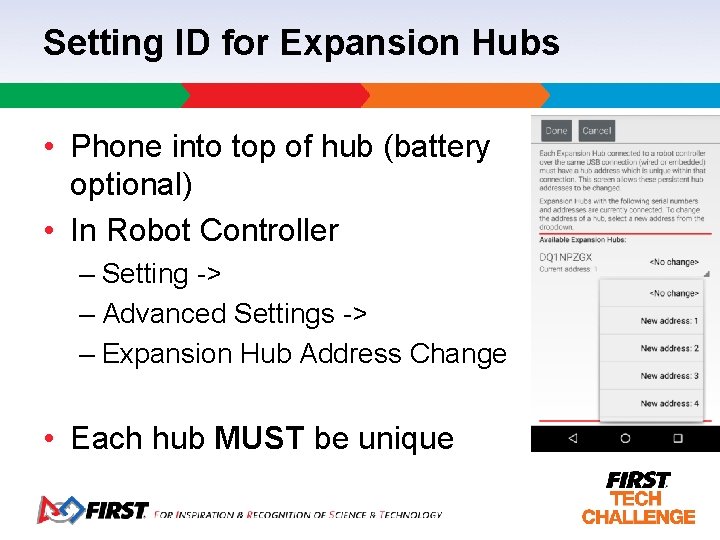
Setting ID for Expansion Hubs • Phone into top of hub (battery optional) • In Robot Controller – Setting -> – Advanced Settings -> – Expansion Hub Address Change • Each hub MUST be unique
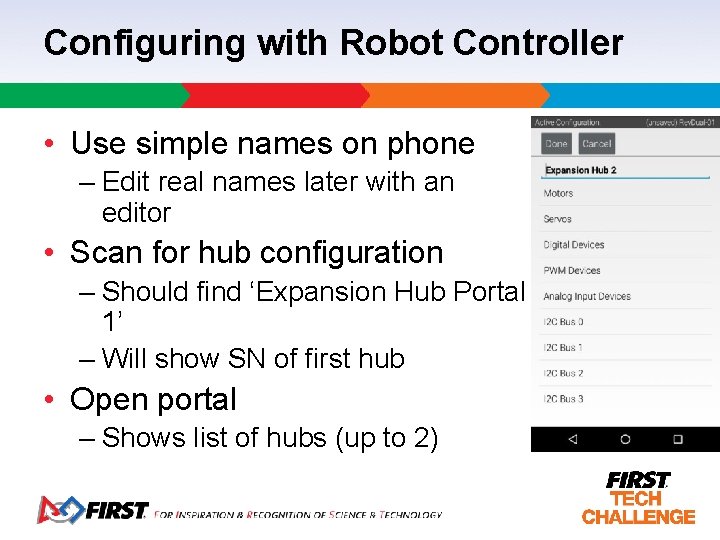
Configuring with Robot Controller • Use simple names on phone – Edit real names later with an editor • Scan for hub configuration – Should find ‘Expansion Hub Portal 1’ – Will show SN of first hub • Open portal – Shows list of hubs (up to 2)
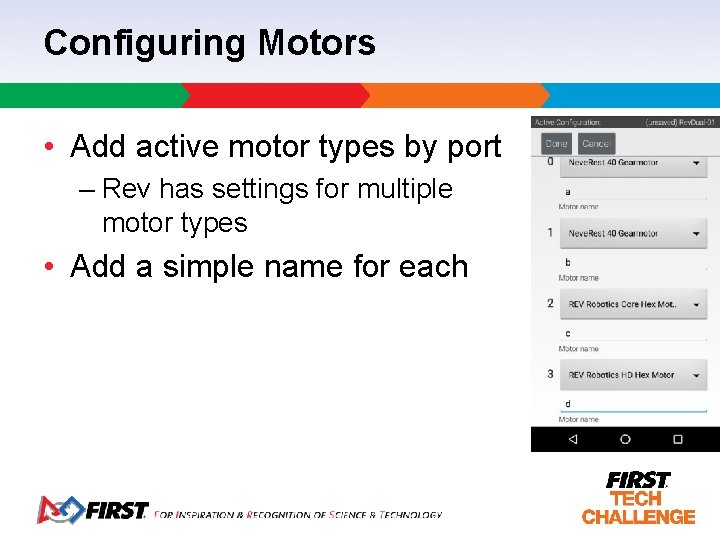
Configuring Motors • Add active motor types by port – Rev has settings for multiple motor types • Add a simple name for each
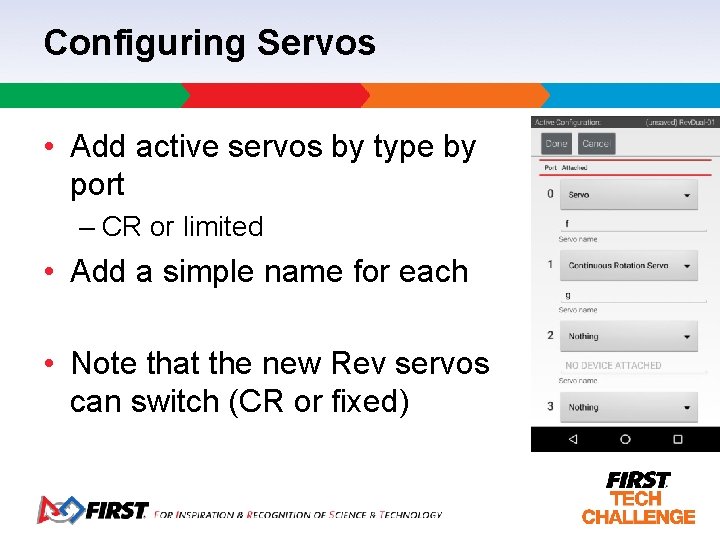
Configuring Servos • Add active servos by type by port – CR or limited • Add a simple name for each • Note that the new Rev servos can switch (CR or fixed)
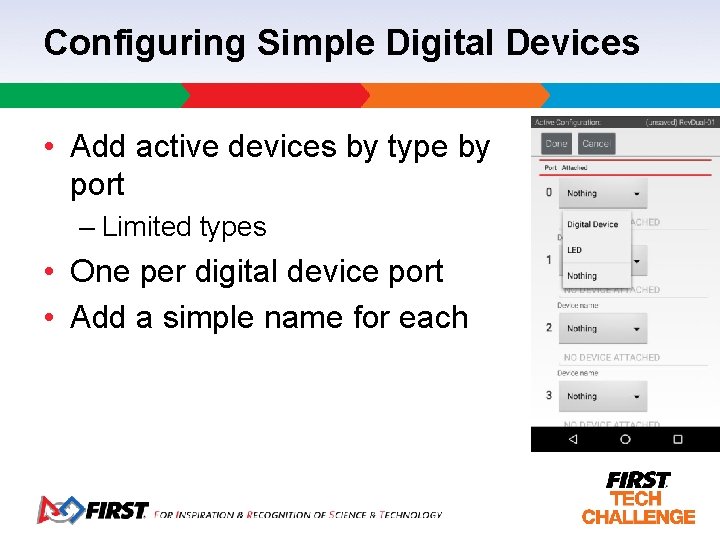
Configuring Simple Digital Devices • Add active devices by type by port – Limited types • One per digital device port • Add a simple name for each
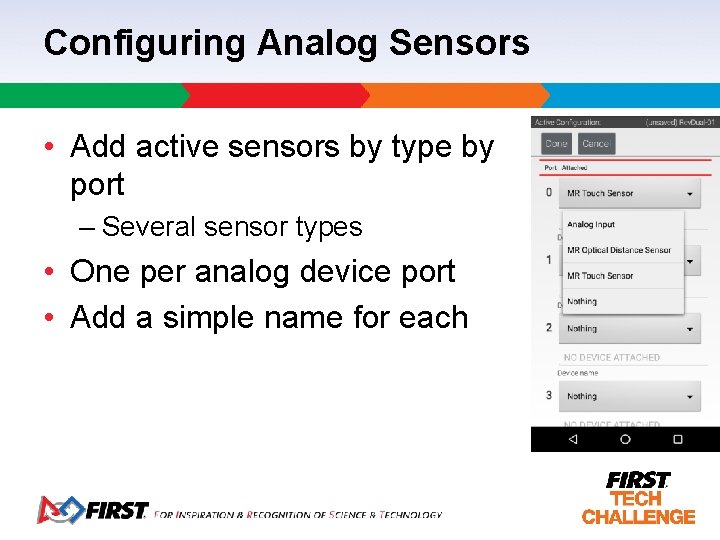
Configuring Analog Sensors • Add active sensors by type by port – Several sensor types • One per analog device port • Add a simple name for each
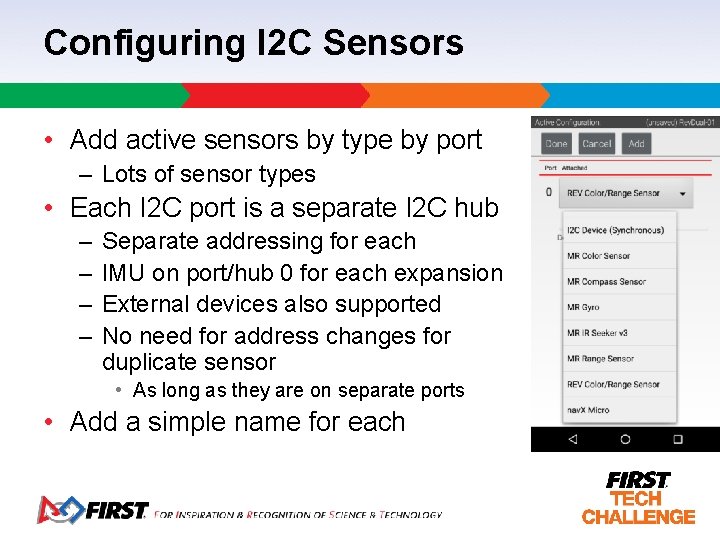
Configuring I 2 C Sensors • Add active sensors by type by port – Lots of sensor types • Each I 2 C port is a separate I 2 C hub – – Separate addressing for each IMU on port/hub 0 for each expansion External devices also supported No need for address changes for duplicate sensor • As long as they are on separate ports • Add a simple name for each
Rev Expansion Power Compatibility • All servo ports are 5 V – Works with old servos – Works with new Rev servos • All digital, I 2 C, and encoder ports are 3. 3 V – Many non-Rev components use/require 5 V power – Rev has converters available • NO support for using legacy NXT sensors • Check the Rev Expansion Hub Guide! – http: //www. revrobotics. com/content/docs/REV-31 -1153 -GS. pdf – Lots of details on wiring, conversion of power, etc.
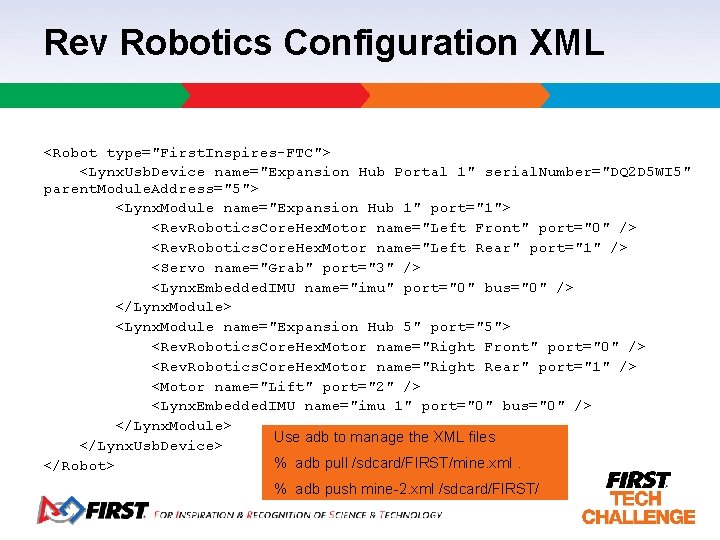
Rev Robotics Configuration XML <Robot type="First. Inspires-FTC"> <Lynx. Usb. Device name="Expansion Hub Portal 1" serial. Number="DQ 2 D 5 WI 5" parent. Module. Address="5"> <Lynx. Module name="Expansion Hub 1" port="1"> <Rev. Robotics. Core. Hex. Motor name="Left Front" port="0" /> <Rev. Robotics. Core. Hex. Motor name="Left Rear" port="1" /> <Servo name="Grab" port="3" /> <Lynx. Embedded. IMU name="imu" port="0" bus="0" /> </Lynx. Module> <Lynx. Module name="Expansion Hub 5" port="5"> <Rev. Robotics. Core. Hex. Motor name="Right Front" port="0" /> <Rev. Robotics. Core. Hex. Motor name="Right Rear" port="1" /> <Motor name="Lift" port="2" /> <Lynx. Embedded. IMU name="imu 1" port="0" bus="0" /> </Lynx. Module> Use adb to manage the XML files </Lynx. Usb. Device> % adb pull /sdcard/FIRST/mine. xml. </Robot> % adb push mine-2. xml /sdcard/FIRST/
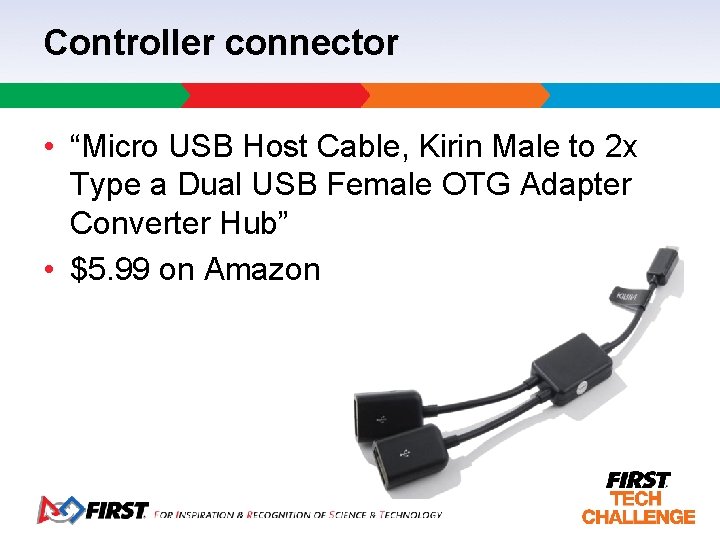
Controller connector • “Micro USB Host Cable, Kirin Male to 2 x Type a Dual USB Female OTG Adapter Converter Hub” • $5. 99 on Amazon
Other Useful Rev Robotics Parts • Hex drive options & parts – Motor with side output for wheels! – Wheels without set screws (hex drive) • Extruded channels and parts – Easy assembly at reasonable prices
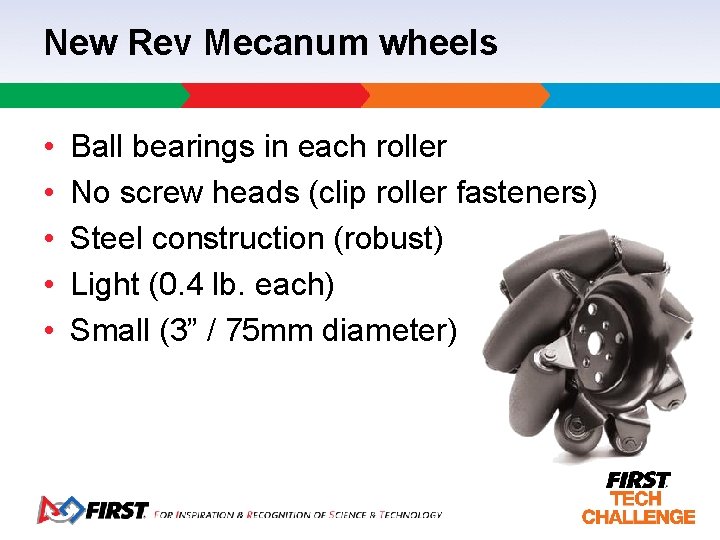
New Rev Mecanum wheels • • • Ball bearings in each roller No screw heads (clip roller fasteners) Steel construction (robust) Light (0. 4 lb. each) Small (3” / 75 mm diameter)
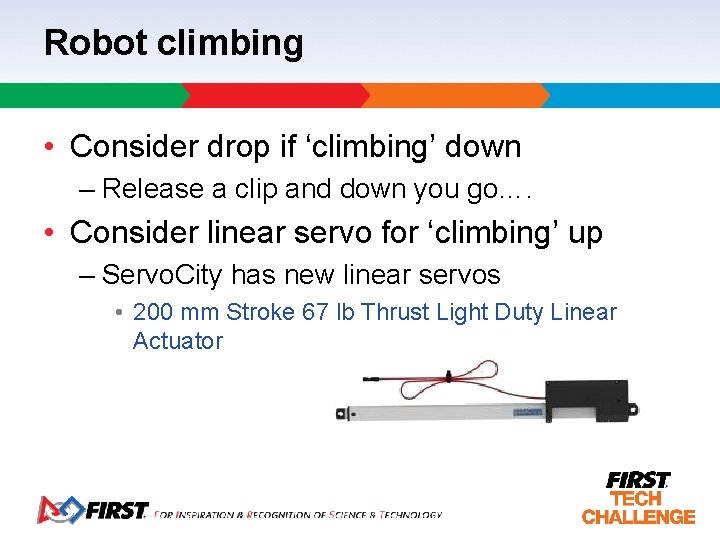
Robot climbing • Consider drop if ‘climbing’ down – Release a clip and down you go…. • Consider linear servo for ‘climbing’ up – Servo. City has new linear servos • 200 mm Stroke 67 lb Thrust Light Duty Linear Actuator
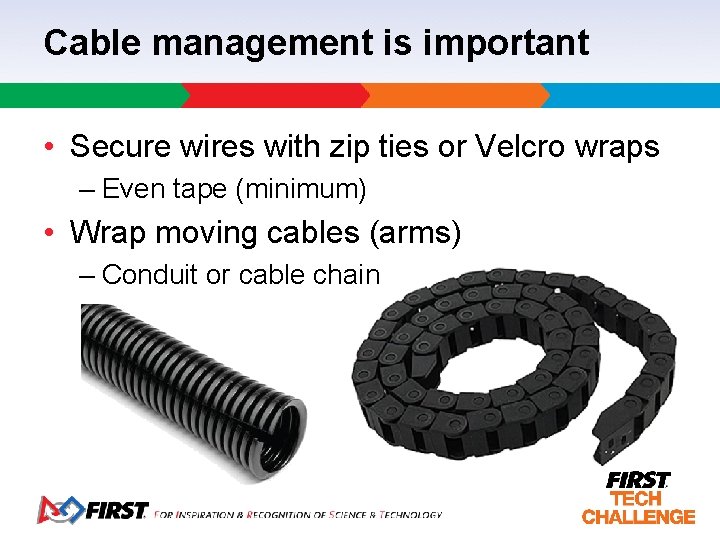
Cable management is important • Secure wires with zip ties or Velcro wraps – Even tape (minimum) • Wrap moving cables (arms) – Conduit or cable chain
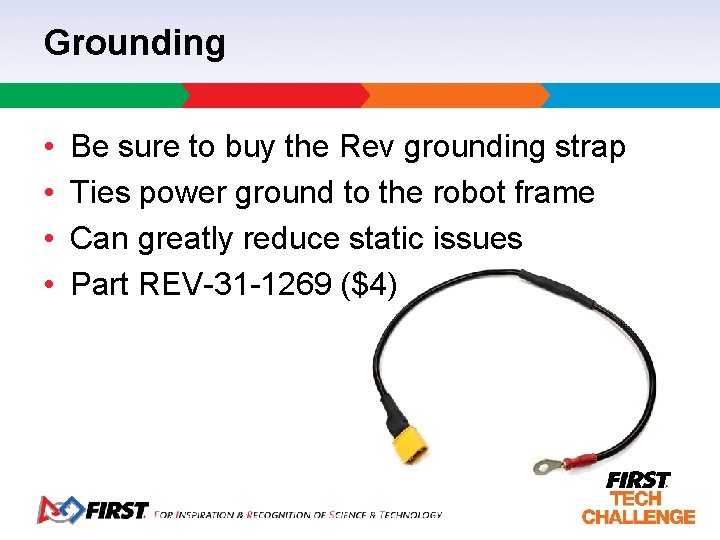
Grounding • • Be sure to buy the Rev grounding strap Ties power ground to the robot frame Can greatly reduce static issues Part REV-31 -1269 ($4)
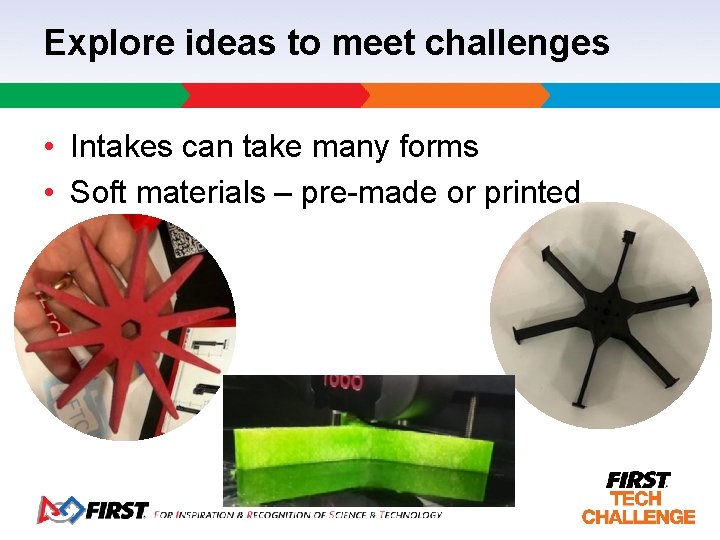
Explore ideas to meet challenges • Intakes can take many forms • Soft materials – pre-made or printed

Join in the Discussion on Slack • GA FTC Coaches & Mentors – Team organization, fundraising, recruiting, hosting, etc. • GA FTC Resources – Everyone and everything team related! • Send an email to vincewestin@gmail. com
Building for FTC with Rev Robotics Basic robot design and wiring 2019 -2020 season kickoff class presented by: Vince Westin, Technical Evangelist, Dell Georgia FTC Lead FTA vincewestin@gmail. com k n a h T ! u Yo
- Slides: 26