
Building Custom Controls with ASP NET and the

Building Custom Controls with ASP. NET and the Microsoft. NET Framework ® Rames Gantanant Microsoft Regional Director, Thailand ramesg@puumsoft. co. th
What We Will Cover l l l Developing Web custom controls Creating a control designer Control rendering Event handling Developing composite controls
Session Prerequisites Basic knowledge of C# l Basic knowledge of Event. Handling in. NET l Familiarity with the. NET Framework l Understanding of object-oriented programming l Basic HTML / WYSIWYG experience l Level 200
So Why This Presentation? Benefits of designing custom controls l Code reuse l Quick page development l Make easy changes to the site through controls l
Agenda l l l Web user controls versus custom controls Creating a simple Web custom control Implementing a control designer for designtime rendering Rendering methods and how to use them Handling postback events Developing a composite control
Agenda l l l Web user controls versus custom controls Creating a simple Web custom control Implementing a control designer for designtime rendering Rendering methods and how to use them Handling postback events Developing a composite control
Web User Controls Versus Custom Controls l l Web user controls are compiled dynamically at run time Web user controls cannot be added to the Toolbox The only way to share a Web user control between applications is to put a separate copy in each application Custom controls have full visual design tool support for consumers
Creating a Simple Custom Control l Inheriting from Web. Control versus Control Consuming the control in a Web application Adding a custom property to the control
Demonstration 1 Creating a Simple Custom Control
Agenda l l l Web user controls versus custom controls Creating a simple Web custom control Implementing a control designer for designtime rendering Rendering methods and how to use them Handling postback events Developing a composite control
Creating a Simple Web Custom Control l Web. Control provides typical Web user control properties Adding the control and Web application project within the same solution helps with developing and debugging The control can be added to the toolbox and even to the global assembly cache, allowing ease of use for multiple developers
Creating a Simple Web Custom Control l Creating an icon for the control helps distinguish it when added to the toolbox
Agenda l l l Web user controls versus custom controls Creating a simple Web custom control Implementing a control designer for designtime rendering Rendering methods and how to use them Handling postback events Developing a composite control
Demonstration 2 Implementing a Control Designer for Design-Time Rendering
Implementing a Control Designer for Design-Time Rendering l l System. Design. dll provides the base class for design-time rendering Get. Design. Time. Html() overrides the default design-time rendering output Design-time and run-time HTML output are separate entities Designer class is specified in the controls attribute list
Agenda l l l Web user controls versus custom controls Creating a simple Web custom control Implementing a control designer for designtime rendering Rendering methods and how to use them Handling postback events Developing a composite control
Demonstration 3 Rendering Methods and How to Use Them
Rendering Methods and How to Use Them l l Override the Render() method when inheriting from Control Override Render. Contents() method when inheriting from Web. Control
Rendering Methods and How to Use Them l l l Default “base-element” for a control is the <span> element Specify which base-class constructor should be called when creating instances of the derived class, such as base(Html. Text. Writer. Tag. A) for an <a> element Use Add. Attributes. To. Render() method to add HTML attributes and styles to the control
Agenda l l l Web user controls versus custom controls Creating a simple Web custom control Implementing a control designer for designtime rendering Rendering methods and how to use them Handling postback events Developing a composite control
Demonstration 4 Handling Postback Events
Handling Postback Events l l IPost. Back. Event. Handler defines the method ASP. NET server controls must implement to handle postback events Define the click event Invoke delegates registered with the click event Define the method of IPost. Back. Event. Handler that raises change events
Handling Postback Events l Page. Get. Post. Back. Event. Reference() obtains a reference to a client-side script function that causes, when invoked, the server to post back to the page
Agenda l l l Web user controls versus custom controls Creating a simple Web custom control Implementing a control designer for designtime rendering Rendering methods and how to use them Developing a composite control
Demonstration 5 Developing a Composite Control
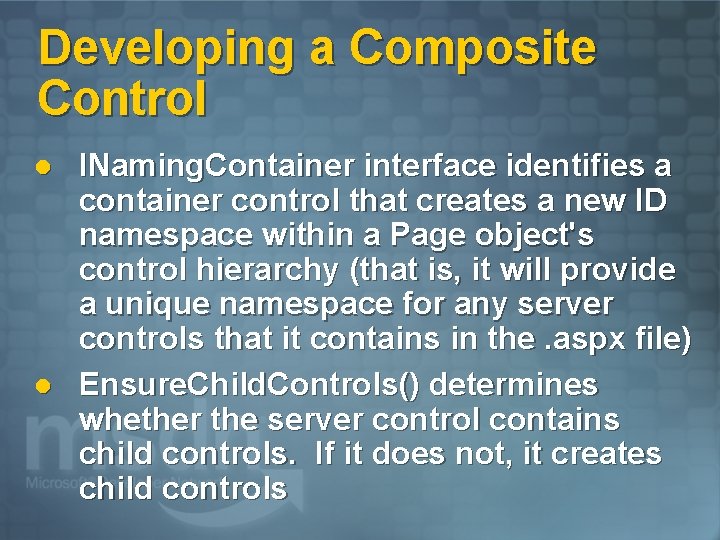
Developing a Composite Control l l INaming. Container interface identifies a container control that creates a new ID namespace within a Page object's control hierarchy (that is, it will provide a unique namespace for any server controls that it contains in the. aspx file) Ensure. Child. Controls() determines whether the server control contains child controls. If it does not, it creates child controls
Developing a Composite Control l Create. Child. Controls() notifies server controls that use composition-based implementation to create any child controls they contain in preparation for posting back or rendering
Developing a Composite Control Main Differences Between a Web User Control and a Custom Control l Minimal design-time support for authoring Authored programmatically in an objectoriented programming language that targets the common language runtime Compiled and persisted as an assembly (. dll)
Session Summary l l l Web. Control derives from Control and exposes properties common to Web user controls Adding the control and Web application project in the same solution makes it easier to debug, rebuild, and test while developing The control can be added to the toolbox and even to the global assembly cache to make it easy for multiple developers to use on different machines
Session Summary, Continued l l Composite controls are compiled and persisted as an assembly (. dll) Raise. Post. Back. Event enables a server control to process an event raised when a form is posted to the server

For More Information… l MSDN Web site at ® Ø l msdn. microsoft. com ASP. NET Ø www. asp. net

Microsoft, Windows, the Windows logo, MSDN, Visual Basic. NET, Visual Studio. NET, Microsoft Press, are either registered trademarks or trademarks of Microsoft Corporation in the United States and/or other countries. The names of actual companies and products mentioned herein may be the trademarks of their respective owners.
- Slides: 32