
Bruce Dang Secure Windows Initiative SWI Microsoft Methods
Bruce Dang Secure Windows Initiative (SWI) Microsoft Methods for Understanding and Analyzing Targeted Attacks with Office Documents 11/30/2020 Bruce Dang | BDA@microsoft. com | Secure Windows Initiative | Microsoft 1
Agenda �Introduction �Office binary file format �Bugs �Defensive mechanisms �Exploit structures �Analysis techniques �Detection mechanisms 11/30/2020 Bruce Dang | BDA@microsoft. com | Secure Windows Initiative | Microsoft 2
Introduction �Targeted attacks Very popular in the last couple years Bypasses perimeter security devices/software Most antivirus engines can’t detect it No technical information in the public 11/30/2020 Bruce Dang | BDA@microsoft. com | Secure Windows Initiative | Microsoft 3
Office binary file format �Structured Storage / OLE SS File system inside a binary file Divide data into storage and streams (storage = directory, stream = file) 12 -page specification �Application-specific data stored inside storage/streams. �Can be frustrating to parse manually 11/30/2020 Bruce Dang | BDA@microsoft. com | Secure Windows Initiative | Microsoft 4
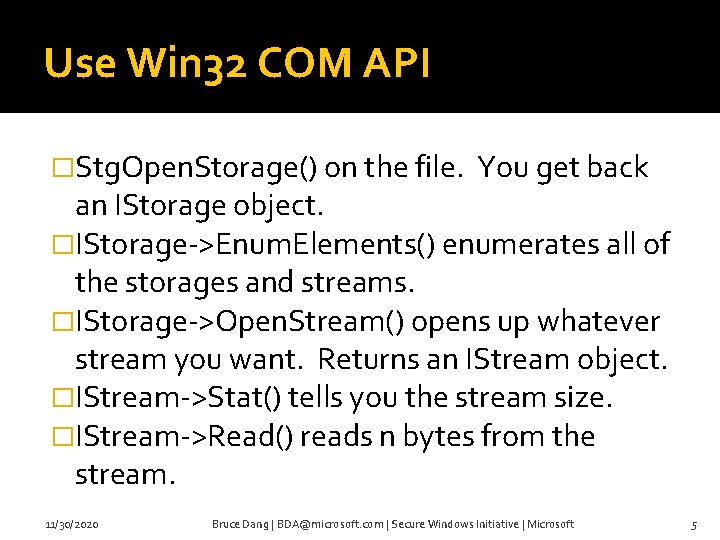
Use Win 32 COM API �Stg. Open. Storage() on the file. You get back an IStorage object. �IStorage->Enum. Elements() enumerates all of the storages and streams. �IStorage->Open. Stream() opens up whatever stream you want. Returns an IStream object. �IStream->Stat() tells you the stream size. �IStream->Read() reads n bytes from the stream. 11/30/2020 Bruce Dang | BDA@microsoft. com | Secure Windows Initiative | Microsoft 5
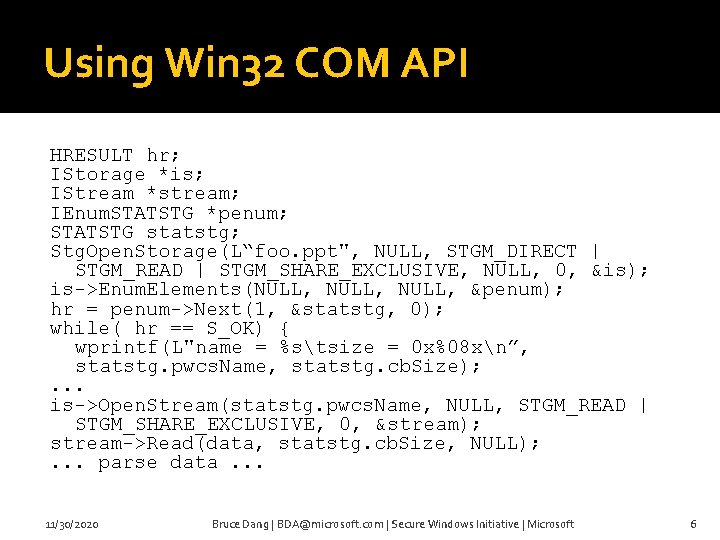
Using Win 32 COM API HRESULT hr; IStorage *is; IStream *stream; IEnum. STATSTG *penum; STATSTG statstg; Stg. Open. Storage(L“foo. ppt", NULL, STGM_DIRECT | STGM_READ | STGM_SHARE_EXCLUSIVE, NULL, 0, &is); is->Enum. Elements(NULL, &penum); hr = penum->Next(1, &statstg, 0); while( hr == S_OK) { wprintf(L"name = %stsize = 0 x%08 xn”, statstg. pwcs. Name, statstg. cb. Size); . . . is->Open. Stream(statstg. pwcs. Name, NULL, STGM_READ | STGM_SHARE_EXCLUSIVE, 0, &stream); stream->Read(data, statstg. cb. Size, NULL); . . . parse data. . . 11/30/2020 Bruce Dang | BDA@microsoft. com | Secure Windows Initiative | Microsoft 6
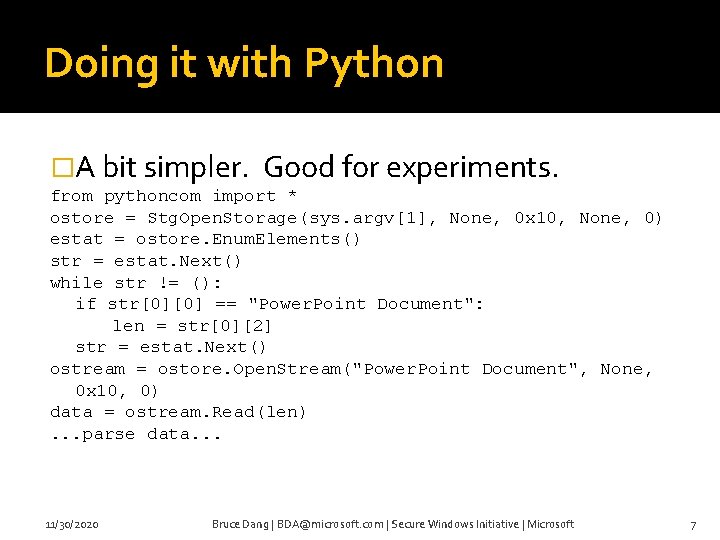
Doing it with Python �A bit simpler. Good for experiments. from pythoncom import * ostore = Stg. Open. Storage(sys. argv[1], None, 0 x 10, None, 0) estat = ostore. Enum. Elements() str = estat. Next() while str != (): if str[0][0] == "Power. Point Document": len = str[0][2] str = estat. Next() ostream = ostore. Open. Stream("Power. Point Document", None, 0 x 10, 0) data = ostream. Read(len). . . parse data. . . 11/30/2020 Bruce Dang | BDA@microsoft. com | Secure Windows Initiative | Microsoft 7

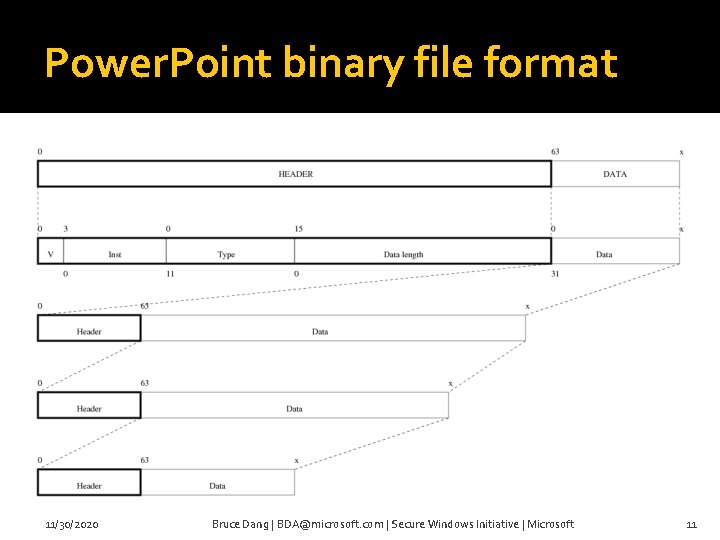
Power. Point binary file format �Stores data in the “Power. Point Document” stream. Open. Stream(L“Power. Point Document”, . . . ) �Two types of Power. Point data structures Container – a “directory” ▪ Contains other container or atoms. Atom – a “file” �Records follow TLV style �MSO objects follow the same format 11/30/2020 Bruce Dang | BDA@microsoft. com | Secure Windows Initiative | Microsoft 8
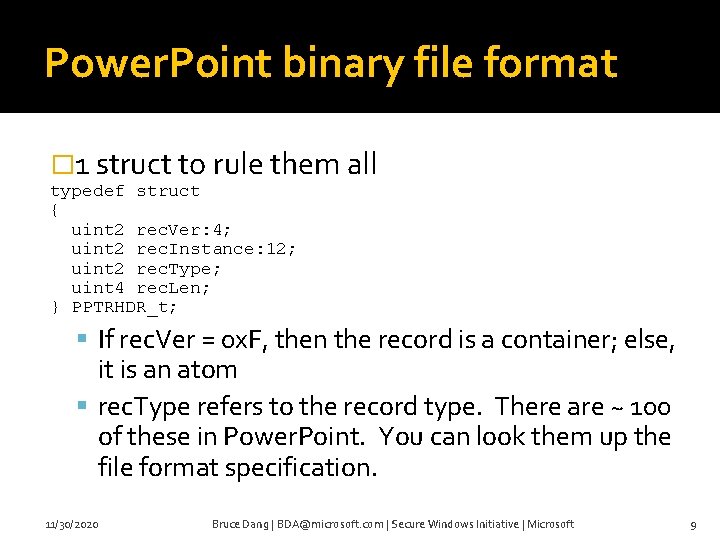
Power. Point binary file format � 1 struct to rule them all typedef struct { uint 2 rec. Ver: 4; uint 2 rec. Instance: 12; uint 2 rec. Type; uint 4 rec. Len; } PPTRHDR_t; If rec. Ver = 0 x. F, then the record is a container; else, it is an atom rec. Type refers to the record type. There are ~ 100 of these in Power. Point. You can look them up the file format specification. 11/30/2020 Bruce Dang | BDA@microsoft. com | Secure Windows Initiative | Microsoft 9
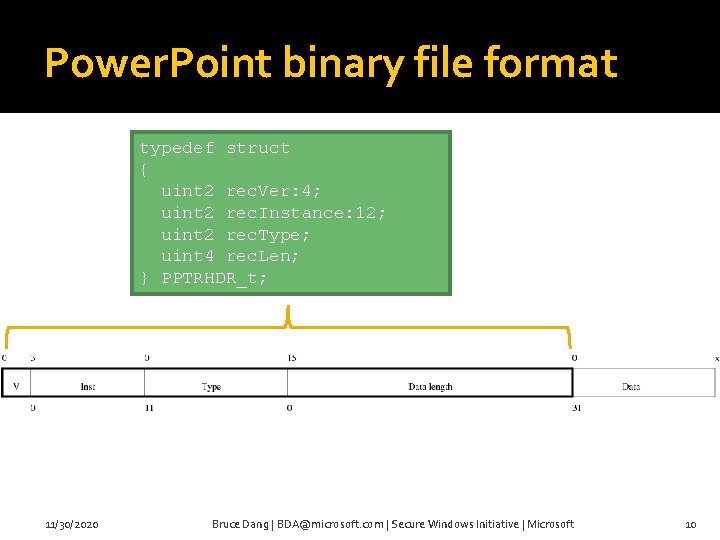
Power. Point binary file format typedef struct { uint 2 rec. Ver: 4; uint 2 rec. Instance: 12; uint 2 rec. Type; uint 4 rec. Len; } PPTRHDR_t; 11/30/2020 Bruce Dang | BDA@microsoft. com | Secure Windows Initiative | Microsoft 10
Power. Point binary file format 11/30/2020 Bruce Dang | BDA@microsoft. com | Secure Windows Initiative | Microsoft 11
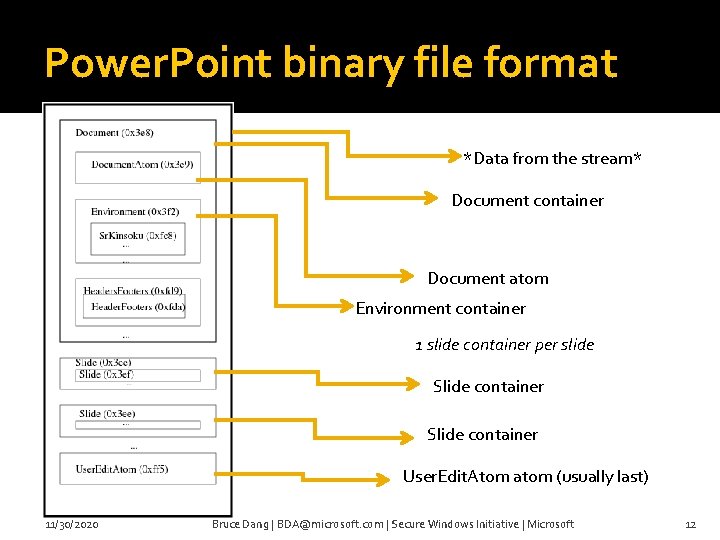
Power. Point binary file format *Data from the stream* Document container Document atom Environment container 1 slide container per slide Slide container User. Edit. Atom atom (usually last) 11/30/2020 Bruce Dang | BDA@microsoft. com | Secure Windows Initiative | Microsoft 12

Excel binary file format �Data is stored inside the “Workbook” stream �No containers/atoms. Just plain BIFF records. �BIFF records also follow TLV format �Record data has an upper bound of ~ 2000 - 8000 bytes (BIFF version dependent). If longer, use a CONTINUE record �Data inside the “Workbook” stream is organized like: BOF <data> EOF … 11/30/2020 Bruce Dang | BDA@microsoft. com | Secure Windows Initiative | Microsoft 13
Bugs �Nothing out of the ordinary: integer over/underflow, off-by-one, double free, uninitialized variables, bad pointer reuse, stack/heap overflow, … 11/30/2020 Bruce Dang | BDA@microsoft. com | Secure Windows Initiative | Microsoft 14
DEMO 11/30/2020 Bruce Dang | BDA@microsoft. com | Secure Windows Initiative | Microsoft 15
Defensive mechanisms �Use MOICE Free It requires Office 2003 It only works on OLE structured storage files It uses the Office 2007 compatibility pack It converts your binary file format to the new XML format and opens it up 11/30/2020 Bruce Dang | BDA@microsoft. com | Secure Windows Initiative | Microsoft 16
Defensive mechanisms �Office 2003 SP 3 Free Result of a major security / SDL push If you had Office 2003 SP 3, then you would not be affected by any of the Office zero-days acknowledged in the public since. �If you have Office 2003, install SP 3 11/30/2020 Bruce Dang | BDA@microsoft. com | Secure Windows Initiative | Microsoft 17
Defensive mechanisms �Office 2003 SP 3 and MOICE actually eliminates / mitigates most of the Office vulns (probably 99% of them). �Always have the latest patches. 11/30/2020 Bruce Dang | BDA@microsoft. com | Secure Windows Initiative | Microsoft 18
Defensive mechanisms �Use Office 2007 11/30/2020 Bruce Dang | BDA@microsoft. com | Secure Windows Initiative | Microsoft 19
Exploit structure �Not out of the ordinary �Basic structure Shellcode Malware Clean document �Techniques 11/30/2020 Bruce Dang | BDA@microsoft. com | Secure Windows Initiative | Microsoft 20
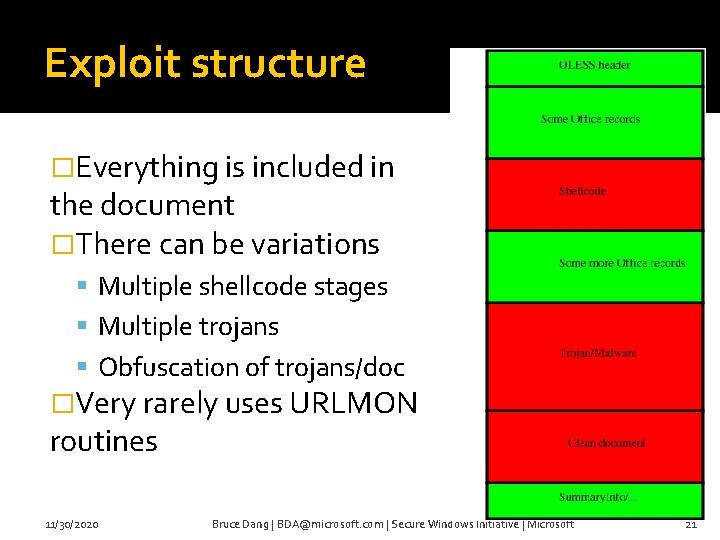
Exploit structure �Everything is included in the document �There can be variations Multiple shellcode stages Multiple trojans Obfuscation of trojans/doc �Very rarely uses URLMON routines 11/30/2020 Bruce Dang | BDA@microsoft. com | Secure Windows Initiative | Microsoft 21
Exploit structure �Techniques Standard Get. EIP / PIC Custom encoders PEB retrieval File handle bruteforce Application relaunch 11/30/2020 Bruce Dang | BDA@microsoft. com | Secure Windows Initiative | Microsoft 22
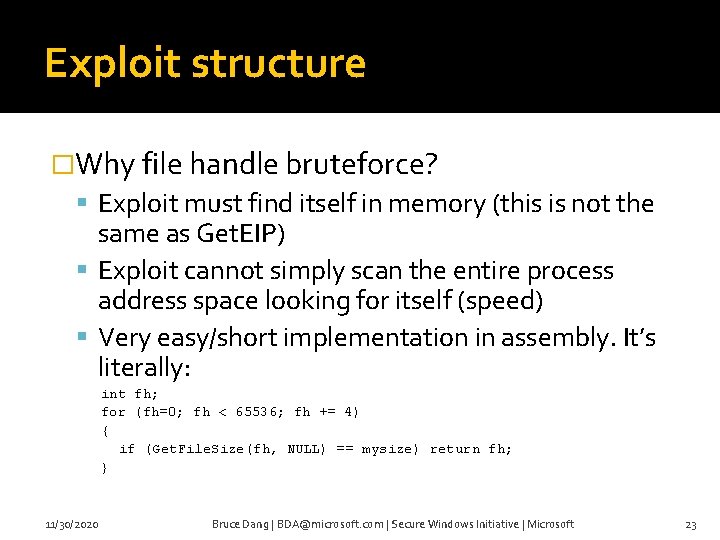
Exploit structure �Why file handle bruteforce? Exploit must find itself in memory (this is not the same as Get. EIP) Exploit cannot simply scan the entire process address space looking for itself (speed) Very easy/short implementation in assembly. It’s literally: int fh; for (fh=0; fh < 65536; fh += 4) { if (Get. File. Size(fh, NULL) == mysize) return fh; } 11/30/2020 Bruce Dang | BDA@microsoft. com | Secure Windows Initiative | Microsoft 23
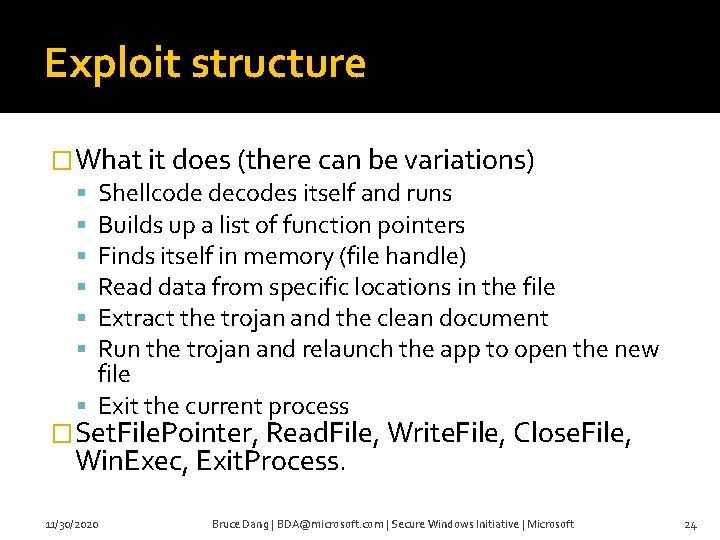
Exploit structure �What it does (there can be variations) Shellcode decodes itself and runs Builds up a list of function pointers Finds itself in memory (file handle) Read data from specific locations in the file Extract the trojan and the clean document Run the trojan and relaunch the app to open the new file Exit the current process �Set. File. Pointer, Read. File, Write. File, Close. File, Win. Exec, Exit. Process. 11/30/2020 Bruce Dang | BDA@microsoft. com | Secure Windows Initiative | Microsoft 24
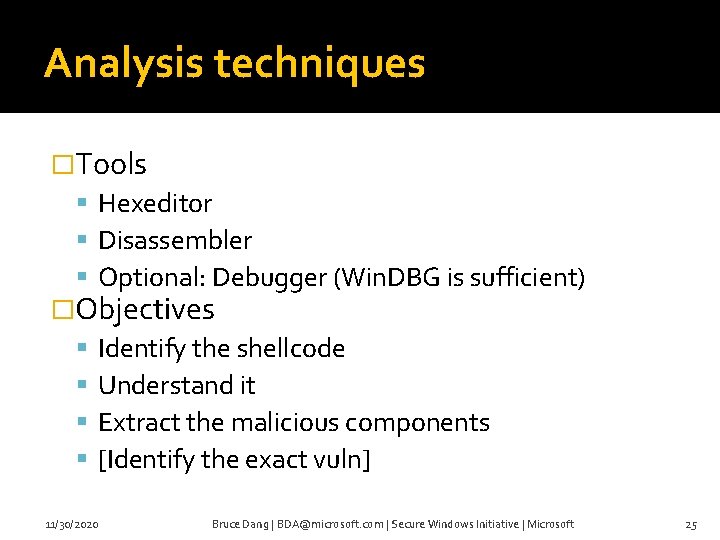
Analysis techniques �Tools Hexeditor Disassembler Optional: Debugger (Win. DBG is sufficient) �Objectives Identify the shellcode Understand it Extract the malicious components [Identify the exact vuln] 11/30/2020 Bruce Dang | BDA@microsoft. com | Secure Windows Initiative | Microsoft 25
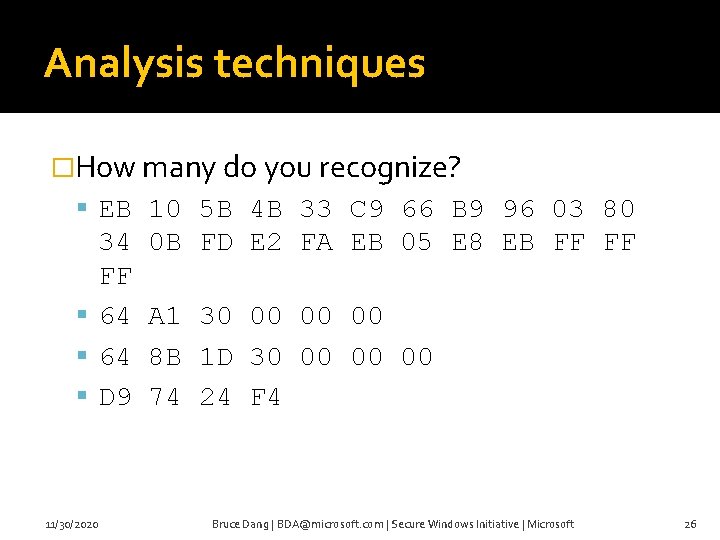
Analysis techniques �How many do you recognize? EB 10 5 B 4 B 33 C 9 66 B 9 96 03 80 34 FF 64 D 9 11/30/2020 0 B FD E 2 FA EB 05 E 8 EB FF FF A 1 30 00 00 00 8 B 1 D 30 00 00 00 74 24 F 4 Bruce Dang | BDA@microsoft. com | Secure Windows Initiative | Microsoft 26
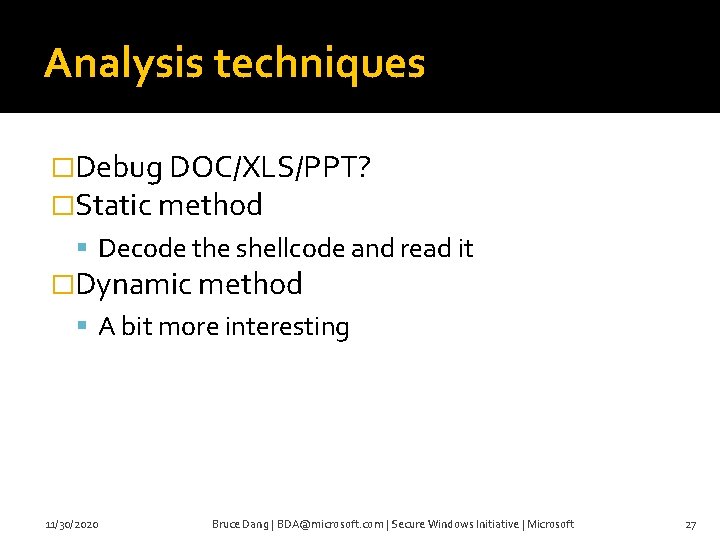
Analysis techniques �Debug DOC/XLS/PPT? �Static method Decode the shellcode and read it �Dynamic method A bit more interesting 11/30/2020 Bruce Dang | BDA@microsoft. com | Secure Windows Initiative | Microsoft 27
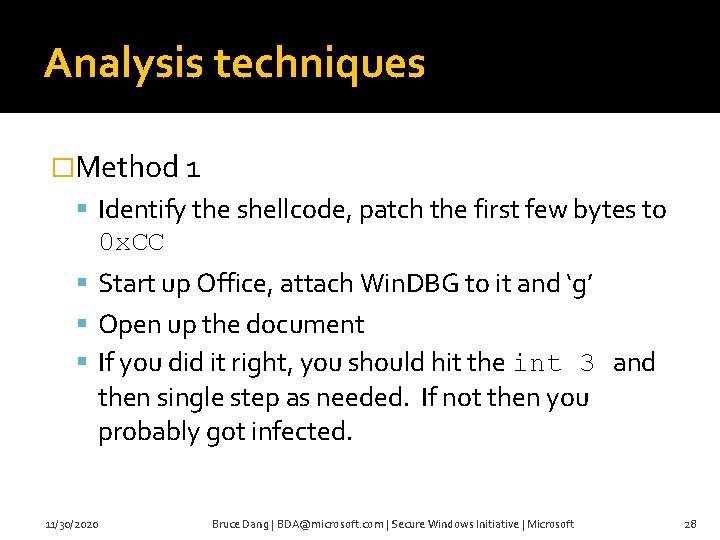
Analysis techniques �Method 1 Identify the shellcode, patch the first few bytes to 0 x. CC Start up Office, attach Win. DBG to it and ‘g’ Open up the document If you did it right, you should hit the int 3 and then single step as needed. If not then you probably got infected. 11/30/2020 Bruce Dang | BDA@microsoft. com | Secure Windows Initiative | Microsoft 28
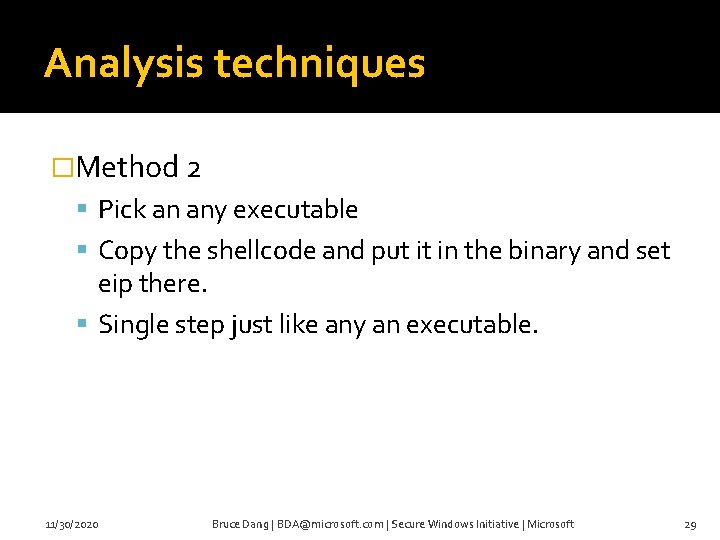
Analysis techniques �Method 2 Pick an any executable Copy the shellcode and put it in the binary and set eip there. Single step just like any an executable. 11/30/2020 Bruce Dang | BDA@microsoft. com | Secure Windows Initiative | Microsoft 29
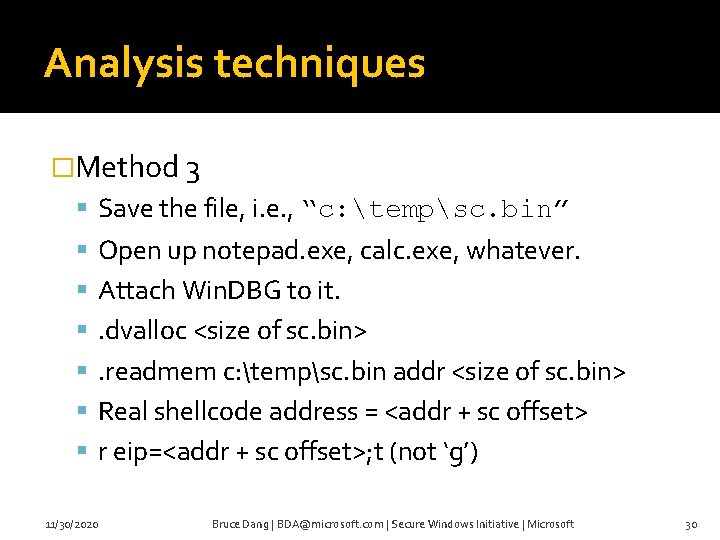
Analysis techniques �Method 3 Save the file, i. e. , “c: tempsc. bin” Open up notepad. exe, calc. exe, whatever. Attach Win. DBG to it. . dvalloc <size of sc. bin> . readmem c: tempsc. bin addr <size of sc. bin> Real shellcode address = <addr + sc offset> r eip=<addr + sc offset>; t (not ‘g’) 11/30/2020 Bruce Dang | BDA@microsoft. com | Secure Windows Initiative | Microsoft 30
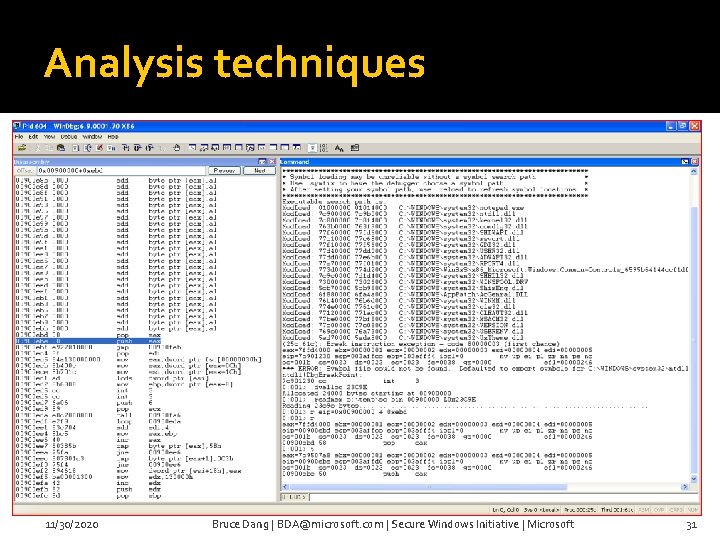
Analysis techniques 11/30/2020 Bruce Dang | BDA@microsoft. com | Secure Windows Initiative | Microsoft 31
Analysis techniques �Method 4 (best one) Save the file as “c: tempsc. bin” Open the file in an editor (notepad, vim, …); anything that opens the file. Attach Win. DBG to it. . dvalloc <size of sc. bin>. readmem c: tempsc. bin addr <size of sc. bin> Real shellcode address = <addr + sc offset> r eip=<addr + sc offset>; t (not ‘g’) 11/30/2020 Bruce Dang | BDA@microsoft. com | Secure Windows Initiative | Microsoft 32
Detection mechanisms �You need to be able to fingerprint an OLE structure storage file D 0 CF 11 E 0 A 1 B 1 1 A E 1 �Get the stream name to determine the file type (DOC, PPT, XLS) �Read the stream content and parse it as we showed earlier �Determine what records are affected and detect them 11/30/2020 Bruce Dang | BDA@microsoft. com | Secure Windows Initiative | Microsoft 33
Detection mechanisms �We released the file format specifications for DOC, XLS, PPT, and MSO http: //www. microsoft. com/interop/docs/Office. Bin ary. Formats. mspx �Given the information here and those specifications, you can actually write code to parse and check the validity of the records More information will come soon at Black. Hat Vegas… 11/30/2020 Bruce Dang | BDA@microsoft. com | Secure Windows Initiative | Microsoft 34
Miscellaneous �My team’s SWI blog: http: //blogs. technet. com/swi We talk about vulnerability details there It is written by people who triage the vulnerability More info? Suggestions? �Got a bug to report? secure@microsoft. com �My email: bda@microsoft. com 11/30/2020 Bruce Dang | BDA@microsoft. com | Secure Windows Initiative | Microsoft 35
- Slides: 35