
Browser Attacks Ch 4 1 from textbook Slides
Browser Attacks Ch. 4. 1 from textbook Slides adopted from Stanford Web Security Group
Outline • Web security model • Browser attacks • Active. X • Javascript • Cookies & SOP
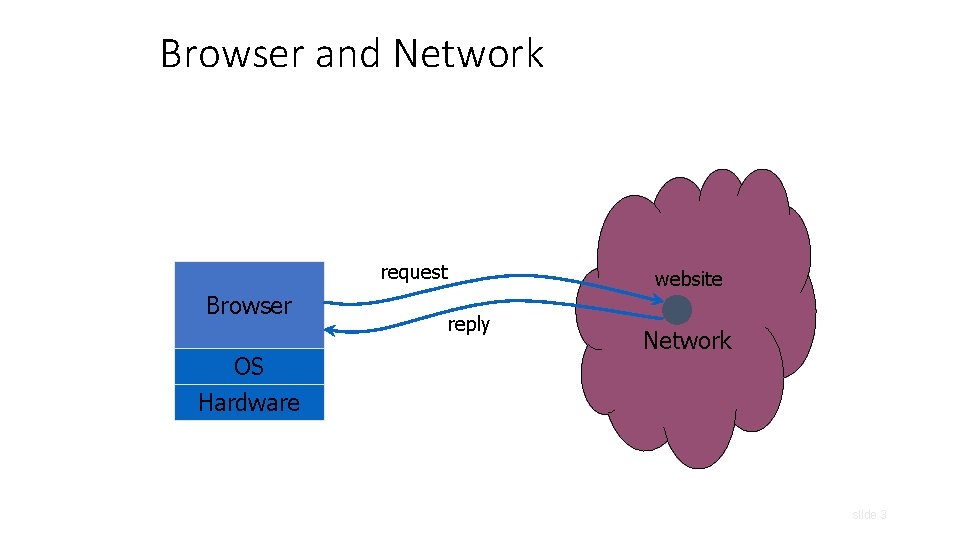
Browser and Network request Browser OS Hardware website reply Network slide 3
HTTP: Hyper. Text Transfer Protocol • Used to request and return data • Methods: GET, POST, HEAD, … • Stateless request/response protocol • Each request is independent of previous requests • Statelessness has a significant impact on design and implementation of applications • Evolution • HTTP 1. 0: simple • HTTP 1. 1: more complex slide 4
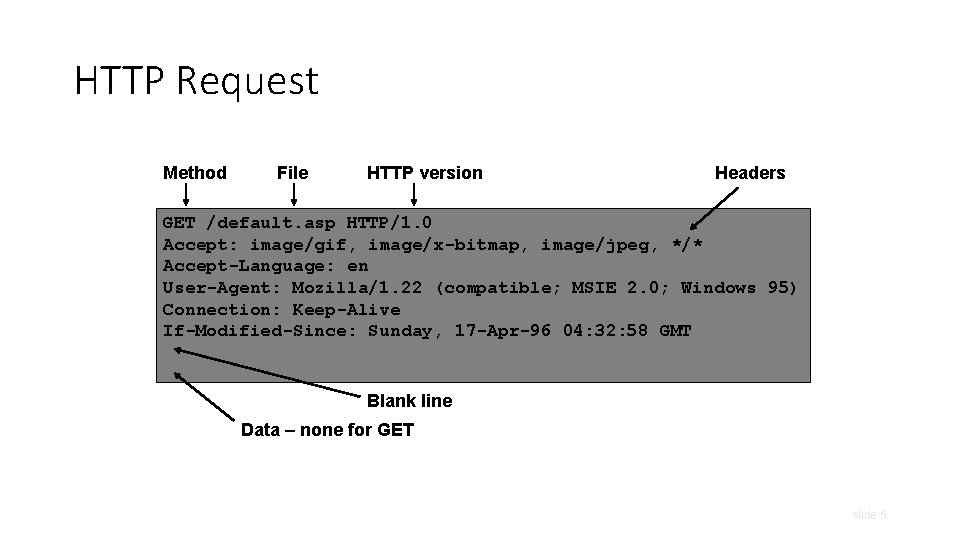
HTTP Request Method File HTTP version Headers GET /default. asp HTTP/1. 0 Accept: image/gif, image/x-bitmap, image/jpeg, */* Accept-Language: en User-Agent: Mozilla/1. 22 (compatible; MSIE 2. 0; Windows 95) Connection: Keep-Alive If-Modified-Since: Sunday, 17 -Apr-96 04: 32: 58 GMT Blank line Data – none for GET slide 5
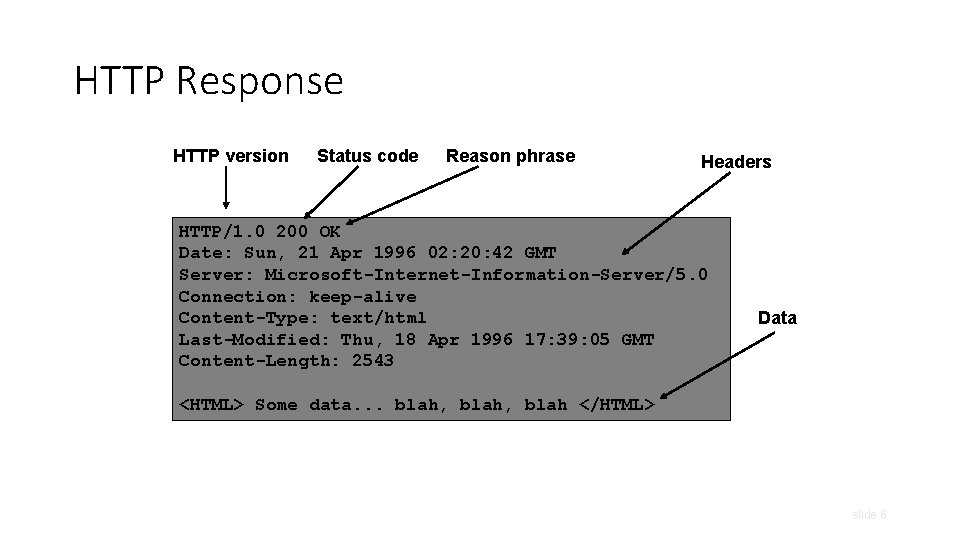
HTTP Response HTTP version Status code Reason phrase Headers HTTP/1. 0 200 OK Date: Sun, 21 Apr 1996 02: 20: 42 GMT Server: Microsoft-Internet-Information-Server/5. 0 Connection: keep-alive Content-Type: text/html Last-Modified: Thu, 18 Apr 1996 17: 39: 05 GMT Content-Length: 2543 Data <HTML> Some data. . . blah, blah </HTML> slide 6
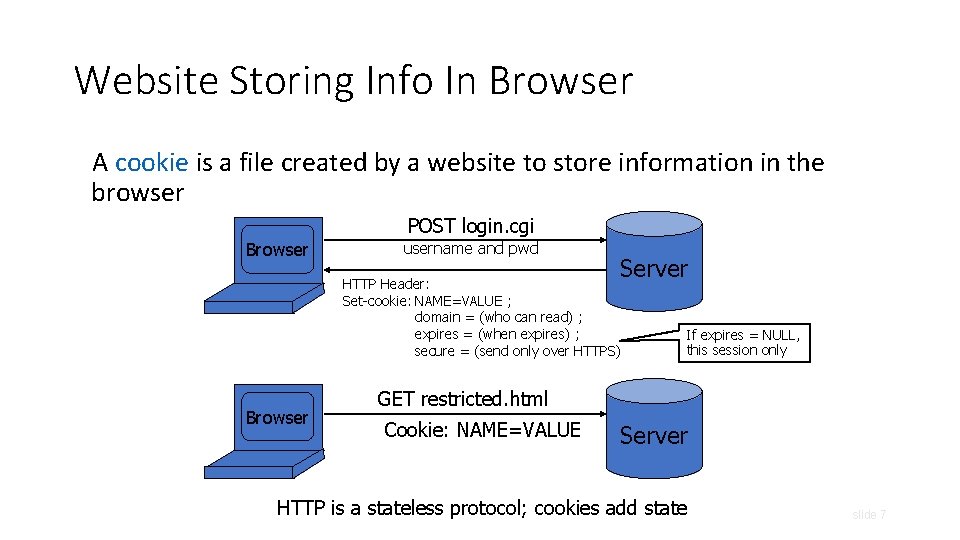
Website Storing Info In Browser A cookie is a file created by a website to store information in the browser POST login. cgi Browser username and pwd Server HTTP Header: Set-cookie: NAME=VALUE ; domain = (who can read) ; expires = (when expires) ; secure = (send only over HTTPS) Browser If expires = NULL, this session only GET restricted. html Cookie: NAME=VALUE Server HTTP is a stateless protocol; cookies add state slide 7
What Are Cookies Used For? • Authentication • Personalization • Tracking slide 8
Goals of Web Security • Safely browse the Web • Support secure Web applications slide 9
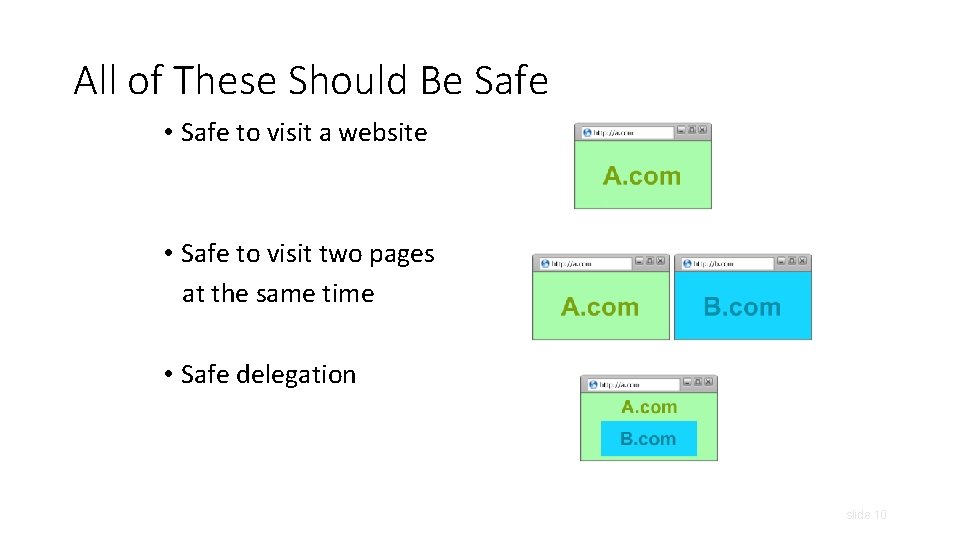
All of These Should Be Safe • Safe to visit a website • Safe to visit two pages at the same time • Safe delegation slide 10
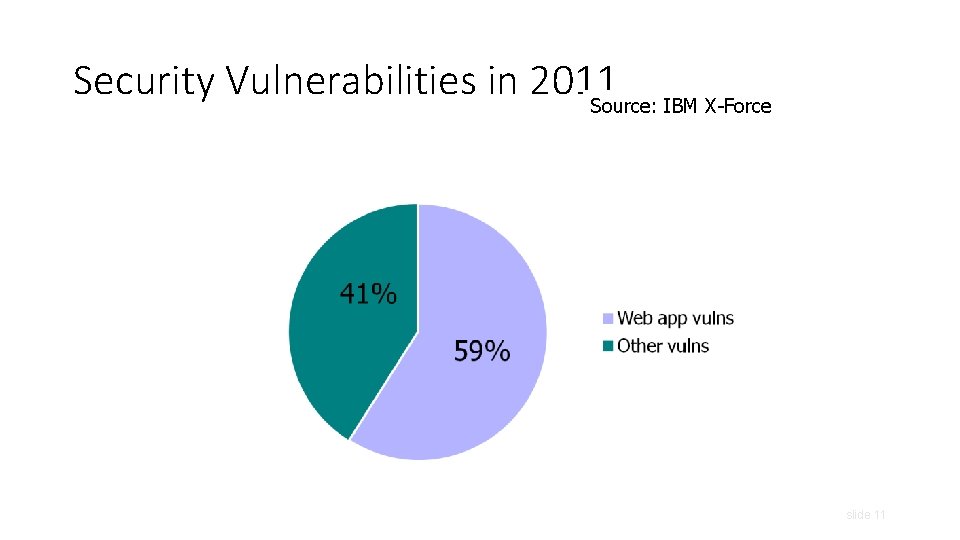
Security Vulnerabilities in 2011 Source: IBM X-Force slide 11
Two Sides of Web Security • Web browser • Web applications slide 12
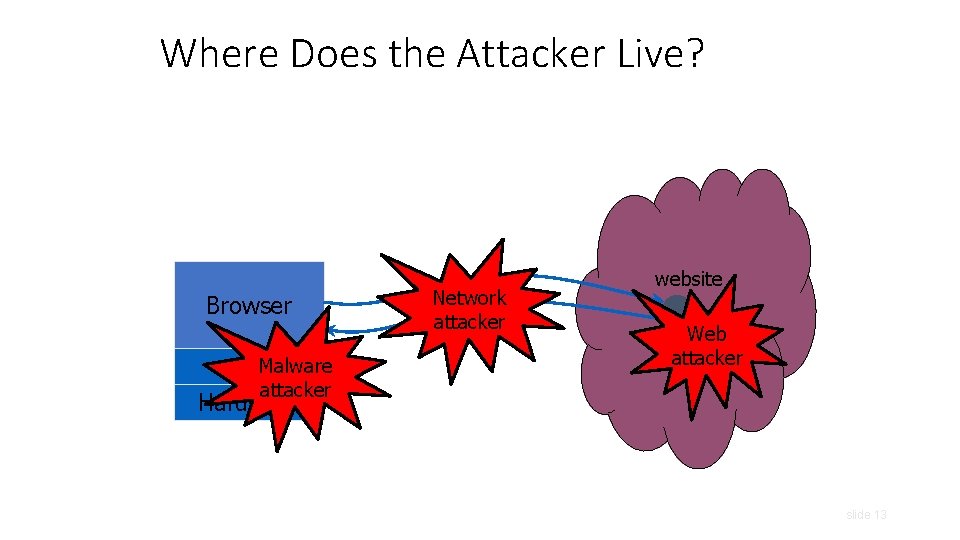
Where Does the Attacker Live? Browser OSMalware attacker Hardware Network attacker website Web attacker slide 13
Web Threat Models • Web attacker • Network attacker • Passive: wireless eavesdropper • Active: evil Wi-Fi router, DNS poisoning • Malware attacker • Malicious code executes directly on victim’s computer • To infect victim’s computer, can exploit software bugs (e. g. , buffer overflow) or convince user to install malicious content (how? ) • Masquerade as an antivirus program, video codec, etc. slide 14
Web Attacker • Controls a malicious website (attacker. com) • User visits attacker. com – why? • Attacker has no other access to user machine! • Variation: “iframe attacker” slide 15
Dangerous Websites • Microsoft’s 2006 “Web patrol” study identified hundreds of URLs that could successfully exploit unpatched Windows XP machines • “But I never visit risky websites” • 11 exploit pages are among top 10, 000 most visited • Trick: put up a page with popular content, get into search engines, page then redirects to the exploit site slide 16
Outline • Web security model • Browser attacks • Active. X • Javascript • Cookies & SOP
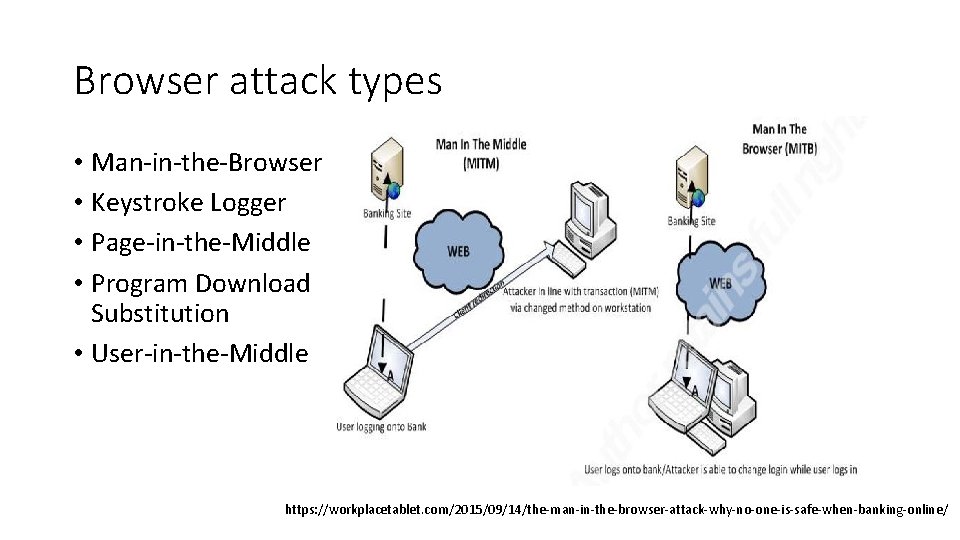
Browser attack types • Man-in-the-Browser • Keystroke Logger • Page-in-the-Middle • Program Download Substitution • User-in-the-Middle https: //workplacetablet. com/2015/09/14/the-man-in-the-browser-attack-why-no-one-is-safe-when-banking-online/
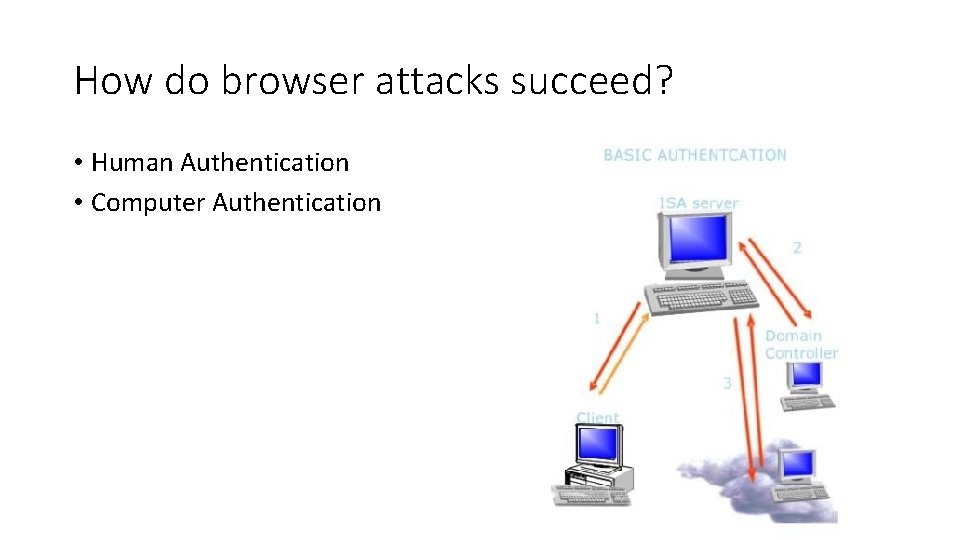
How do browser attacks succeed? • Human Authentication • Computer Authentication

Outline • Web security model • Browser attacks • Active. X • Javascript • Cookies & SOP
Active. X • Active. X “controls” are compiled binaries that reside on the client machine • Security model relies on three components • Digital signatures • Browser policy • Controls Once accepted, installed and started, no control over execution! slide 21
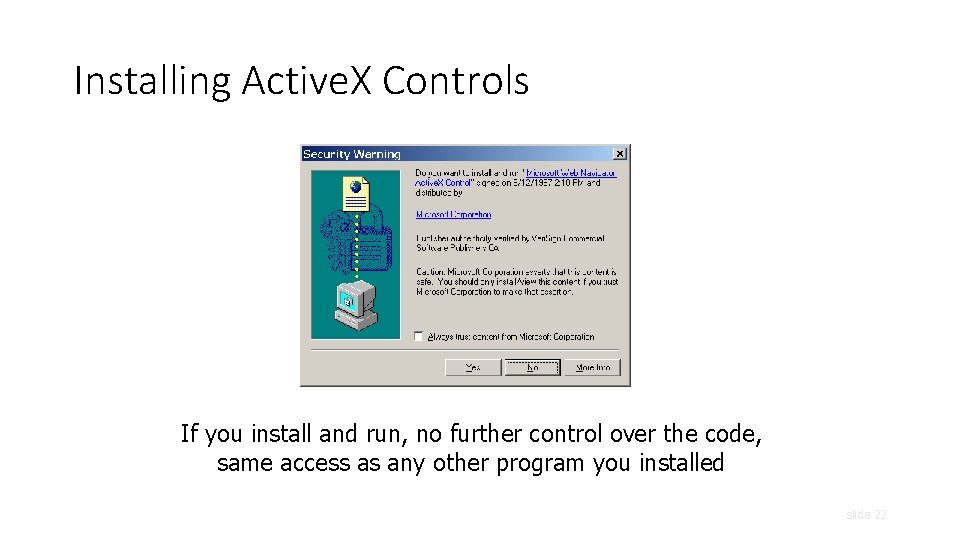
Installing Active. X Controls If you install and run, no further control over the code, same access as any other program you installed slide 22
Active. X Risks • From MSDN: • “An Active. X control can be an extremely insecure way to provide a feature. Because it is a Component Object Model (COM) object, it can do anything the user can do from that computer. It can read from and write to the registry, and it has access to the local file system. From the moment a user downloads an Active. X control, the control may be vulnerable to attack because any Web application on the Internet can repurpose it, that is, use the control for its own ends whether sincere or malicious. ” • How can a control be “repurposed? ” slide 23
Outline • Web security model • Browser attacks • Active. X • Javascript • Cookies & SOP
Browser: Basic Execution Model • Each browser window or frame: • Loads content • Renders • Processes HTML and executes scripts to display the page • May involve images, subframes, etc. • Responds to events • Events • User actions: On. Click, On. Mouseover • Rendering: On. Load, On. Unload • Timing: set. Timeout(), clear. Timeout() slide 25
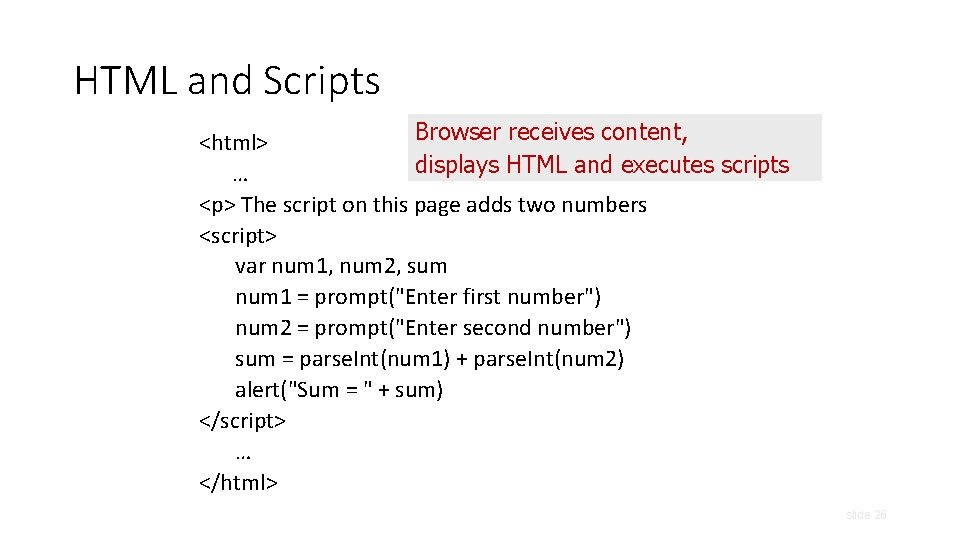
HTML and Scripts Browser receives content, <html> displays HTML and executes scripts … <p> The script on this page adds two numbers <script> var num 1, num 2, sum num 1 = prompt("Enter first number") num 2 = prompt("Enter second number") sum = parse. Int(num 1) + parse. Int(num 2) alert("Sum = " + sum) </script> … </html> slide 26
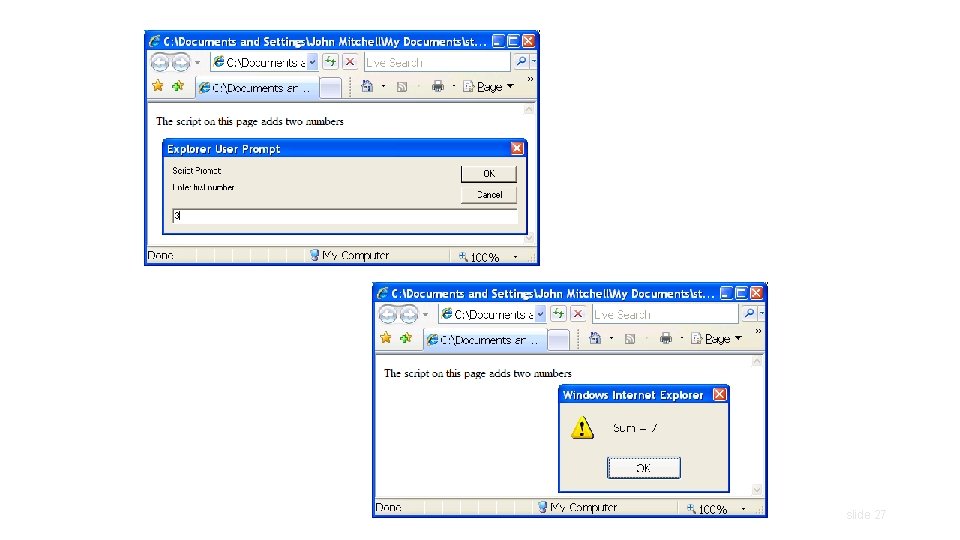
slide 27
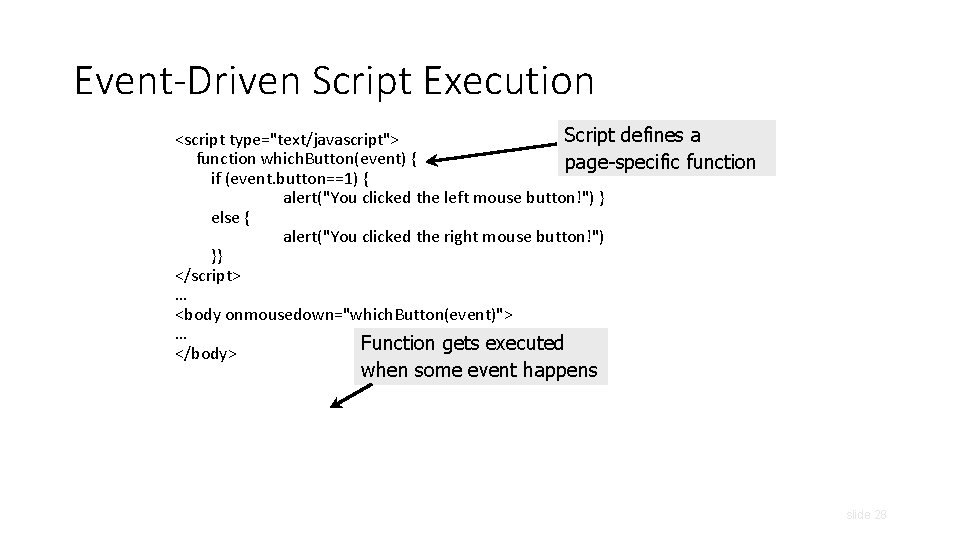
Event-Driven Script Execution Script defines a <script type="text/javascript"> function which. Button(event) { page-specific function if (event. button==1) { alert("You clicked the left mouse button!") } else { alert("You clicked the right mouse button!") }} </script> … <body onmousedown="which. Button(event)"> … Function gets executed </body> when some event happens slide 28
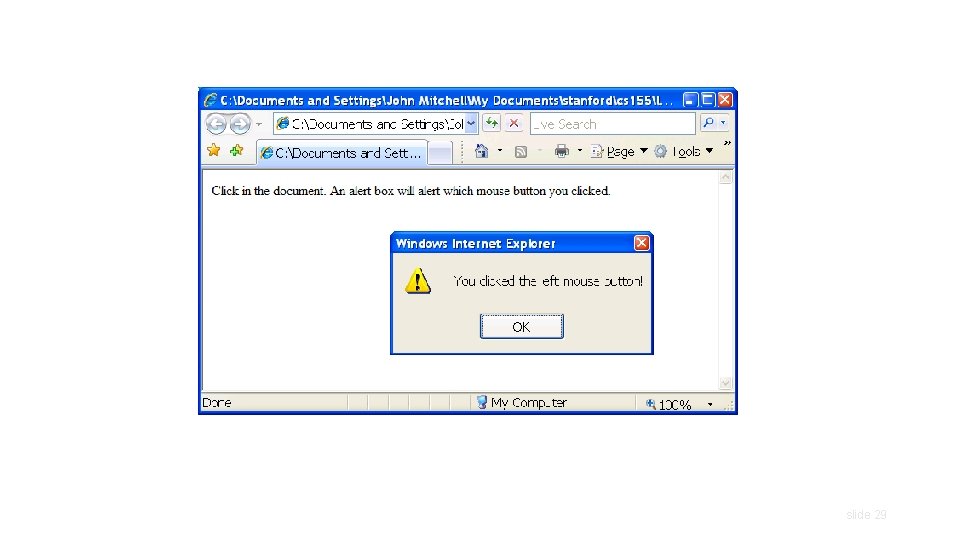
slide 29
Java. Script • “The world’s most misunderstood programming language” • Language executed by the Web browser • Used to implement “active” webpages and Web applications • A potentially malicious webpage gets to execute some code on user’s machine slide 30
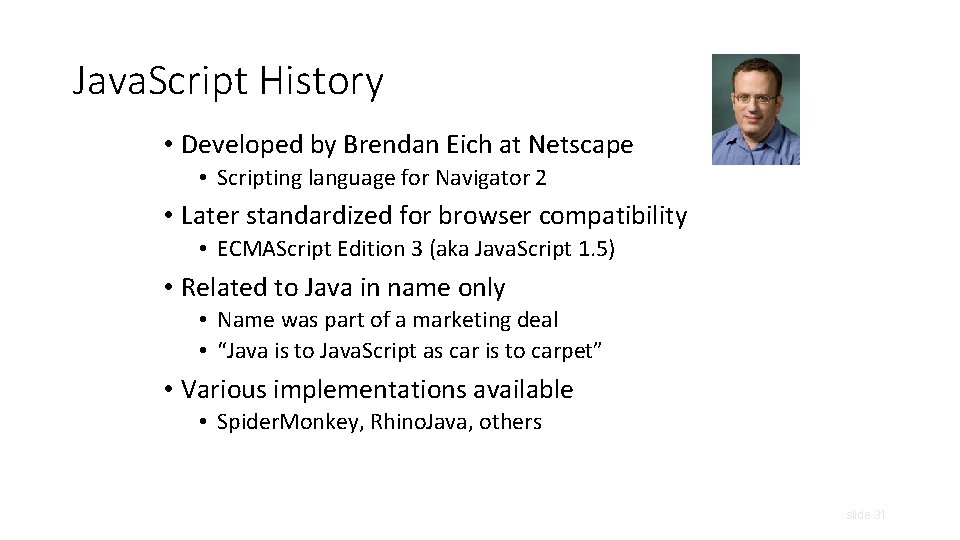
Java. Script History • Developed by Brendan Eich at Netscape • Scripting language for Navigator 2 • Later standardized for browser compatibility • ECMAScript Edition 3 (aka Java. Script 1. 5) • Related to Java in name only • Name was part of a marketing deal • “Java is to Java. Script as car is to carpet” • Various implementations available • Spider. Monkey, Rhino. Java, others slide 31
Common Uses of Java. Script • Page embellishments and special effects • Dynamic content manipulation • Form validation • Navigation systems • Hundreds of applications • Google Docs, Google Maps, dashboard widgets in Mac OS X, Philips universal remotes … slide 32
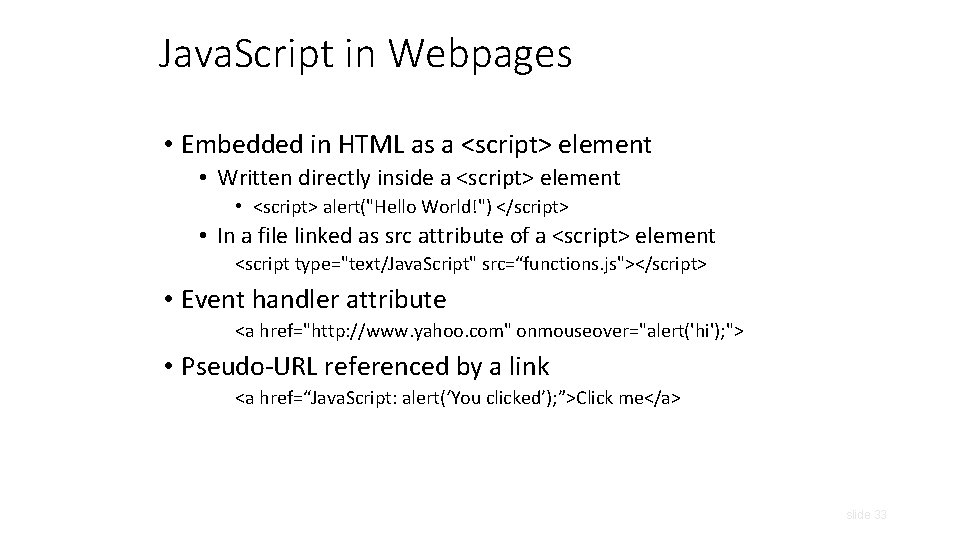
Java. Script in Webpages • Embedded in HTML as a <script> element • Written directly inside a <script> element • <script> alert("Hello World!") </script> • In a file linked as src attribute of a <script> element <script type="text/Java. Script" src=“functions. js"></script> • Event handler attribute <a href="http: //www. yahoo. com" onmouseover="alert('hi'); "> • Pseudo-URL referenced by a link <a href=“Java. Script: alert(‘You clicked’); ”>Click me</a> slide 33
Document Object Model (DOM) • HTML page is structured data • DOM is object-oriented representation of the hierarchical HTML structure • Properties: document. alink. Color, document. URL, document. forms[ ], document. links[ ], … • Methods: document. write(document. referrer) • These change the content of the page! • Also Browser Object Model (BOM) • Window, Document, Frames[], History, Location, Navigator (type and version of browser) slide 34
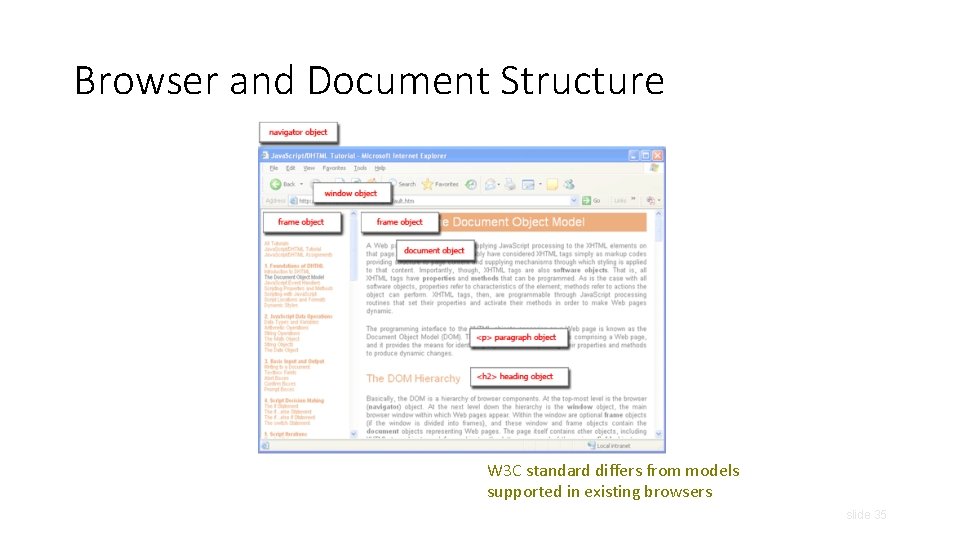
Browser and Document Structure W 3 C standard differs from models supported in existing browsers slide 35
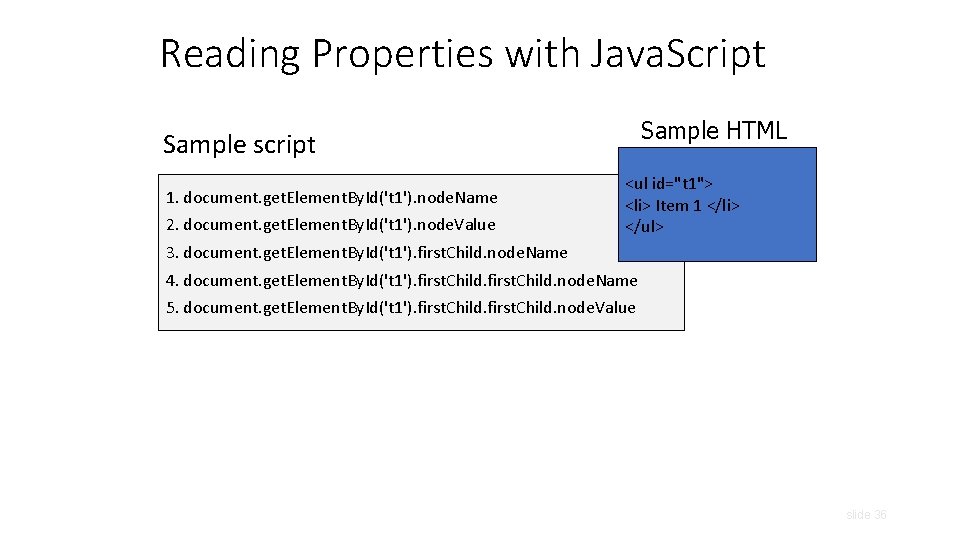
Reading Properties with Java. Script Sample HTML Sample script 1. document. get. Element. By. Id('t 1'). node. Name 2. document. get. Element. By. Id('t 1'). node. Value <ul id="t 1"> <li> Item 1 </li> </ul> 3. document. get. Element. By. Id('t 1'). first. Child. node. Name 4. document. get. Element. By. Id('t 1'). first. Child. node. Name 5. document. get. Element. By. Id('t 1'). first. Child. node. Value slide 36
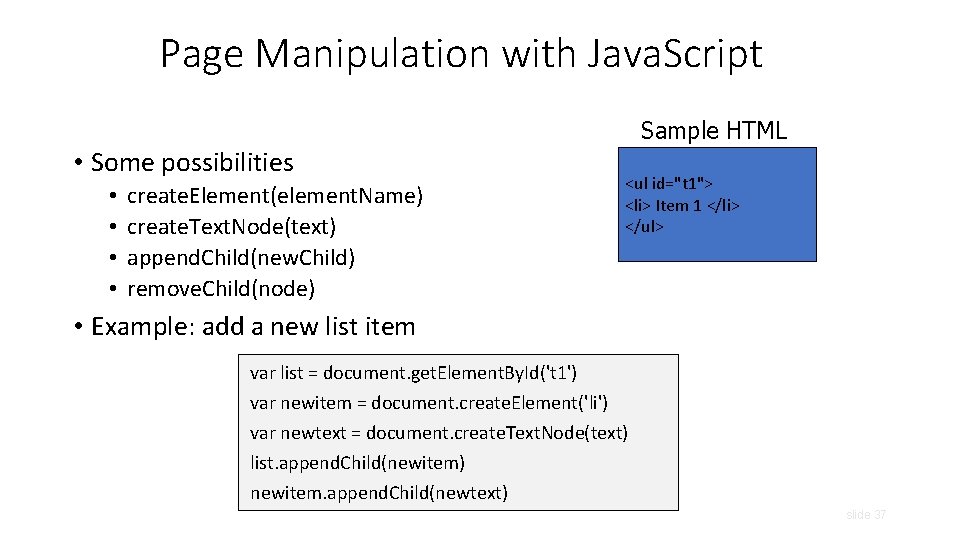
Page Manipulation with Java. Script Sample HTML • Some possibilities • • create. Element(element. Name) create. Text. Node(text) append. Child(new. Child) remove. Child(node) <ul id="t 1"> <li> Item 1 </li> </ul> • Example: add a new list item var list = document. get. Element. By. Id('t 1') var newitem = document. create. Element('li') var newtext = document. create. Text. Node(text) list. append. Child(newitem) newitem. append. Child(newtext) slide 37
![A Java. Script “Rootkit”[“Rootkits for Java. Script environments”] if (window. location. host == "bank.](http://slidetodoc.com/presentation_image_h2/955eee8861ac01e69a828165d89aa896/image-38.jpg "A Java. Script “Rootkit”[“Rootkits for Java. Script environments”] if (window. location. host == \"bank.")
A Java. Script “Rootkit”[“Rootkits for Java. Script environments”] if (window. location. host == "bank. com") do. Login(password); Java. Script bookmark Malicious page defines a global variable named “window” whose value is a fake “location” object var window = { location: { host: "bank. com" } }; A malicious webpage slide 38
![Let’s Detect Fake Objects [“Rootkits for Java. Script environments”] window. location = “#”; If](http://slidetodoc.com/presentation_image_h2/955eee8861ac01e69a828165d89aa896/image-39.jpg "Let’s Detect Fake Objects [“Rootkits for Java. Script environments”] window. location = “#”; If")
Let’s Detect Fake Objects [“Rootkits for Java. Script environments”] window. location = “#”; If window. location is a native object, new value will be “https: //bank. com/login#” Java. Script bookmark window. __define. Getter__("location", function () { return "https: //bank. com/login#"; }); window. __define. Setter__("location", function (v) { }); A malicious webpage slide 39
![Let’s Detect Emulation [“Rootkits for Java. Script environments”] Use reflection API typeof obj. __lookup.](http://slidetodoc.com/presentation_image_h2/955eee8861ac01e69a828165d89aa896/image-40.jpg "Let’s Detect Emulation [“Rootkits for Java. Script environments”] Use reflection API typeof obj. __lookup.")
Let’s Detect Emulation [“Rootkits for Java. Script environments”] Use reflection API typeof obj. __lookup. Getter__(property. Name) !== "undefined" type. Of and !== avoid asking for the value of “undefined” (could be redefined by attacker!) Java. Script bookmark Attacker emulates reflection API itself! Object. prototype. __lookup. Getter__ = function() {. . . }; A malicious webpage slide 40
Outline • Web security model • Browser attacks • Active. X • Javascript • Cookies & SOP
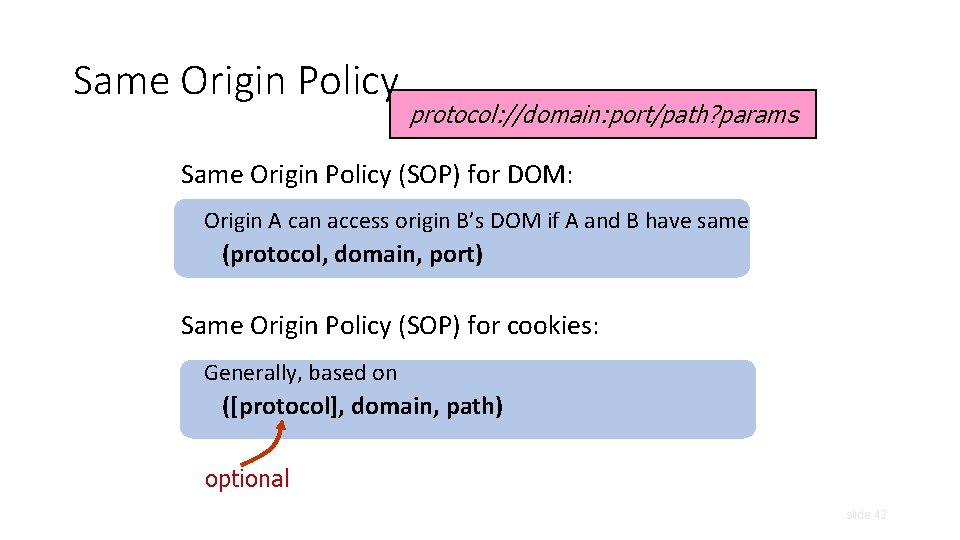
Same Origin Policy protocol: //domain: port/path? params Same Origin Policy (SOP) for DOM: Origin A can access origin B’s DOM if A and B have same (protocol, domain, port) Same Origin Policy (SOP) for cookies: Generally, based on ([protocol], domain, path) optional slide 42
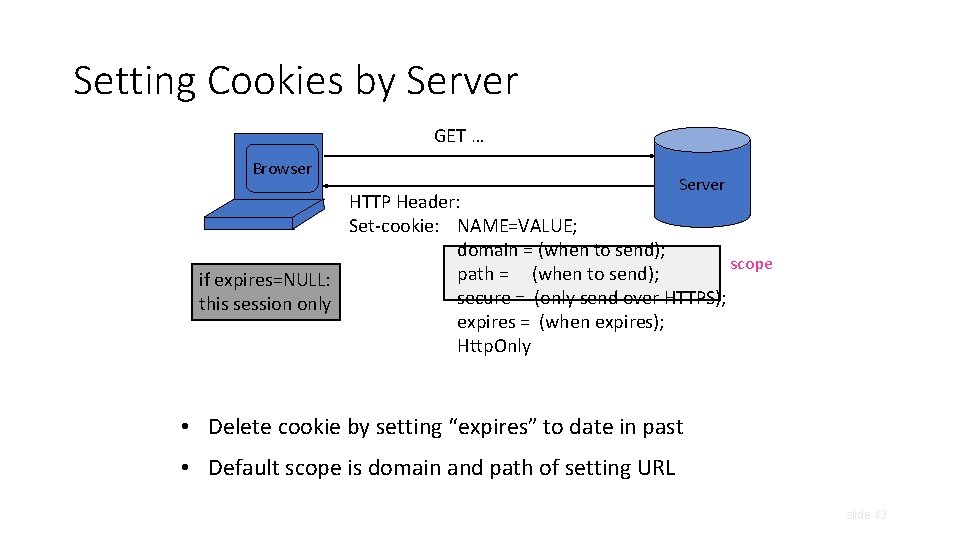
Setting Cookies by Server GET … Browser Server HTTP Header: Set-cookie: NAME=VALUE; domain = (when to send); scope path = (when to send); if expires=NULL: secure = (only send over HTTPS); this session only expires = (when expires); Http. Only • Delete cookie by setting “expires” to date in past • Default scope is domain and path of setting URL slide 43
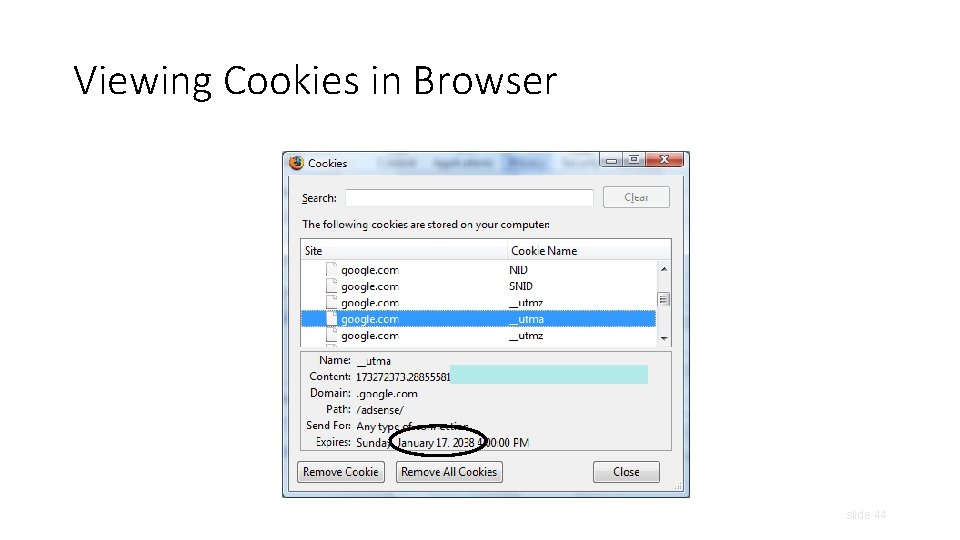
Viewing Cookies in Browser slide 44
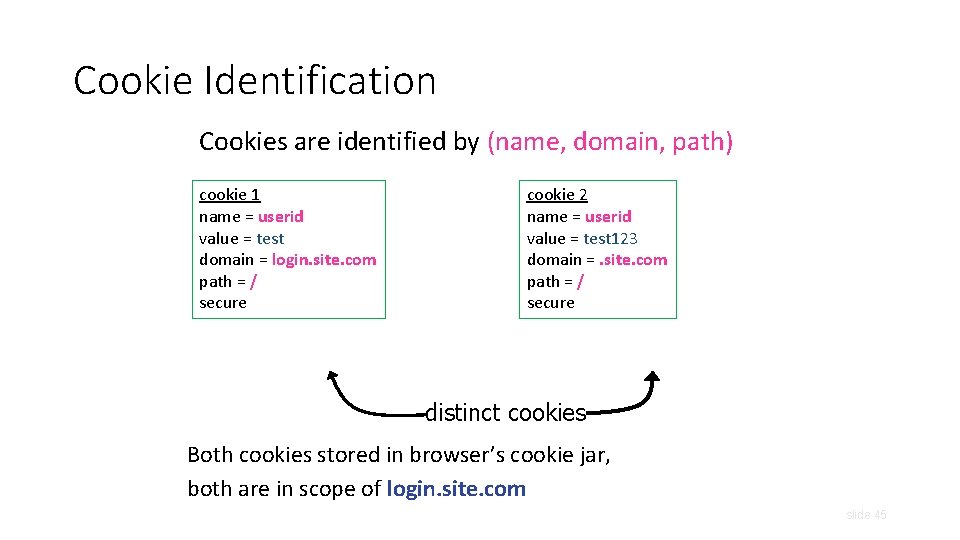
Cookie Identification Cookies are identified by (name, domain, path) cookie 1 name = userid value = test domain = login. site. com path = / secure cookie 2 name = userid value = test 123 domain =. site. com path = / secure distinct cookies Both cookies stored in browser’s cookie jar, both are in scope of login. site. com slide 45
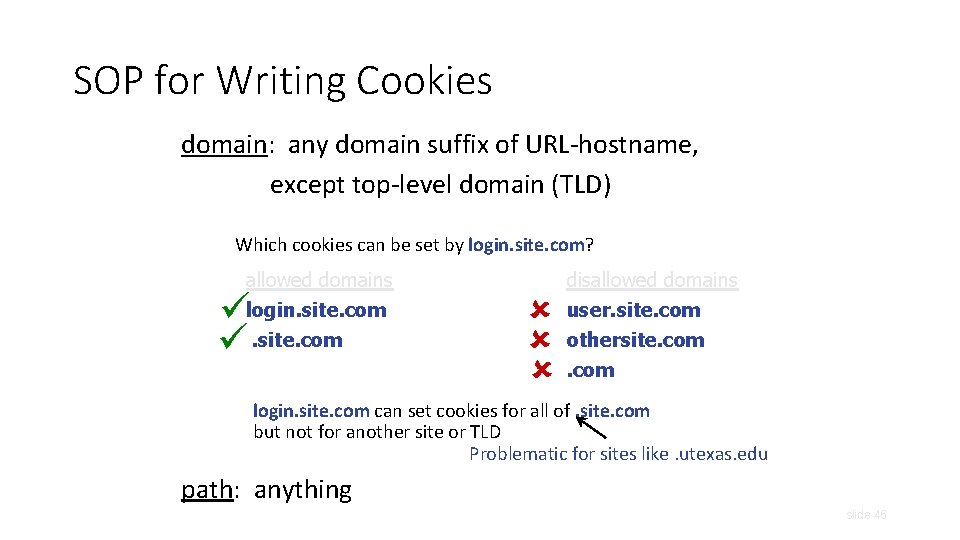
SOP for Writing Cookies domain: any domain suffix of URL-hostname, except top-level domain (TLD) Which cookies can be set by login. site. com? allowed domains login. site. com disallowed domains user. site. com othersite. com login. site. com can set cookies for all of. site. com but not for another site or TLD Problematic for sites like. utexas. edu path: anything slide 46
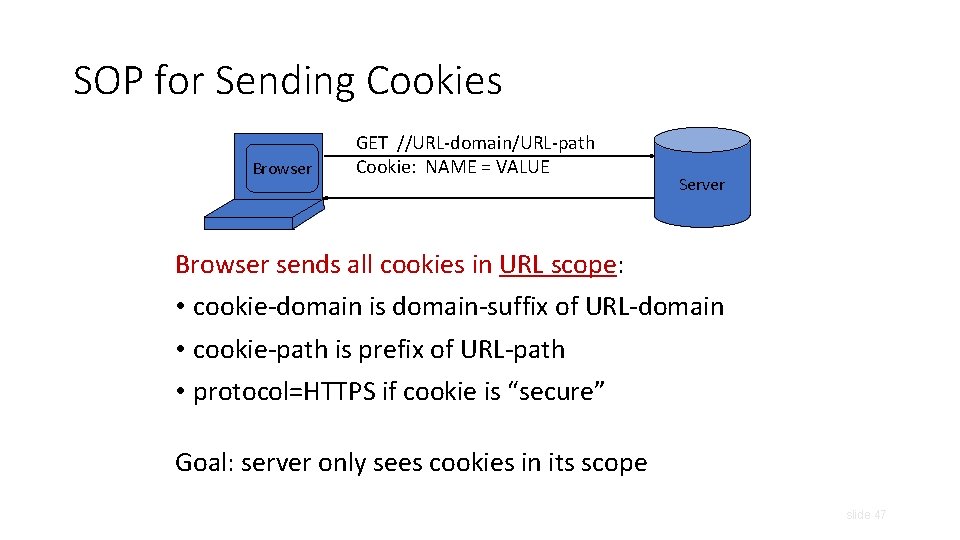
SOP for Sending Cookies Browser GET //URL-domain/URL-path Cookie: NAME = VALUE Server Browser sends all cookies in URL scope: • cookie-domain is domain-suffix of URL-domain • cookie-path is prefix of URL-path • protocol=HTTPS if cookie is “secure” Goal: server only sees cookies in its scope slide 47
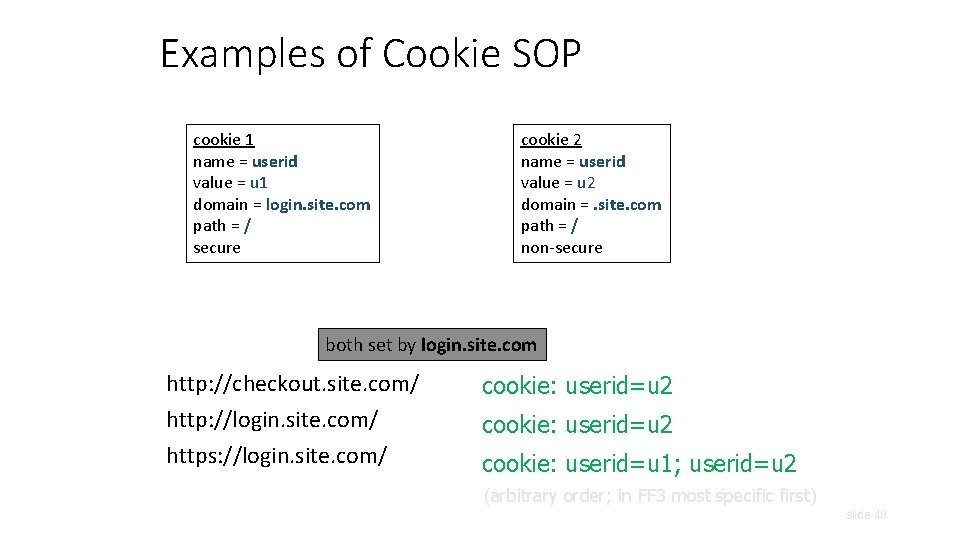
Examples of Cookie SOP cookie 1 name = userid value = u 1 domain = login. site. com path = / secure cookie 2 name = userid value = u 2 domain =. site. com path = / non-secure both set by login. site. com http: //checkout. site. com/ http: //login. site. com/ https: //login. site. com/ cookie: userid=u 2 cookie: userid=u 1; userid=u 2 (arbitrary order; in FF 3 most specific first) slide 48
Cookie Protocol Issues • What does the server know about the cookie sent to it by the browser? • Server only sees Cookie: Name=Value … does not see cookie attributes (e. g. , “secure”) … does not see which domain set the cookie • RFC 2109 (cookie RFC) has an option for including domain, path in Cookie header, but not supported by browsers slide 49
Who Set The Cookie? • Alice logs in at login. site. com • login. site. com sets session-id cookie for. site. com • Alice visits evil. site. com • Overwrites. site. com session-id cookie with session-id of user “badguy” - not a violation of SOP! (why? ) • Alice visits cs 361 s. site. com to submit homework • cs 361 s. site. com thinks it is talking to “badguy” • Problem: cs 361 s. site. com expects session-id from login. site. com, cannot tell that session-id cookie has been overwritten by a “sibling” domain slide 50
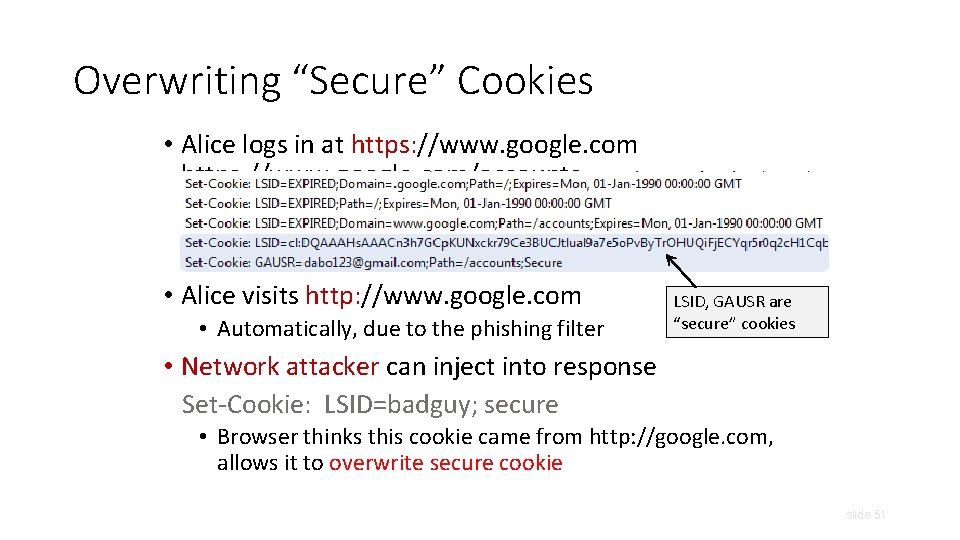
Overwriting “Secure” Cookies • Alice logs in at https: //www. google. com/accounts • Alice visits http: //www. google. com • Automatically, due to the phishing filter LSID, GAUSR are “secure” cookies • Network attacker can inject into response Set-Cookie: LSID=badguy; secure • Browser thinks this cookie came from http: //google. com, allows it to overwrite secure cookie slide 51
- Slides: 51