
Britvic HR Prepared By Andrew Challis Oracle Consulting

Britvic HR Prepared By: Andrew Challis Oracle Consulting 2 nd February 2018 Copyright © 2017, Oracle and/or its affiliates. All rights reserved. |
Agenda 2 Site Navigation Application Appearance 3 Customer Portal 4 Questions 1 Copyright © 2017, Oracle and/or its affiliates. All rights reserved. |
Terminology • Service Cloud • Console (CX) • Customer Portal • Objects • Incidents • Tasks • Contacts Copyright © 2017, Oracle and/or its affiliates. All rights reserved. |
Site Navigation Copyright © 2017, Oracle and/or its affiliates. All rights reserved. |
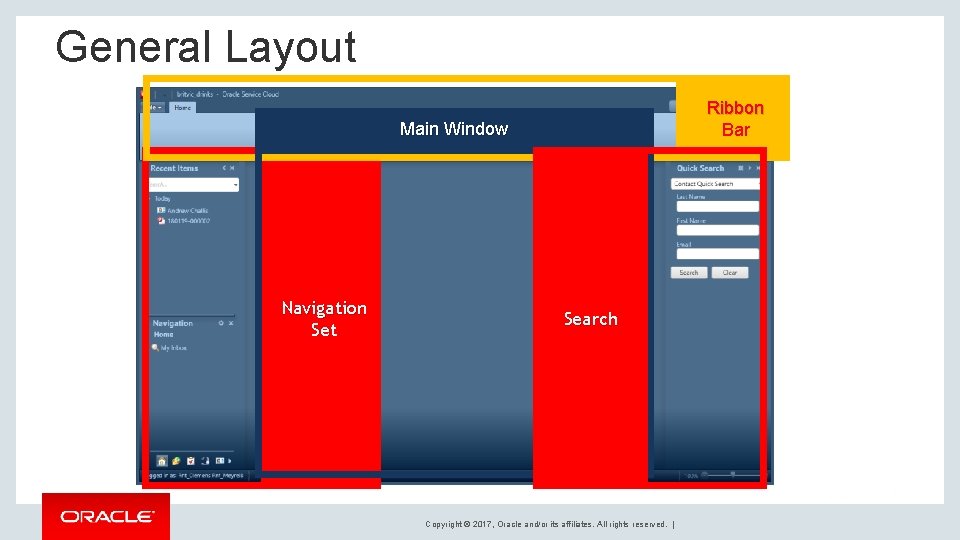
General Layout Ribbon Bar Main Window Navigation Set Search Copyright © 2017, Oracle and/or its affiliates. All rights reserved. |
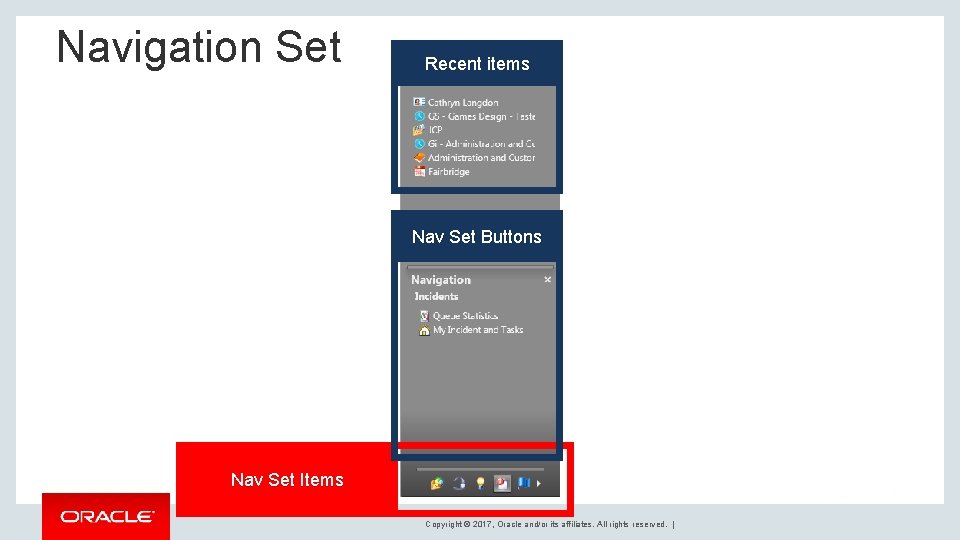
Navigation Set Recent items Nav Set Buttons Nav Set Items Copyright © 2017, Oracle and/or its affiliates. All rights reserved. |
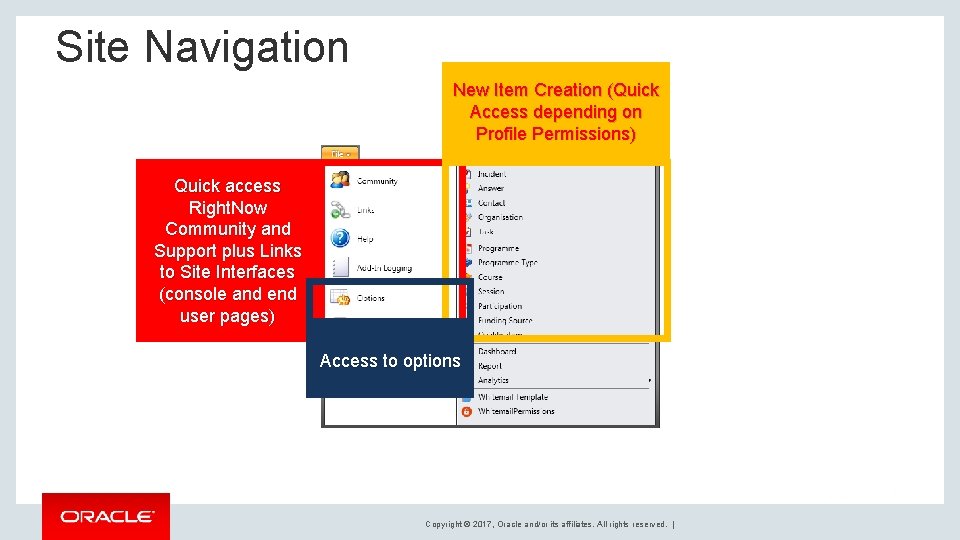
Site Navigation New Item Creation (Quick Access depending on Profile Permissions) Quick access Right. Now Community and Support plus Links to Site Interfaces (console and end user pages) Access to options Copyright © 2017, Oracle and/or its affiliates. All rights reserved. |
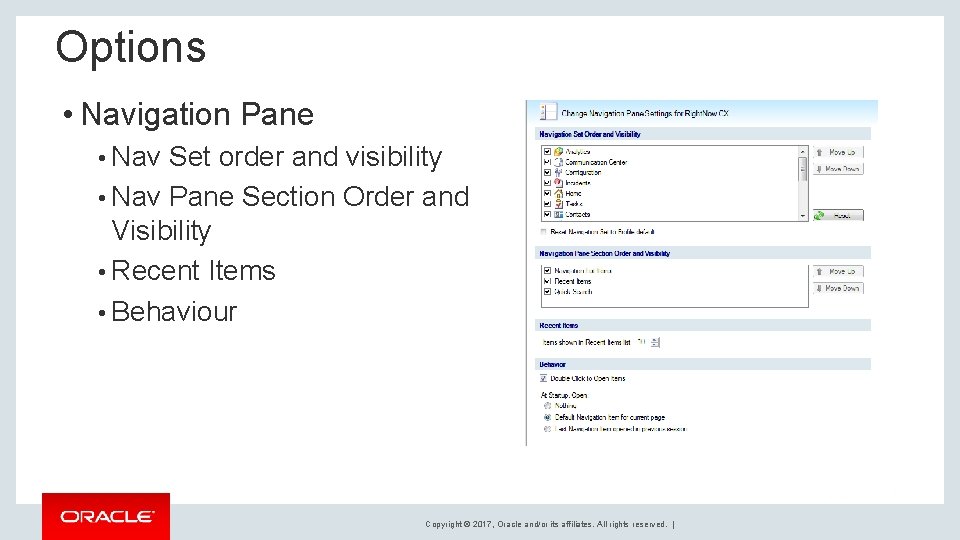
Options • Navigation Pane • Nav Set order and visibility • Nav Pane Section Order and Visibility • Recent Items • Behaviour Copyright © 2017, Oracle and/or its affiliates. All rights reserved. |
Application Appearance Copyright © 2017, Oracle and/or its affiliates. All rights reserved. |
Application Appearance • Navigation Sets • Workspace Ribbon Copyright © 2017, Oracle and/or its affiliates. All rights reserved. |
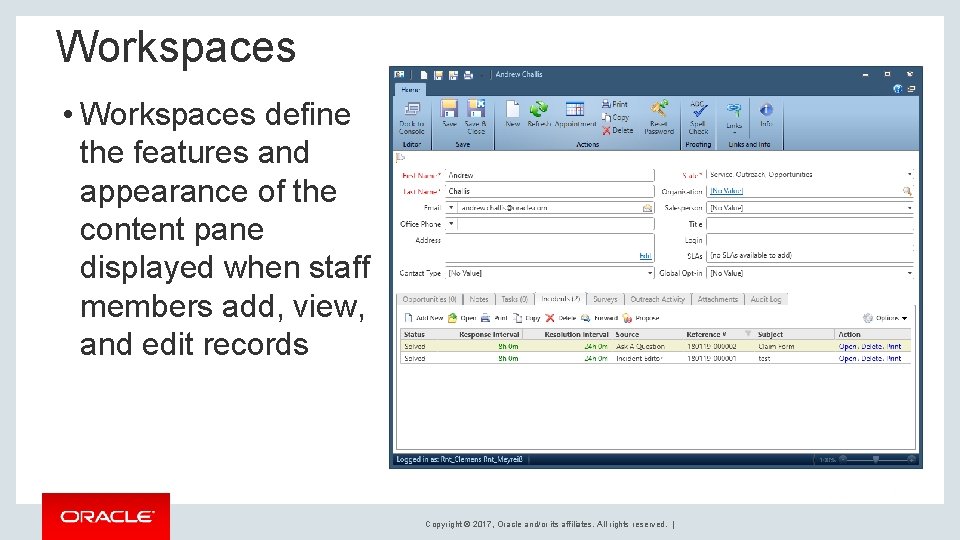
Workspaces • Workspaces define the features and appearance of the content pane displayed when staff members add, view, and edit records Copyright © 2017, Oracle and/or its affiliates. All rights reserved. |
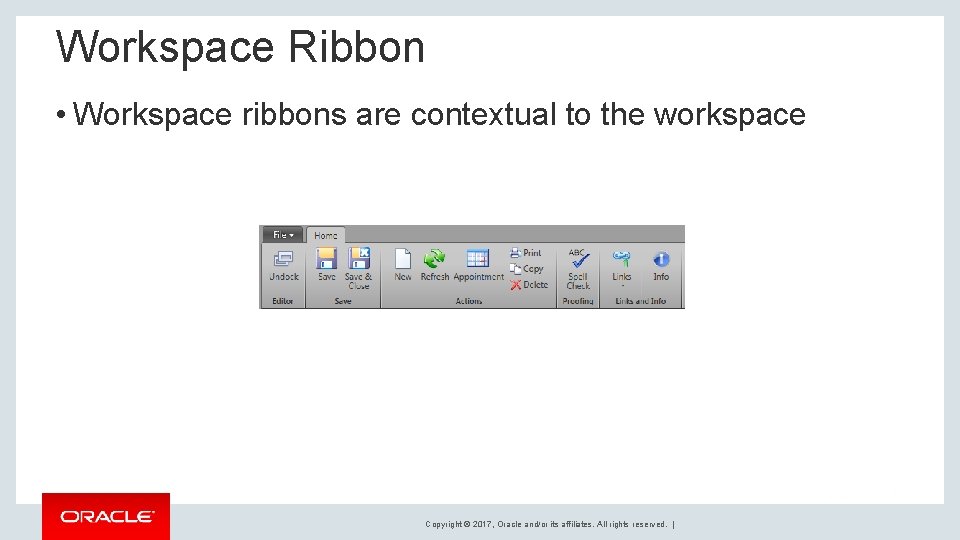
Workspace Ribbon • Workspace ribbons are contextual to the workspace Copyright © 2017, Oracle and/or its affiliates. All rights reserved. |
Contacts • Contact Records • One Contact can have multiple Incidents • If a contact is deleted all associated Incidents are deleted • If a contact is edited all associated Incidents are edited • Incidents can be moved to different contacts at any time Copyright © 2017, Oracle and/or its affiliates. All rights reserved. |
Contacts • Fields in Red are required • Data is broken into tabs • Fields can appear and disappear depending on conditions. • Notes • The customer has no visibility of notes Copyright © 2017, Oracle and/or its affiliates. All rights reserved. |
Incidents • Incident Records • Associated to Contact records • One Contact can have multiple Incidents • Each customer subject should be its own Incident • Fields can appear and disappear depending on conditions. Copyright © 2017, Oracle and/or its affiliates. All rights reserved. |
Incidents • Creating a new Incident • Agents should first search for a contact • If no existing Contact can be found a new contact can be created for the Incident. • All Incident must have a contact. • Agent should verify Contact details before proceeding to create new incident. Copyright © 2017, Oracle and/or its affiliates. All rights reserved. |
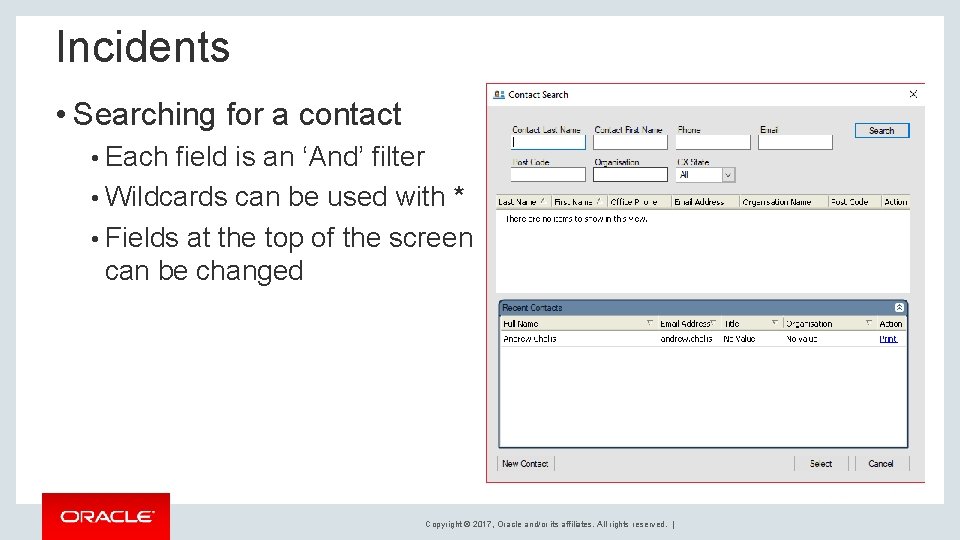
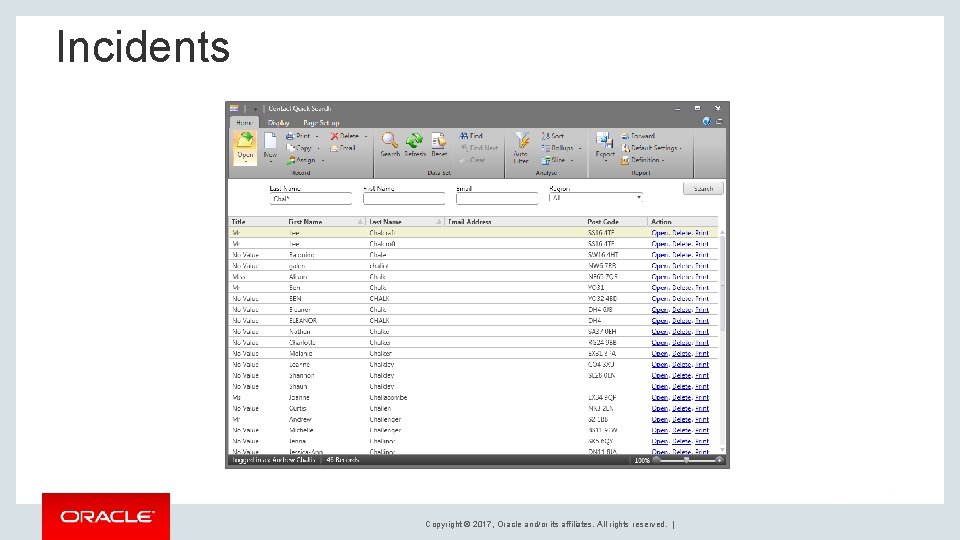
Incidents • Searching for a contact • Each field is an ‘And’ filter • Wildcards can be used with * • Fields at the top of the screen can be changed Copyright © 2017, Oracle and/or its affiliates. All rights reserved. |
Incidents Demo Copyright © 2017, Oracle and/or its affiliates. All rights reserved. |
Incidents • Fields in Red are required • Data is broken into tabs • Fields appear and disappear depending on conditions. • Threads • Customer Entry should be used to enter what the customer says • Private Notes is for any additional notes • Response is for the agents response to the Customer Entry. Copyright © 2017, Oracle and/or its affiliates. All rights reserved. |
Incidents • Quick Search • Used to find existing Incident • Can search by Service Cloud Reference, Category or Region • Quick Search against a Contact Copyright © 2017, Oracle and/or its affiliates. All rights reserved. |
Incidents Copyright © 2017, Oracle and/or its affiliates. All rights reserved. |
Incidents Demo Copyright © 2017, Oracle and/or its affiliates. All rights reserved. |
Questions Copyright © 2017, Oracle and/or its affiliates. All rights reserved. |
My Inbox, My Tasks and Queues Copyright © 2017, Oracle and/or its affiliates. All rights reserved. |
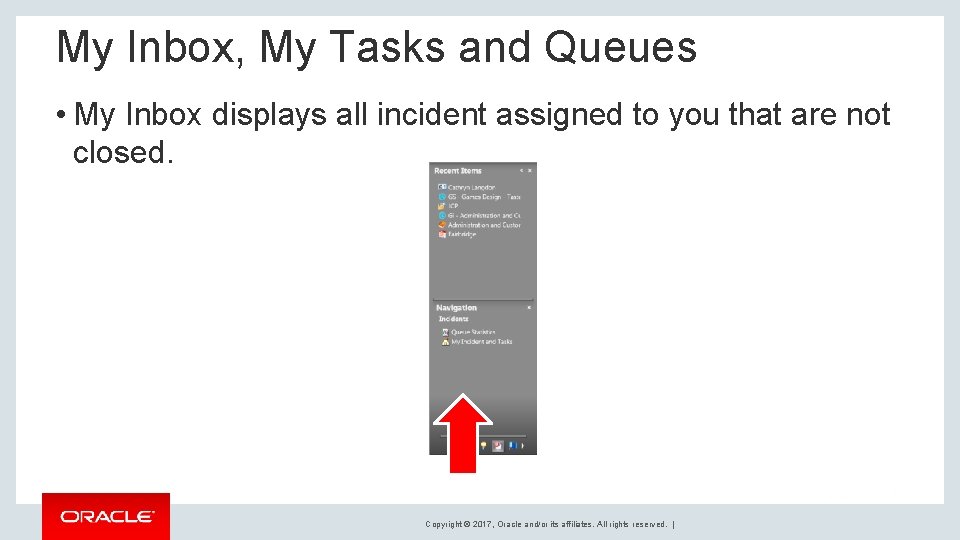
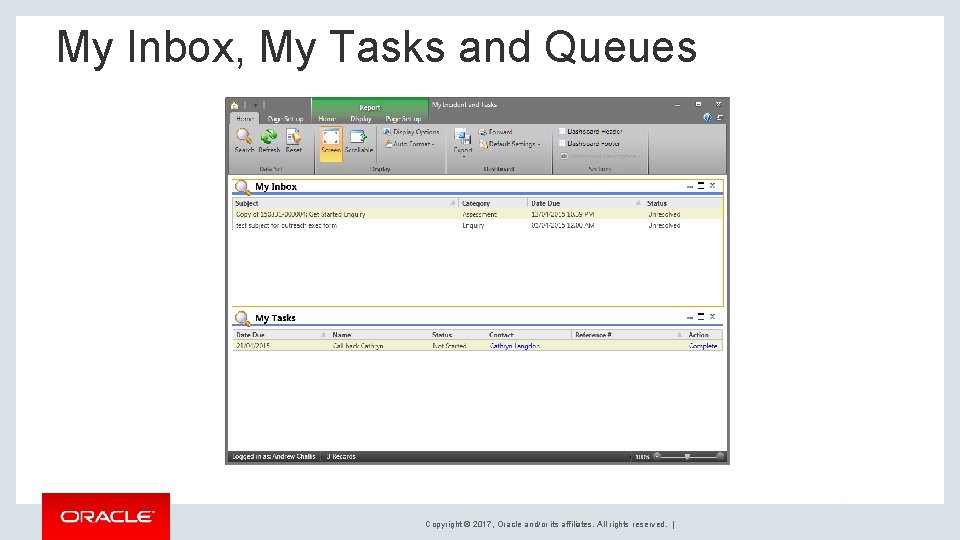
My Inbox, My Tasks and Queues • My Inbox displays all incident assigned to you that are not closed. Copyright © 2017, Oracle and/or its affiliates. All rights reserved. |
My Inbox, My Tasks and Queues • Incidents and Tasks can be assigned to a new Agent and it then appear in their My Inbox. • If they are logged in they will see a popup, else they will receive an email. • Incidents and Tasks can be opened by double clicking the row or right clicking and selecting Open. • Incidents are placed in Queues by the system but can be moved at any time by an Agent, Queues are a way to sort incidents. Copyright © 2017, Oracle and/or its affiliates. All rights reserved. |
My Inbox, My Tasks and Queues Copyright © 2017, Oracle and/or its affiliates. All rights reserved. |
My Inbox, My Tasks and Queues Demo Copyright © 2017, Oracle and/or its affiliates. All rights reserved. |

Customer Portal Copyright © 2017, Oracle and/or its affiliates. All rights reserved. |
Customer Portal • Customer Portal is used by customer to access Knowledge, submit support questions, engage in chat and move. • The site is broken into three sections • Knowledgebase • Ask a question • Community Home • The site supports both Desktop and Mobile Copyright © 2017, Oracle and/or its affiliates. All rights reserved. |
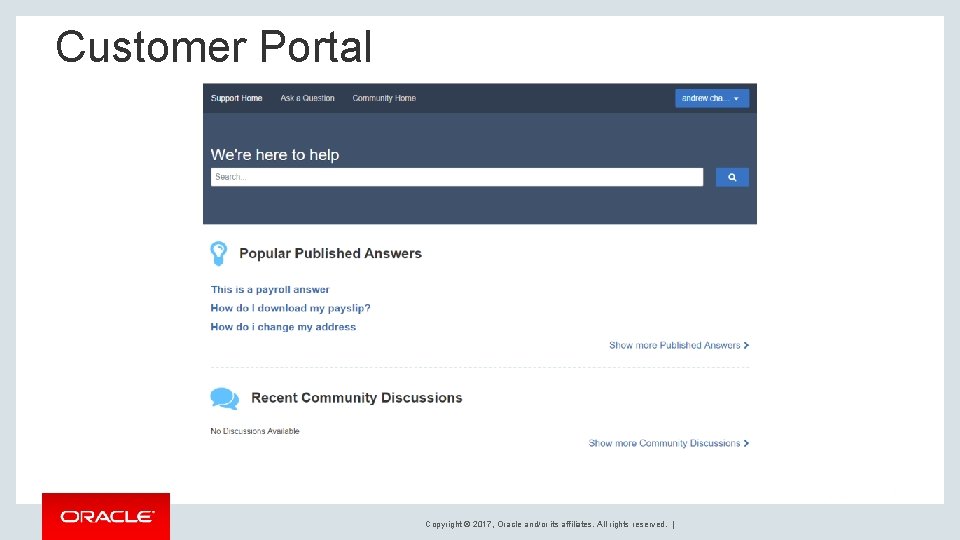
Customer Portal Copyright © 2017, Oracle and/or its affiliates. All rights reserved. |
Customer Portal Demo Copyright © 2017, Oracle and/or its affiliates. All rights reserved. |
Questions Copyright © 2017, Oracle and/or its affiliates. All rights reserved. |
Copyright © 2017, Oracle and/or its affiliates. All rights reserved. |

- Slides: 35