
Bringing It All Together Student Message Center Built
Bringing It All Together: Student Message Center Built on Delivered Functionality Session Number 5043 Thursday, October 10, 2019 1
Presenter Matt Hansen Sr. Manager Student Administration Applications University of Missouri – System hansenma@umsystem. edu 2

University of Missouri - Fall 2019 Enrollment 70, 554 3
Oracle People. Soft: Campus Solutions 9. 2 • Four Separate Instances of Campus Solutions • Completed upgrade to CS 9. 2 March 2019 People. Tools Version 8. 56. 11 • Planned upgrade to P/T 8. 57 or 8. 58 in 2020 4
5
What environment are you in? 6
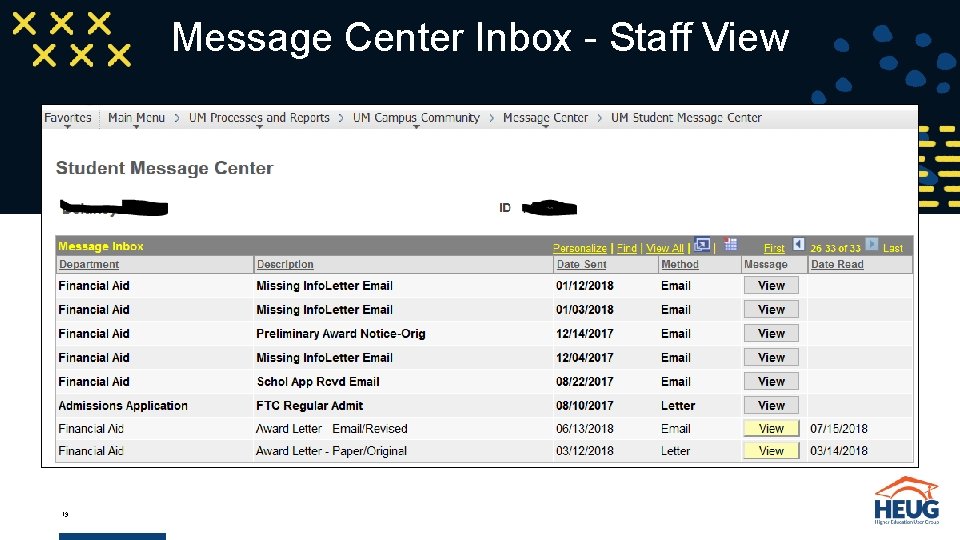
Overview • The Student Message Center was created to expose communications to students within Self Service. The communications are displayed in a format similar to an email inbox and gives students a central location and access point. 7
The Idea • Confirm a student received a communication • Verify a student read a communication • View the information received in a communication 8
Prior to CS 9. 0 Upgrade • System modifications used to send email communication • Letter Generation and Mail Merge used to send letters • No audit trail for email communications showing process, date and delivered content 9
Prior to CS 9. 0 Upgrade • When an audit required proof of disclosures, only information available was the communication letter code and an Excel input file of students who received the disclosure • Staff did not have the ability to retrieve or reproduce a completed communication 10
Business Need/Request • Ability to show students, parents and auditors proof that a communication was sent • Ability to track the date a message was accessed by a student through Self Service • Ability to retrieve a completed communication when departments field calls and inquiries from students or parents due to an email being deleted by a student or the claim they never received one • Ability for students to access messages received from departments within a secure message portal 11

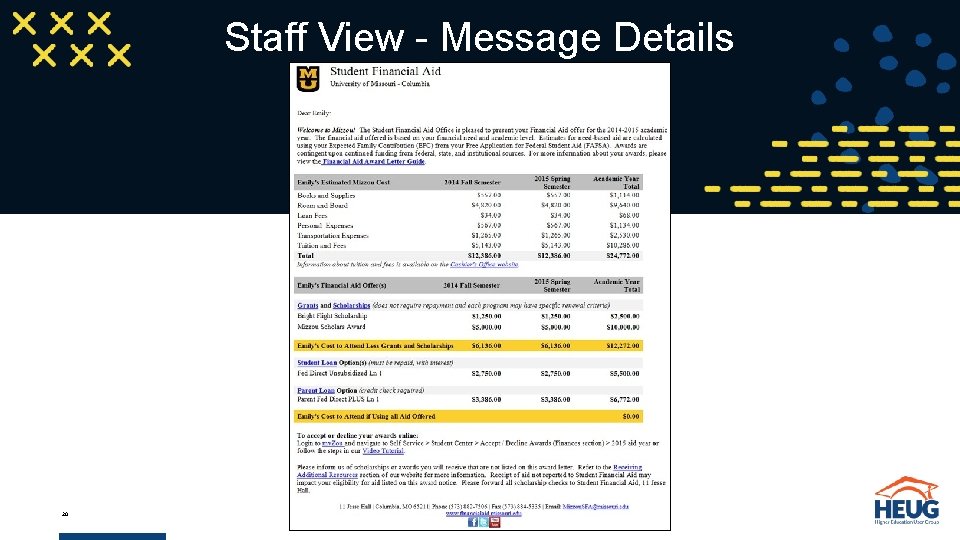
Solution • Take advantage of Communication Generation Functionality ØProcess provides access to a PDF version of any communication sent ØLeverage this functionality exposing the same information to students • Develop a message portal in Self Service similar to an email inbox • Display a list of messages sent (Letters and Emails) with a link to view each message 12
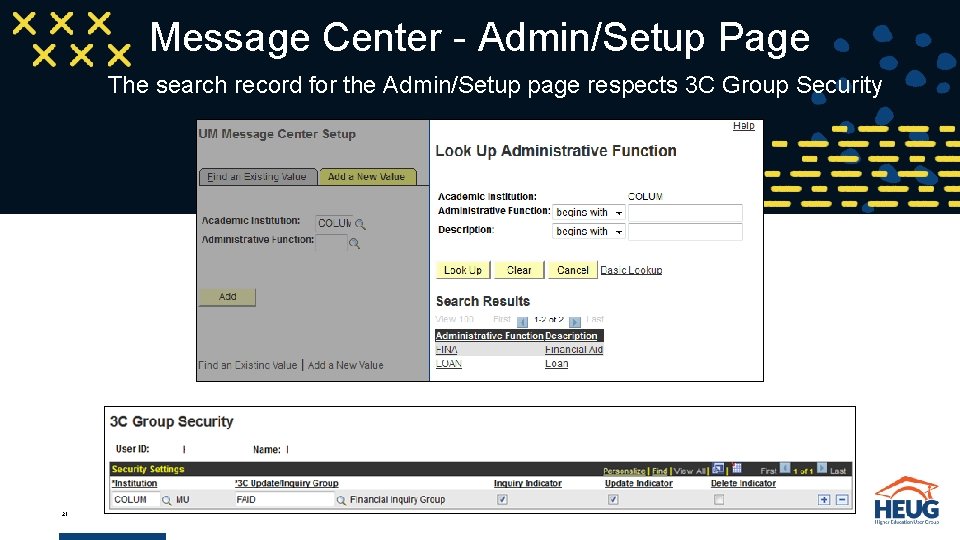
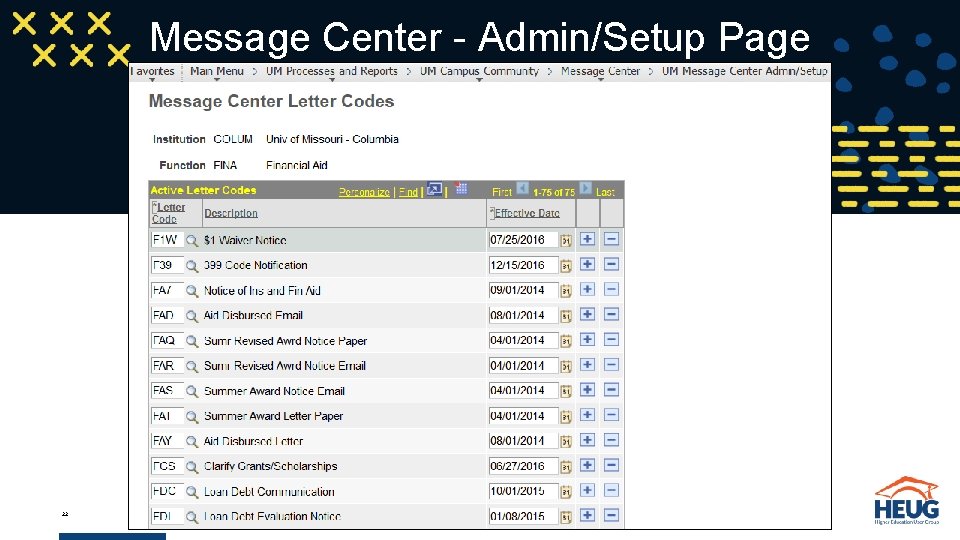
Solution • Allow the messages displayed to be controlled by each department through a set-up page • With appropriate security, allow staff access to view a student’s message center communications 13
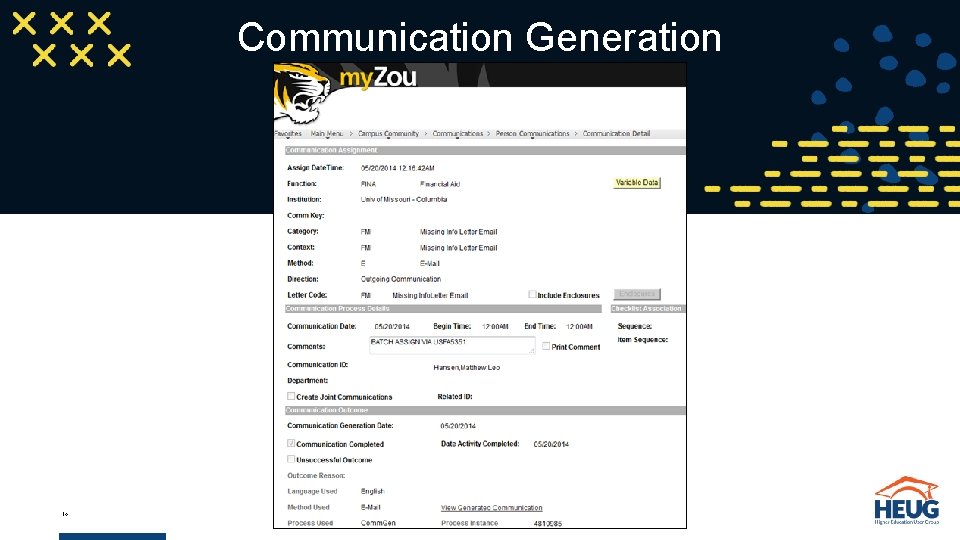
Communication Generation 14
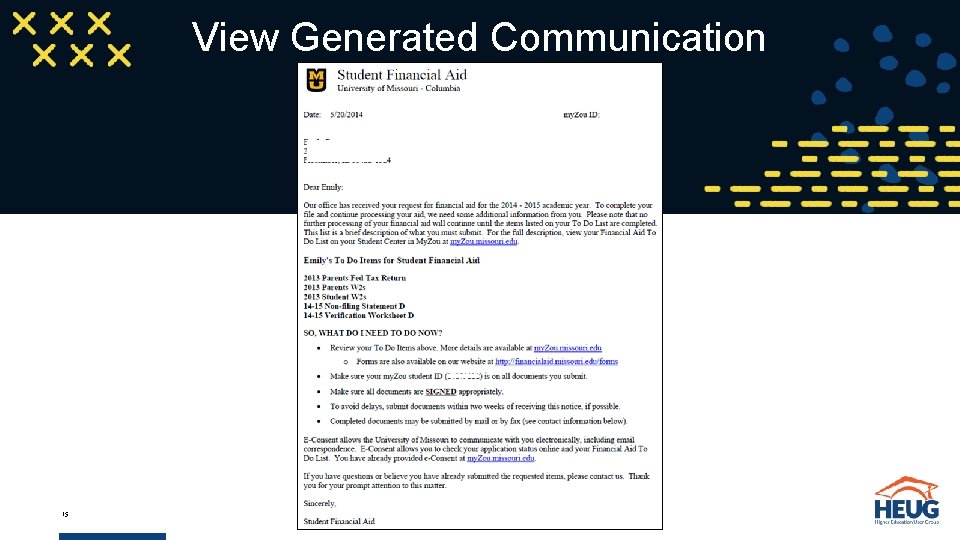
View Generated Communication 15
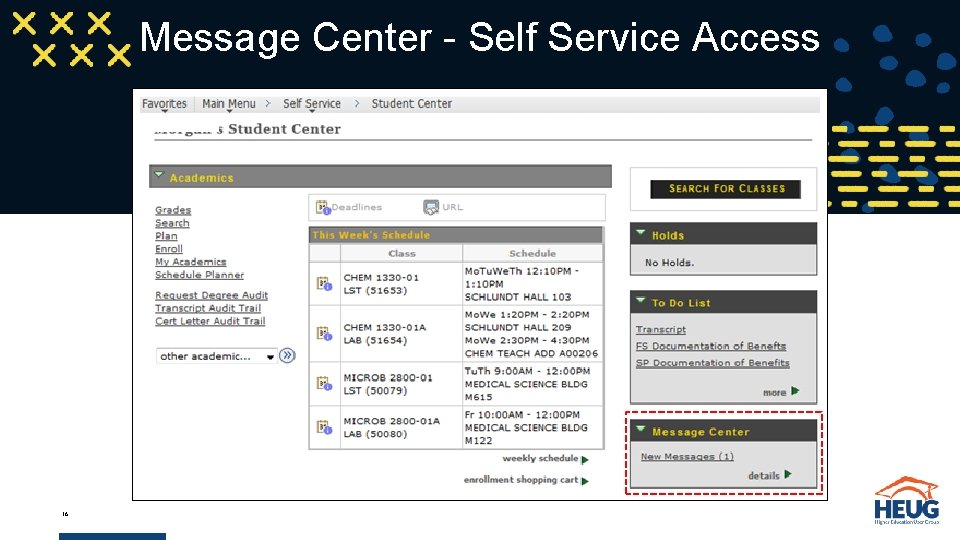
Message Center - Self Service Access 16
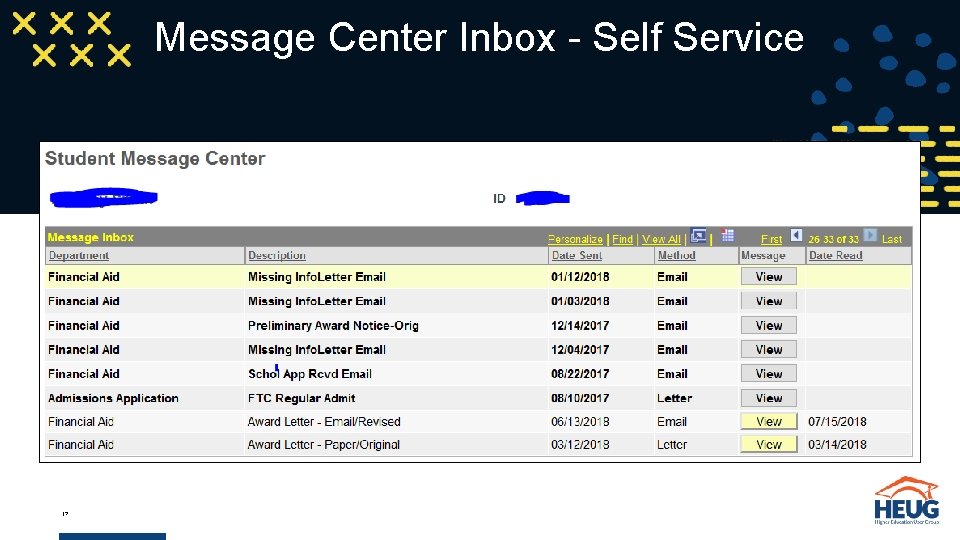
Message Center Inbox - Self Service 17
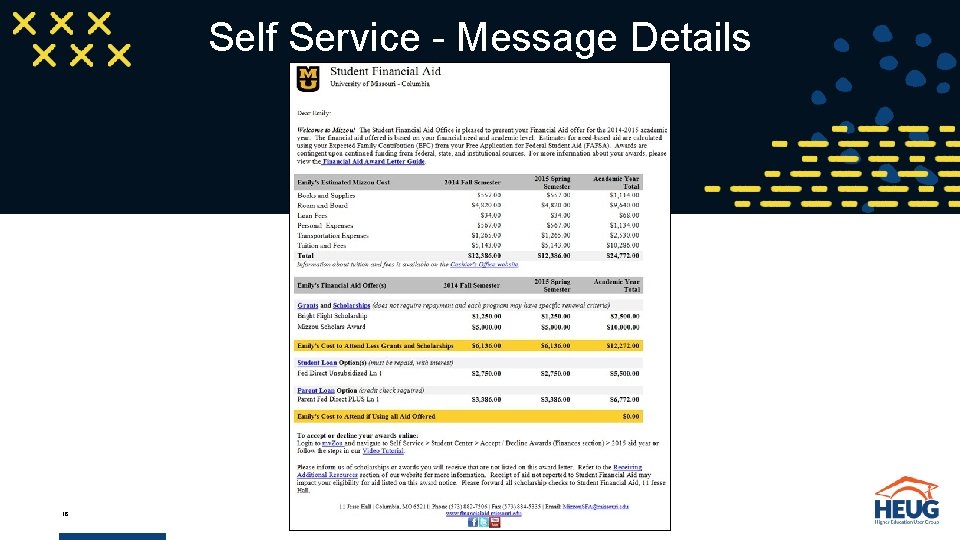
Self Service - Message Details 18
Message Center Inbox - Staff View 19
Staff View - Message Details 20
Message Center - Admin/Setup Page The search record for the Admin/Setup page respects 3 C Group Security 21
Message Center - Admin/Setup Page 22
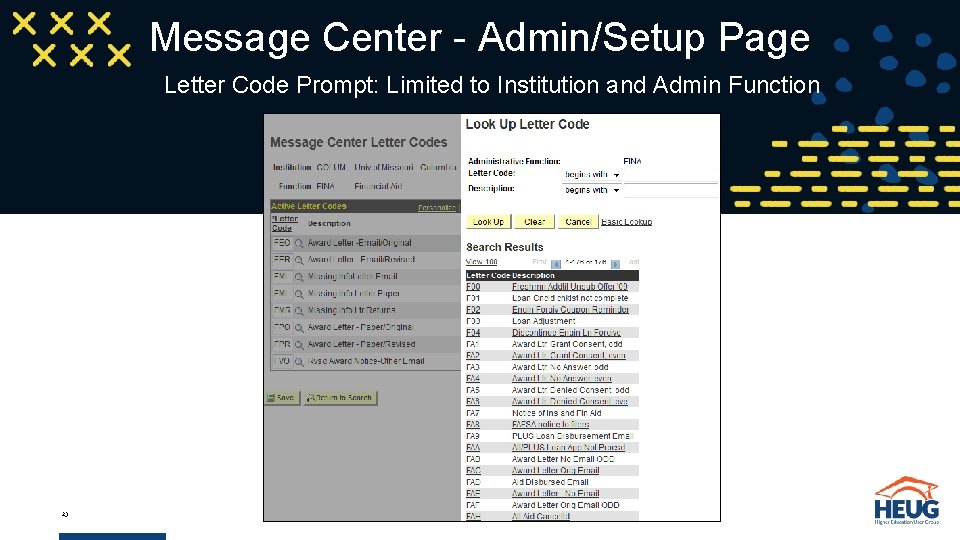
Message Center - Admin/Setup Page Letter Code Prompt: Limited to Institution and Admin Function 23
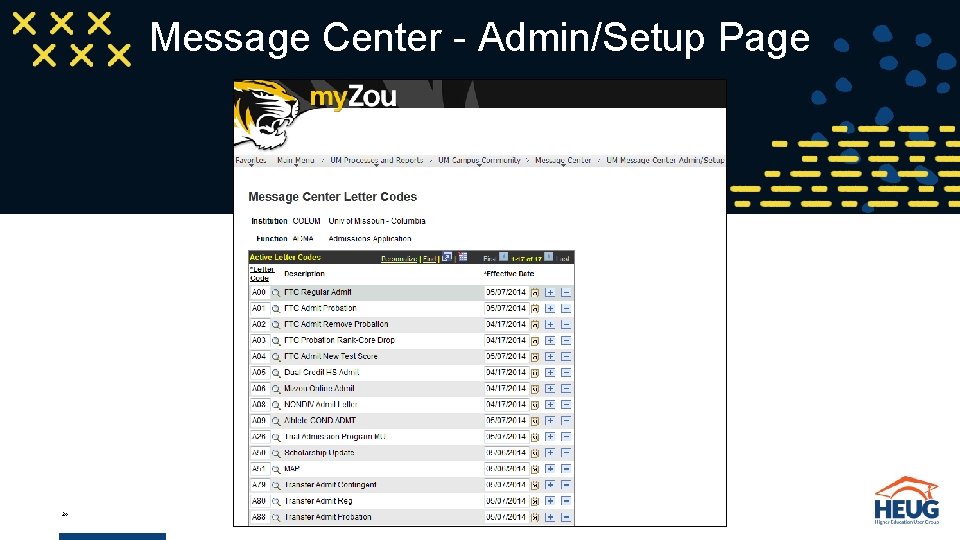
Message Center - Admin/Setup Page 24
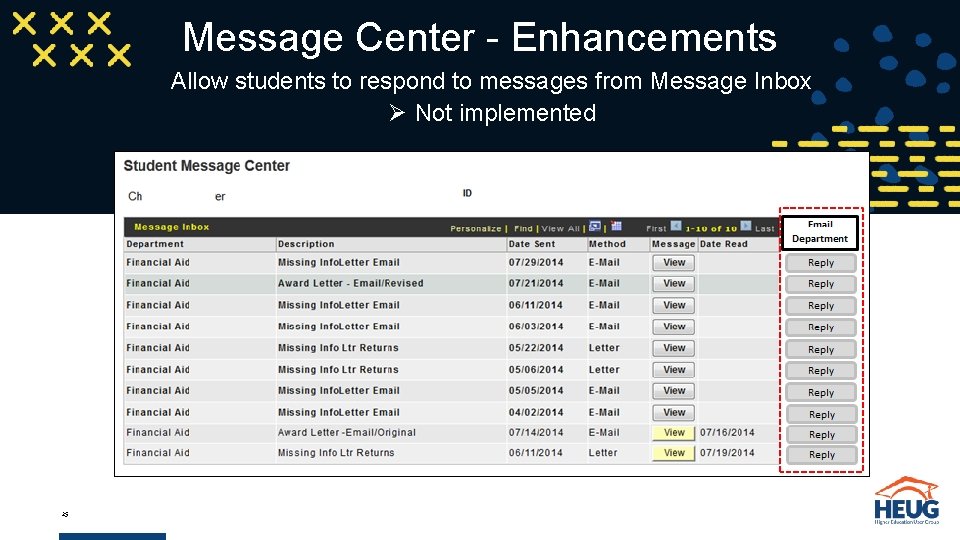
Message Center - Enhancements Allow students to respond to messages from Message Inbox Ø Not implemented 25
But how did you do it? Technical overview of Message Center development ? 26
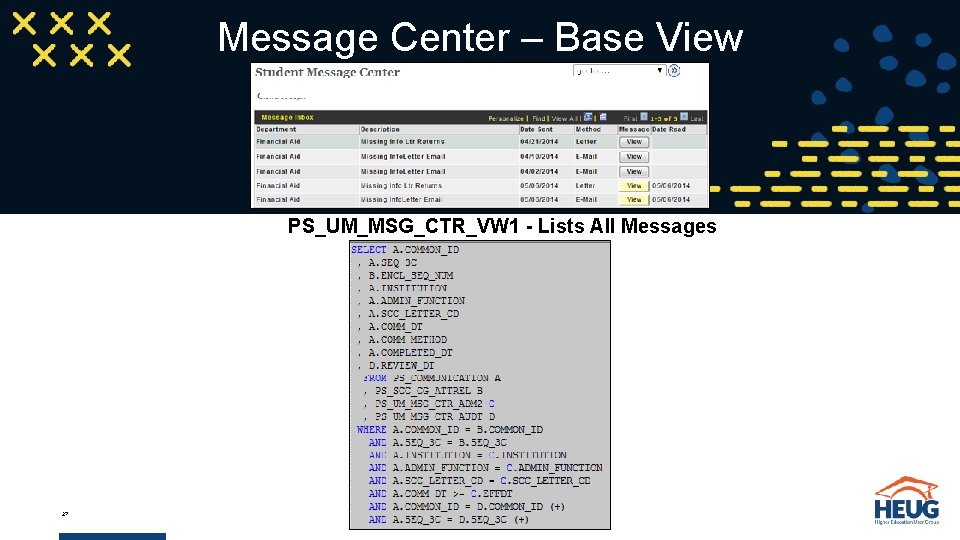
Message Center – Base View PS_UM_MSG_CTR_VW 1 - Lists All Messages 27
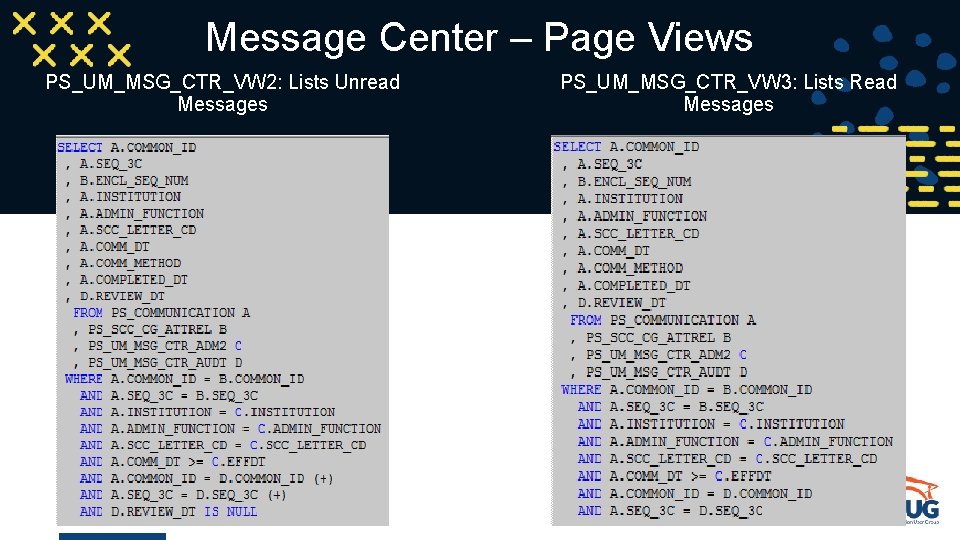
Message Center – Page Views PS_UM_MSG_CTR_VW 2: Lists Unread Messages 28 PS_UM_MSG_CTR_VW 3: Lists Read Messages
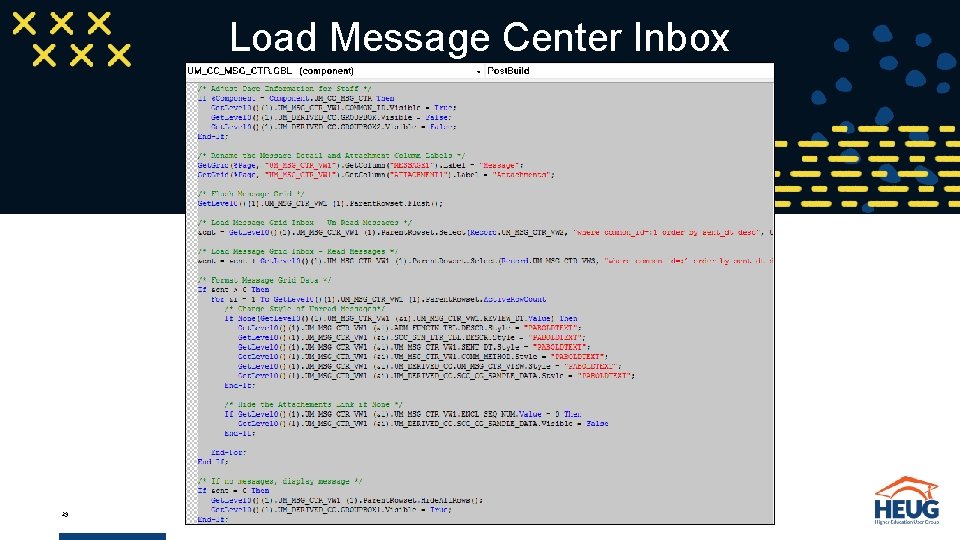
Load Message Center Inbox 29
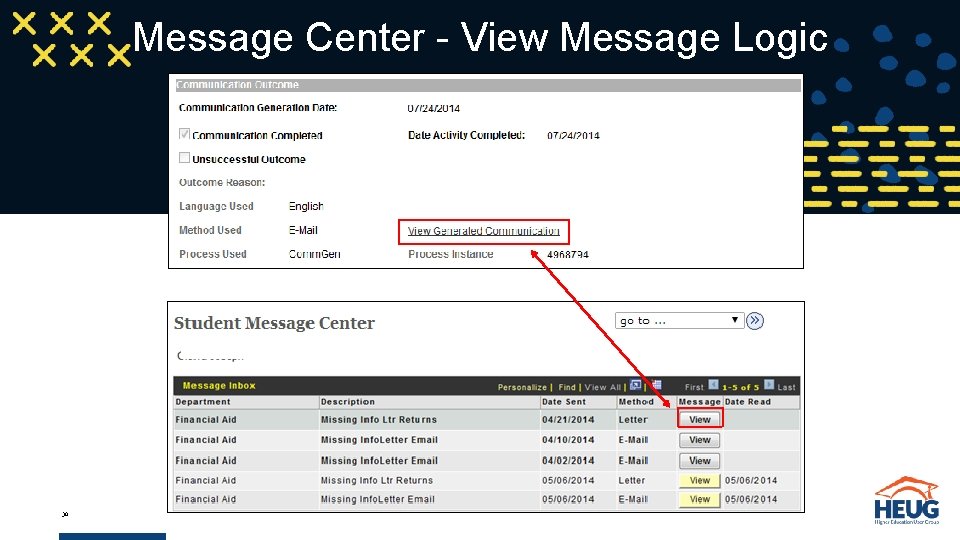
Message Center - View Message Logic 30
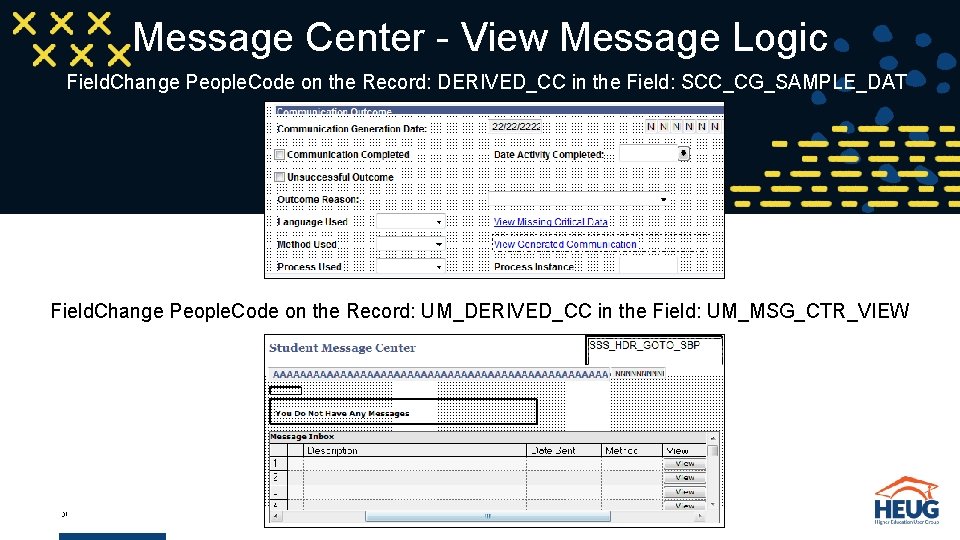
Message Center - View Message Logic Field. Change People. Code on the Record: DERIVED_CC in the Field: SCC_CG_SAMPLE_DAT Field. Change People. Code on the Record: UM_DERIVED_CC in the Field: UM_MSG_CTR_VIEW 31
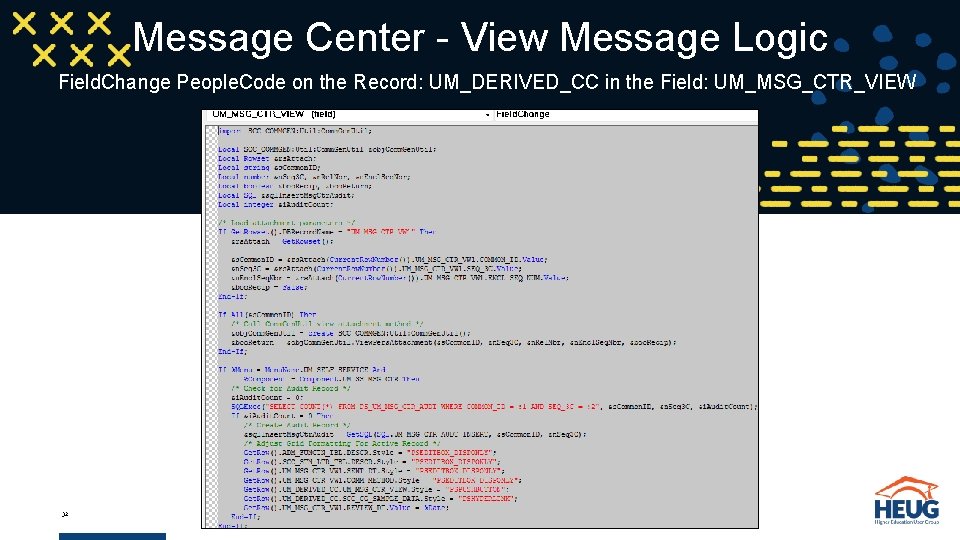
Message Center - View Message Logic Field. Change People. Code on the Record: UM_DERIVED_CC in the Field: UM_MSG_CTR_VIEW 32
Questions? 33
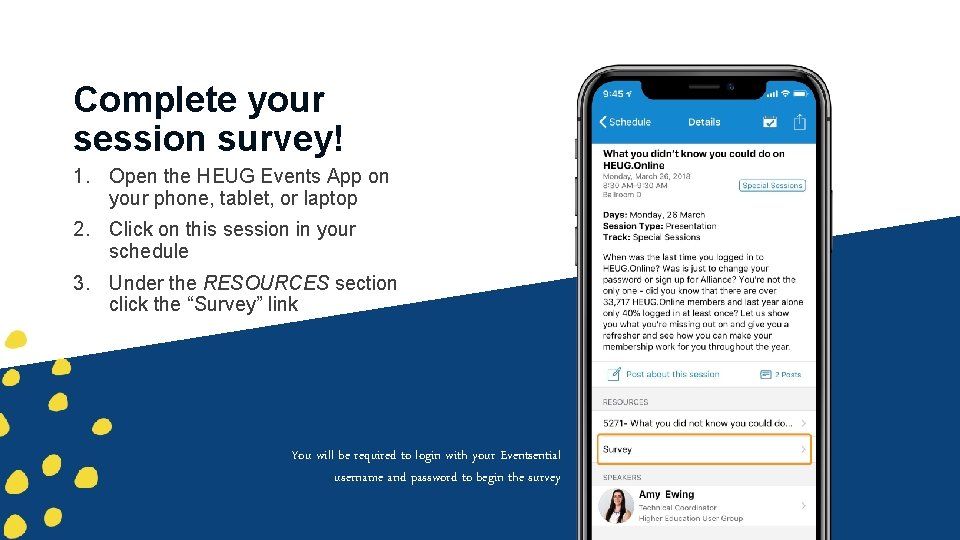
Complete your session survey! 1. Open the HEUG Events App on your phone, tablet, or laptop 2. Click on this session in your schedule 3. Under the RESOURCES section click the “Survey” link You will be required to login with your Eventsential username and password to begin the survey 34
GET IN TOUCH hansenma@umsystem. edu Thank you! This presentation and all HEUG Regional presentations will be made available on HEUG. Online for institutional members at www. heug. org 35
- Slides: 35