
Brief review of the Point class Point class
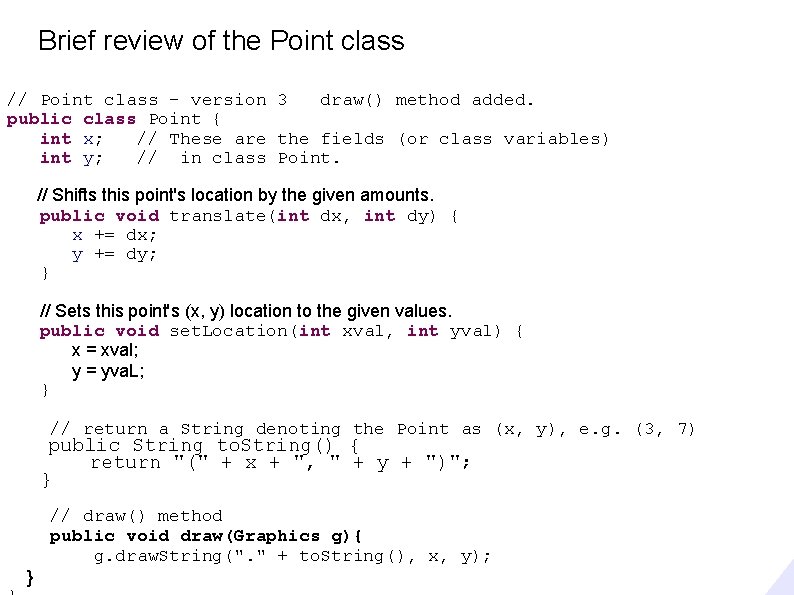
Brief review of the Point class // Point class - version 3 draw() method added. public class Point { int x; // These are the fields (or class variables) int y; // in class Point. // Shifts this point's location by the given amounts. public void translate(int dx, int dy) { x += dx; y += dy; } // Sets this point's (x, y) location to the given values. public void set. Location(int xval, int yval) { x = xval; y = yva. L; } // return a String denoting the Point as (x, y), e. g. (3, 7) public String to. String() { return "(" + x + ", " + y + ")"; } } // draw() method public void draw(Graphics g){ g. draw. String(". " + to. String(), x, y);
Object initialization: constructors (Section 8. 3)
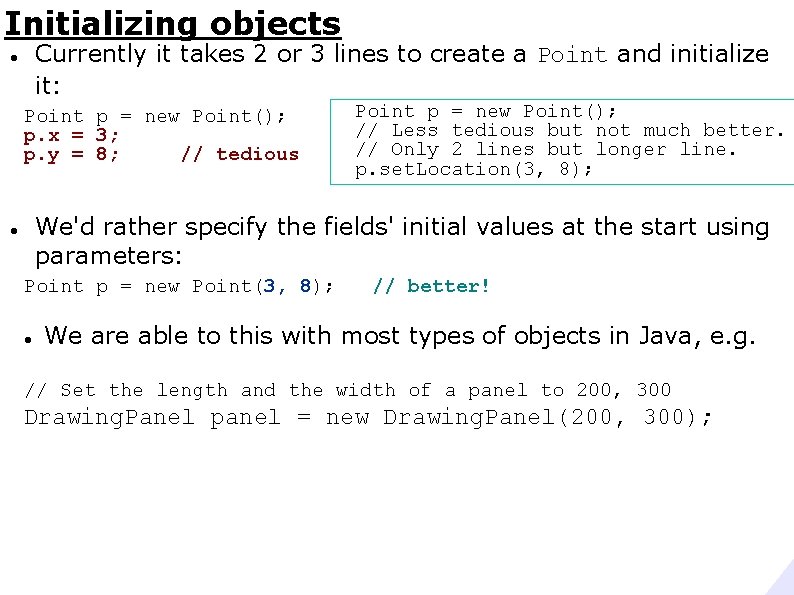
Initializing objects Currently it takes 2 or 3 lines to create a Point and initialize it: Point p = new Point(); p. x = 3; p. y = 8; // tedious Point p = new Point(); // Less tedious but not much better. // Only 2 lines but longer line. p. set. Location(3, 8); We'd rather specify the fields' initial values at the start using parameters: Point p = new Point(3, 8); // better! We are able to this with most types of objects in Java, e. g. // Set the length and the width of a panel to 200, 300 Drawing. Panel panel = new Drawing. Panel(200, 300);
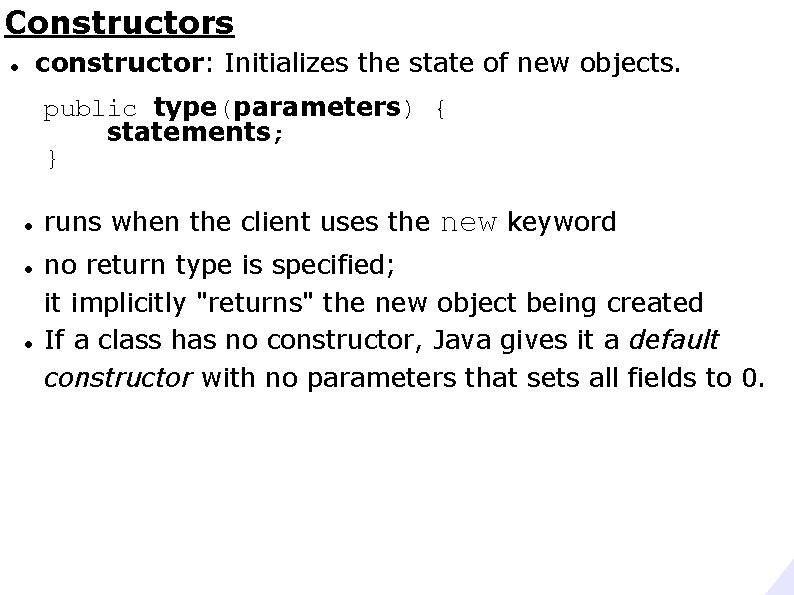
Constructors constructor: Initializes the state of new objects. public type(parameters) { statements; } runs when the client uses the new keyword no return type is specified; it implicitly "returns" the new object being created If a class has no constructor, Java gives it a default constructor with no parameters that sets all fields to 0.
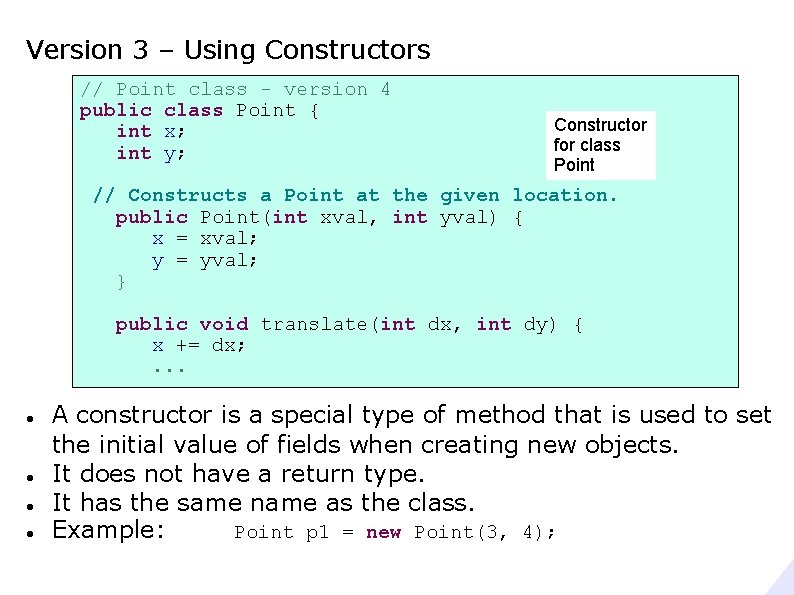
Version 3 – Using Constructors // Point class - version 4 public class Point { int x; int y; Constructor for class Point // Constructs a Point at the given location. public Point(int xval, int yval) { x = xval; y = yval; } public void translate(int dx, int dy) { x += dx; . . . A constructor is a special type of method that is used to set the initial value of fields when creating new objects. It does not have a return type. It has the same name as the class. Example: Point p 1 = new Point(3, 4);
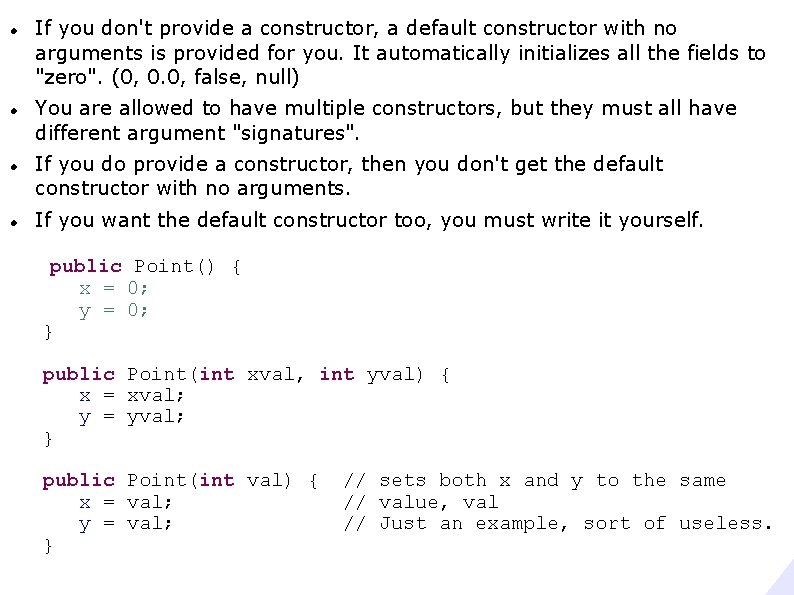
If you don't provide a constructor, a default constructor with no arguments is provided for you. It automatically initializes all the fields to "zero". (0, 0. 0, false, null) You are allowed to have multiple constructors, but they must all have different argument "signatures". If you do provide a constructor, then you don't get the default constructor with no arguments. If you want the default constructor too, you must write it yourself. public Point() { x = 0; y = 0; } public Point(int xval, int yval) { x = xval; y = yval; } public Point(int val) { x = val; y = val; } // sets both x and y to the same // value, val // Just an example, sort of useless.
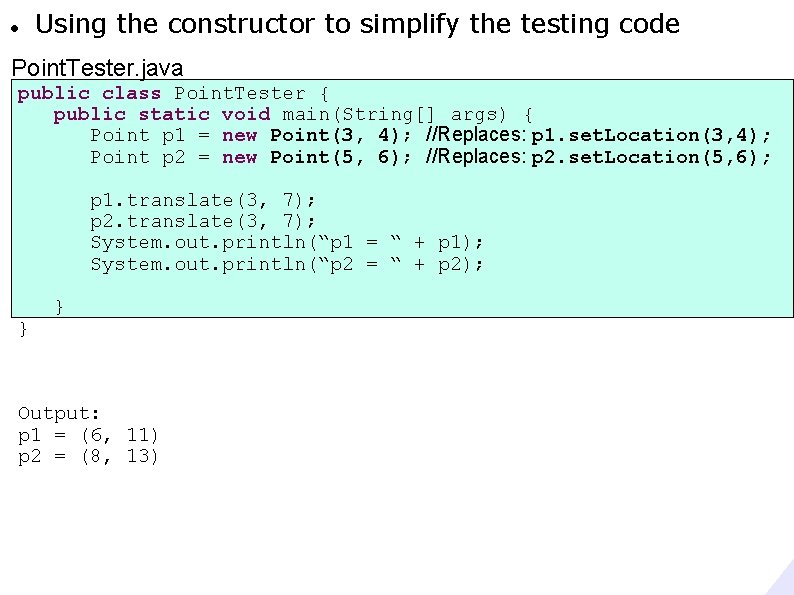
Using the constructor to simplify the testing code Point. Tester. java public class Point. Tester { public static void main(String[] args) { Point p 1 = new Point(3, 4); //Replaces: p 1. set. Location(3, 4); Point p 2 = new Point(5, 6); //Replaces: p 2. set. Location(5, 6); p 1. translate(3, 7); p 2. translate(3, 7); System. out. println(“p 1 = “ + p 1); System. out. println(“p 2 = “ + p 2); } } Output: p 1 = (6, 11) p 2 = (8, 13)
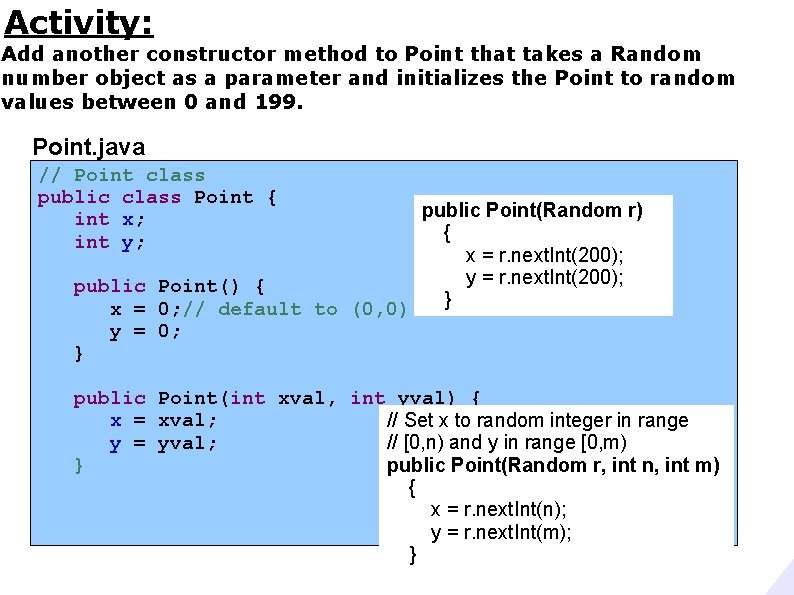
Activity: Add another constructor method to Point that takes a Random number object as a parameter and initializes the Point to random values between 0 and 199. Point. java // Point class public class Point { int x; int y; public Point(Random r) { x = r. next. Int(200); y = r. next. Int(200); public Point() { } x = 0; // default to (0, 0) y = 0; } public Point(int xval, int yval) { x = xval; // Set x to random integer in range y = yval; // [0, n) and y in range [0, m) } public Point(Random r, int n, int m) { x = r. next. Int(n); y = r. next. Int(m); }
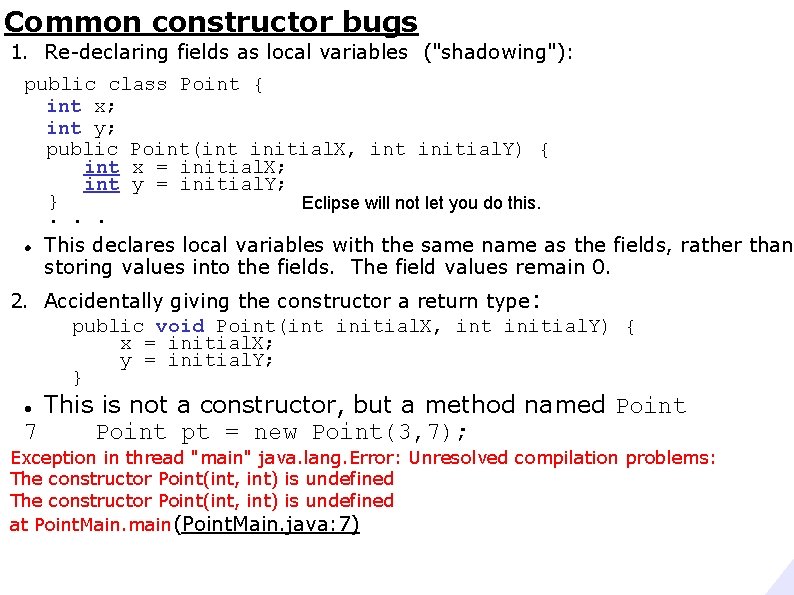
Common constructor bugs 1. Re-declaring fields as local variables ("shadowing"): public class Point { int x; int y; public Point(int initial. X, int initial. Y) { int x = initial. X; int y = initial. Y; } Eclipse will not let you do this. . This declares local variables with the same name as the fields, rather than storing values into the fields. The field values remain 0. 2. Accidentally giving the constructor a return type : public void Point(int initial. X, int initial. Y) { x = initial. X; y = initial. Y; } This is not a constructor, but a method named Point 7 Point pt = new Point(3, 7); Exception in thread "main" java. lang. Error: Unresolved compilation problems: The constructor Point(int, int) is undefined at Point. Main. main(Point. Main. java: 7)
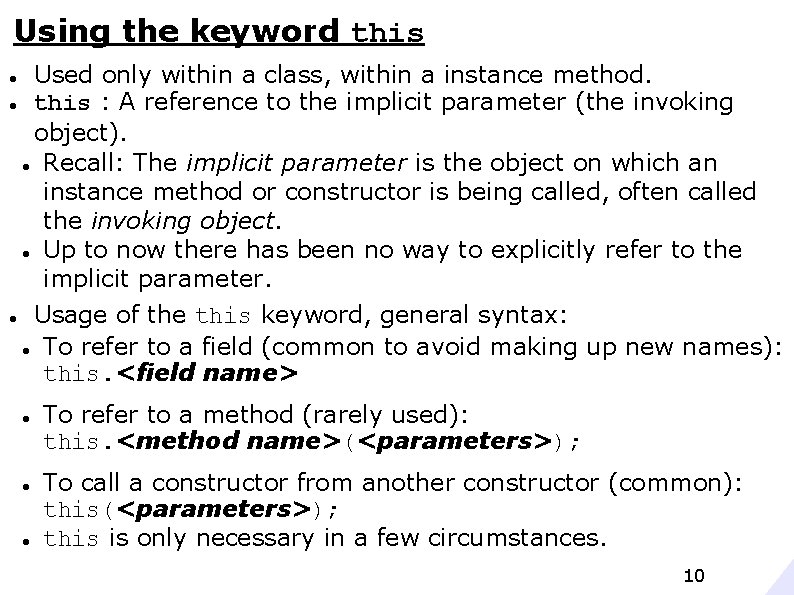
Using the keyword this Used only within a class, within a instance method. this : A reference to the implicit parameter (the invoking object). Recall: The implicit parameter is the object on which an instance method or constructor is being called, often called the invoking object. Up to now there has been no way to explicitly refer to the implicit parameter. Usage of the this keyword, general syntax: To refer to a field (common to avoid making up new names): this. <field name> To refer to a method (rarely used): this. <method name>(<parameters>); To call a constructor from another constructor (common): this(<parameters>); this is only necessary in a few circumstances. 10
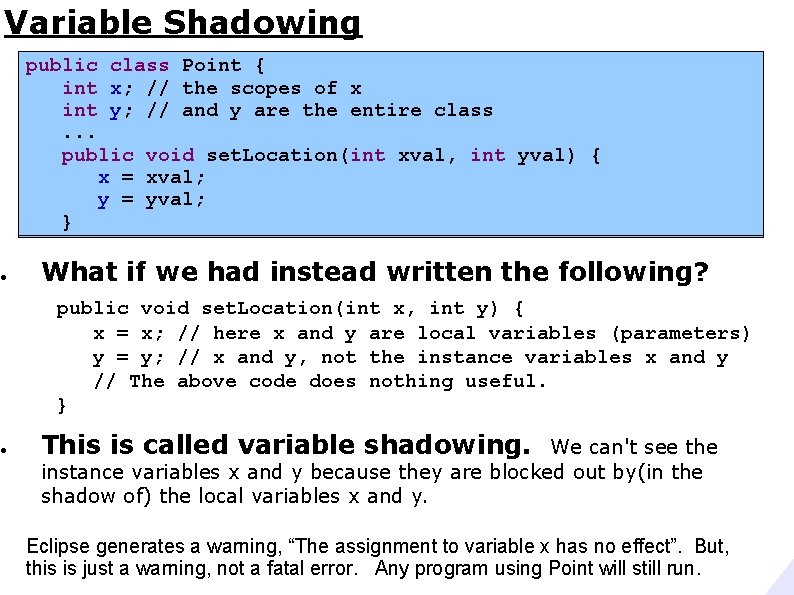
Variable Shadowing ● ● public class Point { int x; // the x private int x; scopes // theof scopes of x int y; // and are the private int y; y// and y entire are theclass entire class. . . public void set. Location(int xval, int yval) { x = xval; y = yval; } What if we had instead written the following? public void set. Location(int x, int y) { x = x; // here x and y are local variables (parameters) y = y; // x and y, not the instance variables x and y // The above code does nothing useful. } This is called variable shadowing. We can't see the instance variables x and y because they are blocked out by(in the shadow of) the local variables x and y. Eclipse generates a warning, “The assignment to variable x has no effect”. But, this is just a warning, not a fatal error. Any program using Point will still run.
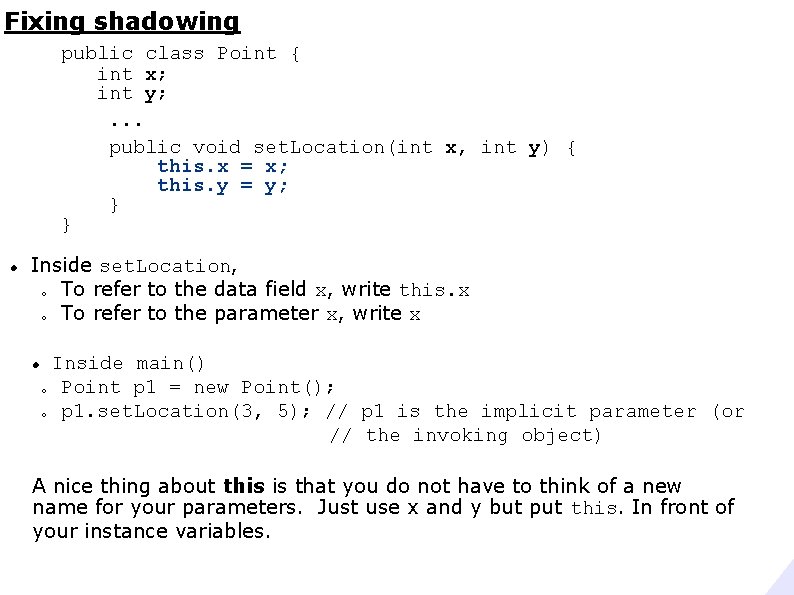
Fixing shadowing public class Point { int x; int y; . . . public void set. Location(int x, int y) { this. x = x; this. y = y; } } Inside set. Location, o To refer to the data field x, write this. x o To refer to the parameter x, write x Inside main() o Point p 1 = new Point(); o p 1. set. Location(3, 5); // p 1 is the implicit parameter (or // the invoking object) A nice thing about this is that you do not have to think of a new name for your parameters. Just use x and y but put this. In front of your instance variables.
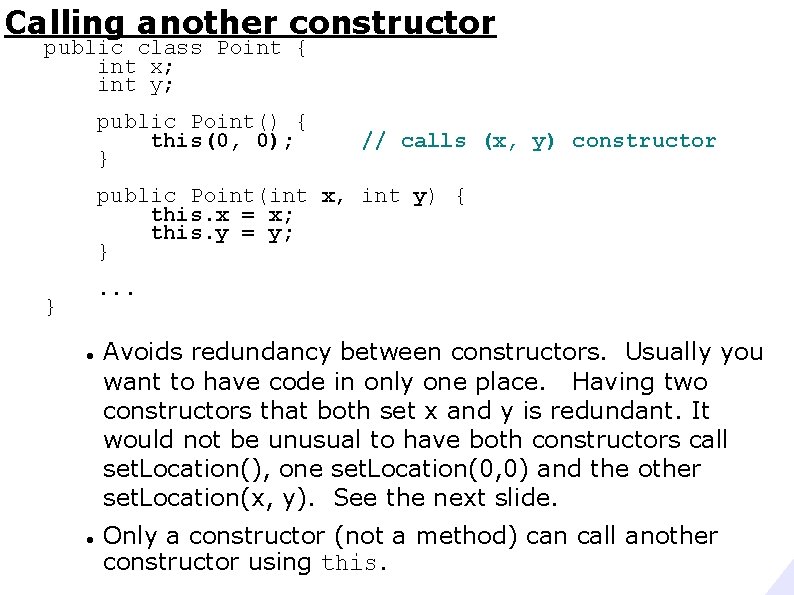
Calling another constructor public class Point { int x; int y; public Point() { this(0, 0); } // calls (x, y) constructor public Point(int x, int y) { this. x = x; this. y = y; }. . . } Avoids redundancy between constructors. Usually you want to have code in only one place. Having two constructors that both set x and y is redundant. It would not be unusual to have both constructors call set. Location(), one set. Location(0, 0) and the other set. Location(x, y). See the next slide. Only a constructor (not a method) can call another constructor using this.
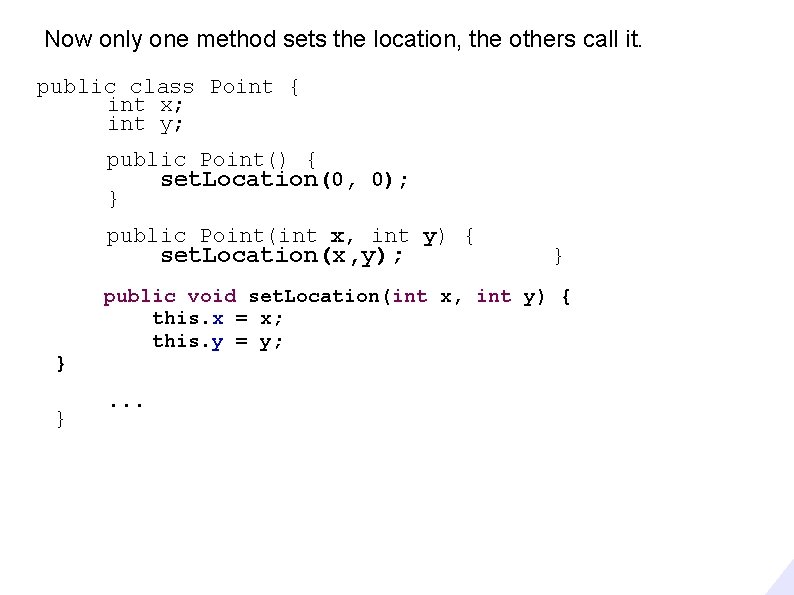
Now only one method sets the location, the others call it. public class Point { int x; int y; public Point() { } set. Location(0, 0); public Point(int x, int y) { set. Location(x, y); } } } public void set. Location(int x, int y) { this. x = x; this. y = y; . . .
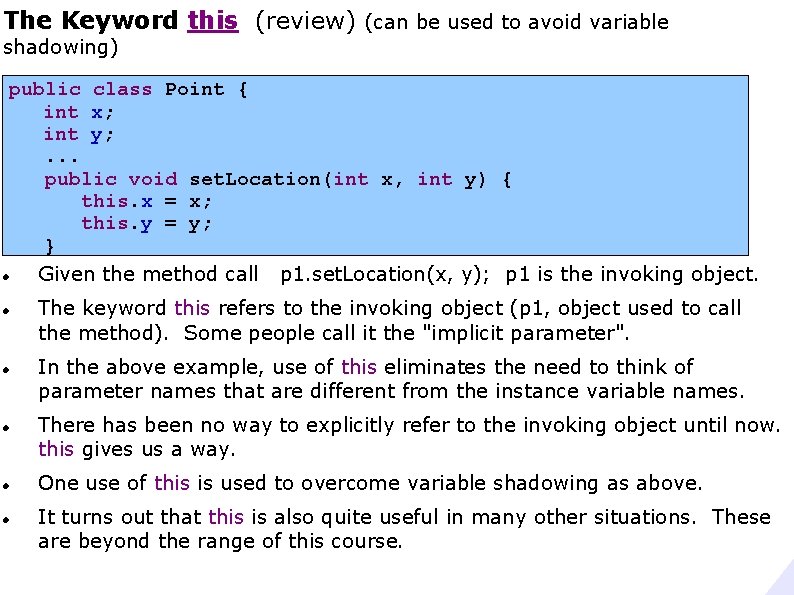
The Keyword this (review) (can be used to avoid variable shadowing) public class Point { int x; int y; . . . public void set. Location(int x, int y) { this. x = x; this. y = y; } Given the method call p 1. set. Location(x, y); p 1 is the invoking object. The keyword this refers to the invoking object (p 1, object used to call the method). Some people call it the "implicit parameter". In the above example, use of this eliminates the need to think of parameter names that are different from the instance variable names. There has been no way to explicitly refer to the invoking object until now. this gives us a way. One use of this is used to overcome variable shadowing as above. It turns out that this is also quite useful in many other situations. These are beyond the range of this course.
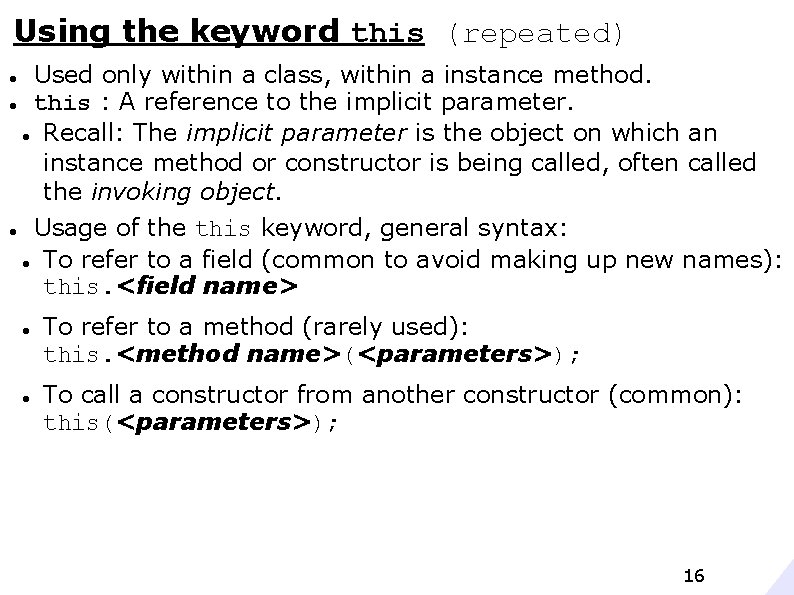
Using the keyword this (repeated) Used only within a class, within a instance method. this : A reference to the implicit parameter. Recall: The implicit parameter is the object on which an instance method or constructor is being called, often called the invoking object. Usage of the this keyword, general syntax: To refer to a field (common to avoid making up new names): this. <field name> To refer to a method (rarely used): this. <method name>(<parameters>); To call a constructor from another constructor (common): this(<parameters>); 16
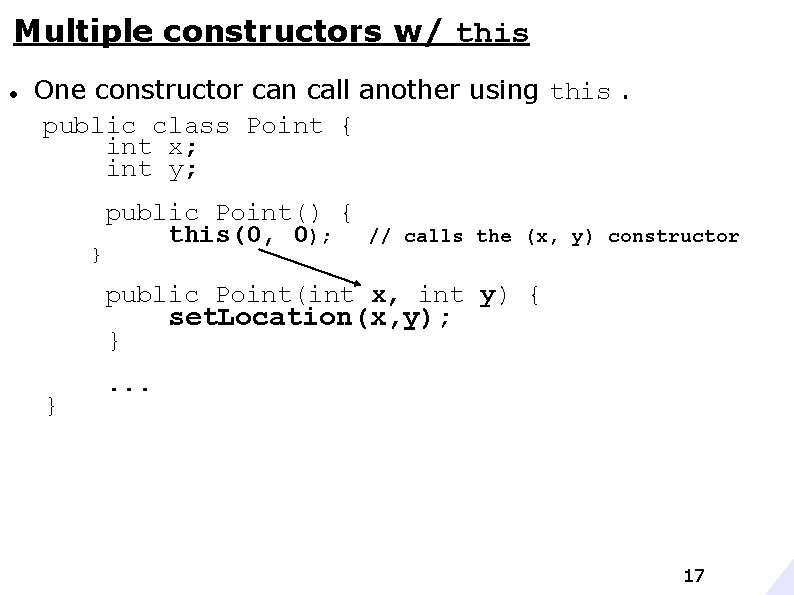
Multiple constructors w/ this One constructor can call another using this. public class Point { int x; int y; } public Point() { this(0, 0); // calls the (x, y) constructor public Point(int x, int y) { set. Location(x, y); } } . . . 17
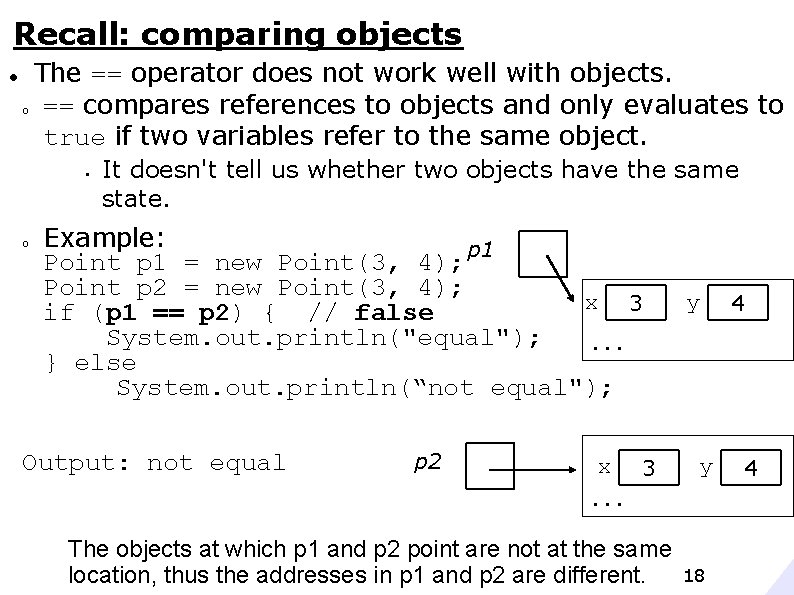
Recall: comparing objects The == operator does not work well with objects. o == compares references to objects and only evaluates to true if two variables refer to the same object. § o It doesn't tell us whether two objects have the same state. Example: p 1 Point p 1 = new Point(3, 4); Point p 2 = new Point(3, 4); x 3 if (p 1 == p 2) { // false System. out. println("equal"); . . . } else System. out. println(“not equal"); Output: not equal p 2 x 3 y y . . . The objects at which p 1 and p 2 point are not at the same location, thus the addresses in p 1 and p 2 are different. 18 4 4
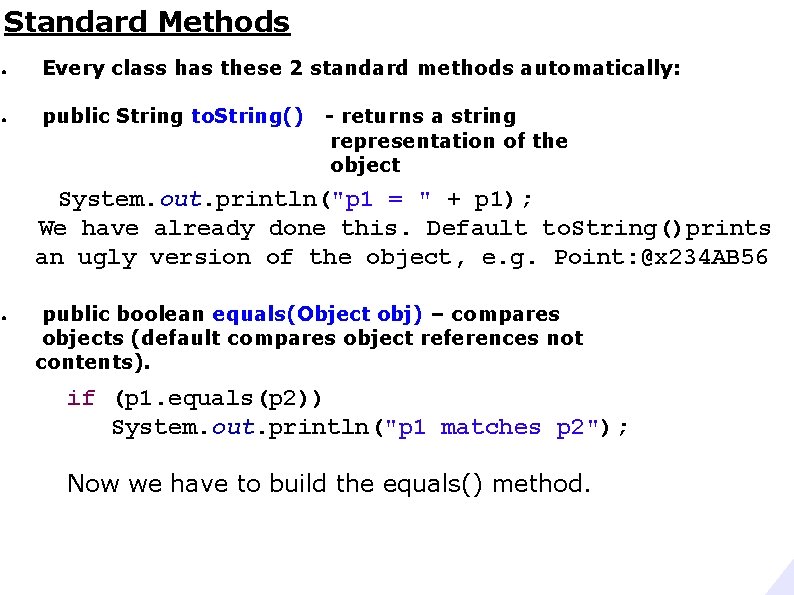
Standard Methods ● Every class has these 2 standard methods automatically: ● public String to. String() - returns a string representation of the object System. out. println("p 1 = " + p 1); We have already done this. Default to. String()prints an ugly version of the object, e. g. Point: @x 234 AB 56 ● public boolean equals(Object obj) – compares objects (default compares object references not contents). if (p 1. equals(p 2)) System. out. println("p 1 matches p 2"); Now we have to build the equals() method.
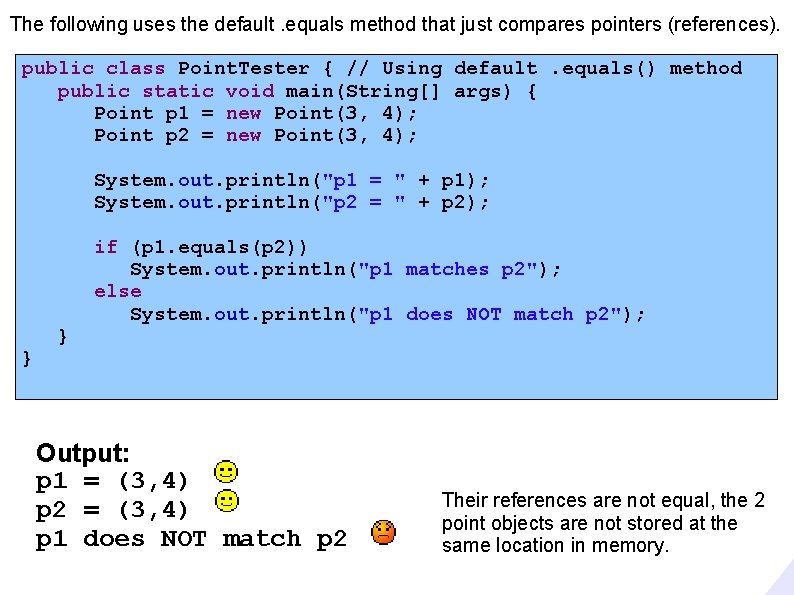
The following uses the default. equals method that just compares pointers (references). public class Point. Tester { // Using default. equals() method public static void main(String[] args) { Point p 1 = new Point(3, 4); Point p 2 = new Point(3, 4); System. out. println("p 1 = " + p 1); System. out. println("p 2 = " + p 2); } } if (p 1. equals(p 2)) System. out. println("p 1 matches p 2"); else System. out. println("p 1 does NOT match p 2"); Output: p 1 = (3, 4) p 2 = (3, 4) p 1 does NOT match p 2 Their references are not equal, the 2 point objects are not stored at the same location in memory.
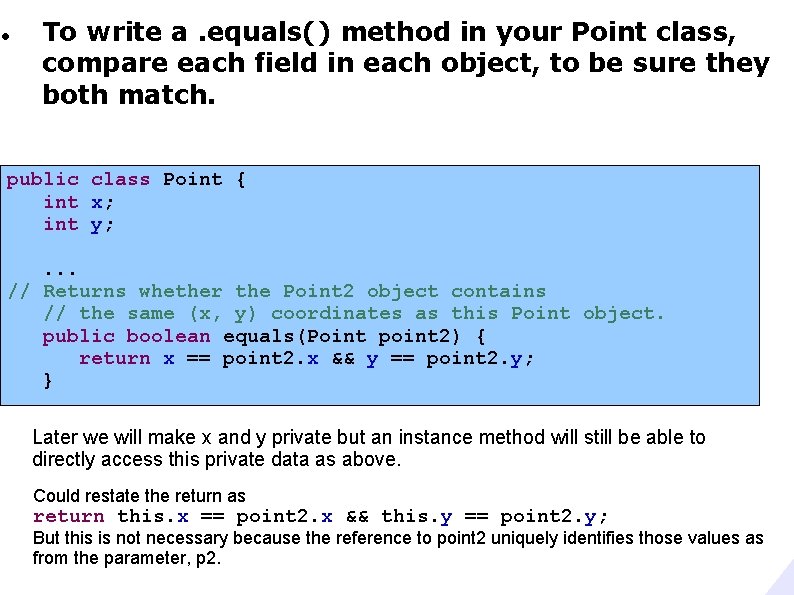
To write a. equals() method in your Point class, compare each field in each object, to be sure they both match. public class Point { int x; int y; . . . // Returns whether the Point 2 object contains // the same (x, y) coordinates as this Point object. public boolean equals(Point point 2) { return x == point 2. x && y == point 2. y; } Later we will make x and y private but an instance method will still be able to directly access this private data as above. Could restate the return as return this. x == point 2. x && this. y == point 2. y; But this is not necessary because the reference to point 2 uniquely identifies those values as from the parameter, p 2.
![public class Point. Tester { public static void main(String[] args) { Point p 1](http://slidetodoc.com/presentation_image_h2/4d2f2fd049dcf317450bd265e36c014a/image-22.jpg "public class Point. Tester { public static void main(String[] args) { Point p 1")
public class Point. Tester { public static void main(String[] args) { Point p 1 = new Point(3, 4); Point p 2 = new Point(3, 4); System. out. println("p 1 = " + p 1); System. out. println("p 2 = " + p 2); } } if (p 1. equals(p 2)) System. out. println("p 1 matches p 2"); else System. out. println("p 1 does NOT match p 2"); Output: p 1 = (3, 4) p 2 = (3, 4) p 1 matches p 2
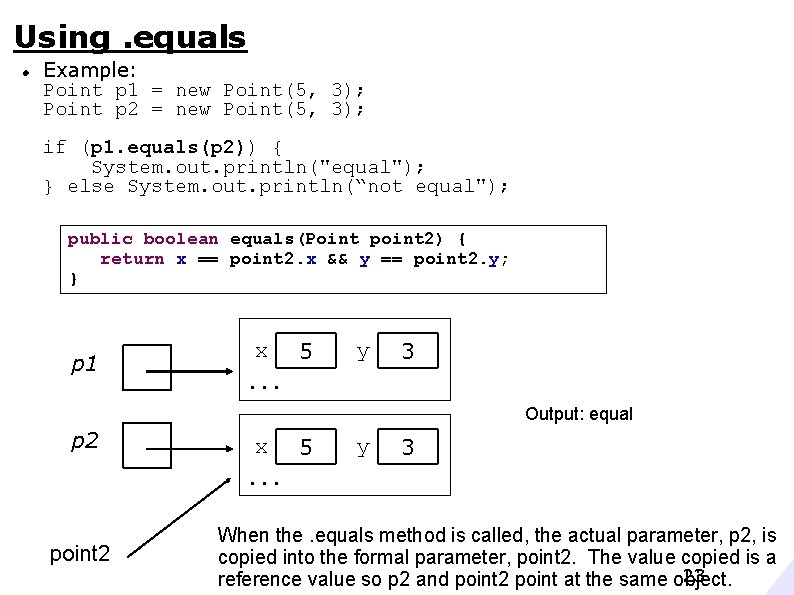
Using. equals Example: Point p 1 = new Point(5, 3); Point p 2 = new Point(5, 3); if (p 1. equals(p 2)) { System. out. println("equal"); } else System. out. println(“not equal"); public boolean equals(Point point 2) { return x == point 2. x && y == point 2. y; } p 1 x 5 y 3 . . . Output: equal p 2 x 5 y 3 . . . point 2 When the. equals method is called, the actual parameter, p 2, is copied into the formal parameter, point 2. The value copied is a 23 reference value so p 2 and point 2 point at the same object.
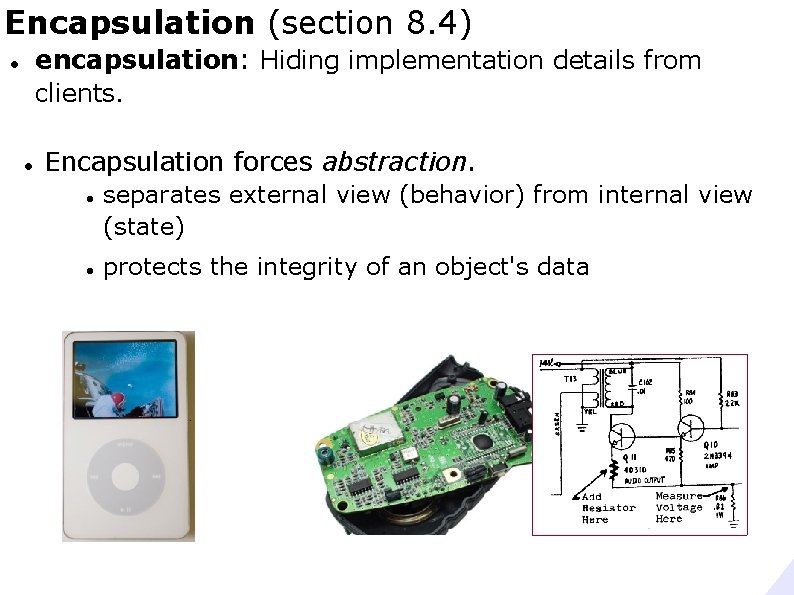
Encapsulation (section 8. 4) encapsulation: Hiding implementation details from clients. Encapsulation forces abstraction. separates external view (behavior) from internal view (state) protects the integrity of an object's data
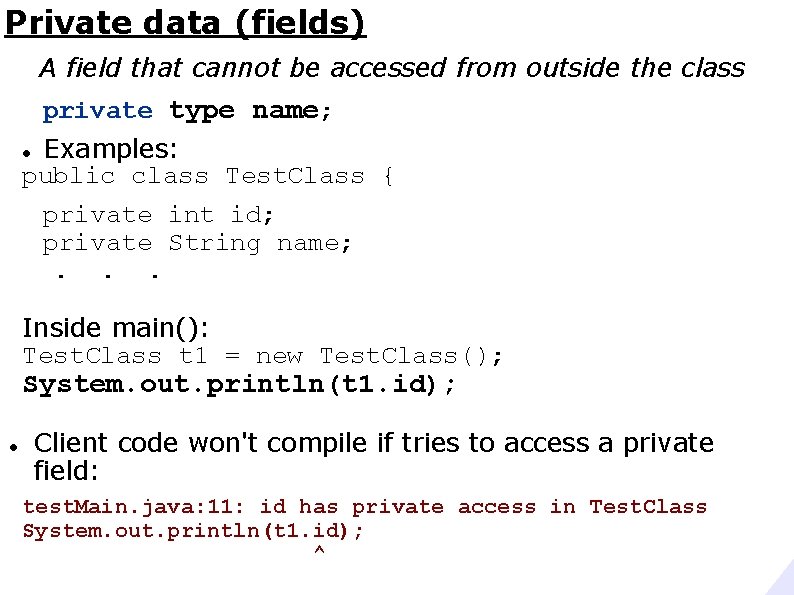
Private data (fields) A field that cannot be accessed from outside the class private type name; Examples: public class Test. Class { private int id; private String name; . . . Inside main(): Test. Class t 1 = new Test. Class(); System. out. println(t 1. id); Client code won't compile if tries to access a private field: test. Main. java: 11: id has private access in Test. Class System. out. println(t 1. id); ^
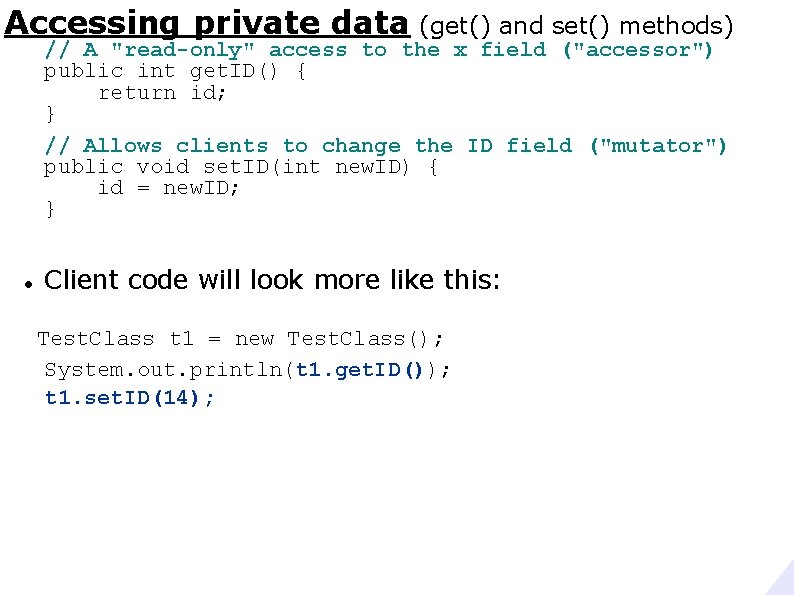
Accessing private data (get() and set() methods) // A "read-only" access to the x field ("accessor") public int get. ID() { return id; } // Allows clients to change the ID field ("mutator") public void set. ID(int new. ID) { id = new. ID; } Client code will look more like this: Test. Class t 1 = new Test. Class(); System. out. println(t 1. get. ID()); t 1. set. ID(14);
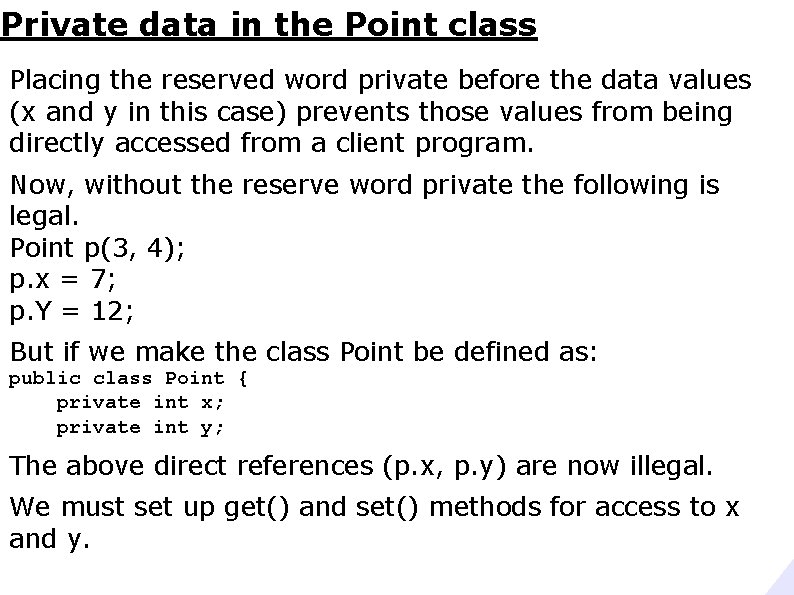
Private data in the Point class Placing the reserved word private before the data values (x and y in this case) prevents those values from being directly accessed from a client program. Now, without the reserve word private the following is legal. Point p(3, 4); p. x = 7; p. Y = 12; But if we make the class Point be defined as: public class Point { private int x; private int y; The above direct references (p. x, p. y) are now illegal. We must set up get() and set() methods for access to x and y.
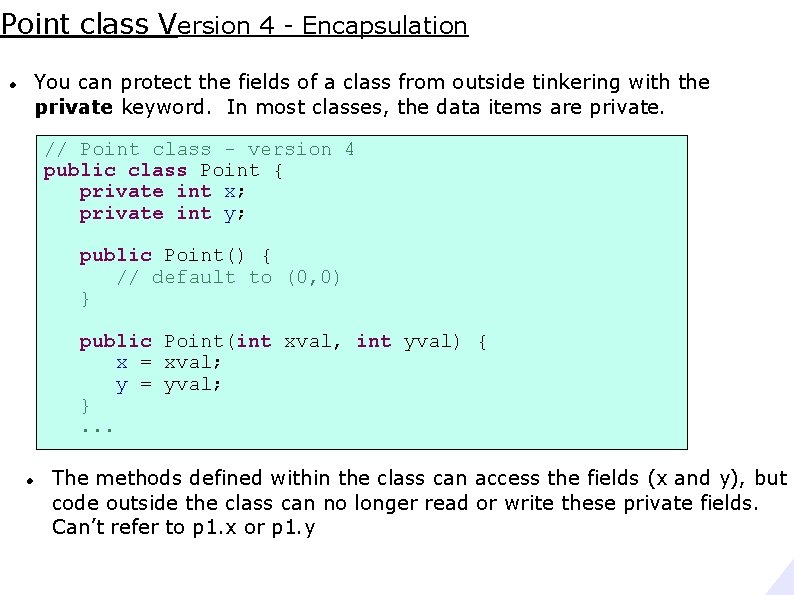
Point class Version 4 - Encapsulation You can protect the fields of a class from outside tinkering with the private keyword. In most classes, the data items are private. // Point class - version 4 public class Point { private int x; private int y; public Point() { // default to (0, 0) } public Point(int xval, int yval) { x = xval; y = yval; }. . . The methods defined within the class can access the fields (x and y), but code outside the class can no longer read or write these private fields. Can’t refer to p 1. x or p 1. y
![public class Point. Tester { public static void main(String[] args) { Point p 1](http://slidetodoc.com/presentation_image_h2/4d2f2fd049dcf317450bd265e36c014a/image-29.jpg "public class Point. Tester { public static void main(String[] args) { Point p 1")
public class Point. Tester { public static void main(String[] args) { Point p 1 = new Point(3, 4); Point p 2 = new Point(5, 6); p 1. translate(3, 7); p 2. translate(3, 7); System. out. printf("p 1 = (%d, %d)n", p 1. x, p 1. y); System. out. printf("p 2 = (%d, %d)n", p 2. x, p 2. y); } } Unresolved compilation problems: The field Point. x is not visible The field Point. y is not visible You can no longer say: int xval = p 1. x; or p 1. y = yval;
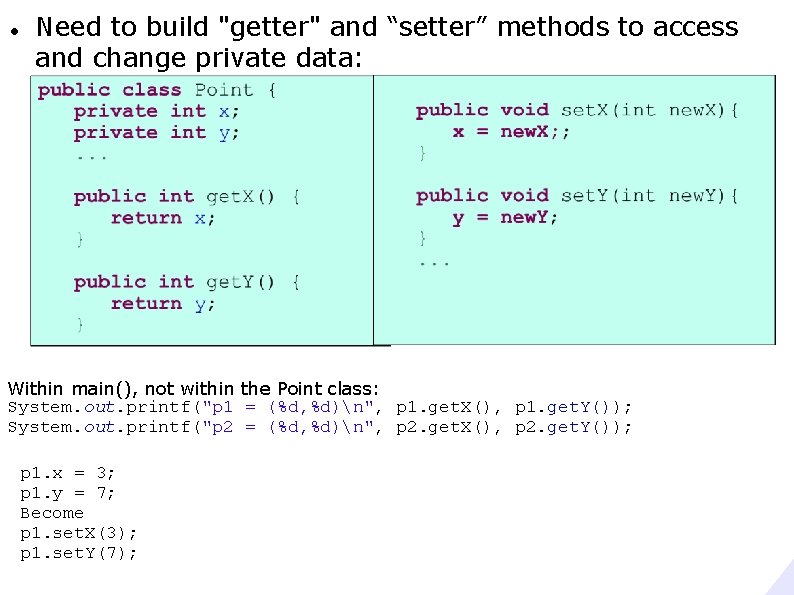
Need to build "getter" and “setter” methods to access and change private data: Within main(), not within the Point class: System. out. printf("p 1 = (%d, %d)n", p 1. get. X(), p 1. get. Y()); System. out. printf("p 2 = (%d, %d)n", p 2. get. X(), p 2. get. Y()); p 1. x = 3; p 1. y = 7; Become p 1. set. X(3); p 1. set. Y(7);
![public class Point. Tester { public static void main(String[] args) { Point p 1](http://slidetodoc.com/presentation_image_h2/4d2f2fd049dcf317450bd265e36c014a/image-31.jpg "public class Point. Tester { public static void main(String[] args) { Point p 1")
public class Point. Tester { public static void main(String[] args) { Point p 1 = new Point(3, 4); Point p 2 = new Point(5, 6); p 1. translate(3, 7); p 2. translate(3, 7); System. out. printf("p 1 = (%d, %d)n", p 1. get. X(), p 1. get. Y()); System. out. printf("p 2 = (%d, %d)n", p 2. get. X(), p 2. get. Y()); } } This may seem silly to make x and y private for such a simple class. For a complex class like Font, we can't allow a user to change the size field directly. The Font class contains elements that are created based on the size. Changing the size field would cause an inconsistency. The font class has a private size field and a getter method: int get. Size();
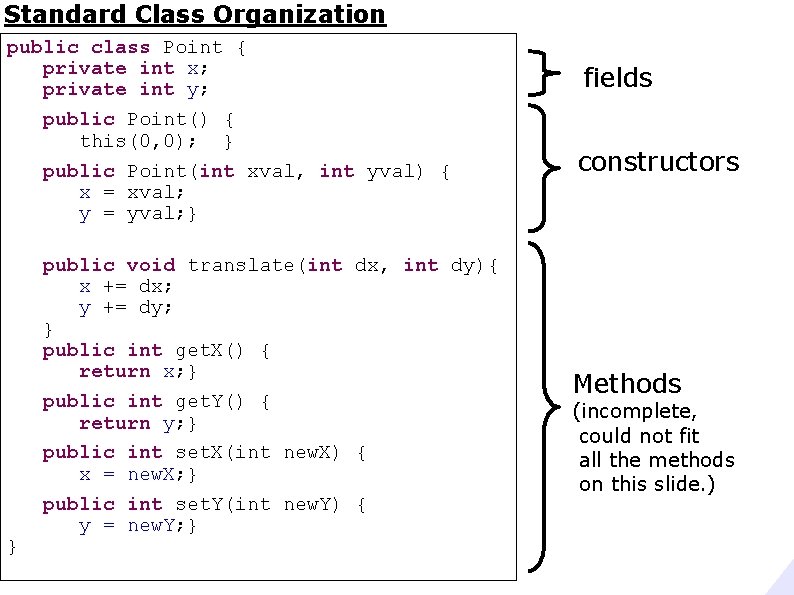
Standard Class Organization public class Point { private int x; private int y; public Point() { this(0, 0); } public Point(int xval, int yval) { x = xval; y = yval; } } public void translate(int dx, int dy){ x += dx; y += dy; } public int get. X() { return x; } public int get. Y() { return y; } public int set. X(int new. X) { x = new. X; } public int set. Y(int new. Y) { y = new. Y; } fields constructors Methods (incomplete, could not fit all the methods on this slide. )
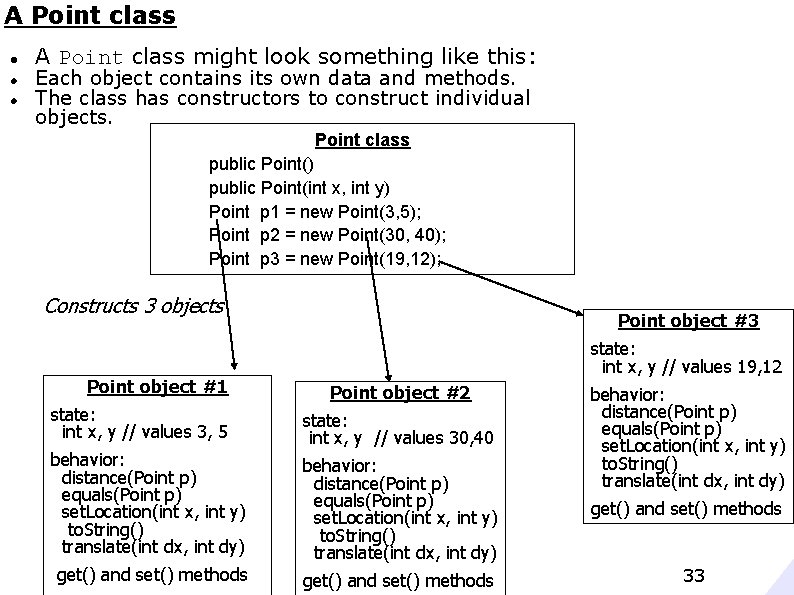
A Point class might look something like this: Each object contains its own data and methods. The class has constructors to construct individual objects. Point class public Point() public Point(int x, int y) Point p 1 = new Point(3, 5); Point p 2 = new Point(30, 40); Point p 3 = new Point(19, 12); Constructs 3 objects Point object #1 Point object #3 state: int x, y // values 19, 12 Point object #2 state: int x, y // values 3, 5 state: int x, y // values 30, 40 behavior: distance(Point p) equals(Point p) set. Location(int x, int y) to. String() translate(int dx, int dy) get() and set() methods 33
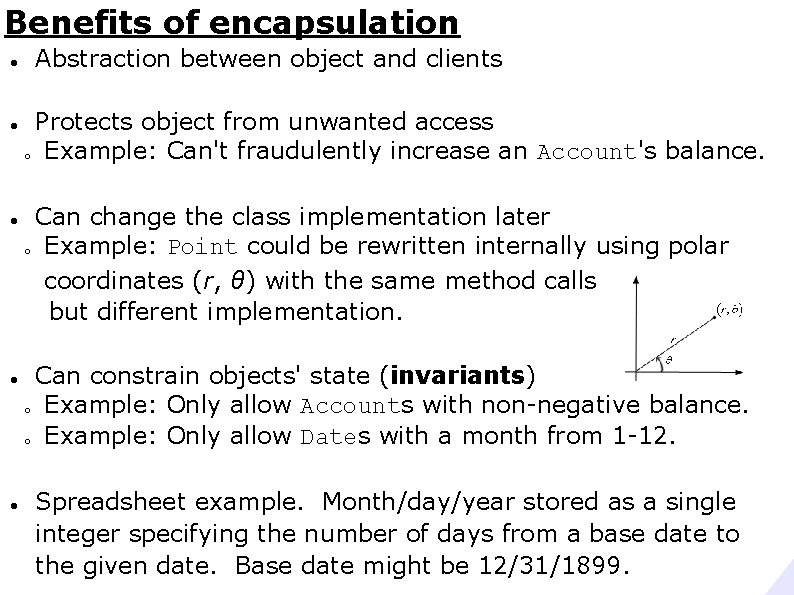
Benefits of encapsulation Abstraction between object and clients Protects object from unwanted access o Example: Can't fraudulently increase an Account's balance. Can change the class implementation later o Example: Point could be rewritten internally using polar coordinates (r, θ) with the same method calls but different implementation. Can constrain objects' state (invariants) o Example: Only allow Accounts with non-negative balance. o Example: Only allow Dates with a month from 1 -12. Spreadsheet example. Month/day/year stored as a single integer specifying the number of days from a base date to the given date. Base date might be 12/31/1899.
Private Methods You can have private methods too. Often called "helper" methods. They are just meant to help perform the processing needed by this class. They are not intended to be called from outside the class. private int what. Ever(int[] values) {. . . } • When labeled as private, other classes can not call this method.
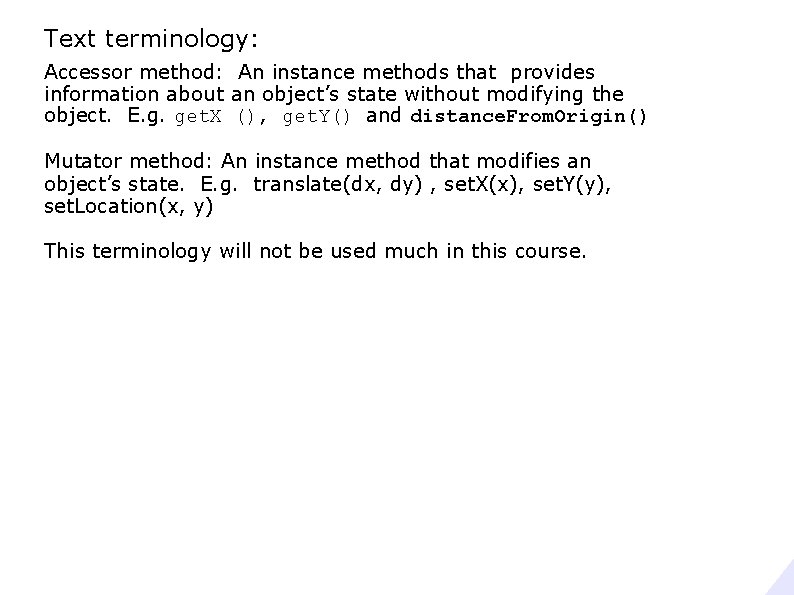
Text terminology: Accessor method: An instance methods that provides information about an object’s state without modifying the object. E. g. get. X (), get. Y() and distance. From. Origin() Mutator method: An instance method that modifies an object’s state. E. g. translate(dx, dy) , set. X(x), set. Y(y), set. Location(x, y) This terminology will not be used much in this course.
![The final piece of the GREAT MYSTERY public static void main(String[] args) main() is](http://slidetodoc.com/presentation_image_h2/4d2f2fd049dcf317450bd265e36c014a/image-37.jpg "The final piece of the GREAT MYSTERY public static void main(String[] args) main() is")
The final piece of the GREAT MYSTERY public static void main(String[] args) main() is a public method. The main() method must be declared as public so that it can be called from outside the class.
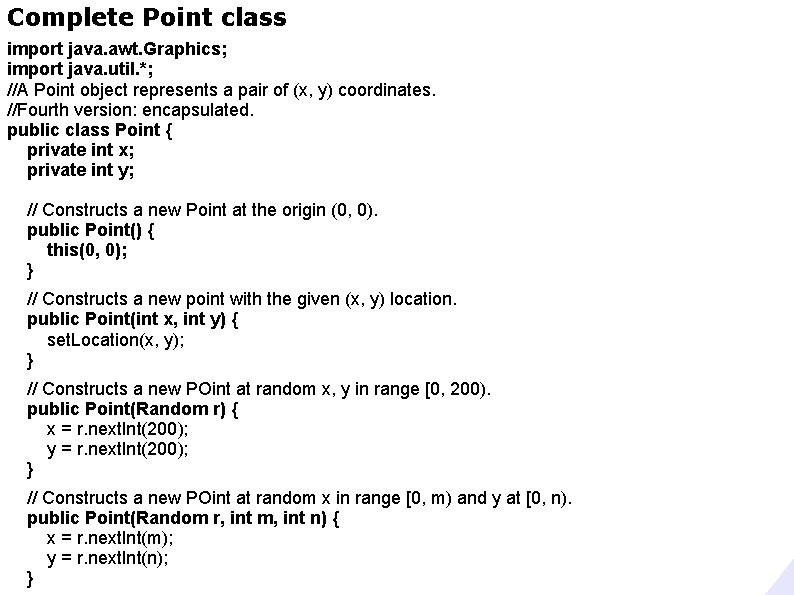
Complete Point class import java. awt. Graphics; import java. util. *; //A Point object represents a pair of (x, y) coordinates. //Fourth version: encapsulated. public class Point { private int x; private int y; // Constructs a new Point at the origin (0, 0). public Point() { this(0, 0); } // Constructs a new point with the given (x, y) location. public Point(int x, int y) { set. Location(x, y); } // Constructs a new POint at random x, y in range [0, 200). public Point(Random r) { x = r. next. Int(200); y = r. next. Int(200); } // Constructs a new POint at random x in range [0, m) and y at [0, n). public Point(Random r, int m, int n) { x = r. next. Int(m); y = r. next. Int(n); }
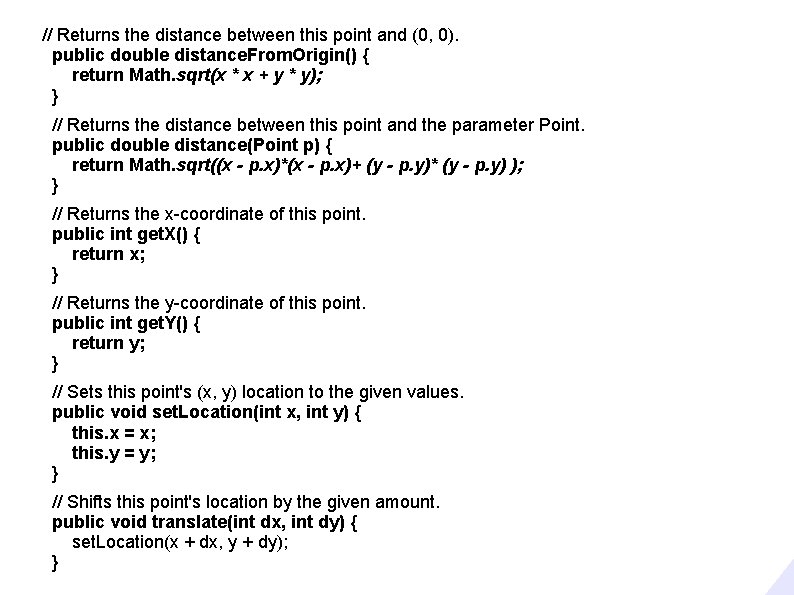
// Returns the distance between this point and (0, 0). public double distance. From. Origin() { return Math. sqrt(x * x + y * y); } // Returns the distance between this point and the parameter Point. public double distance(Point p) { return Math. sqrt((x - p. x)*(x - p. x)+ (y - p. y)* (y - p. y) ); } // Returns the x-coordinate of this point. public int get. X() { return x; } // Returns the y-coordinate of this point. public int get. Y() { return y; } // Sets this point's (x, y) location to the given values. public void set. Location(int x, int y) { this. x = x; this. y = y; } // Shifts this point's location by the given amount. public void translate(int dx, int dy) { set. Location(x + dx, y + dy); }
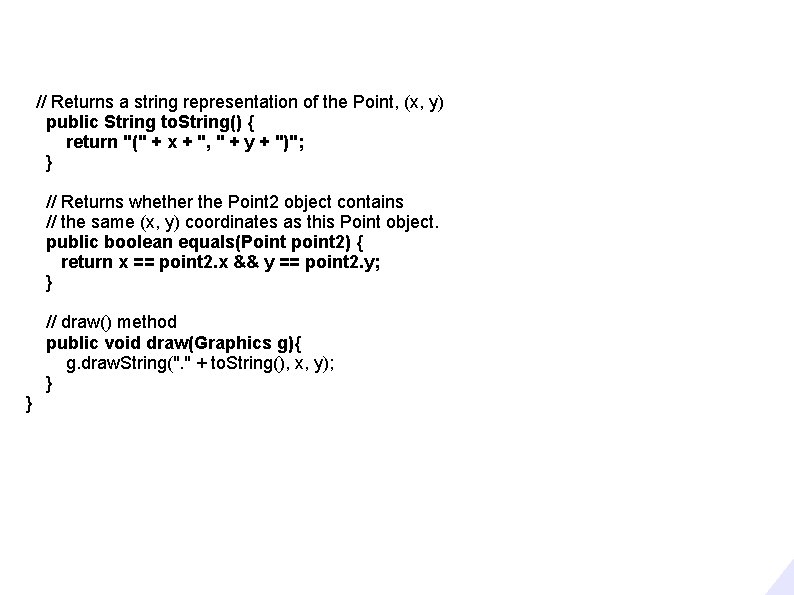
// Returns a string representation of the Point, (x, y) public String to. String() { return "(" + x + ", " + y + ")"; } // Returns whether the Point 2 object contains // the same (x, y) coordinates as this Point object. public boolean equals(Point point 2) { return x == point 2. x && y == point 2. y; } // draw() method public void draw(Graphics g){ g. draw. String(". " + to. String(), x, y); } }
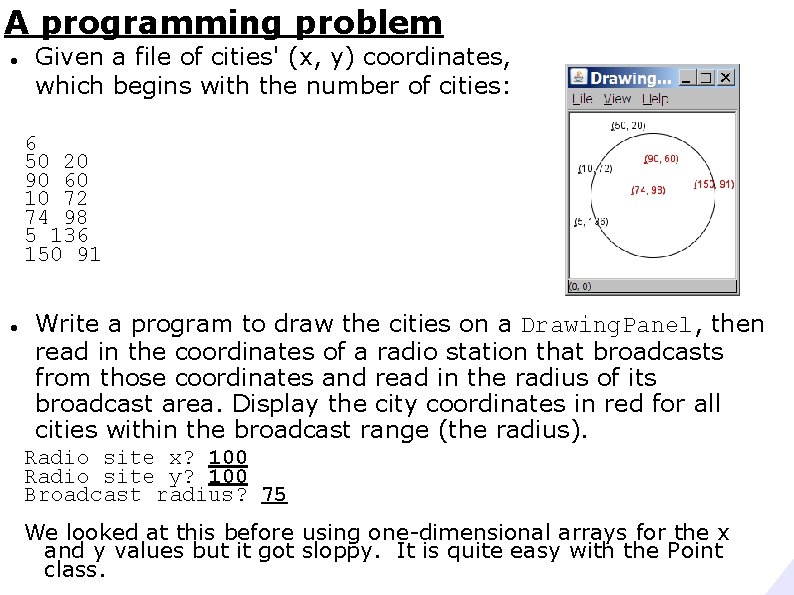
A programming problem Given a file of cities' (x, y) coordinates, which begins with the number of cities: 6 50 20 90 60 10 72 74 98 5 136 150 91 Write a program to draw the cities on a Drawing. Panel, then read in the coordinates of a radio station that broadcasts from those coordinates and read in the radius of its broadcast area. Display the city coordinates in red for all cities within the broadcast range (the radius). Radio site x? 100 Radio site y? 100 Broadcast radius? 75 We looked at this before using one-dimensional arrays for the x and y values but it got sloppy. It is quite easy with the Point class.
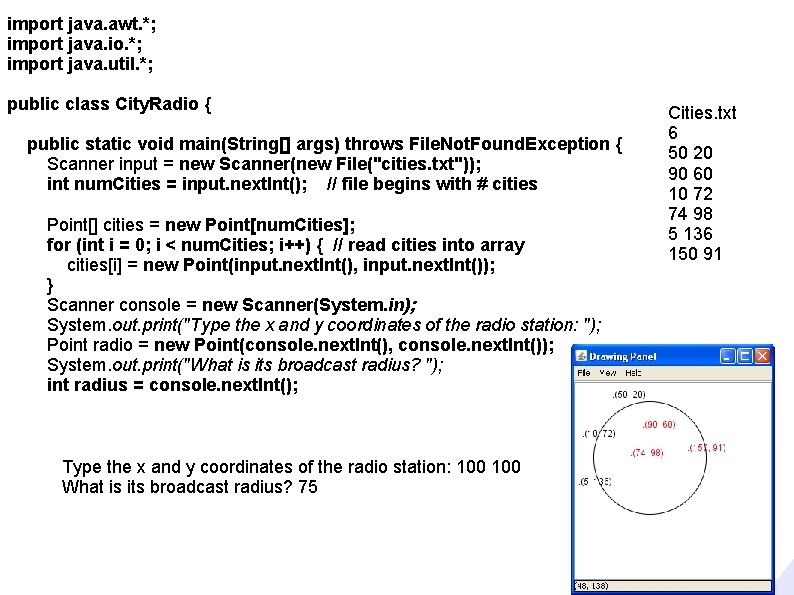
import java. awt. *; import java. io. *; import java. util. *; public class City. Radio { public static void main(String[] args) throws File. Not. Found. Exception { Scanner input = new Scanner(new File("cities. txt")); int num. Cities = input. next. Int(); // file begins with # cities Point[] cities = new Point[num. Cities]; for (int i = 0; i < num. Cities; i++) { // read cities into array cities[i] = new Point(input. next. Int(), input. next. Int()); } Scanner console = new Scanner(System. in); System. out. print("Type the x and y coordinates of the radio station: "); Point radio = new Point(console. next. Int(), console. next. Int()); System. out. print("What is its broadcast radius? "); int radius = console. next. Int(); Type the x and y coordinates of the radio station: 100 What is its broadcast radius? 75 Cities. txt 6 50 20 90 60 10 72 74 98 5 136 150 91
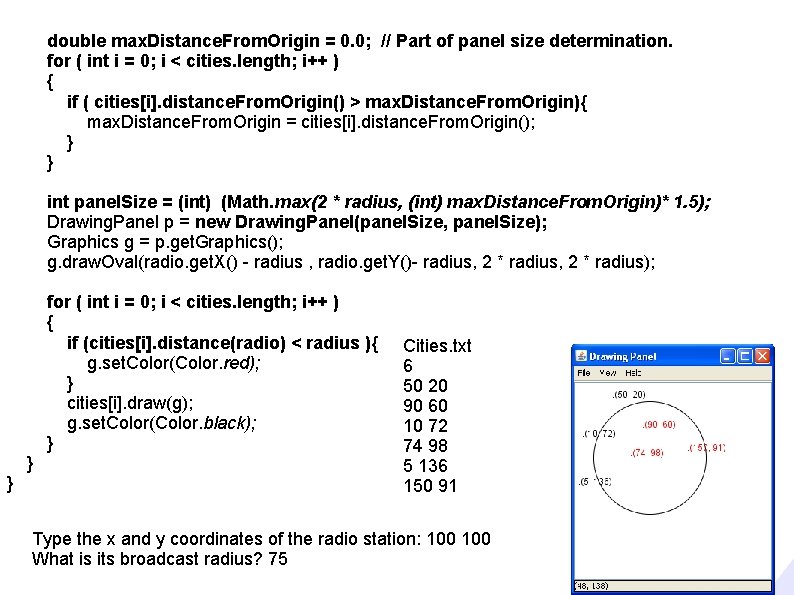
double max. Distance. From. Origin = 0. 0; // Part of panel size determination. for ( int i = 0; i < cities. length; i++ ) { if ( cities[i]. distance. From. Origin() > max. Distance. From. Origin){ max. Distance. From. Origin = cities[i]. distance. From. Origin(); } } int panel. Size = (int) (Math. max(2 * radius, (int) max. Distance. From. Origin)* 1. 5); Drawing. Panel p = new Drawing. Panel(panel. Size, panel. Size); Graphics g = p. get. Graphics(); g. draw. Oval(radio. get. X() - radius , radio. get. Y()- radius, 2 * radius); for ( int i = 0; i < cities. length; i++ ) { if (cities[i]. distance(radio) < radius ){ g. set. Color(Color. red); } cities[i]. draw(g); g. set. Color(Color. black); } } } Cities. txt 6 50 20 90 60 10 72 74 98 5 136 150 91 Type the x and y coordinates of the radio station: 100 What is its broadcast radius? 75
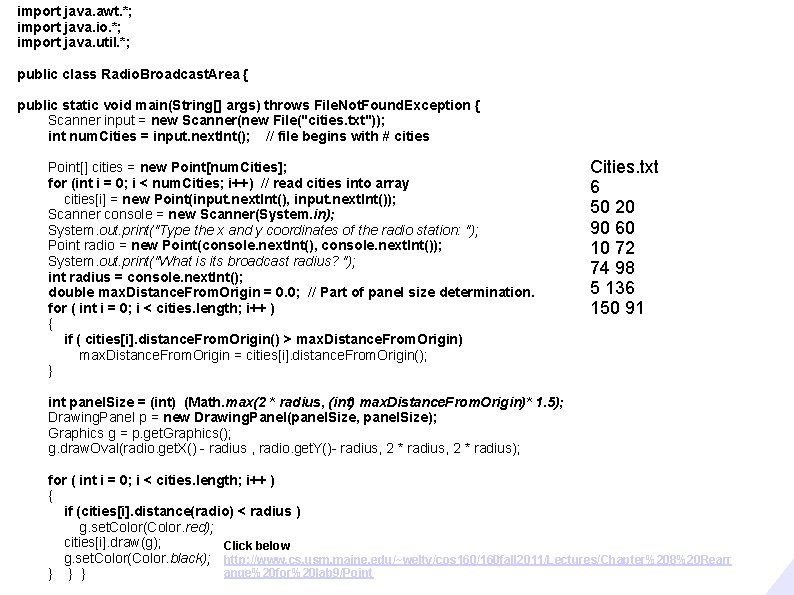
import java. awt. *; import java. io. *; import java. util. *; public class Radio. Broadcast. Area { public static void main(String[] args) throws File. Not. Found. Exception { Scanner input = new Scanner(new File("cities. txt")); int num. Cities = input. next. Int(); // file begins with # cities Point[] cities = new Point[num. Cities]; for (int i = 0; i < num. Cities; i++) // read cities into array cities[i] = new Point(input. next. Int(), input. next. Int()); Scanner console = new Scanner(System. in); System. out. print("Type the x and y coordinates of the radio station: "); Point radio = new Point(console. next. Int(), console. next. Int()); System. out. print("What is its broadcast radius? "); int radius = console. next. Int(); double max. Distance. From. Origin = 0. 0; // Part of panel size determination. for ( int i = 0; i < cities. length; i++ ) { if ( cities[i]. distance. From. Origin() > max. Distance. From. Origin) max. Distance. From. Origin = cities[i]. distance. From. Origin(); } Cities. txt 6 50 20 90 60 10 72 74 98 5 136 150 91 int panel. Size = (int) (Math. max(2 * radius, (int) max. Distance. From. Origin)* 1. 5); Drawing. Panel p = new Drawing. Panel(panel. Size, panel. Size); Graphics g = p. get. Graphics(); g. draw. Oval(radio. get. X() - radius , radio. get. Y()- radius, 2 * radius); for ( int i = 0; i < cities. length; i++ ) { if (cities[i]. distance(radio) < radius ) g. set. Color(Color. red); cities[i]. draw(g); Click below g. set. Color(Color. black); http: //www. cs. usm. maine. edu/~welty/cos 160/160 fall 2011/Lectures/Chapter%208%20 Rearr ange%20 for%20 lab 9/Point } } }

Documented versions of these programs are located at http: //www. cs. usm. maine. edu/~welty/cos 160/160 fall 2011//Lectures/Chapter 8 Rearrange for lab 9/Point
- Slides: 45