
Brief Overview of UML Diagrams with a Simple

Brief Overview of UML Diagrams with a Simple Example ECE 417/617: Elements of Software Engineering Stan Birchfield Clemson University
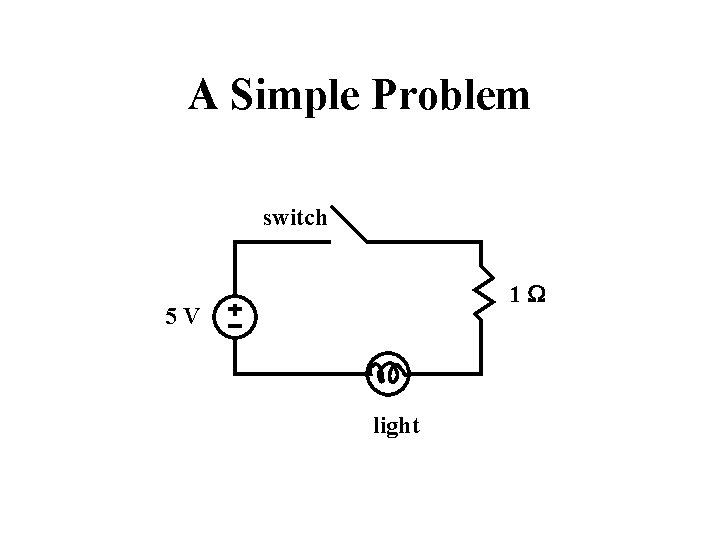
A Simple Problem switch 1 W 5 V light
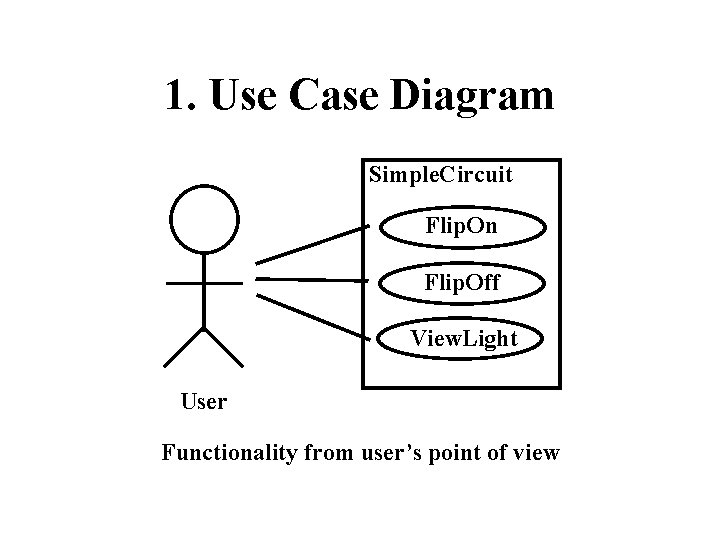
1. Use Case Diagram Simple. Circuit Flip. On Flip. Off View. Light User Functionality from user’s point of view
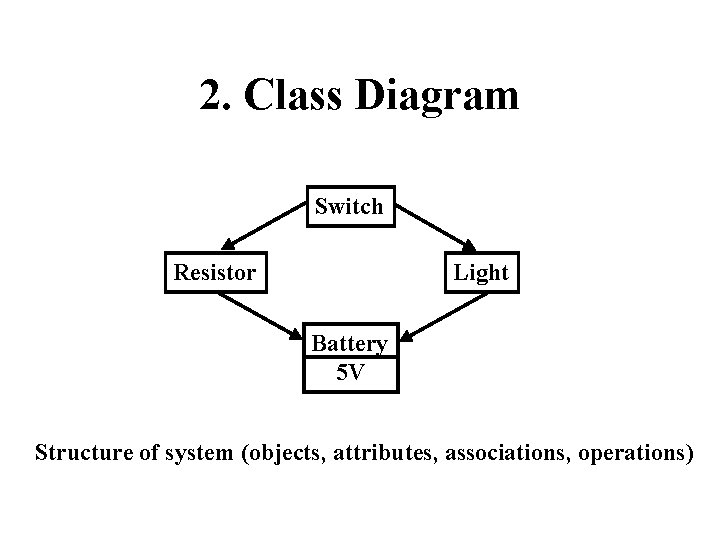
2. Class Diagram Switch Resistor Light Battery 5 V Structure of system (objects, attributes, associations, operations)
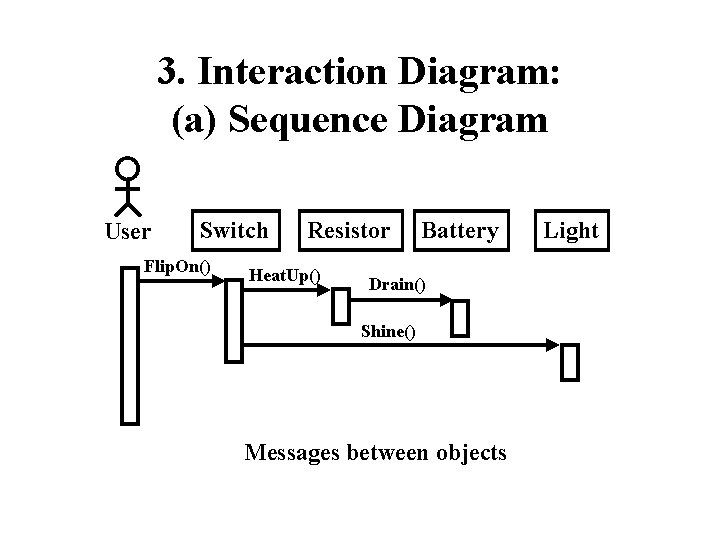
3. Interaction Diagram: (a) Sequence Diagram User Switch Flip. On() Resistor Heat. Up() Battery Drain() Shine() Messages between objects Light
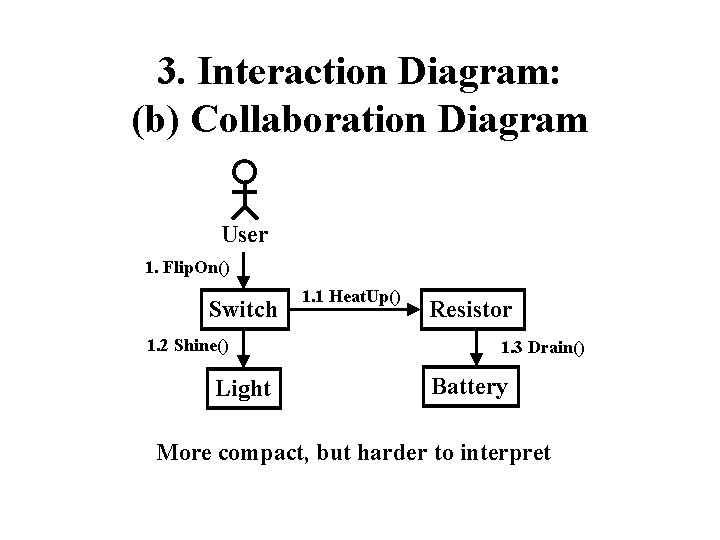
3. Interaction Diagram: (b) Collaboration Diagram User 1. Flip. On() Switch 1. 2 Shine() Light 1. 1 Heat. Up() Resistor 1. 3 Drain() Battery More compact, but harder to interpret
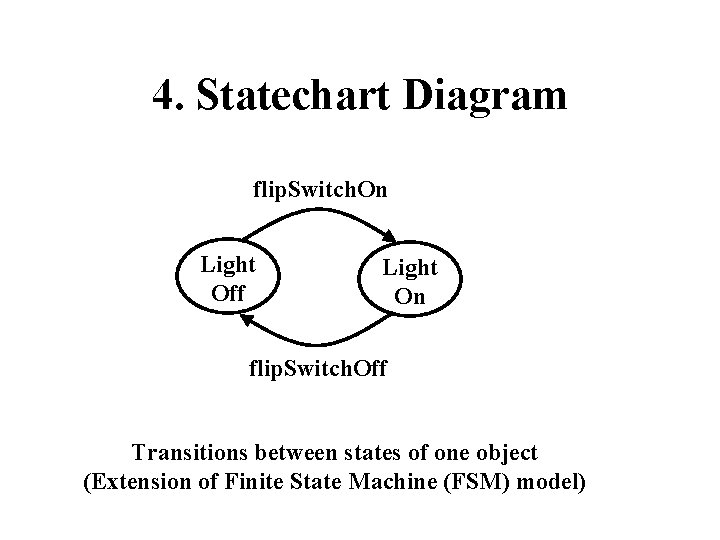
4. Statechart Diagram flip. Switch. On Light Off Light On flip. Switch. Off Transitions between states of one object (Extension of Finite State Machine (FSM) model)
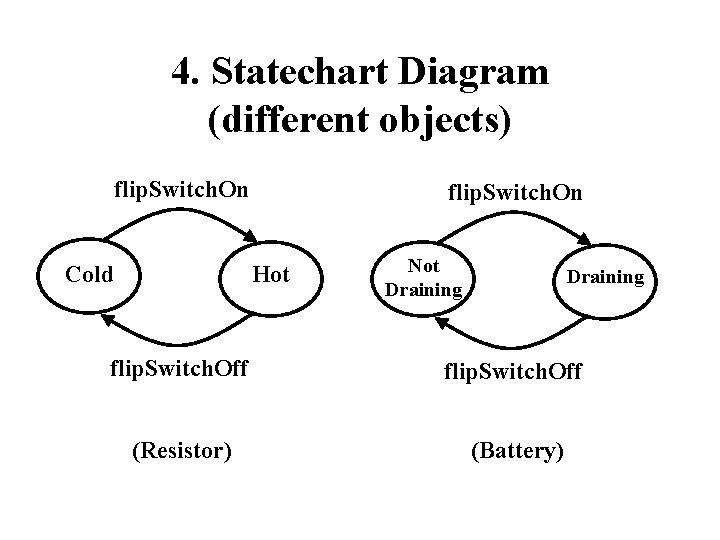
4. Statechart Diagram (different objects) flip. Switch. On Cold flip. Switch. On Hot Not Draining flip. Switch. Off (Resistor) (Battery)
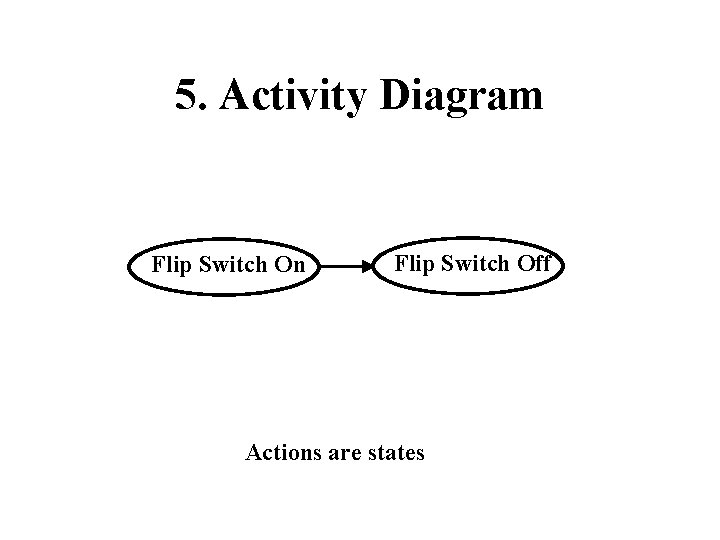
5. Activity Diagram Flip Switch On Flip Switch Off Actions are states
![Summary We have looked at five diagrams: 1. Use case diagrams [Functional Model] --](http://slidetodoc.com/presentation_image_h2/03aa23da655bc9ca4fd6da328242515b/image-10.jpg "Summary We have looked at five diagrams: 1. Use case diagrams [Functional Model] --")
Summary We have looked at five diagrams: 1. Use case diagrams [Functional Model] -- models functionality from user’s point of view 2. Class diagrams [Object Model] -- models structure of system using objects 3. Interaction diagrams [Dynamic Model] (sequence and collaboration) -- models messages passed between objects 4. Statechart diagrams [Dynamic Model] -- models transitions between states 5. Activity diagrams [Dynamic Model] -- models flow control as transitions between activities The actual UML spec has 12 diagrams, but these five will be sufficient for us.
- Slides: 10