
Brief History Microsoft SDS Past Present and Future
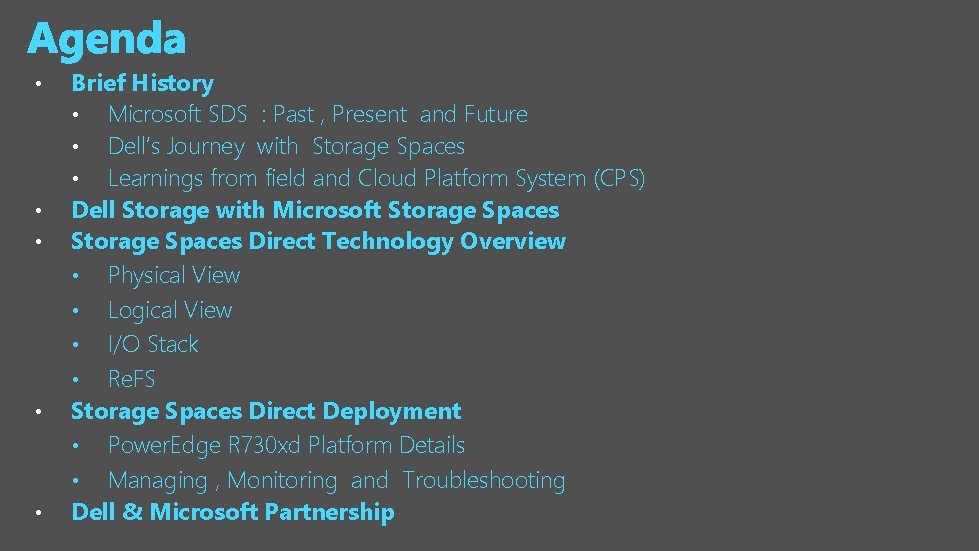
• • • Brief History • Microsoft SDS : Past , Present and Future • Dell’s Journey with Storage Spaces • Learnings from field and Cloud Platform System (CPS) Dell Storage with Microsoft Storage Spaces Direct Technology Overview • Physical View • Logical View • I/O Stack • Re. FS Storage Spaces Direct Deployment • Power. Edge R 730 xd Platform Details • Managing , Monitoring and Troubleshooting Dell & Microsoft Partnership

Microsoft SDS : Past , Present and Future Pre Windows 2012 Dependent on Traditional Storage • Relied on 3 rd party SAN vendors Windows 2012 R 2 1 st wave SDS 2 nd wave SDS • Introduction to Storage Spaces • “Remote File solution for Hyper-V using shared JBOD • Introducied Scale Out File Server ( SOFS) • RDMA and Multichannel • Storage Tiering • Write. Back Cache (WBC) • Scale Out File Server improvements • SMB Direct Improvements • Volume Rebalancing • Multiple instances • JBOD monitoring • SAN independence Windows 2016 Storage Spaces Direct • Remote File solution for Hyper-V using shared nothing hardware • Unlock use of DAS • Reduce Cost Software Storage Bus • SATA and NVMe • Node Fault Tolerance • Health Services Storage Spaces Enhancements • Scalable pools • Data Rebalancing
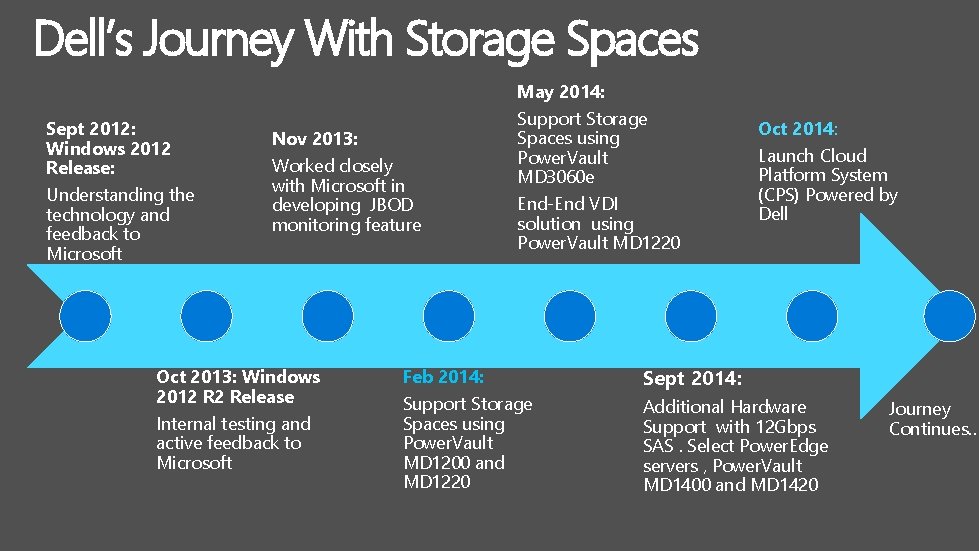
Dell’s Journey With Storage Spaces May 2014: Sept 2012: Windows 2012 Release: Understanding the technology and feedback to Microsoft Nov 2013: Worked closely with Microsoft in developing JBOD monitoring feature Oct 2013: Windows 2012 R 2 Release Internal testing and active feedback to Microsoft Support Storage Spaces using Power. Vault MD 3060 e End-End VDI solution using Power. Vault MD 1220 Oct 2014: Launch Cloud Platform System (CPS) Powered by Dell Feb 2014: Sept 2014: Support Storage Spaces using Power. Vault MD 1200 and MD 1220 Additional Hardware Support with 12 Gbps SAS. Select Power. Edge servers , Power. Vault MD 1400 and MD 1420 Journey Continues…

Microsoft Cloud Platform System Azure-consistent Cloud in a Box Windows Server 2012 R 2, System Center 2012 R 2, Windows Azure Pack Dell Power. Edge servers Microsoft-designed architecture based on Public Cloud learning Dell Networking switches Optimized run-books for Microsoft applications Dell Storage dense enclosures Optimized racking & cabling for high density, servicing, reliability & redundancy Microsoft-led support & orchestrated updates
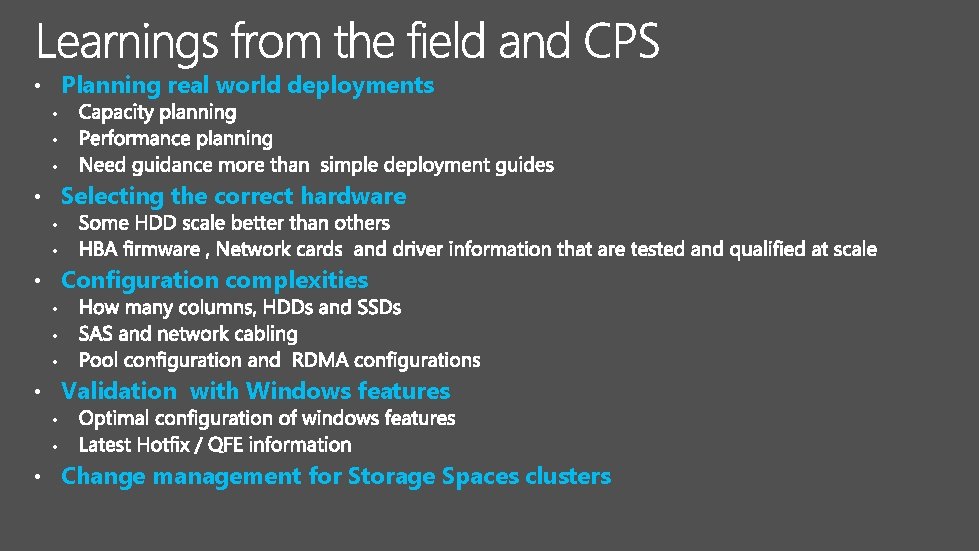
• Planning real world deployments • • Selecting the correct hardware • • • Configuration complexities • • Validation with Windows features • • • Change management for Storage Spaces clusters
Announcing Dell Storage with Microsoft Storage Spaces
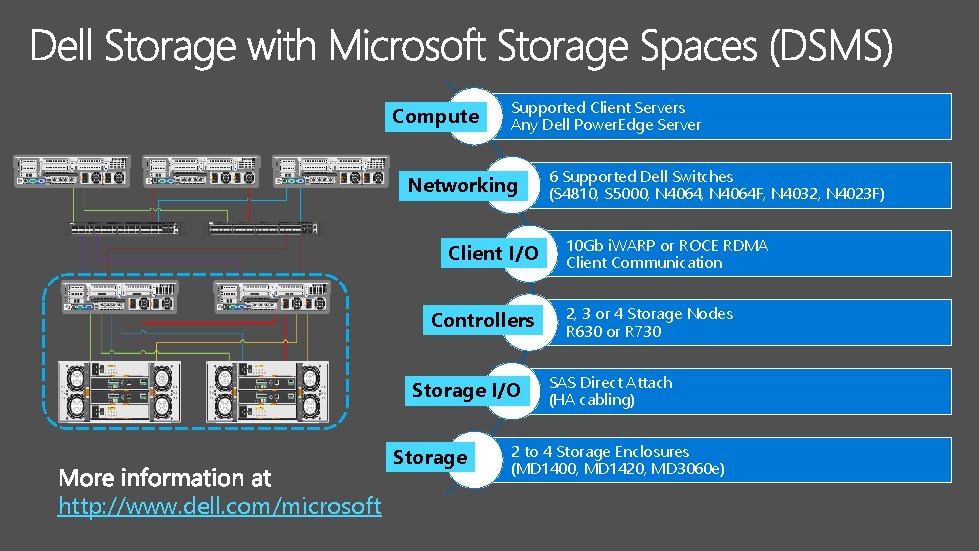
Compute Supported Client Servers Any Dell Power. Edge Server Networking Client I/O Controllers Storage I/O Storage http: //www. dell. com/microsoft 6 Supported Dell Switches (S 4810, S 5000, N 4064 F, N 4032, N 4023 F) 10 Gb i. WARP or ROCE RDMA Client Communication 2, 3 or 4 Storage Nodes R 630 or R 730 SAS Direct Attach (HA cabling) 2 to 4 Storage Enclosures (MD 1400, MD 1420, MD 3060 e)
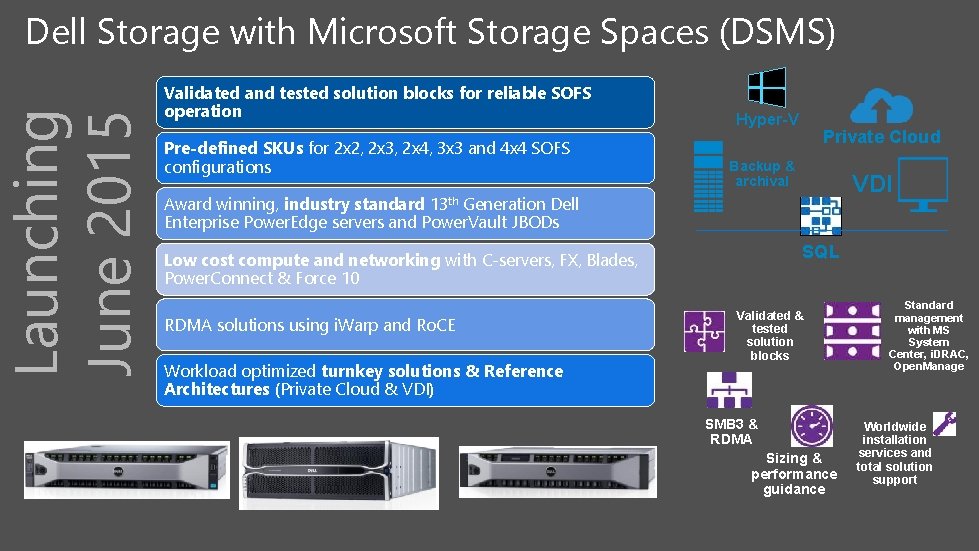
Launching June 2015 Dell Storage with Microsoft Storage Spaces (DSMS) Validated and tested solution blocks for reliable SOFS operation Pre-defined SKUs for 2 x 2, 2 x 3, 2 x 4, 3 x 3 and 4 x 4 SOFS configurations Hyper-V Private Cloud Backup & archival VDI Award winning, industry standard 13 th Generation Dell Enterprise Power. Edge servers and Power. Vault JBODs SQL Low cost compute and networking with C-servers, FX, Blades, Power. Connect & Force 10 RDMA solutions using i. Warp and Ro. CE Workload optimized turnkey solutions & Reference Architectures (Private Cloud & VDI) Validated & tested solution blocks SMB 3 & RDMA Sizing & performance guidance Standard management with MS System Center, i. DRAC, Open. Manage Worldwide installation services and total solution support
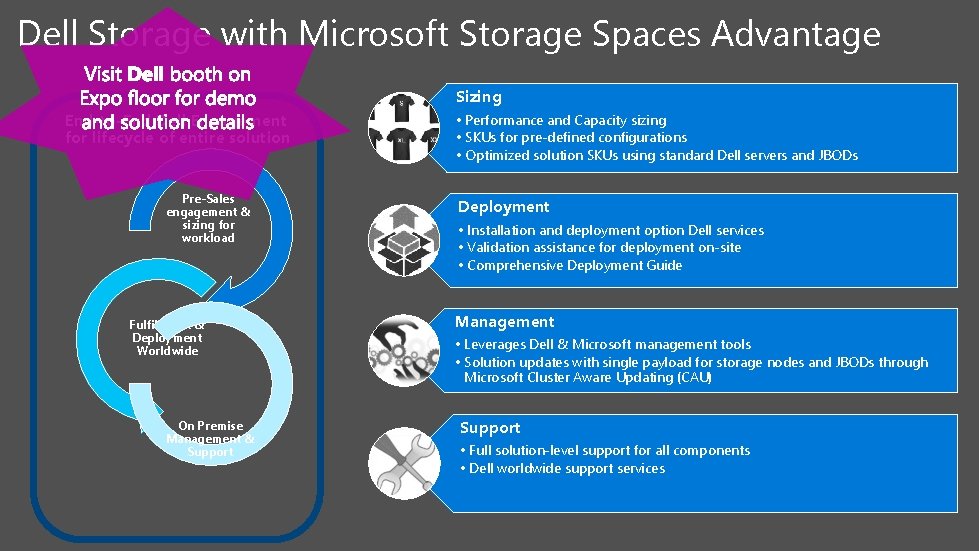
Dell Storage with Microsoft Storage Spaces Advantage Sizing End-to-End Dell Engagement for lifecycle of entire solution Pre-Sales engagement & sizing for workload Fulfillment & Deployment Worldwide On Premise Management & Support • Performance and Capacity sizing • SKUs for pre-defined configurations • Optimized solution SKUs using standard Dell servers and JBODs Deployment • Installation and deployment option Dell services • Validation assistance for deployment on-site • Comprehensive Deployment Guide Management • Leverages Dell & Microsoft management tools • Solution updates with single payload for storage nodes and JBODs through Microsoft Cluster Aware Updating (CAU) Support • Full solution-level support for all components • Dell worldwide support services
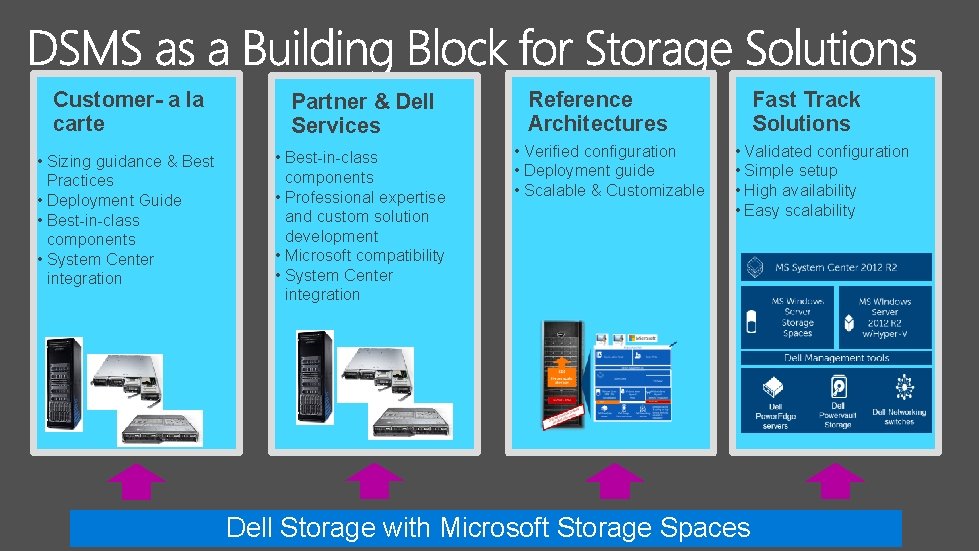
Customer- a la carte Partner & Dell Services • Sizing guidance & Best Practices • Deployment Guide • Best-in-class components • System Center integration • Best-in-class components • Professional expertise and custom solution development • Microsoft compatibility • System Center integration Reference Architectures • Verified configuration • Deployment guide • Scalable & Customizable Fast Track Solutions • Validated configuration • Simple setup • High availability • Easy scalability Dell Storage with Microsoft Storage Spaces
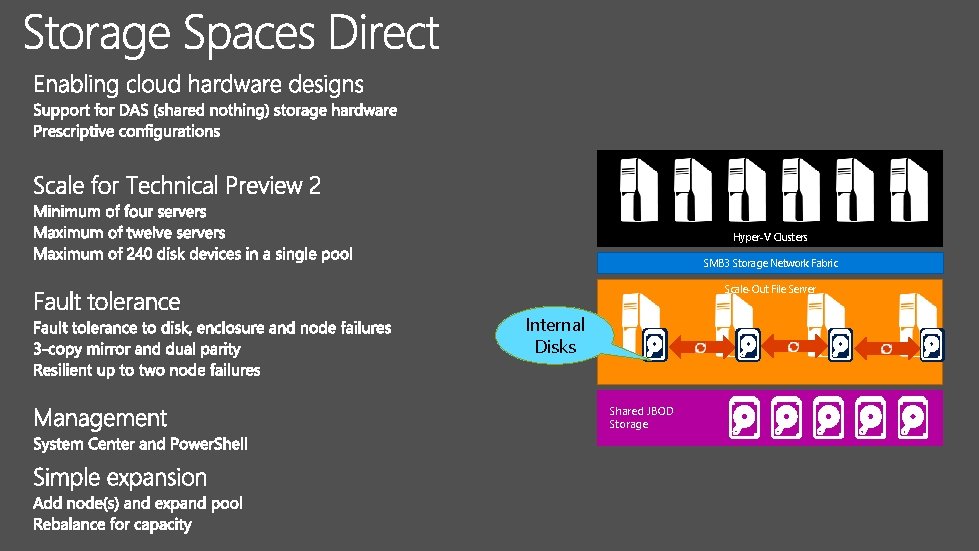
Hyper-V Clusters SMB 3 Storage Network Fabric Scale-Out File Server Internal Disks Shared JBOD Storage
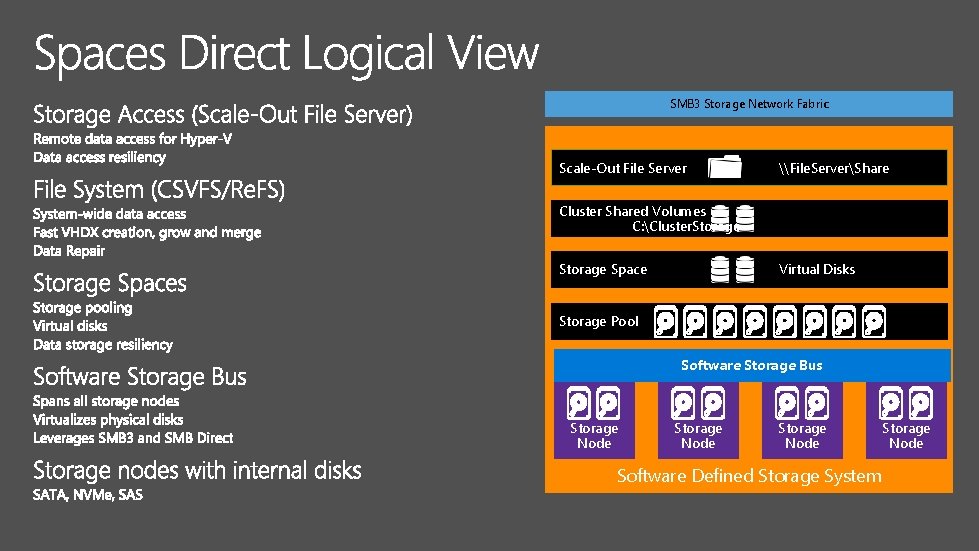
SMB 3 Storage Network Fabric Scale-Out File Server \File. ServerShare Cluster Shared Volumes C: Cluster. Storage Space Virtual Disks Storage Pool Software Storage Bus Storage Node Software Defined Storage System Storage Node
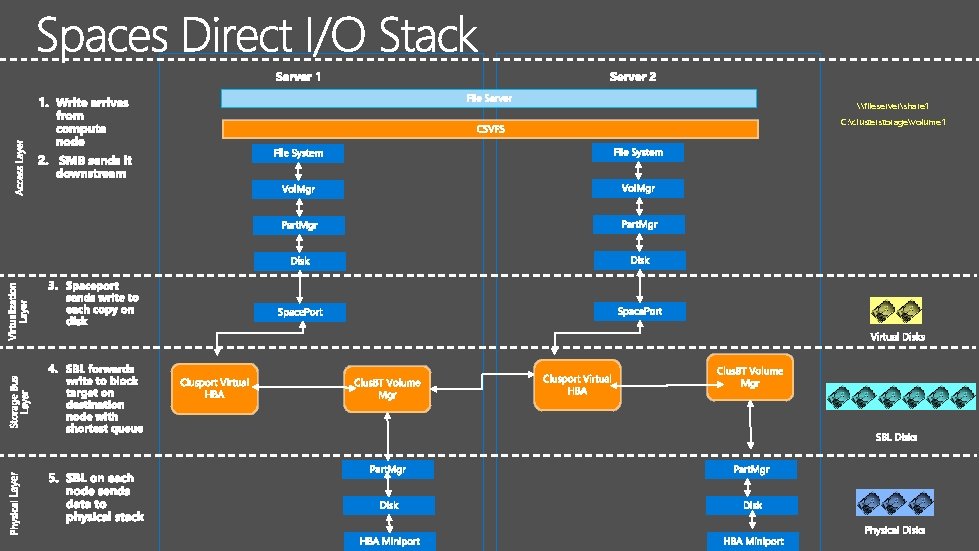
\fileservershare 1 C: clusterstoragevolume 1
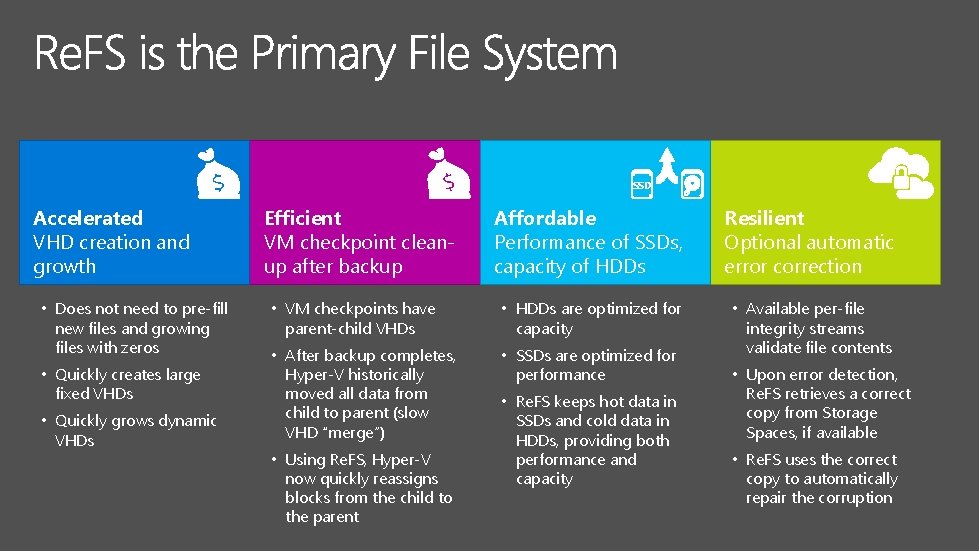
SSD Accelerated VHD creation and growth • Does not need to pre-fill new files and growing files with zeros • Quickly creates large fixed VHDs • Quickly grows dynamic VHDs Efficient VM checkpoint cleanup after backup Affordable Performance of SSDs, capacity of HDDs Resilient Optional automatic error correction • VM checkpoints have parent-child VHDs • HDDs are optimized for capacity • After backup completes, Hyper-V historically moved all data from child to parent (slow VHD “merge”) • SSDs are optimized for performance • Available per-file integrity streams validate file contents • Using Re. FS, Hyper-V now quickly reassigns blocks from the child to the parent • Re. FS keeps hot data in SSDs and cold data in HDDs, providing both performance and capacity • Upon error detection, Re. FS retrieves a correct copy from Storage Spaces, if available • Re. FS uses the correct copy to automatically repair the corruption
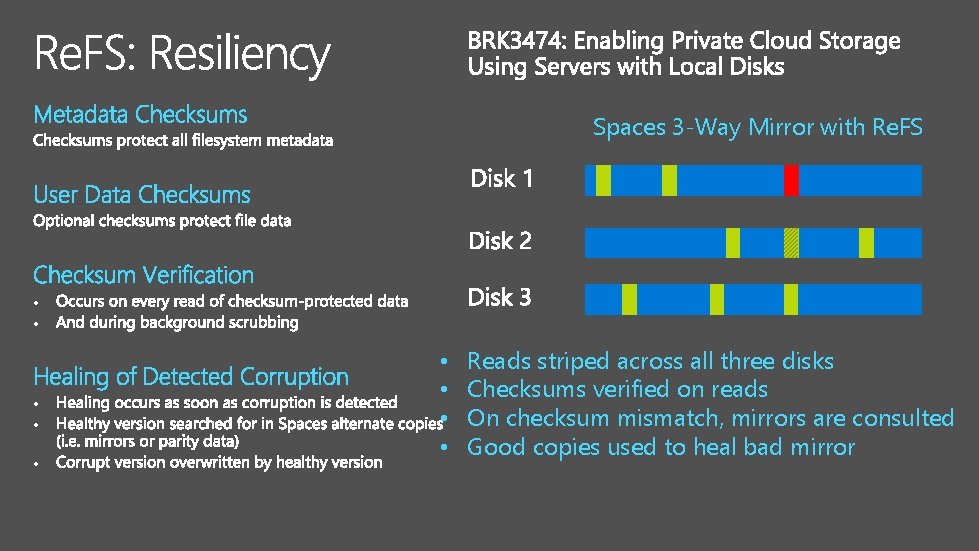
Spaces 3 -Way Mirror with Re. FS • • • Reads striped across all three disks Checksums verified on reads On checksum mismatch, mirrors are consulted Good copies used to heal bad mirror
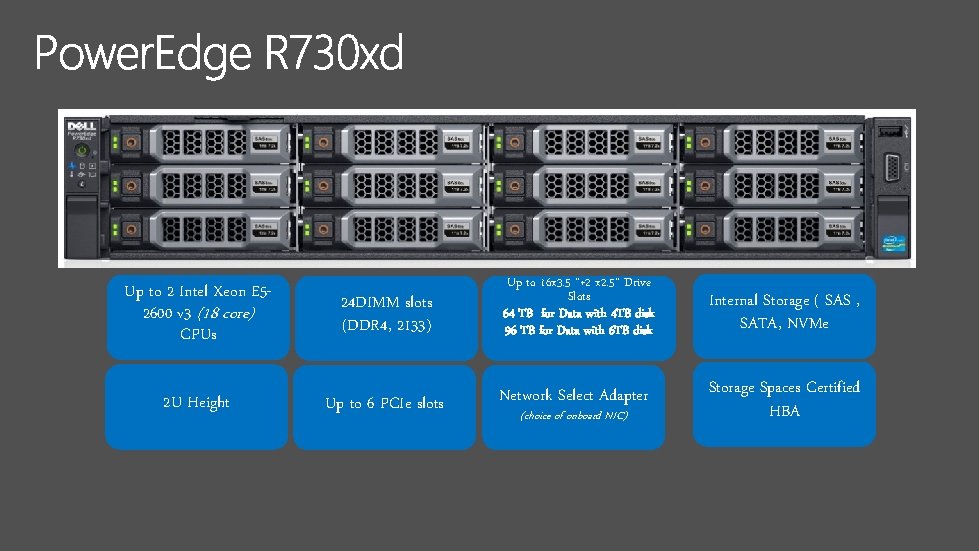
Up to 2 Intel Xeon E 52600 v 3 (18 core) CPUs 24 DIMM slots (DDR 4, 2133) 2 U Height Up to 6 PCIe slots Up to 16 x 3. 5 “+2 x 2. 5“ Drive Slots 64 TB for Data with 4 TB disk 96 TB for Data with 6 TB disk Internal Storage ( SAS , SATA, NVMe Network Select Adapter Storage Spaces Certified HBA (choice of onboard NIC)
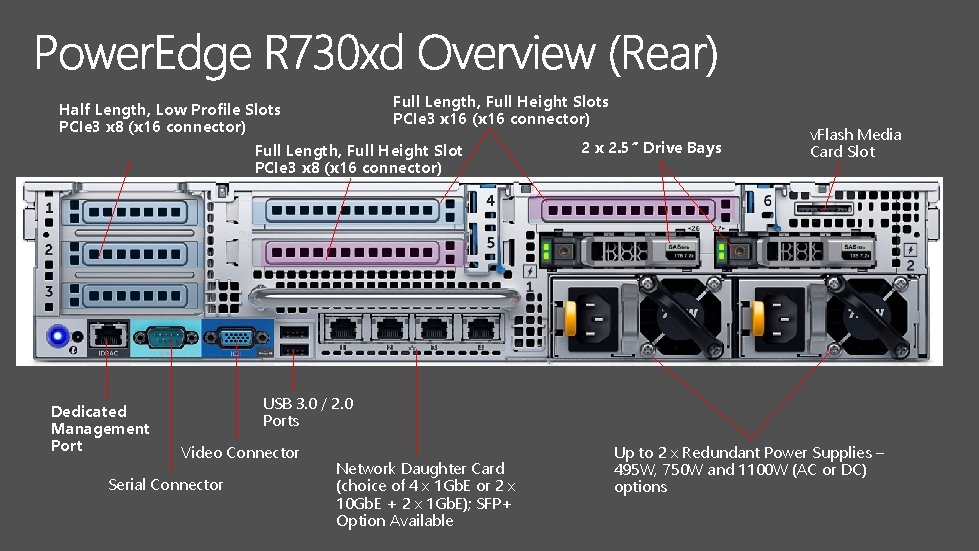
Full Length, Full Height Slots Half Length, Low Profile Slots PCIe 3 x 16 (x 16 connector) PCIe 3 x 8 (x 16 connector) 2 x 2. 5” Drive Bays Full Length, Full Height Slot PCIe 3 x 8 (x 16 connector) Dedicated Management Port v. Flash Media Card Slot USB 3. 0 / 2. 0 Ports Video Connector Serial Connector Network Daughter Card (choice of 4 x 1 Gb. E or 2 x 10 Gb. E + 2 x 1 Gb. E); SFP+ Option Available Up to 2 x Redundant Power Supplies – 495 W, 750 W and 1100 W (AC or DC) options
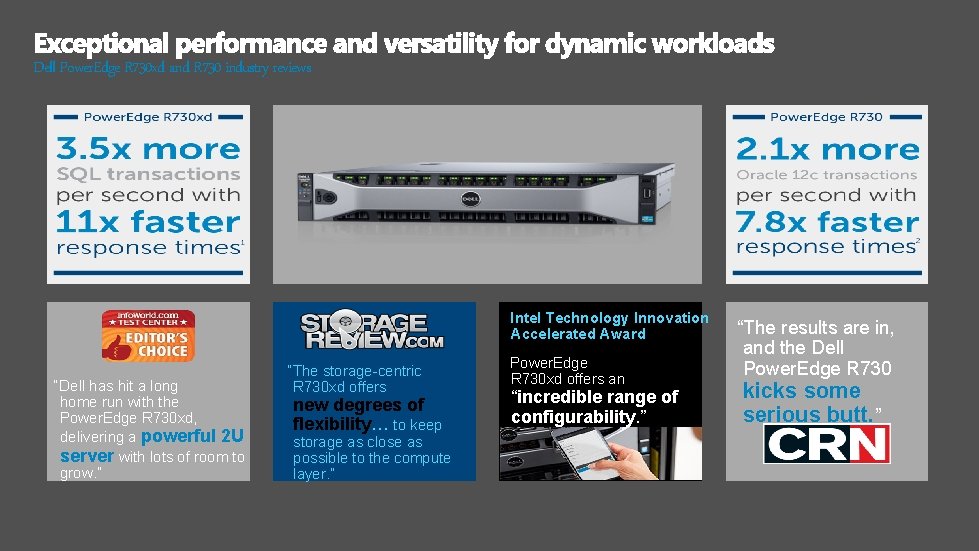
Dell Power. Edge R 730 xd and R 730 industry reviews Intel Technology Innovation Accelerated Award “Dell has hit a long home run with the Power. Edge R 730 xd, delivering a powerful 2 U server with lots of room to grow. ” “The storage-centric R 730 xd offers new degrees of flexibility… to keep storage as close as possible to the compute layer. ” Power. Edge R 730 xd offers an “incredible range of configurability. ” “The results are in, and the Dell Power. Edge R 730 kicks some serious butt. ”
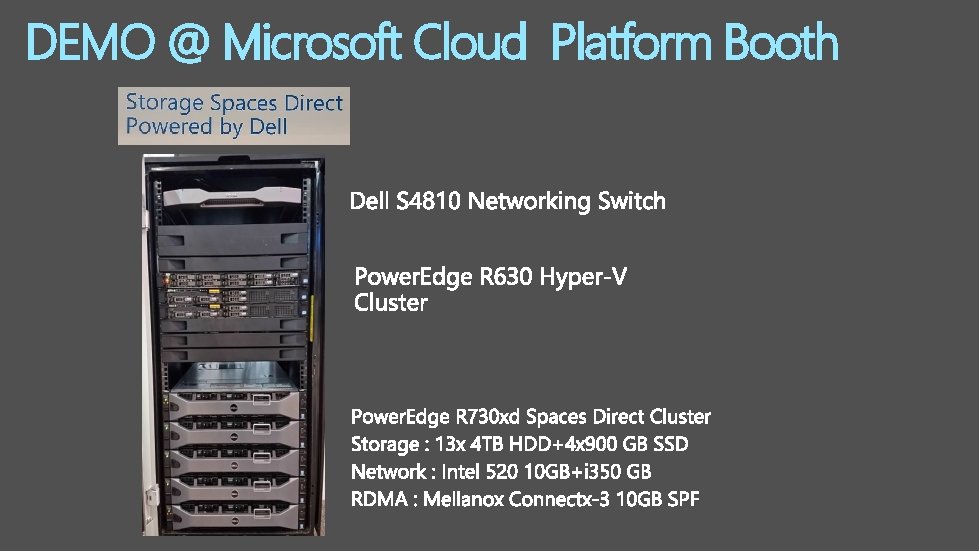
DEMO @ Microsoft Cloud Platform Booth



Dell Open. Manage Integration Suite for Microsoft System Center Deploy Update Monitor Virtual Management Dell Server and Client Deployment Packs Dell Server and Client Update Catalogs Dell Hardware Management Pack Suites Dell Server PRO Management Pack Dell Lifecycle Controller Integration


ware and Plug-ins for Center Storage Space
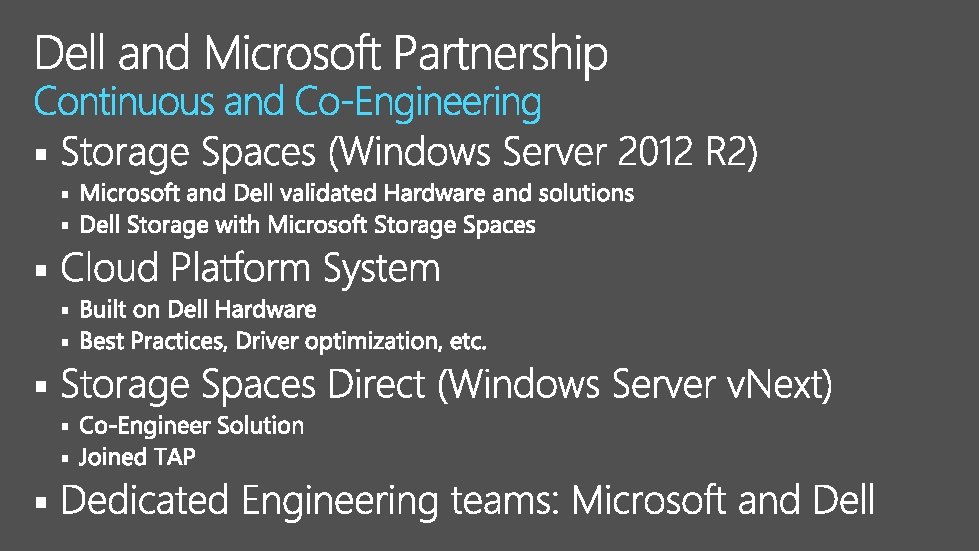

US Windows Deployment Partner of the Year US Windows Partner of the Year 2 years running 2013 Most complete Full, end-to-end capabilities – from tablets to the data center Single Point of Contact Dell provides a single contact for total solution Joint IP/development TAP participation Global Solutions Centers Engineering labs, technology centers, centers of excellence Broad participation in Technology Adoption Programs Demonstrate the full Microsoft stack running on Dell
“Dell is Microsoft’s largest OEM partner to have implemented support for Storage Spaces. Dell provides the most complete Storage Spaces implementation – server, controller, JBOD and disks form an end-to-end solution, and this support includes new features such as JBOD monitoring. ” Microsoft Server and Cloud Platform Team Tech. Net Server & Cloud Blog

§ § § § § www. delltechcenter. com

http: //myignite. microsoft. com
- Slides: 38