
Branch Cache Helping You Save on WAN Bandwidth

Branch. Cache: Helping You Save on WAN Bandwidth Consumption at Branch Offices Dawie Human Infrastructure Architect Inobits Consulting WSV 303
Agenda Problem background Solution modes Deployment Demo Deep Dives Content Identification Integration architecture Security End to end flow Resources
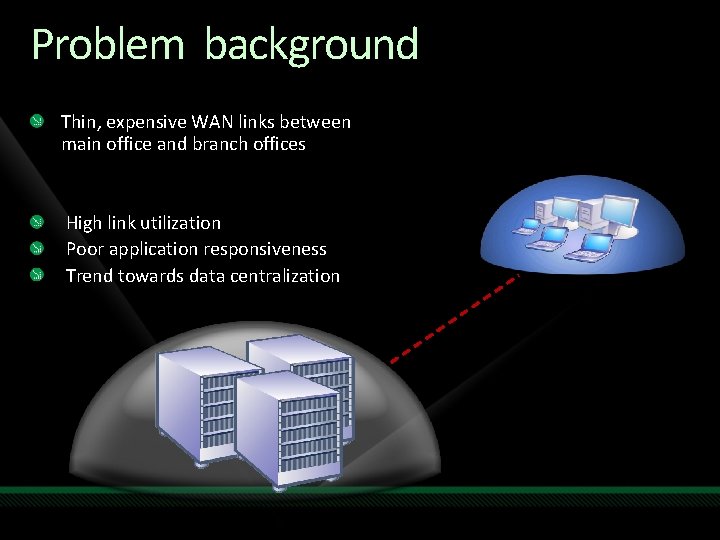
Problem background Thin, expensive WAN links between main office and branch offices High link utilization Poor application responsiveness Trend towards data centralization

Customers say… “We are improving the efficiency of our branch offices and saving bandwidth by using Branch. Cache in Windows Server 2008 R 2 and Windows 7, ” said Lukas Kucera, IT services manager of Lukoil CEEB, one of the largest integrated oil and gas companies in the world. “Some of our smaller facilities, such as the office in Slovakia and the storage terminal in Belgium, have just five to 10 users, so it’s not efficient to deploy a file server on-site, but it consumes bandwidth to have them continually accessing files from the main servers. Branch. Cache is the perfect solution. ” “Taking advantage of the Branch. Cache feature in Windows Server 2008 R 2, we can spend $20, 000 rather than $50, 000 per year on bandwidth by postponing our expansion schedule. ” David Feng, IT Director, Sporton International Convergent Computing (CCO) wanted to improve remote network access for its mobile users. Using the Direct. Access and Branch. Cache™ features in Windows Server® 2008 R 2 and Windows 7, CCO has simplified remote connection to its network and sped the downloading of important files. It has cut costs by eliminating its virtual private network and has seen a 43 percent savings in wide area network (WAN) bandwidth.
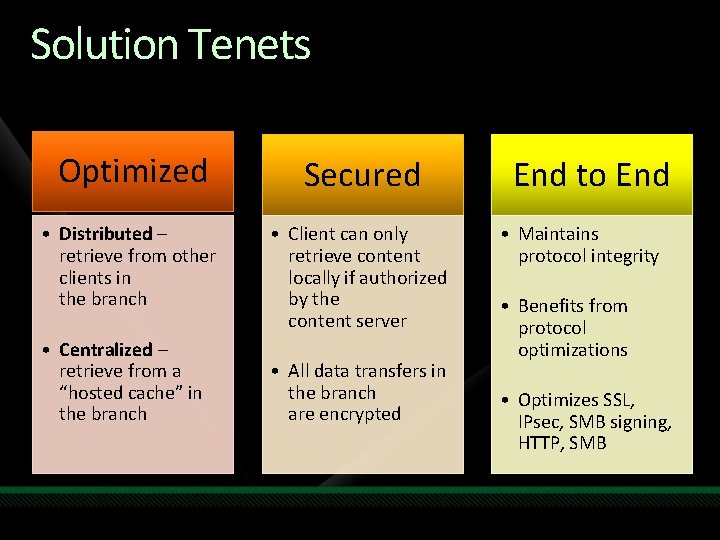
Solution Tenets Optimized Secured • Distributed – retrieve from other clients in the branch • Client can only retrieve content locally if authorized by the content server • Centralized – retrieve from a “hosted cache” in the branch • All data transfers in the branch are encrypted End to End • Maintains protocol integrity • Benefits from protocol optimizations • Optimizes SSL, IPsec, SMB signing, HTTP, SMB
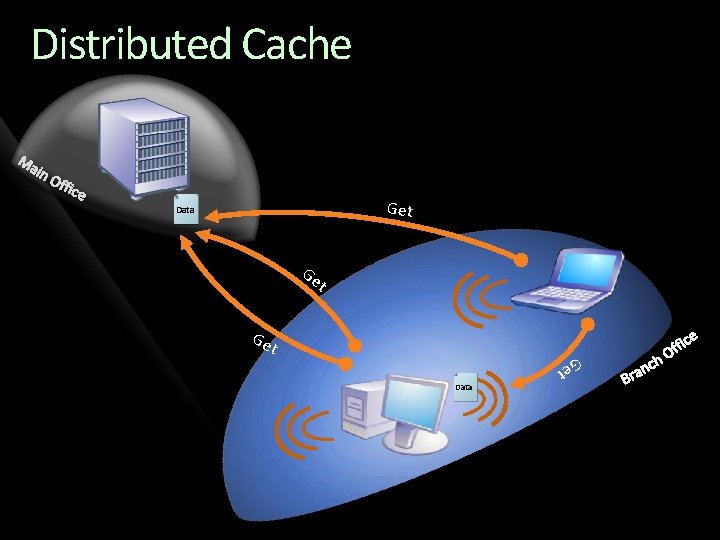
Distributed Cache Get ID Data Ge t t Data Ge Ge t
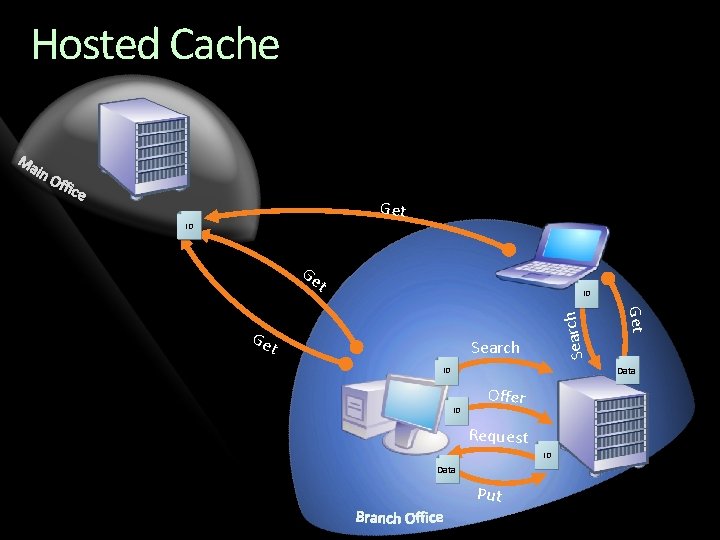
Hosted Cache Get ID Data Ge t Search Get Ge t Search ID Data ID ID Offer Request ID Data Put
Hosted Cache Centralized cache of data downloaded by the branch The Hosted cache on Windows Server 2008 R 2 provides the following features A centralized cache for Protocols: HTTP, SMB E 2 E encrypted/signed traffic: SSL, IPsec, SMB signing etc Does not “modify” protocols; benefits from protocol optimizations Configurable size/location/persisted across reboots/flush-able Works across multiple subnets Admins can seed content by writing custom scripts Can be a virtual workload in an appliance Easy to deploy; clients are configured via policy
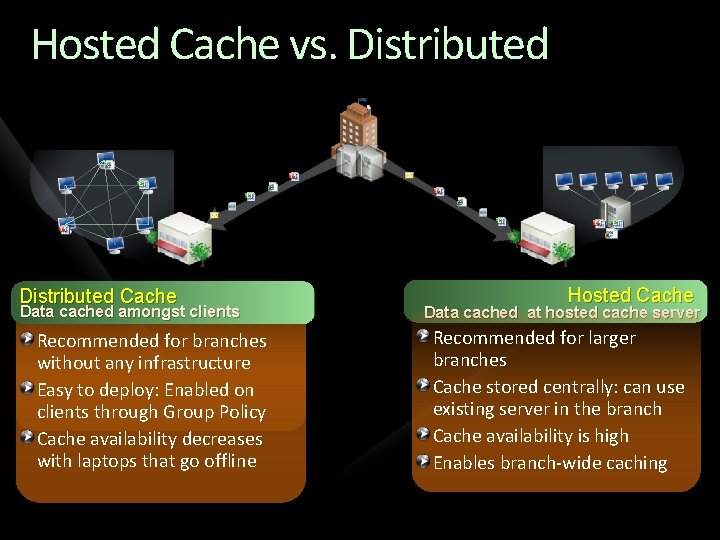
Hosted Cache vs. Distributed Enterprise Distributed Cache Data cached amongst clients Recommended for branches without any infrastructure Easy to deploy: Enabled on clients through Group Policy Cache availability decreases with laptops that go offline Hosted Cache Data cached at hosted cache server Recommended for larger branches Cache stored centrally: can use existing server in the branch Cache availability is high Enables branch-wide caching

Overall Framework 3 rd Party Applications Office Robo copy Expl orer App. V Share Point SMB Office HTTP Branch. Cache™ BITS WMP IE
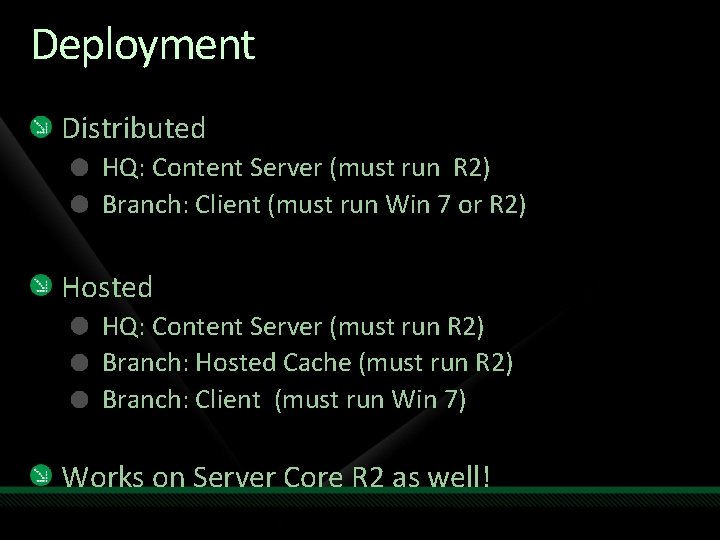
Deployment Distributed HQ: Content Server (must run R 2) Branch: Client (must run Win 7 or R 2) Hosted HQ: Content Server (must run R 2) Branch: Hosted Cache (must run R 2) Branch: Client (must run Win 7) Works on Server Core R 2 as well!
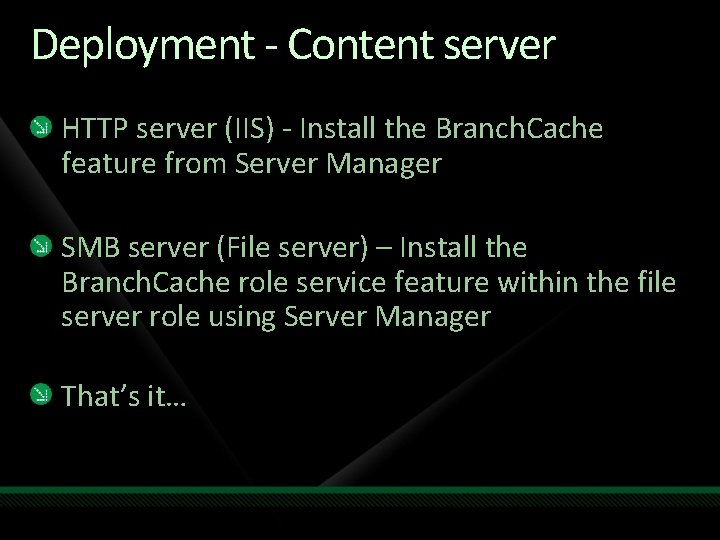
Deployment - Content server HTTP server (IIS) - Install the Branch. Cache feature from Server Manager SMB server (File server) – Install the Branch. Cache role service feature within the file server role using Server Manager That’s it…
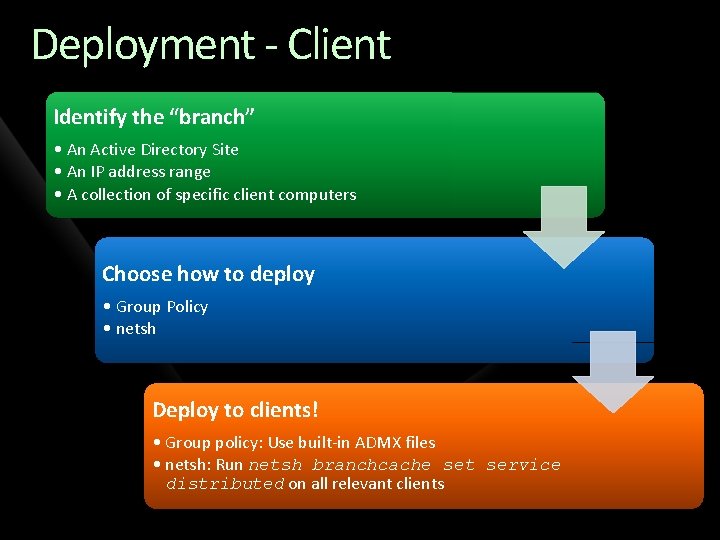
Deployment - Client Identify the “branch” • An Active Directory Site • An IP address range • A collection of specific client computers Choose how to deploy • Group Policy • netsh Deploy to clients! • Group policy: Use built-in ADMX files • netsh: Run netsh branchcache set service distributed on all relevant clients
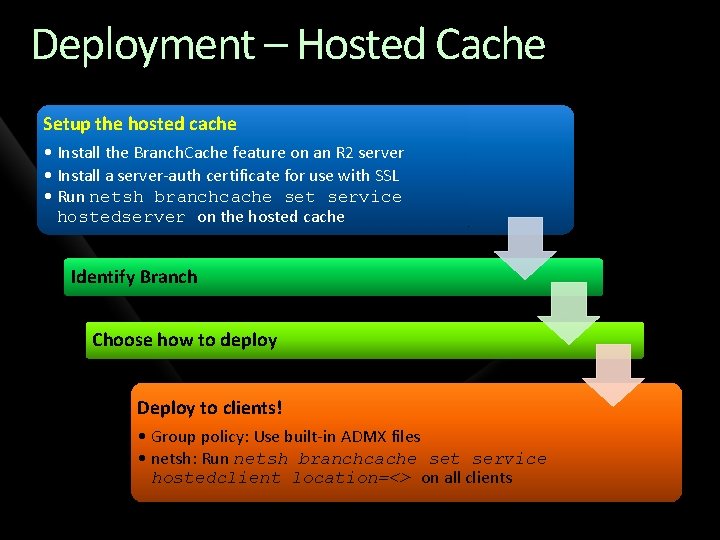
Deployment – Hosted Cache Setup the hosted cache • Install the Branch. Cache feature on an R 2 server • Install a server-auth certificate for use with SSL • Run netsh branchcache set service hostedserver on the hosted cache Identify Branch Choose how to deploy Deploy to clients! • Group policy: Use built-in ADMX files • netsh: Run netsh branchcache set service hostedclient location=<> on all clients
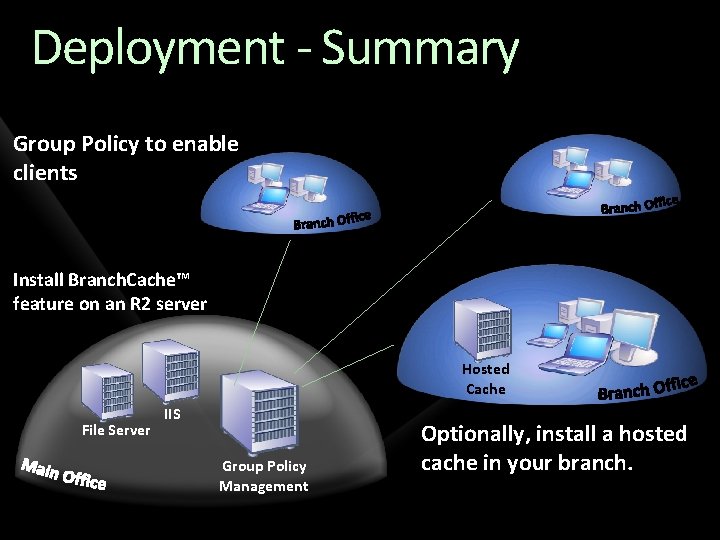
Deployment - Summary Group Policy to enable clients Install Branch. Cache™ feature on an R 2 server Hosted Cache File Server IIS Group Policy Management Optionally, install a hosted cache in your branch.
Additional configuration options Enable / disable distributed cache mode Enable / disable hosted cache mode Set the cache size Set the location of the hosted cache Clear the cache Create and replicate a shared key for use in a server cluster And more … Works in domains and workgroups
Monitoring Event logs - Operational logs & Audit logs Perfmon counters - Client, hosted cache and Content Server netsh for querying the infrastructure for potential problems Cache size too small, firewall issues, certificate problems etc SCOM pack - for rolling all the information up
demo Branch. Cache in Action

Going Deeper…
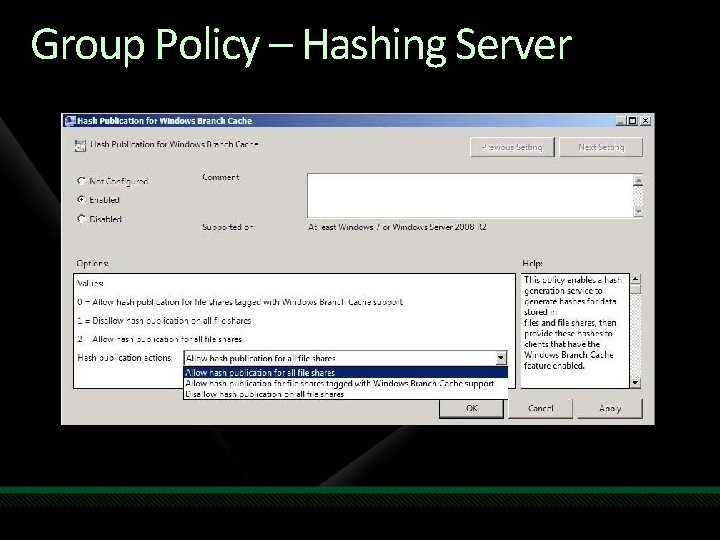
Group Policy – Hashing Server
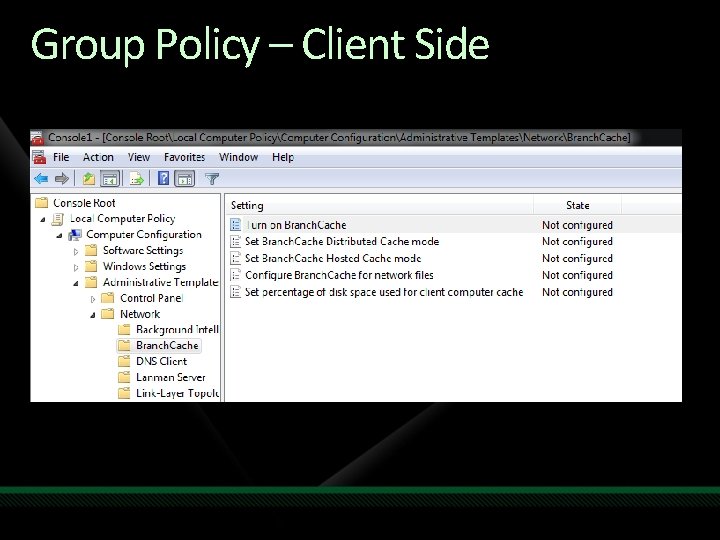
Group Policy – Client Side
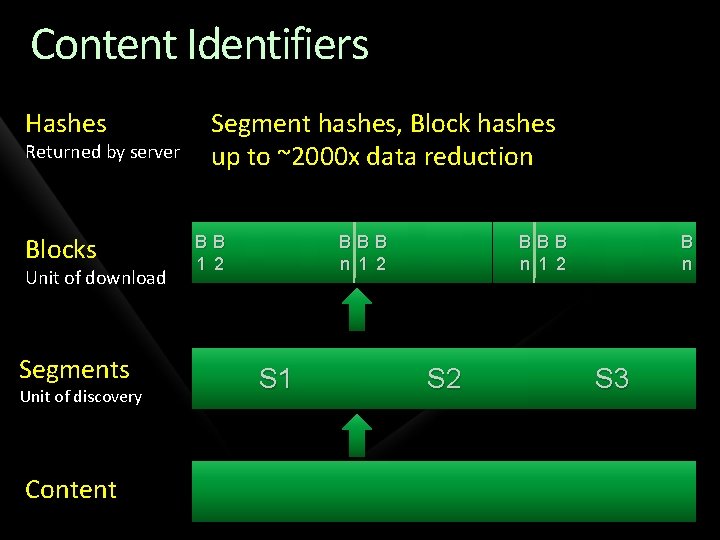
Content Identifiers Hashes Returned by server Blocks Unit of download Segments Unit of discovery Content Segment hashes, Block hashes up to ~2000 x data reduction BB 1 2 BBB n 1 2 S 1 BBB n 1 2 S 2 B n S 3
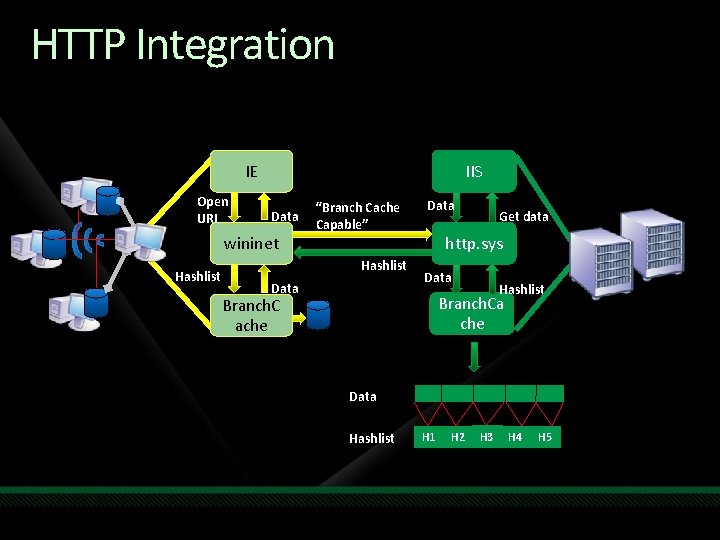
HTTP Integration IE Open URL IIS Data wininet Hashlist “Branch Cache Capable” Hashlist Data Get data http. sys Data Hashlist Branch. Ca che Branch. C ache Data Hashlist H 1 H 2 H 3 H 4 H 5
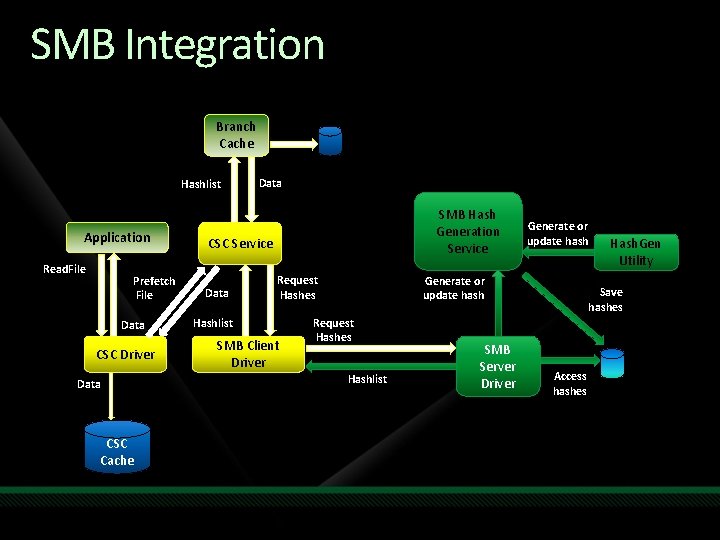
SMB Integration Branch Cache Hashlist Application Read. File Prefetch File Data CSC Driver Data CSC Cache Data SMB Hash Generation Service CSC Service Data Request Hashes Hashlist SMB Client Driver Generate or update hash Request Hashes Hashlist SMB Server Driver Hash. Gen Utility Save hashes Access hashes
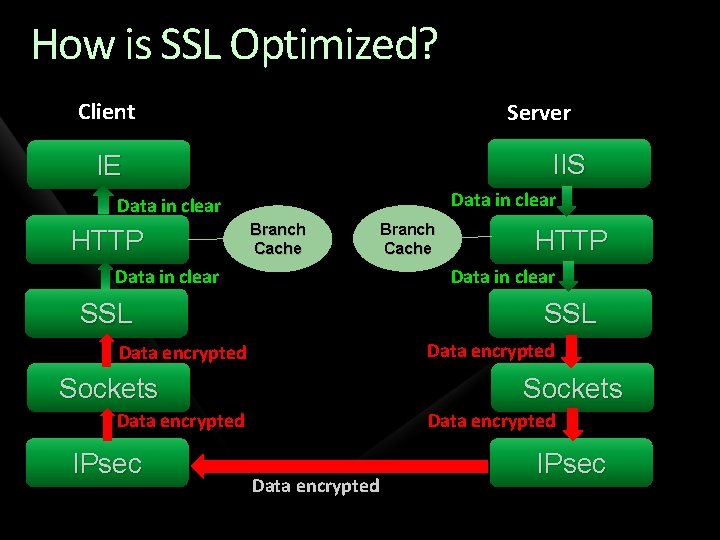
How is SSL Optimized? Client Server IIS IE Data in clear HTTP Branch Cache HTTP Data in clear SSL Data encrypted Sockets Data encrypted IPsec Branch Cache Data encrypted IPsec
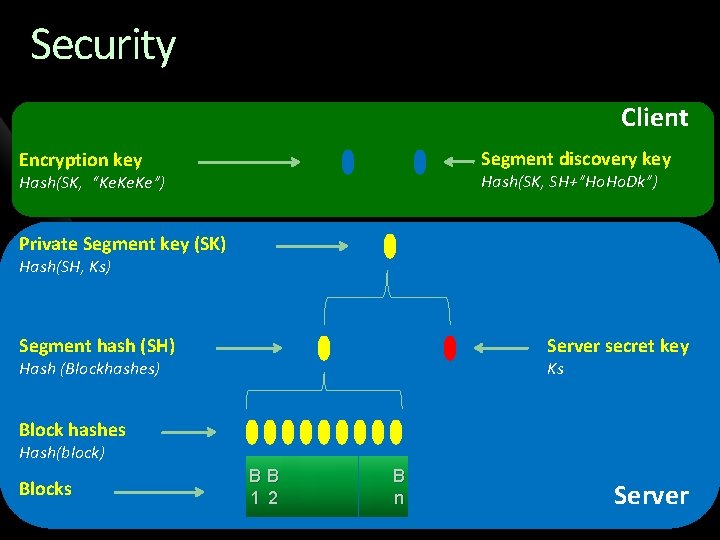
Security Client Segment discovery key Encryption key Hash(SK, SH+”Ho. Dk”) Hash(SK, “Ke. Ke”) Private Segment key (SK) Hash(SH, Ks) Segment hash (SH) Server secret key Hash (Blockhashes) Ks Block hashes Hash(block) Blocks BB 1 2 B n Server
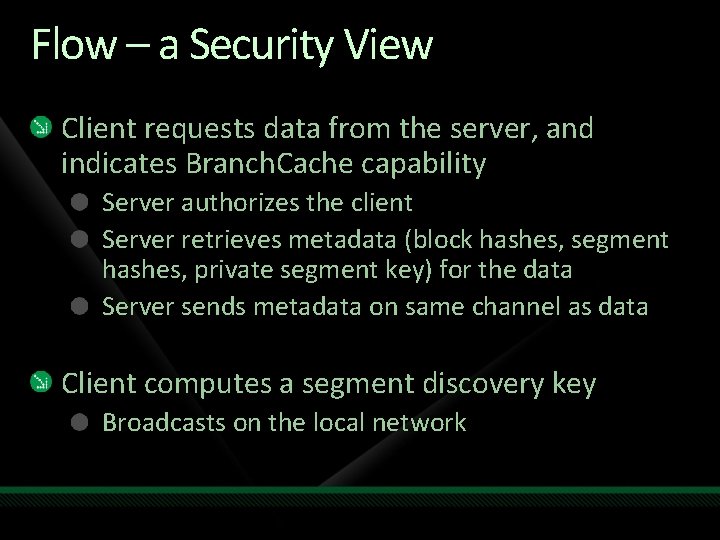
Flow – a Security View Client requests data from the server, and indicates Branch. Cache capability Server authorizes the client Server retrieves metadata (block hashes, segment hashes, private segment key) for the data Server sends metadata on same channel as data Client computes a segment discovery key Broadcasts on the local network
Flow, Continued Serving clients receive the broadcast Decrypt the segment hash from the segment discovery key Respond with data availability Client requests blocks from the serving client Serving client computes encryption key from the segment private key Serving client encrypts each block with the encryption key Client receives the data Decrypts the data Validates block data against the block hash If valid, returns to application
Security of Data at Rest Clients Cache only contains content requested by the client Data in cache ACL’d so that it is only accessible if authorized by the server If data leakage is a concern, then use Bit. Locker or EFS Hosted Cache contains content requested by all branch clients Use Bit. Locker or EFS to encrypt cache as necessary All data can be purged from the cache using netsh
To Summarize Branch. Cache™ reduces WAN bandwidth consumed by end users for intranet based HTTP and SMB traffic and improves end user experience Branch. Cache™ accelerates delivery of encrypted and signed content such as when using HTTPS, IPsec, SMB signing and at the same time ensures authorization of users by the server at the central office. Branch. Cache™ doesn’t require additional equipment in the branch offices and can be easily managed using existing systems management technology such as group policy Branch. Cache has a vibrant and growing ecosystem giving customers the choice to pick a solution that works best for their needs
Resources Website/Tech. Net http: //www. branchcache. com http: //technet. microsoft. com/en-us/network/dd 425028. aspx Email branch@microsoft. com
Resources www. microsoft. com/teched www. microsoft. com/learning Sessions On-Demand & Community Microsoft Certification & Training Resources http: //microsoft. com/technet http: //microsoft. com/msdn Resources for IT Professionals Resources for Developers www. microsoft. com/learning Microsoft Certification and Training Resources
Related Content Breakout Sessions • WSV 312: Enhancing the BRANCH Office Experience with Windows Server 2008 R 2

Complete an evaluation on Comm. Net and enter to win!

© 2009 Microsoft Corporation. All rights reserved. Microsoft, Windows Vista and other product names are or may be registered trademarks and/or trademarks in the U. S. and/or other countries. The information herein is for informational purposes only and represents the current view of Microsoft Corporation as of the date of this presentation. Because Microsoft must respond to changing market conditions, it should not be interpreted to be a commitment on the part of Microsoft, and Microsoft cannot guarantee the accuracy of any information provided after the date of this presentation. MICROSOFT MAKES NO WARRANTIES, EXPRESS, IMPLIED OR STATUTORY, AS TO THE INFORMATION IN THIS PRESENTATION.
- Slides: 36