
Bradley University Electrical Engineering Department SAE Formula Car

Bradley University Electrical Engineering Department SAE Formula Car Data Acquisition & Display System April 9, 2015 Advisor : Professor Steven Gutschlag Ahmed Albitar John Gertie Justin Ibarra Sean Lenz

Agenda • • • Problem statement Background System block diagram Division of labor Project non-functional requirements Project functional requirements Discussion of individual contributions System test results Summary & conclusion 2

Problem Statement Every year the Mechanical Engineering department at Bradley University designs and constructs a formula racing car. Past performances have proven to be inconsistent due to engine failures and structural breakdowns. To improve future performance, an advanced data acquisition system will be employed to indicate problems before a failure occurs. Unlike the existing system, data will be monitored by both the driver and the crew. A touch screen mounted in the vehicle will display data and warning signals to the driver. The same data will also be transmitted to a computer, where it will be recorded for diagnostic evaluations. Multiple indicators will be used to warn the driver and crew if data readings exceed a safe limit. This system will provide the necessary information to optimize the formula cars performance, giving Bradley’s mechanical engineering department an edge over the competition. 3
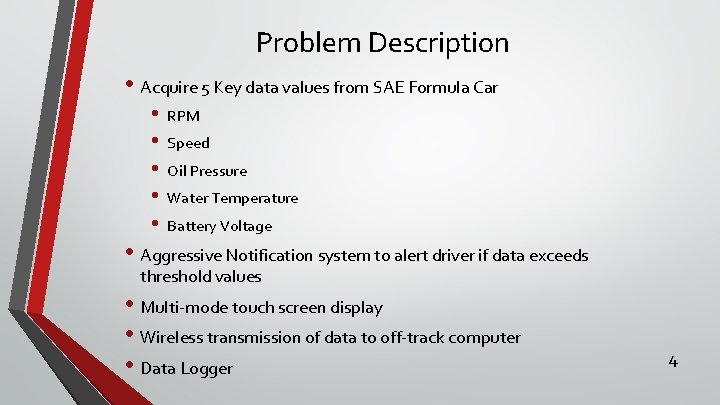
Problem Description • Acquire 5 Key data values from SAE Formula Car • • • RPM Speed Oil Pressure Water Temperature Battery Voltage • Aggressive Notification system to alert driver if data exceeds threshold values • Multi-mode touch screen display • Wireless transmission of data to off-track computer • Data Logger 4

Background • Design goals • • Aesthetically pleasing Economically viable Race ready performance User friendly for all levels • '07 -'10 Honda CBR 600 RR engine • Total budget of $10, 000 5
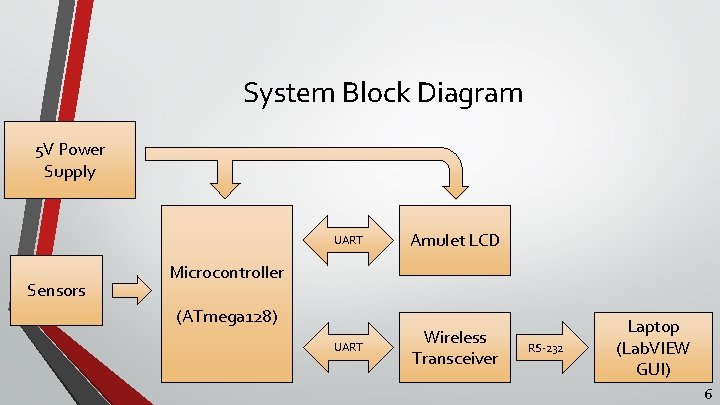
System Block Diagram 5 V Power Supply Sensors UART Amulet LCD UART Wireless Transceiver Microcontroller (ATmega 128) RS-232 Laptop (Lab. VIEW GUI) 6
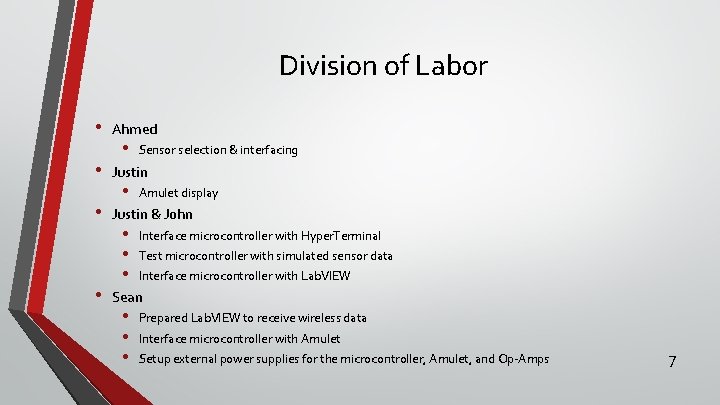
Division of Labor • • Ahmed • Sensor selection & interfacing Justin • Amulet display Justin & John • • • Interface microcontroller with Hyper. Terminal Test microcontroller with simulated sensor data Interface microcontroller with Lab. VIEW Sean • • • Prepared Lab. VIEW to receive wireless data Interface microcontroller with Amulet Setup external power supplies for the microcontroller, Amulet, and Op-Amps 7
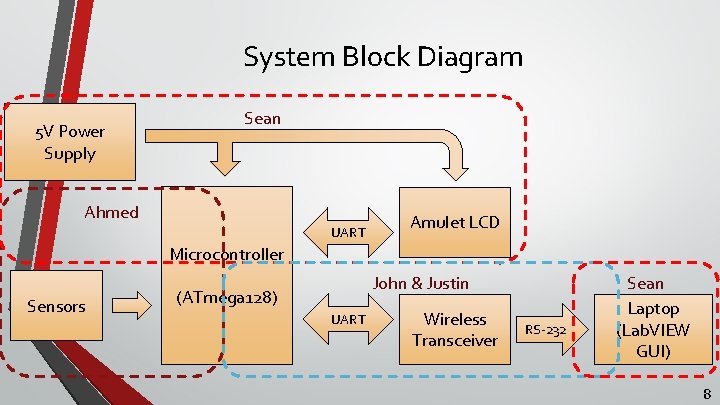
System Block Diagram 5 V Power Supply Sean Ahmed UART Amulet LCD Microcontroller Sensors John & Justin (ATmega 128) UART Wireless Transceiver RS-232 Sean Laptop (Lab. VIEW GUI) 8
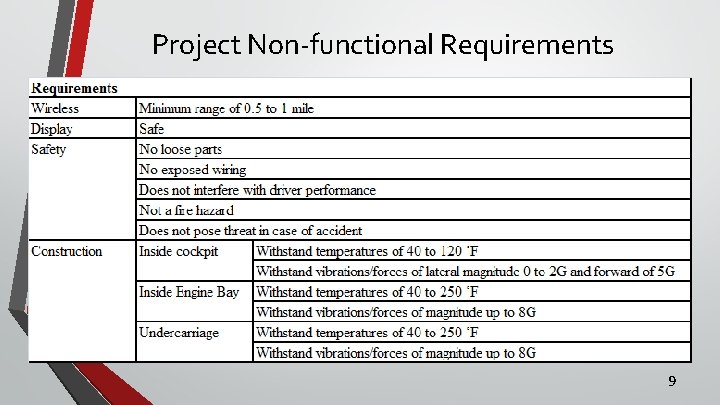
Project Non-functional Requirements 9
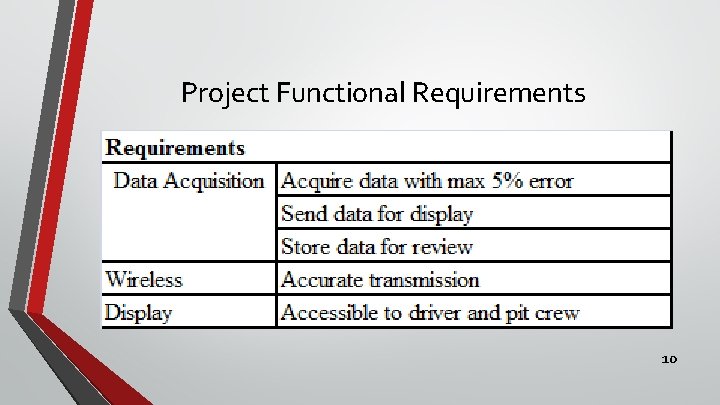
Project Functional Requirements 10
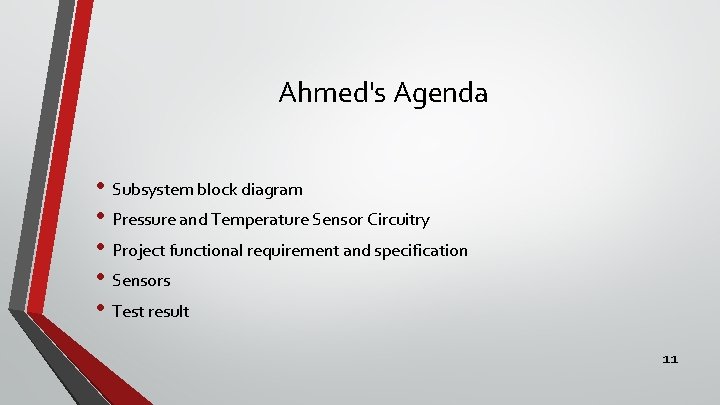
Ahmed's Agenda • Subsystem block diagram • Pressure and Temperature Sensor Circuitry • Project functional requirement and specification • Sensors • Test result 11
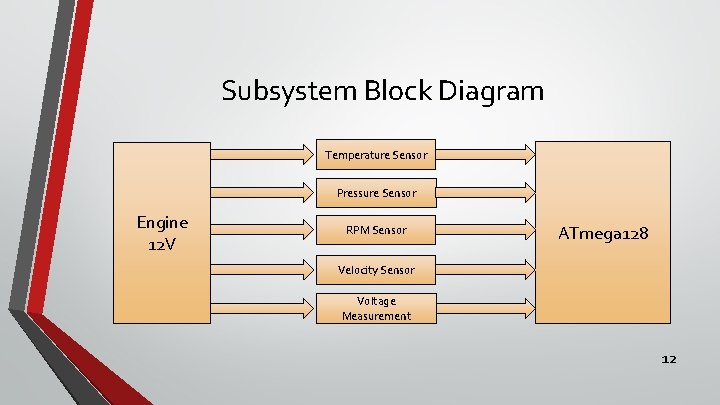
Subsystem Block Diagram Temperature Sensor Pressure Sensor Engine 12 V RPM Sensor ATmega 128 Velocity Sensor Voltage Measurement 12
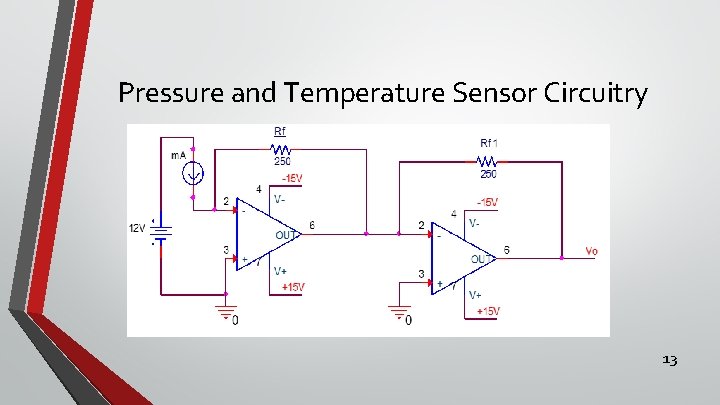
Pressure and Temperature Sensor Circuitry 13
Functional Requirements and specification • 12 volts from the car's battery • Water temperature measured by a temperature sensor • Oil pressure measured by a pressure sensor • Velocity and RPM measured by a speed sensor • Data acquisition maximum error of 5% • Sensors compatible with engine 14
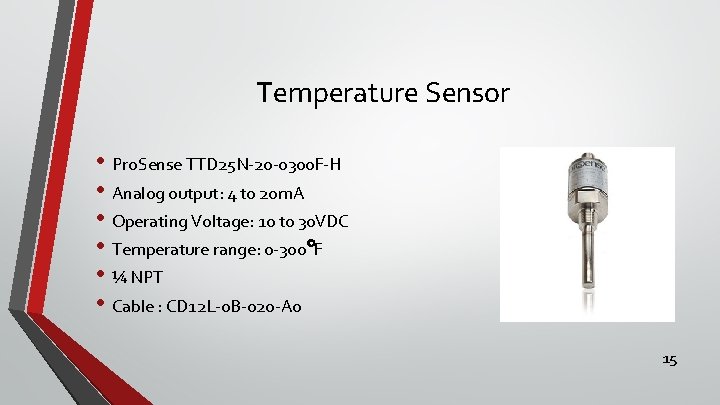
Temperature Sensor • Pro. Sense TTD 25 N-20 -0300 F-H • Analog output: 4 to 20 m. A • Operating Voltage: 10 to 30 VDC • Temperature range: 0 -300 F • ¼ NPT • Cable : CD 12 L-0 B-020 -A 0 15
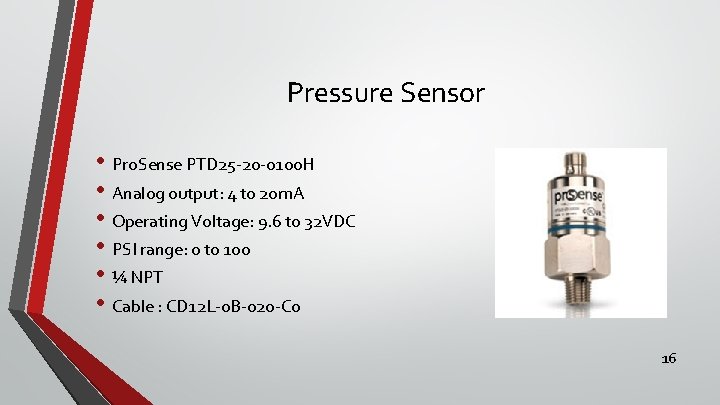
Pressure Sensor • Pro. Sense PTD 25 -20 -0100 H • Analog output: 4 to 20 m. A • Operating Voltage: 9. 6 to 32 VDC • PSI range: 0 to 100 • ¼ NPT • Cable : CD 12 L-0 B-020 -C 0 16
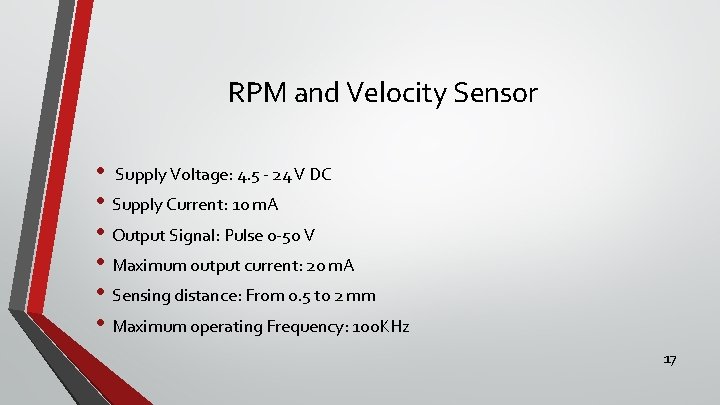
RPM and Velocity Sensor • Supply Voltage: 4. 5 - 24 V DC • Supply Current: 10 m. A • Output Signal: Pulse 0 -50 V • Maximum output current: 20 m. A • Sensing distance: From 0. 5 to 2 mm • Maximum operating Frequency: 100 KHz 17
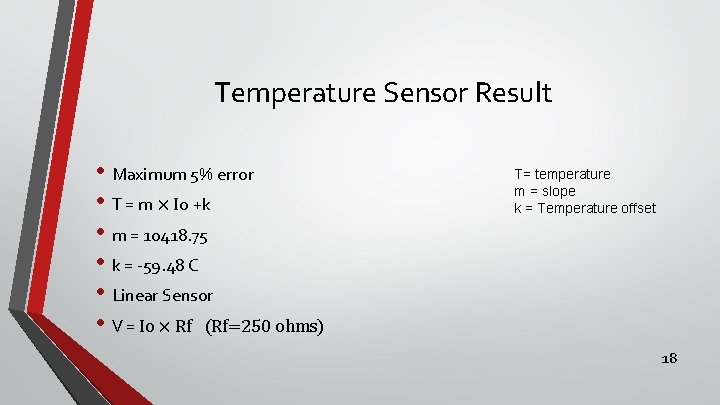
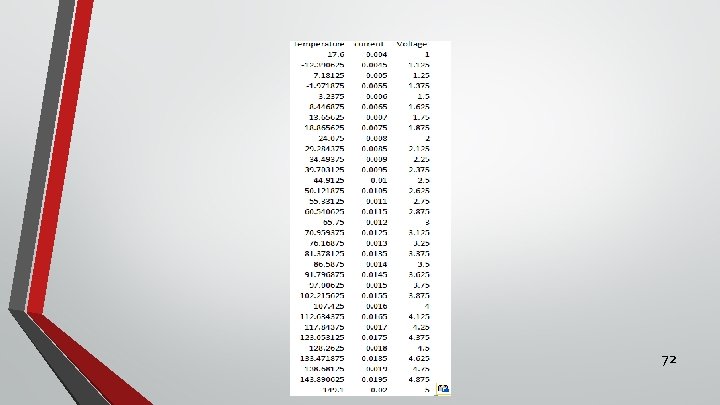
Temperature Sensor Result • Maximum 5% error • T = m × Io +k • m = 10418. 75 • k = -59. 48 C • Linear Sensor • V = Io × Rf (Rf=250 ohms) T= temperature m = slope k = Temperature offset 18
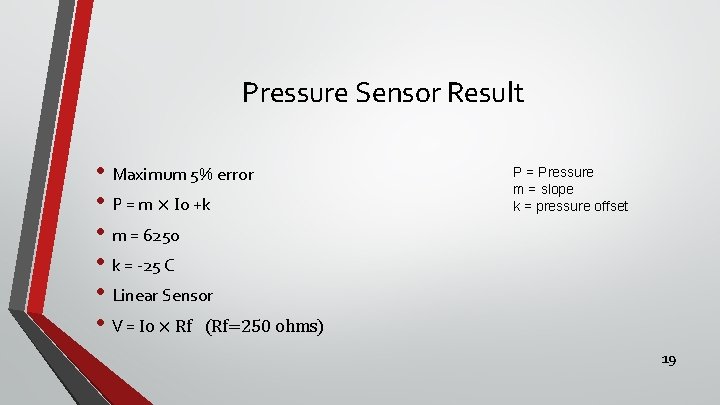
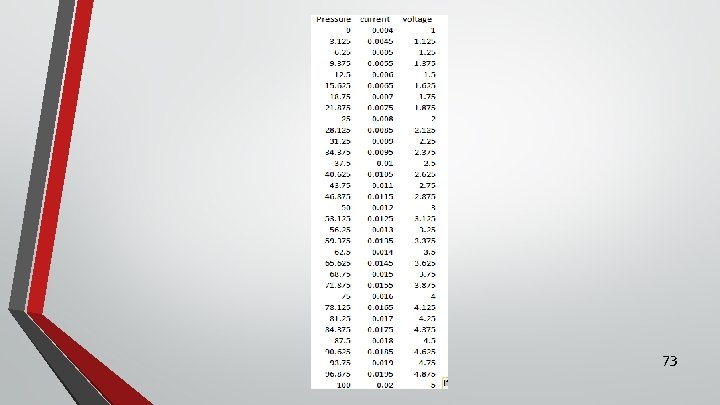
Pressure Sensor Result • Maximum 5% error • P = m × Io +k • m = 6250 • k = -25 C • Linear Sensor • V = Io × Rf (Rf=250 ohms) P = Pressure m = slope k = pressure offset 19
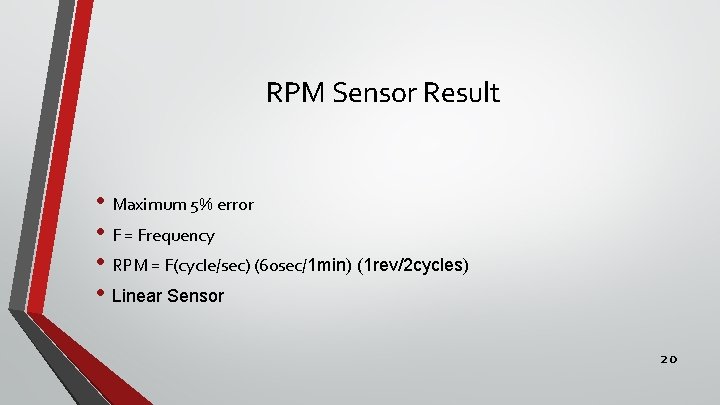
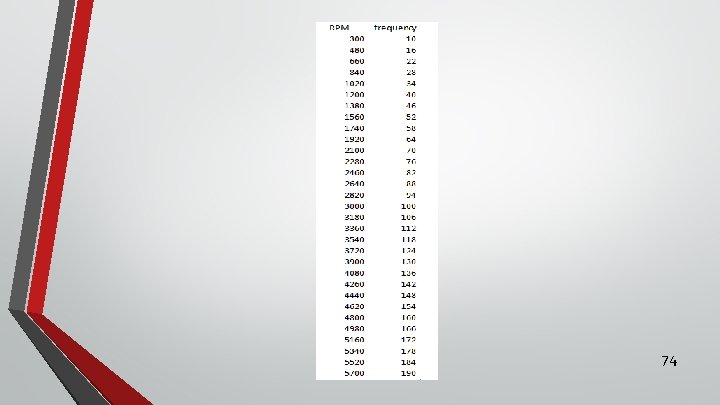
RPM Sensor Result • Maximum 5% error • F = Frequency • RPM = F(cycle/sec) (60 sec/1 min) (1 rev/2 cycles) • Linear Sensor 20

Justin’s Agenda • Subsystem block diagrams • Project functional requirements • Hardware and software used • Amulet touch screen • Subsystem test results • Wireless transmission 21
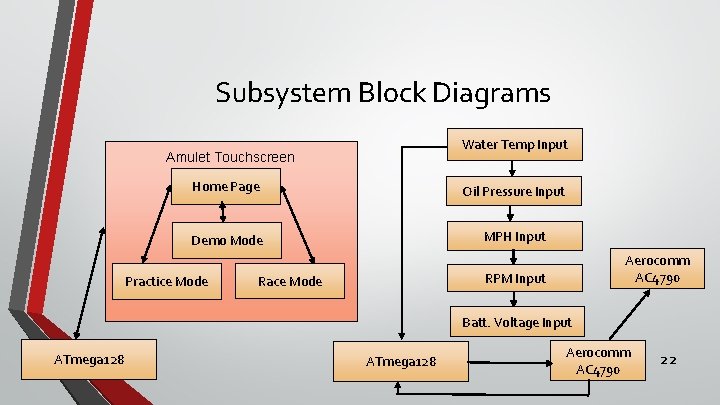
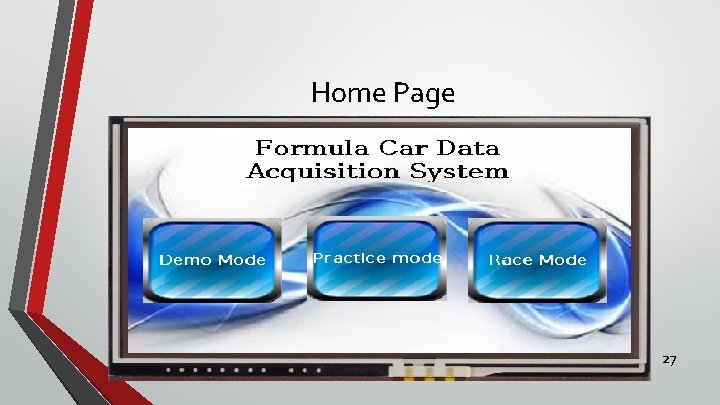
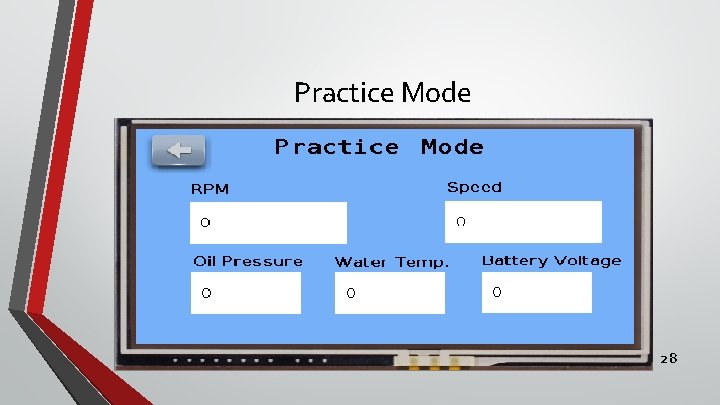
Subsystem Block Diagrams Water Temp Input Amulet Touchscreen Home Page Oil Pressure Input Demo Mode MPH Input Practice Mode Aerocomm AC 4790 RPM Input Race Mode Batt. Voltage Input ATmega 128 Aerocomm AC 4790 22
Project Functional Requirements • Functional Requirement • Data acquisition sends data for display • Display accessible to driver • Specification • Data can viewed on the touchscreen • Can be easily seen by driver without posing as a distraction from driving 23
Hardware and Software Used • Hardware • Amulet touchscreen • Laptop • Atmega 128 • Software • Gemstudio • Atmel Studio 24
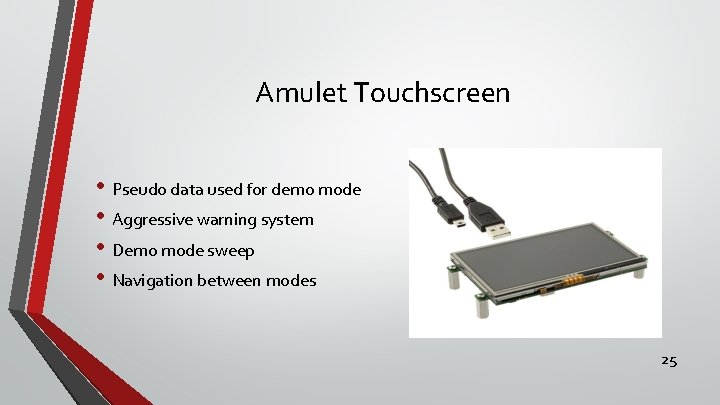
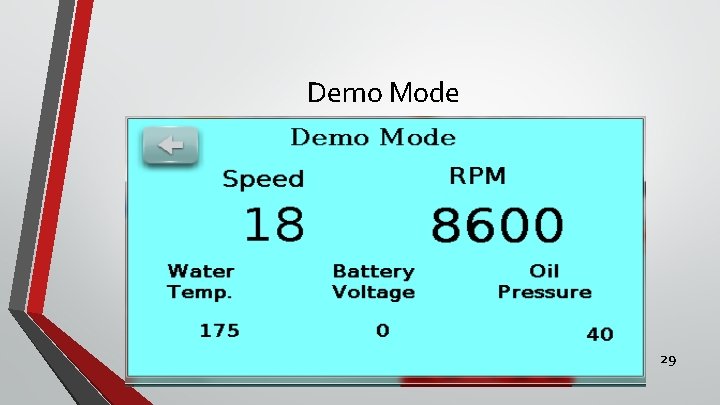
Amulet Touchscreen • Pseudo data used for demo mode • Aggressive warning system • Demo mode sweep • Navigation between modes 25
Amulet Display Results • Aesthetics • Navigation • Widgets • Microcontroller communication 26
Home Page 27
Practice Mode 28
Demo Mode 29
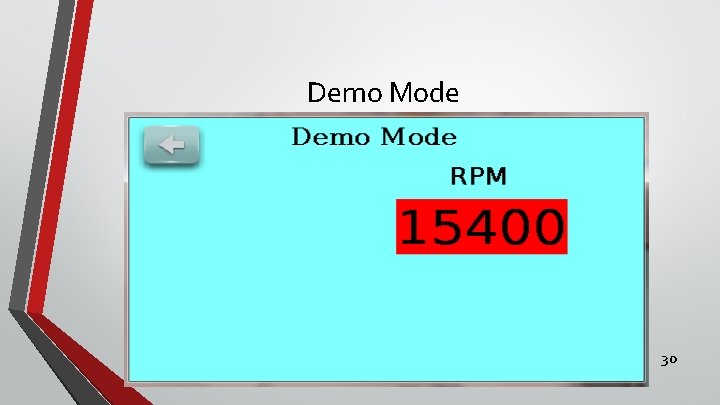
Demo Mode 30
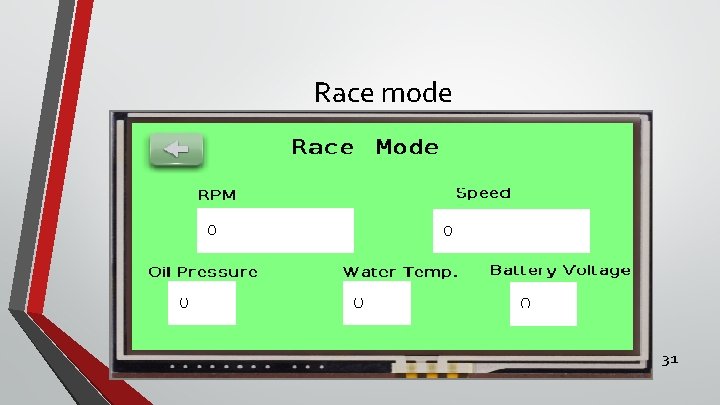
Race mode 31
John's Agenda ● Subsystem block diagram ● Project functional requirements ● Hardware & software used ● Wireless transmission testing ● Testing with simulated data ● Interfacing with Lab. View ● Subsystem test results 32
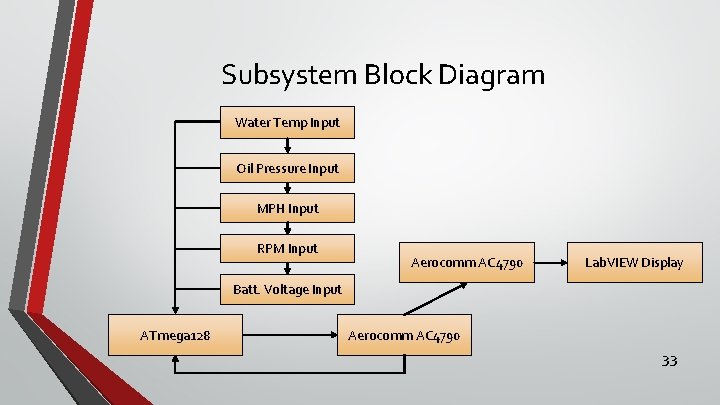
Subsystem Block Diagram Water Temp Input Oil Pressure Input MPH Input RPM Input Aerocomm AC 4790 Lab. VIEW Display Batt. Voltage Input ATmega 128 Aerocomm AC 4790 33
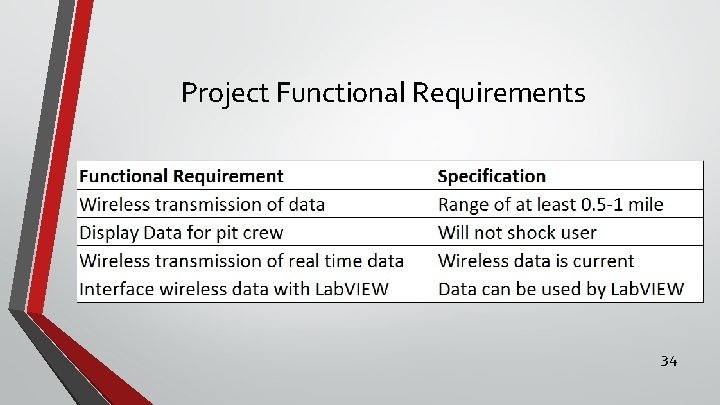
Project Functional Requirements 34
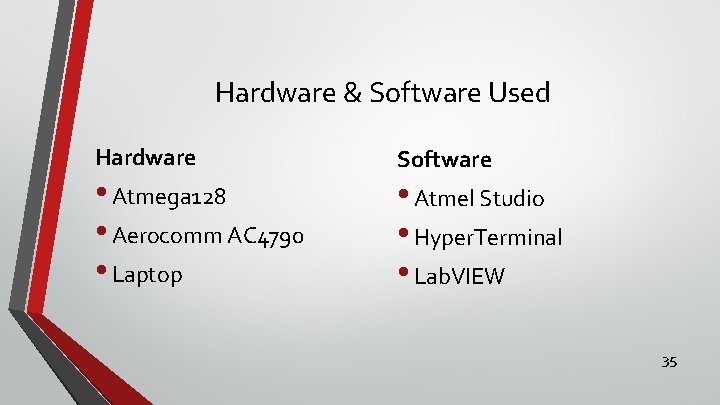
Hardware & Software Used Hardware • Atmega 128 • Aerocomm AC 4790 • Laptop Software • Atmel Studio • Hyper. Terminal • Lab. VIEW 35
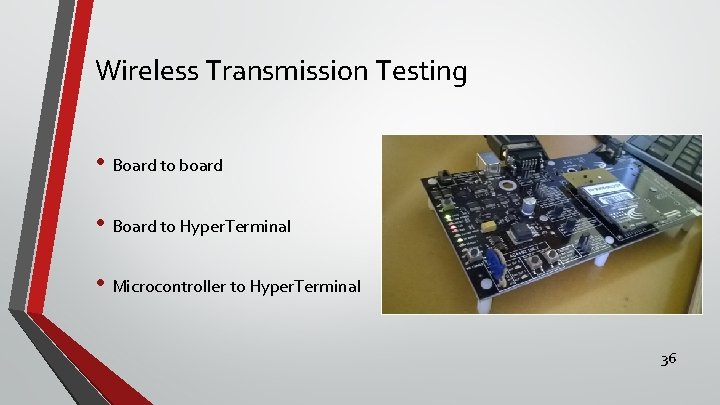
Wireless Transmission Testing • Board to board • Board to Hyper. Terminal • Microcontroller to Hyper. Terminal 36
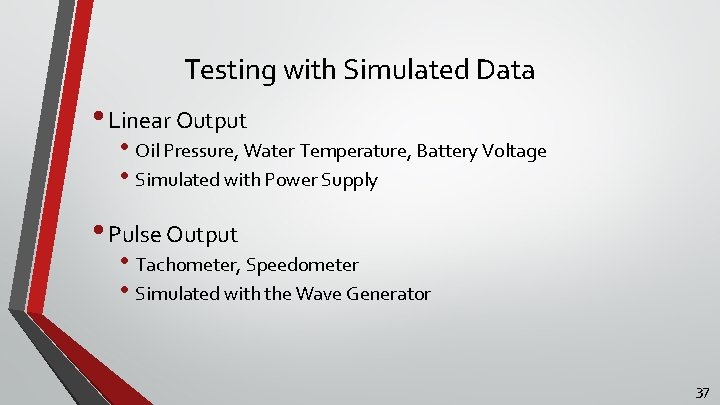
Testing with Simulated Data • Linear Output • Oil Pressure, Water Temperature, Battery Voltage • Simulated with Power Supply • Pulse Output • Tachometer, Speedometer • Simulated with the Wave Generator 37
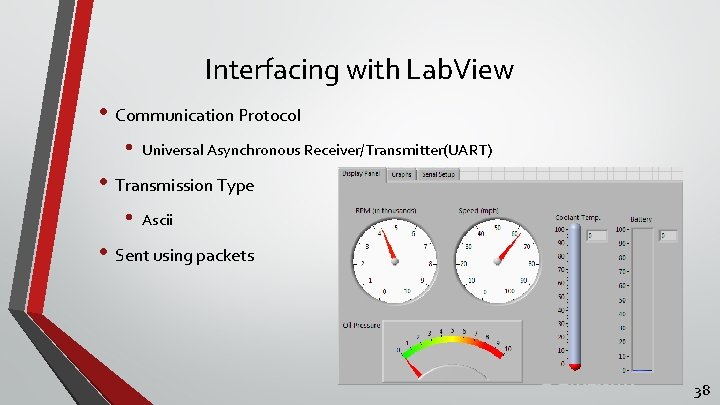
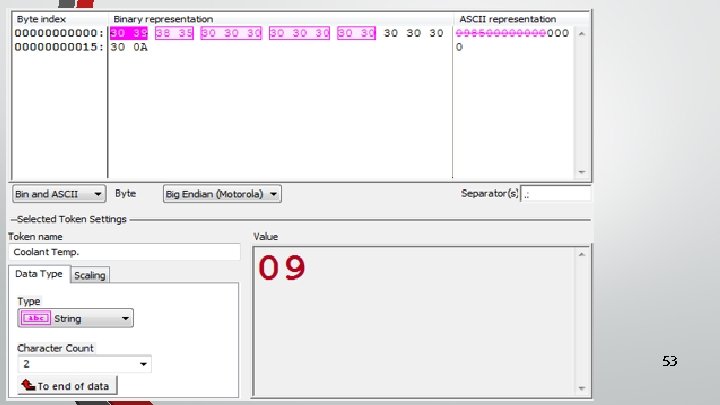
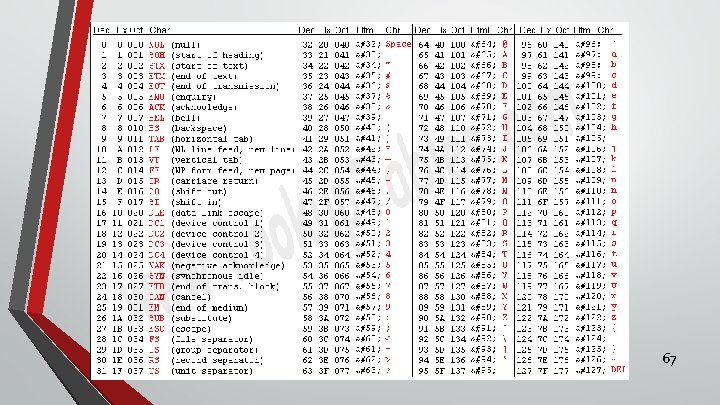
Interfacing with Lab. View • Communication Protocol • Universal Asynchronous Receiver/Transmitter(UART) • Transmission Type • Ascii • Sent using packets 38
Subsystem Test Results • Wireless communication established • Microcontroller communication with Hyper. Terminal • Data displayed is current • Values displayed in ascii equivalent 39
Sean’s Agenda • Functional requirements • Subsystem block diagram • Equipment used • Interface Amulet with microcontroller • Prepare Lab. VIEW to display wireless data • Results 40
Functional Requirements & Specifications Functional Requirements Specifications Display data to driver and pit crew Touchscreen display Store data for review UART communication Does not interfere with driver performance 5 V power supply No loose or exposed wires Display real time data 41
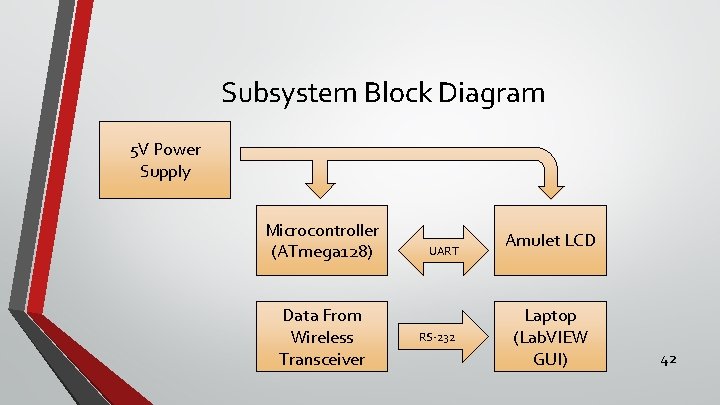
Subsystem Block Diagram 5 V Power Supply Microcontroller (ATmega 128) Data From Wireless Transceiver UART RS-232 Amulet LCD Laptop (Lab. VIEW GUI) 42
Hardware & Software Equipment • Software • Gem. Studio Pro (Amulet display software) • Atmel Studio 6. 1 (microcontroller software) • Lab. VIEW 2014 43
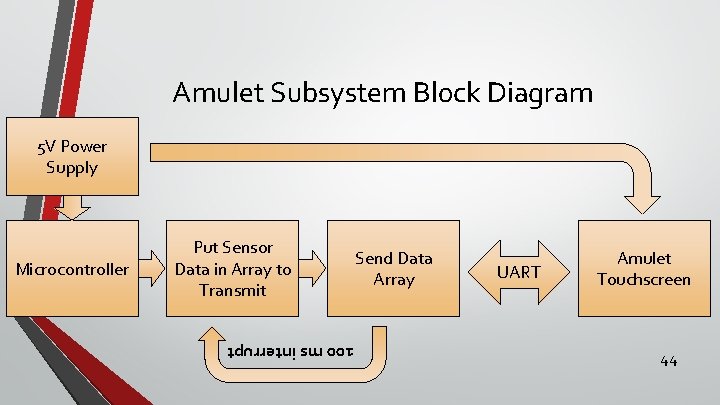
Amulet Subsystem Bl 0 ck Diagram 5 V Power Supply 100 ms interrupt Microcontroller Put Sensor Data in Array to Transmit Send Data Array UART Amulet Touchscreen 44
Amulet LCD • Serial Protocol • UART • Ascii • 9600 bps baud rate • Transmit specific protocol to access variables • Microcontroller is master • Initializes communication • Amulet is slave • Full Protocol- Responds only if Amulet receives valid message 45
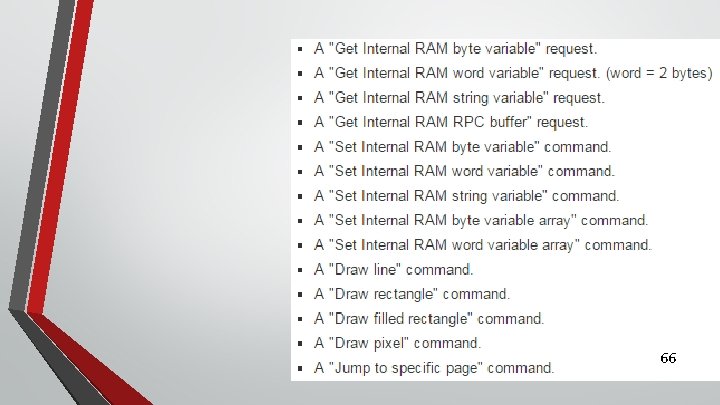
Amulet LCD • Internal RAM (IR) is memory on the Amulet. • 256 byte variables • 256 word variables (word = 2 bytes) • Can receive 14 different command messages from microcontroller • Can access internal RAM on Amulet • Changing and copying variables • Jump to different pages on display • Draw pixel, line, or box 46
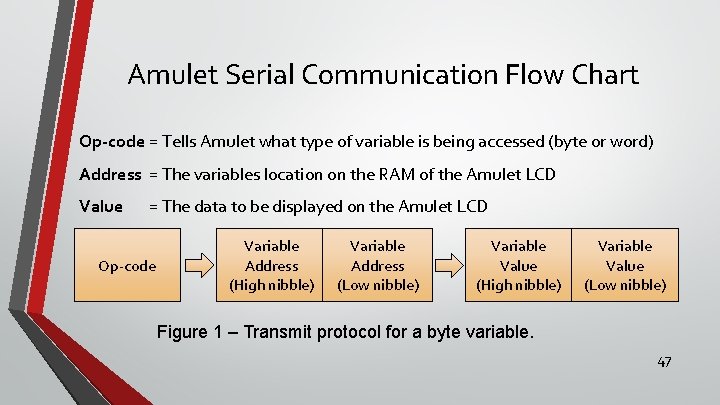
Amulet Serial Communication Flow Chart Op-code = Tells Amulet what type of variable is being accessed (byte or word) Address = The variables location on the RAM of the Amulet LCD Value = The data to be displayed on the Amulet LCD Op-code Variable Address (High nibble) Variable Address (Low nibble) Variable Value (High nibble) Variable Value (Low nibble) Figure 1 – Transmit protocol for a byte variable. 47
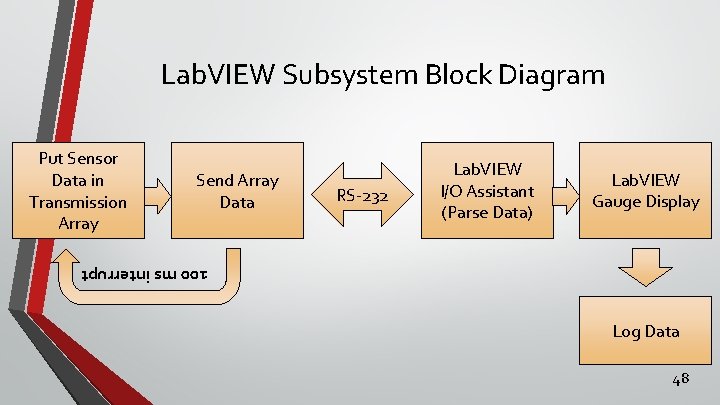
Lab. VIEW Subsystem Bl 0 ck Diagram Put Sensor Data in Transmission Array Send Array Data RS-232 Lab. VIEW I/O Assistant (Parse Data) Lab. VIEW Gauge Display 100 ms interrupt Log Data 48
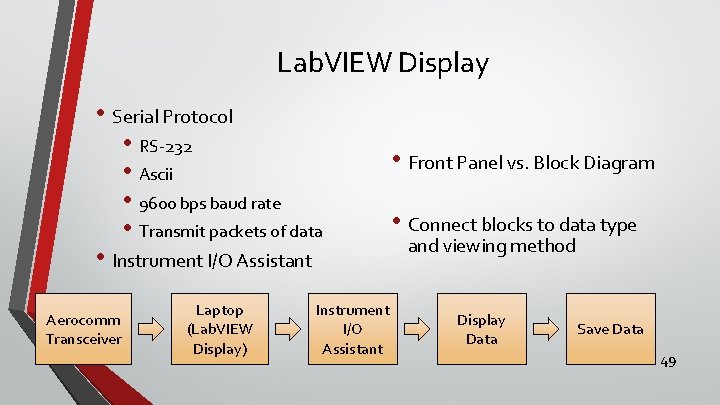
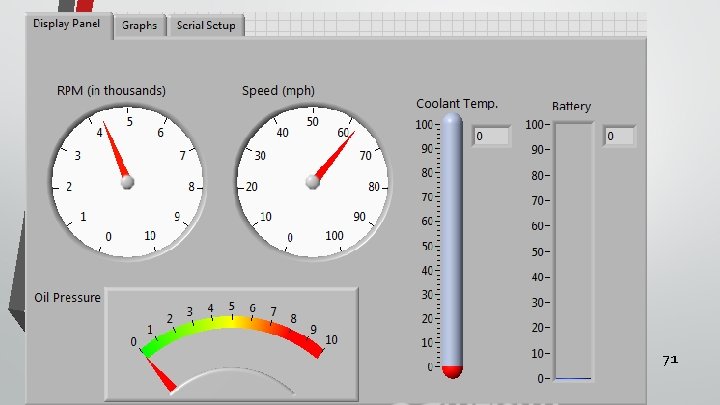
Lab. VIEW Display • Serial Protocol • RS-232 • Ascii • 9600 bps baud rate • Transmit packets of data • Instrument I/O Assistant Aerocomm Transceiver Laptop (Lab. VIEW Display) Instrument I/O Assistant • Front Panel vs. Block Diagram • Connect blocks to data type and viewing method Display Data Save Data 49
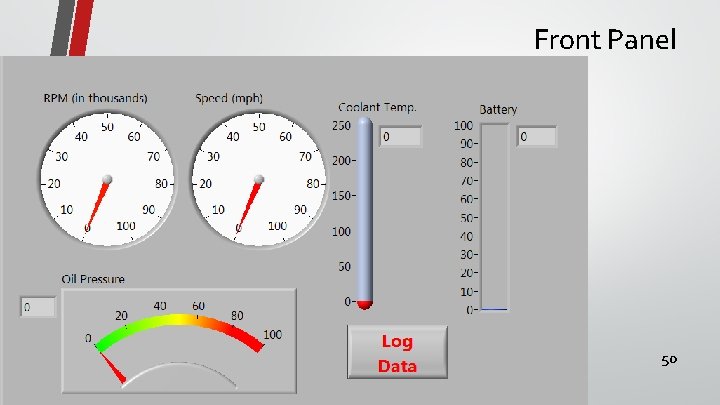
Front Panel 50
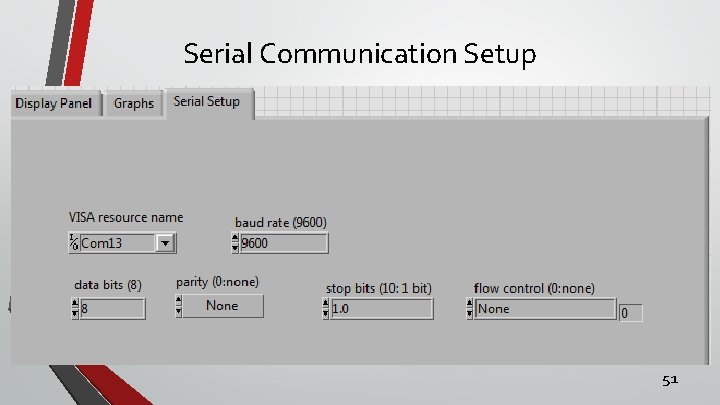
Serial Communication Setup 51
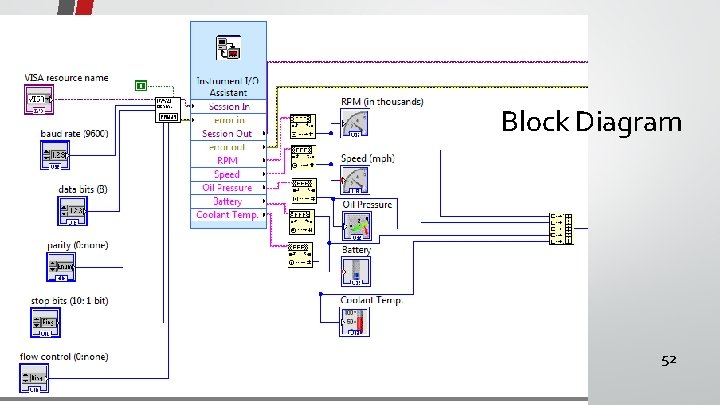
Block Diagram 52
53
Subsystem Results • Successful interface between ATmega 128 and Amulet LCD • Data sent and displayed on the Amulet LCD • Successful interface between Aerocomm Transceiver and Lab. VIEW GUI • Data sent, displayed, and stored on the Lab. VIEW GUI 54
System Test Results • Display data to driver with aggressive notification system • Race, demo, and practice modes • Wirelessly send data to pit crew’s laptop to be displayed on Lab. VIEW • Data logged via Lab. VIEW • Sensor’s acquire data with max error under 5% 55
Summary & Conclusion • BU ME’s require more advanced notification system for driver • Requires data logging, multiple display modes, and wireless transmission • System is functional • Requires installation and further testing 56
Sources • http: //cegt 201. bradley. edu/projects/proj 2011/pjacher/SAEDAQ/Deliverables_files/SAEDA Q_final_report. pdf • • http: //www. atmel. com/images/doc 2467. pdf • • • https: //www. dropbox. com/s/l 8 abp 41 iru 83 oqg/Datasheet_carspd_eng_101. pdf? dl=0 http: //www. amulettechnologies. com/images/stories/Downloads/mk 480272 cdatasheet 111 2. pdf http: //www. automationdirect. com/static/specs/prosensettrans. pdf http: //www. automationdirect. com/static/specs/prosensetransmitters. pdf 57
Appendix 58
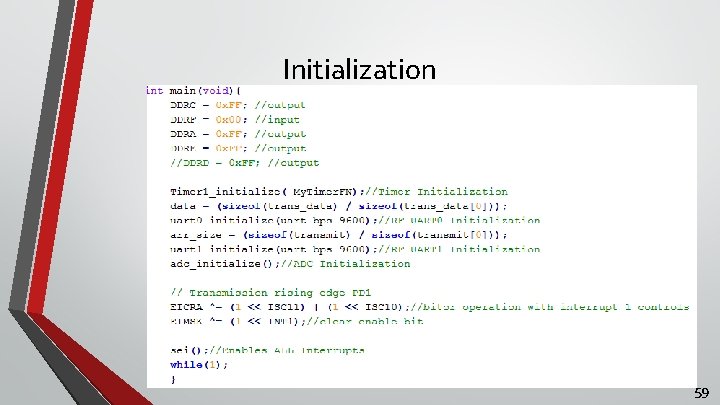
Initialization 59
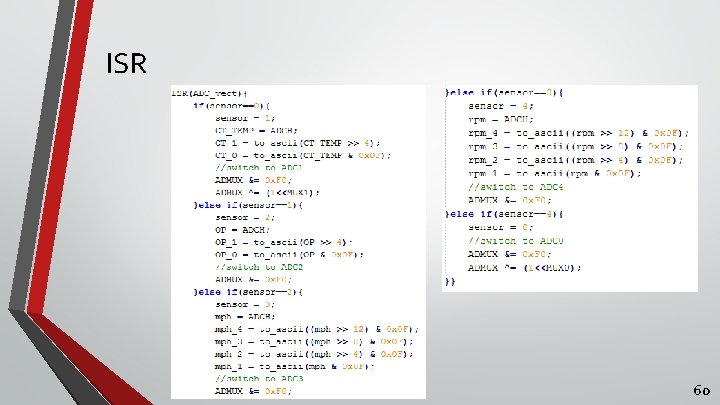
ISR 60
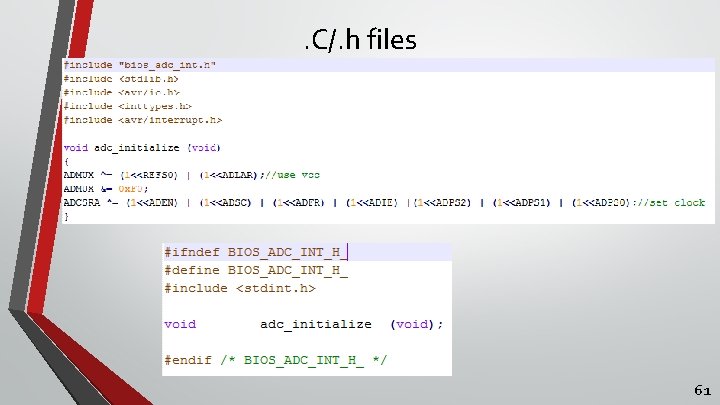
. C/. h files 61
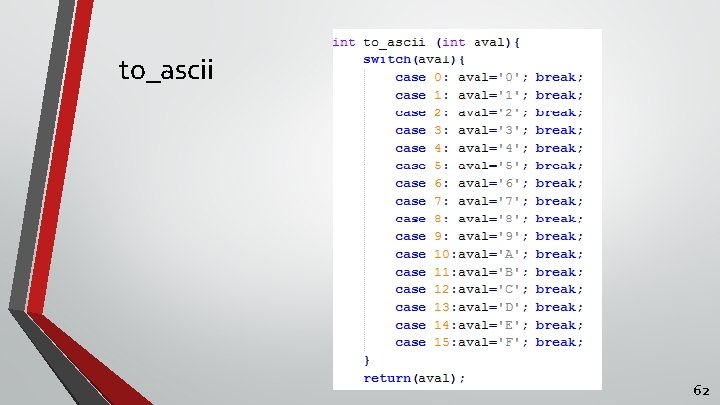
to_ascii 62
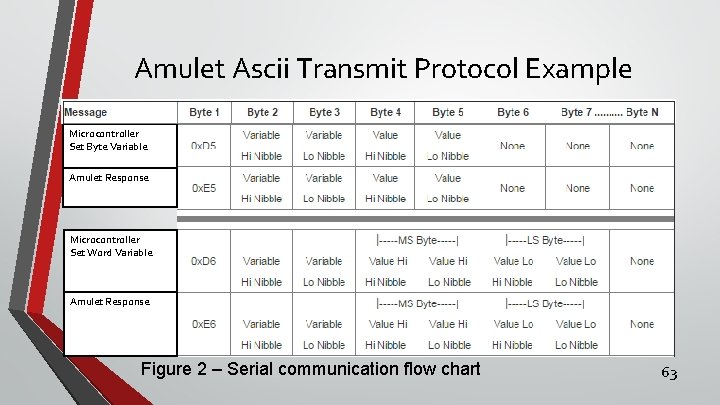
Amulet Ascii Transmit Protocol Example Microcontroller Set Byte Variable Amulet Response Microcontroller Set Word Variable Amulet Response Figure 2 – Serial communication flow chart 63
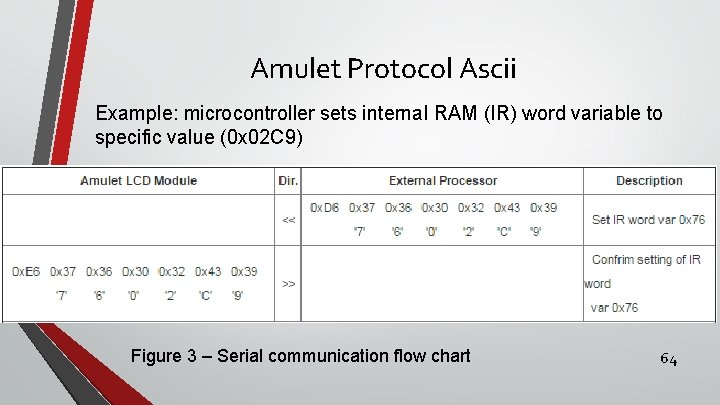
Amulet Protocol Ascii Example: microcontroller sets internal RAM (IR) word variable to specific value (0 x 02 C 9) Figure 3 – Serial communication flow chart 64
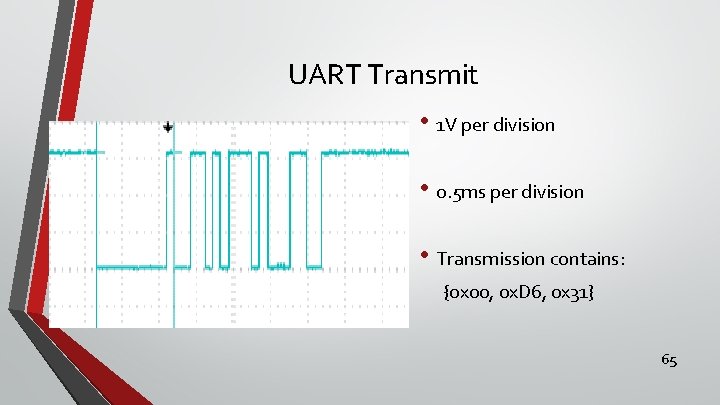
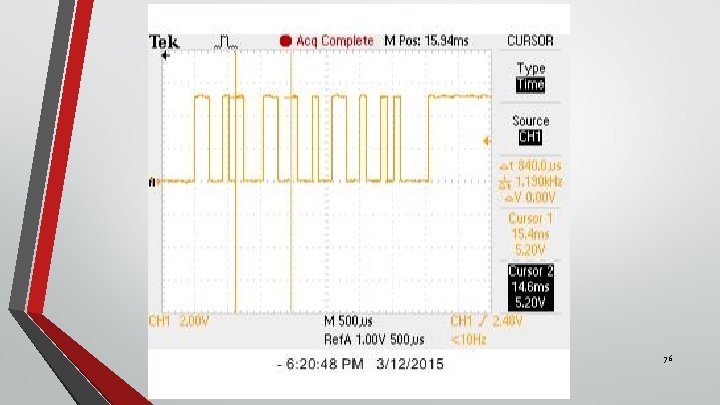
UART Transmit • 1 V per division • 0. 5 ms per division • Transmission contains: {0 x 00, 0 x. D 6, 0 x 31} 65
66
67
Maximum data log time • Limited by max rows in excel • Max rows about 1 million • Log data every 100 [ms] • Max time = 27. 8 hours • 0. 1 [sec/row] *1. 2 E 6 [rows] = 100, 000 sec • 100, 000 [sec] /60 [sec/min] /60 [min/hr] = 27. 8 hrs 68
Max Transmission Rate with 9600 bps Baud Rate • 1 bit sending time: • 1/9600 = 104 us • Assume 16 byte packet • 8 bits + 1 start_bit + 1 stop_bit = 10 bits/byte_sent • 104 [us/bit] * 10 [bits/byte] * 16 [bytes/packet] = 16. 6 [ms/packet] 69
Research • Amulet serial communication protocol • Lab. VIEW Instrument I/O Assistant • Troubleshooting errors 70
71
72
73
74
75
76
77
- Slides: 77