
BQA Bitmask for Cloud Confidence and Cloud Shadow
BQA Bitmask for Cloud Confidence and Cloud Shadow Confidence for Landsat NRES 498/898 Introduction to Google Earth Engine for Analysis of Remote Sensing and Geospatial Data Materials by Ayse Kilic, University of Nebraska.
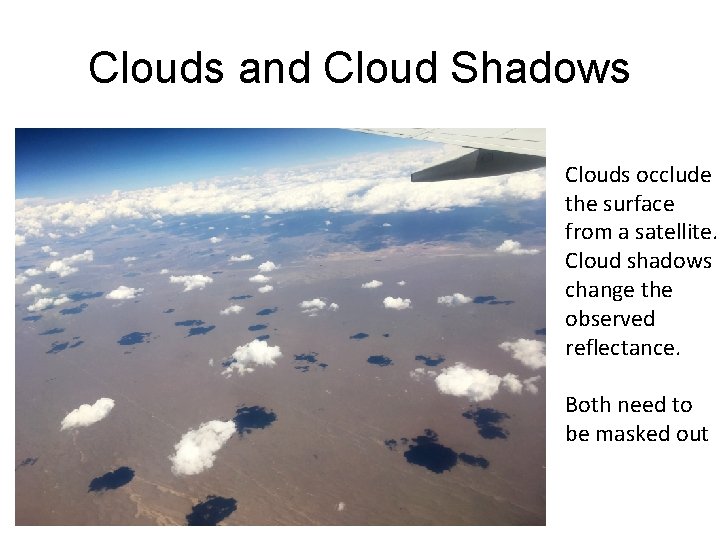
Clouds and Cloud Shadows Clouds occlude the surface from a satellite. Cloud shadows change the observed reflectance. Both need to be masked out
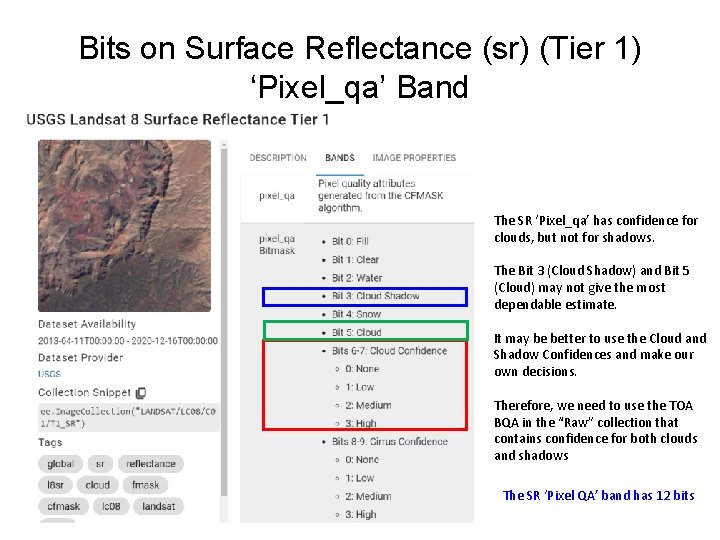
Bits on Surface Reflectance (sr) (Tier 1) ‘Pixel_qa’ Band The SR ‘Pixel_qa’ has confidence for clouds, but not for shadows. The Bit 3 (Cloud Shadow) and Bit 5 (Cloud) may not give the most dependable estimate. It may be better to use the Cloud and Shadow Confidences and make our own decisions. Therefore, we need to use the TOA BQA in the “Raw” collection that contains confidence for both clouds and shadows The SR ‘Pixel QA’ band has 12 bits
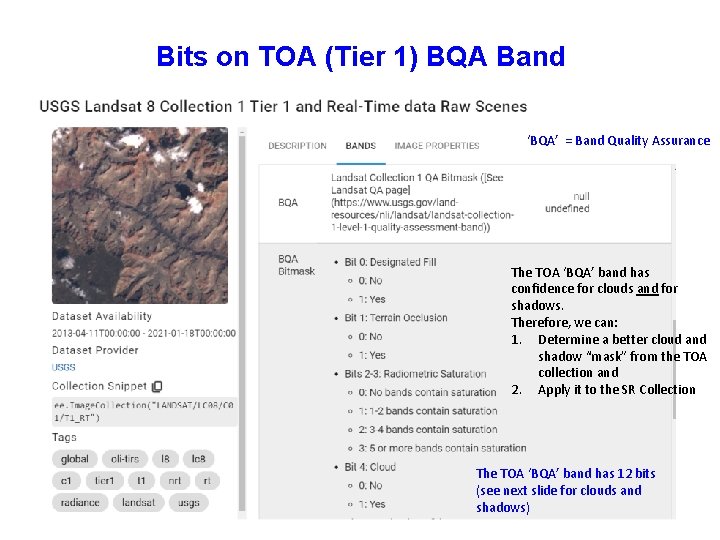
Bits on TOA (Tier 1) BQA Band ‘BQA’ = Band Quality Assurance The TOA ‘BQA’ band has confidence for clouds and for shadows. Therefore, we can: 1. Determine a better cloud and shadow “mask” from the TOA collection and 2. Apply it to the SR Collection The TOA ‘BQA’ band has 12 bits (see next slide for clouds and shadows)
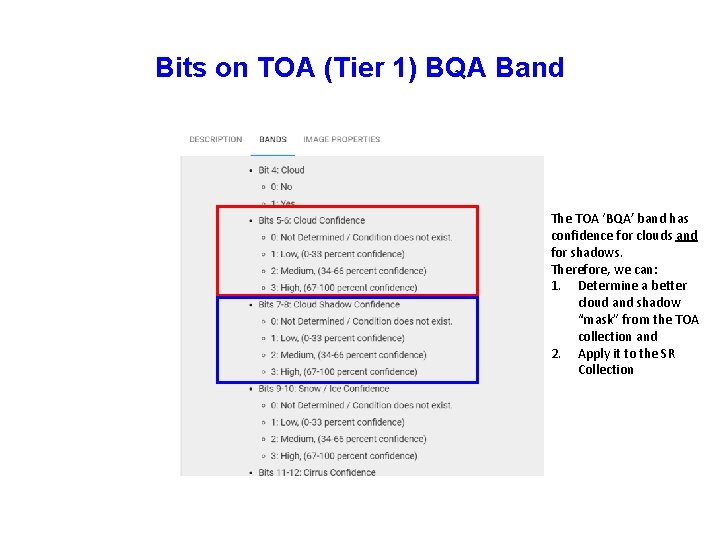
Bits on TOA (Tier 1) BQA Band The TOA ‘BQA’ band has confidence for clouds and for shadows. Therefore, we can: 1. Determine a better cloud and shadow “mask” from the TOA collection and 2. Apply it to the SR Collection

How Bits Work • • Binary (0 or 1) Numbered from right to left They use Base 2 (2^) Bits are numbered from 0
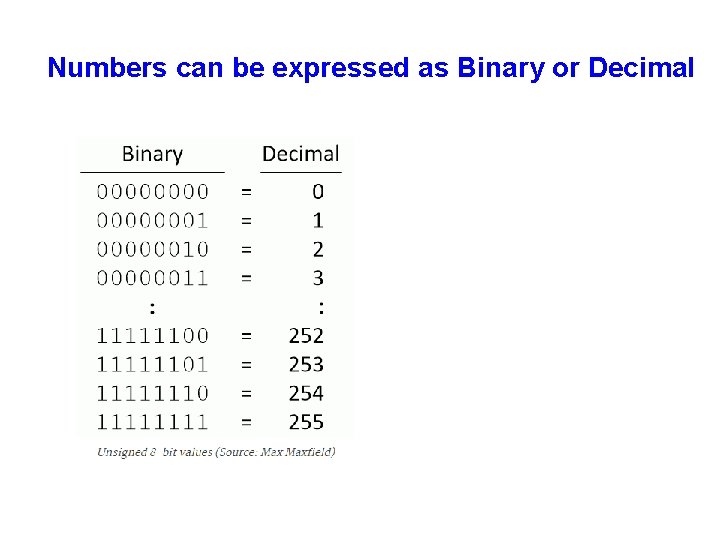
Numbers can be expressed as Binary or Decimal
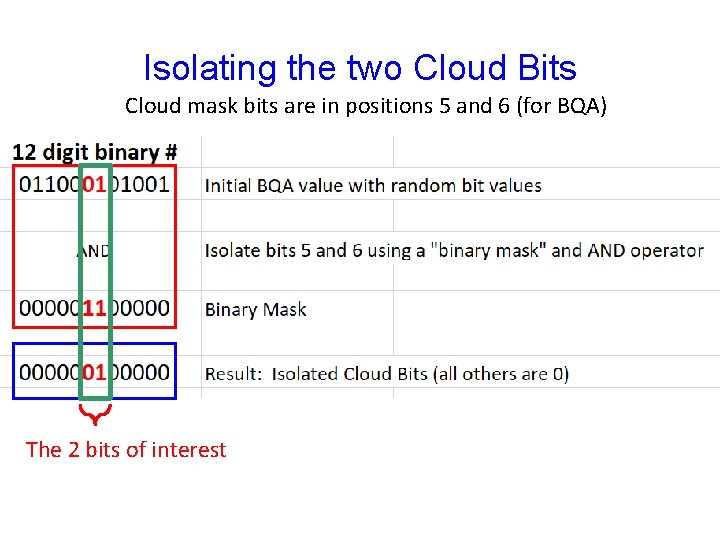
Isolating the two Cloud Bits Cloud mask bits are in positions 5 and 6 (for BQA) The 2 bits of interest
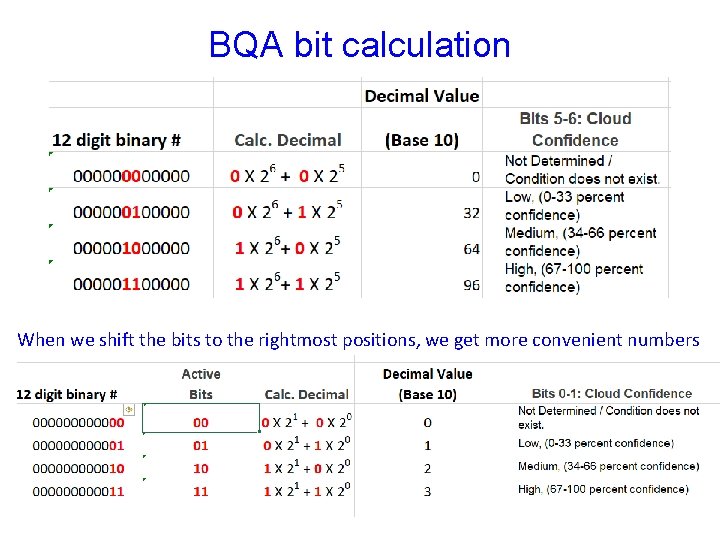
BQA bit calculation When we shift the bits to the rightmost positions, we get more convenient numbers
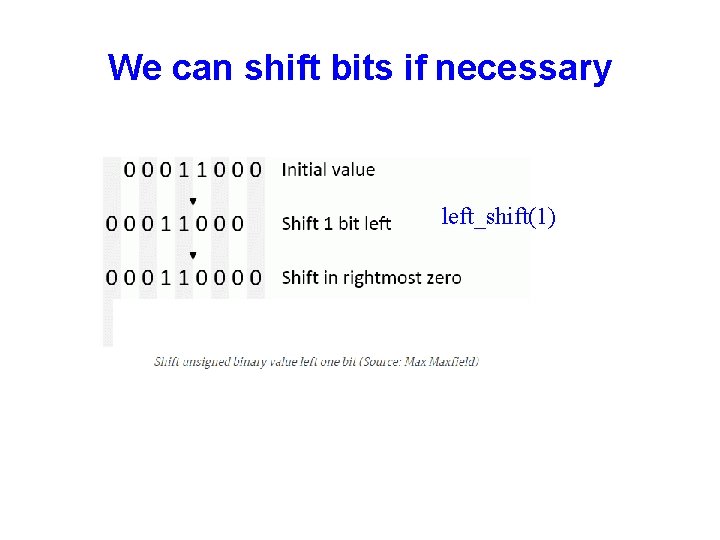
We can shift bits if necessary left_shift(1)
- Slides: 10