
Block III Unit 3 1 Monitoring 2 Data
Block III – Unit 3 1 - Monitoring 2 - Data logging 1

1 - Monitoring 2
Introduction • The main new ideas introduced in this unit are ones connected with the presentation of information in graphical, rather than text (string), form. 3
Monitoring • Two approaches: – Interrupt-driven • The instruments informs the system that a measurement is ready (using interrupts). – Polling • The program repeatedly asks the measuring instrument if a new measurement is available. 4
TThermometer • Properties – Value, double: the value of the last reading made by the instrument. – Max, double: the maximum measurement value, default value 100. – Min, double: the minimum measurement value, default value 0. – Enabled, bool. – Interval, int: the time (in thousandths of a second) between measurements, default value 1000. • Events – On. Timer, triggered when a fresh measurement is available, provided that Enabled is true. 5
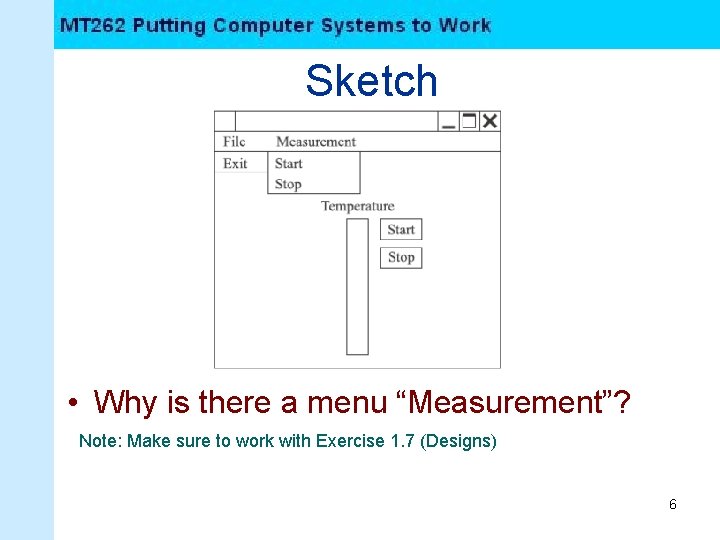
Sketch • Why is there a menu “Measurement”? Note: Make sure to work with Exercise 1. 7 (Designs) 6
Computer Activities • Adding a component • Computer activities 1. 1 1. 4 7
2 - Data Logging 8
Data Logging • Data logging is the process of keeping a permanent record of the data received from an instrument. On a computer system this can be achieved by writing the data to a file held on one of the system storage devices. 9
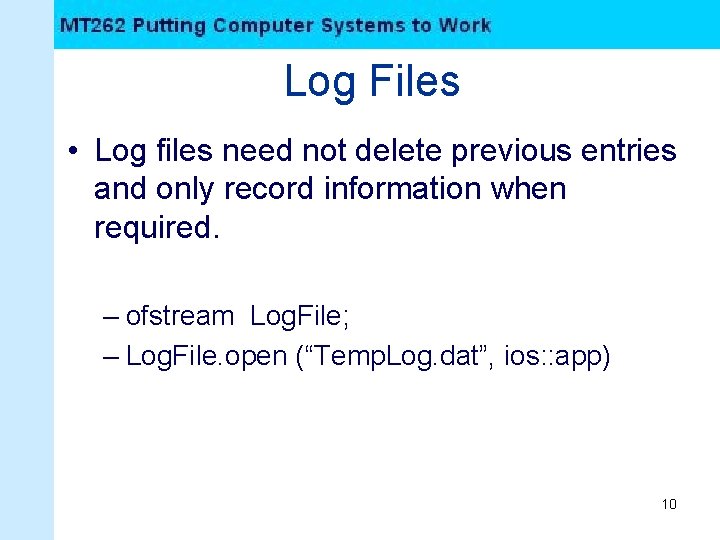
Log Files • Log files need not delete previous entries and only record information when required. – ofstream Log. File; – Log. File. open (“Temp. Log. dat”, ios: : app) 10
Computer Activities • Computer Activities 2. 1 -> 2. 6 11
- Slides: 11