
Block 1 Unit 3 Using Inheritance Budd 7
Block 1 -Unit 3 Using Inheritance Budd 7 - 8 1
Objectives • • Mouse-related events; Vector class collection class Inheritance and interfaces; polymorphism and polymorphic variables in your programs. • The class Object from which all Java classes inherit; 2
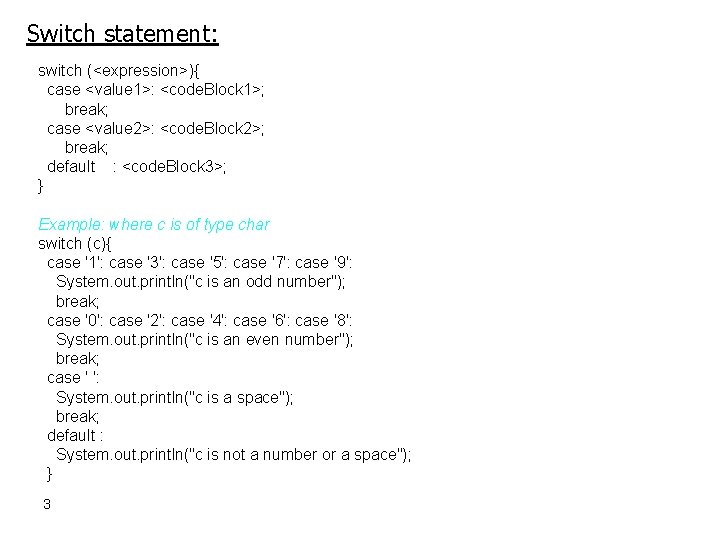
Switch statement: switch (<expression>){ case <value 1>: <code. Block 1>; break; case <value 2>: <code. Block 2>; break; default : <code. Block 3>; } Example: where c is of type char switch (c){ case '1': case '3': case '5': case '7': case '9': System. out. println("c is an odd number"); break; case '0': case '2': case '4': case '6': case '8': System. out. println("c is an even number"); break; case ' ': System. out. println("c is a space"); break; default : System. out. println("c is not a number or a space"); } 3
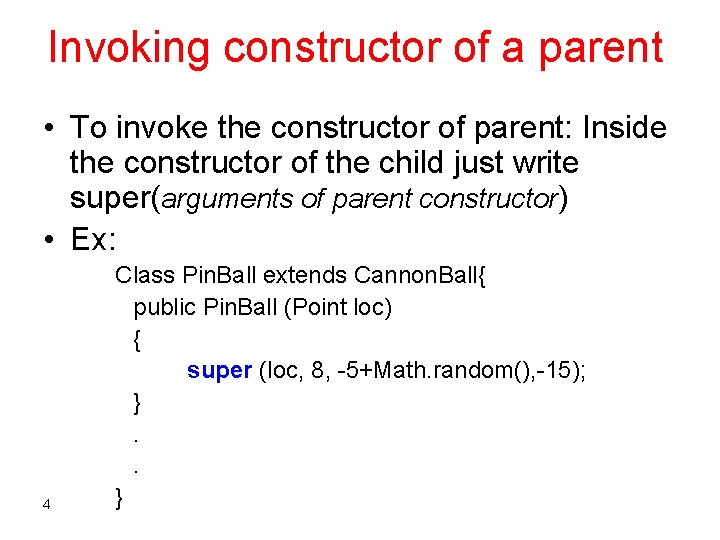
Invoking constructor of a parent • To invoke the constructor of parent: Inside the constructor of the child just write super(arguments of parent constructor) • Ex: 4 Class Pin. Ball extends Cannon. Ball{ public Pin. Ball (Point loc) { super (loc, 8, -5+Math. random(), -15); }. . }
Collection classes Vector • several balls to be moving at one time • We need data structure that can hold a collection of values. • Array: number of elements of array must known, but what if the number of balls increased dynamically • Vector class is, like an array, an indexed data structure; meaning that each element has a position in the collection and can dynamically grow as new elements are added. • To access a vector, import java. util. Vector; • To declare a vector private Vector balls; • To create the vector balls = new Vector( ); 5
Vector methods • void add. Element (Object obj) – Adds the specified object to the end of a vector, increasing its size by one. – Ex: balls. add. Element (new. Ball); • void remove. Element. At (int index) – Removes the element at the specified index. • Object element. At (int) – Returns the element at the specified index. – Ex: Pin. Ball a. Ball = (Pin. Ball) balls. element. At(i); • int size () – Returns the number of elements stored in a vector – Ex: balls. size() : is the size of the ball vector 6 – for (int i=0; i<balls. size(); i++)
Mouse Listener interface • There are five different mouse related events. Hence, • the interface for a Mouse. Listener has following structure: public interface Mouse. Listener{ void mouse. Clicked(Mouse. Event e) //Invoked when the mouse button has been clicked //(pressed and released) on a component. void mouse. Entered(Mouse. Event e) //Invoked when the mouse enters a component. void mouse. Exited(Mouse. Event e) //Invoked when the mouse exits a component. void mouse. Pressed(Mouse. Event e) //Invoked when a mouse button has been pressed on a //component. void mouse. Released(Mouse. Event e) //Invoked when a mouse button has been released on a //component. }//the implemented class for Mouse. Listener interface is Mouse. Adapter 7 class.

Mouse Listener implementation • However, to implement an interface, Java insists that the programmer provide a definition for all methods. • Often a programmer is interested in only one or two of these five events. • To simplify such cases, the Java library provides a class named Mouse. Adapter. • This class implements the Mouse. Listener interface but uses an empty method for each method. • a Mouse. Adapter does nothing in response to any mouse event. • The programmer can write a new class that inherits from Mouse. Adapter, and overrides (or redefines) the methods of interest. • In our example program, an inner class (Mouse. Keeper ) defines a Mouse. Listener by extending Mouse. Adapter. • An instance of this class is created and passed as an argument to the method add. Mouse. Listener, which is inherited from class JFrame. add. Mouse. Listener (new Mouse. Keeper()); • The class Mouse. Keeper implements one method of Mouse. Adapter. 8
Mouse. Keeper class private class Mouse. Keeper extends Mouse. Adapter { public void mouse. Pressed(Mouse. Event e) { //locate position of mouse cursor when moused clicked int x = e. get. X(); //Returns the horizontal x position of the event // relative to the source component. int y = e. get. Y(); //Returns the vertical y position of the event //relative to the source component //use them or print them } } 9
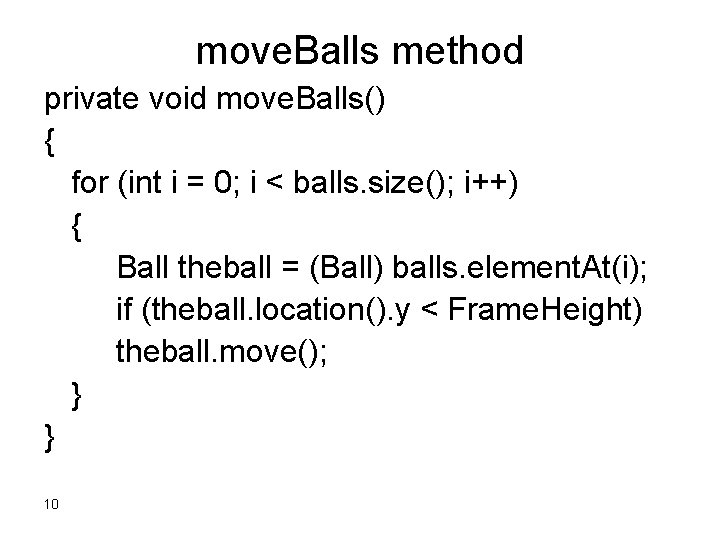
move. Balls method private void move. Balls() { for (int i = 0; i < balls. size(); i++) { Ball theball = (Ball) balls. element. At(i); if (theball. location(). y < Frame. Height) theball. move(); } } 10
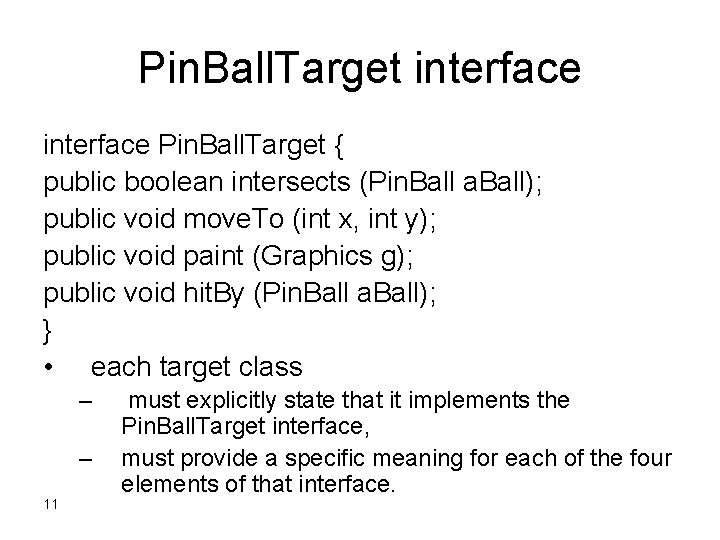
Pin. Ball. Target interface Pin. Ball. Target { public boolean intersects (Pin. Ball a. Ball); public void move. To (int x, int y); public void paint (Graphics g); public void hit. By (Pin. Ball a. Ball); } • each target class – – 11 must explicitly state that it implements the Pin. Ball. Target interface, must provide a specific meaning for each of the four elements of that interface.
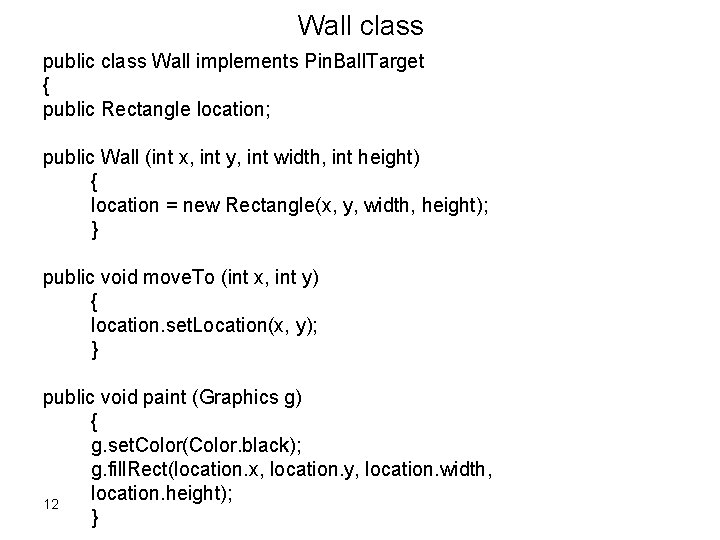
Wall class public class Wall implements Pin. Ball. Target { public Rectangle location; public Wall (int x, int y, int width, int height) { location = new Rectangle(x, y, width, height); } public void move. To (int x, int y) { location. set. Location(x, y); } public void paint (Graphics g) { g. set. Color(Color. black); g. fill. Rect(location. x, location. y, location. width, location. height); 12 }
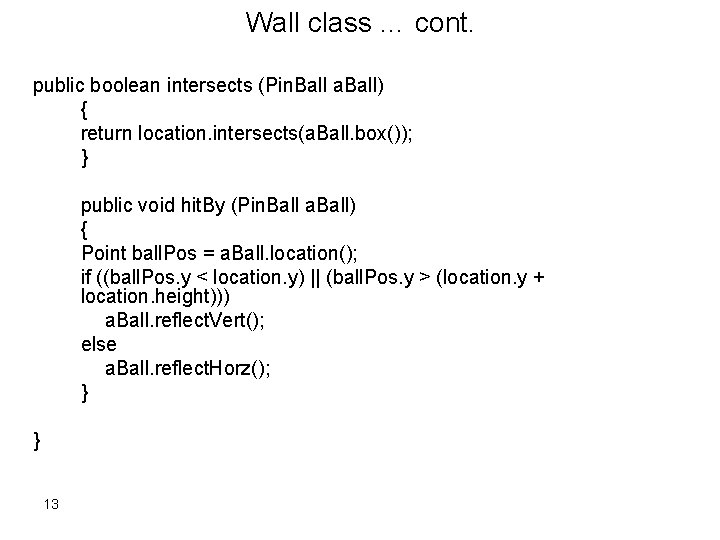
Wall class … cont. public boolean intersects (Pin. Ball a. Ball) { return location. intersects(a. Ball. box()); } public void hit. By (Pin. Ball a. Ball) { Point ball. Pos = a. Ball. location(); if ((ball. Pos. y < location. y) || (ball. Pos. y > (location. y + location. height))) a. Ball. reflect. Vert(); else a. Ball. reflect. Horz(); } } 13
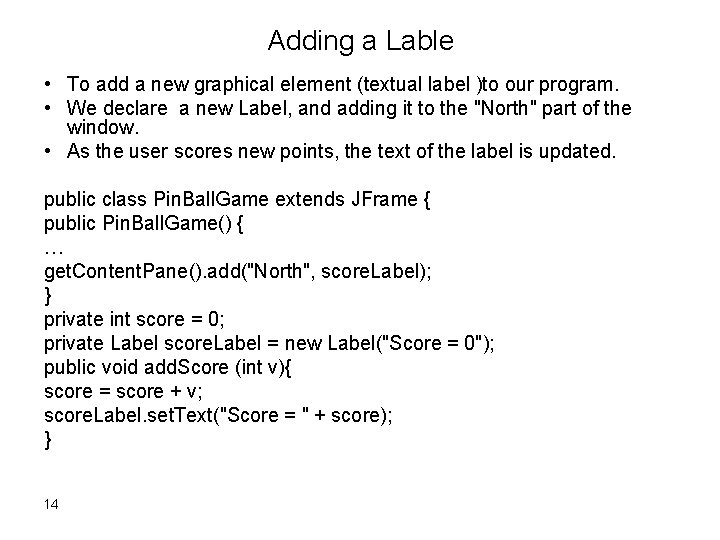
Adding a Lable • To add a new graphical element (textual label )to our program. • We declare a new Label, and adding it to the "North" part of the window. • As the user scores new points, the text of the label is updated. public class Pin. Ball. Game extends JFrame { public Pin. Ball. Game() { … get. Content. Pane(). add("North", score. Label); } private int score = 0; private Label score. Label = new Label("Score = 0"); public void add. Score (int v){ score = score + v; score. Label. set. Text("Score = " + score); } 14
Improving Program by adding targets • the user can select a target from a pallet of targets and place it on the game surface. • The user can click the mouse down in one of these targets, then slide the mouse (still down) over into the playing area. When the user releases the mouse, the selected target element will be installed into the new location. • This is done by overriding both the mouse. Pressed and the mouse. Released methods inherited from the mouse adapter. 15
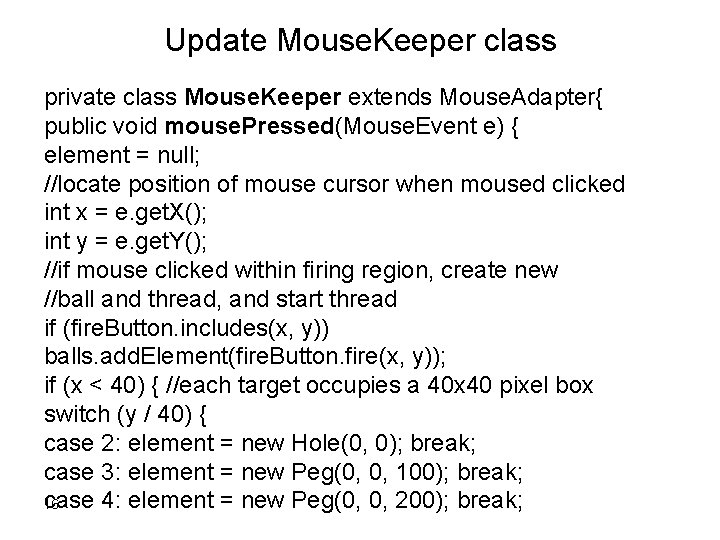
Update Mouse. Keeper class private class Mouse. Keeper extends Mouse. Adapter{ public void mouse. Pressed(Mouse. Event e) { element = null; //locate position of mouse cursor when moused clicked int x = e. get. X(); int y = e. get. Y(); //if mouse clicked within firing region, create new //ball and thread, and start thread if (fire. Button. includes(x, y)) balls. add. Element(fire. Button. fire(x, y)); if (x < 40) { //each target occupies a 40 x 40 pixel box switch (y / 40) { case 2: element = new Hole(0, 0); break; case 3: element = new Peg(0, 0, 100); break; case 4: element = new Peg(0, 0, 200); break; 16
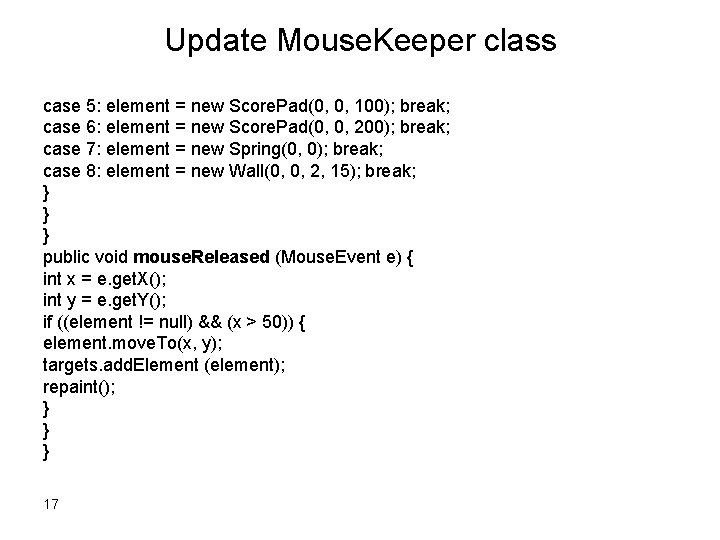
Update Mouse. Keeper class case 5: element = new Score. Pad(0, 0, 100); break; case 6: element = new Score. Pad(0, 0, 200); break; case 7: element = new Spring(0, 0); break; case 8: element = new Wall(0, 0, 2, 15); break; } } } public void mouse. Released (Mouse. Event e) { int x = e. get. X(); int y = e. get. Y(); if ((element != null) && (x > 50)) { element. move. To(x, y); targets. add. Element (element); repaint(); } } } 17
Inheritance • Inheritance : a child class (or subclass) can access both data and behavior (methods) associated with a parent class (superclass). • inheritance of code: a class extends another class. • inheritance for specification, a class implements an interface. • The relationship between the classes that inherit from each other is transitive. • • • 18 – For example, this means that the class Dog inherits all the data fields and methods of Mammal , and inherits methods and data fields of Animal (since Mammal inherits from Animal). The methods and data fields of a child class are an extension of the parent (i. e. they include the methods and data fields of the parent). The child class is also a contraction of the parent class, in the sense that it is more specialized. extension applied at the class level and contraction at the object level. – For example, consider the class Employee which inherits from the class Person. – At the object level : more persons than employees, Employee is a contraction of Person. – At the class level, employees will have all the methods and data fields associated with a Person, as well as those which are specialized to being an employee. In this sense, Employee is an extension of Person.
Inheritance Object class: java. lang. Object All classes are derived from a single root class, named Object. The class Object provide minimum functionality guaranteed to be common to all objects. This include the following methods: boolean equals(Object obj) //Indicates whether some other object is "equal to" this one. Class get. Class() //Returns the runtime class of an object 19
Forms of Inheritance • 20 Inheritance for specialization : the child class being a more specialized variety of the parent class, but satisfying the specifications of the parent behavior in all relevant respects. – Create a subtype – Ex: The behavior of a ball is in all respects appropriate to that of a cannon ball, and in this sense Cannon. Ball is a subtype of Ball as well as a subclass of Ball.
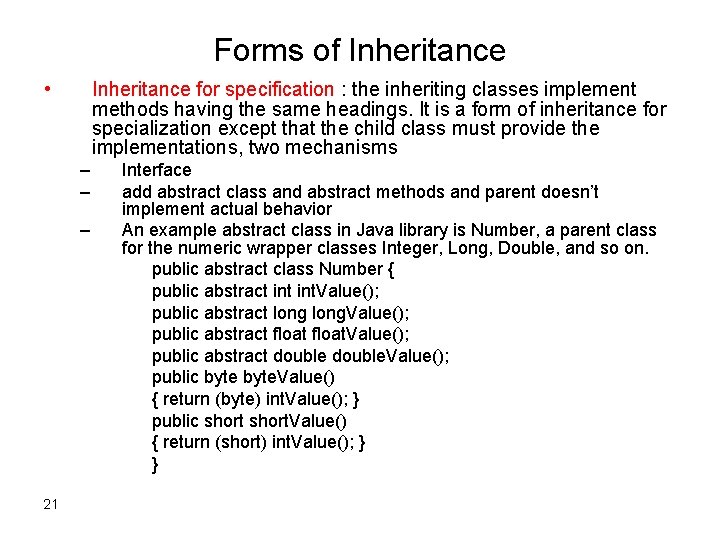
Forms of Inheritance • Inheritance for specification : the inheriting classes implement methods having the same headings. It is a form of inheritance for specialization except that the child class must provide the implementations, two mechanisms – – – 21 Interface add abstract class and abstract methods and parent doesn’t implement actual behavior An example abstract class in Java library is Number, a parent class for the numeric wrapper classes Integer, Long, Double, and so on. public abstract class Number { public abstract int. Value(); public abstract long. Value(); public abstract float. Value(); public abstract double. Value(); public byte. Value() { return (byte) int. Value(); } public short. Value() { return (short) int. Value(); } }
Forms of Inheritance • Inheritance for construction: – – – • • • 22 one class extends another in order to inherit some of the methods of the parent classes are not related as subtype and supertype, Ex: Hole and Ball in pinball game Inheritance for extension. the parent remain untouchable. Inheritance for limitation. building class inherit from an existing one and the super class can’t be modified. Inheritance for combination. back door for the multi_ inheritance concept as to extends from one class and implements another
Modifiers and inheritance • A public feature (data field or method) can be accessed outside the class definition. A public class can be accessed outside the package in which it is declared. • A protected feature can be accessed only within the class definition in which it appears, within other classes in the same package, or within the definition of subclass. • A private feature can be accessed only within the class definition in which it appears. 23
The benefits of inheritance 1. Software reusability. 2. Increased reliability. ”test the code on different situation” 3. Code sharing. 4. Consistency of interface. “similar interface and behavior during the project” 5. Software components. 6. Rapid prototyping. “large systems divided into small portions so we can understand it” 7. Polymorphism and framework. 8. Information hiding. 24
The costs of inheritance 1. 2. 3. 4. 25 Execution speed. Program size. Message-passing overhead. Program complexity.
- Slides: 25