
Blender RayTracing RayTracing Raytracing is used to l
Blender Ray-Tracing 光線追蹤法
Ray-Tracing ¡ Ray-tracing is used to l l ¡ produce mirrored and reflective surfaces create transparency (透明)and refraction (折射) Ray tracing can produce some stunning(極漂亮)effect, but can come at a high cost in rendering times. Use it only where needed.
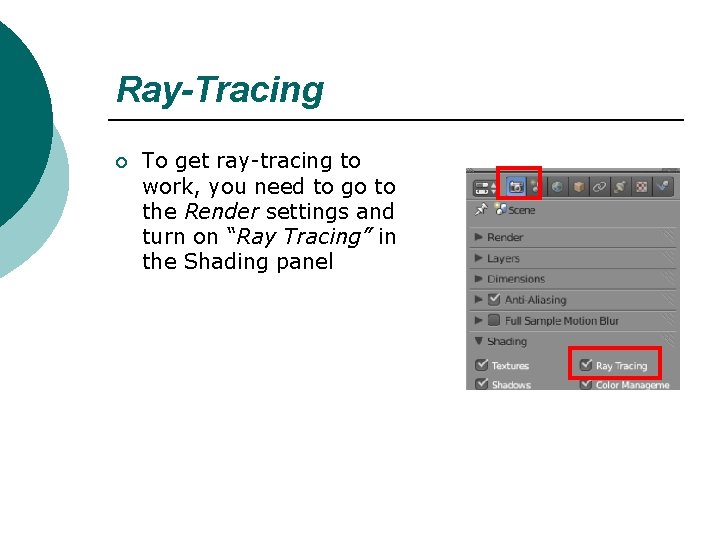
Ray-Tracing ¡ To get ray-tracing to work, you need to go to the Render settings and turn on “Ray Tracing” in the Shading panel

Ray-Tracing : Lighting and Shadows ¡ go to the Lamp settings, find the “Ray Shadow” button and activate it

Ray-Tracing : Lighting and Shadows ¡ Notice the shadows below. The left image was rendered with Samples at 1 and Soft at 0. The right image was 10 and 1
Reflection (mirror) ¡ To create a mirror, or reflective surface on an object, select that object and add a material. You can also add textures to an object and have a mirror surface.
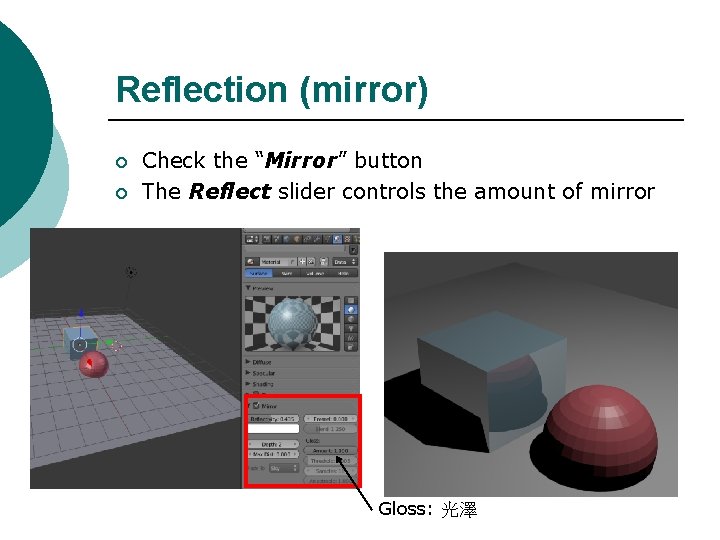
Reflection (mirror) ¡ ¡ Check the “Mirror” button The Reflect slider controls the amount of mirror Gloss: 光澤
Refraction (transparency) press the “Transparency” button to activate it ¡ Two main adjustments ¡ l l IOR (Index of Refraction) : create the Lens (鏡片)effect and bends (彎曲)light Fresnel : control the amount of transparency
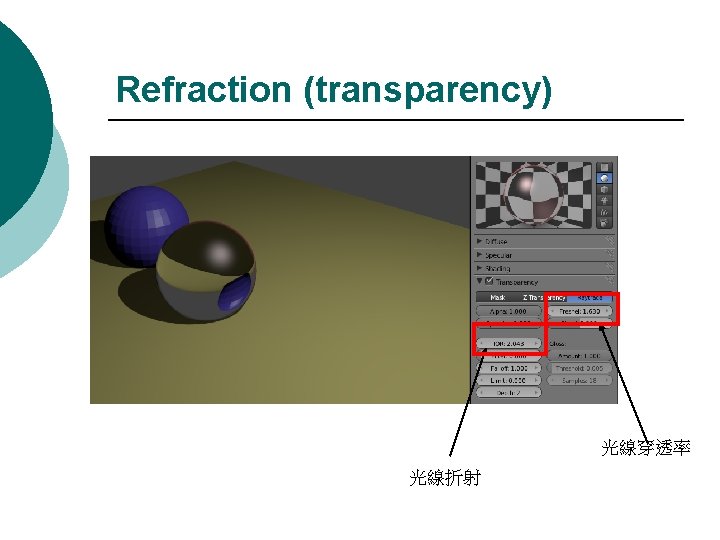
Refraction (transparency) 光線穿透率 光線折射
- Slides: 9