
BIOS and DOS Programming in DOS INT 10
BIOS and DOS Programming in DOS INT 10 and 21 H
Interrupts • There are some extremely useful subroutines within BIOS or DOS that are available to the user through the INT (Interrupt) instruction. • The INT instruction is like a FAR call; when it is invoked – It saves CS: IP and flags on the stack and goes to the subroutine associated with that interrupt. – Format: • INT xx ; the interrupt number xx can be 00 -FFH – This gives a total of 256 interrupts – Two of them are widely used: INT 10 H and INT 21 H – Before the services of INT 10 H and 21 H is requested, certain registers must have specific values in them, depending on the function being requested.
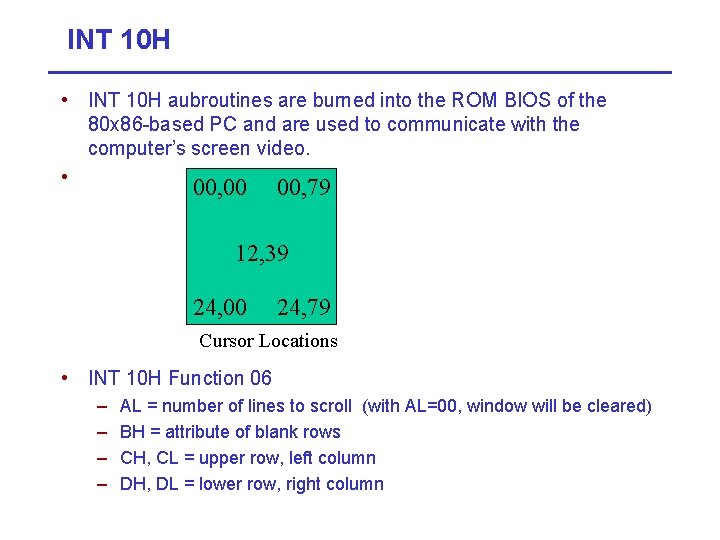
INT 10 H • INT 10 H aubroutines are burned into the ROM BIOS of the 80 x 86 -based PC and are used to communicate with the computer’s screen video. • 00, 00 00, 79 12, 39 24, 00 24, 79 Cursor Locations • INT 10 H Function 06 – – AL = number of lines to scroll (with AL=00, window will be cleared) BH = attribute of blank rows CH, CL = upper row, left column DH, DL = lower row, right column
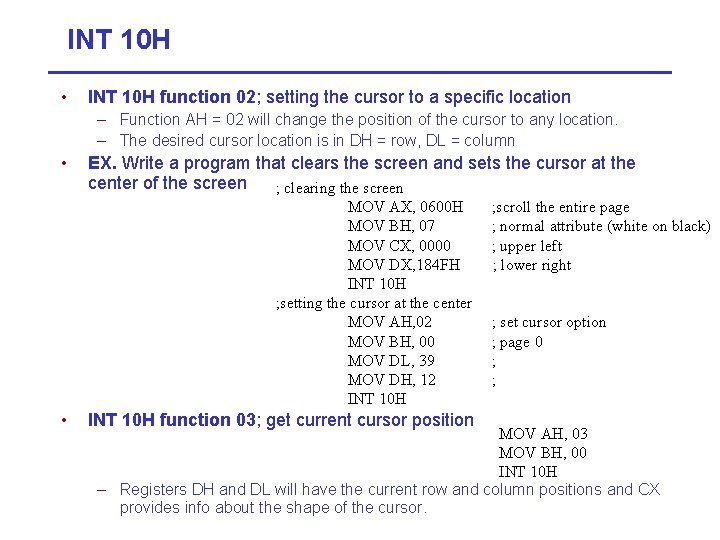
INT 10 H • INT 10 H function 02; setting the cursor to a specific location – Function AH = 02 will change the position of the cursor to any location. – The desired cursor location is in DH = row, DL = column • EX. Write a program that clears the screen and sets the cursor at the center of the screen ; clearing the screen MOV AX, 0600 H MOV BH, 07 MOV CX, 0000 MOV DX, 184 FH INT 10 H ; setting the cursor at the center MOV AH, 02 MOV BH, 00 MOV DL, 39 MOV DH, 12 INT 10 H • INT 10 H function 03; get current cursor position ; scroll the entire page ; normal attribute (white on black) ; upper left ; lower right ; set cursor option ; page 0 ; ; MOV AH, 03 MOV BH, 00 INT 10 H – Registers DH and DL will have the current row and column positions and CX provides info about the shape of the cursor.
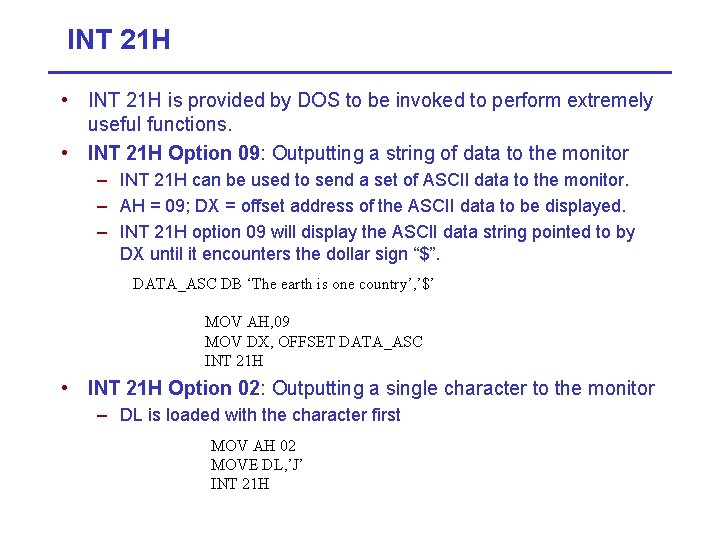
INT 21 H • INT 21 H is provided by DOS to be invoked to perform extremely useful functions. • INT 21 H Option 09: Outputting a string of data to the monitor – INT 21 H can be used to send a set of ASCII data to the monitor. – AH = 09; DX = offset address of the ASCII data to be displayed. – INT 21 H option 09 will display the ASCII data string pointed to by DX until it encounters the dollar sign “$”. DATA_ASC DB ‘The earth is one country’, ’$’ MOV AH, 09 MOV DX, OFFSET DATA_ASC INT 21 H • INT 21 H Option 02: Outputting a single character to the monitor – DL is loaded with the character first MOV AH 02 MOVE DL, ’J’ INT 21 H
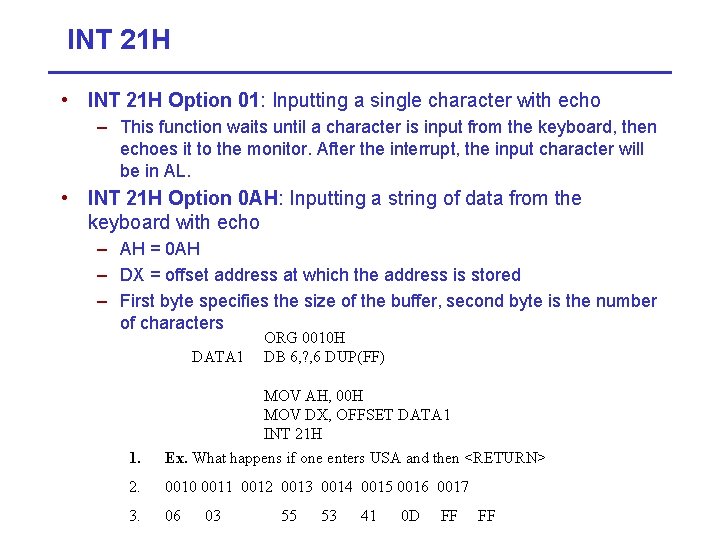
INT 21 H • INT 21 H Option 01: Inputting a single character with echo – This function waits until a character is input from the keyboard, then echoes it to the monitor. After the interrupt, the input character will be in AL. • INT 21 H Option 0 AH: Inputting a string of data from the keyboard with echo – AH = 0 AH – DX = offset address at which the address is stored – First byte specifies the size of the buffer, second byte is the number of characters DATA 1 ORG 0010 H DB 6, ? , 6 DUP(FF) 1. MOV AH, 00 H MOV DX, OFFSET DATA 1 INT 21 H Ex. What happens if one enters USA and then <RETURN> 2. 0010 0011 0012 0013 0014 0015 0016 0017 3. 06 03 55 53 41 0 D FF FF
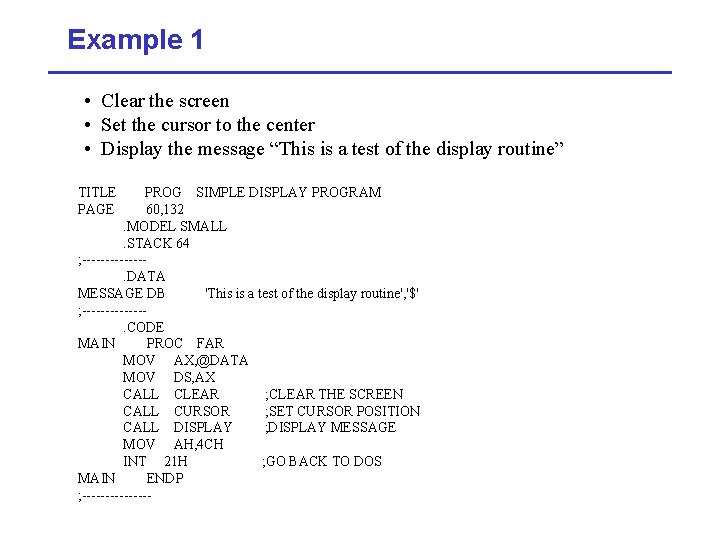
Example 1 • Clear the screen • Set the cursor to the center • Display the message “This is a test of the display routine” TITLE PAGE PROG SIMPLE DISPLAY PROGRAM 60, 132. MODEL SMALL. STACK 64 ; -------. DATA MESSAGE DB 'This is a test of the display routine', '$' ; -------. CODE MAIN PROC FAR MOV AX, @DATA MOV DS, AX CALL CLEAR ; CLEAR THE SCREEN CALL CURSOR ; SET CURSOR POSITION CALL DISPLAY ; DISPLAY MESSAGE MOV AH, 4 CH INT 21 H ; GO BACK TO DOS MAIN ENDP ; --------
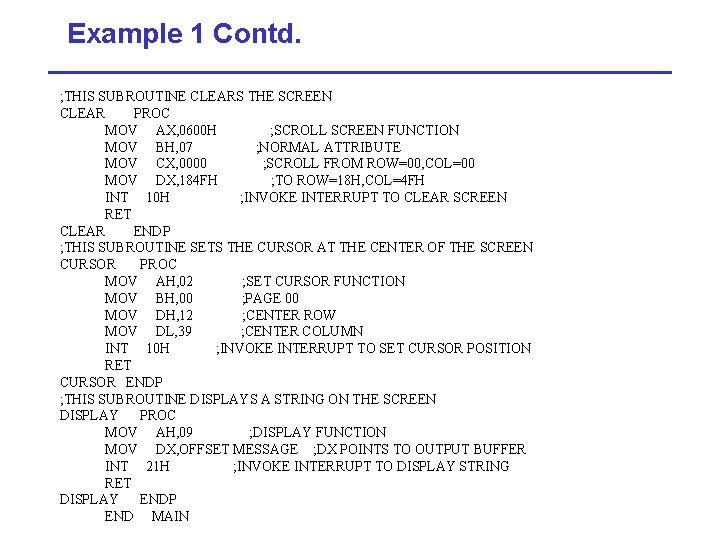
Example 1 Contd. ; THIS SUBROUTINE CLEARS THE SCREEN CLEAR PROC MOV AX, 0600 H ; SCROLL SCREEN FUNCTION MOV BH, 07 ; NORMAL ATTRIBUTE MOV CX, 0000 ; SCROLL FROM ROW=00, COL=00 MOV DX, 184 FH ; TO ROW=18 H, COL=4 FH INT 10 H ; INVOKE INTERRUPT TO CLEAR SCREEN RET CLEAR ENDP ; THIS SUBROUTINE SETS THE CURSOR AT THE CENTER OF THE SCREEN CURSOR PROC MOV AH, 02 ; SET CURSOR FUNCTION MOV BH, 00 ; PAGE 00 MOV DH, 12 ; CENTER ROW MOV DL, 39 ; CENTER COLUMN INT 10 H ; INVOKE INTERRUPT TO SET CURSOR POSITION RET CURSOR ENDP ; THIS SUBROUTINE DISPLAYS A STRING ON THE SCREEN DISPLAY PROC MOV AH, 09 ; DISPLAY FUNCTION MOV DX, OFFSET MESSAGE ; DX POINTS TO OUTPUT BUFFER INT 21 H ; INVOKE INTERRUPT TO DISPLAY STRING RET DISPLAY ENDP END MAIN
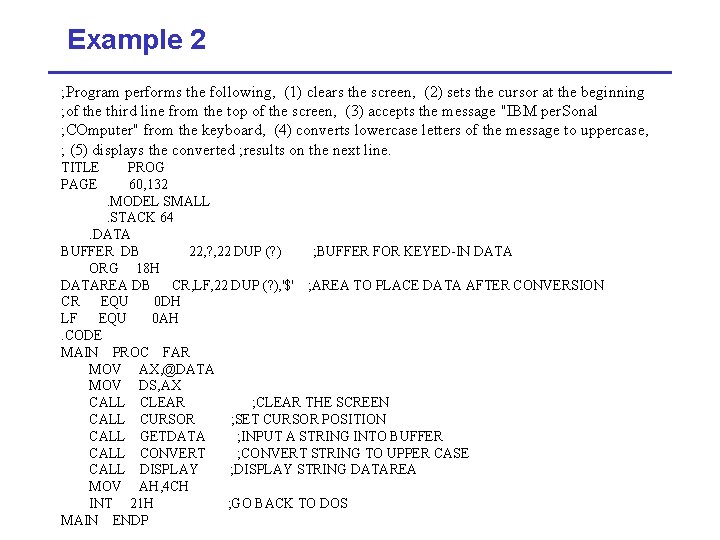
Example 2 ; Program performs the following, (1) clears the screen, (2) sets the cursor at the beginning ; of the third line from the top of the screen, (3) accepts the message "IBM per. Sonal ; COmputer" from the keyboard, (4) converts lowercase letters of the message to uppercase, ; (5) displays the converted ; results on the next line. TITLE PAGE PROG 60, 132. MODEL SMALL. STACK 64. DATA BUFFER DB 22, ? , 22 DUP (? ) ; BUFFER FOR KEYED-IN DATA ORG 18 H DATAREA DB CR, LF, 22 DUP (? ), '$' ; AREA TO PLACE DATA AFTER CONVERSION CR EQU 0 DH LF EQU 0 AH. CODE MAIN PROC FAR MOV AX, @DATA MOV DS, AX CALL CLEAR ; CLEAR THE SCREEN CALL CURSOR ; SET CURSOR POSITION CALL GETDATA ; INPUT A STRING INTO BUFFER CALL CONVERT ; CONVERT STRING TO UPPER CASE CALL DISPLAY ; DISPLAY STRING DATAREA MOV AH, 4 CH INT 21 H ; GO BACK TO DOS MAIN ENDP
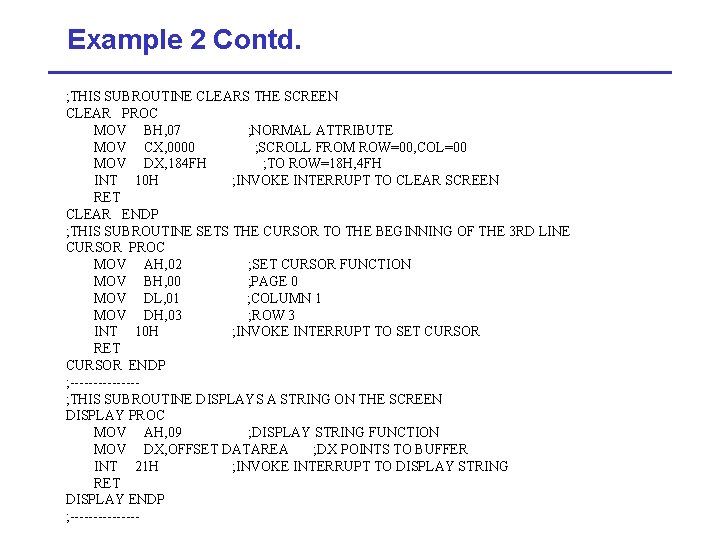
Example 2 Contd. ; THIS SUBROUTINE CLEARS THE SCREEN CLEAR PROC MOV BH, 07 ; NORMAL ATTRIBUTE MOV CX, 0000 ; SCROLL FROM ROW=00, COL=00 MOV DX, 184 FH ; TO ROW=18 H, 4 FH INT 10 H ; INVOKE INTERRUPT TO CLEAR SCREEN RET CLEAR ENDP ; THIS SUBROUTINE SETS THE CURSOR TO THE BEGINNING OF THE 3 RD LINE CURSOR PROC MOV AH, 02 ; SET CURSOR FUNCTION MOV BH, 00 ; PAGE 0 MOV DL, 01 ; COLUMN 1 MOV DH, 03 ; ROW 3 INT 10 H ; INVOKE INTERRUPT TO SET CURSOR RET CURSOR ENDP ; -------; THIS SUBROUTINE DISPLAYS A STRING ON THE SCREEN DISPLAY PROC MOV AH, 09 ; DISPLAY STRING FUNCTION MOV DX, OFFSET DATAREA ; DX POINTS TO BUFFER INT 21 H ; INVOKE INTERRUPT TO DISPLAY STRING RET DISPLAY ENDP ; --------
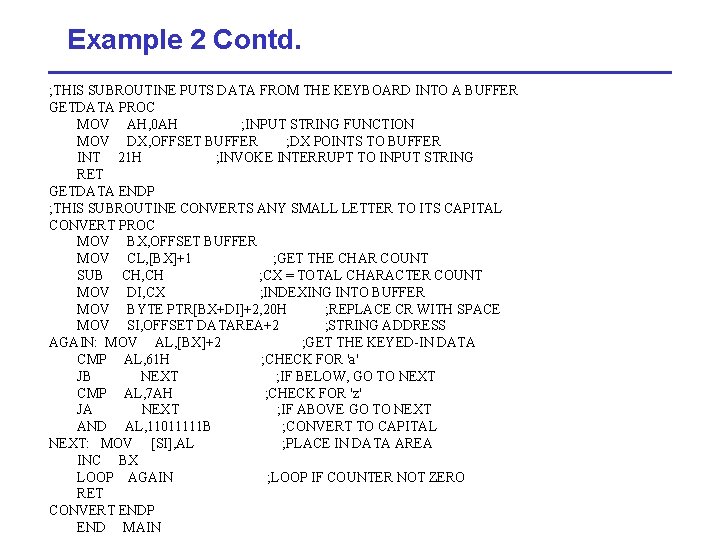
Example 2 Contd. ; THIS SUBROUTINE PUTS DATA FROM THE KEYBOARD INTO A BUFFER GETDATA PROC MOV AH, 0 AH ; INPUT STRING FUNCTION MOV DX, OFFSET BUFFER ; DX POINTS TO BUFFER INT 21 H ; INVOKE INTERRUPT TO INPUT STRING RET GETDATA ENDP ; THIS SUBROUTINE CONVERTS ANY SMALL LETTER TO ITS CAPITAL CONVERT PROC MOV BX, OFFSET BUFFER MOV CL, [BX]+1 ; GET THE CHAR COUNT SUB CH, CH ; CX = TOTAL CHARACTER COUNT MOV DI, CX ; INDEXING INTO BUFFER MOV BYTE PTR[BX+DI]+2, 20 H ; REPLACE CR WITH SPACE MOV SI, OFFSET DATAREA+2 ; STRING ADDRESS AGAIN: MOV AL, [BX]+2 ; GET THE KEYED-IN DATA CMP AL, 61 H ; CHECK FOR 'a' JB NEXT ; IF BELOW, GO TO NEXT CMP AL, 7 AH ; CHECK FOR 'z' JA NEXT ; IF ABOVE GO TO NEXT AND AL, 11011111 B ; CONVERT TO CAPITAL NEXT: MOV [SI], AL ; PLACE IN DATA AREA INC BX LOOP AGAIN ; LOOP IF COUNTER NOT ZERO RET CONVERT ENDP END MAIN
- Slides: 11