
Binary Representation Eric Roberts and Jerry Cain CS
Binary Representation Eric Roberts and Jerry Cain CS 106 J April 28, 2017
Once upon a time. . .
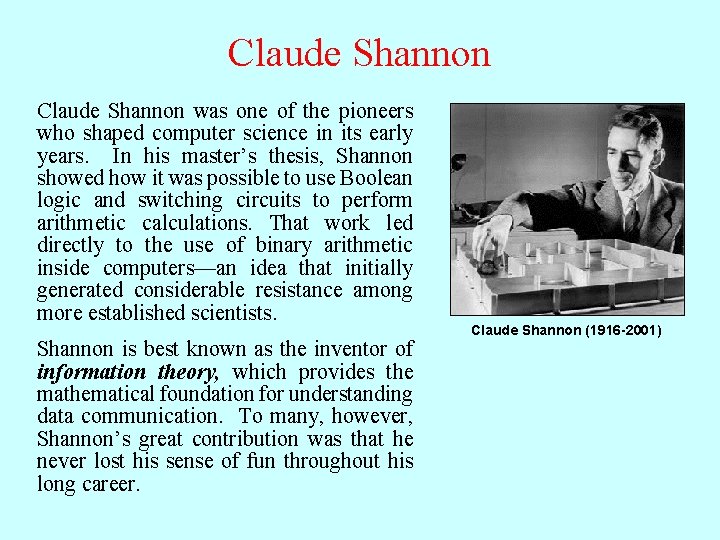
Claude Shannon was one of the pioneers who shaped computer science in its early years. In his master’s thesis, Shannon showed how it was possible to use Boolean logic and switching circuits to perform arithmetic calculations. That work led directly to the use of binary arithmetic inside computers—an idea that initially generated considerable resistance among more established scientists. Shannon is best known as the inventor of information theory, which provides the mathematical foundation for understanding data communication. To many, however, Shannon’s great contribution was that he never lost his sense of fun throughout his long career. Claude Shannon (1916 -2001)
Binary Representation
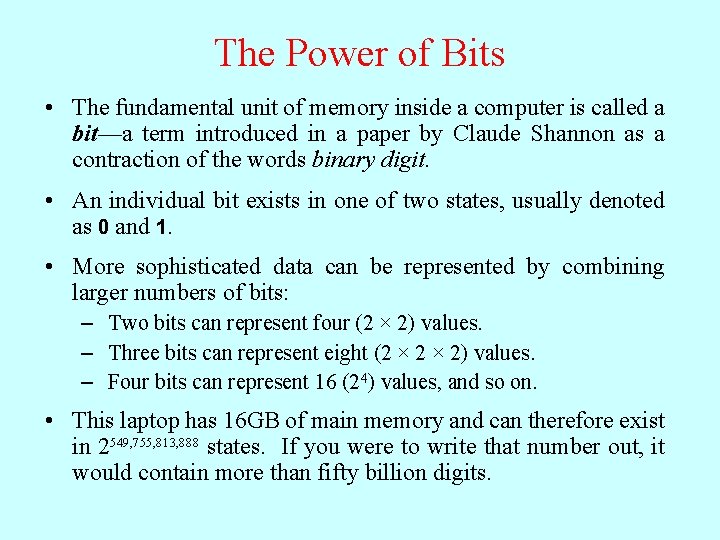
The Power of Bits • The fundamental unit of memory inside a computer is called a bit—a term introduced in a paper by Claude Shannon as a contraction of the words binary digit. • An individual bit exists in one of two states, usually denoted as 0 and 1. • More sophisticated data can be represented by combining larger numbers of bits: – Two bits can represent four (2 × 2) values. – Three bits can represent eight (2 × 2) values. – Four bits can represent 16 (24) values, and so on. • This laptop has 16 GB of main memory and can therefore exist in 2549, 755, 813, 888 states. If you were to write that number out, it would contain more than fifty billion digits.
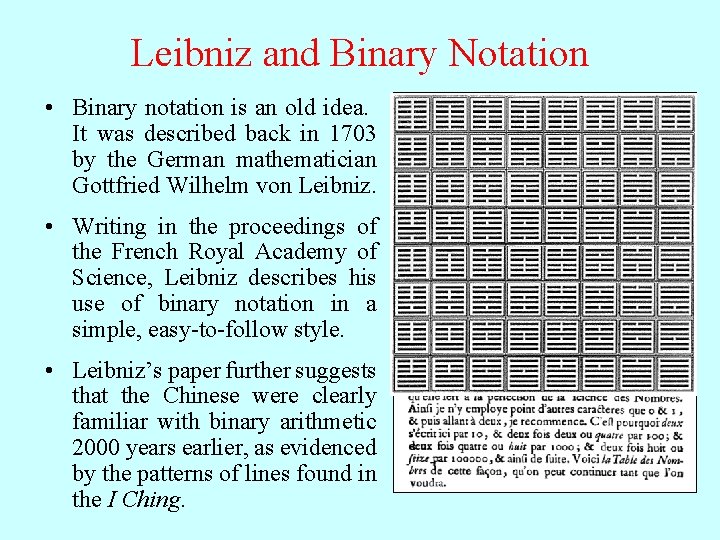
Leibniz and Binary Notation • Binary notation is an old idea. It was described back in 1703 by the German mathematician Gottfried Wilhelm von Leibniz. • Writing in the proceedings of the French Royal Academy of Science, Leibniz describes his use of binary notation in a simple, easy-to-follow style. • Leibniz’s paper further suggests that the Chinese were clearly familiar with binary arithmetic 2000 years earlier, as evidenced by the patterns of lines found in the I Ching.

Using Bits to Represent Integers • Binary notation is similar to decimal notation but uses a different base. Decimal numbers use 10 as their base, which means that each digit counts for ten times as much as the digit to its right. Binary notation uses base 2, which means that each position counts for twice as much, as follows: 0 0 1 0 1 The next Thedigit next The gives digit rightmost gives digit the number ofis 4 s. theofunits 2 s. place. 0 0 1 0 1 0 0 x x x x 1 2 4 8 16 32 64 128 = 0 = 2 = 0 = 8 = 0 = 32 = 0 42

Numbers and Bases • The calculation at the end of the preceding slide makes it clear that the binary representation 00101010 is equivalent to the number 42. When it is important to distinguish the base, the text uses a small subscript, like this: 001010102 = 4210 • Although it is useful to be able to convert a number from one base to another, it is important to remember that the number remains the same. What changes is how you write it down. • The number 42 is what you get if you count how many stars are in the pattern at the right. The number is the same whether you write it in English as forty-two, in decimal as 42, or in binary as 00101010. • Numbers do not have bases; representations do.
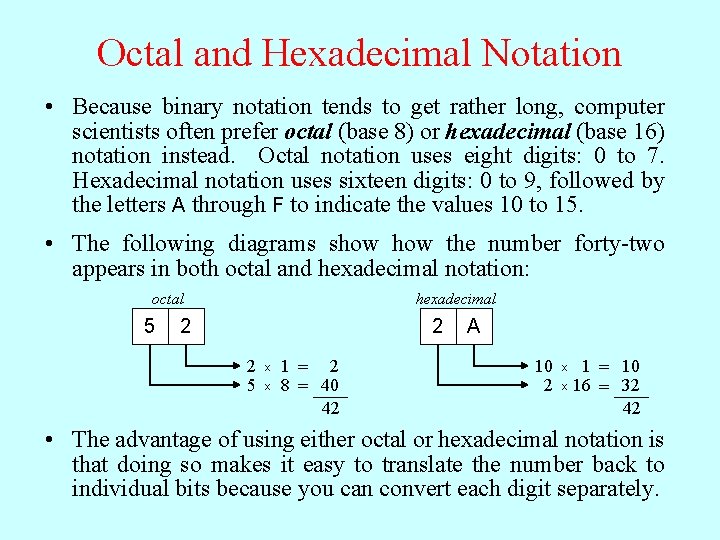
Octal and Hexadecimal Notation • Because binary notation tends to get rather long, computer scientists often prefer octal (base 8) or hexadecimal (base 16) notation instead. Octal notation uses eight digits: 0 to 7. Hexadecimal notation uses sixteen digits: 0 to 9, followed by the letters A through F to indicate the values 10 to 15. • The following diagrams show the number forty-two appears in both octal and hexadecimal notation: octal 5 hexadecimal 2 2 2 5 x x 1 = 2 8 = 40 42 A 10 02 1 = 10 x 16 = 32 42 x • The advantage of using either octal or hexadecimal notation is that doing so makes it easy to translate the number back to individual bits because you can convert each digit separately.
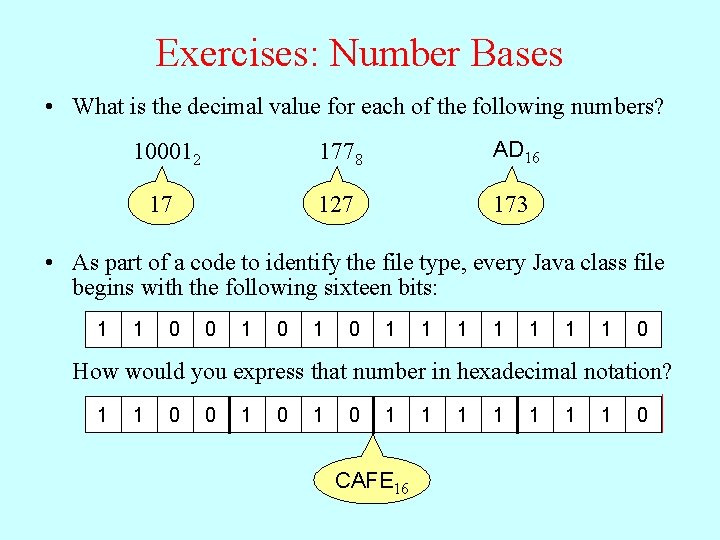
Exercises: Number Bases • What is the decimal value for each of the following numbers? 100012 1 • 0 170 0 1 1 1778 AD 16 7 7 127 A 173 D 7 x 1 7 1 x 1 1 13 x x 16 8 every 56 Java 10 class 0 x 2 the 0 file 7 type, 160 As part of a code to identify file 1 x 64 64 0 x 4 0 173 begins with the following sixteen bits: x 8 0 0 127 x 16 1 1 0 0 1 017 1 1 1 1 0 How would you express that number in hexadecimal notation? 1 1 0 0 1 A 0 1 F CAFE 16 1 1 E 1 1 0
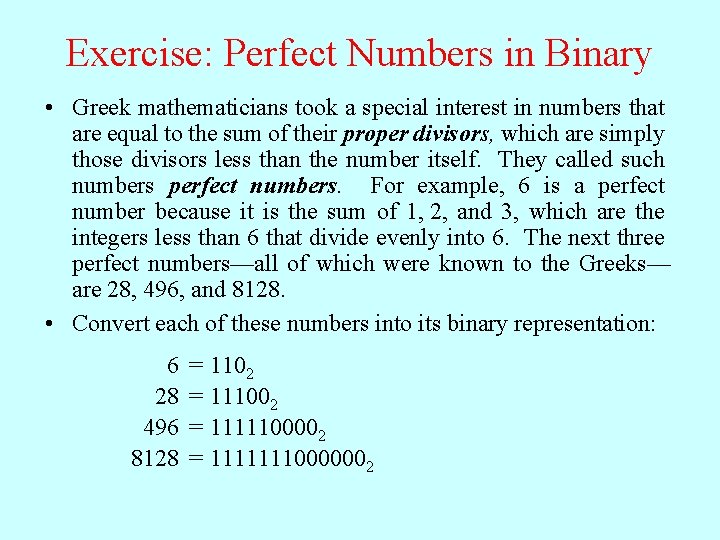
Exercise: Perfect Numbers in Binary • Greek mathematicians took a special interest in numbers that are equal to the sum of their proper divisors, which are simply those divisors less than the number itself. They called such numbers perfect numbers. For example, 6 is a perfect number because it is the sum of 1, 2, and 3, which are the integers less than 6 that divide evenly into 6. The next three perfect numbers—all of which were known to the Greeks— are 28, 496, and 8128. • Convert each of these numbers into its binary representation: 6 28 496 8128 = 1102 = 111002 = 1111100002 = 11111110000002
Bits and Representation • Sequences of bits have no intrinsic meaning except for the representation that we assign to them, both by convention and by building particular operations into the hardware. • As an example, a 32 -bit word represents an integer only because we have designed hardware that can manipulate those words arithmetically, applying operations such as addition, subtraction, and comparison. • By choosing an appropriate representation, you can use bits to represent any value you can imagine: – Characters are represented using numeric character codes. – Floating-point representation supports real numbers. – Two-dimensional arrays of bits represent images. – Sequences of images represent video. – And so on. . .

Bits Are Everywhere
Representing Characters • Computers use numeric encodings to represent character data inside the memory of the machine, in which each character is assigned an integral value. • Character codes, however, are not very useful unless they are standardized. When different computer manufacturers use different coding sequence (as was indeed the case in the early years), it is harder to share such data across machines. • The first widely adopted character encoding was ASCII (American Standard Code for Information Interchange). • With only 256 possible characters, the ASCII system proved inadequate to represent the many alphabets in use throughout the world. It has therefore been superseded by Unicode, which allows for a much larger number of characters.
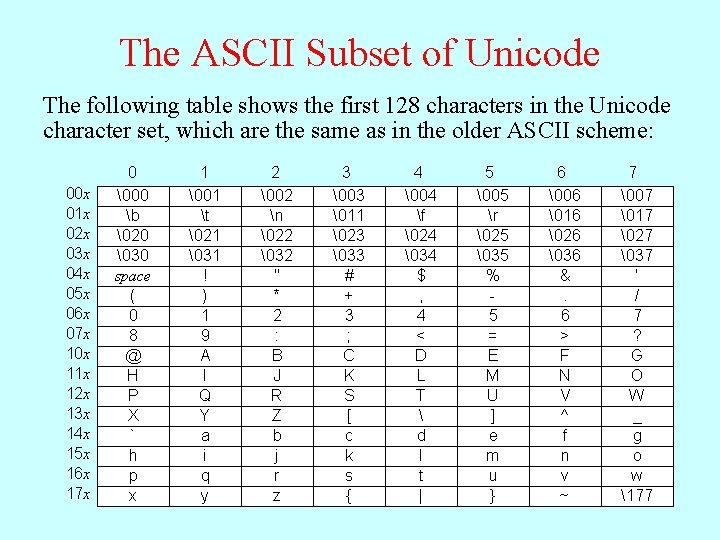
The ASCII Subset of Unicode The Unicode following letter A, for value table example, for shows any has the character first the Unicode 128 in the characters table valueis in 101 thethe , which Unicode of the is 8 sum character octalsum the numbers ofset, thewhich at row theand are beginning column the same of labels. as that in row the older and column. ASCII scheme: 00 x 01 x 02 x 03 x 04 x 05 x 06 x 07 x 10 x 11 x 12 x 13 x 14 x 15 x 16 x 17 x 0 00 b 20 30 space ( 0 8 @ H P X ` h p x 1 01 t 21 31 ! ) 1 9 A I Q Y a i q y 2 02 n 22 32 " * 2 : B J R Z b j r z 3 03 11 23 33 # + 3 ; C K S [ c k s { 4 04 f 24 34 $ , 4 < D L T d l t | 5 05 r 25 35 % 5 = E M U ] e m u } 6 06 16 26 36 &. 6 > F N V ^ f n v ~ 7 07 17 27 37 ' / 7 ? G O W _ g o w 177
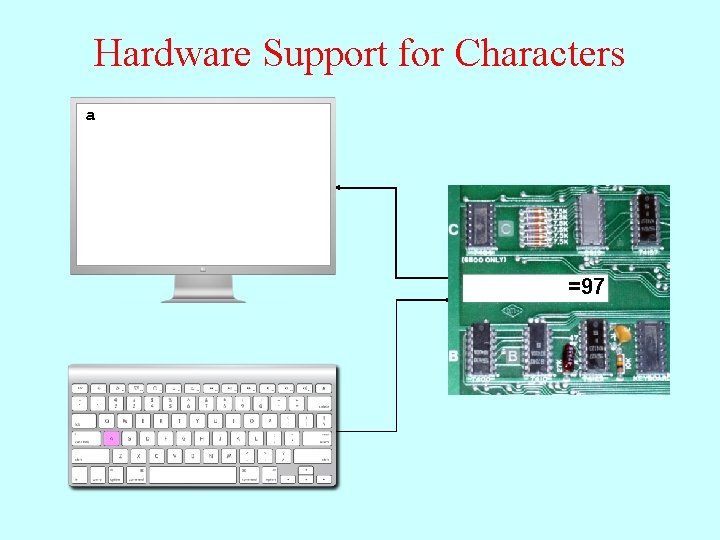
Hardware Support for Characters a =97 01100001

Strings as an Abstract Idea • Characters are most often used in programming when they are combined to form collections of consecutive characters called strings. • As you will discover when you have a chance to look more closely at the internal structure of memory, strings are stored internally as a sequence of characters in sequential memory addresses. • The internal representation, however, is really just an implementation detail. For most applications, it is best to think of a string as an abstract conceptual unit rather than as the characters it contains. • Java. Script emphasizes the abstract view by defining a built-in string type that defines high-level operations on string values.

The End
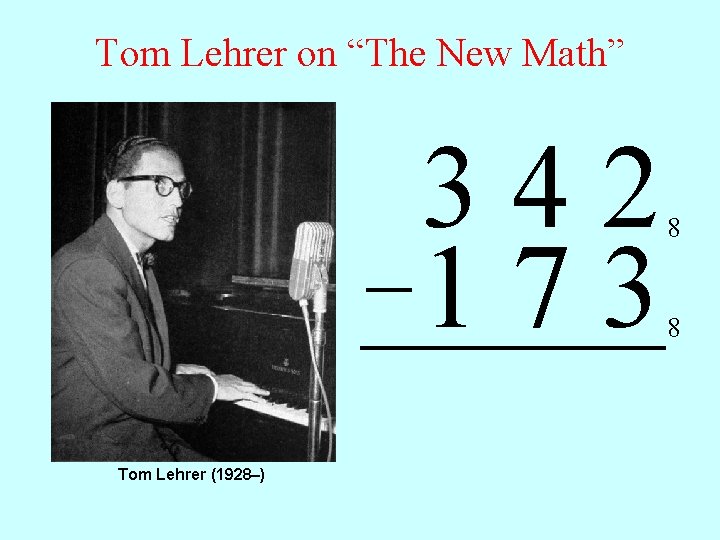
Tom Lehrer on “The New Math” 342 – 1 7 3 Tom Lehrer (1928–) 8 8
- Slides: 19