
Bilkent University Department of Computer Engineering CS 342
Bilkent University Department of Computer Engineering CS 342 Operating Systems Chapter 2: Operating System Structures Dr. İbrahim Körpeoğlu http: //www. cs. bilkent. edu. tr/~korpe Last Update: Sep 30, 2011 1
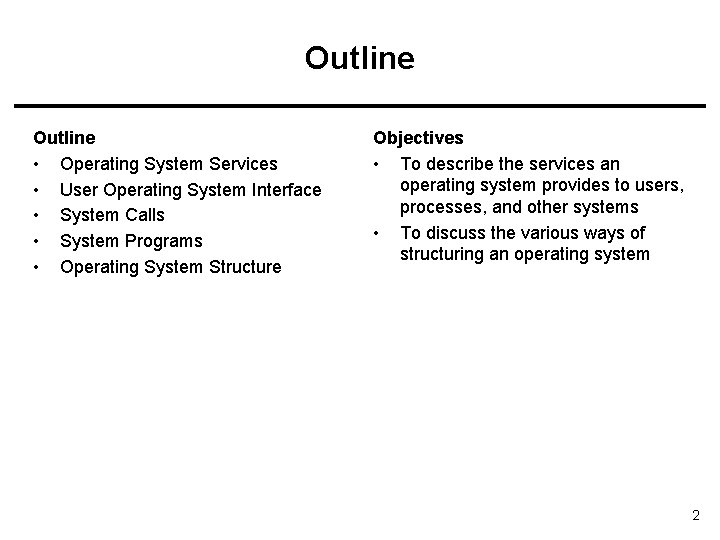
Outline • Operating System Services • User Operating System Interface • System Calls • System Programs • Operating System Structure Objectives • To describe the services an operating system provides to users, processes, and other systems • To discuss the various ways of structuring an operating system 2
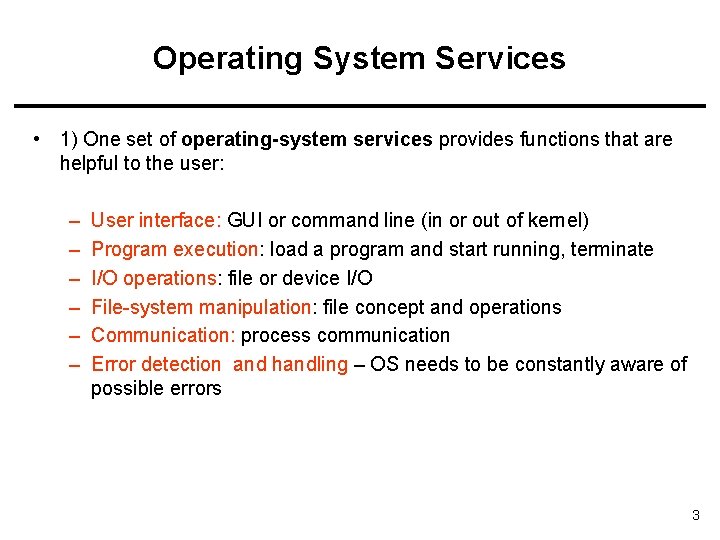
Operating System Services • 1) One set of operating-system services provides functions that are helpful to the user: – – – User interface: GUI or command line (in or out of kernel) Program execution: load a program and start running, terminate I/O operations: file or device I/O File-system manipulation: file concept and operations Communication: process communication Error detection and handling – OS needs to be constantly aware of possible errors 3
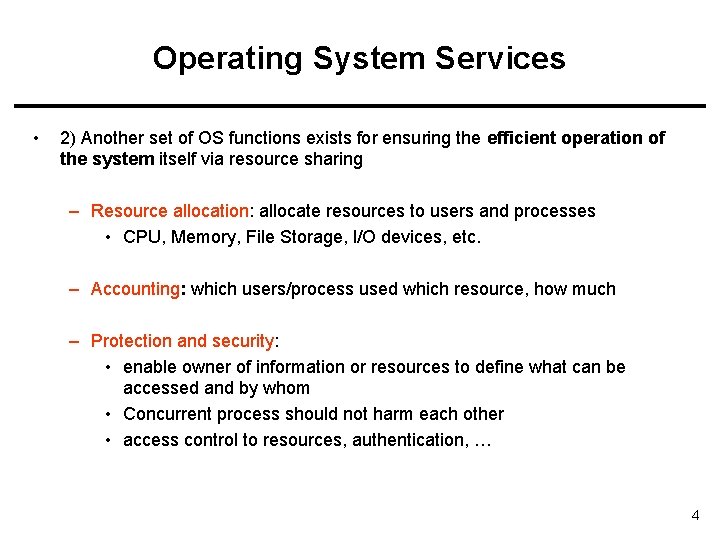
Operating System Services • 2) Another set of OS functions exists for ensuring the efficient operation of the system itself via resource sharing – Resource allocation: allocate resources to users and processes • CPU, Memory, File Storage, I/O devices, etc. – Accounting: which users/process used which resource, how much – Protection and security: • enable owner of information or resources to define what can be accessed and by whom • Concurrent process should not harm each other • access control to resources, authentication, … 4
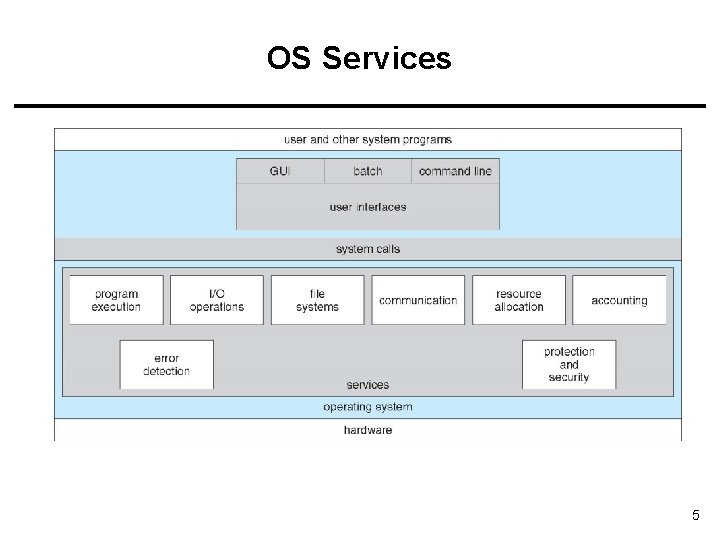
OS Services 5
![[User - Operating System] Interface - CLI • CLI: Command Line Interface (CLI) or](http://slidetodoc.com/presentation_image_h2/a93abdd1a6ad5191612d30d2cafd5576/image-6.jpg "[User - Operating System] Interface - CLI • CLI: Command Line Interface (CLI) or")
[User - Operating System] Interface - CLI • CLI: Command Line Interface (CLI) or command interpreter (shell) • – in kernel or as a system program, – Many flavors – fetches a command from user and executes it • Command may be built-in, • Command may be another program GUI: User-friendly desktop interface – Icons represent files, programs, actions, etc. Many operating systems now include both CLI and GUI interfaces Linux: command shells available (CLI); KDE as GUI 6
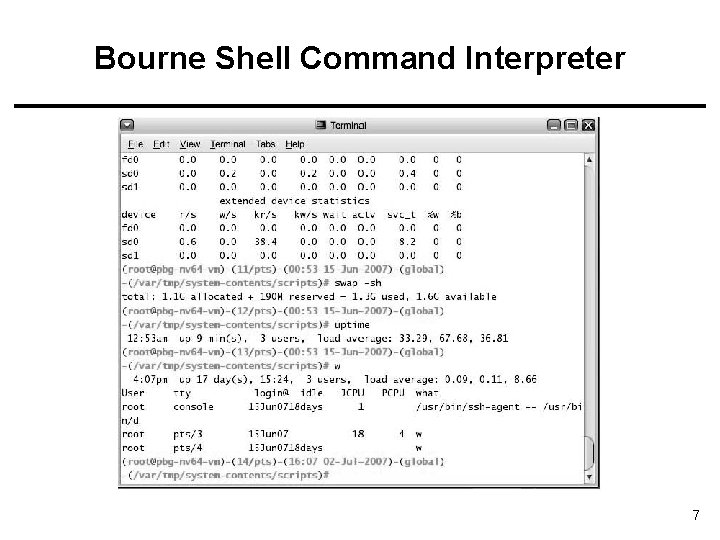
Bourne Shell Command Interpreter 7

The Mac. OS X GUI 8
System Calls • Programming interface to the services provided by the OS – i. e. interface provided to applications • Typically written in a high-level language (C or C++) • Are called by a running program to get services • Even a simple program may make a lot of calls per second. 9
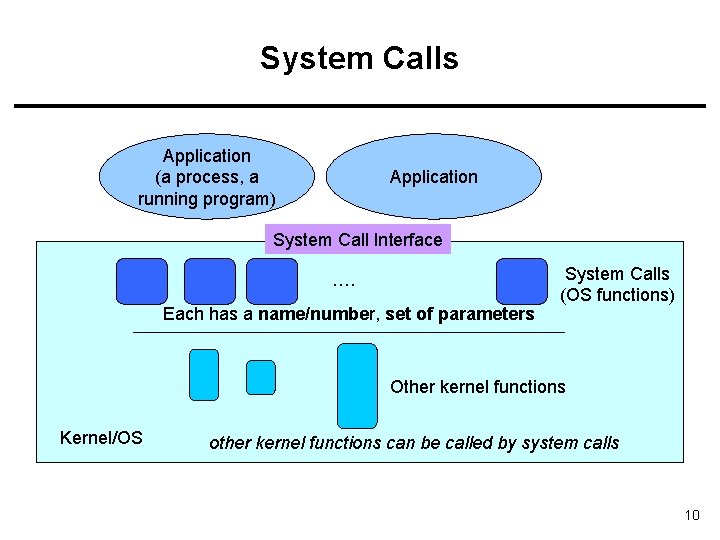
System Calls Application (a process, a running program) Application System Call Interface …. Each has a name/number, set of parameters System Calls (OS functions) Other kernel functions Kernel/OS other kernel functions can be called by system calls 10
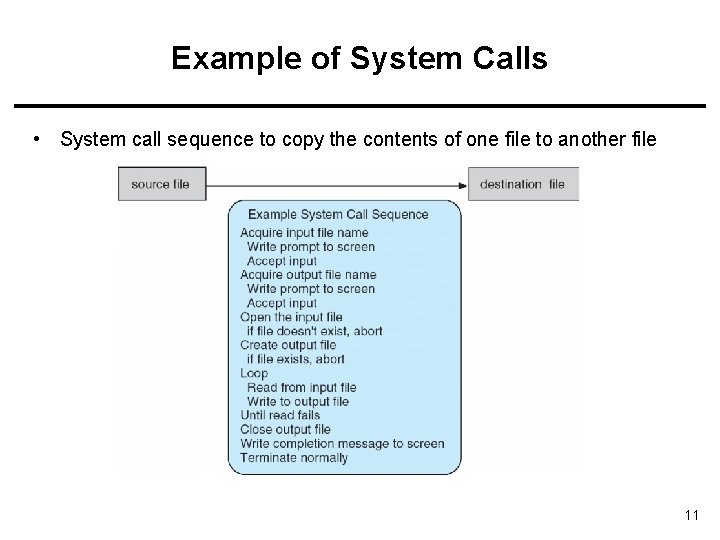
Example of System Calls • System call sequence to copy the contents of one file to another file 11
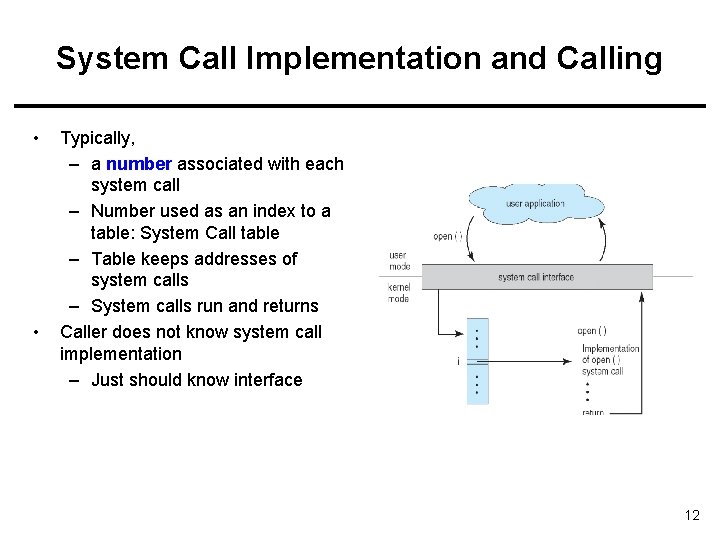
System Call Implementation and Calling • • Typically, – a number associated with each system call – Number used as an index to a table: System Call table – Table keeps addresses of system calls – System calls run and returns Caller does not know system call implementation – Just should know interface 12
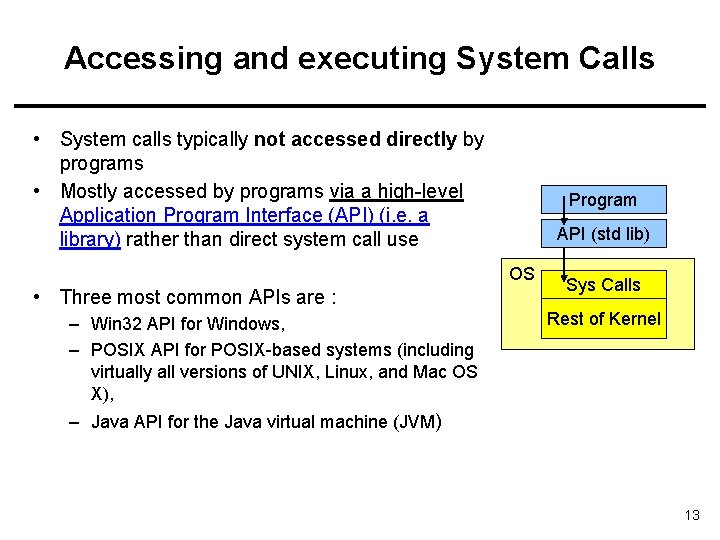
Accessing and executing System Calls • System calls typically not accessed directly by programs • Mostly accessed by programs via a high-level Application Program Interface (API) (i. e. a library) rather than direct system call use Program API (std lib) OS • Three most common APIs are : – Win 32 API for Windows, – POSIX API for POSIX-based systems (including virtually all versions of UNIX, Linux, and Mac OS X), Sys Calls Rest of Kernel – Java API for the Java virtual machine (JVM) 13
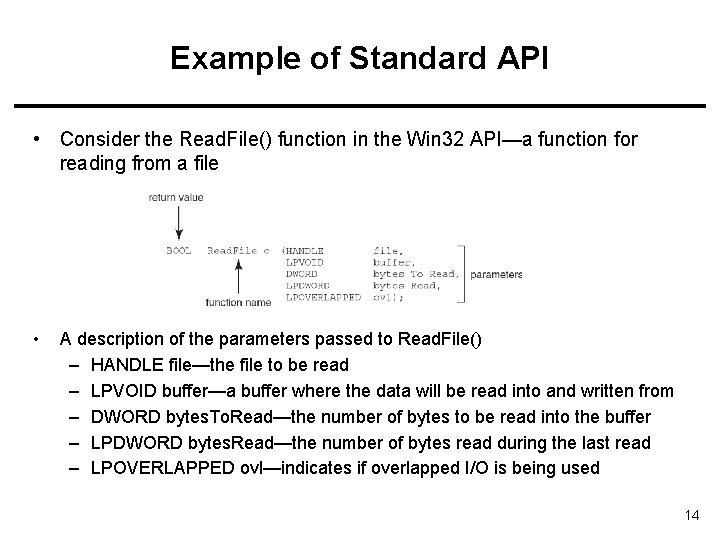
Example of Standard API • Consider the Read. File() function in the Win 32 API—a function for reading from a file • A description of the parameters passed to Read. File() – HANDLE file—the file to be read – LPVOID buffer—a buffer where the data will be read into and written from – DWORD bytes. To. Read—the number of bytes to be read into the buffer – LPDWORD bytes. Read—the number of bytes read during the last read – LPOVERLAPPED ovl—indicates if overlapped I/O is being used 14
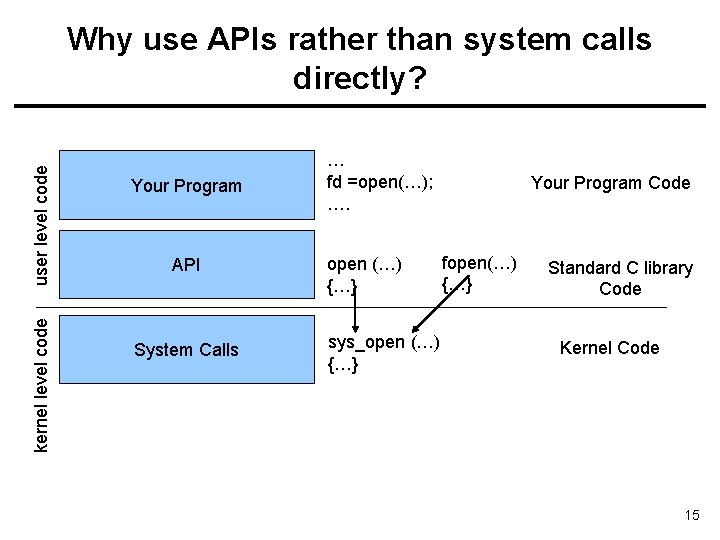
kernel level code user level code Why use APIs rather than system calls directly? Your Program API System Calls … fd =open(…); …. open (…) {…} sys_open (…) {…} Your Program Code fopen(…) {…} Standard C library Code Kernel Code 15
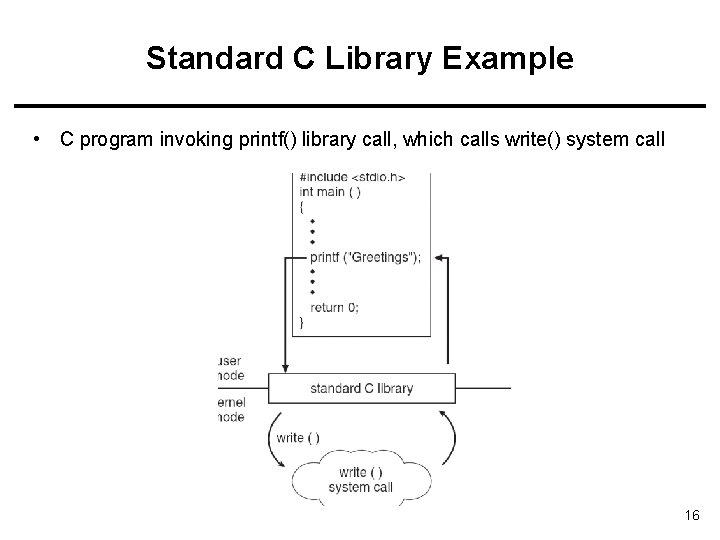
Standard C Library Example • C program invoking printf() library call, which calls write() system call 16
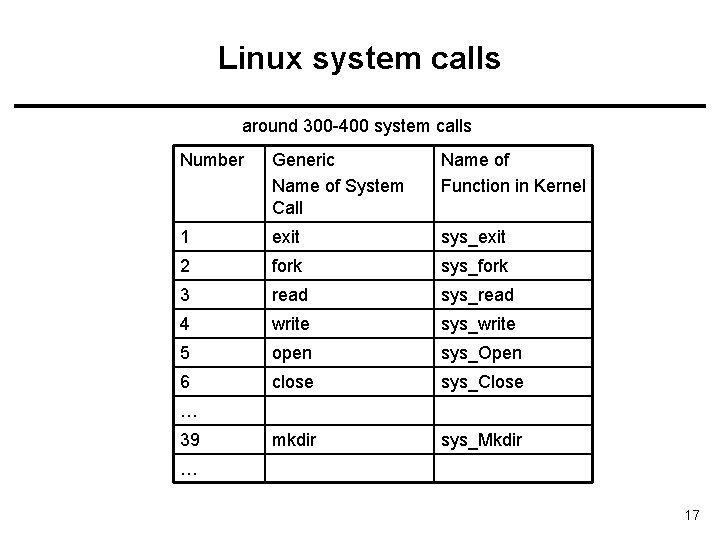
Linux system calls around 300 -400 system calls Number Generic Name of System Call Name of Function in Kernel 1 exit sys_exit 2 fork sys_fork 3 read sys_read 4 write sys_write 5 open sys_Open 6 close sys_Close mkdir sys_Mkdir … 39 … 17
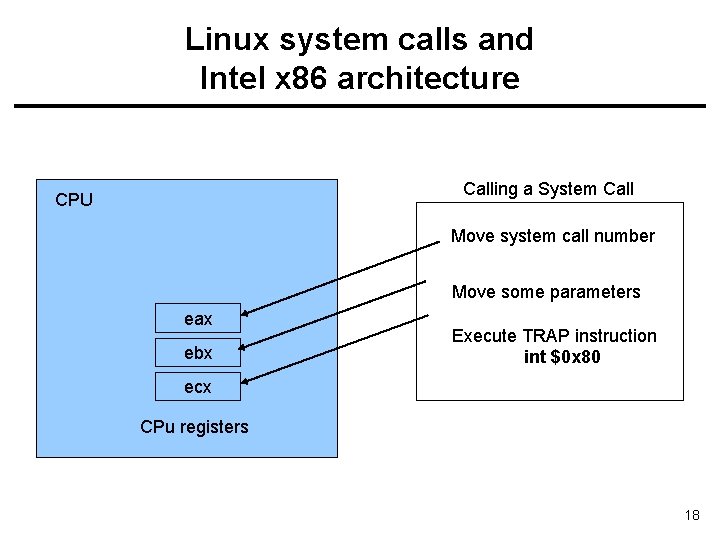
Linux system calls and Intel x 86 architecture Calling a System Call CPU Move system call number Move some parameters eax ebx Execute TRAP instruction int $0 x 80 ecx CPu registers 18
System Call Parameter Passing • • Often, more information is required than the identity of the desired system call – Exact type and amount of information vary according to OS and call Three general methods used to pass parameters to the OS – 1) Simplest: pass the parameters in registers • In some cases, may be more parameters than registers – 2) Parameters stored in a block, or table, in memory, and address of block passed as a parameter in a register – 3) Parameters placed, or pushed, onto the stack by the program and popped off the stack by the operating system Last two methods do not limit the number or length of parameters being passed 19
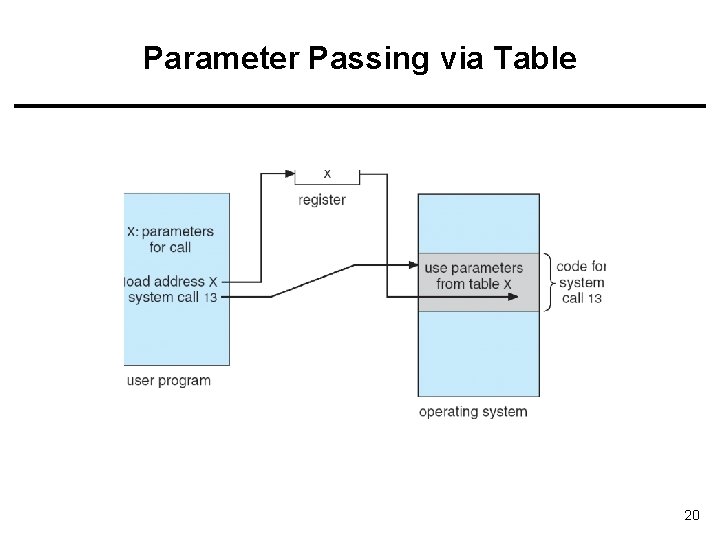
Parameter Passing via Table 20
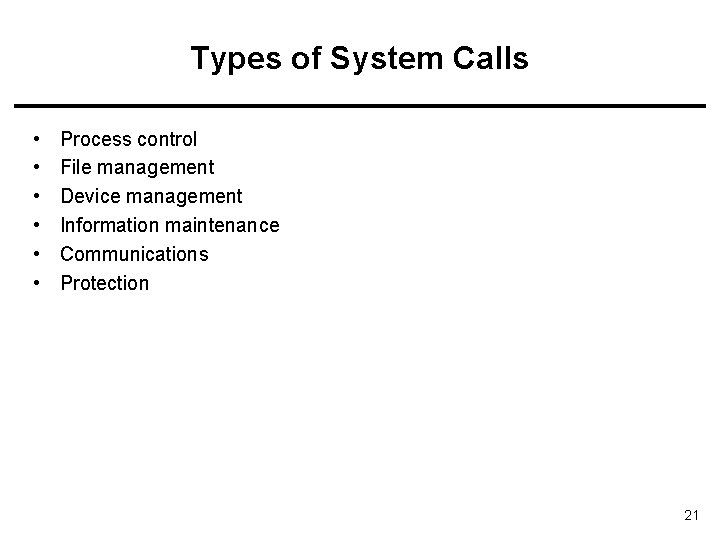
Types of System Calls • • • Process control File management Device management Information maintenance Communications Protection 21
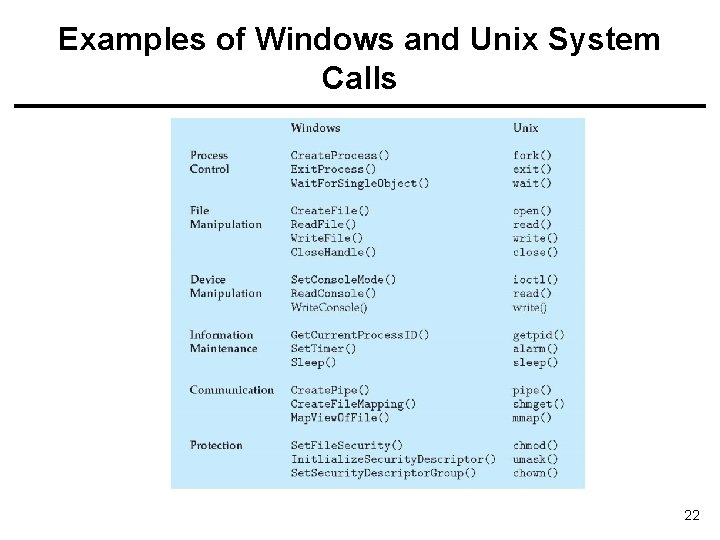
Examples of Windows and Unix System Calls 22
System Programs • System programs provide a convenient environment for program development and execution. They can be divided into: – File manipulation (create, delete, copy, rename, print, list, …) – Status information (date, time, amount of available memory, disk space, who is logged on, …) – File modification (text editors, grep, …) – Programming language support (compiler, debuggers, …) – Program loading and execution (loaders, linkers) – Communications (ftp, browsers, ssh, …) – Other System Utilities/Applications may come with OS CD (games, math solvers, plotting tools, database systems, spreadsheets, word processors, …) 23
System Programs • Most users’ view of the operation system is defined by system programs, not the actual system calls • System programs provide a convenient environment for program development and execution – Some of them are simply user interfaces to system calls; others are considerably more complex • create file: simple system program that can just call “create” system call or something similar • compiler: complex system program 24
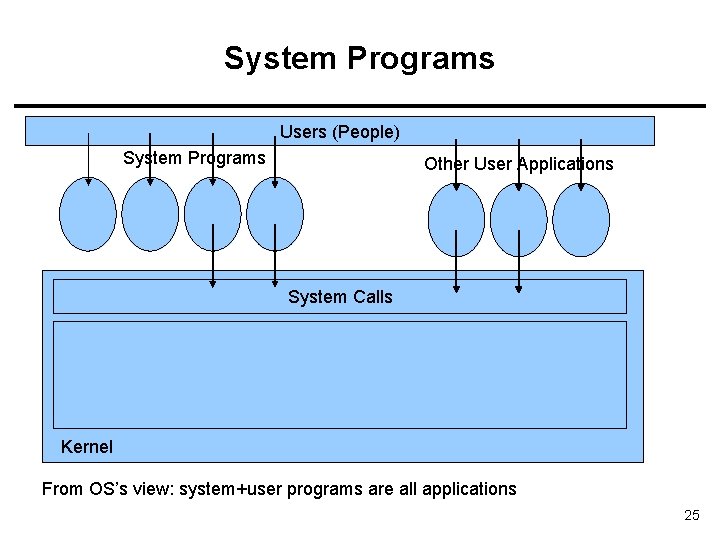
System Programs Users (People) System Programs Other User Applications System Calls Kernel From OS’s view: system+user programs are all applications 25
Structuring OS (Kernel) 26
OS Structure • Simple Structure (MSDOS) • Layered Approach • Microkernel Approach • Modules Approach 27
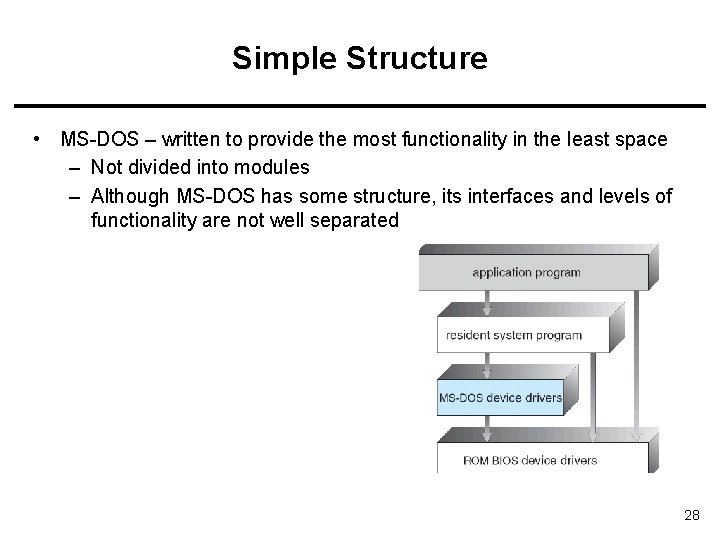
Simple Structure • MS-DOS – written to provide the most functionality in the least space – Not divided into modules – Although MS-DOS has some structure, its interfaces and levels of functionality are not well separated 28
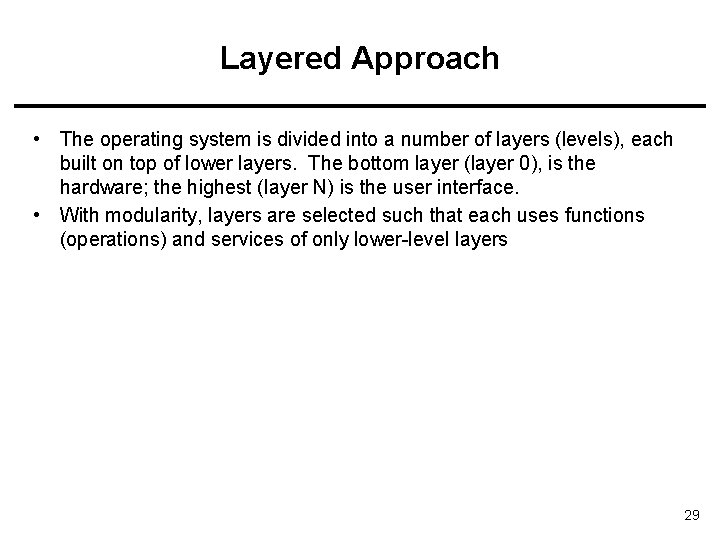
Layered Approach • The operating system is divided into a number of layers (levels), each built on top of lower layers. The bottom layer (layer 0), is the hardware; the highest (layer N) is the user interface. • With modularity, layers are selected such that each uses functions (operations) and services of only lower-level layers 29
Unix • UNIX – limited by hardware functionality, the original UNIX operating system had limited structuring. The UNIX OS consists of two separable parts – Systems programs – The kernel • Consists of everything below the system-call interface and above the physical hardware • Provides the file system, CPU scheduling, memory management, and other operating-system functions; a large number of functions for one level 30
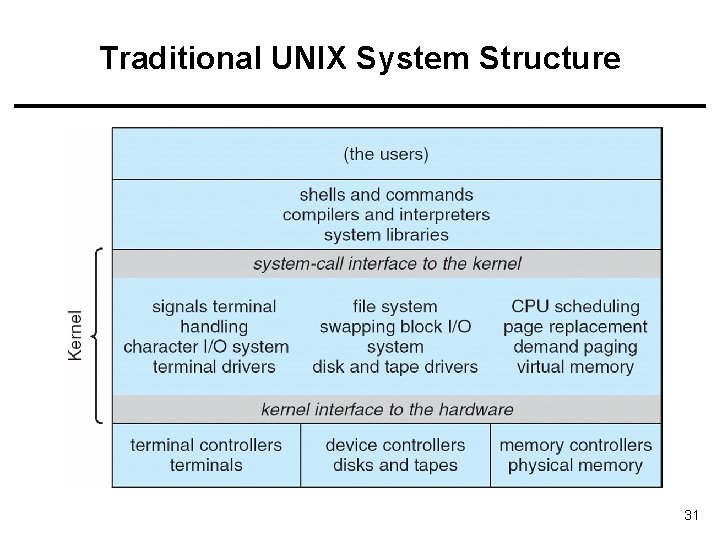
Traditional UNIX System Structure 31
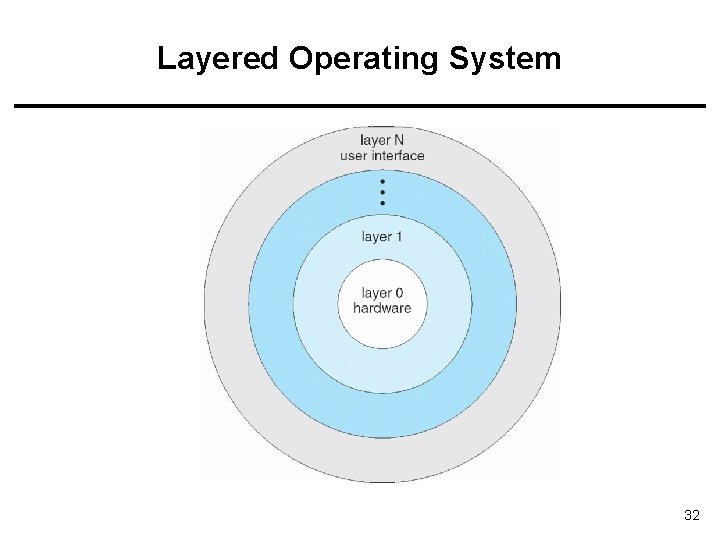
Layered Operating System 32
Microkernel System Structure • Moves as much from the kernel into “user” space • Communication takes place between user modules using message passing • Benefits: – Easier to extend a microkernel – Easier to port the operating system to new architectures – More reliable (less code is running in kernel mode) – More secure • Detriments: – Performance overhead of user space to kernel space communication 33
Modules • Most modern operating systems implement kernel modules – Uses object-oriented approach – Each core component is separate – Each talks to the others over known interfaces – Each is loadable as needed within the kernel • Overall, similar to layers but more flexible • Linux supports modules 34
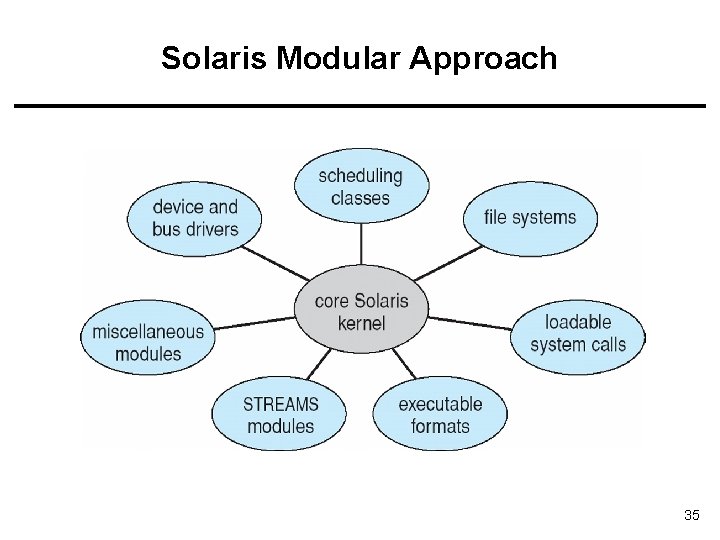
Solaris Modular Approach 35
Virtual Machines • Hardware is abstracted into several different execution environments – Virtual machines • Each virtual machine provides an interface that is identical to the bare hardware • A guest process/kernel can run on top of a virtual machine. – We can run several operating systems on the same host. – Each virtual machine will run another operating system. 36
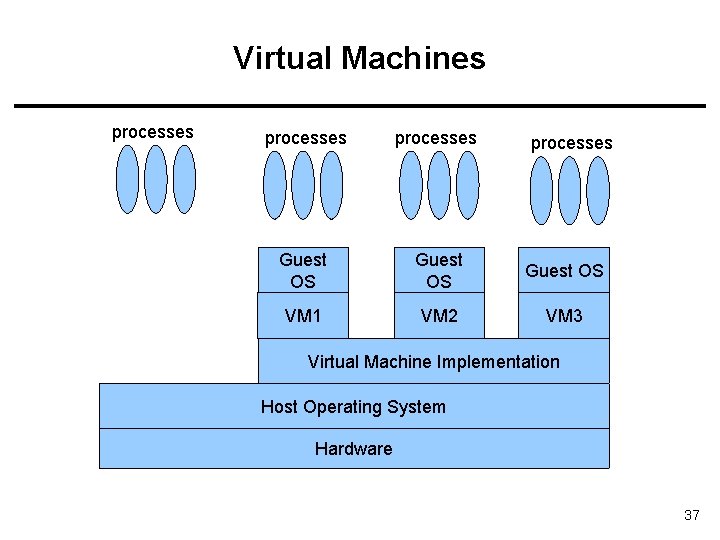
Virtual Machines processes Guest OS VM 1 VM 2 VM 3 processes Virtual Machine Implementation Host Operating System Hardware 37
Examples • VMware – Abstracts Intel X 86 hardware • Java virtual machine – Specification of an abstract computer • . NET Framework 38
Operating System Debugging • Failure analysis – Log files – Core dump – Crash dump • Performance tuning – Monitor system performance • Add code to kernel • Use system tools like “top” • DTrace – Facility to dynamically adding probes to a running system (both to processes and to the kernel) – Probes can be queries using D programming language to obtain info 39
Operating System Generation • Configure the kernel • Compile the kernel 40
System Boot • Bootstrap program (loader) locates the kernel, loads it and starts the kernel. – This can be a two-step procedure. – Bootstrap program loads another more complex boot program – That boot program loads the kernel • Then control is given to kernel. • Kernel starts the environment and makes the computer ready to interact with the user (via a GUI or command shell). • Details depend on the system 41
References • • • Operating System Concepts, 7 th and 8 th editions, Silberschatz et al. Wiley. Modern Operating Systems, Andrew S. Tanenbaum, 3 rd edition, 2009. These slides are adapted/modified from the textbook and its slides: Operating System Concepts, Silberschatz et al. , 7 th & 8 th editions, Wiley. 42
Additional Study Material This is a test 43
- Slides: 43