
Bigtable A DISTRIBUTED STORAGE SYSTEM FOR STRUCTURED DATA
Bigtable A DISTRIBUTED STORAGE SYSTEM FOR STRUCTURED DATA PRESENTED BY NEEMA FARAHMAND
Motivation Google collects and stores tons of data ◦ “Google’s metadata is larger than your bigdata” Many incoming requests to handle No commercial system suitable for the task: ◦ Scale is too large ◦ Expensive ◦ Can’t run on commodity hardware Goals: ◦ Fault-tolerant, persistent ◦ Scalable ◦ Simple
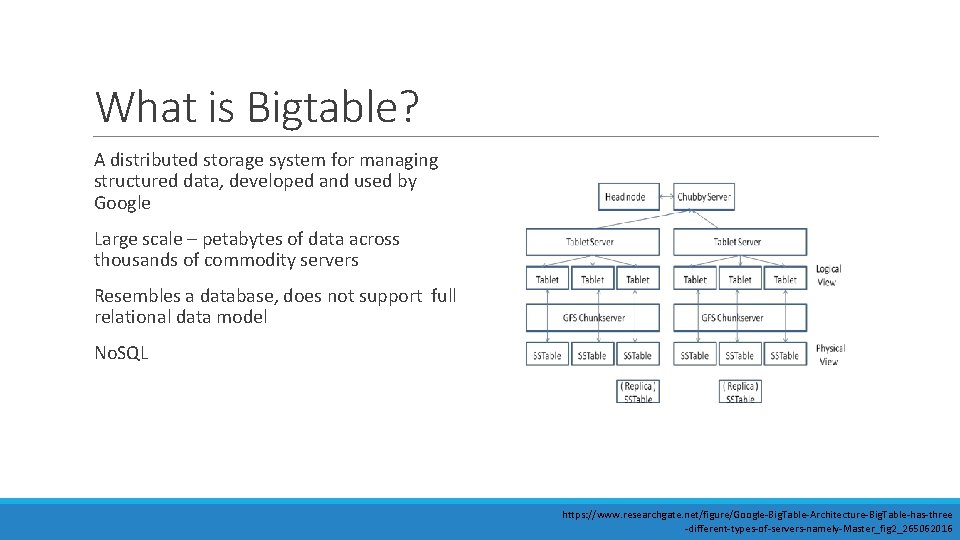
What is Bigtable? A distributed storage system for managing structured data, developed and used by Google Large scale – petabytes of data across thousands of commodity servers Resembles a database, does not support full relational data model No. SQL https: //www. researchgate. net/figure/Google-Big. Table-Architecture-Big. Table-has-three -different-types-of-servers-namely-Master_fig 2_265062016
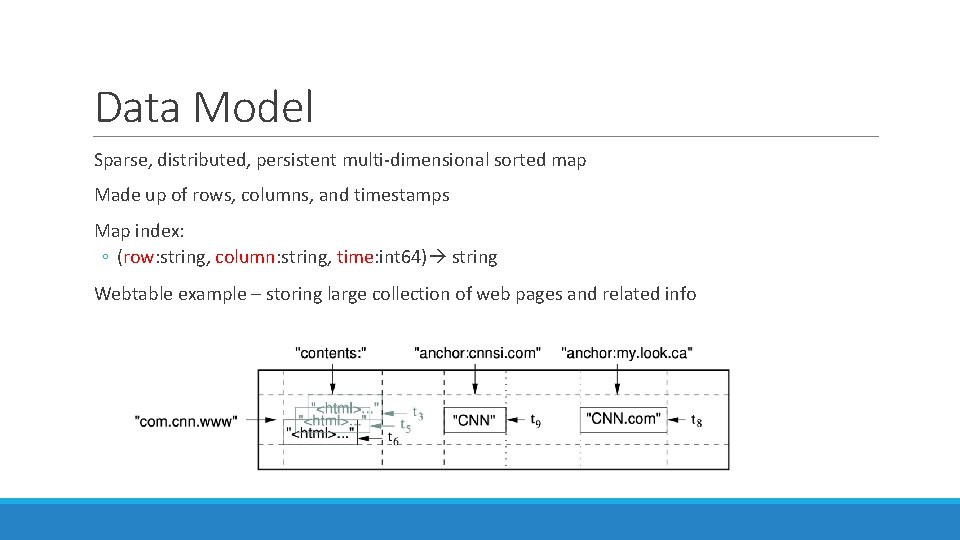
Data Model Sparse, distributed, persistent multi-dimensional sorted map Made up of rows, columns, and timestamps Map index: ◦ (row: string, column: string, time: int 64) string Webtable example – storing large collection of web pages and related info
Rows The row key is made up of arbitrary strings Data maintained in lexicographic order by row key Each row range is called a tablet, unit of distribution and load balancing ◦ Short row range -> small number of machines Row naming recommendations: ◦ No predictable order – distributes writes evenly (i. e. username) ◦ Keep related rows close together for efficient group reads – examples: ◦ Webtable example -> com. google. maps/index. html ◦ Weather data (location followed by timestamp) -> Washington. DC#201803061617
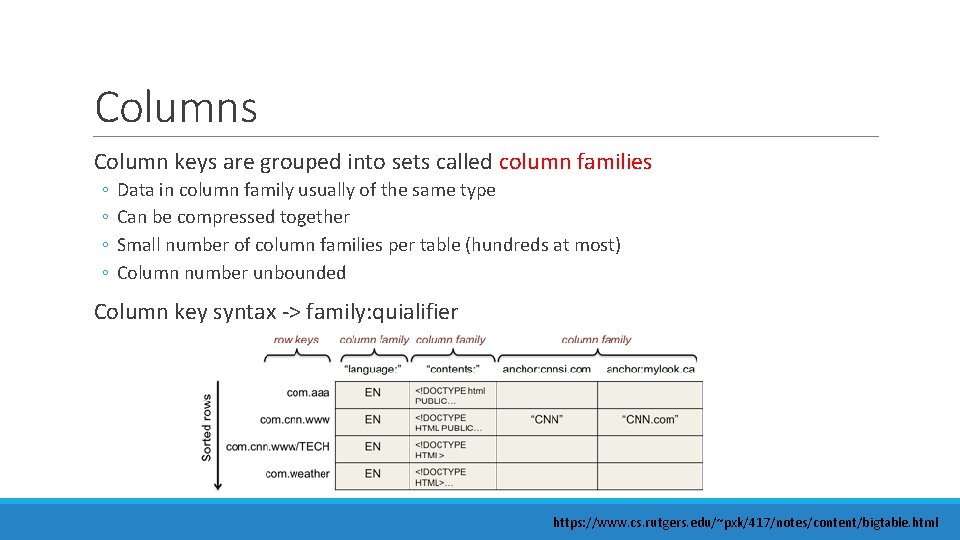
Columns Column keys are grouped into sets called column families ◦ ◦ Data in column family usually of the same type Can be compressed together Small number of column families per table (hundreds at most) Column number unbounded Column key syntax -> family: quialifier https: //www. cs. rutgers. edu/~pxk/417/notes/content/bigtable. html
Timestamps Each cell can contain multiple versions of the same data – indexed by timestamp Assigned 2 ways: ◦ Assigned by Bigtable; represents real time in milliseconds ◦ Explicitly assigned by client Two per-column-family settings for garbage collection: ◦ Keep last n versions of a cell ◦ Keep new-enough version (i. e. last 7 days)
API Mentioned in article: ◦ Create, delete tables and column families ◦ Changing cluster, table, column family metadata Cloud Bigtable – client libraries ◦ ◦ ◦ C++ C# Go Java Python
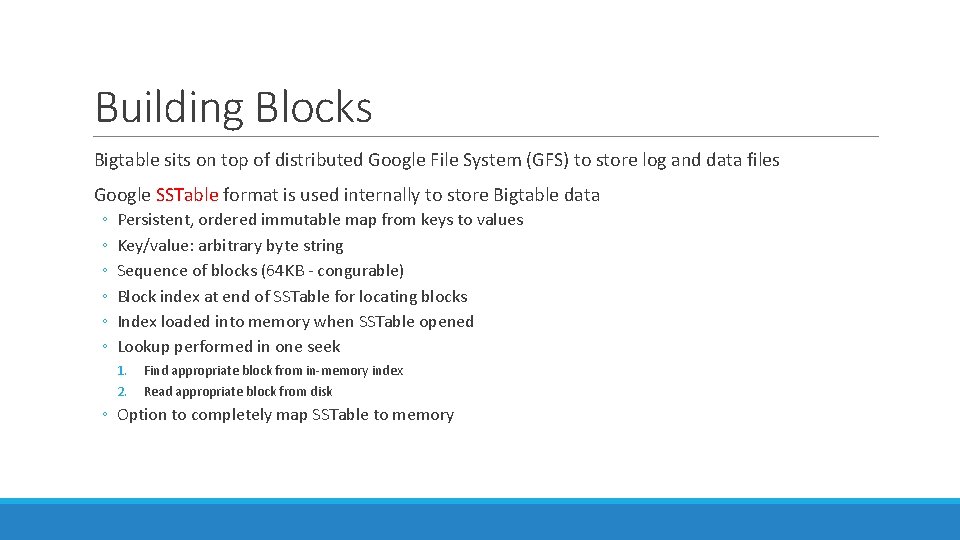
Building Blocks Bigtable sits on top of distributed Google File System (GFS) to store log and data files Google SSTable format is used internally to store Bigtable data ◦ ◦ ◦ Persistent, ordered immutable map from keys to values Key/value: arbitrary byte string Sequence of blocks (64 KB - congurable) Block index at end of SSTable for locating blocks Index loaded into memory when SSTable opened Lookup performed in one seek 1. 2. Find appropriate block from in-memory index Read appropriate block from disk ◦ Option to completely map SSTable to memory
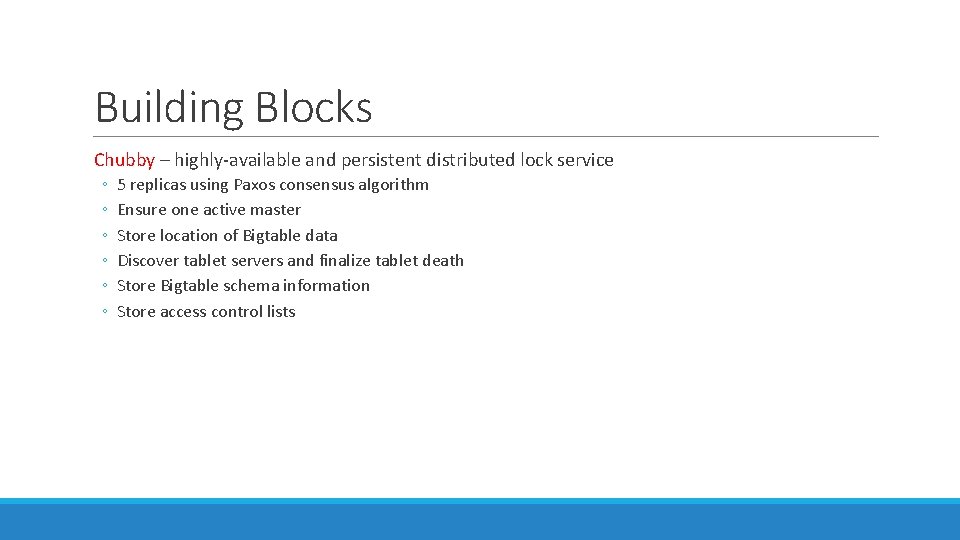
Building Blocks Chubby – highly-available and persistent distributed lock service ◦ ◦ ◦ 5 replicas using Paxos consensus algorithm Ensure one active master Store location of Bigtable data Discover tablet servers and finalize tablet death Store Bigtable schema information Store access control lists
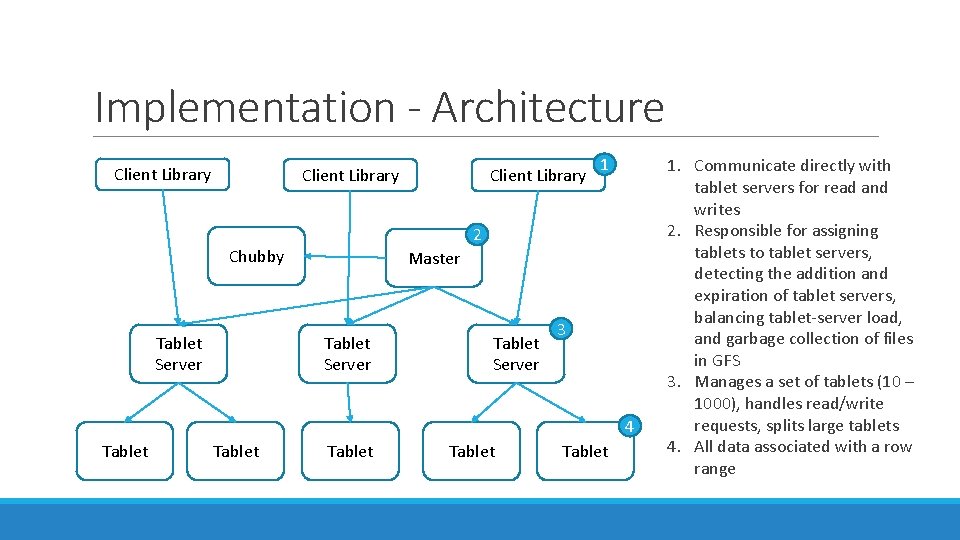
Implementation - Architecture Client Library 1 2 Chubby Tablet Server Client Library Master Tablet Server 3 4 Tablet Tablet 1. Communicate directly with tablet servers for read and writes 2. Responsible for assigning tablets to tablet servers, detecting the addition and expiration of tablet servers, balancing tablet-server load, and garbage collection of files in GFS 3. Manages a set of tablets (10 – 1000), handles read/write requests, splits large tablets 4. All data associated with a row range
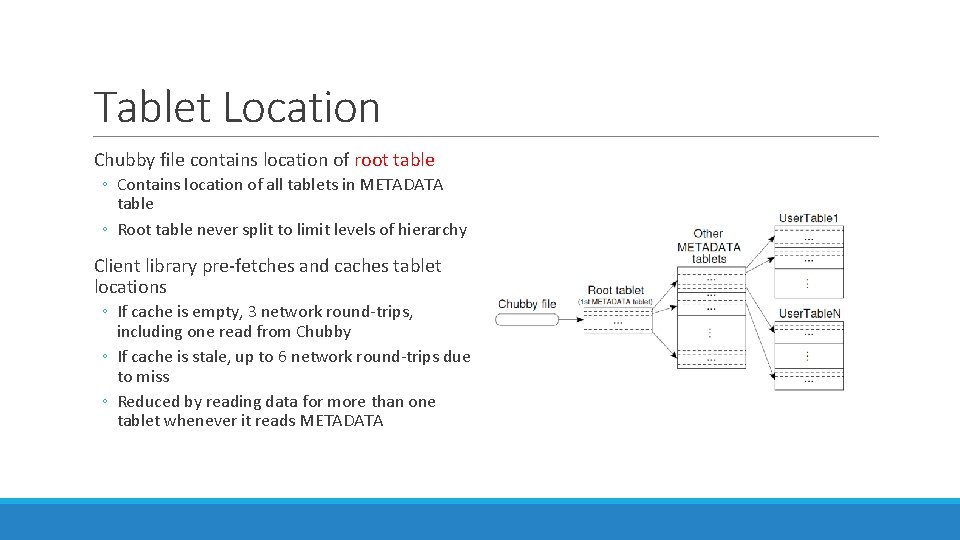
Tablet Location Chubby file contains location of root table ◦ Contains location of all tablets in METADATA table ◦ Root table never split to limit levels of hierarchy Client library pre-fetches and caches tablet locations ◦ If cache is empty, 3 network round-trips, including one read from Chubby ◦ If cache is stale, up to 6 network round-trips due to miss ◦ Reduced by reading data for more than one tablet whenever it reads METADATA
Tablet Assignment Chubby is used to keep track of tablet servers New tablet server: ◦ Tablet server creates and acquired exclusive lock in Chubby ◦ Master monitors directory for new tablet servers and assigns tablets Removing tablet server: ◦ Tablet server stops serving tablets when it loses the exclusive lock (network partition) ◦ Master periodically asks tablet for status of lock
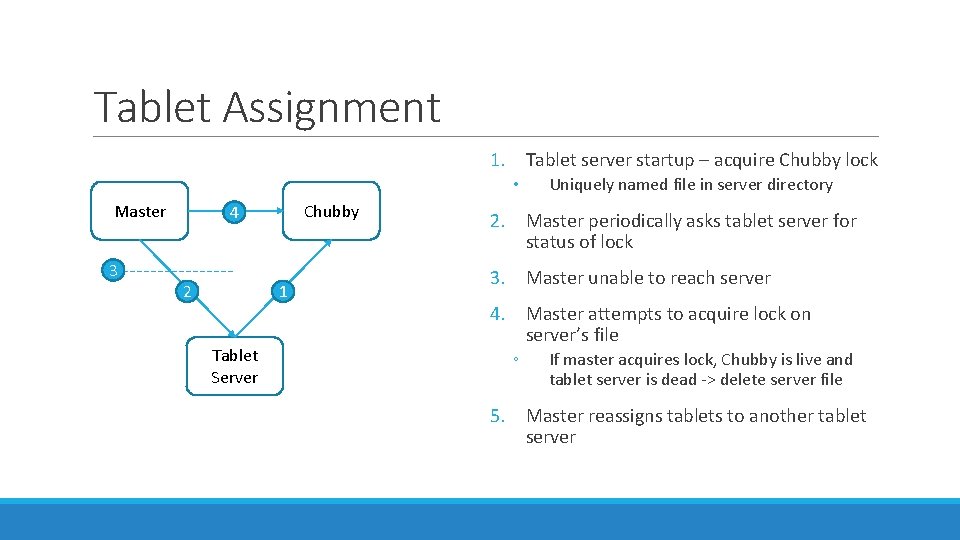
Tablet Assignment 1. Tablet server startup – acquire Chubby lock • Master 3 Chubby 4 2 1 Tablet Server Uniquely named file in server directory 2. Master periodically asks tablet server for status of lock 3. Master unable to reach server 4. Master attempts to acquire lock on server’s file ◦ If master acquires lock, Chubby is live and tablet server is dead -> delete server file 5. Master reassigns tablets to another tablet server
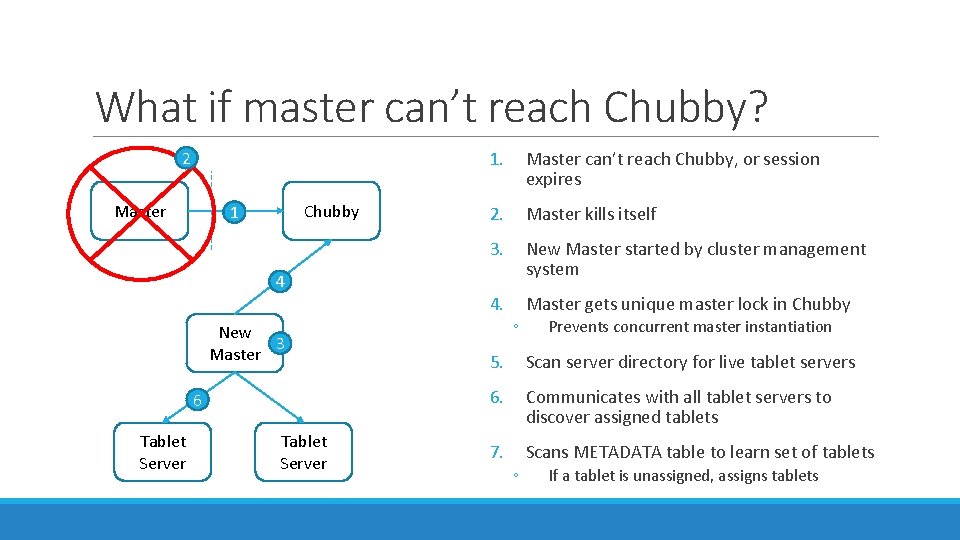
What if master can’t reach Chubby? 2 Master Chubby 1 4 New 3 Master 6 Tablet Server 1. Master can’t reach Chubby, or session expires 2. Master kills itself 3. New Master started by cluster management system 4. Master gets unique master lock in Chubby ◦ Prevents concurrent master instantiation 5. Scan server directory for live tablet servers 6. Communicates with all tablet servers to discover assigned tablets 7. Scans METADATA table to learn set of tablets ◦ If a tablet is unassigned, assigns tablets
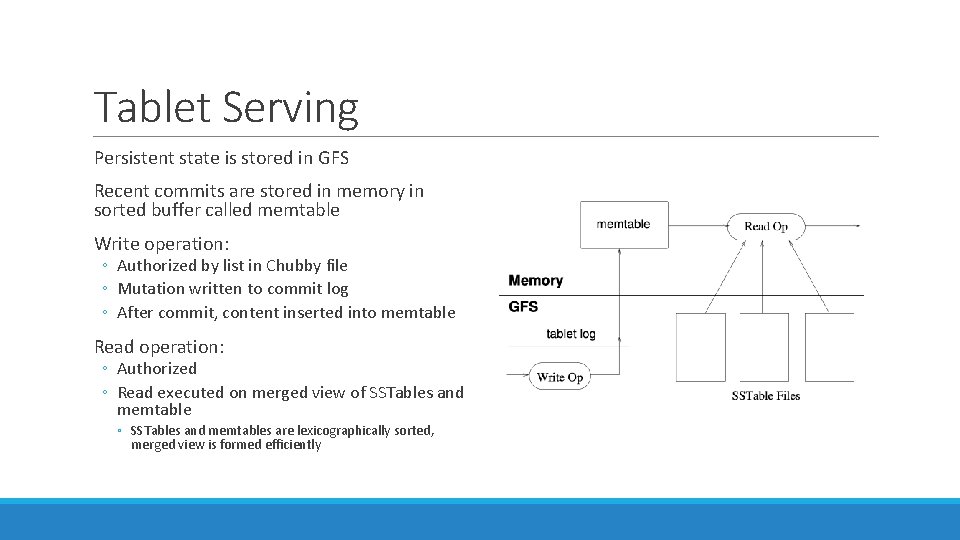
Tablet Serving Persistent state is stored in GFS Recent commits are stored in memory in sorted buffer called memtable Write operation: ◦ Authorized by list in Chubby file ◦ Mutation written to commit log ◦ After commit, content inserted into memtable Read operation: ◦ Authorized ◦ Read executed on merged view of SSTables and memtable ◦ SSTables and memtables are lexicographically sorted, merged view is formed efficiently
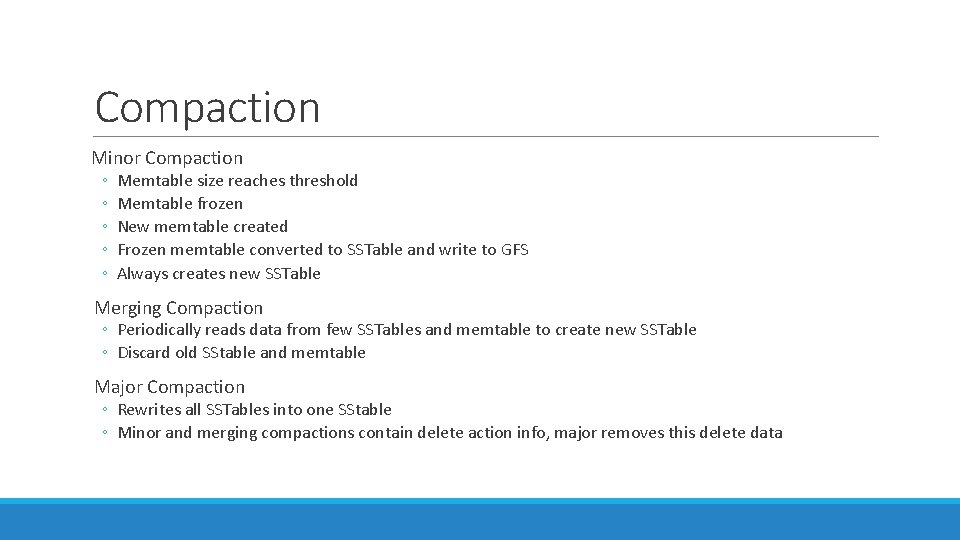
Compaction Minor Compaction ◦ ◦ ◦ Memtable size reaches threshold Memtable frozen New memtable created Frozen memtable converted to SSTable and write to GFS Always creates new SSTable Merging Compaction ◦ Periodically reads data from few SSTables and memtable to create new SSTable ◦ Discard old SStable and memtable Major Compaction ◦ Rewrites all SSTables into one SStable ◦ Minor and merging compactions contain delete action info, major removes this delete data
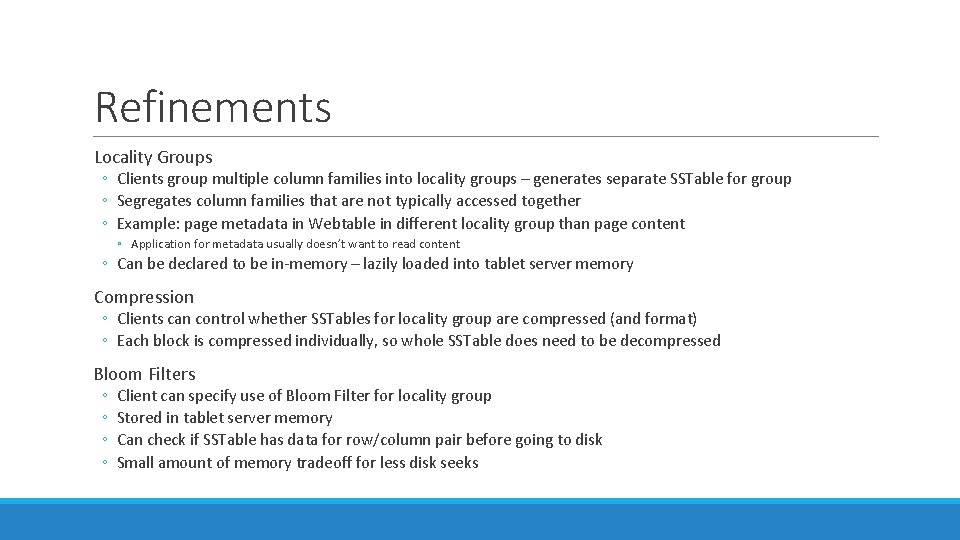
Refinements Locality Groups ◦ Clients group multiple column families into locality groups – generates separate SSTable for group ◦ Segregates column families that are not typically accessed together ◦ Example: page metadata in Webtable in different locality group than page content ◦ Application for metadata usually doesn’t want to read content ◦ Can be declared to be in-memory – lazily loaded into tablet server memory Compression ◦ Clients can control whether SSTables for locality group are compressed (and format) ◦ Each block is compressed individually, so whole SSTable does need to be decompressed Bloom Filters ◦ ◦ Client can specify use of Bloom Filter for locality group Stored in tablet server memory Can check if SSTable has data for row/column pair before going to disk Small amount of memory tradeoff for less disk seeks
Refinements Immutability ◦ All SSTables are immutable ◦ No synchronization of access needed ◦ For data to be removed, use marked-and-sweep garbage collection ◦ Master coordinates this to remove obsolete SSTables ◦ Only mutable data structure accessed by read and write is memtable ◦ Reduce contention by making it copy-on-write
Performance Evaluation Setup N tablet servers ◦ 1 GB memory GFS cell of 1786 machines ◦ Two 400 GB hard drives each N client machines ◦ Same number as tablet servers to ensure clients didn’t bottleneck All machines hosted in same facility ◦ Round trip < 1 millisecond R number of Bigtable row keys ◦ Chosen so benchmark read or wrote ~ 1 GB of data per tablet server
Performance Evaluation Benchmarks Sequential Write ◦ Wrote single randomly generated string per row key ◦ Strings under different row key were distinct Random Write ◦ Row key hashed modulo R before write ◦ Spreads writes uniformly Sequential and Random Read ◦ Shadows operation of writes Scan ◦ Scans over all values using Bigtable API Random Read (mem) ◦ Similar to random read, but locality group for data is marked as in-memory ◦ Doesn’t need to go to GFS
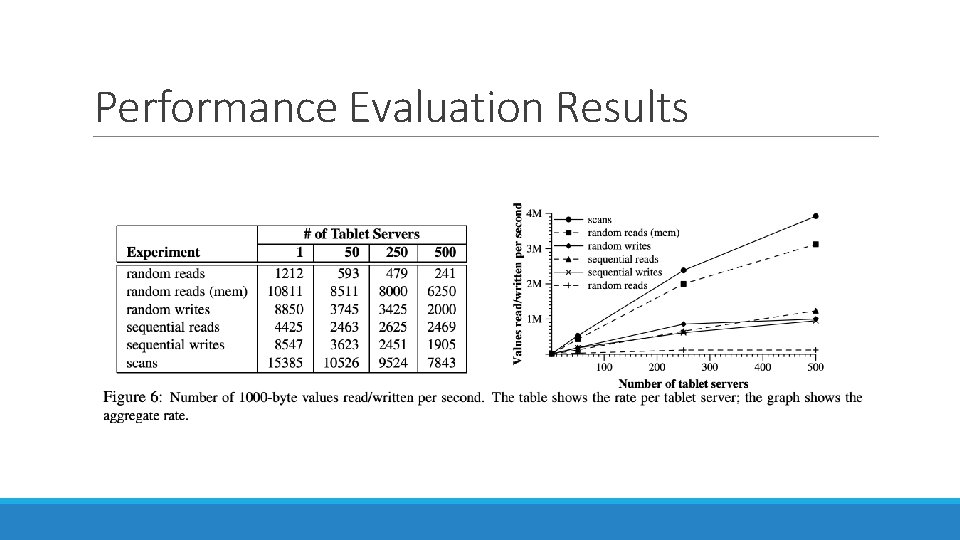
Performance Evaluation Results
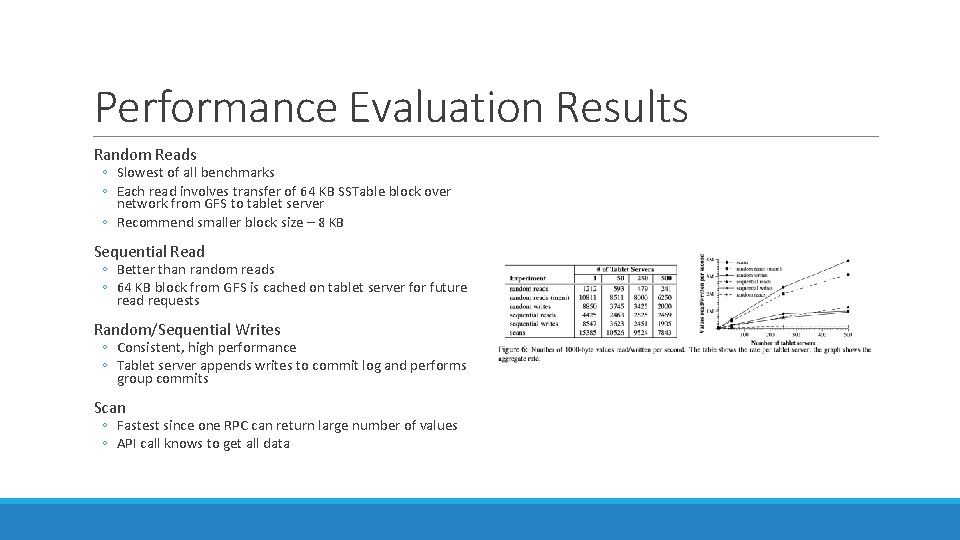
Performance Evaluation Results Random Reads ◦ Slowest of all benchmarks ◦ Each read involves transfer of 64 KB SSTable block over network from GFS to tablet server ◦ Recommend smaller block size – 8 KB Sequential Read ◦ Better than random reads ◦ 64 KB block from GFS is cached on tablet server for future read requests Random/Sequential Writes ◦ Consistent, high performance ◦ Tablet server appends writes to commit log and performs group commits Scan ◦ Fastest since one RPC can return large number of values ◦ API call knows to get all data
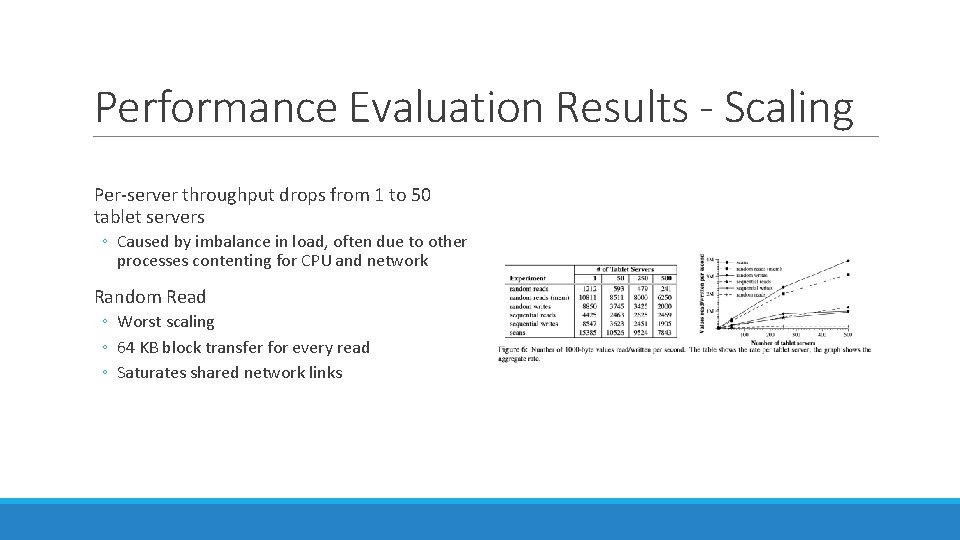
Performance Evaluation Results - Scaling Per-server throughput drops from 1 to 50 tablet servers ◦ Caused by imbalance in load, often due to other processes contenting for CPU and network Random Read ◦ Worst scaling ◦ 64 KB block transfer for every read ◦ Saturates shared network links
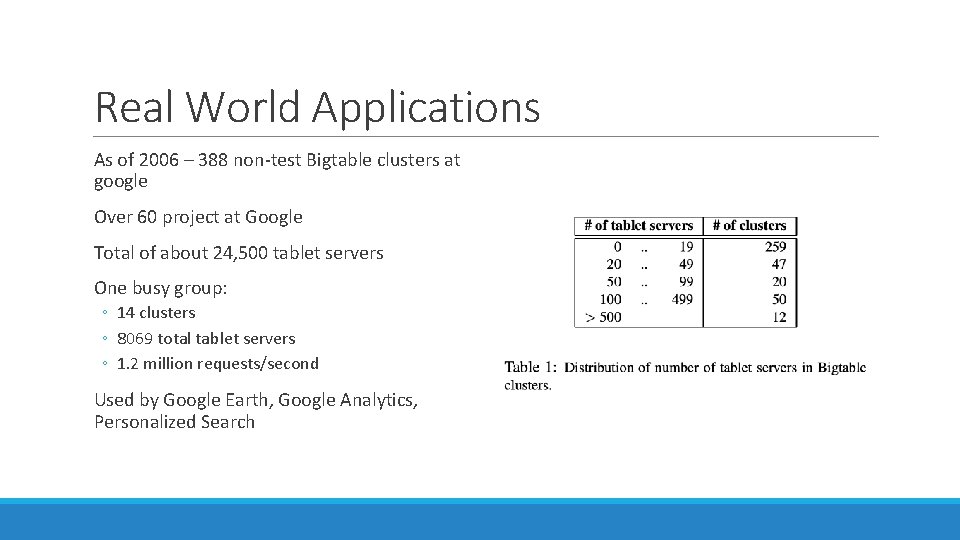
Real World Applications As of 2006 – 388 non-test Bigtable clusters at google Over 60 project at Google Total of about 24, 500 tablet servers One busy group: ◦ 14 clusters ◦ 8069 total tablet servers ◦ 1. 2 million requests/second Used by Google Earth, Google Analytics, Personalized Search
Personalized Search Opt-in service to record user queries, stored in Bigtable ◦ Each user gets a unique user ID ◦ User ID used for row name ◦ Separate column family for type of action ◦ i. e. Web queries ◦ Time at which action occurred used as timestamp ◦ Replicated across several Bigtable clusters ◦ User profiles generated by Map. Reduce over Bigtable
Lessons Large distributes systems a vulnerable to many types of failures ◦ ◦ ◦ ◦ Memory and network corruption Large clock skew Hung machines Extended and asymmetric network partitions Bugs in other systems (Chubby) Overflow of GFS quotas Planned and unplanned hardware maintenance Removed assumptions about other parts of systems ◦ i. e. stopped assuming a given Chubby operation could return only a fixed set of errors Importance of proper system level monitoring ◦ Hard to determine what is going on in the system or why there are problems Large code base – keep the design simple
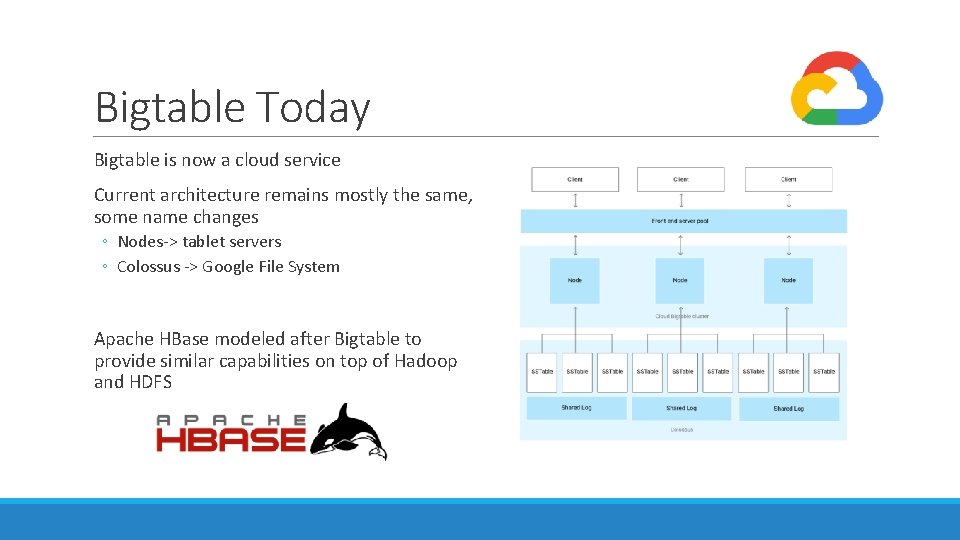
Bigtable Today Bigtable is now a cloud service Current architecture remains mostly the same, some name changes ◦ Nodes-> tablet servers ◦ Colossus -> Google File System Apache HBase modeled after Bigtable to provide similar capabilities on top of Hadoop and HDFS
Questions?
- Slides: 29