
Big Table A Distributed Storage System for Structured
Big. Table: A Distributed Storage System for Structured Data Fay Chang, Jeffrey Dean, Sanjay Ghemawat, Wilson C. Hsieh, Deborah A. Wallach, Mike Burrows, Tushar Chandra, Andrew Fikes, Robert E. Gruber @ Google Presented by Richard Venutolo
Introduction • Big. Table is a distributed storage system for managing structured data. • Designed to scale to a very large size – Petabytes of data across thousands of servers • Used for many Google projects – Web indexing, Personalized Search, Google Earth, Google Analytics, Google Finance, … • Flexible, high-performance solution for all of Google’s products
Motivation • Lots of (semi-)structured data at Google – URLs: • Contents, crawl metadata, links, anchors, pagerank, … – Per-user data: • User preference settings, recent queries/search results, … – Geographic locations: • Physical entities (shops, restaurants, etc. ), roads, satellite image data, user annotations, … • Scale is large – Billions of URLs, many versions/page (~20 K/version) – Hundreds of millions of users, thousands or q/sec – 100 TB+ of satellite image data
Why not just use commercial DB? • Scale is too large for most commercial databases • Even if it weren’t, cost would be very high – Building internally means system can be applied across many projects for low incremental cost • Low-level storage optimizations help performance significantly – Much harder to do when running on top of a database layer
Goals • Want asynchronous processes to be continuously updating different pieces of data – Want access to most current data at any time • Need to support: – Very high read/write rates (millions of ops per second) – Efficient scans over all or interesting subsets of data – Efficient joins of large one-to-one and one-to-many datasets • Often want to examine data changes over time – E. g. Contents of a web page over multiple crawls
Big. Table • Distributed multi-level map • Fault-tolerant, persistent • Scalable – – Thousands of servers Terabytes of in-memory data Petabyte of disk-based data Millions of reads/writes per second, efficient scans • Self-managing – Servers can be added/removed dynamically – Servers adjust to load imbalance
Building Blocks • Building blocks: – – Google File System (GFS): Raw storage Scheduler: schedules jobs onto machines Lock service: distributed lock manager Map. Reduce: simplified large-scale data processing • Big. Table uses of building blocks: – GFS: stores persistent data (SSTable file format for storage of data) – Scheduler: schedules jobs involved in Big. Table serving – Lock service: master election, location bootstrapping – Map Reduce: often used to read/write Big. Table data

Basic Data Model • A Big. Table is a sparse, distributed persistent multi-dimensional sorted map (row, column, timestamp) -> cell contents • Good match for most Google applications

Web. Table Example • Want to keep copy of a large collection of web pages and related information • Use URLs as row keys • Various aspects of web page as column names • Store contents of web pages in the contents: column under the timestamps when they were fetched.
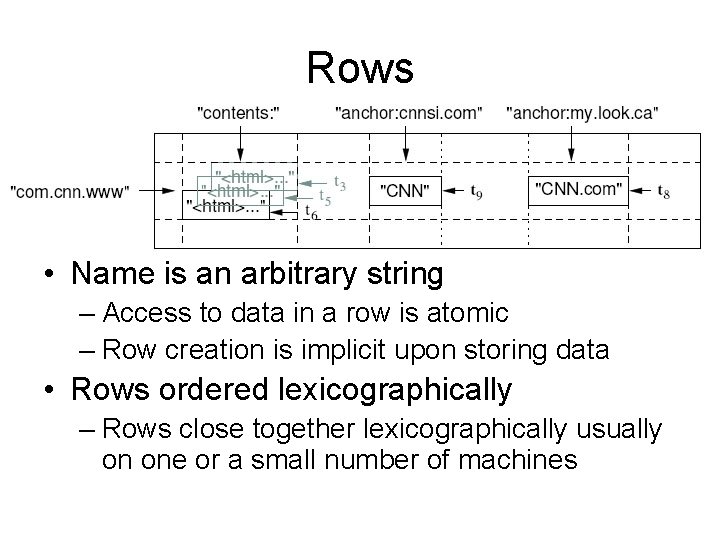
Rows • Name is an arbitrary string – Access to data in a row is atomic – Row creation is implicit upon storing data • Rows ordered lexicographically – Rows close together lexicographically usually on one or a small number of machines
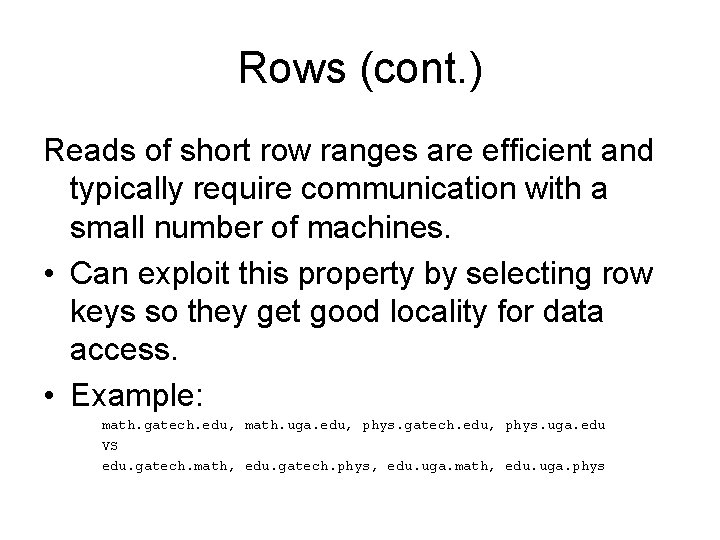
Rows (cont. ) Reads of short row ranges are efficient and typically require communication with a small number of machines. • Can exploit this property by selecting row keys so they get good locality for data access. • Example: math. gatech. edu, math. uga. edu, phys. gatech. edu, phys. uga. edu VS edu. gatech. math, edu. gatech. phys, edu. uga. math, edu. uga. phys
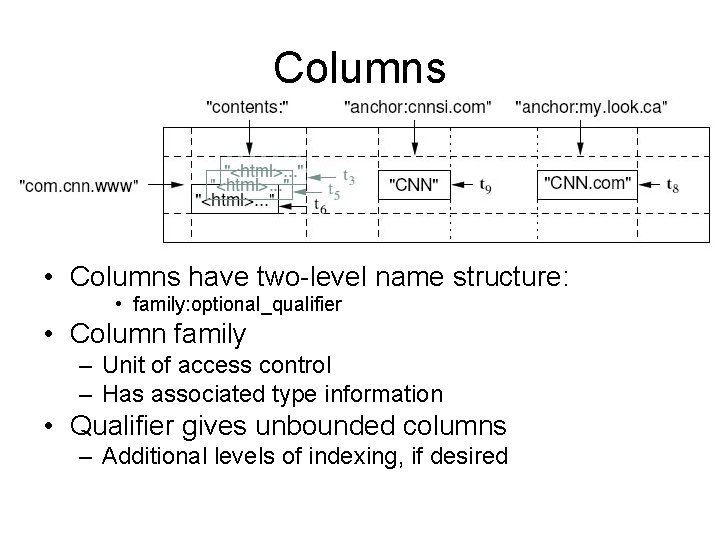
Columns • Columns have two-level name structure: • family: optional_qualifier • Column family – Unit of access control – Has associated type information • Qualifier gives unbounded columns – Additional levels of indexing, if desired
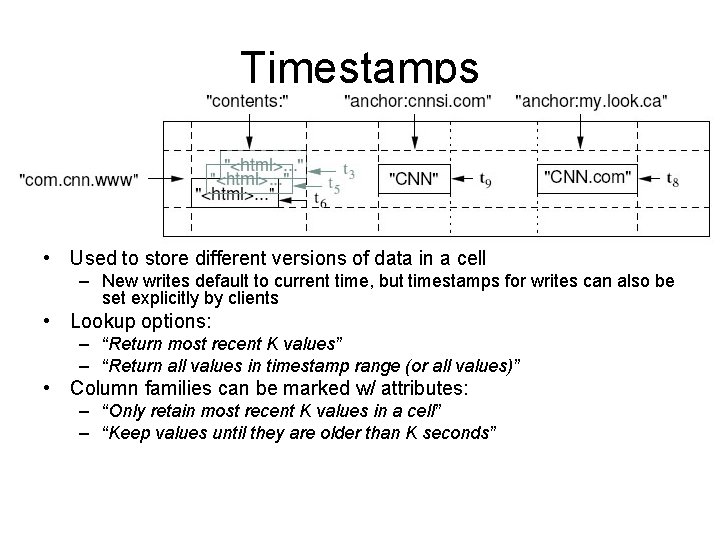
Timestamps • Used to store different versions of data in a cell – New writes default to current time, but timestamps for writes can also be set explicitly by clients • Lookup options: – “Return most recent K values” – “Return all values in timestamp range (or all values)” • Column families can be marked w/ attributes: – “Only retain most recent K values in a cell” – “Keep values until they are older than K seconds”
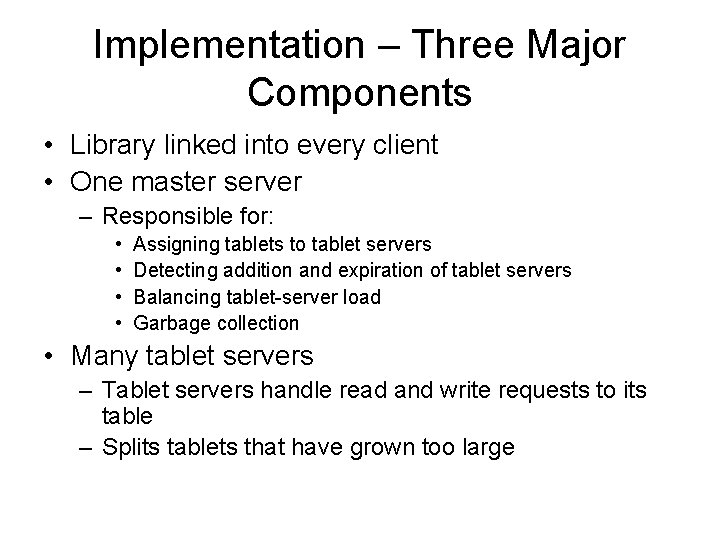
Implementation – Three Major Components • Library linked into every client • One master server – Responsible for: • • Assigning tablets to tablet servers Detecting addition and expiration of tablet servers Balancing tablet-server load Garbage collection • Many tablet servers – Tablet servers handle read and write requests to its table – Splits tablets that have grown too large
Implementation (cont. ) • Client data doesn’t move through master server. Clients communicate directly with tablet servers for reads and writes. • Most clients never communicate with the master server, leaving it lightly loaded in practice.
Tablets • Large tables broken into tablets at row boundaries – Tablet holds contiguous range of rows • Clients can often choose row keys to achieve locality – Aim for ~100 MB to 200 MB of data per tablet • Serving machine responsible for ~100 tablets – Fast recovery: • 100 machines each pick up 1 tablet for failed machine – Fine-grained load balancing: • Migrate tablets away from overloaded machine • Master makes load-balancing decisions
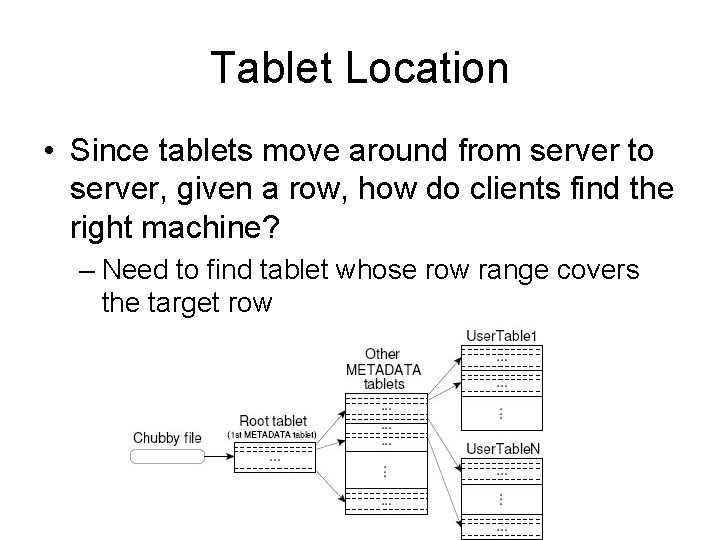
Tablet Location • Since tablets move around from server to server, given a row, how do clients find the right machine? – Need to find tablet whose row range covers the target row
Tablet Assignment • Each tablet is assigned to one tablet server at a time. • Master server keeps track of the set of live tablet servers and current assignments of tablets to servers. Also keeps track of unassigned tablets. • When a tablet is unassigned, master assigns the tablet to an tablet server with sufficient room.
API • Metadata operations – Create/delete tables, column families, change metadata • Writes (atomic) – Set(): write cells in a row – Delete. Cells(): delete cells in a row – Delete. Row(): delete all cells in a row • Reads – Scanner: read arbitrary cells in a bigtable • • Each row read is atomic Can restrict returned rows to a particular range Can ask for just data from 1 row, all rows, etc. Can ask for all columns, just certain column families, or specific columns
Refinements: Locality Groups • Can group multiple column families into a locality group – Separate SSTable is created for each locality group in each tablet. • Segregating columns families that are not typically accessed together enables more efficient reads. – In Web. Table, page metadata can be in one group and contents of the page in another group.
Refinements: Compression • Many opportunities for compression – Similar values in the same row/column at different timestamps – Similar values in different columns – Similar values across adjacent rows • Two-pass custom compressions scheme – First pass: compress long common strings across a large window – Second pass: look for repetitions in small window • Speed emphasized, but good space reduction (10 -to-1)
Refinements: Bloom Filters • Read operation has to read from disk when desired SSTable isn’t in memory • Reduce number of accesses by specifying a Bloom filter. – Allows us ask if an SSTable might contain data for a specified row/column pair. – Small amount of memory for Bloom filters drastically reduces the number of disk seeks for read operations – Use implies that most lookups for non-existent rows or columns do not need to touch disk
End http: //www. xkcd. com/327/
- Slides: 23