
Beyond Base 10 Nondecimal Based Number Systems What
Beyond Base 10: Non-decimal Based Number Systems • What is the decimal based number system? • How do other number systems work (binary, octal and hex) • How to convert to and from nondecimal number systems to decimal • Binary math James Tam
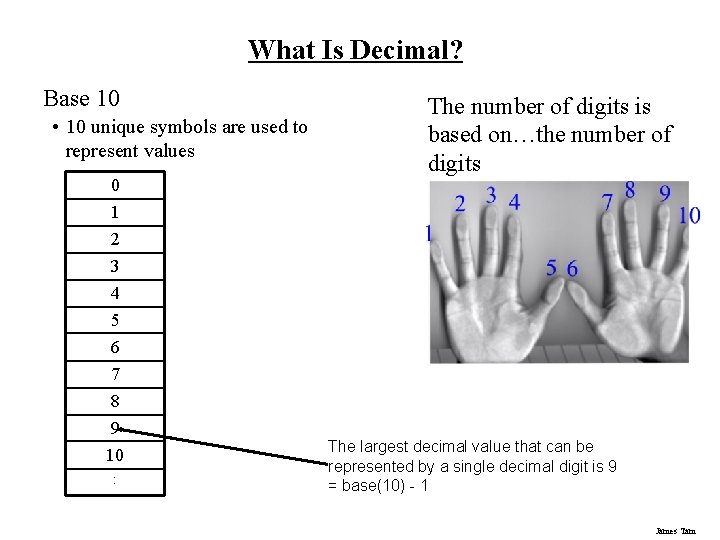
What Is Decimal? Base 10 • 10 unique symbols are used to represent values 0 1 The number of digits is based on…the number of digits 2 3 4 5 6 7 8 9 10 : The largest decimal value that can be represented by a single decimal digit is 9 = base(10) - 1 James Tam
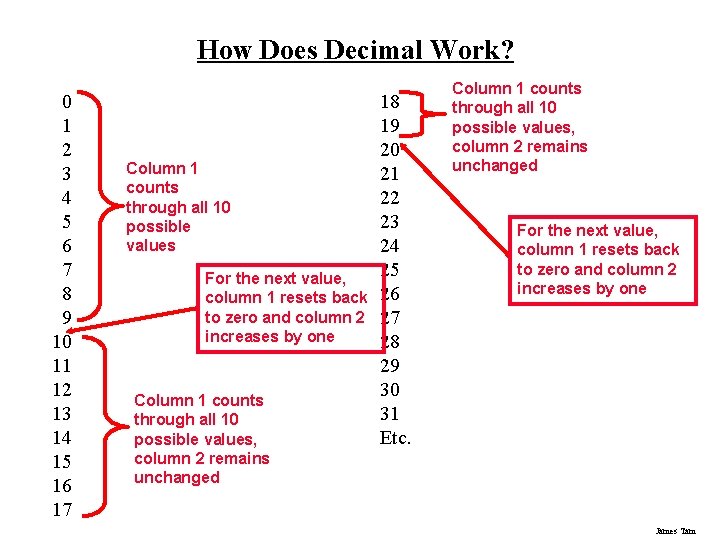
How Does Decimal Work? 0 1 2 3 4 5 6 7 8 9 10 11 12 13 14 15 16 17 Column 1 counts through all 10 possible values For the next value, column 1 resets back to zero and column 2 increases by one Column 1 counts through all 10 possible values, column 2 remains unchanged 18 19 20 21 22 23 24 25 26 27 28 29 30 31 Etc. Column 1 counts through all 10 possible values, column 2 remains unchanged For the next value, column 1 resets back to zero and column 2 increases by one James Tam
Decimal Base ten Employs ten unique symbols (0, 1, 2, 3, 4, 5, 6, 7, 8, 9) Each digit can only take on the value from 0 – 9 • Once a column has traversed all ten values then that column resets back to zero (as does it’s right hand neighbours) and the column to it’s immediate left increases by one. James Tam
Recall: Computers Don’t Do Decimal! Most parts of the computer work in a discrete state: • On/off • True/false • Yes/No These two states can be modeled with the binary number system James Tam
Binary Base two Employs two unique symbols (0 and 1) Each digit can only take on the value 0 or the value 1 • Once a column has traversed both values then that column resets back to zero (as does it’s right hand neighbours) and the column to it’s immediate left increases by one. James Tam
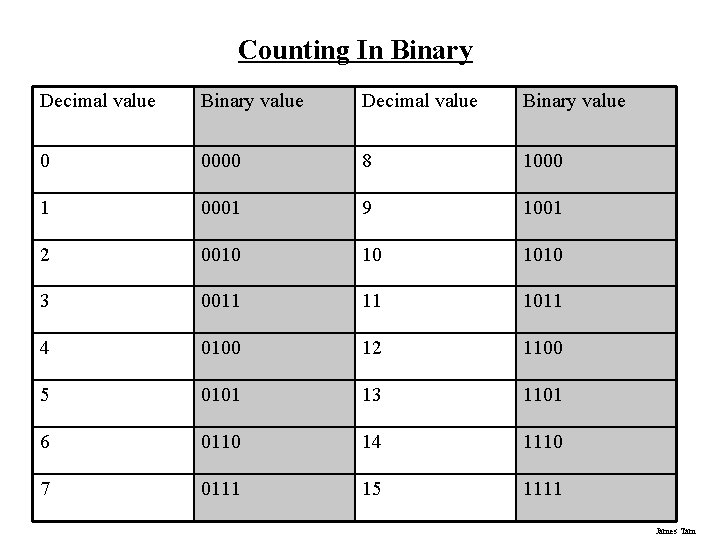
Counting In Binary Decimal value Binary value 0 0000 8 1000 1 0001 9 1001 2 0010 10 1010 3 0011 11 1011 4 0100 12 1100 5 0101 13 1101 6 0110 14 1110 7 0111 15 1111 James Tam
Why Bother With Binary? 1. Representing information • ASCII (American Standard Code for Information Interchange) • Unicode 2. It's the language of the computer James Tam
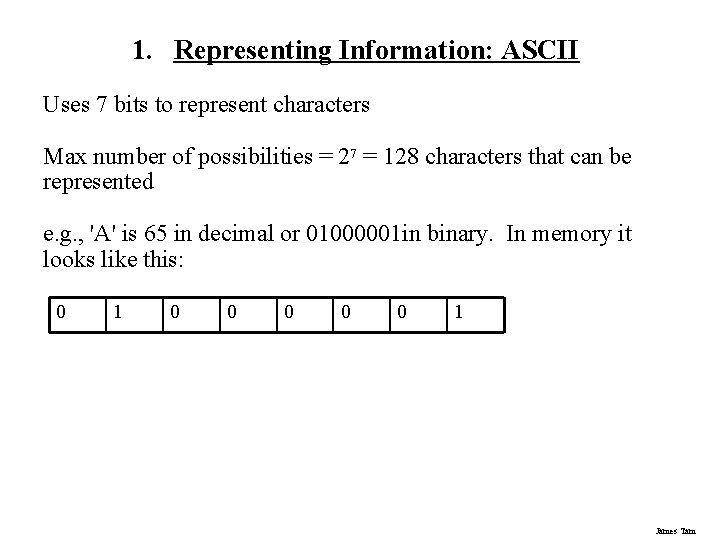
1. Representing Information: ASCII Uses 7 bits to represent characters Max number of possibilities = 27 = 128 characters that can be represented e. g. , 'A' is 65 in decimal or 01000001 in binary. In memory it looks like this: 0 1 0 0 0 1 James Tam
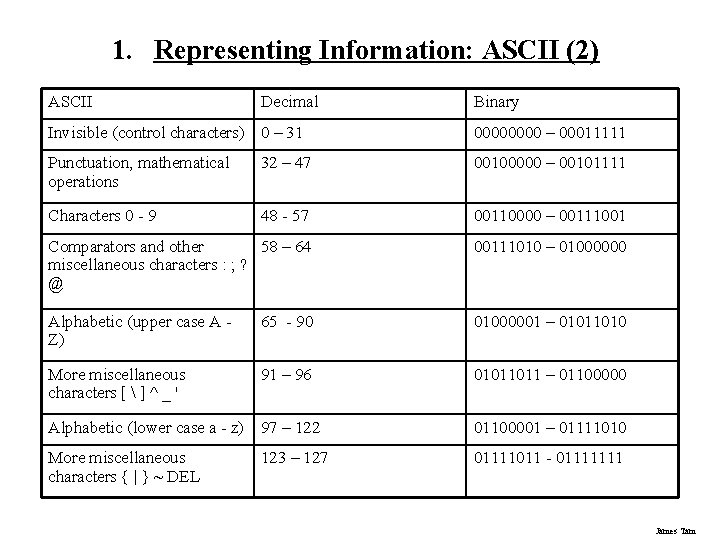
1. Representing Information: ASCII (2) ASCII Decimal Binary Invisible (control characters) 0 – 31 0000 – 00011111 Punctuation, mathematical operations 32 – 47 00100000 – 00101111 Characters 0 - 9 48 - 57 00110000 – 00111001 Comparators and other 58 – 64 miscellaneous characters : ; ? @ 00111010 – 01000000 Alphabetic (upper case A Z) 65 - 90 01000001 – 01011010 More miscellaneous characters [ ] ^ _ ' 91 – 96 01011011 – 01100000 Alphabetic (lower case a - z) 97 – 122 01100001 – 01111010 More miscellaneous characters { | } ~ DEL 01111011 - 01111111 123 – 127 James Tam
1. Representing Information: Unicode Uses 16 bits (or more) to represent information Max number of possibilities = 216 = 65536 characters that can be represented (more if more bits are used) James Tam
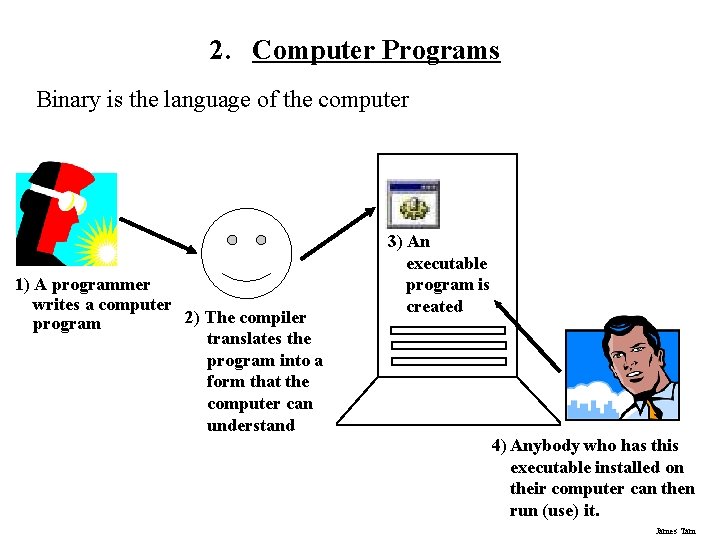
2. Computer Programs Binary is the language of the computer 1) A programmer writes a computer 2) The compiler program translates the program into a form that the computer can understand 3) An executable program is created 4) Anybody who has this executable installed on their computer can then run (use) it. James Tam
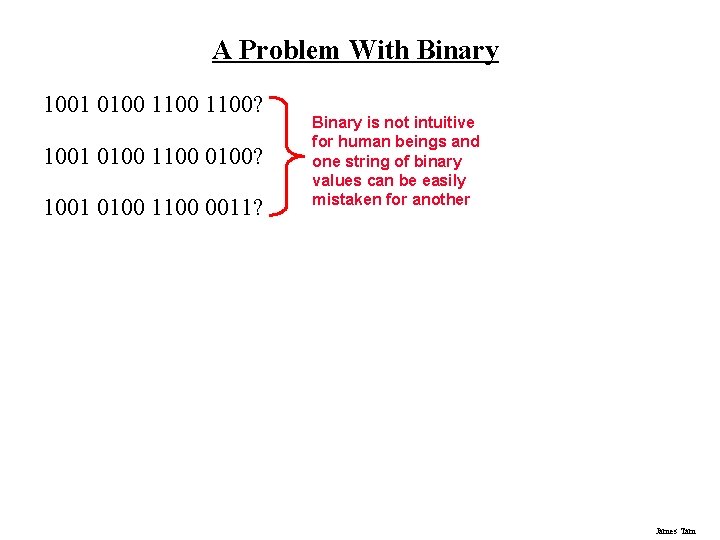
A Problem With Binary 1001 0100 1100? 1001 0100 1100 0011? Binary is not intuitive for human beings and one string of binary values can be easily mistaken for another James Tam
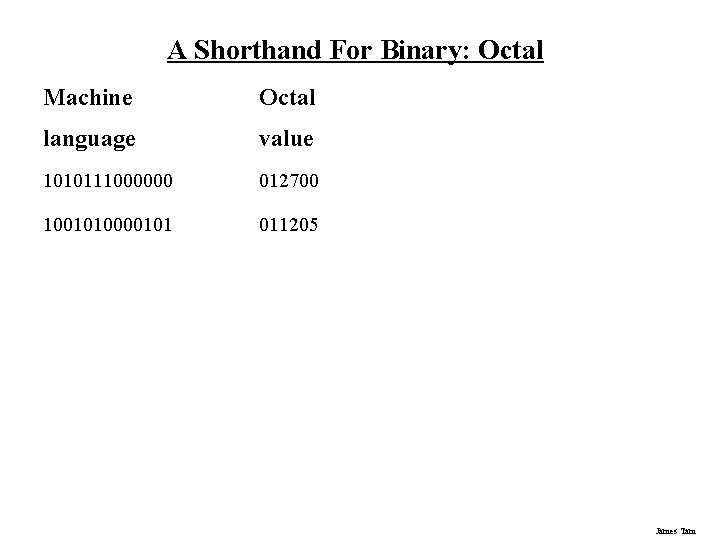
A Shorthand For Binary: Octal Machine Octal language value 1010111000000 012700 1001010000101 011205 James Tam
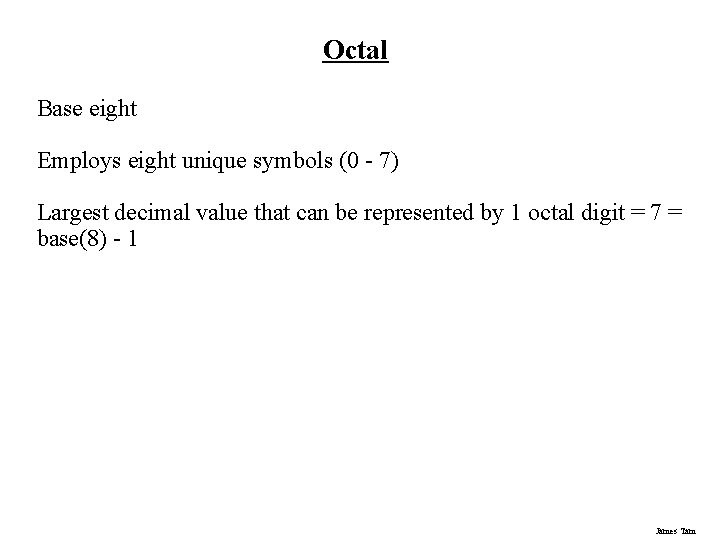
Octal Base eight Employs eight unique symbols (0 - 7) Largest decimal value that can be represented by 1 octal digit = 7 = base(8) - 1 James Tam
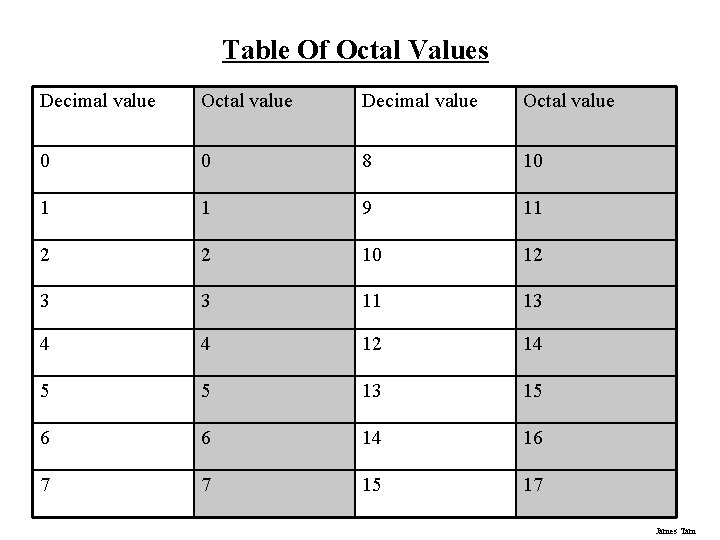
Table Of Octal Values Decimal value Octal value 0 0 8 10 1 1 9 11 2 2 10 12 3 3 11 13 4 4 12 14 5 5 13 15 6 6 14 16 7 7 15 17 James Tam
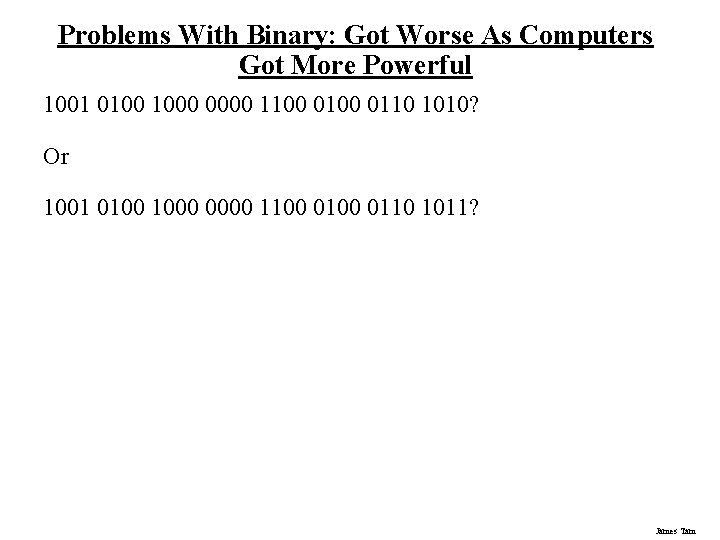
Problems With Binary: Got Worse As Computers Got More Powerful 1001 0100 1000 0000 1100 0110 1010? Or 1001 0100 1000 0000 1100 0110 1011? James Tam
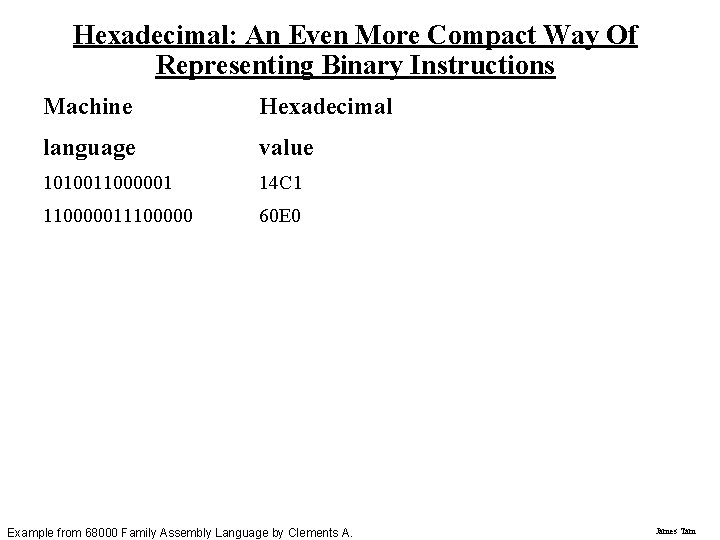
Hexadecimal: An Even More Compact Way Of Representing Binary Instructions Machine Hexadecimal language value 1010011000001 14 C 1 110000011100000 60 E 0 Example from 68000 Family Assembly Language by Clements A. James Tam
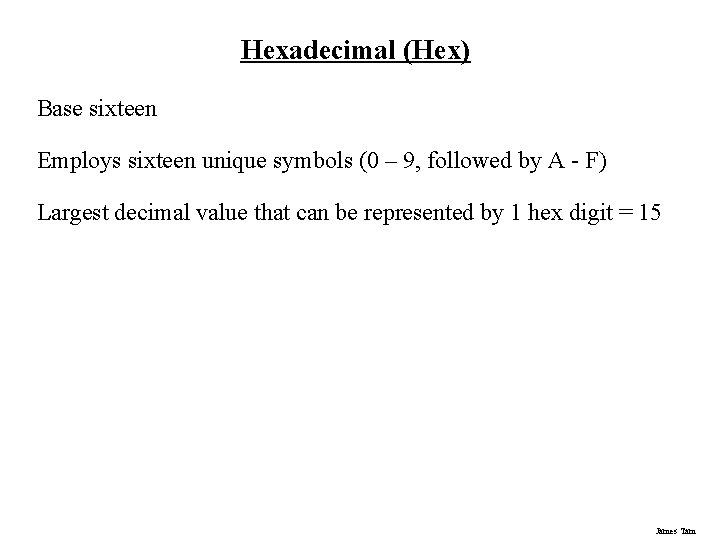
Hexadecimal (Hex) Base sixteen Employs sixteen unique symbols (0 – 9, followed by A - F) Largest decimal value that can be represented by 1 hex digit = 15 James Tam
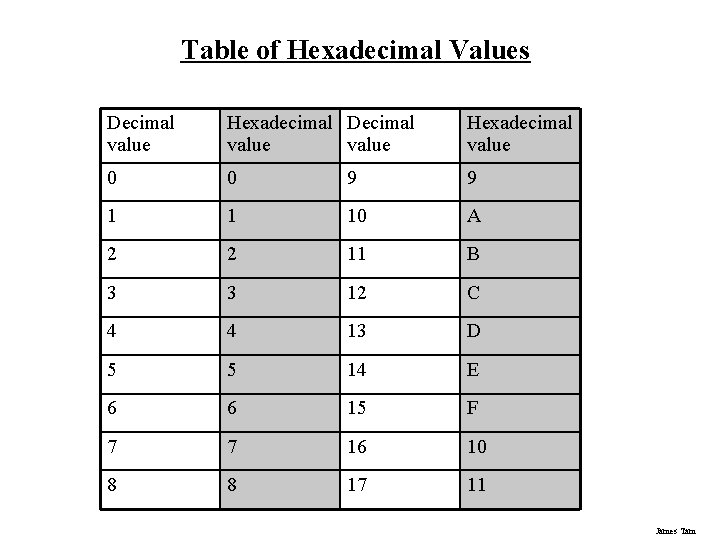
Table of Hexadecimal Values Decimal value Hexadecimal value 0 0 9 9 1 1 10 A 2 2 11 B 3 3 12 C 4 4 13 D 5 5 14 E 6 6 15 F 7 7 16 10 8 8 17 11 James Tam
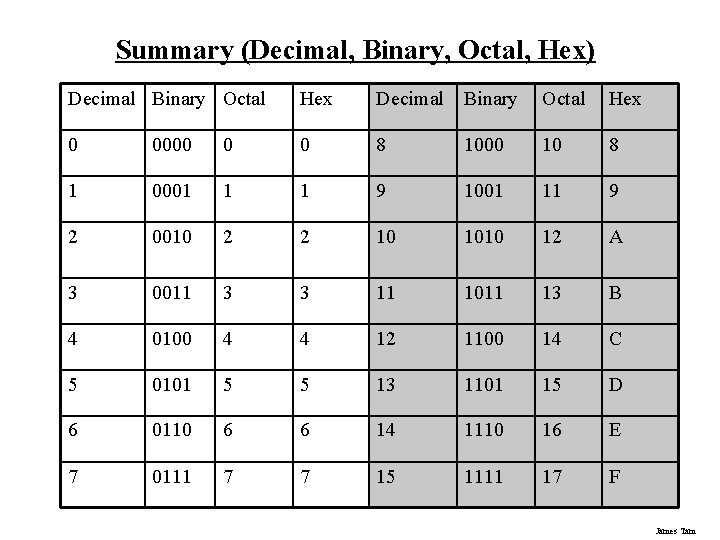
Summary (Decimal, Binary, Octal, Hex) Decimal Binary Octal Hex 0 0000 0 0 8 1000 10 8 1 0001 1 1 9 1001 11 9 2 0010 2 2 10 1010 12 A 3 0011 3 3 11 1011 13 B 4 0100 4 4 12 1100 14 C 5 0101 5 5 13 1101 15 D 6 0110 6 6 14 1110 16 E 7 0111 7 7 15 1111 17 F James Tam
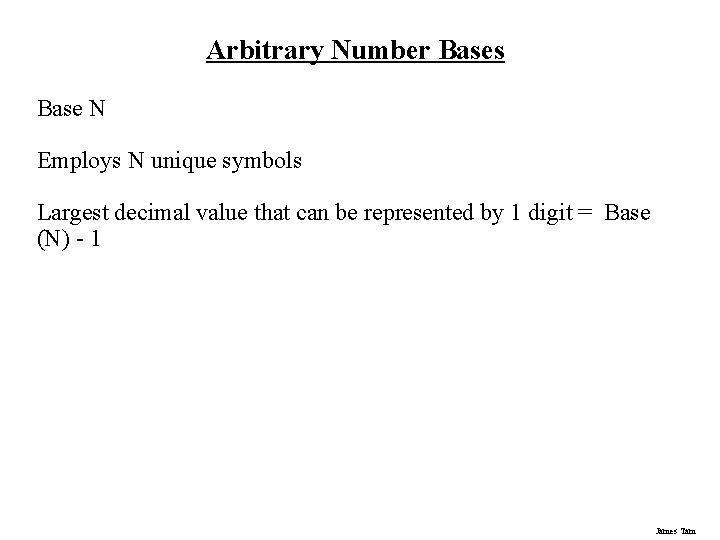
Arbitrary Number Bases Base N Employs N unique symbols Largest decimal value that can be represented by 1 digit = Base (N) - 1 James Tam
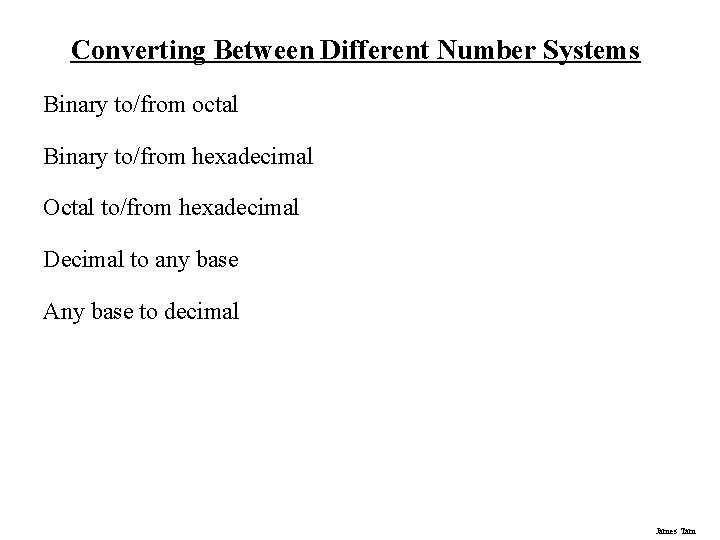
Converting Between Different Number Systems Binary to/from octal Binary to/from hexadecimal Octal to/from hexadecimal Decimal to any base Any base to decimal James Tam
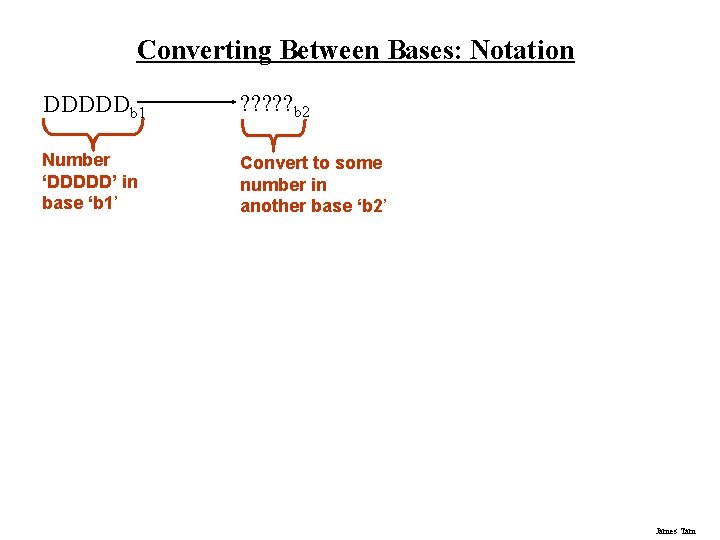
Converting Between Bases: Notation DDDDDb 1 ? ? ? b 2 Number ‘DDDDD’ in base ‘b 1’ Convert to some number in another base ‘b 2’ James Tam
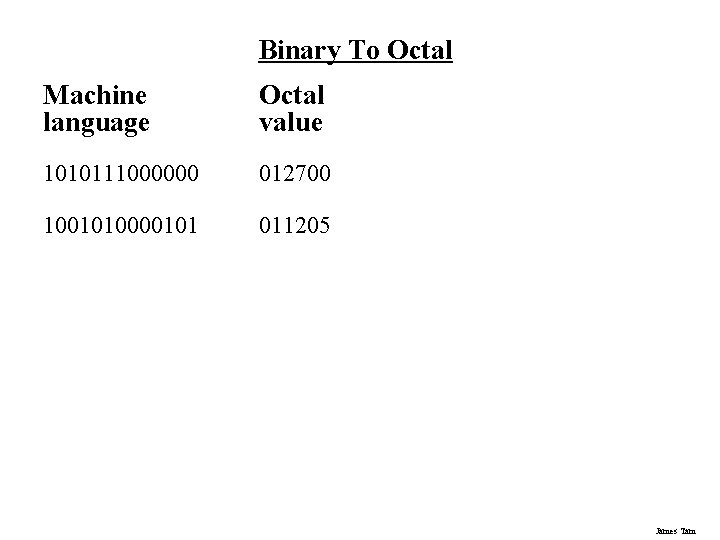
Binary To Octal Machine language Octal value 1010111000000 012700 1001010000101 011205 James Tam
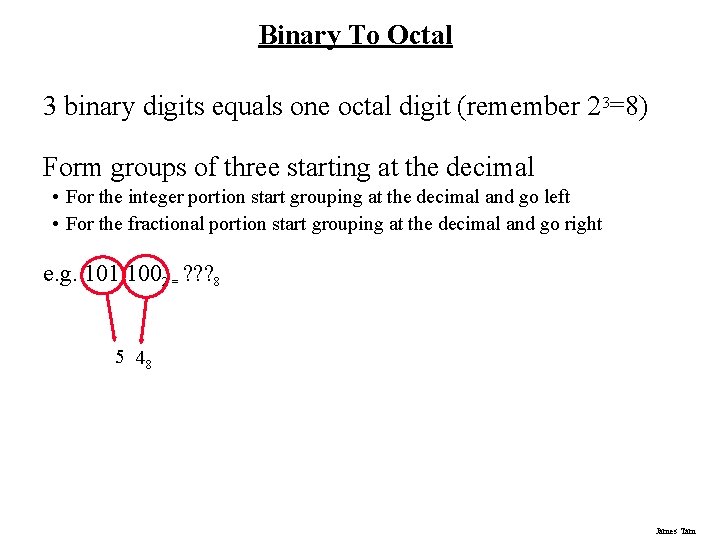
Binary To Octal 3 binary digits equals one octal digit (remember 23=8) Form groups of three starting at the decimal • For the integer portion start grouping at the decimal and go left • For the fractional portion start grouping at the decimal and go right e. g. 101 1002 = ? ? ? 8 5 48 James Tam
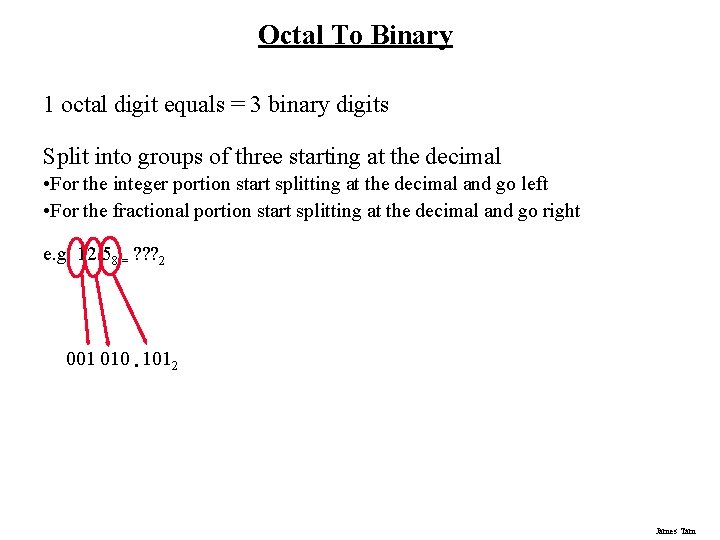
Octal To Binary 1 octal digit equals = 3 binary digits Split into groups of three starting at the decimal • For the integer portion start splitting at the decimal and go left • For the fractional portion start splitting at the decimal and go right e. g. 12. 58 = ? ? ? 2 001 010. 1012 James Tam
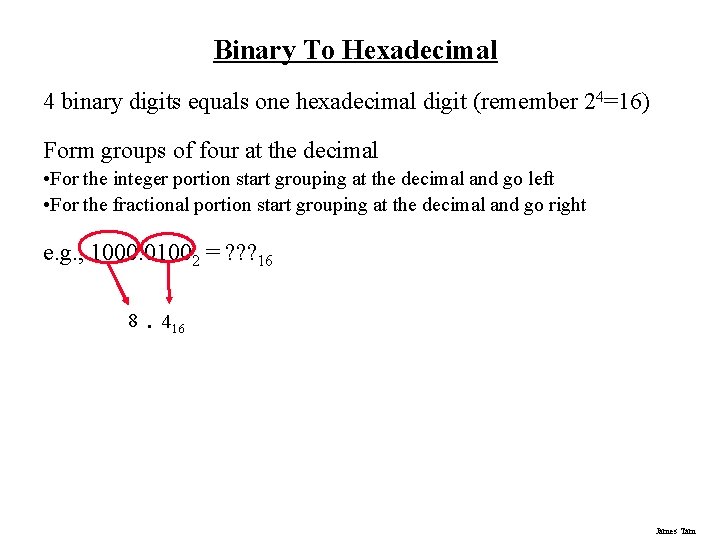
Binary To Hexadecimal 4 binary digits equals one hexadecimal digit (remember 24=16) Form groups of four at the decimal • For the integer portion start grouping at the decimal and go left • For the fractional portion start grouping at the decimal and go right e. g. , 1000. 01002 = ? ? ? 16 8. 416 James Tam
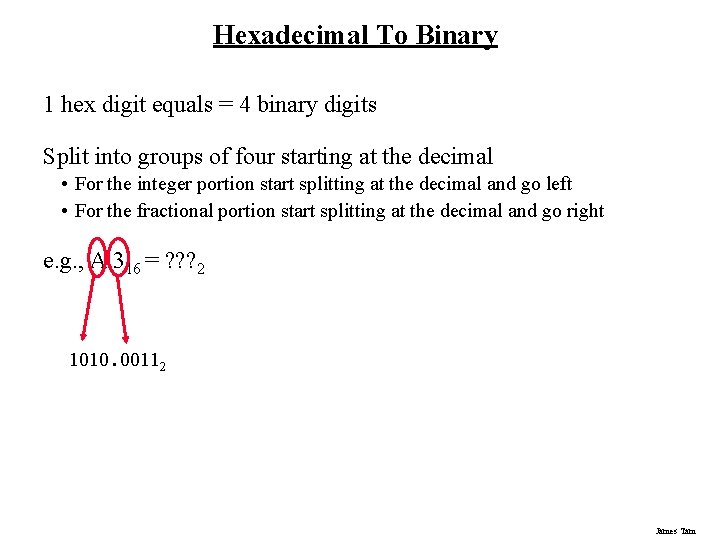
Hexadecimal To Binary 1 hex digit equals = 4 binary digits Split into groups of four starting at the decimal • For the integer portion start splitting at the decimal and go left • For the fractional portion start splitting at the decimal and go right e. g. , A. 316 = ? ? ? 2 1010. 00112 James Tam
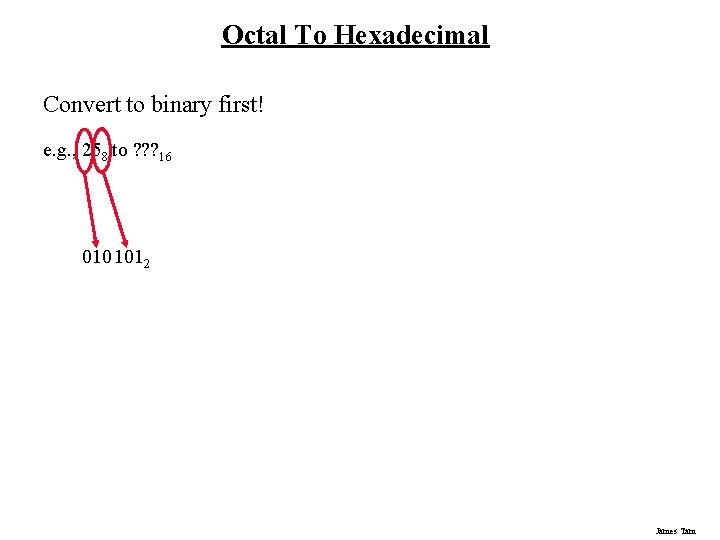
Octal To Hexadecimal Convert to binary first! e. g. , 258 to ? ? ? 16 010 1012 James Tam
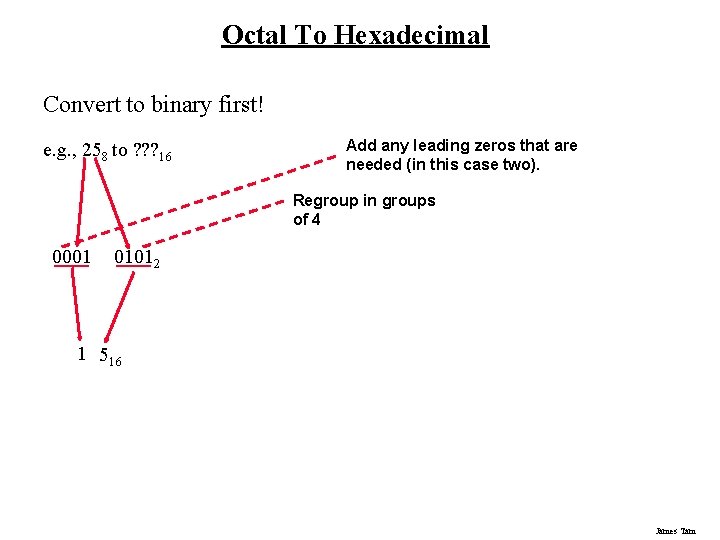
Octal To Hexadecimal Convert to binary first! e. g. , 258 to ? ? ? 16 Add any leading zeros that are needed (in this case two). Regroup in groups of 4 0001 01012 1 516 James Tam
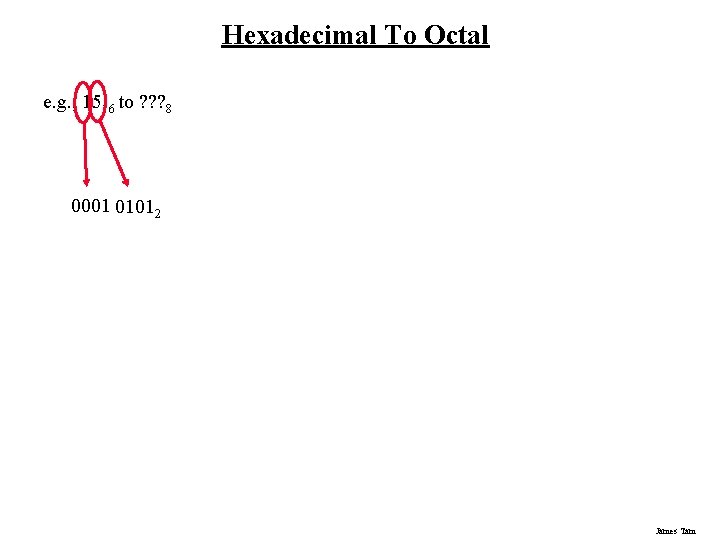
Hexadecimal To Octal e. g. , 1516 to ? ? ? 8 0001 01012 James Tam
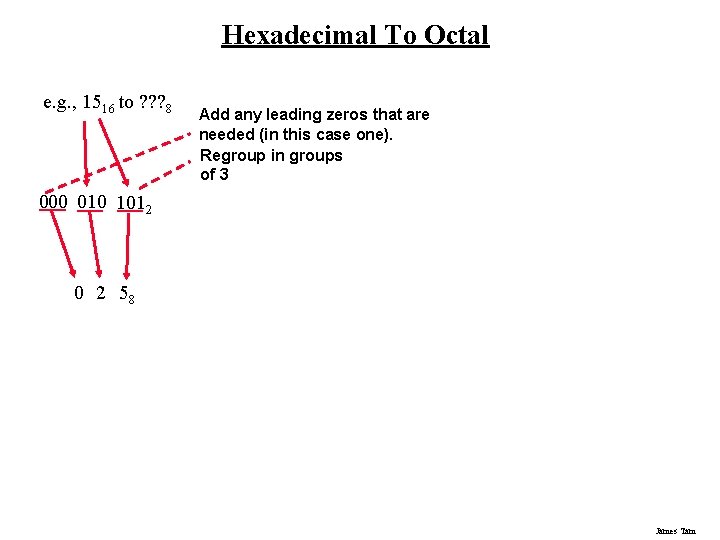
Hexadecimal To Octal e. g. , 1516 to ? ? ? 8 Add any leading zeros that are needed (in this case one). Regroup in groups of 3 000 010 1012 0 2 58 James Tam
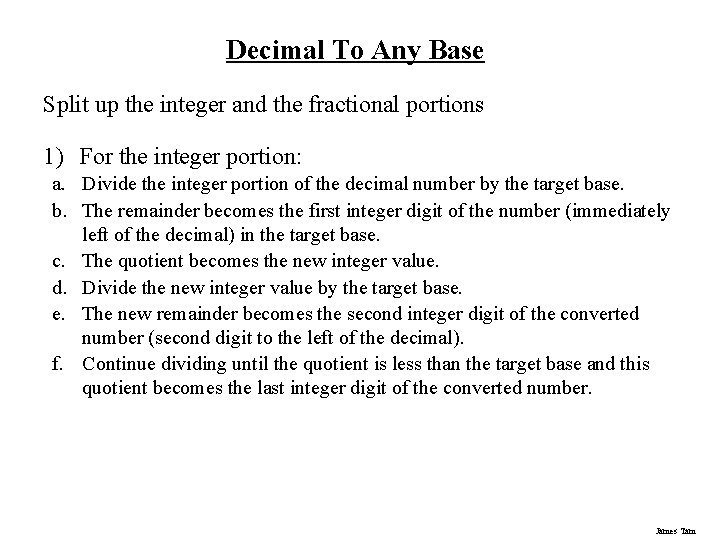
Decimal To Any Base Split up the integer and the fractional portions 1) For the integer portion: a. Divide the integer portion of the decimal number by the target base. b. The remainder becomes the first integer digit of the number (immediately left of the decimal) in the target base. c. The quotient becomes the new integer value. d. Divide the new integer value by the target base. e. The new remainder becomes the second integer digit of the converted number (second digit to the left of the decimal). f. Continue dividing until the quotient is less than the target base and this quotient becomes the last integer digit of the converted number. James Tam
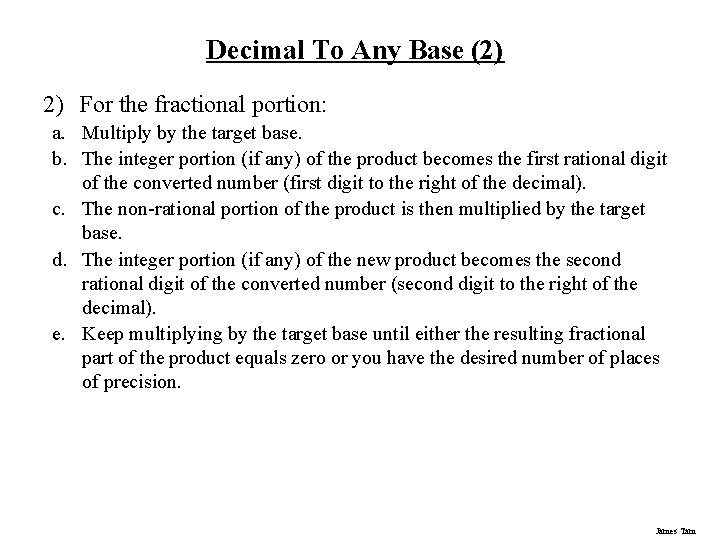
Decimal To Any Base (2) 2) For the fractional portion: a. Multiply by the target base. b. The integer portion (if any) of the product becomes the first rational digit of the converted number (first digit to the right of the decimal). c. The non-rational portion of the product is then multiplied by the target base. d. The integer portion (if any) of the new product becomes the second rational digit of the converted number (second digit to the right of the decimal). e. Keep multiplying by the target base until either the resulting fractional part of the product equals zero or you have the desired number of places of precision. James Tam
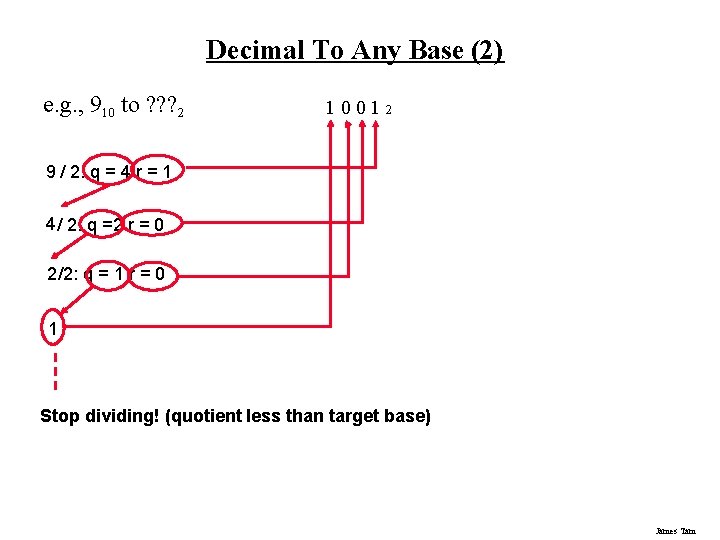
Decimal To Any Base (2) e. g. , 910 to ? ? ? 2 1 001 2 9 / 2: q = 4 r = 1 4 / 2: q =2 r = 0 2 /2: q = 1 r = 0 1 Stop dividing! (quotient less than target base) James Tam
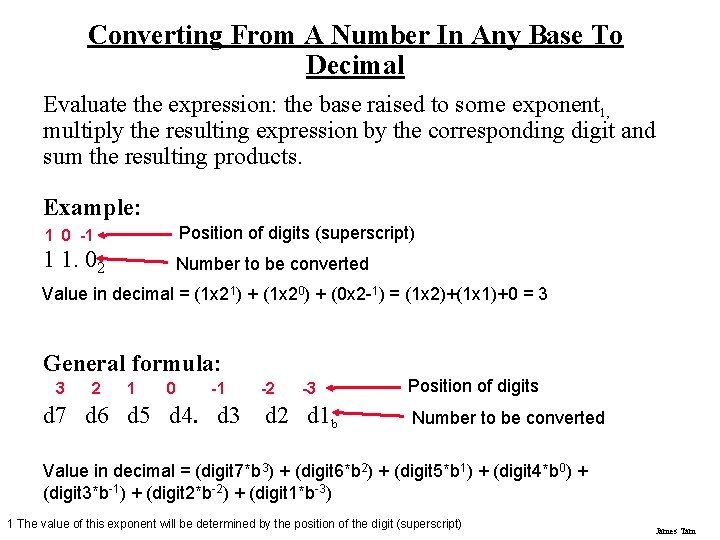
Converting From A Number In Any Base To Decimal Evaluate the expression: the base raised to some exponent 1, multiply the resulting expression by the corresponding digit and sum the resulting products. Example: 1 0 -1 Position of digits (superscript) 1 1. 02 Number to be converted Value in decimal = (1 x 21) + (1 x 20) + (0 x 2 -1) = (1 x 2)+(1 x 1)+0 = 3 General formula: 3 2 1 0 -1 d 7 d 6 d 5 d 4. d 3 -2 -3 d 2 d 1 b Position of digits Number to be converted Value in decimal = (digit 7*b 3) + (digit 6*b 2) + (digit 5*b 1) + (digit 4*b 0) + (digit 3*b-1) + (digit 2*b-2) + (digit 1*b-3) 1 The value of this exponent will be determined by the position of the digit (superscript) James Tam
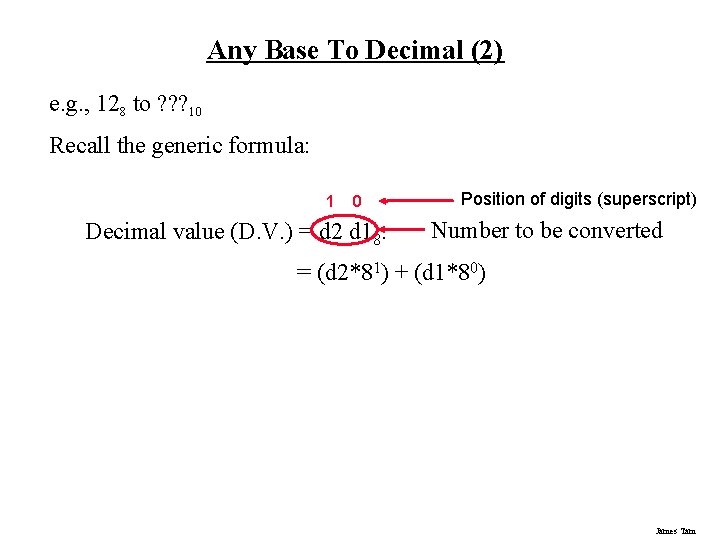
Any Base To Decimal (2) e. g. , 128 to ? ? ? 10 Recall the generic formula: 1 0 Decimal value (D. V. ) = d 2 d 18. Position of digits (superscript) Number to be converted = (d 2*81) + (d 1*80) James Tam
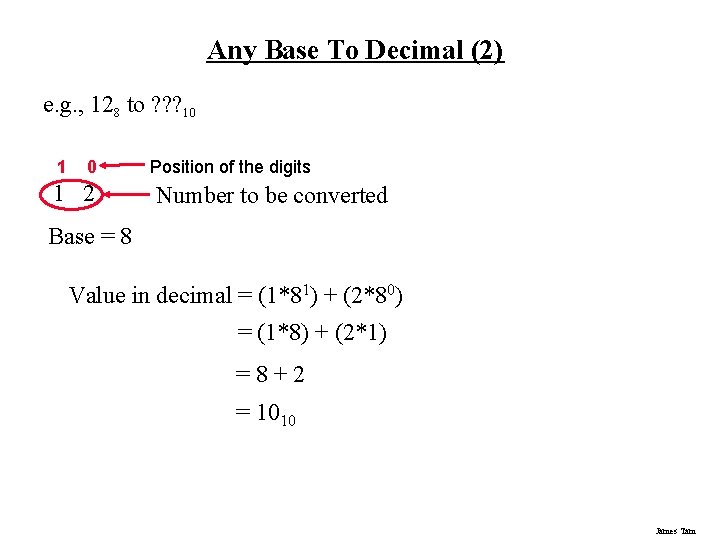
Any Base To Decimal (2) e. g. , 128 to ? ? ? 10 1 2 Position of the digits Number to be converted Base = 8 Value in decimal = (1*81) + (2*80) = (1*8) + (2*1) =8+2 = 1010 James Tam
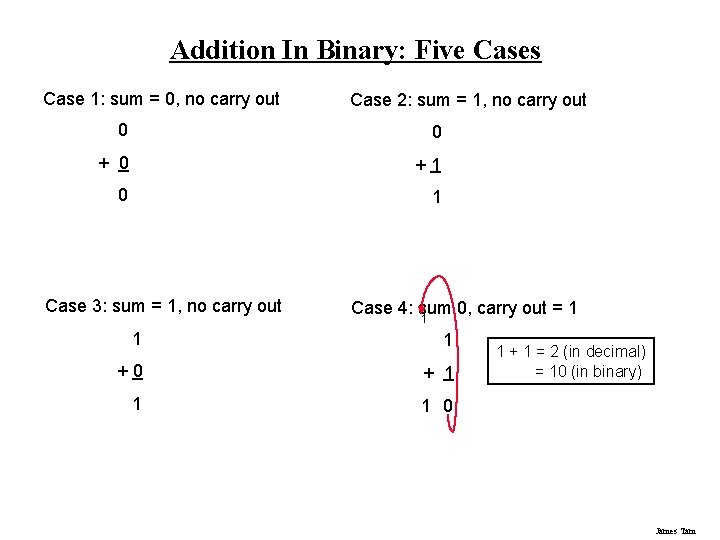
Addition In Binary: Five Cases Case 1: sum = 0, no carry out Case 2: sum = 1, no carry out 0 0 +1 0 1 Case 3: sum = 1, no carry out Case 4: sum 0, carry out = 1 1 +0 + 1 1 1 0 1 + 1 = 2 (in decimal) = 10 (in binary) James Tam
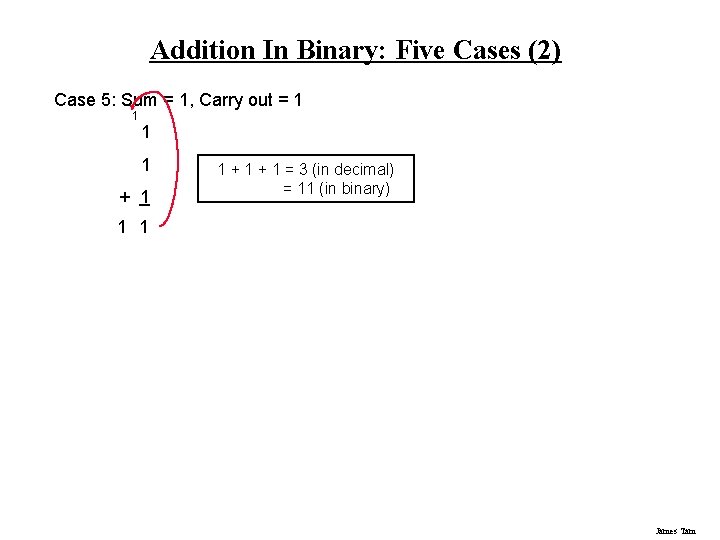
Addition In Binary: Five Cases (2) Case 5: Sum = 1, Carry out = 1 1 + 1 = 3 (in decimal) = 11 (in binary) 1 1 James Tam
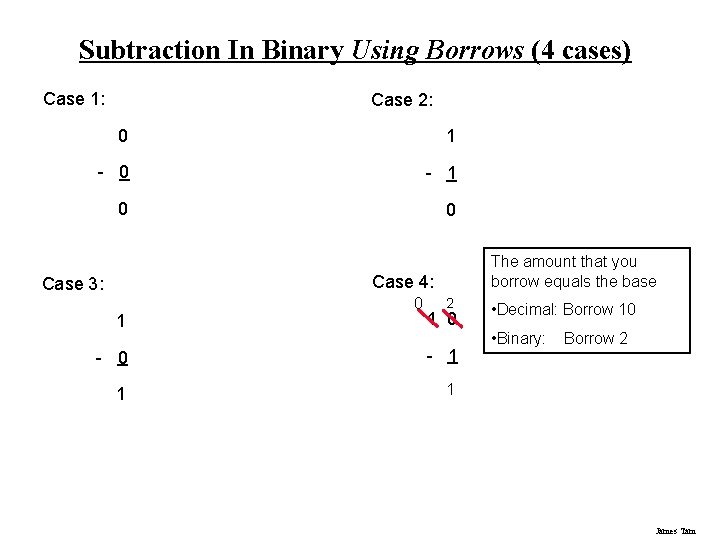
Subtraction In Binary Using Borrows (4 cases) Case 1: Case 2: 0 1 - 0 - 1 0 0 The amount that you borrow equals the base Case 4: Case 3: 1 0 2 1 0 - 1 1 1 • Decimal: Borrow 10 • Binary: Borrow 2 James Tam
Overflow: A Real World Example You can only represent a finite number of values James Tam
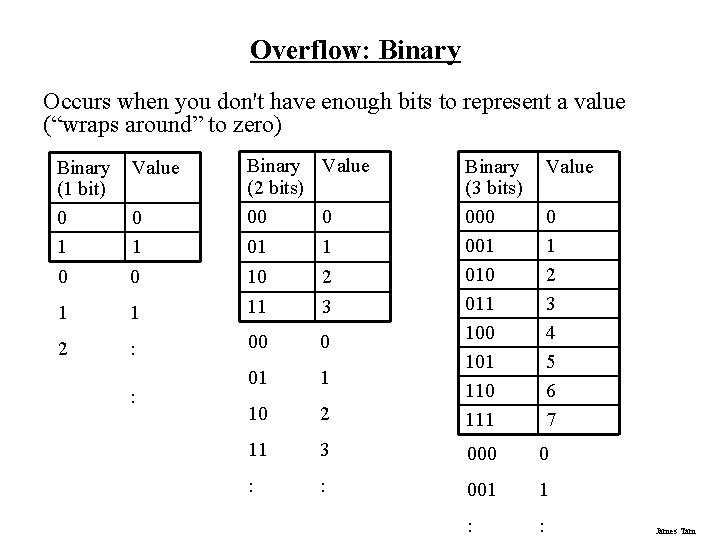
Overflow: Binary Occurs when you don't have enough bits to represent a value (“wraps around” to zero) Binary Value (1 bit) 0 0 1 1 0 0 Binary Value (2 bits) 00 0 1 2 01 1 10 2 1 11 3 : 00 0 01 1 10 2 Binary (3 bits) 000 001 010 011 100 101 110 111 11 3 000 0 : : 001 1 : : : Value 0 1 2 3 4 5 6 7 James Tam
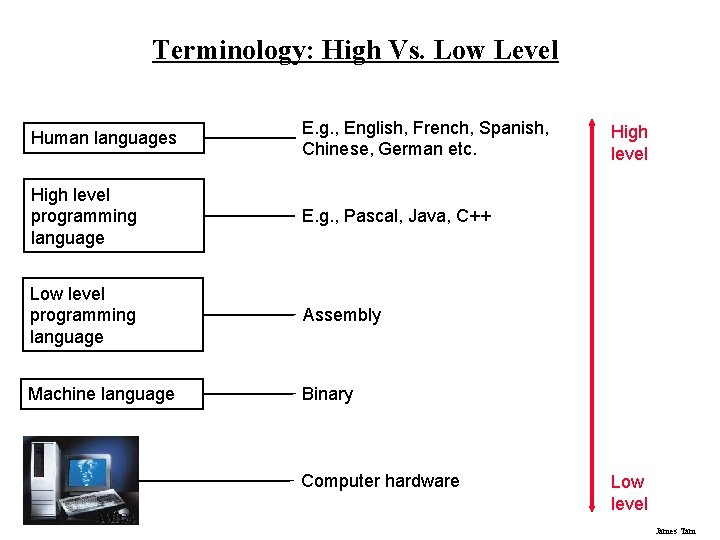
Terminology: High Vs. Low Level Human languages E. g. , English, French, Spanish, Chinese, German etc. High level programming language E. g. , Pascal, Java, C++ Low level programming language Assembly Machine language Binary Computer hardware High level Low level James Tam
You Should Now Know • What is meant by a number base. • How binary, octal and hex based number systems work and what role they play in the computer. • How to/from convert between non-decimal based number systems and decimal. • How to perform simple binary math (addition and subtraction). • What is overflow, why does it occur and when does it occur. • What is the difference between a high and low level programming language. James Tam
- Slides: 46