
Better Together Improving Information Management Practices Through Collaboration
Better Together Improving Information Management Practices Through Collaboration Michigan School Testing Conference February 14, 2019
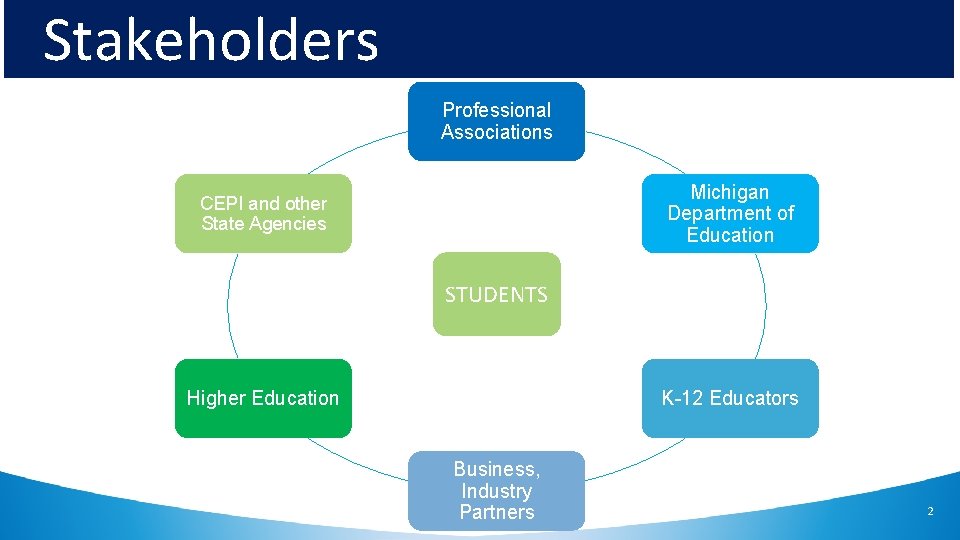
Stakeholders Professional Associations Michigan Department of Education CEPI and other State Agencies STUDENTS Higher Education K-12 Educators Business, Industry Partners 2
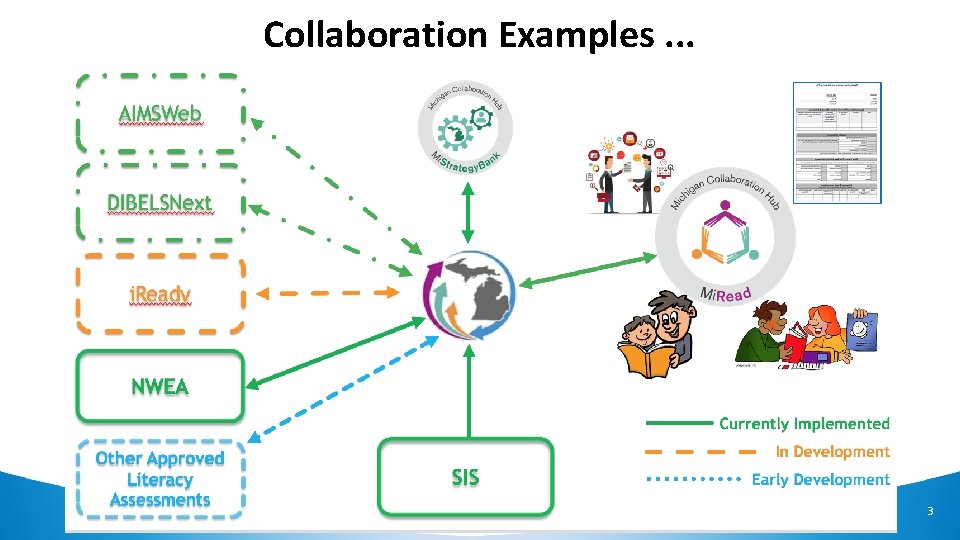
Collaboration Examples. . . 3
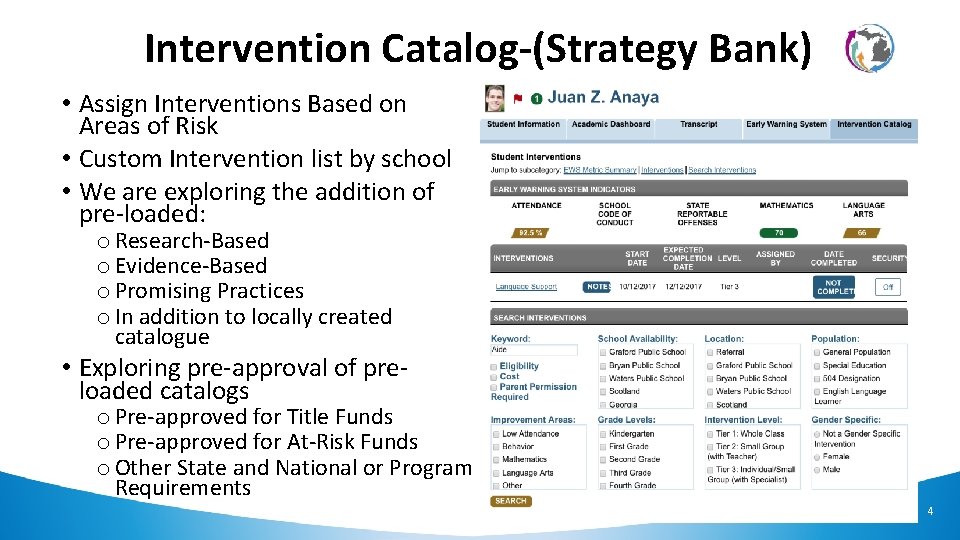
Intervention Catalog-(Strategy Bank) • Assign Interventions Based on Areas of Risk • Custom Intervention list by school • We are exploring the addition of pre-loaded: o Research-Based o Evidence-Based o Promising Practices o In addition to locally created catalogue • Exploring pre-approval of preloaded catalogs o Pre-approved for Title Funds o Pre-approved for At-Risk Funds o Other State and National or Program Requirements 4
Dashboards and Early Warning Signs (EWIMS) 5
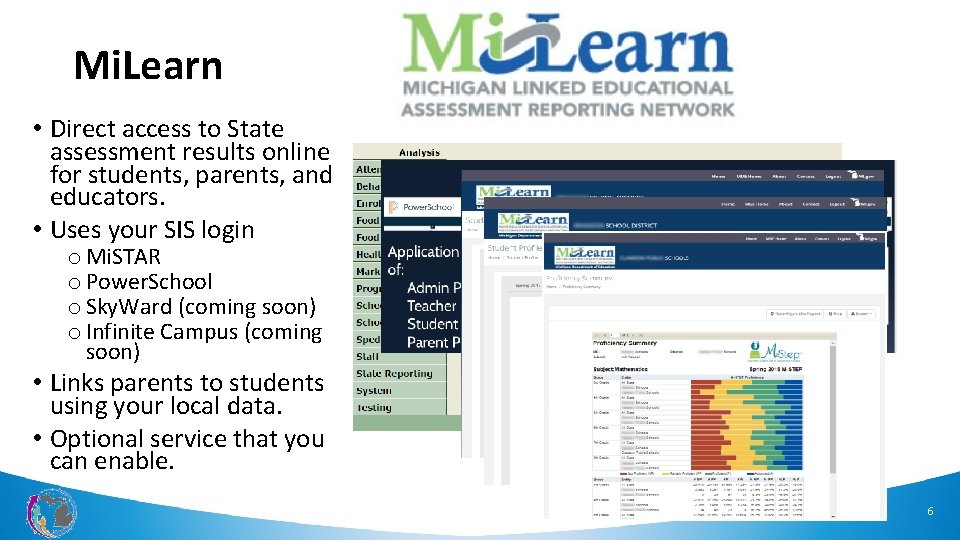
Mi. Learn • Direct access to State assessment results online for students, parents, and educators. • Uses your SIS login o Mi. STAR o Power. School o Sky. Ward (coming soon) o Infinite Campus (coming soon) • Links parents to students using your local data. • Optional service that you can enable. 6
This Photo by Unknown Author is licensed under CC BY-NC-ND This Photo by Unknown Author is licensed under CC BY-ND 7
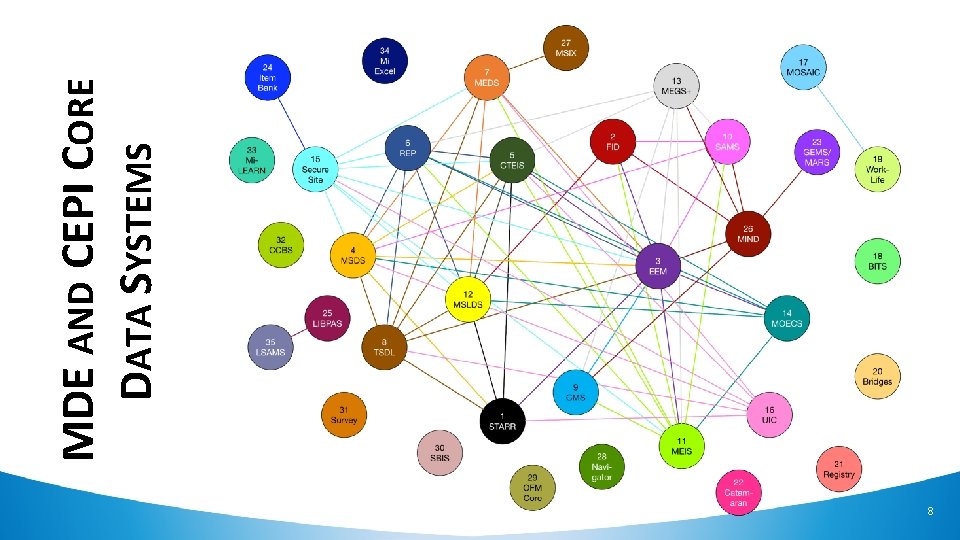
8 MDE AND CEPI CORE DATA SYSTEMS
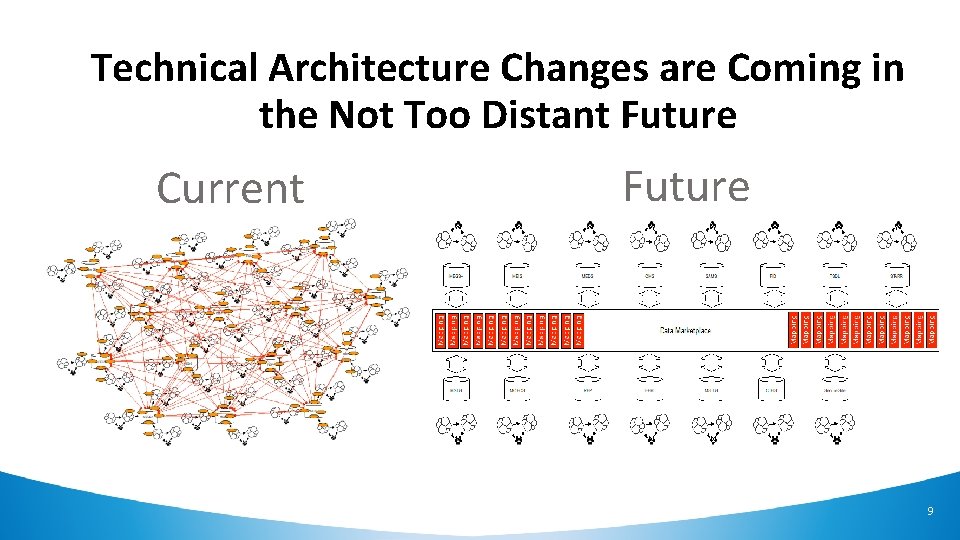
Technical Architecture Changes are Coming in the Not Too Distant Future Current Future 9
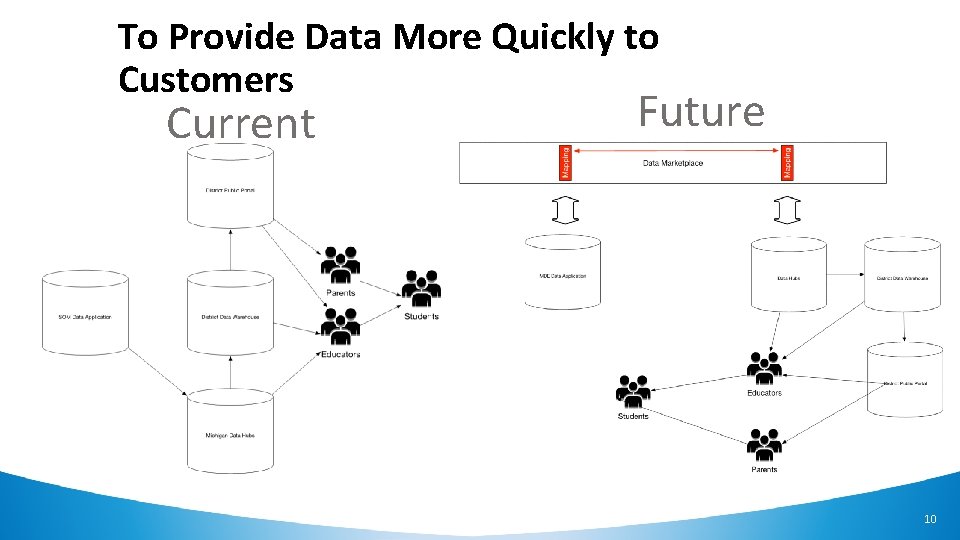
To Provide Data More Quickly to Customers Current Future 10
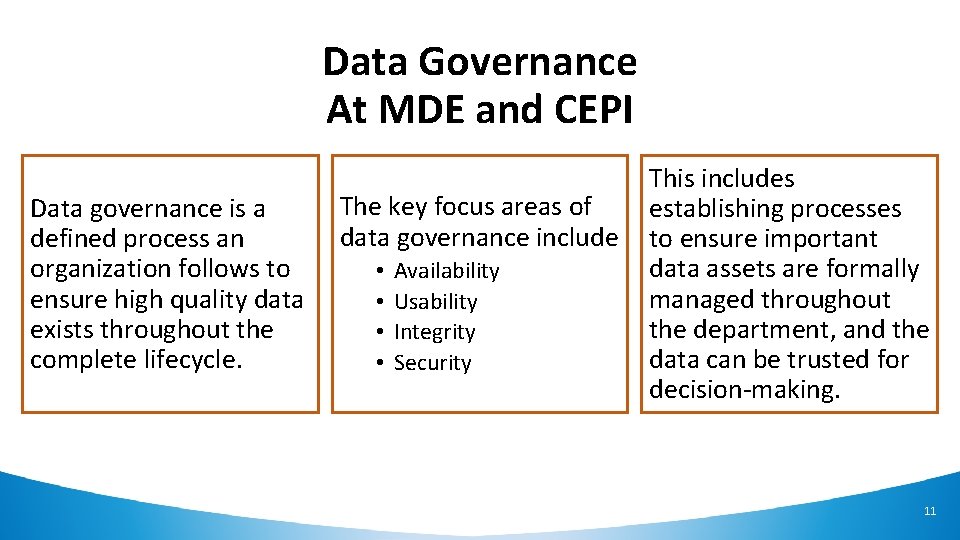
Data Governance At MDE and CEPI Data governance is a defined process an organization follows to ensure high quality data exists throughout the complete lifecycle. The key focus areas of data governance include • • Availability Usability Integrity Security This includes establishing processes to ensure important data assets are formally managed throughout the department, and the data can be trusted for decision-making. 11
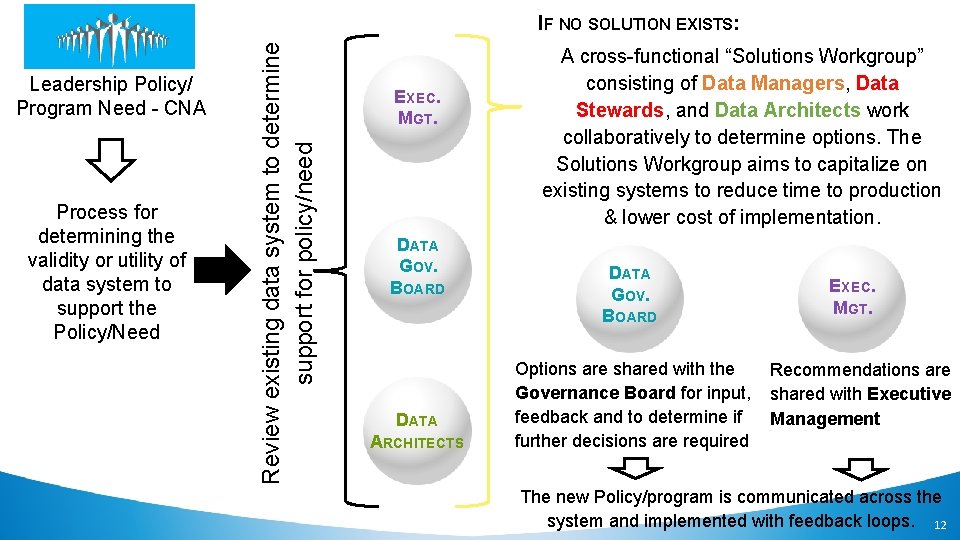
Leadership Policy/ Program Need - CNA Process for determining the validity or utility of data system to support the Policy/Need Review existing data system to determine support for policy/need IF NO SOLUTION EXISTS: EXEC. MGT. DATA GOV. BOARD DATA MRCHITECTS ANAGERS A A cross-functional “Solutions Workgroup” consisting of Data Managers, Data Stewards, and Data Architects work collaboratively to determine options. The Solutions Workgroup aims to capitalize on existing systems to reduce time to production & lower cost of implementation. DATA GOV. BOARD Options are shared with the Governance Board for input, feedback and to determine if further decisions are required EXEC. MGT. Recommendations are shared with Executive Management The new Policy/program is communicated across the system and implemented with feedback loops. 12
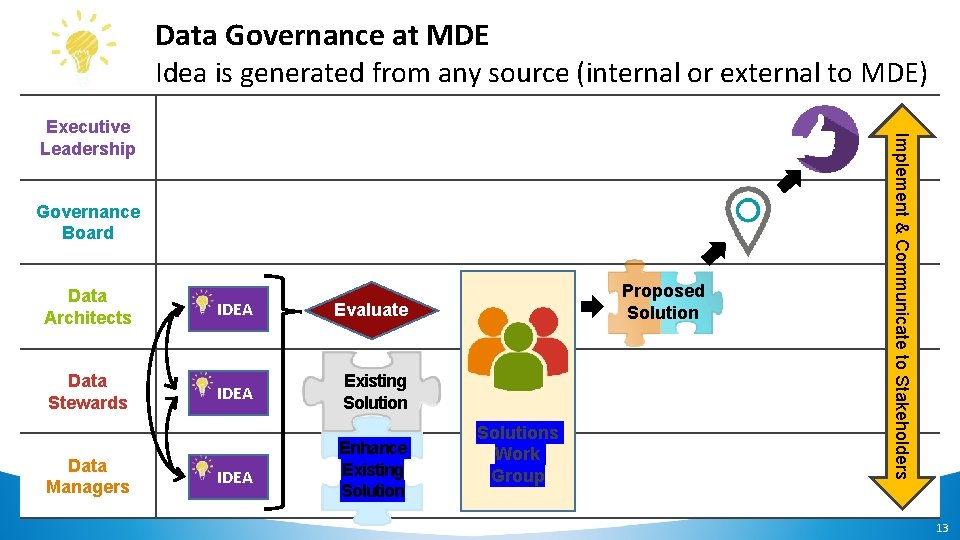
Data Governance at MDE Idea is generated from any source (internal or external to MDE) Governance Board Data Architects IDEA Evaluate Data Stewards IDEA Existing Solution Data Managers IDEA Enhance Existing Solution Proposed Solutions Work Group Implement & Communicate to Stakeholders Executive Leadership 13
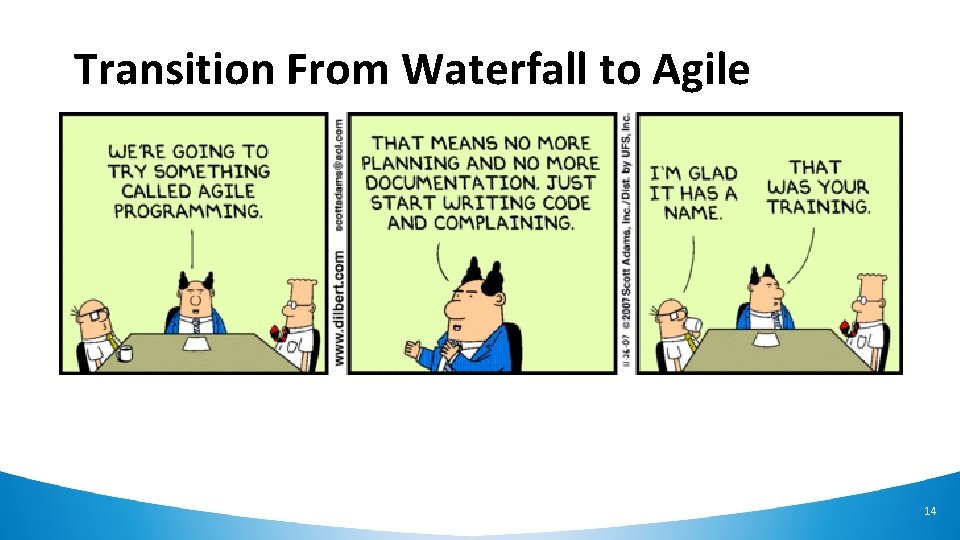
Transition From Waterfall to Agile 14
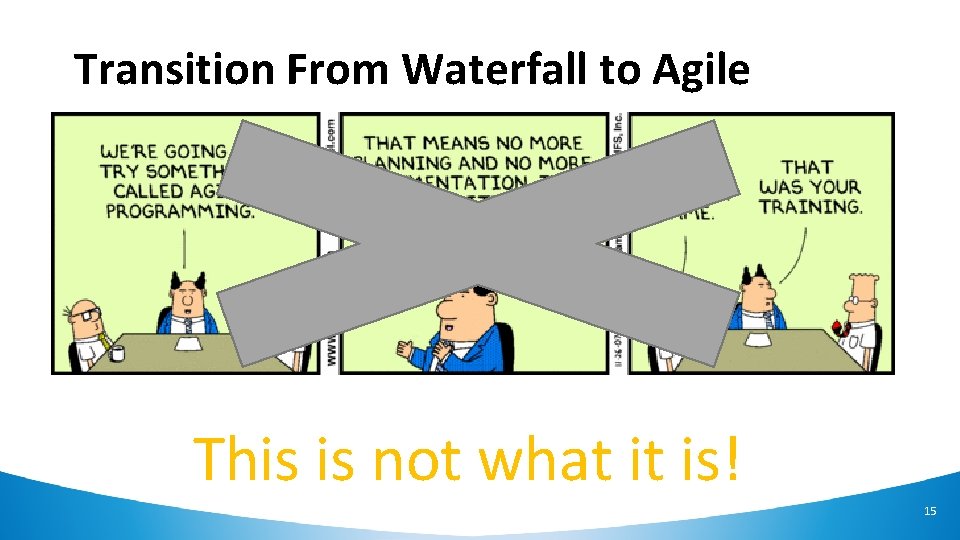
Transition From Waterfall to Agile This is not what it is! 15
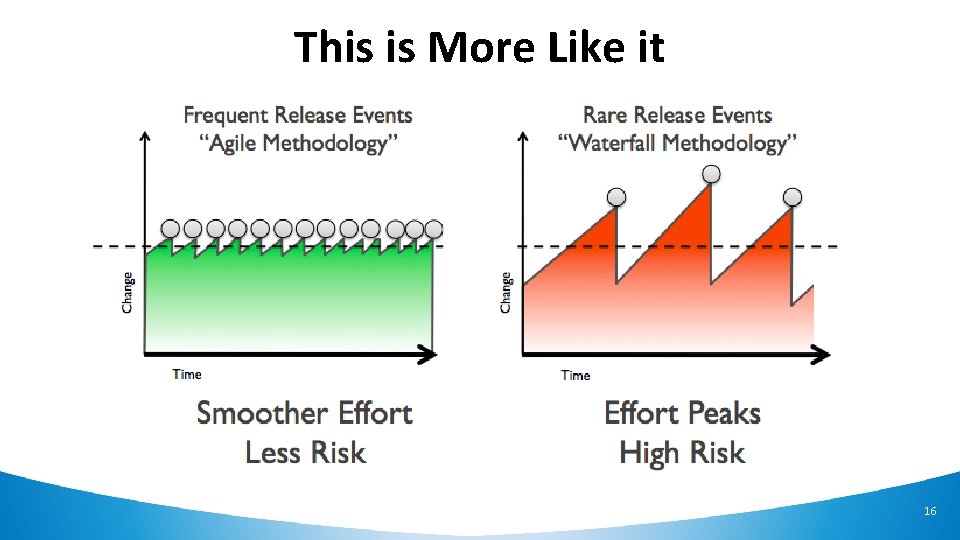
This is More Like it 16
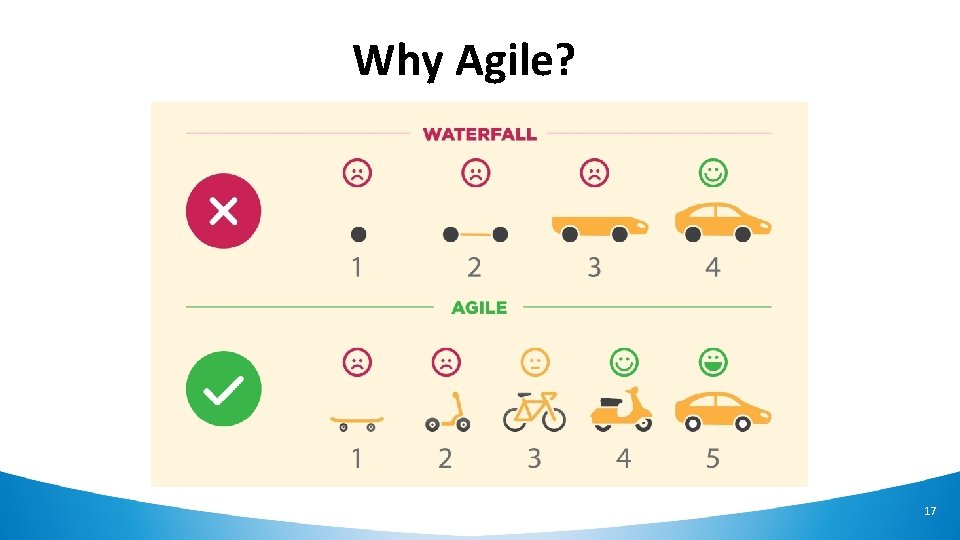
Why Agile? 17
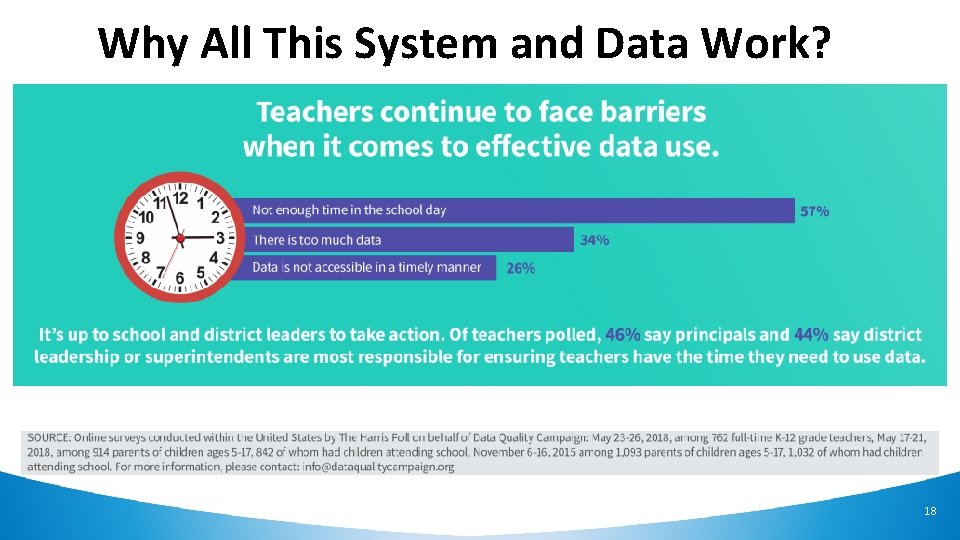
Why All This System and Data Work? 18
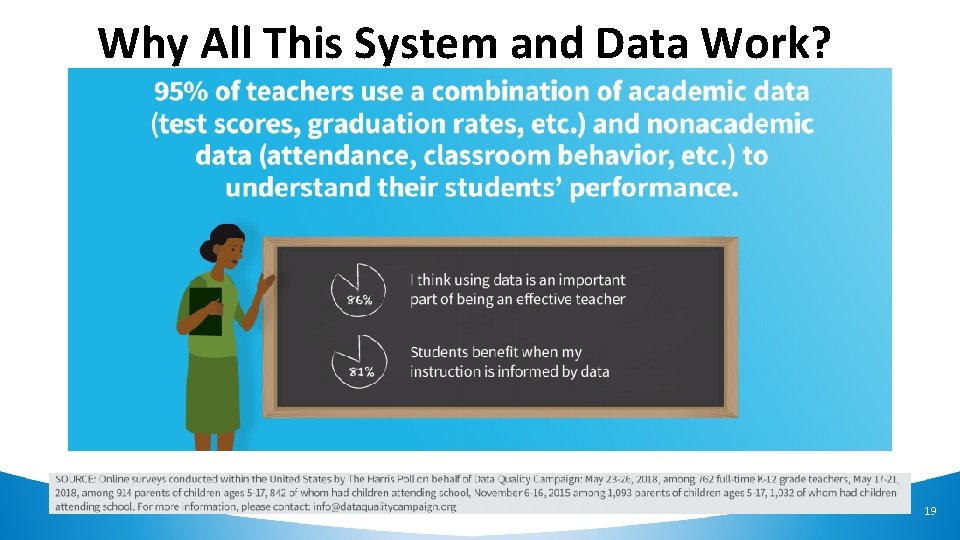
Why All This System and Data Work? 19
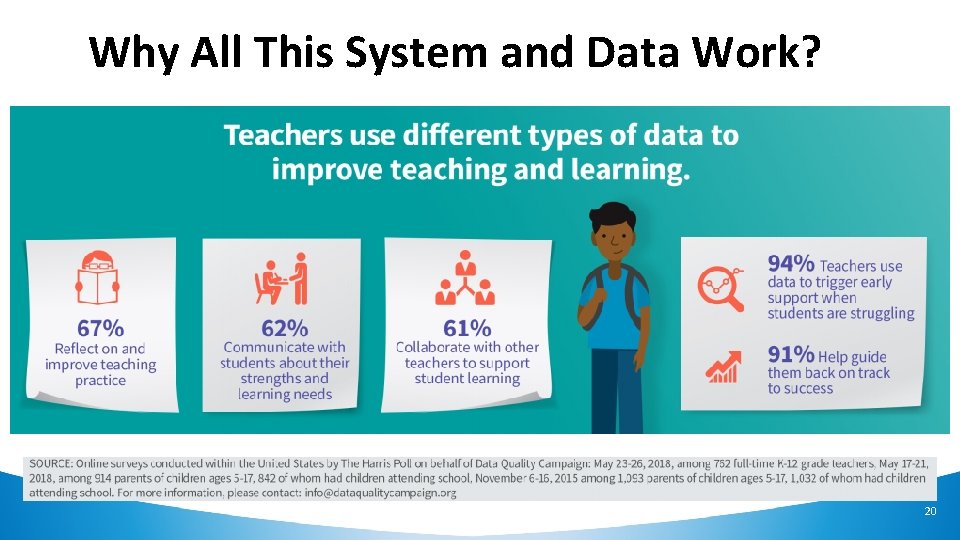
Why All This System and Data Work? 20
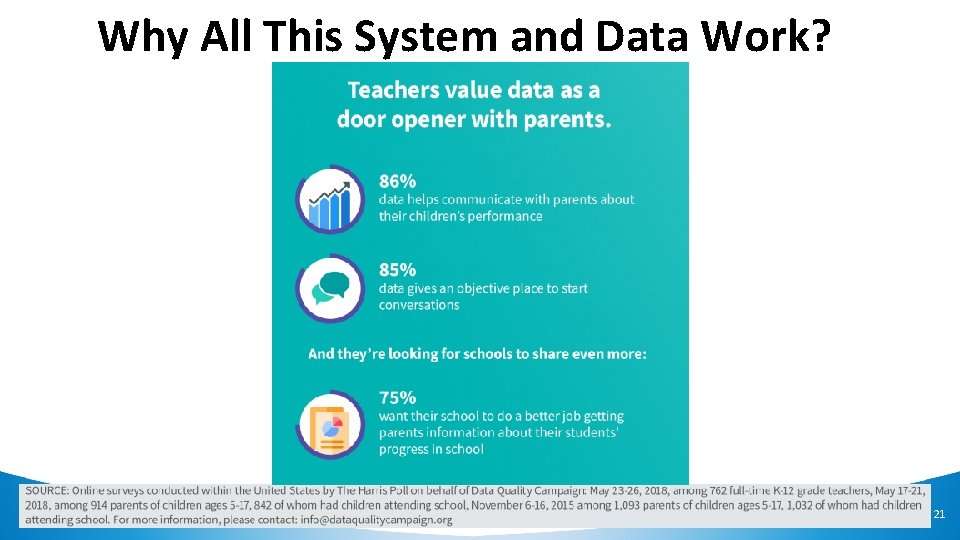
Why All This System and Data Work? 21
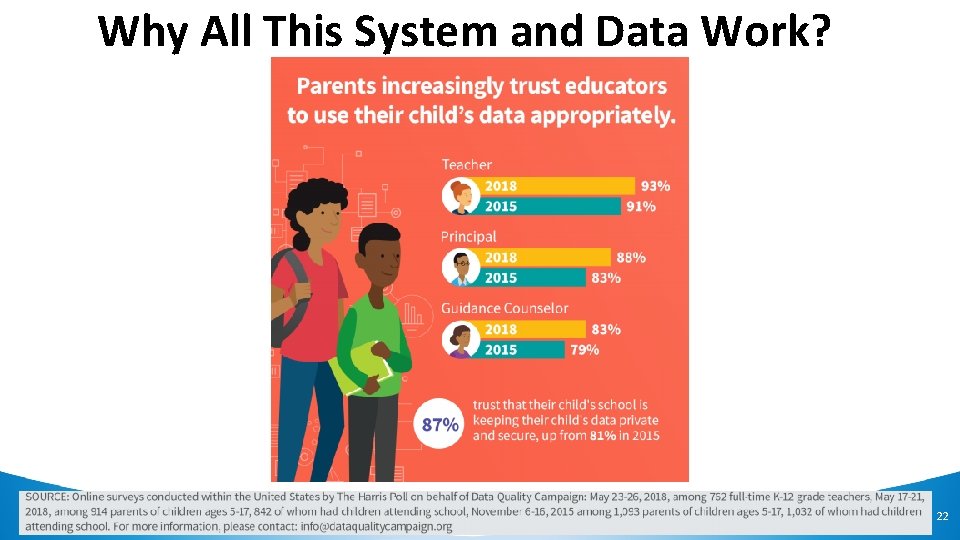
Why All This System and Data Work? 22
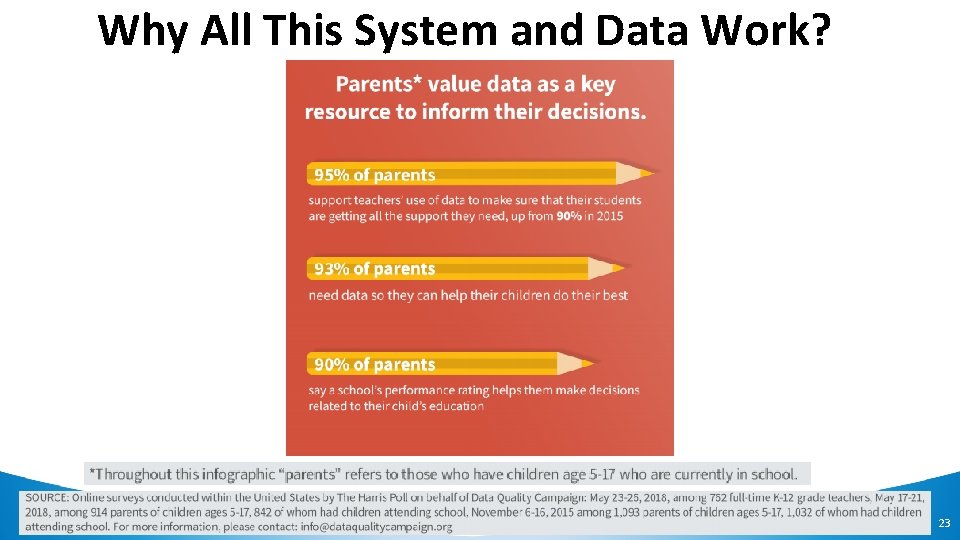
Why All This System and Data Work? 23
Problems? OR Opportunities For Collaboration! Status Quo: • Districts need to know what services students are eligible for when they enroll • This information is not readily available as it is not received in a timely fashion from the previous district and/or parents do not know • The Michigan Student Data System can mitigate this issue to some extent, but with notable limitations Bottom line: • Students may not get services they’re entitled to in a timely manner 24
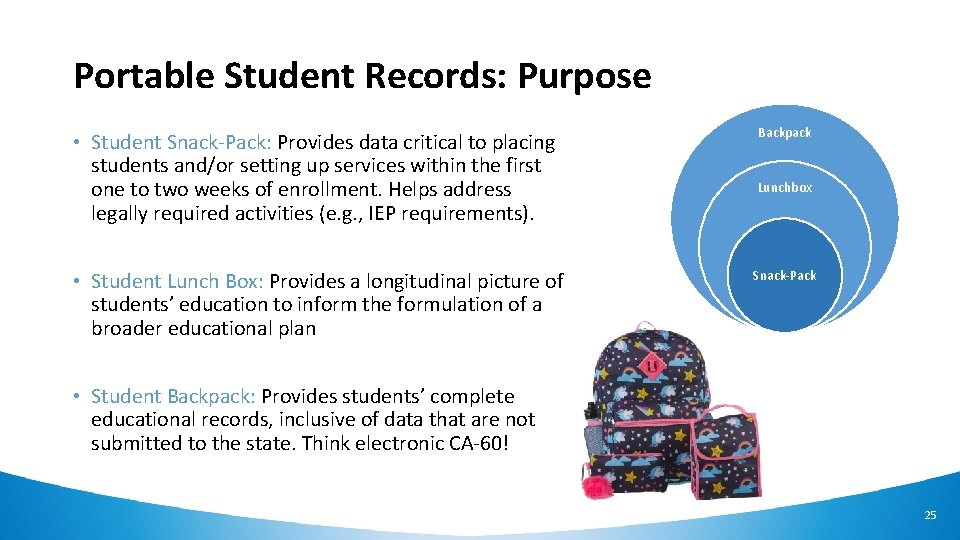
Portable Student Records: Purpose • Student Snack-Pack: Provides data critical to placing students and/or setting up services within the first one to two weeks of enrollment. Helps address legally required activities (e. g. , IEP requirements). • Student Lunch Box: Provides a longitudinal picture of students’ education to inform the formulation of a broader educational plan Backpack Lunchbox Snack-Pack • Student Backpack: Provides students’ complete educational records, inclusive of data that are not submitted to the state. Think electronic CA-60! 25
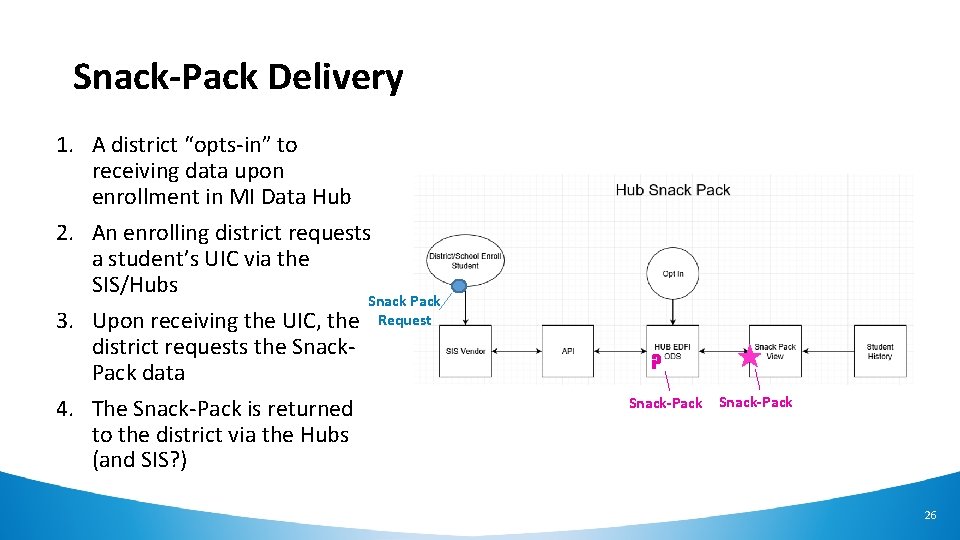
Snack-Pack Delivery 1. A district “opts-in” to receiving data upon enrollment in MI Data Hub 2. An enrolling district requests a student’s UIC via the SIS/Hubs Snack Pack 3. Upon receiving the UIC, the Request district requests the Snack. Pack data 4. The Snack-Pack is returned to the district via the Hubs (and SIS? ) ? Snack-Pack 26
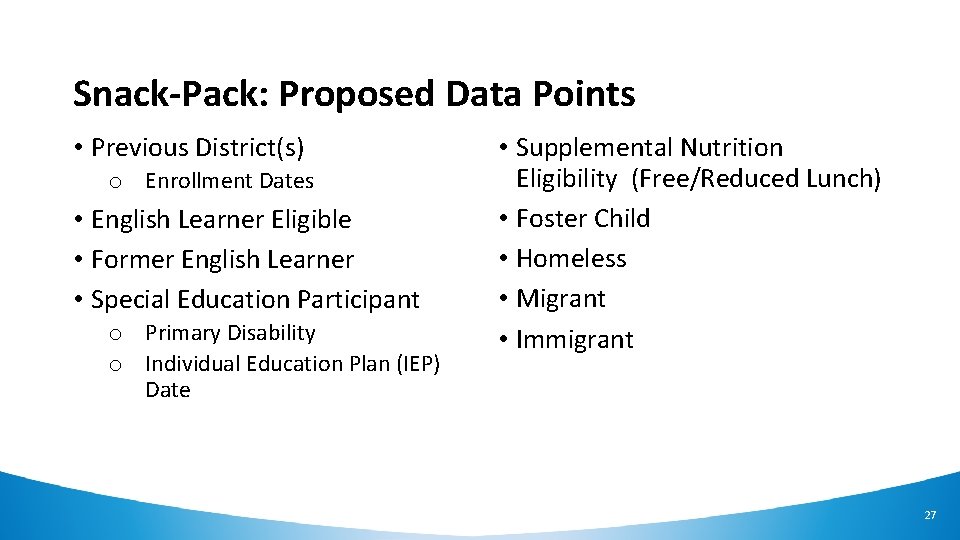
Snack-Pack: Proposed Data Points • Previous District(s) o Enrollment Dates • English Learner Eligible • Former English Learner • Special Education Participant o Primary Disability o Individual Education Plan (IEP) Date • Supplemental Nutrition Eligibility (Free/Reduced Lunch) • Foster Child • Homeless • Migrant • Immigrant 27
Snack-Pack: Connections • Redesign & Modernization, including: o Rearchitecting of the MSLDS warehouse o CEDS and Ed-Fi mapping, alignment, and extensions • Documentation must support versioning as CEDS & Ed-Fi evolve • Other Data Hub initiatives • Other Student Portable Records, including: o Student lunchbox o Student backpack 28
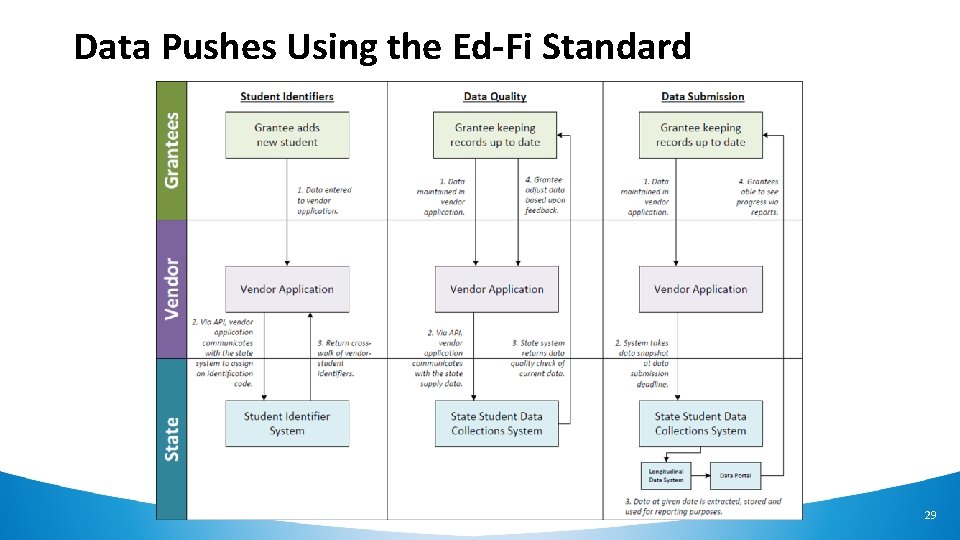
Data Pushes Using the Ed-Fi Standard 29
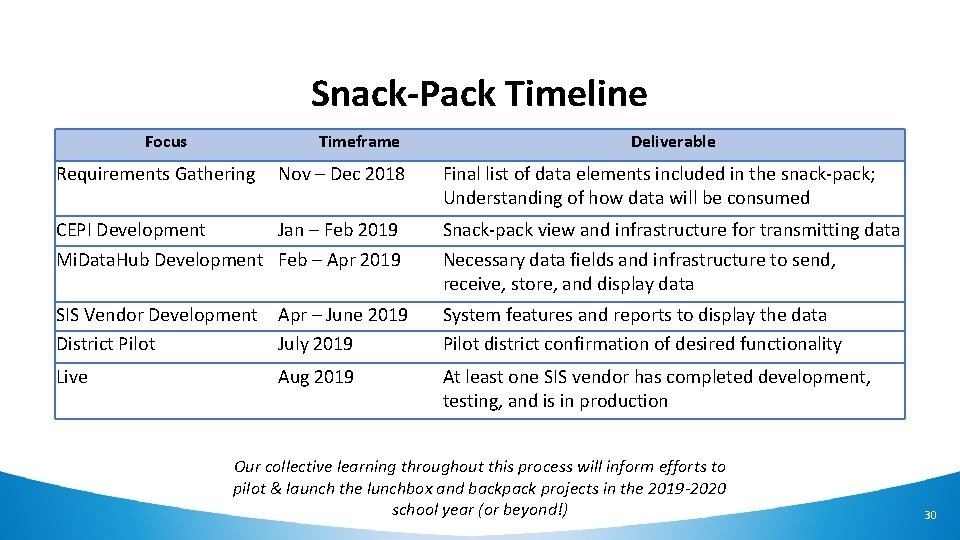
Snack-Pack Timeline Focus Timeframe Deliverable Requirements Gathering Nov – Dec 2018 Final list of data elements included in the snack-pack; Understanding of how data will be consumed CEPI Development Jan – Feb 2019 Snack-pack view and infrastructure for transmitting data Mi. Data. Hub Development Feb – Apr 2019 Necessary data fields and infrastructure to send, receive, store, and display data SIS Vendor Development District Pilot Apr – June 2019 July 2019 System features and reports to display the data Pilot district confirmation of desired functionality Live Aug 2019 At least one SIS vendor has completed development, testing, and is in production Our collective learning throughout this process will inform efforts to pilot & launch the lunchbox and backpack projects in the 2019 -2020 school year (or beyond!) 30
EEM Integration Benefits • Provides additional data not always provided by student information systems (NCES District/School codes and building GPS location information for instance) • Allows for MSDS Testing • Used in CEPI MSDS Error Check Process • Potential to update Superintendent automatically • Potential to auto-populate new districts in the data hub 31
M-STEP Integration • Simple Opt-In Process by creating an Outbound Integration • Spring 2016 and Spring 2017 will currently transfer • MDE installing permanent version in their environment o Expecting to be completed in February o Will then include Spring 2018 o Mi. Access and WIDA to Follow-up in the near future • Data available in multiple formats o API transfer to other applications (Eidex, Illuminate, etc. ) o Download to data file via custom export o Available in Mi. Data. Hub Dashboards 32
Getting UICs with MI Data Hub Benefits: 1. No need to log in to MSDS 2. No file uploads, downloads, extracts, or imports 3. Get UICs when MSDS is offline 4. SAVE TIME 33
Getting UICs One Student At a Time WITHOUT MI Data Hub 1. Enroll the student into your Student Information System (SIS) 2. Log in to MSDS, perform a student search, type the student’s core fields 3. UIC exists? Copy/paste the UIC into the SIS 4. No UIC? Add the student to the Request for UIC collection, get the new UIC, copy/paste into the SIS WITH MI DATA HUB 1. Enroll the student into your Student Information System (SIS) 2. UIC exists? SIS is automatically updated 34
Getting UICs in Bulk WITHOUT MI Data Hub 1. Extract a file out of the SIS 2. If necessary, prepare the file to be a valid XML file 3. Log in to MSDS and upload the file (possibly multiple times if file-level errors exist) 4. Resolve any records with potential matches 5. Download a report of UICs and upload into the SIS WITH MI DATA HUB 1. Filter for any student without a UIC 2. Hit “Search” 3. If the UIC exists, the SIS is automatically updated 4. No UIC? Have permission? UIC automatically created and SIS updated 5. Potential matches? Resolve directly in your SIS 35
MSDS Submissions WITH MI Data Hub Benefits: 1. Errors/issues are cleaned up earlier 2. No manual XML file manipulation 3. Fewer file uploads = time savings 4. Less time spent in MSDS 36
MSDS Submissions WITH MI Data Hub Status: • Pilot districts identified (one from each SIS) • Testing data load from SIS to district hub database • Goal: Parallel submission EOY 2019 37
Direct Certification WITH MI Data Hub Benefits: Coming Soon! • Within your food service system: o Search for a student’s direct certification status o Retrieve the latest direct certification report • Eliminate download from MSDS import into FSS • No need to login to MSDS 38
Questions? 39
Thank you! Tom Howell howellt@Michigan. gov Dave Judd juddd@Michigan. gov
- Slides: 40