
Best Practices Title in Data Visualization VictorAndrei Lupescu


Best Practices. Title in Data Visualization Victor-Andrei Lupăescu victor. lupaescu@softvision. ro
Title
Title
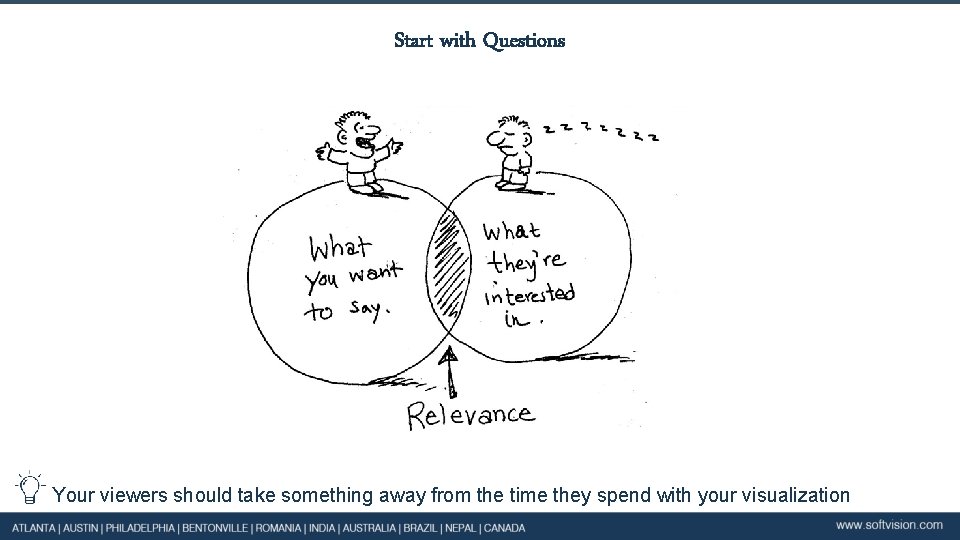
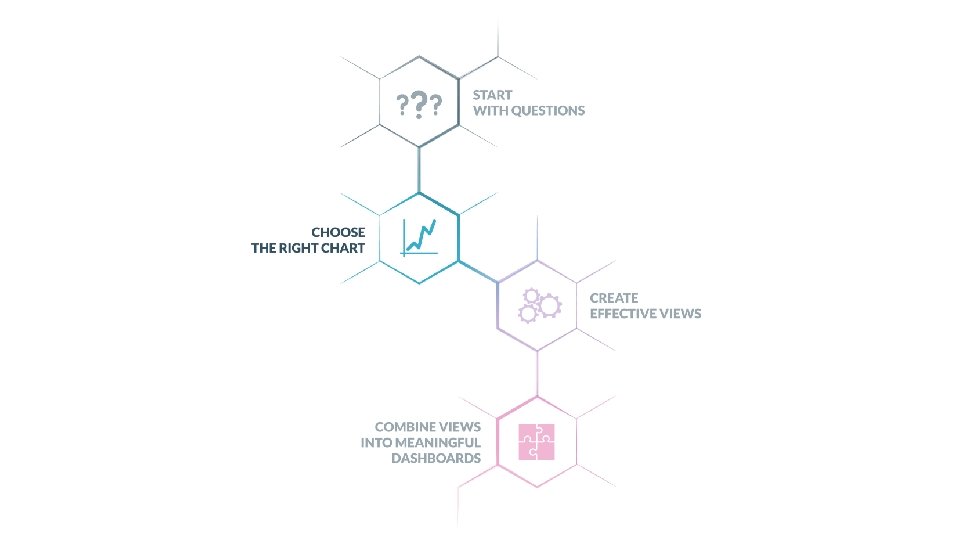
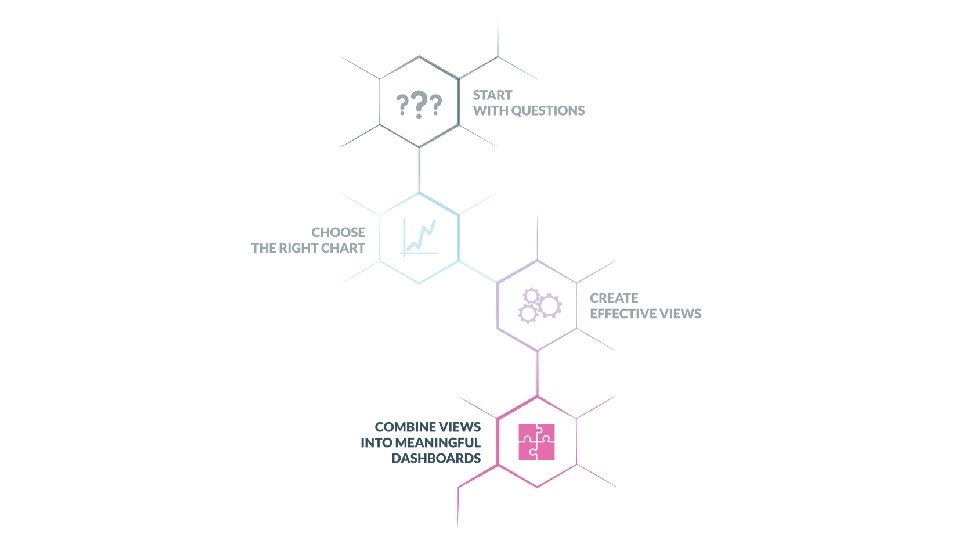
Start with Questions What are you trying to say? Who is your audience? What questions do they have? What answers do you find for them? What other questions does it inspire? What conversations will result? Your viewers should take something away from the time they spend with your visualization
Title
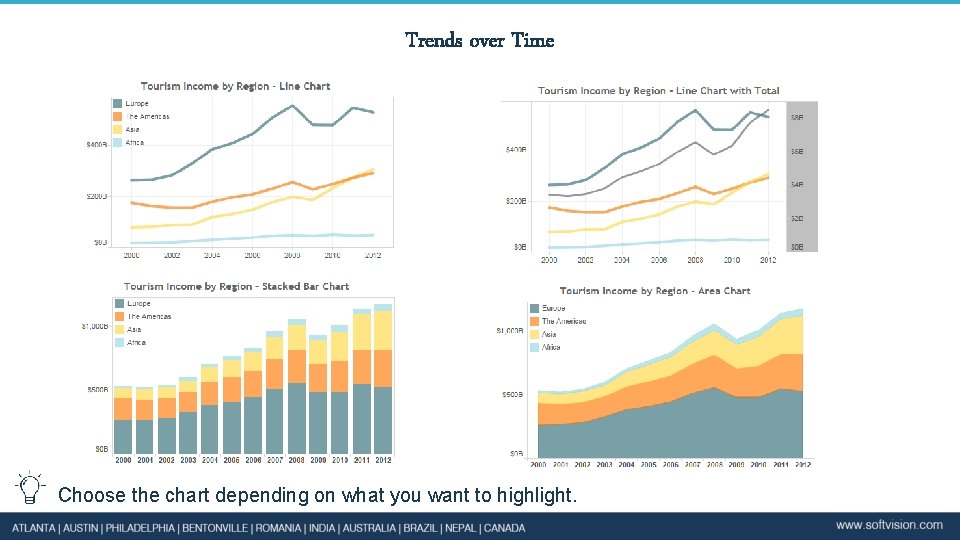
Trends over Time Choose the chart depending on what you want to highlight.
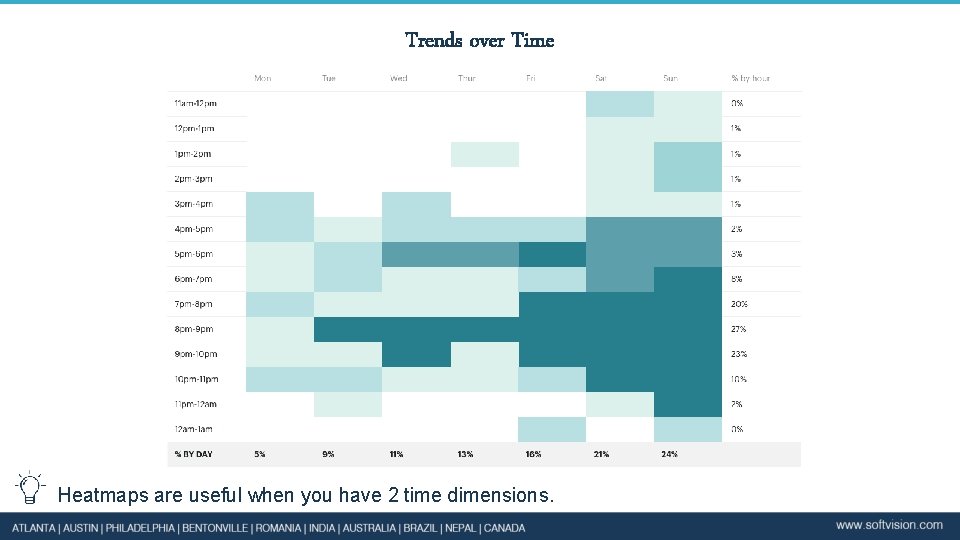
Trends over Time Heatmaps are useful when you have 2 time dimensions.
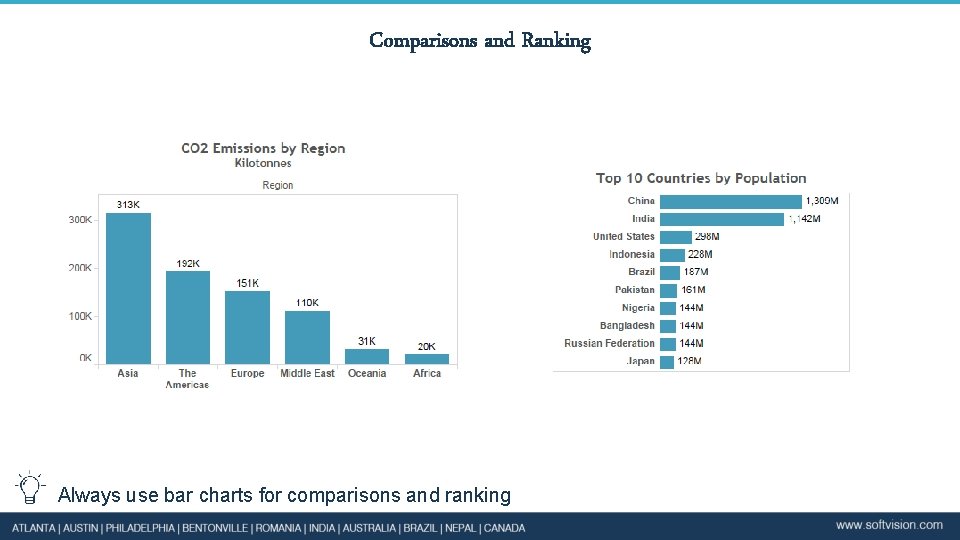
Comparisons and Ranking Always use bar charts for comparisons and ranking
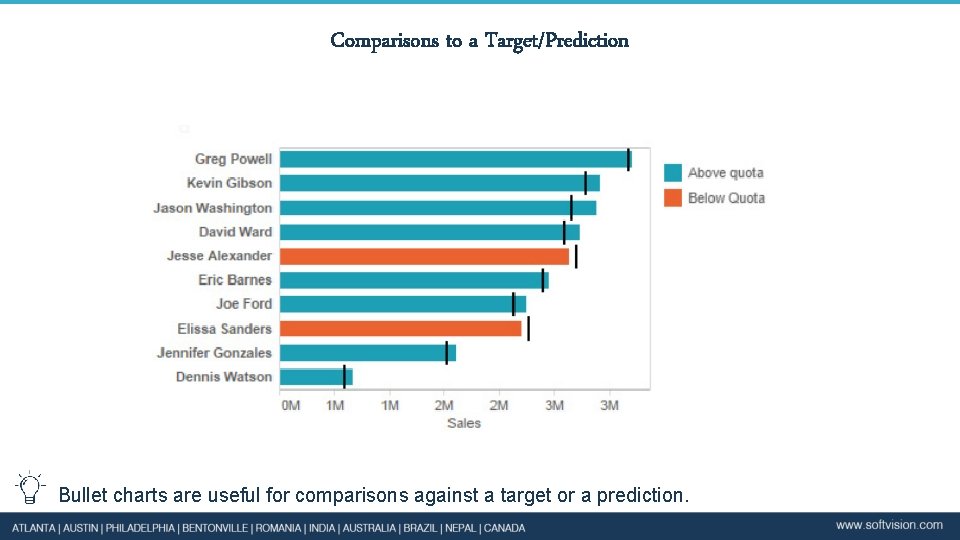
Comparisons to a Target/Prediction Bullet charts are useful for comparisons against a target or a prediction.

Part to Whole
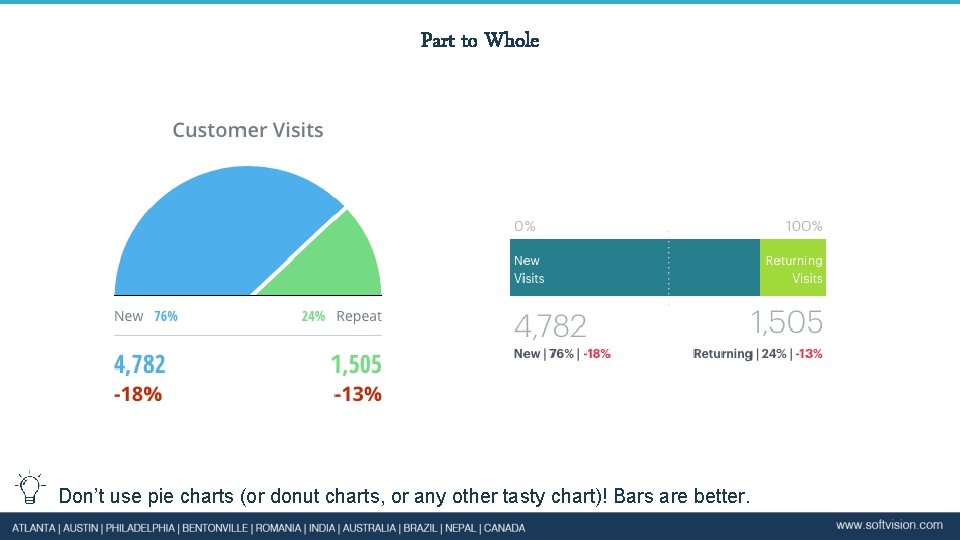
Part to Whole Don’t use pie charts (or donut charts, or any other tasty chart)! Bars are better.
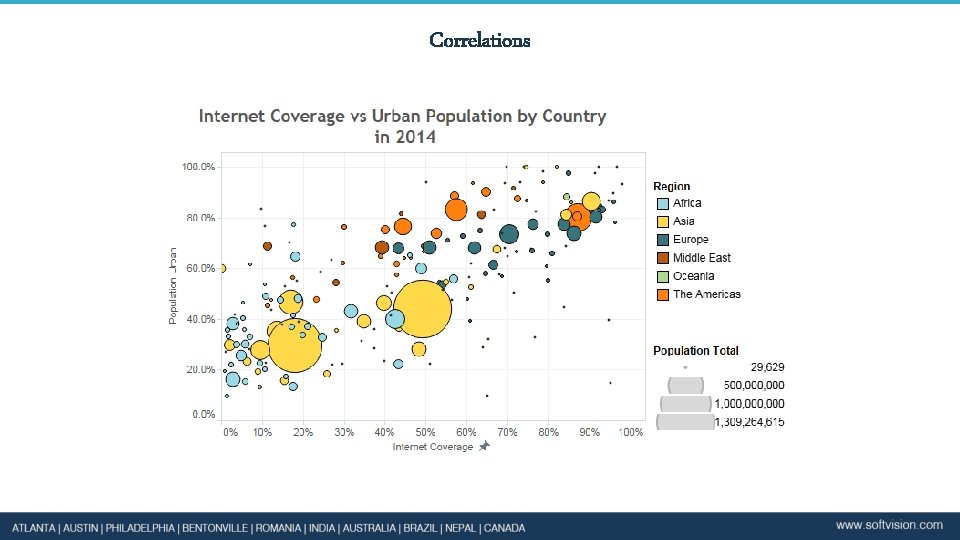
Correlations
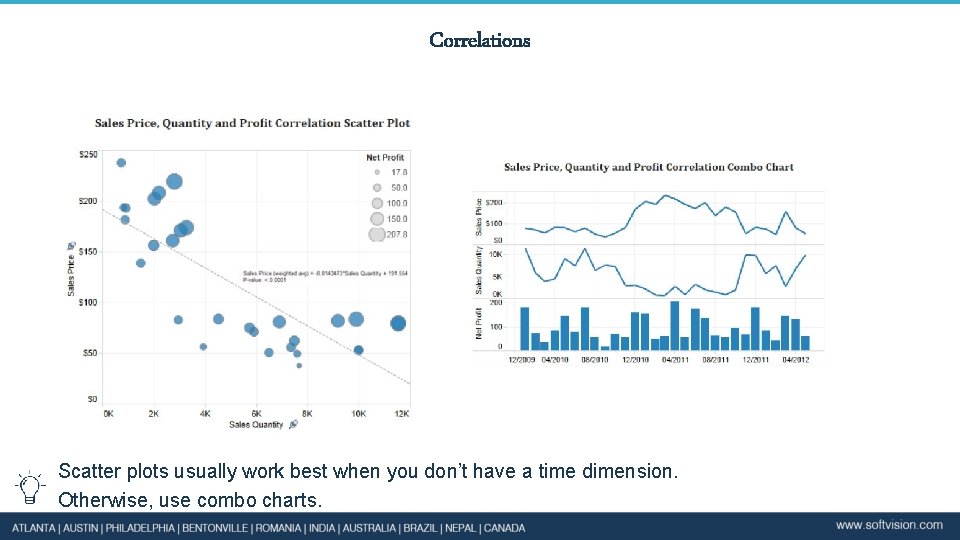
Correlations Scatter plots usually work best when you don’t have a time dimension. Otherwise, use combo charts.
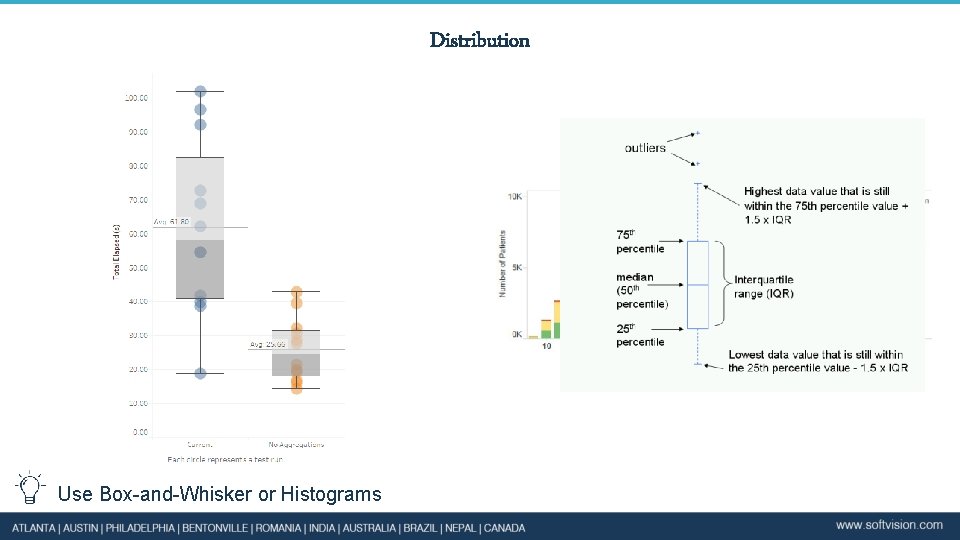
Distribution Use Box-and-Whisker or Histograms
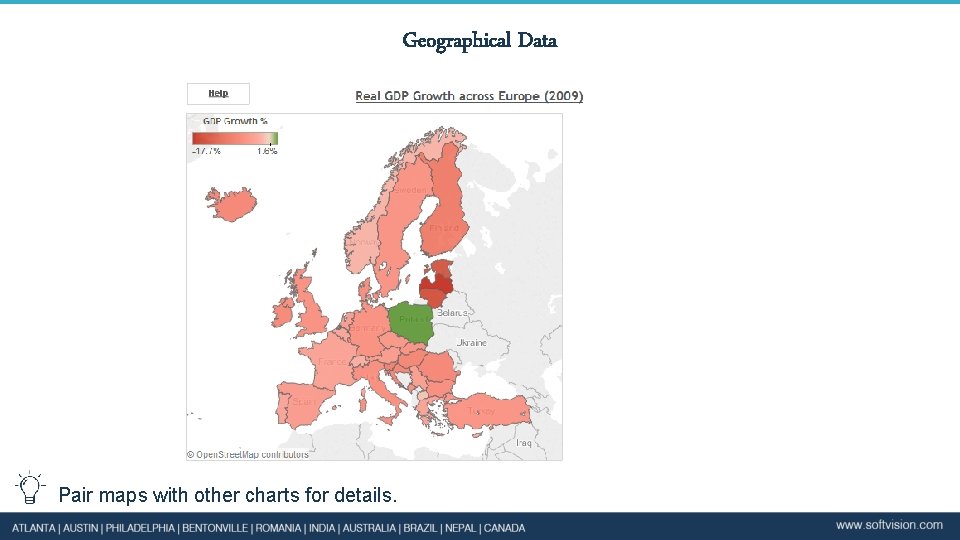
Geographical Data Pair maps with other charts for details.
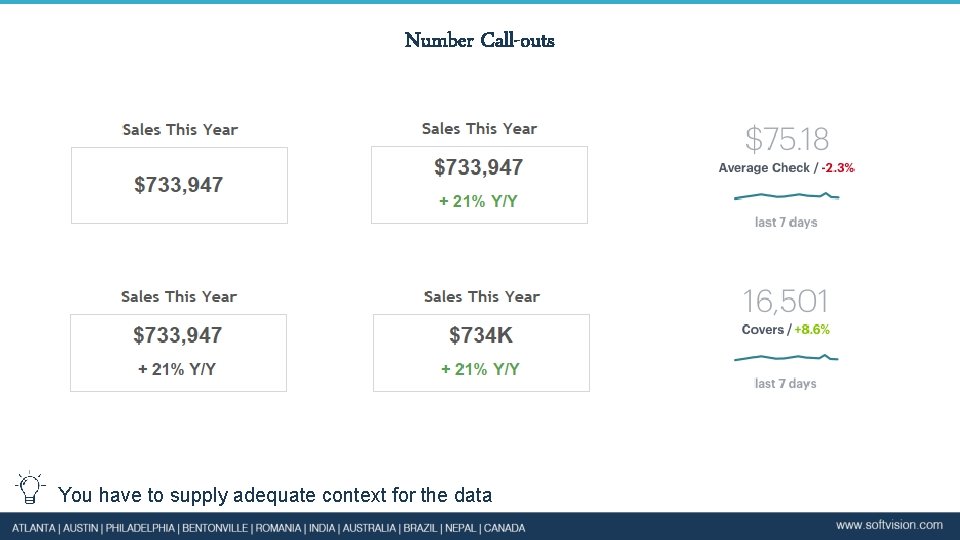
Number Call-outs You have to supply adequate context for the data
Enrich your Charts Improve showing data by using: • Variations in timing (YTD, WTD, QTD, MTD, Yesterday, Today) • Comparisons: compare to a similar period, to a target, to a prediction, projection into the future based on current situation, to other metrics. • Evaluations: KPIs: simple visual indicators
Title
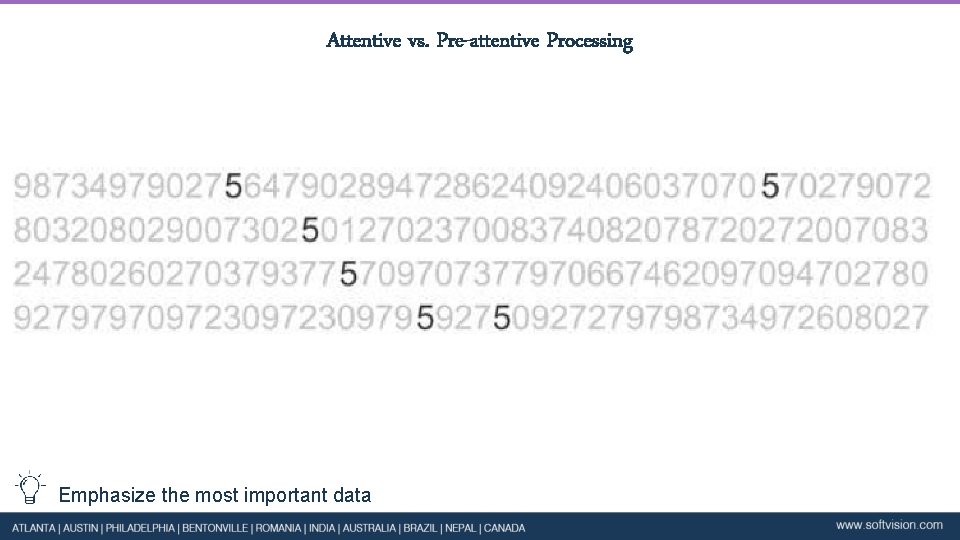
Attentive vs. Pre-attentive Processing Emphasize the most important data
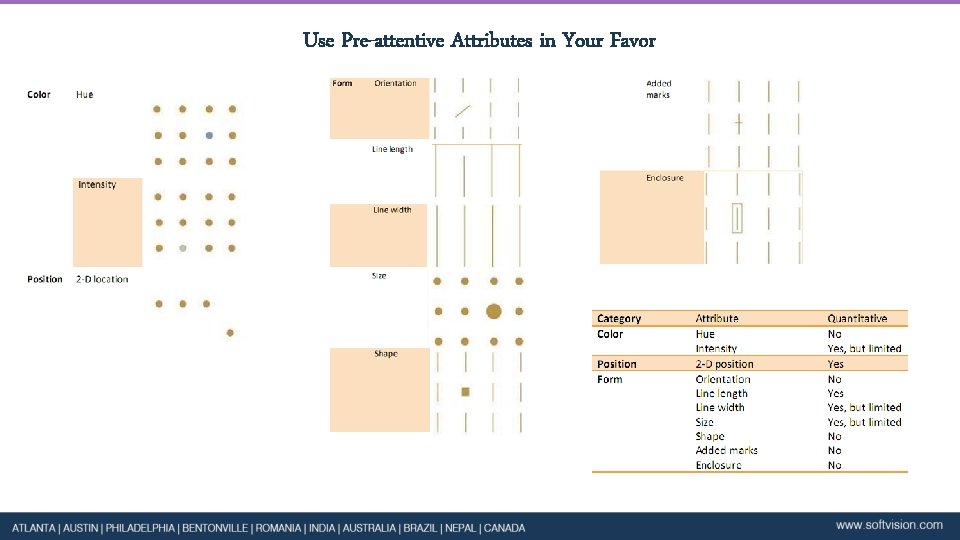
Use Pre-attentive Attributes in Your Favor
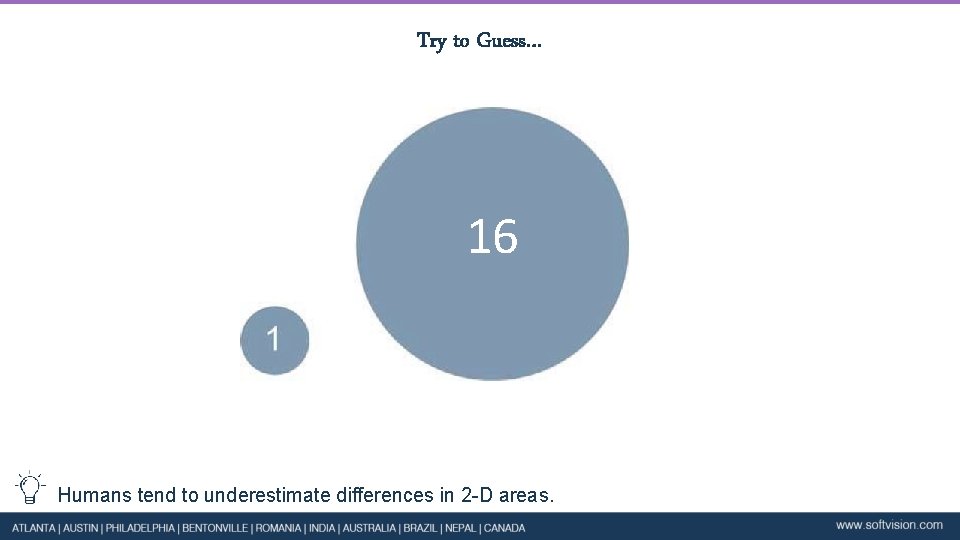
Try to Guess… 16 Humans tend to underestimate differences in 2 -D areas.
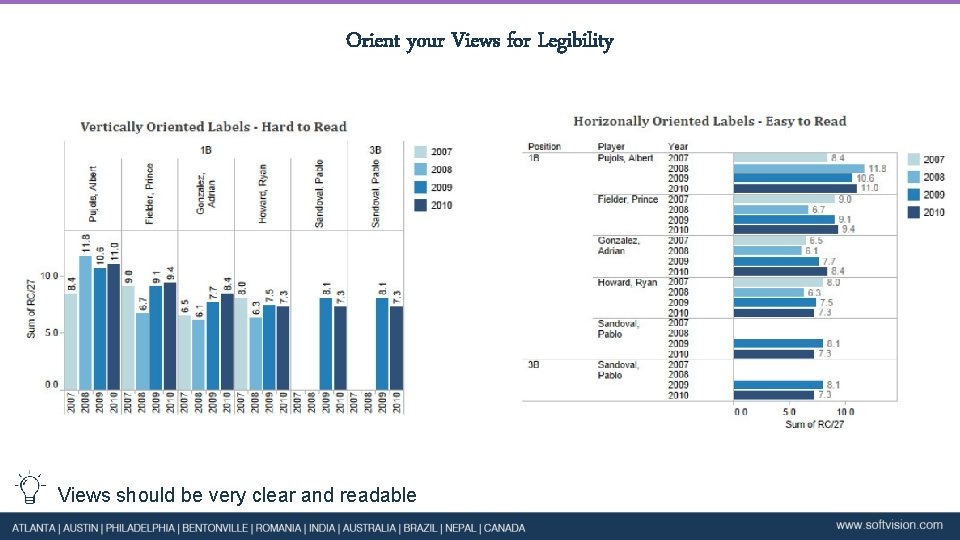
Orient your Views for Legibility Views should be very clear and readable
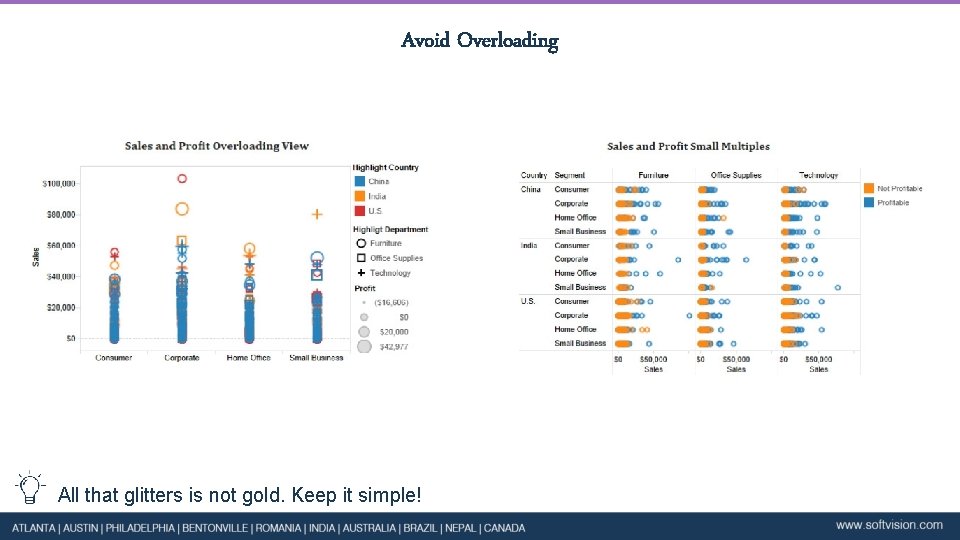
Avoid Overloading All that glitters is not gold. Keep it simple!
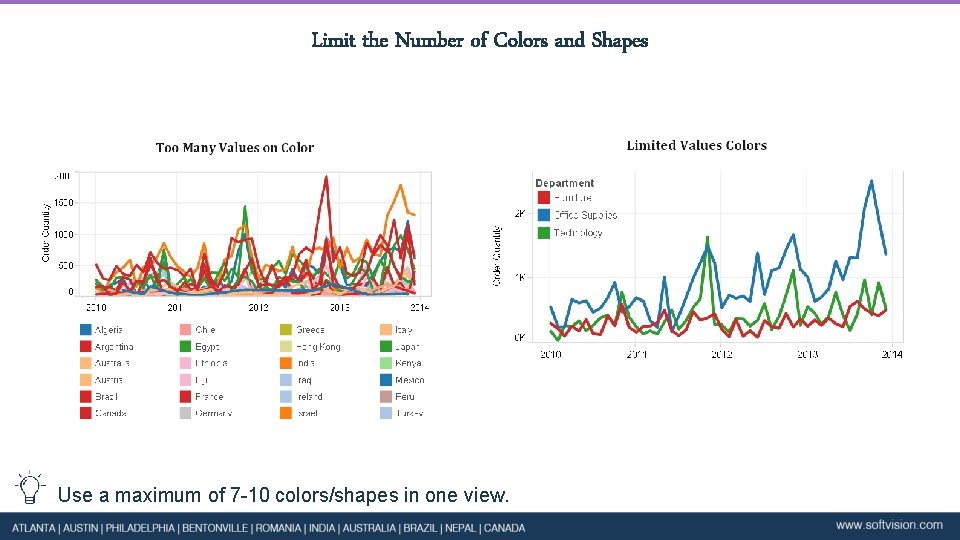
Limit the Number of Colors and Shapes Use a maximum of 7 -10 colors/shapes in one view.
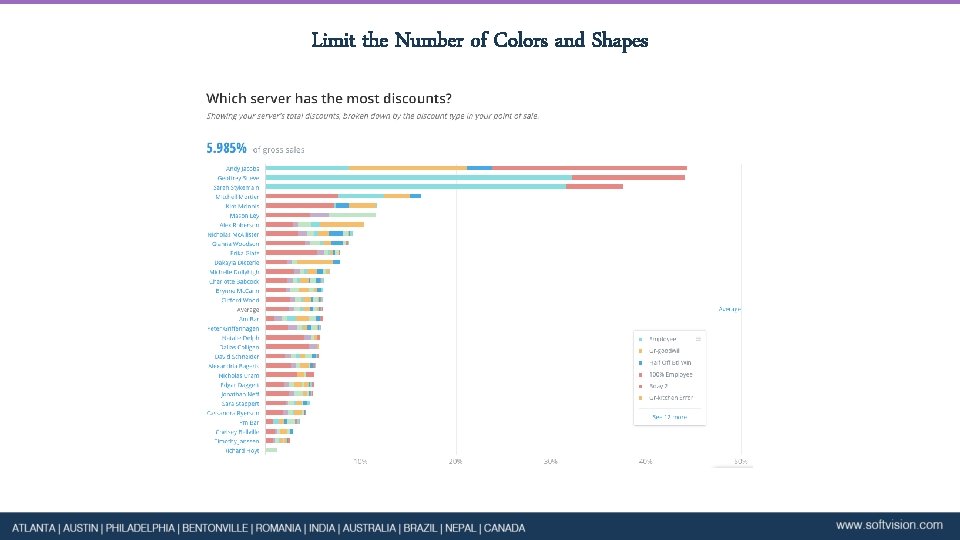
Limit the Number of Colors and Shapes
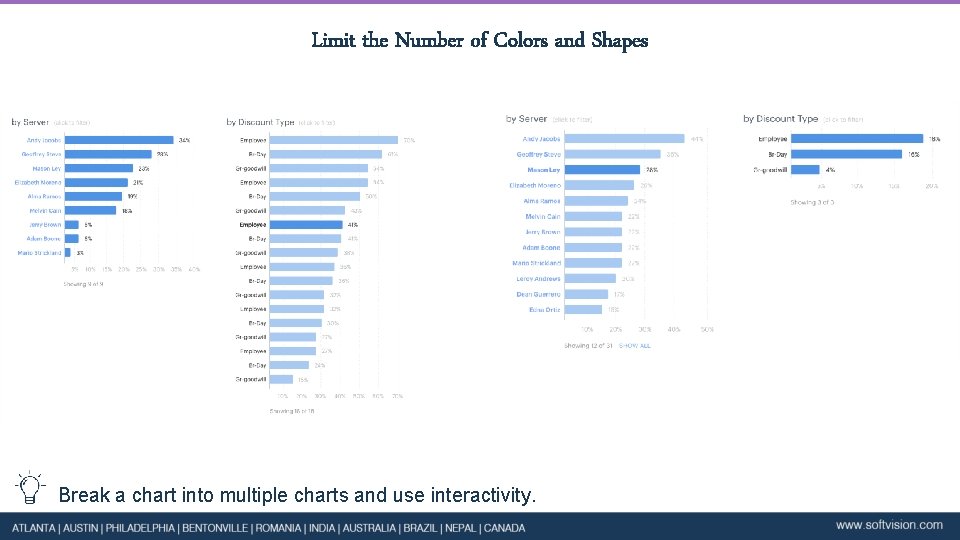
Limit the Number of Colors and Shapes Break a chart into multiple charts and use interactivity.
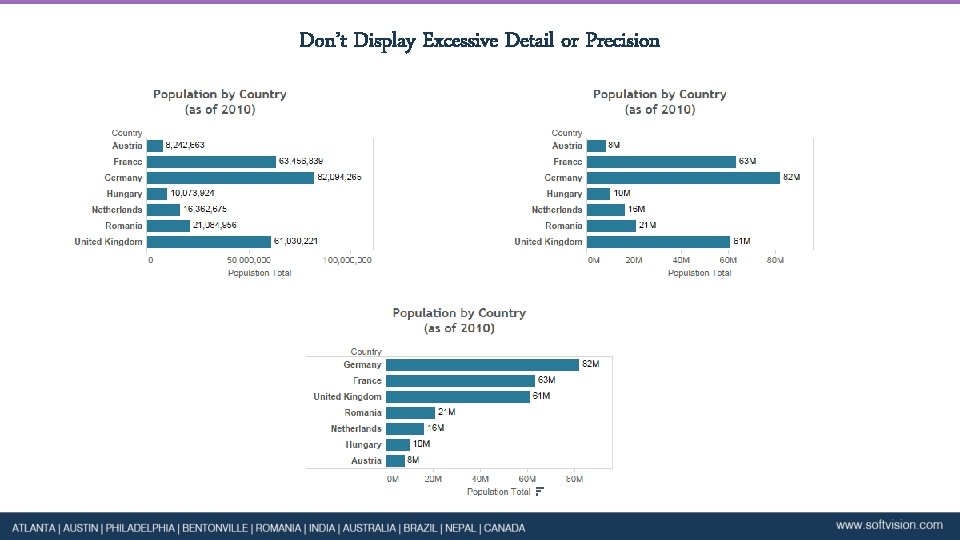
Don’t Display Excessive Detail or Precision
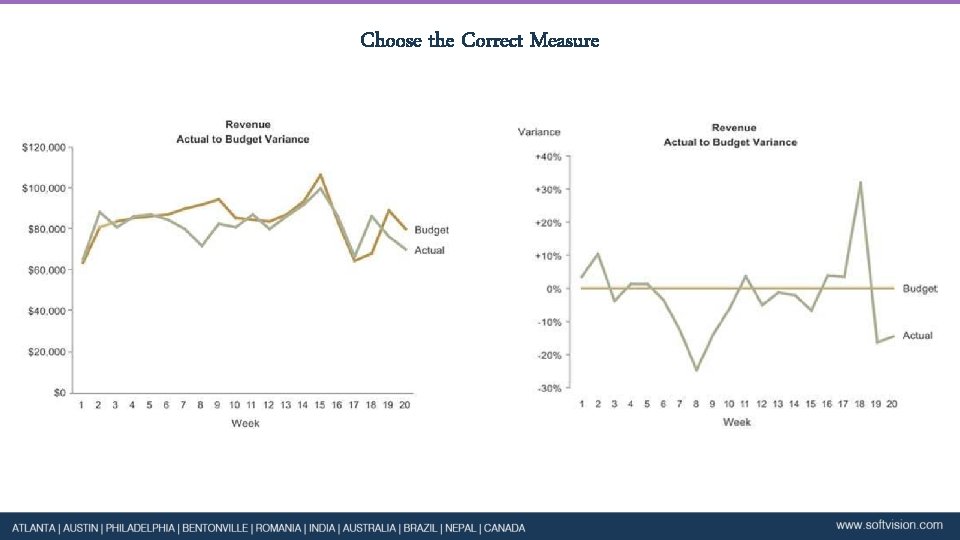
Choose the Correct Measure
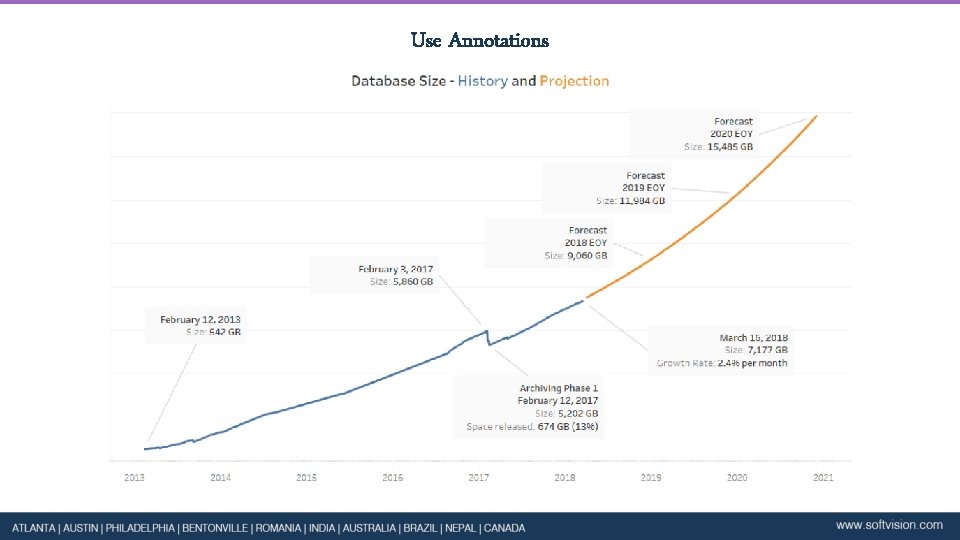
Use Annotations
Title
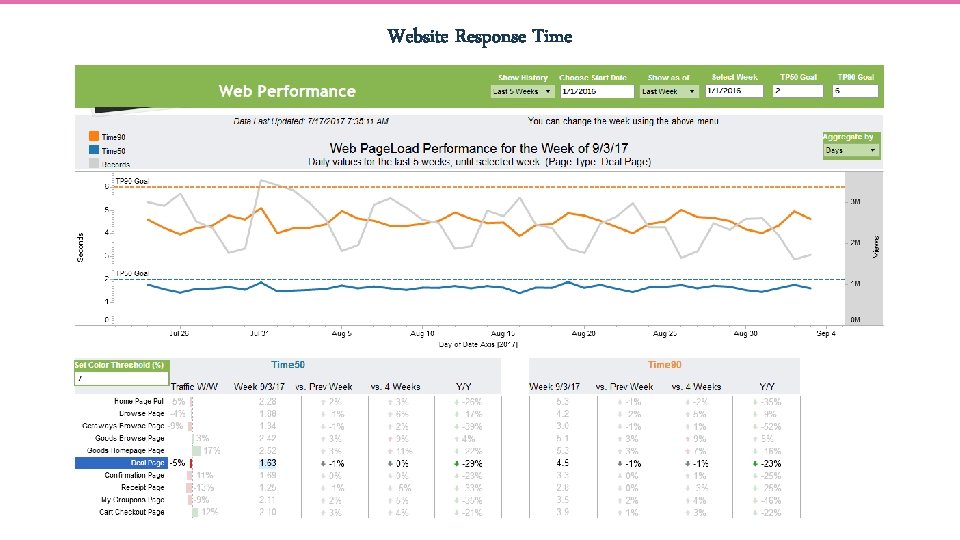
Website Response Time
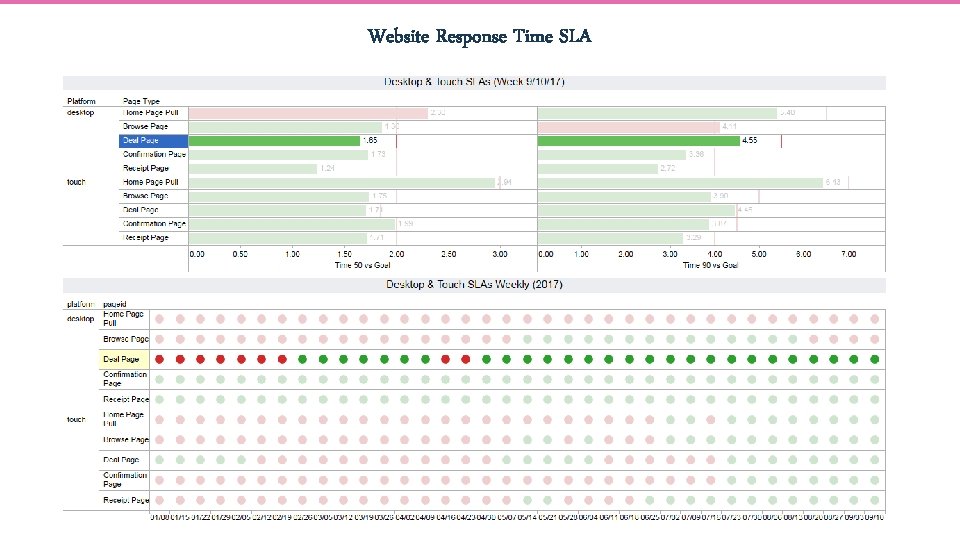
Website Response Time SLA
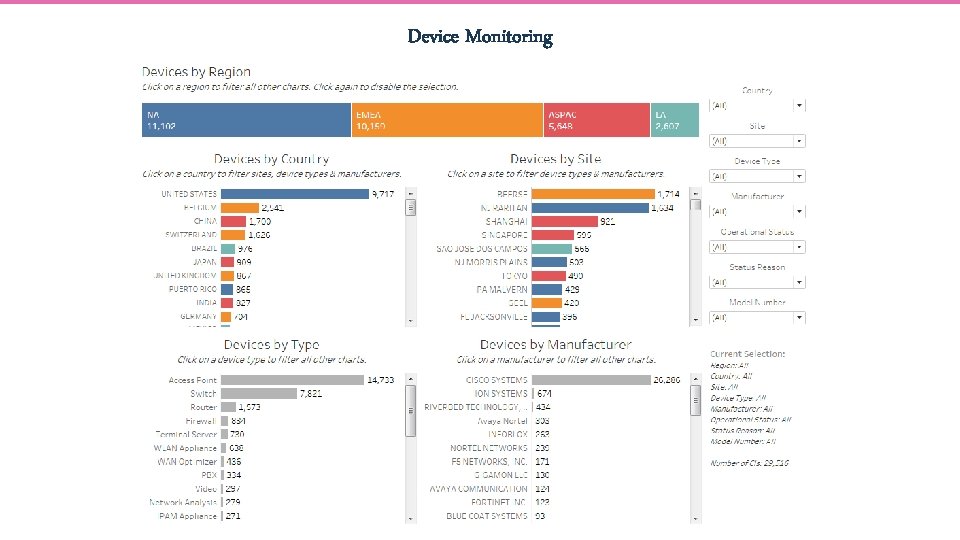
Device Monitoring
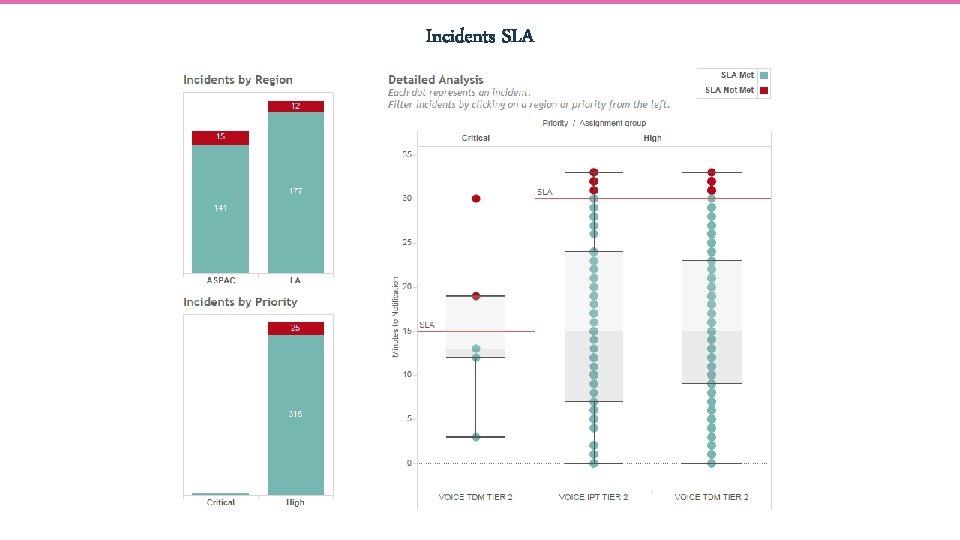
Incidents SLA
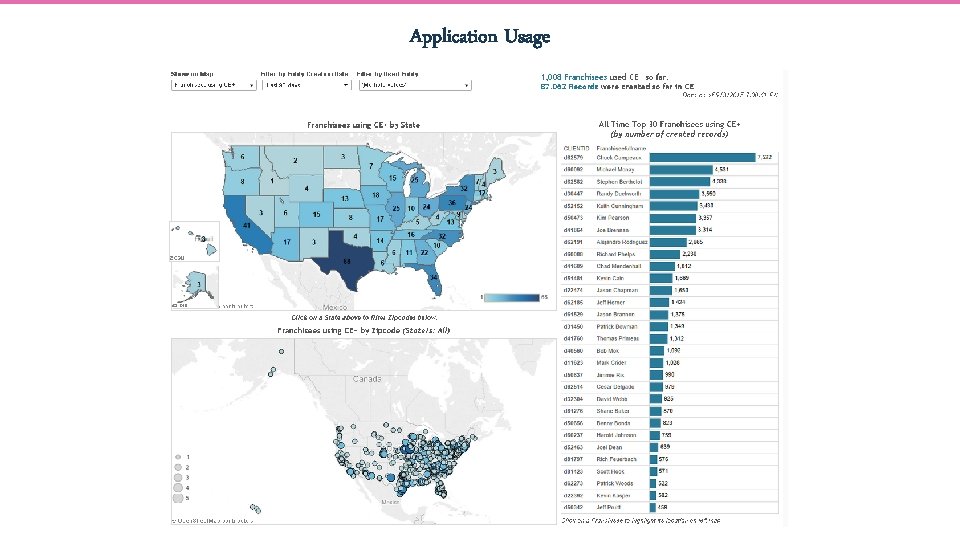
Application Usage
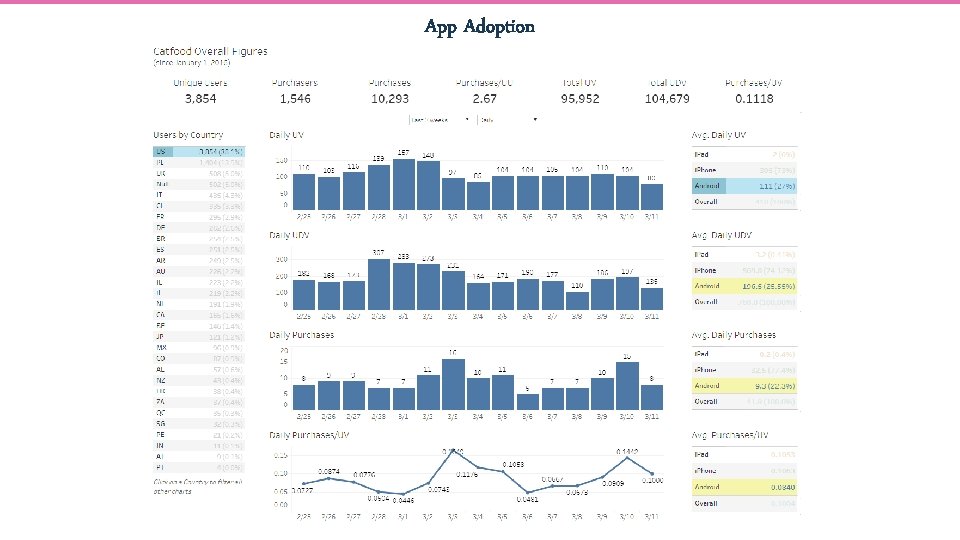
App Adoption
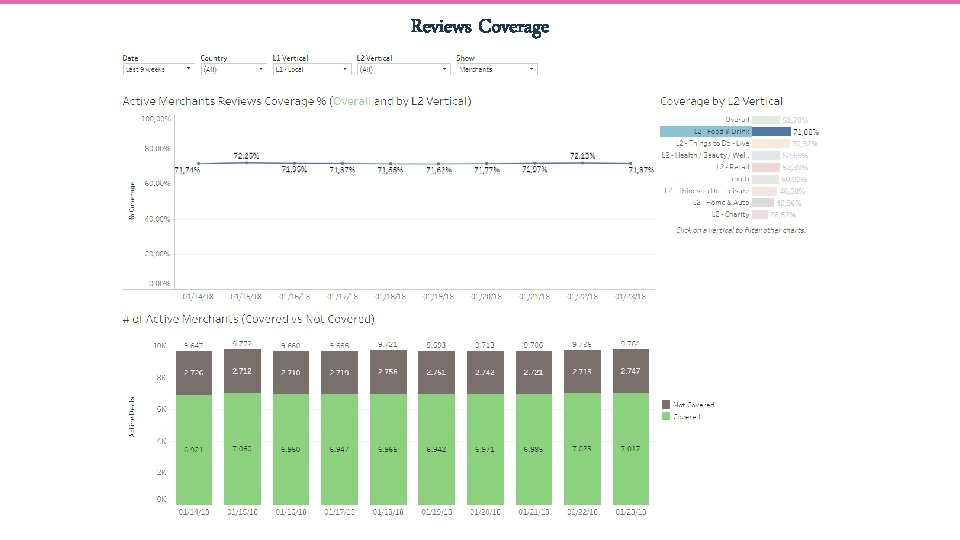
Reviews Coverage
- Slides: 40