
Best practices in managing your devices and applications
Best practices in managing your devices and applications Jérôme Bei
Did the bad guys surrender? There have been no massive attacks lately. . . WHY? • Broadband attacks make CSO‘s increase their IT security • Lack of massive attacks makes CSO‘s think their systems are secure • Today, we‘re facing targeted attacks • silent and focussed • goal: steal know how • victims will hardly admit data theft
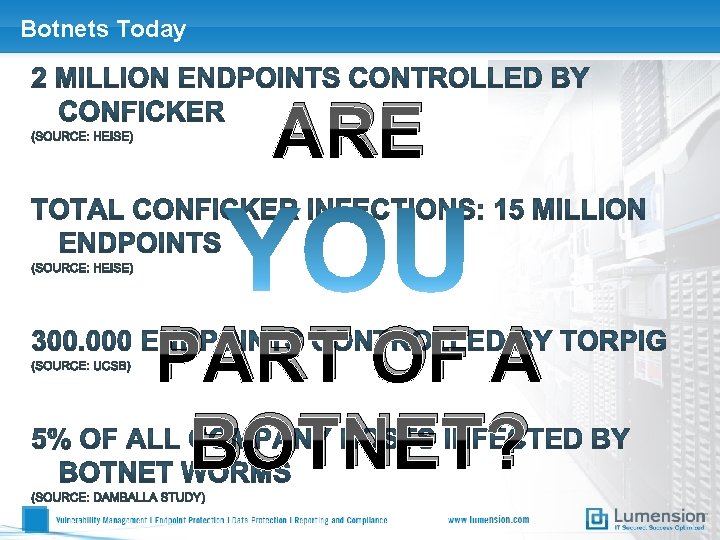
Botnets Today ARE PART OF A BOTNET?
Borderless Networks Who enters your network? • Mobile Workers • Trading Partners • Customers • Vendors As a consequence, the security solution needs to be host based
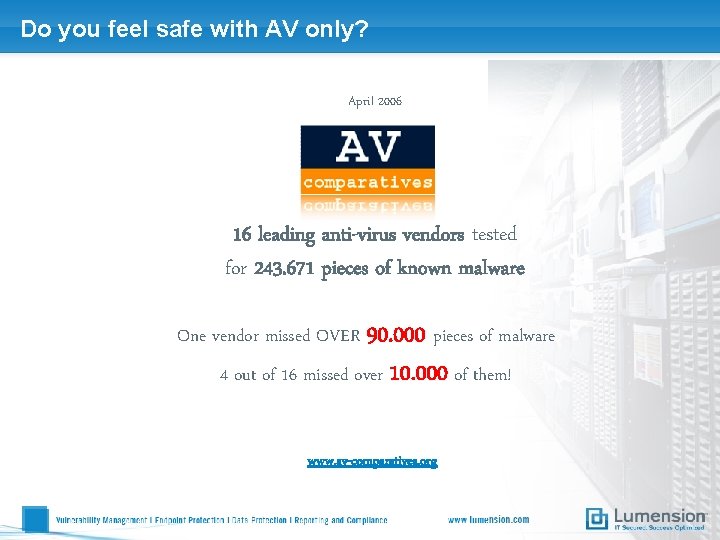
Do you feel safe with AV only? April 2006 16 leading anti-virus vendors tested for 243. 671 pieces of known malware One vendor missed OVER 90. 000 pieces of malware 4 out of 16 missed over 10. 000 of them! www. av-comparatives. org
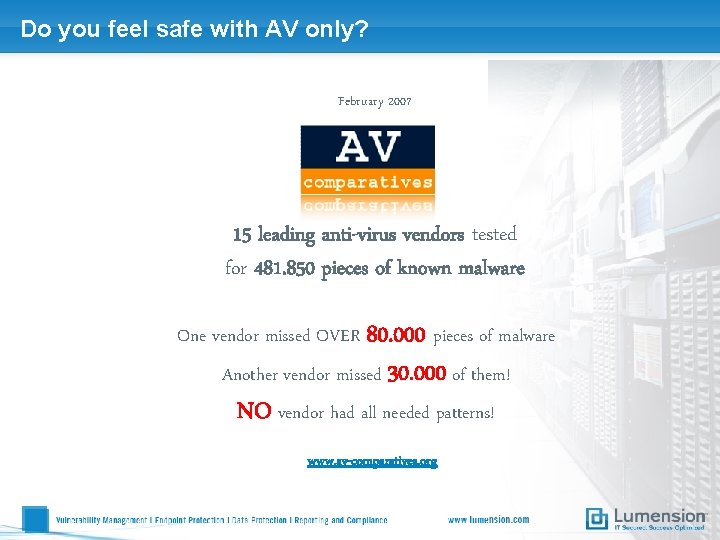
Do you feel safe with AV only? February 2007 15 leading anti-virus vendors tested for 481. 850 pieces of known malware One vendor missed OVER 80. 000 pieces of malware Another vendor missed 30. 000 of them! NO vendor had all needed patterns! www. av-comparatives. org
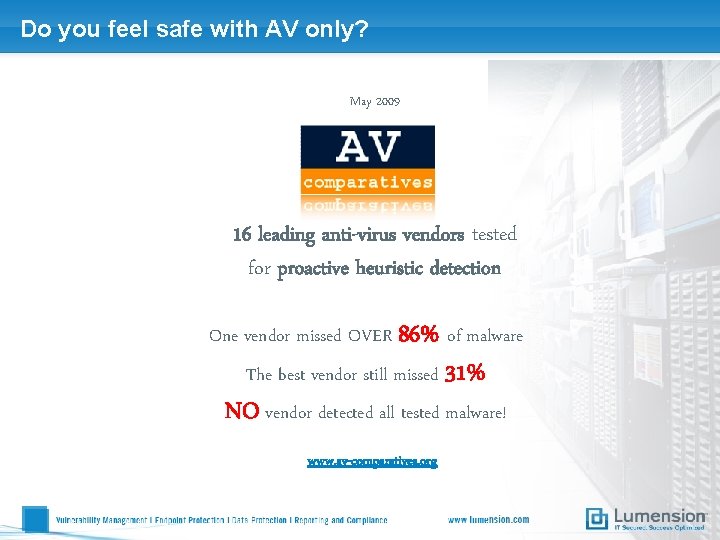
Do you feel safe with AV only? May 2009 16 leading anti-virus vendors tested for proactive heuristic detection One vendor missed OVER 86% of malware The best vendor still missed 31% NO vendor detected all tested malware! www. av-comparatives. org
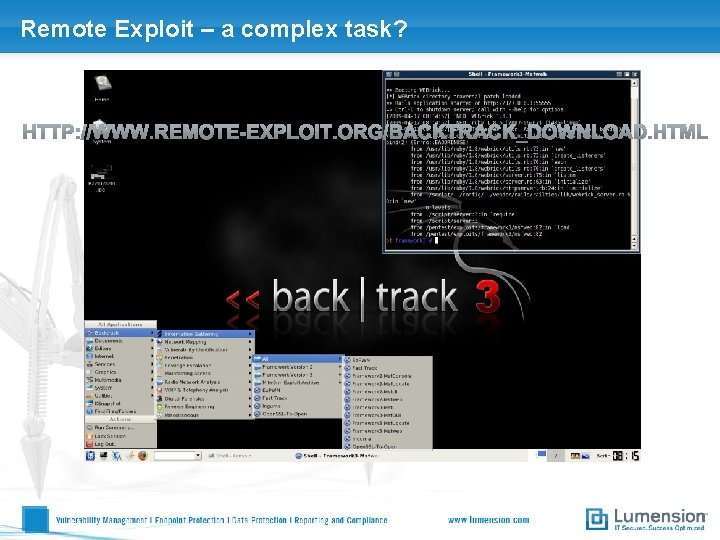
Remote Exploit – a complex task?
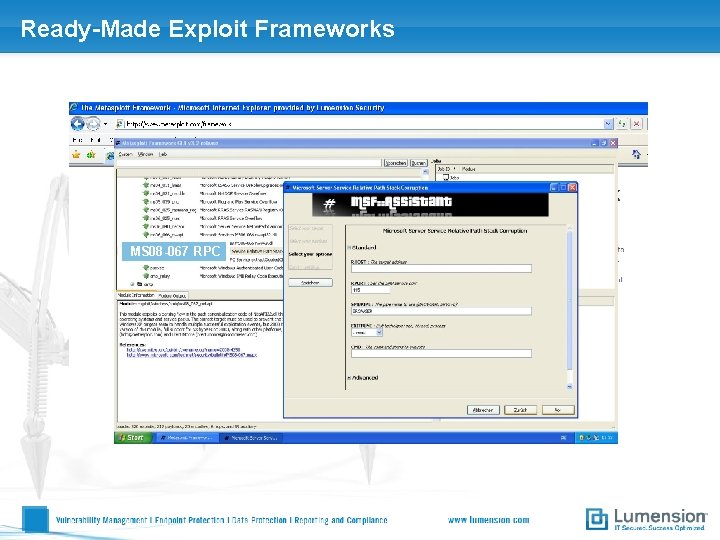
Ready-Made Exploit Frameworks MS 08 -067 RPC
Lumension Application Control
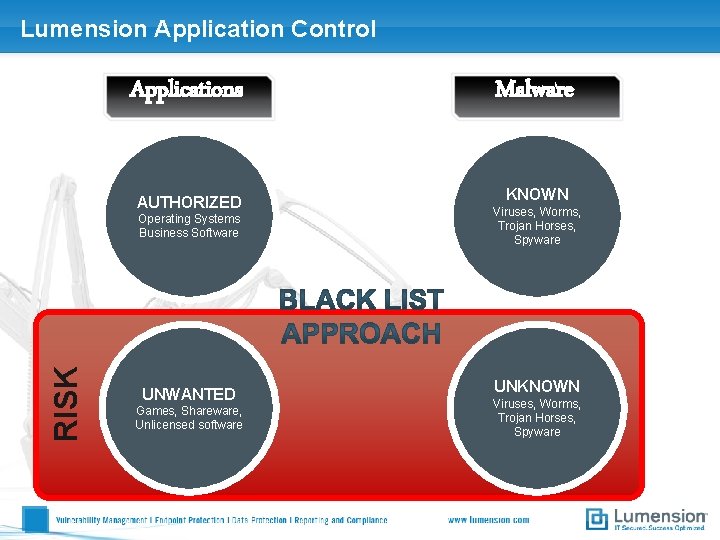
Lumension Application Control Applications AUTHORIZED RISK Operating Systems Business Software UNWANTED Games, Shareware, Unlicensed software Malware KNOWN Viruses, Worms, Trojan Horses, Spyware UNKNOWN Viruses, Worms, Trojan Horses, Spyware
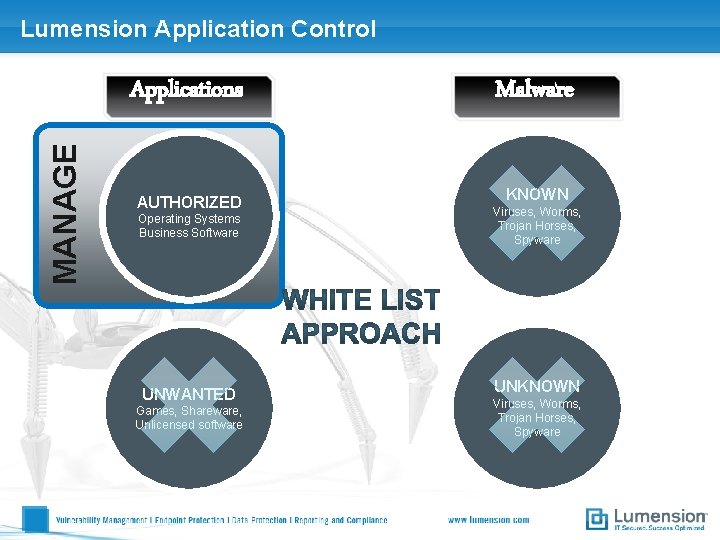
Lumension Application Control MANAGE Applications AUTHORIZED Operating Systems Business Software UNWANTED Games, Shareware, Unlicensed software Malware KNOWN Viruses, Worms, Trojan Horses, Spyware UNKNOWN Viruses, Worms, Trojan Horses, Spyware
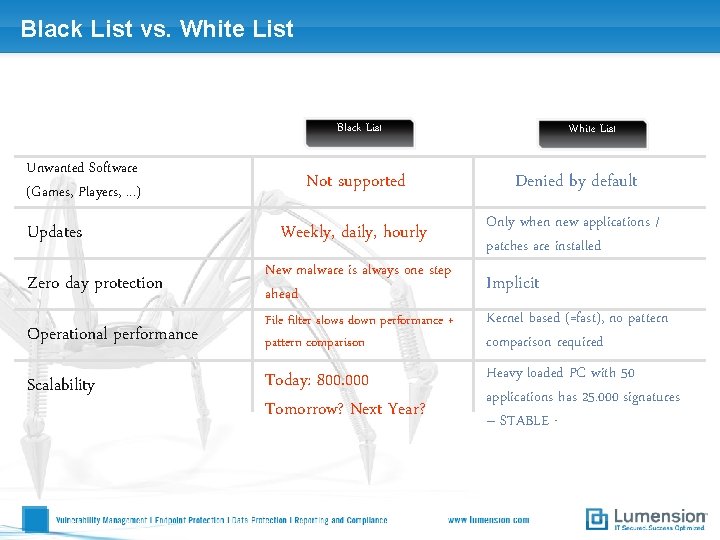
Black List vs. White List Black List Unwanted Software (Games, Players, . . . ) Updates White List Not supported Denied by default Weekly, daily, hourly Only when new applications / patches are installed Zero day protection New malware is always one step ahead Operational performance File filter slows down performance + pattern comparison Kernel based (=fast), no pattern comparison required Today: 800. 000 Tomorrow? Next Year? Heavy loaded PC with 50 applications has 25. 000 signatures – STABLE - Scalability Implicit
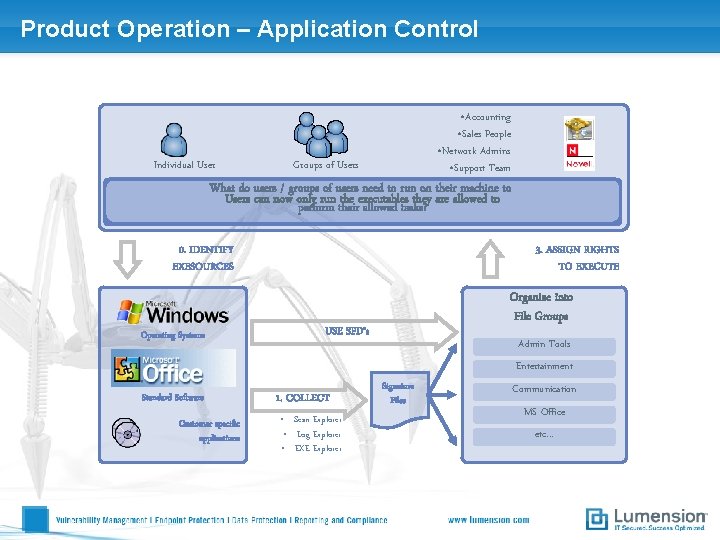
Product Operation – Application Control Individual User • Accounting • Sales People • Network Admins • Support Team Groups of Users What do users / groups of users need to run on their machine to Users can now only run the executables they are allowed to perform their allowed tasks? 0. IDENTIFY EXESOURCES Operating Systems 3. ASSIGN RIGHTS TO EXECUTE Organize into File Groups USE SFD‘s Admin Tools Entertainment Standard Software Customer specific applications 1. COLLECT • Scan Explorer • Log Explorer • EXE Explorer Signature Files Communication MS Office etc. . .
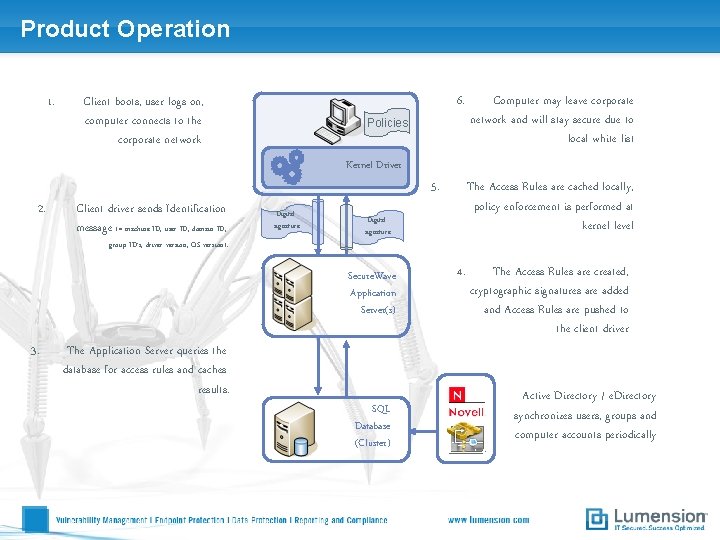
Product Operation 1. 6. Client boots, user logs on, computer connects to the corporate network Policies Computer may leave corporate network and will stay secure due to local white list Kernel Driver 2. Client driver sends Identification message (= machine ID, user ID, domain ID, group ID’s, driver version, OS version). 5. Digital signature Secure. Wave Application Server(s) 3. The Application Server queries the database for access rules and caches results. The Access Rules are cached locally, policy enforcement is performed at kernel level SQL Database (Cluster) 4. The Access Rules are created, cryptographic signatures are added and Access Rules are pushed to the client driver Active Directory / e. Directory synchronizes users, groups and computer accounts periodically
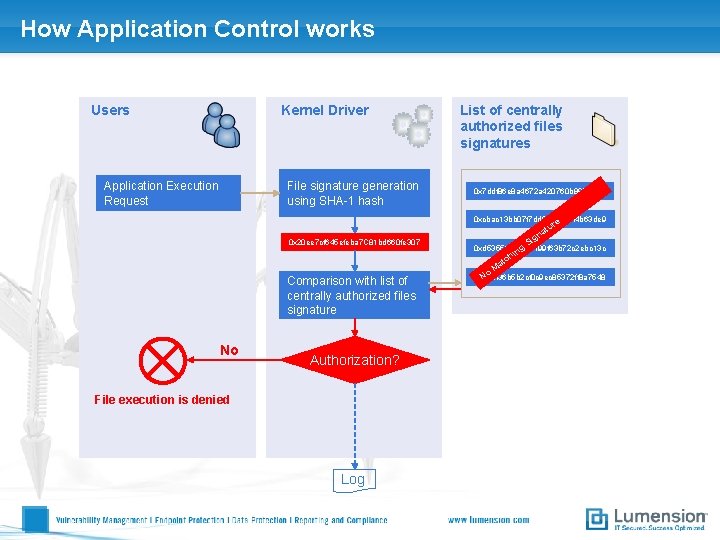
How Application Control works Users Kernel Driver File signature generation using SHA-1 hash Application Execution Request List of centrally authorized files signatures 0 x 7 ddf 86 e 8 a 4672 a 420760 b 8809 a 1 c 0 xcbac 13 bb 07 f 7 dd 0 e 10 e 93 f 4 b 63 de 9 e r tu 0 x 20 ee 7 cf 645 efeba 7 C 81 bd 660 fe 307 a gn Si 0 xd 535561209 f 0199 f 63 b 72 c 2 ebc 13 c ng hi tc Ma Comparison with list of centrally authorized files signature No Authorization? File execution is denied Log 0 x 4 e 4 f 36 b 5 b 2 cf 0 c 9 ec 85372 ff 8 a 7548 No
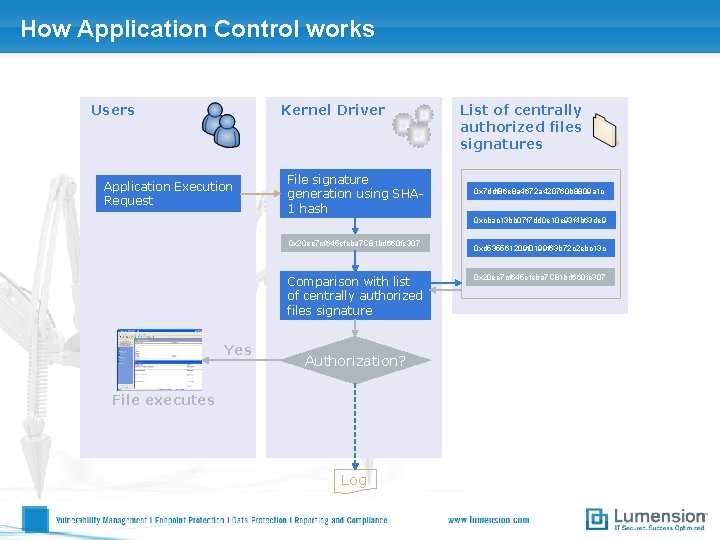
How Application Control works Users Kernel Driver Application Execution Request File signature generation using SHA 1 hash List of centrally authorized files signatures 0 x 7 ddf 86 e 8 a 4672 a 420760 b 8809 a 1 c 0 xcbac 13 bb 07 f 7 dd 0 e 10 e 93 f 4 b 63 de 9 0 x 20 ee 7 cf 645 efeba 7 C 81 bd 660 fe 307 Comparison with list of centrally authorized files signature Yes Authorization? File executes Log 0 xd 535561209 f 0199 f 63 b 72 c 2 ebc 13 c 0 x 20 ee 7 cf 645 efeba 7 C 81 bd 660 fe 307
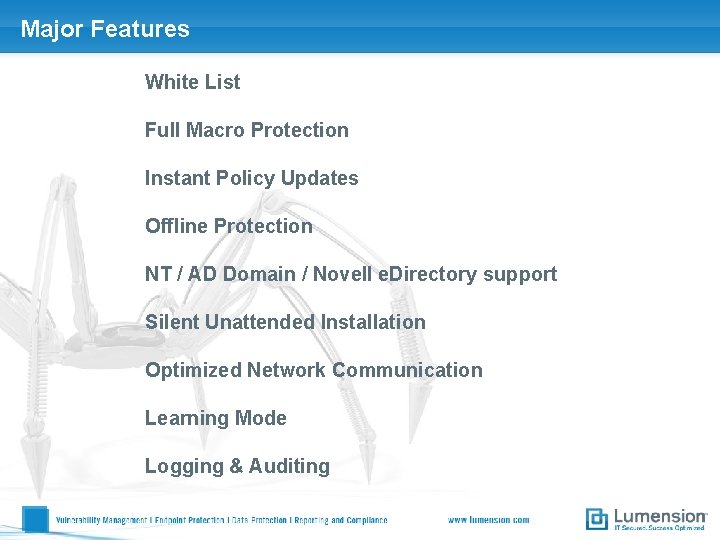
Major Features White List Full Macro Protection Instant Policy Updates Offline Protection NT / AD Domain / Novell e. Directory support Silent Unattended Installation Optimized Network Communication Learning Mode Logging & Auditing
Demo
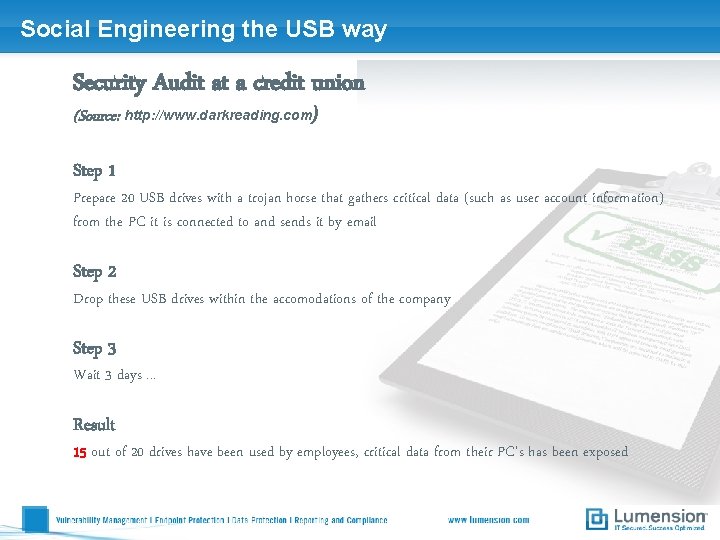
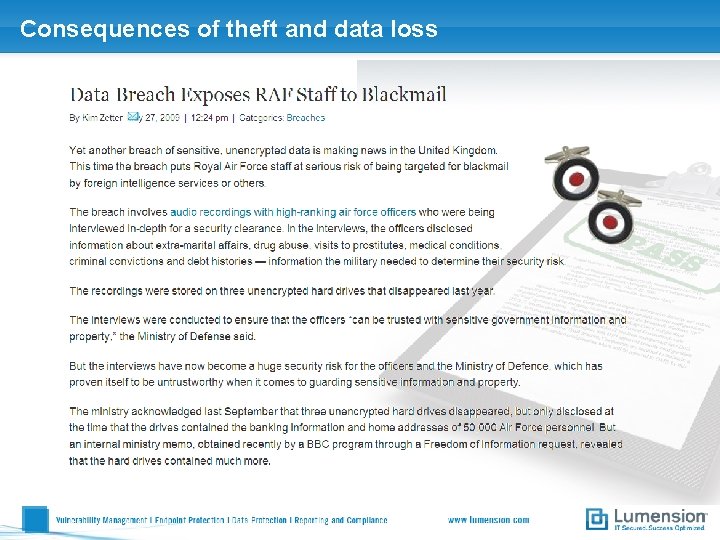
Social Engineering the USB way Security Audit at a credit union (Source: http: //www. darkreading. com) Step 1 Prepare 20 USB drives with a trojan horse that gathers critical data (such as user account information) from the PC it is connected to and sends it by email Step 2 Drop these USB drives within the accomodations of the company Step 3 Wait 3 days. . . Result 15 out of 20 drives have been used by employees, critical data from their PC‘s has been exposed
Consequences of theft and data loss
Lumension Device Control
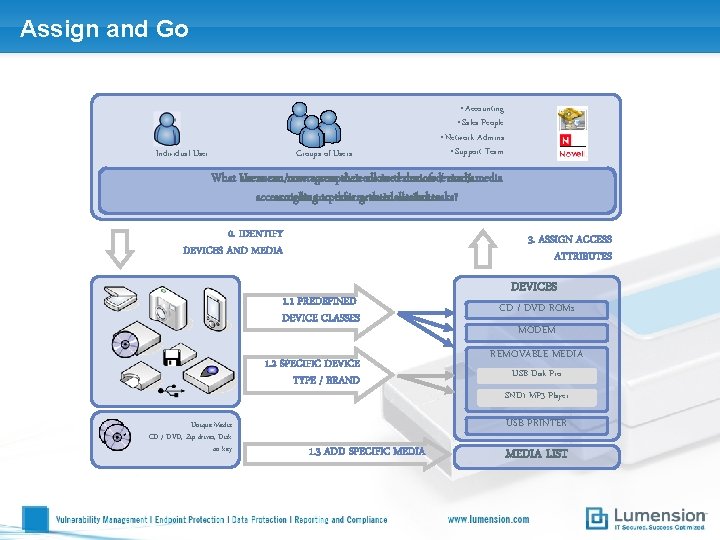
Assign and Go Individual User Groups of Users • Accounting • Sales People • Network Admins • Support Team What Users are users can /now useraccess groups’their needs allowed in terms devices of device / media access according rights totoperform their granted their allowed attributestasks? 0. IDENTIFY DEVICES AND MEDIA 3. ASSIGN ACCESS ATTRIBUTES 1. 1 PREDEFINED DEVICE CLASSES 1. 2 SPECIFIC DEVICE TYPE / BRAND Unique Media CD / DVD, Zip drives, Disk on key DEVICES CD / DVD ROMs MODEM REMOVABLE MEDIA USB Disk Pro SND 1 MP 3 Player USB PRINTER 1. 3 ADD SPECIFIC MEDIA LIST
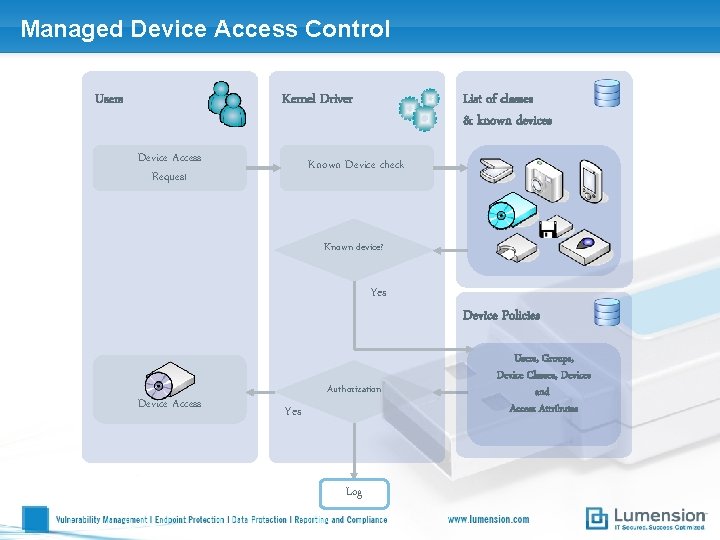
Managed Device Access Control Users Kernel Driver Device Access Request List of classes & known devices Known Device check Known device? Yes Device Access Authorization Yes Log Device Policies Users, Groups, Device Classes, Devices and Access Attributes
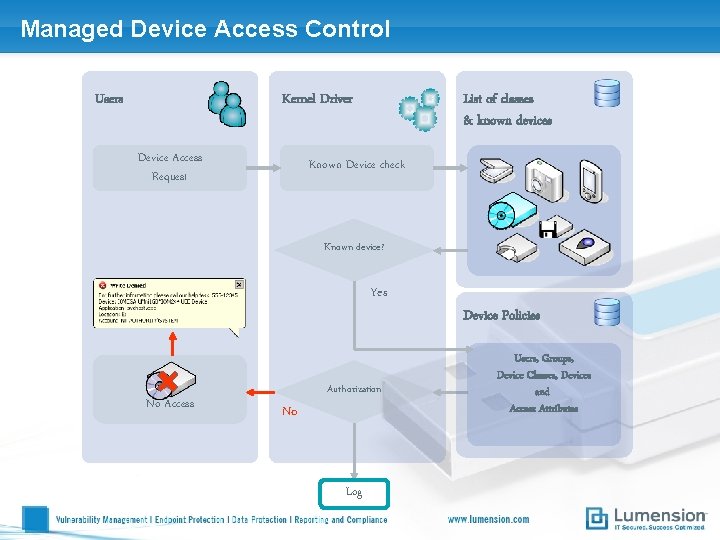
Managed Device Access Control Users Kernel Driver Device Access Request List of classes & known devices Known Device check Known device? Yes No Access Authorization No Log Device Policies Users, Groups, Device Classes, Devices and Access Attributes
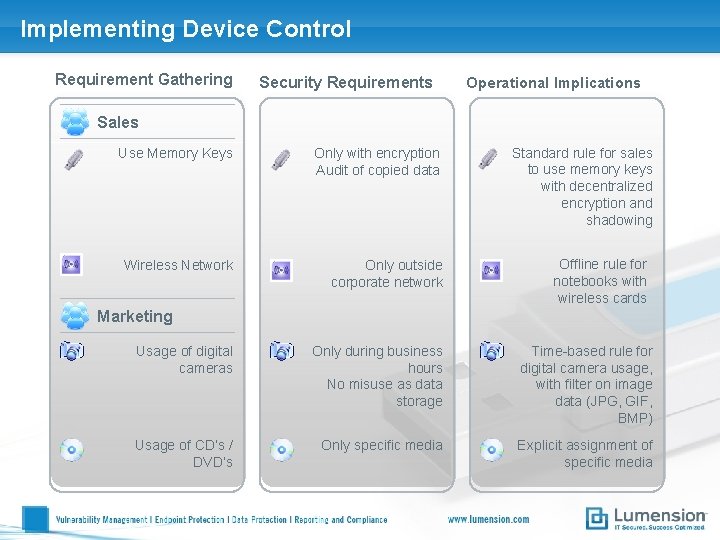
Implementing Device Control Requirement Gathering Security Requirements Operational Implications Sales Use Memory Keys Only with encryption Audit of copied data Wireless Network Only outside corporate network Standard rule for sales to use memory keys with decentralized encryption and shadowing Offline rule for notebooks with wireless cards Marketing Usage of digital cameras Only during business hours No misuse as data storage Time-based rule for digital camera usage, with filter on image data (JPG, GIF, BMP) Usage of CD‘s / DVD‘s Only specific media Explicit assignment of specific media
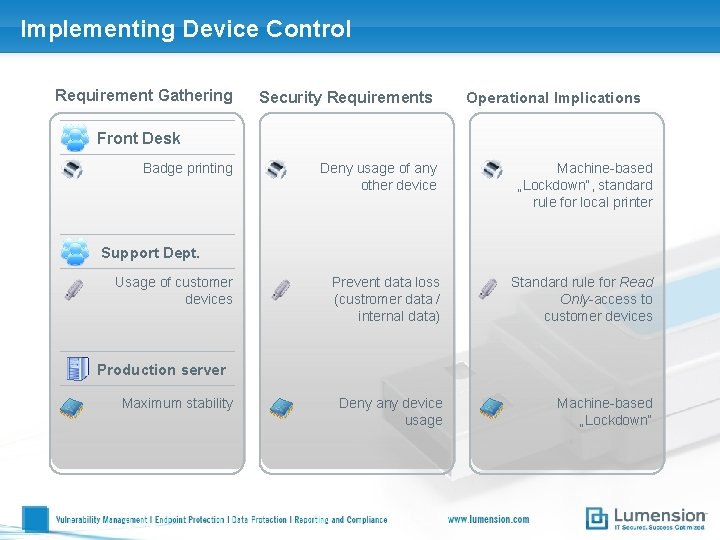
Implementing Device Control Requirement Gathering Security Requirements Operational Implications Front Desk Badge printing Deny usage of any other device Machine-based „Lockdown“, standard rule for local printer Prevent data loss (custromer data / internal data) Standard rule for Read Only-access to customer devices Deny any device usage Machine-based „Lockdown“ Support Dept. Usage of customer devices Production server Maximum stability
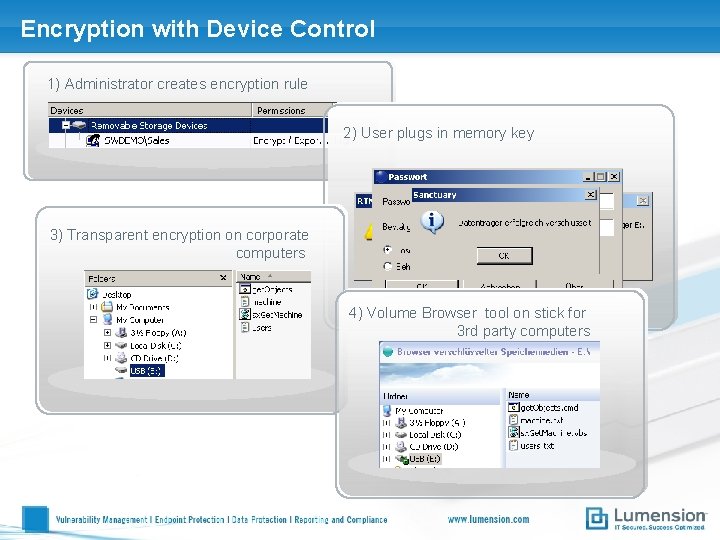
Encryption with Device Control 1) Administrator creates encryption rule 2) User plugs in memory key 3) Transparent encryption on corporate computers 4) Volume Browser tool on stick for 3 rd party computers
Access Attributes • Read and / or Write • Scheduled Access • From 08: 00 h to 18: 00 h Monday to Friday • • For the next 15 minutes Starting next Monday, for 2 days • Assign permissions when no network connection is present, all device classes supported • Limit copied data to 100 MB / day • Access is granted only if medium has been encrypted (decentralized encryption) with password recovery option • Temporary Access • Online / Offline • Quota Management • Encryption enforcement • File Type Filtering • Limit the access to specific file types
Attributes can be allocated to. . . • A complete device class • All USB Printers • A device sub class • USB printer HP 7575, CD/DVD Nec 3520 A • A unique device based on • Encryption • serial number • Specific CD‘s / DVD‘s • Specific Bus (USB, Ir. Da, Firewire. . . ) • Groups of devices
Security Features • Kernel Driver • Invisible (no task manager process) • Fast (no performance loss) • Compatible (no conflict with other software) • Encryption of devices with AES • AES 256 = market standard • Fast and transparent within the network • Strong password enforcement for usage outside the corporate network • Client / Server Traffic • Private/Public key mechanism • Impossible to tamper with • Easily generated and deployed
Security Features • Client Hardening • Even a local administrator cannot uninstall the client • Prevention from Keyloggers • Removable Media Encryption • Assign any removable media to any user and then encrypt the media. Encrypted device is accessible only by the user who owns the access rights on the removable media • Offline Protection • Local copy of the latest devices access permission list stored on the disconnected workstation or laptop
Auditing & Logging • User Actions Logging • Read Denied / Write denied • Device entered / Medium inserted • Open API for 3 rd party reporting tools • Shadowing of all copied data • Level 1: shows File Name and attributes of copied data • Level 2: Captures and retains full copy of data written to extenal device or read from such a device • Administrator Auditing • Keeps track of all policy changes made by SDC admins
Demo
- Slides: 34