
Best Practices for Reading and Writing Data on
Best Practices for Reading and Writing Data on HPC Systems Katie Antypas NERSC User Services Lawrence Berkeley National Lab NUG Meeting 1 February 2012 1
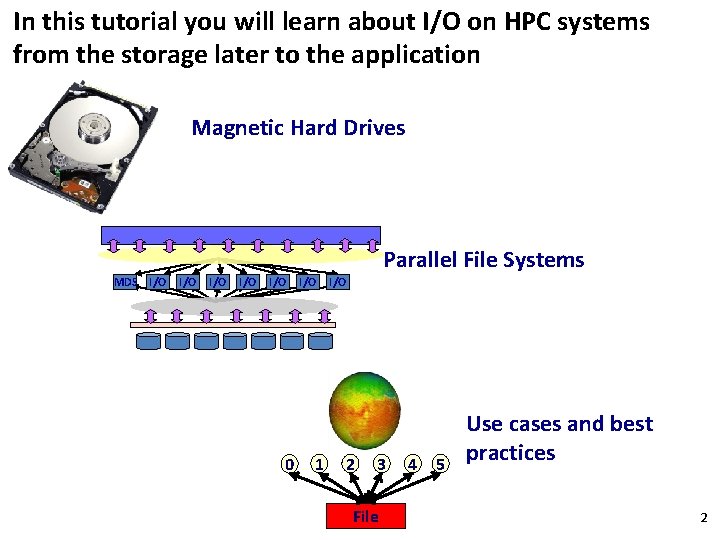
In this tutorial you will learn about I/O on HPC systems from the storage later to the application Magnetic Hard Drives Parallel File Systems MDS I/O I/O I/O 0 I/O 1 I/O 2 3 File 4 5 Use cases and best practices 2
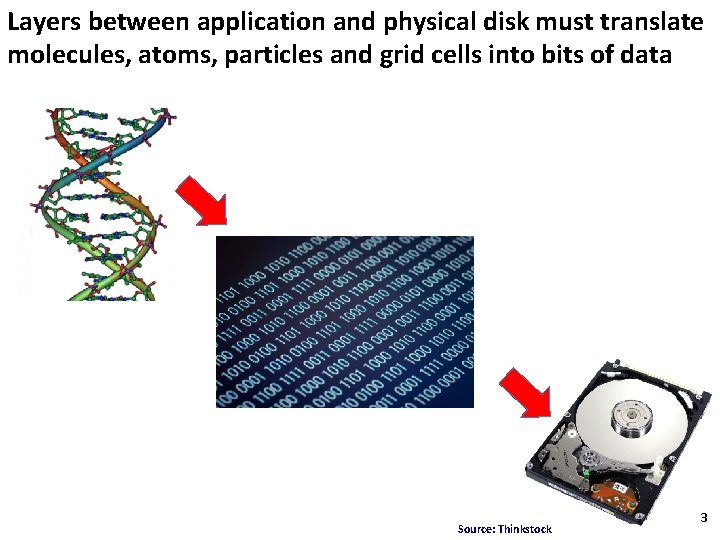
Layers between application and physical disk must translate molecules, atoms, particles and grid cells into bits of data Source: Thinkstock 3
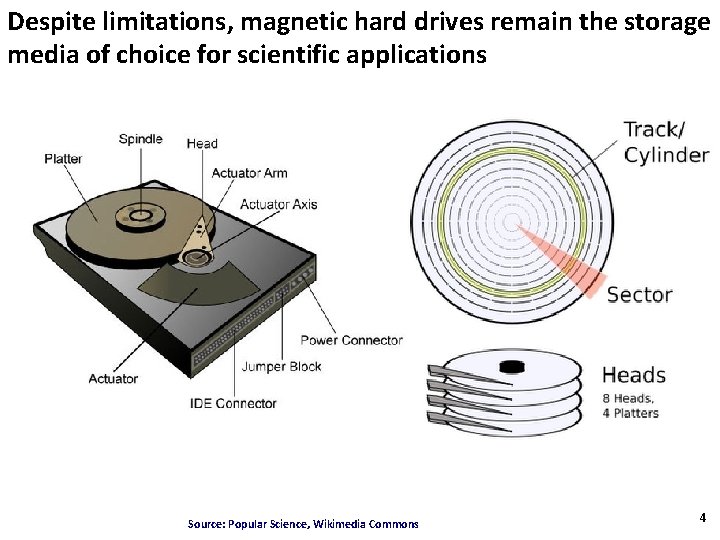
Despite limitations, magnetic hard drives remain the storage media of choice for scientific applications Source: Popular Science, Wikimedia Commons 4
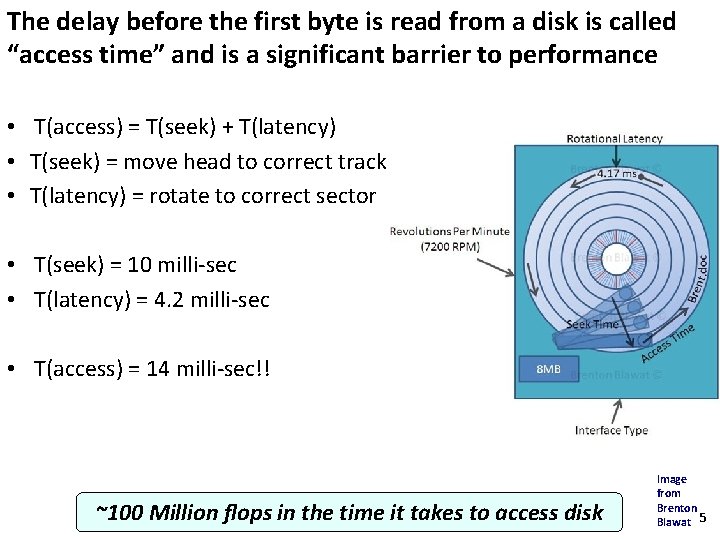
The delay before the first byte is read from a disk is called “access time” and is a significant barrier to performance • T(access) = T(seek) + T(latency) • T(seek) = move head to correct track • T(latency) = rotate to correct sector • T(seek) = 10 milli-sec • T(latency) = 4. 2 milli-sec • T(access) = 14 milli-sec!! ~100 Million flops in the time it takes to access disk Image from Brenton Blawat 5

Disk rates are improving, but not nearly as fast as compute performance Source: R. Freitas of IBM 6 Almaden Research Center
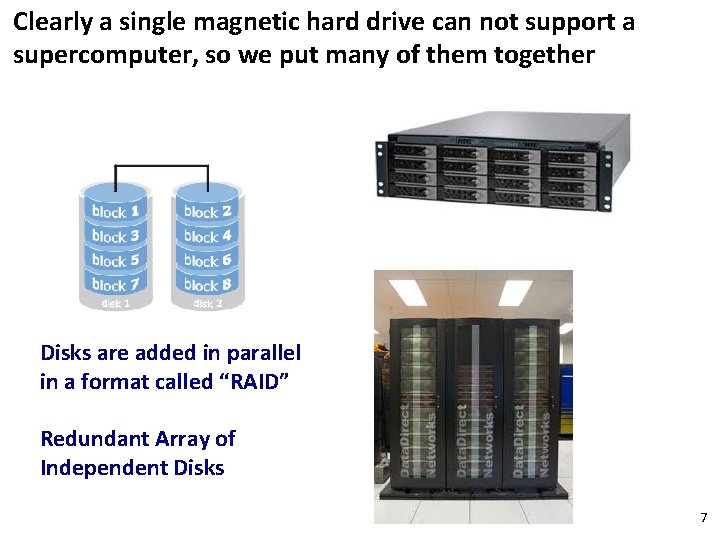
Clearly a single magnetic hard drive can not support a supercomputer, so we put many of them together Disks are added in parallel in a format called “RAID” Redundant Array of Independent Disks 7

A file system is a software layer between the operating system and storage device Files Directories Access permissions 1010010101110100 File System memory Storage device Source: J. M. May “Parallel IO for High Performance Computing, tech. Crunch, howstuffworks. com 8
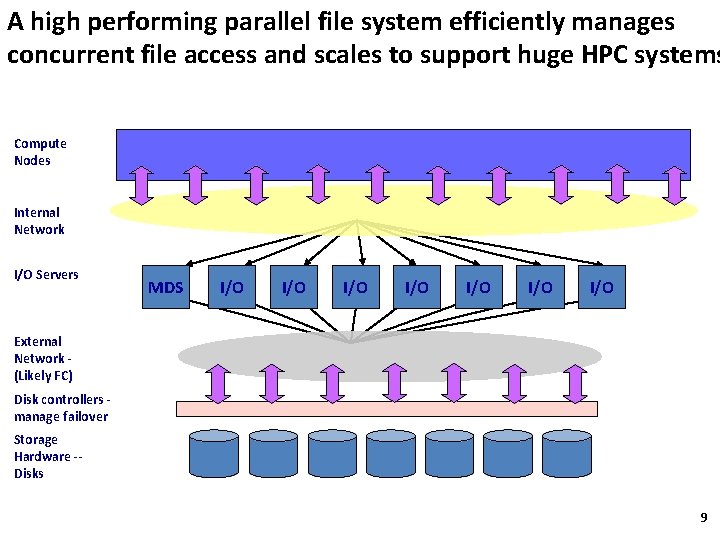
A high performing parallel file system efficiently manages concurrent file access and scales to support huge HPC systems Compute Nodes Internal Network I/O Servers MDS I/O I/O External Network (Likely FC) Disk controllers manage failover Storage Hardware -Disks 9
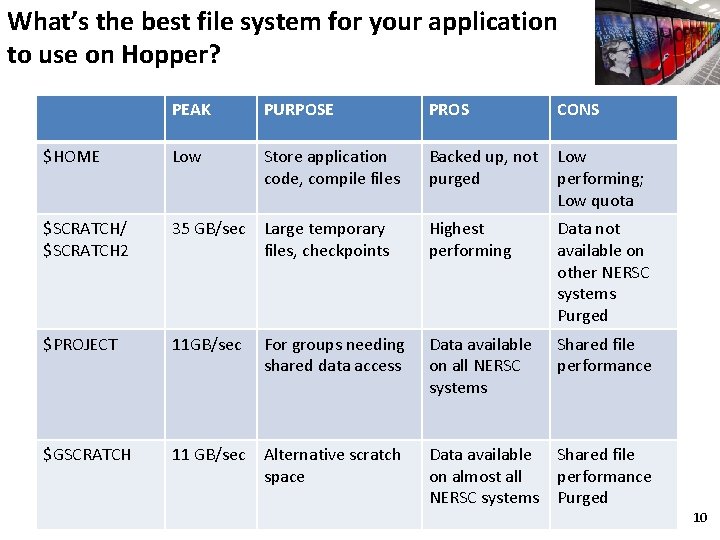
What’s the best file system for your application to use on Hopper? PEAK PURPOSE PROS CONS $HOME Low Store application code, compile files Backed up, not purged Low performing; Low quota $SCRATCH/ $SCRATCH 2 35 GB/sec Large temporary files, checkpoints Highest performing Data not available on other NERSC systems Purged $PROJECT 11 GB/sec Data available on all NERSC systems Shared file performance $GSCRATCH 11 GB/sec Alternative scratch space For groups needing shared data access Data available Shared file on almost all performance NERSC systems Purged 10
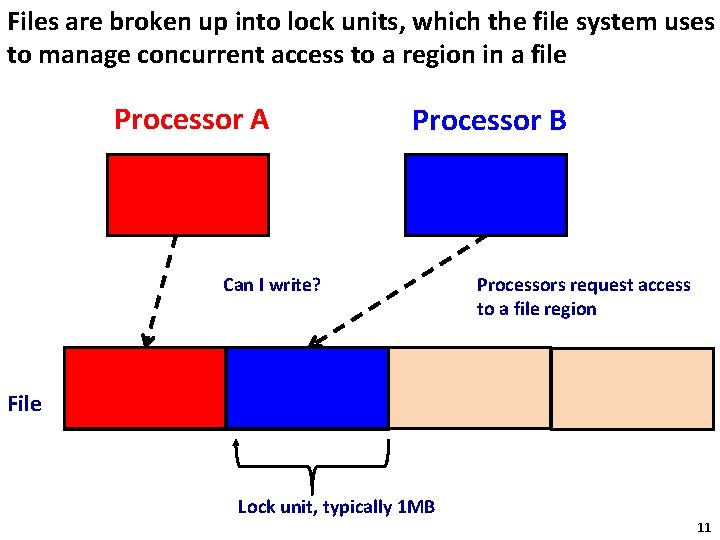
Files are broken up into lock units, which the file system uses to manage concurrent access to a region in a file Processor A Processor B Can I write? Processors request access to a file region File Lock unit, typically 1 MB 11 11
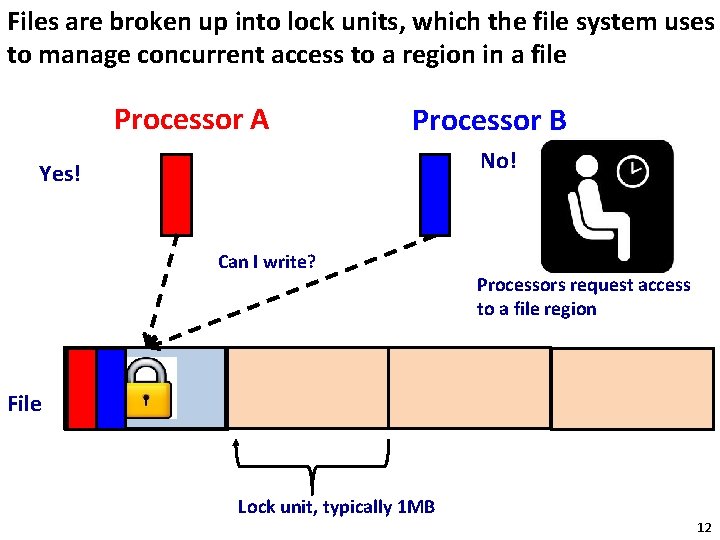
Files are broken up into lock units, which the file system uses to manage concurrent access to a region in a file Processor A Processor B No! Yes! Can I write? Processors request access to a file region File Lock unit, typically 1 MB 12 12
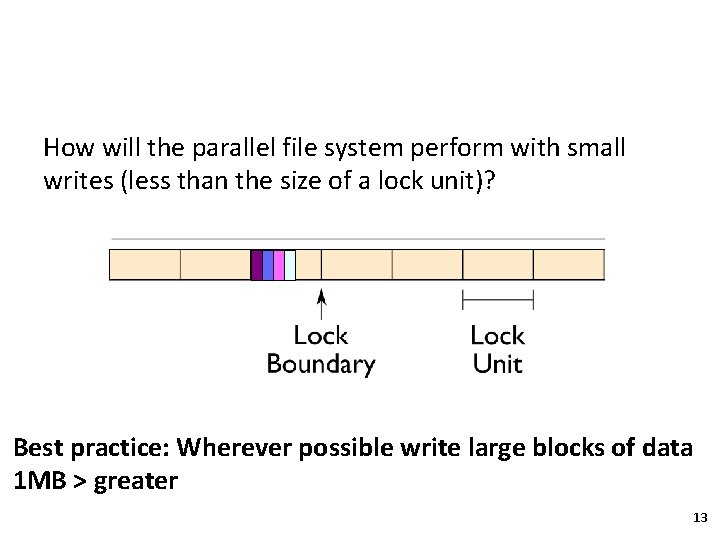
How will the parallel file system perform with small writes (less than the size of a lock unit)? Best practice: Wherever possible write large blocks of data 1 MB > greater 13
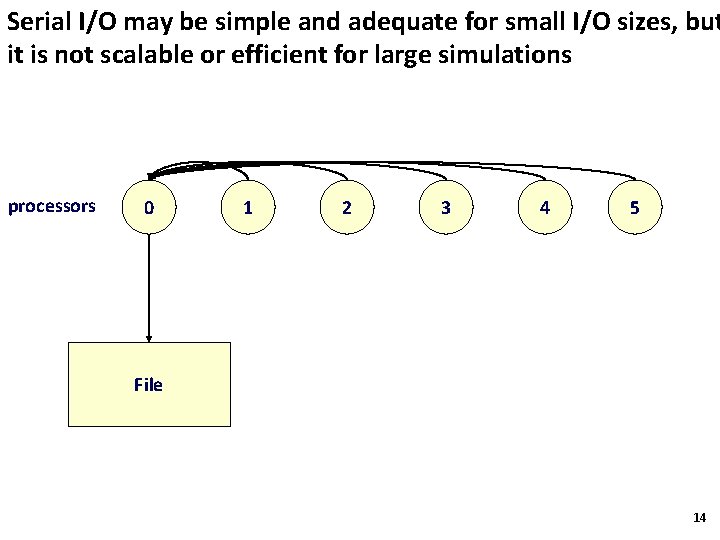
Serial I/O may be simple and adequate for small I/O sizes, but it is not scalable or efficient for large simulations processors 0 1 2 3 4 5 File 14
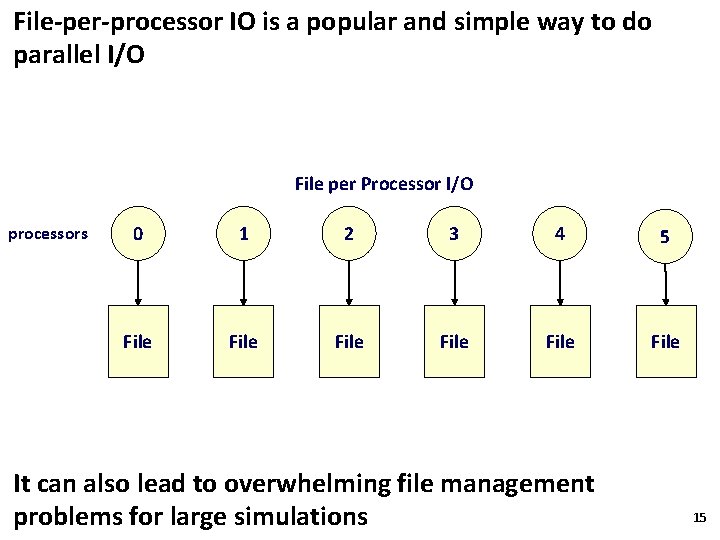
File-per-processor IO is a popular and simple way to do parallel I/O File per Processor I/O processors 0 1 2 3 4 5 File File It can also lead to overwhelming file management problems for large simulations 15
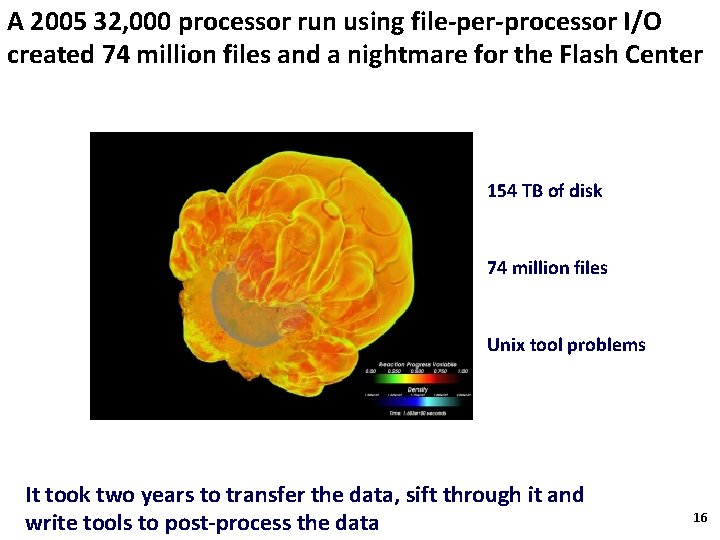
A 2005 32, 000 processor run using file-per-processor I/O created 74 million files and a nightmare for the Flash Center 154 TB of disk 74 million files Unix tool problems It took two years to transfer the data, sift through it and write tools to post-process the data 16
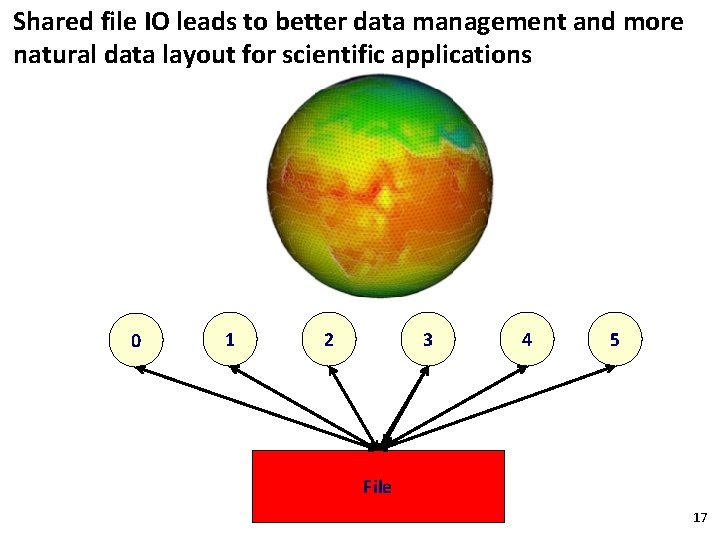
Shared file IO leads to better data management and more natural data layout for scientific applications 0 1 2 3 4 5 File 17
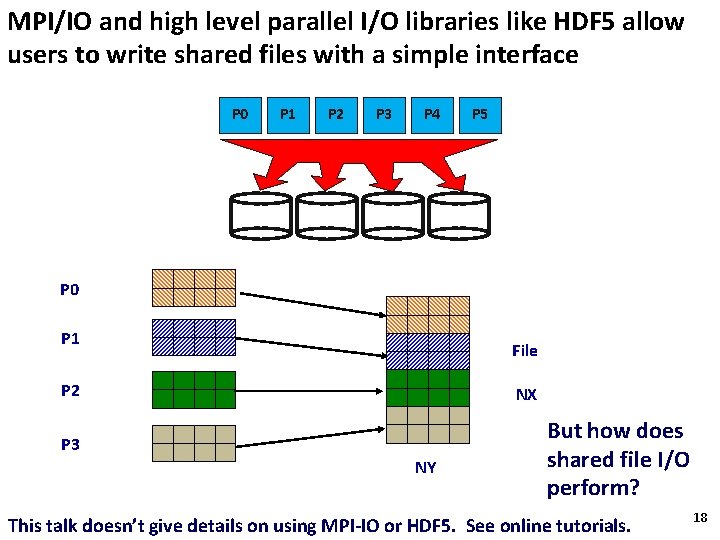
MPI/IO and high level parallel I/O libraries like HDF 5 allow users to write shared files with a simple interface P 0 P 1 P 2 P 3 P 4 P 5 P 0 P 1 File P 2 NX P 3 NY But how does shared file I/O perform? This talk doesn’t give details on using MPI-IO or HDF 5. See online tutorials. 18
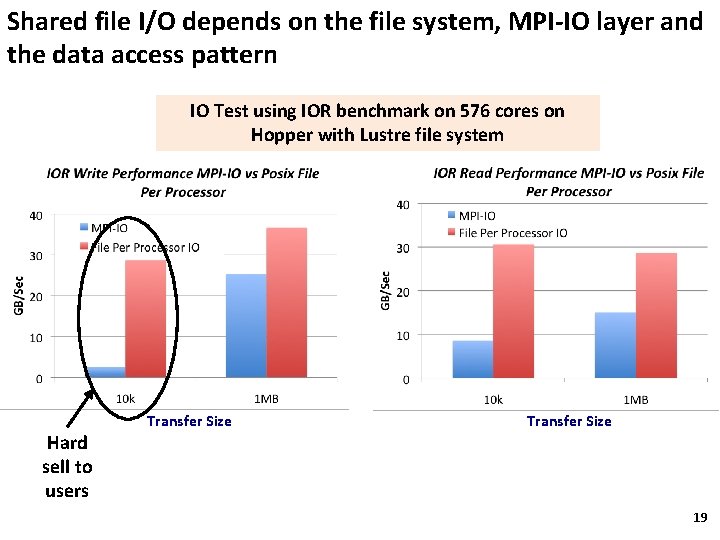
Shared file I/O depends on the file system, MPI-IO layer and the data access pattern IO Test using IOR benchmark on 576 cores on Hopper with Lustre file system Hard sell to users Transfer Size 19
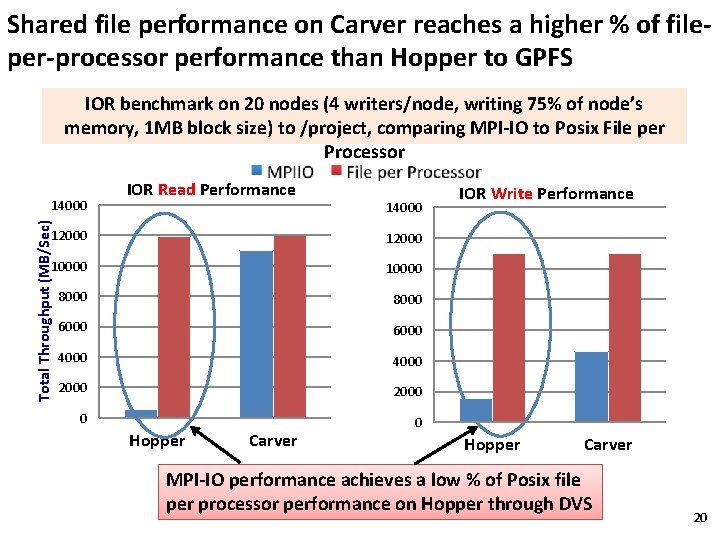
Shared file performance on Carver reaches a higher % of fileper-processor performance than Hopper to GPFS IOR benchmark on 20 nodes (4 writers/node, writing 75% of node’s memory, 1 MB block size) to /project, comparing MPI-IO to Posix File per Processor Total Throughput (MB/Sec) 14000 IOR Read Performance 14000 12000 10000 8000 6000 4000 2000 0 0 Hopper Carver IOR Write Performance Hopper Carver MPI-IO performance achieves a low % of Posix file per processor performance on Hopper through DVS 20
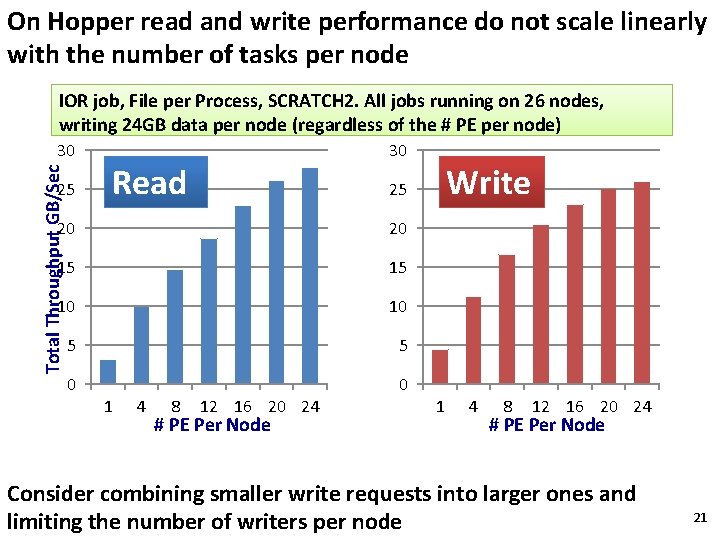
On Hopper read and write performance do not scale linearly with the number of tasks per node IOR job, File per Process, SCRATCH 2. All jobs running on 26 nodes, writing 24 GB data per node (regardless of the # PE per node) Total Throughput GB/Sec 30 25 30 Read 20 20 15 15 10 10 5 5 0 0 1 4 8 Write 25 12 16 20 24 # PE Per Node 1 4 8 12 16 20 24 # PE Per Node Consider combining smaller write requests into larger ones and limiting the number of writers per node 21
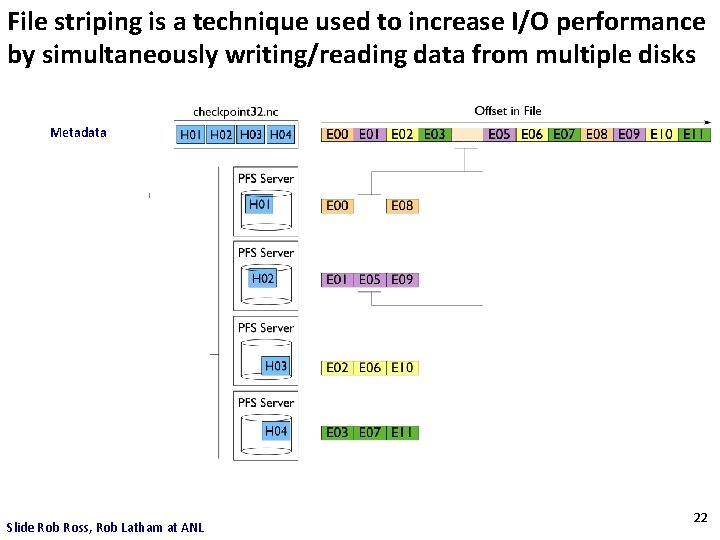
File striping is a technique used to increase I/O performance by simultaneously writing/reading data from multiple disks Metadata Slide Rob Ross, Rob Latham at ANL 22
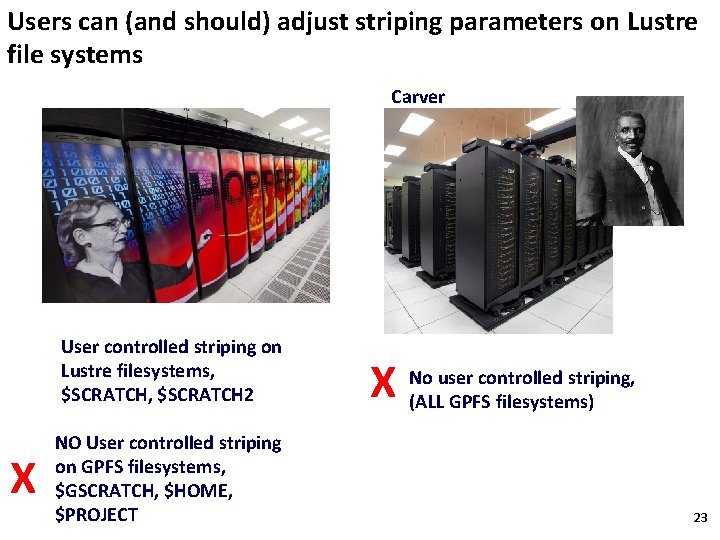
Users can (and should) adjust striping parameters on Lustre file systems Carver User controlled striping on Lustre filesystems, $SCRATCH 2 X NO User controlled striping on GPFS filesystems, $GSCRATCH, $HOME, $PROJECT X No user controlled striping, (ALL GPFS filesystems) 23
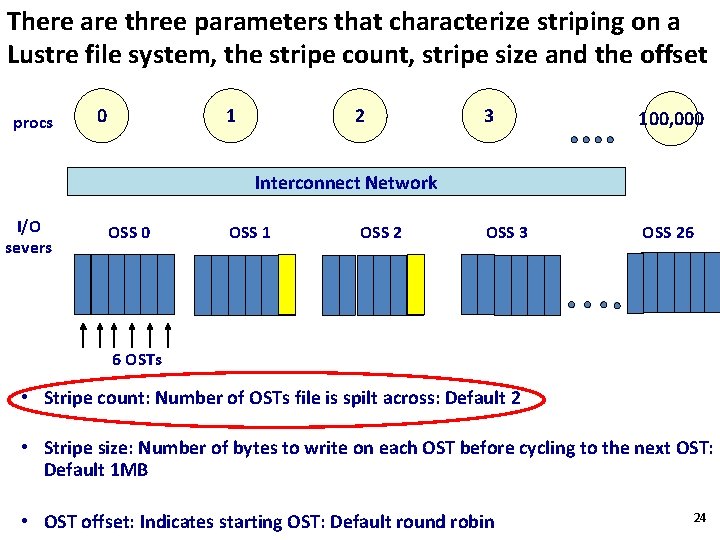
There are three parameters that characterize striping on a Lustre file system, the stripe count, stripe size and the offset procs 0 1 2 3 100, 000 OSS 3 OSS 26 Interconnect Network I/O severs OSS 0 OSS 1 OSS 2 6 OSTs • Stripe count: Number of OSTs file is spilt across: Default 2 • Stripe size: Number of bytes to write on each OST before cycling to the next OST: Default 1 MB • OST offset: Indicates starting OST: Default round robin 24
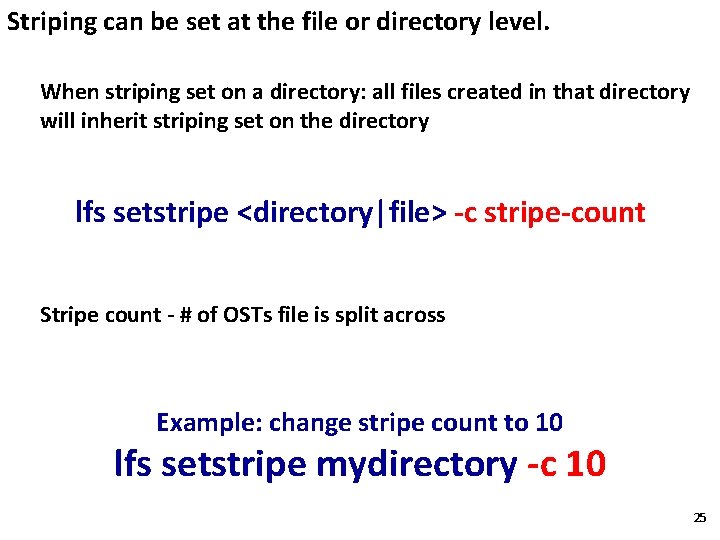
Striping can be set at the file or directory level. When striping set on a directory: all files created in that directory will inherit striping set on the directory lfs setstripe <directory|file> -c stripe-count Stripe count - # of OSTs file is split across Example: change stripe count to 10 lfs setstripe mydirectory -c 10 25
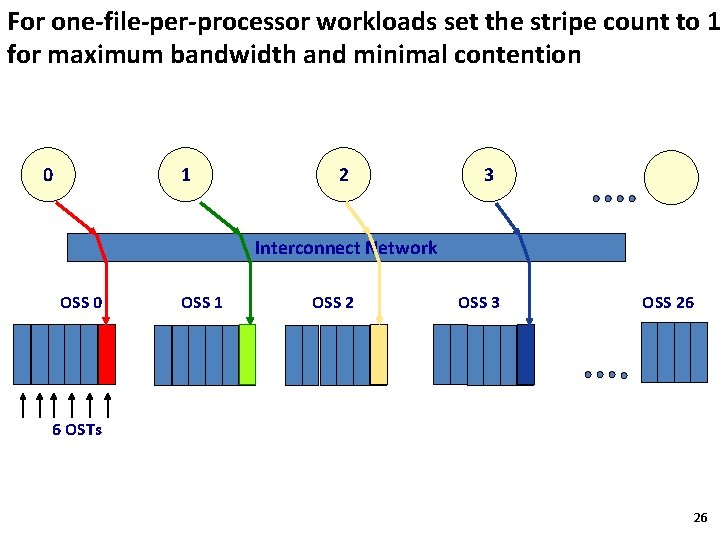
For one-file-per-processor workloads set the stripe count to 1 for maximum bandwidth and minimal contention 0 1 2 3 Interconnect Network OSS 0 OSS 1 OSS 2 OSS 3 OSS 26 6 OSTs 26
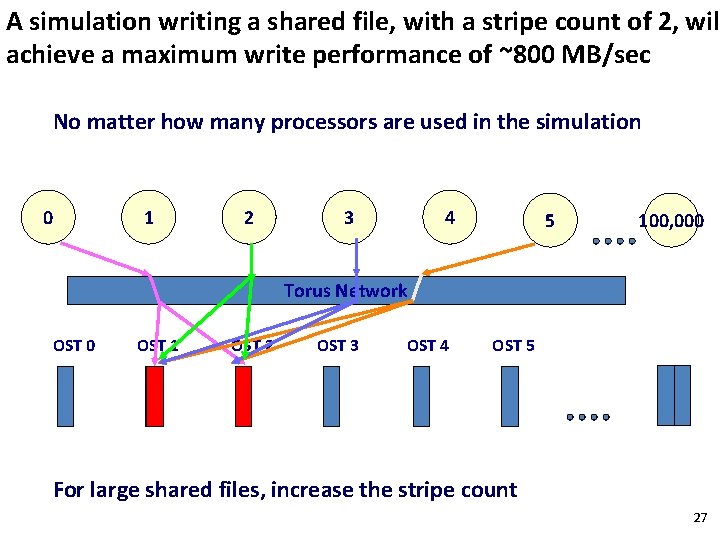
A simulation writing a shared file, with a stripe count of 2, wil achieve a maximum write performance of ~800 MB/sec No matter how many processors are used in the simulation 0 1 2 3 4 5 100, 000 Torus Network OST 0 OST 1 OST 2 OST 3 OST 4 OST 5 For large shared files, increase the stripe count 27
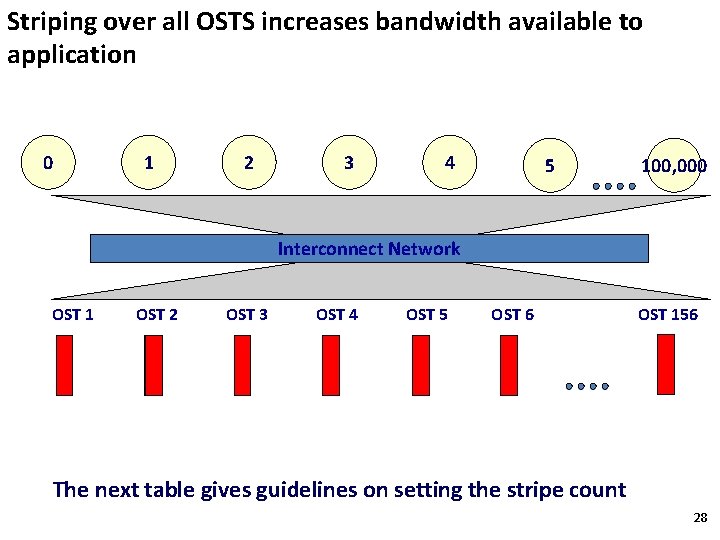
Striping over all OSTS increases bandwidth available to application 0 1 2 3 4 5 100, 000 Interconnect Network OST 1 OST 2 OST 3 OST 4 OST 5 OST 6 OST 156 The next table gives guidelines on setting the stripe count 28
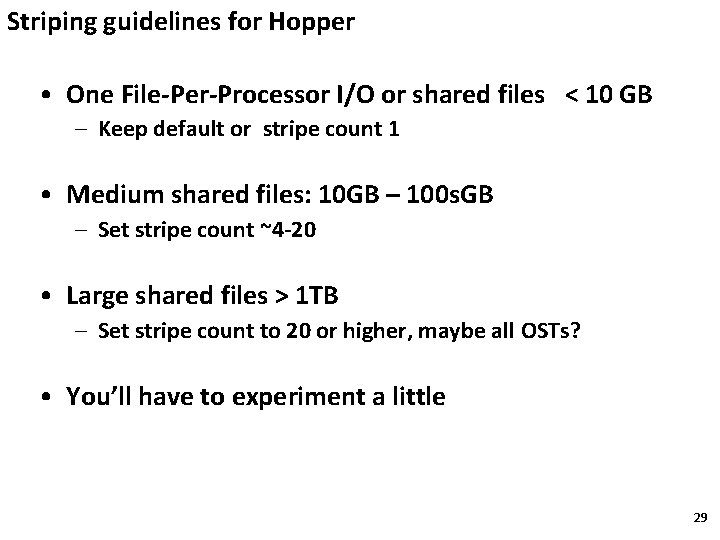
Striping guidelines for Hopper • One File-Per-Processor I/O or shared files < 10 GB – Keep default or stripe count 1 • Medium shared files: 10 GB – 100 s. GB – Set stripe count ~4 -20 • Large shared files > 1 TB – Set stripe count to 20 or higher, maybe all OSTs? • You’ll have to experiment a little 29
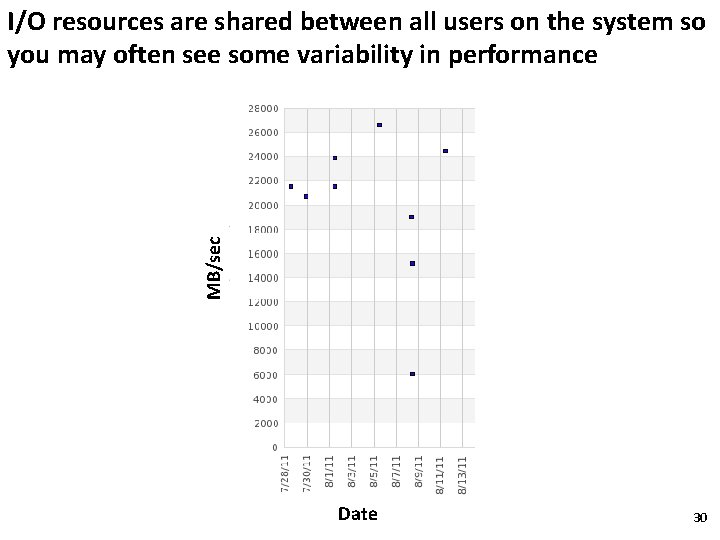
MB/sec I/O resources are shared between all users on the system so you may often see some variability in performance Date 30
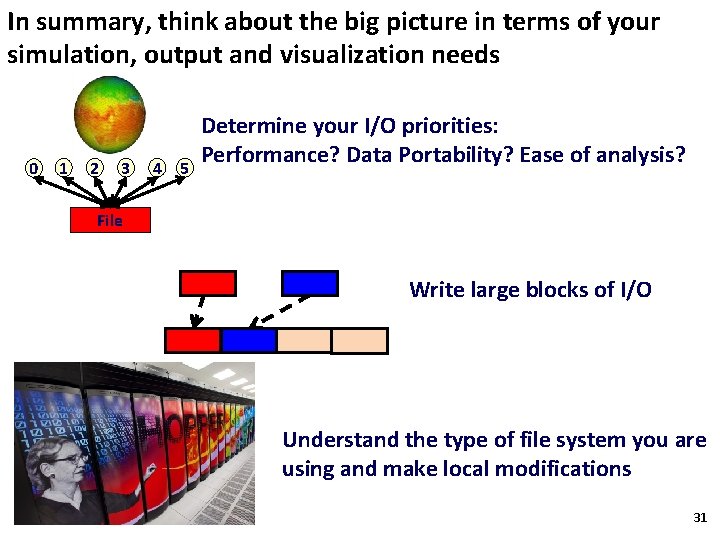
In summary, think about the big picture in terms of your simulation, output and visualization needs 0 1 2 3 4 5 Determine your I/O priorities: Performance? Data Portability? Ease of analysis? File Write large blocks of I/O Understand the type of file system you are using and make local modifications 31
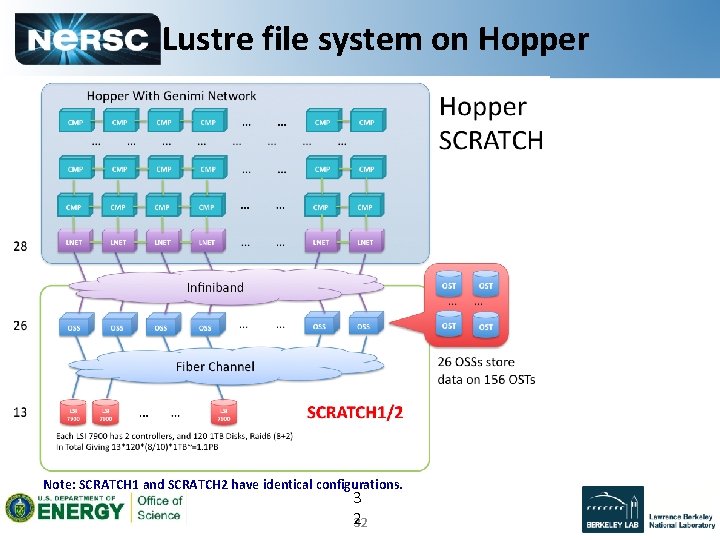
Lustre file system on Hopper Note: SCRATCH 1 and SCRATCH 2 have identical configurations. 3 2 32

THE END 33
- Slides: 33