
Best Practices for Online Course Design and Instruction
Best Practices for Online Course Design and Instruction By 2015 STARTALK TTLO Chinese Group A Jane-Na Chang Yan Chen Sufan Huang Xiaowei Hunt Yishen Lai Xiaoxuan Li Lichang Tan Hao Yang
Best Practices for Online Course Design Issues? Challenges? Tackle Them!!!
Course Overview and Syllabus By Yishen Lai ISSUE: Without F 2 F instruction from the teacher, too little detail causes confusion and frustration. Standards for Qualified Overview and Syllabus: ● Clear, complete, explicit ● Consistent requirements with the goals and scope of the course ● Information on how to communicate with the online teacher Reference: Standards for Quality Online Courses; Southern Region Education Board: http: //publications. sreb. org/2006/06 T 05_Standards_quality_online_courses. pdf
Course Overview and Syllabus By Yishen Lai To avoid the issue of unclear directions, important features of an online Syllabus should include: ● Explicit definition of class participation and grading criteria ● Managing student expectations; correcting false impressions ● Acting like a map so students can find whatever they want to know ● Week-by-week schedule, subdivided based on students’ working patterns and access to computers ● Specific dates for each unit, week, or topic ● Supplying info more than once and in more than one location. Each page permits users to link back to info in the syllabus. Reference: Ko & Rossen, Teaching Online, 2010, Pages 117 -125.
Engagement and Motivation By Sufan Huang Factors influence student engagement: • Instructor’s presence (warm welcoming, announcement, reminders, etc) • Instructor’s feedback (On a certain topic, assignments, etc) • Engaging with rubric: • http: //www. designingforlearning. info/services/writing/ecoac h/tips/tip 82. html Ways to motivate student learning: • Badges or rewards in LMS embedded systems. • Online tools: https: //www. classdojo. com/ Zondle dollars at zondle. com, progress report at quizlet. com • Constant feedback (provide more food for thoughts, suggestions)
Working Collaboratively By Hao Yang Issue/Challenge: individual competitive students do not like group work. Communication among students can be challenge due to online. Student does not want to get bad grade because of other group members’ bad work A video about how to encourage student to work collaboratively • purposely design appropriate group tasks, • Set the course tone of importance of teamwork in the beginning • design Grading system to encourage group participation. • track students in group work using software like: wiggio (https: //wiggio. com ) and huddle (www. huddle. com)
Time Management By Xiaoxuan Li Perspective as An Instructor's Time Management Challenges 1. Have all modules ready at the beginning of the semester 2. Instructions to prepare students for online learning, to set a timeline/weekly due date in a regular routine as the course goes 3. Contribute an appropriate amount of time daily/regular schedule for the online course design/ give feedback (according to the assignment’s duetime) Best Practices (may consider, but not the best) 1. If a full completion is not possible, complete at least half of the course design and development before the course begins. 2. Set a regular timeline with clear instructions on the assignments/tasks and their due dates Perspective as A Students’ Time Management Challenges 1. May forget/miss the Due date/time (if without instructor’s reminder/ pre-known regular time setting) 2. May not preview the upcoming content (if they are only told “please preview” online) Best Practices (may consider, but not the best) 1. Set a grading rubrics about online assignments which are turned in late 2. Quiz for preview before new content learning, which performance is part of the grading
Course, Unit, Lesson Design By Jane-Na Chang · Guiding principles: 1) Apply ADDIE / Design. 2) Assessments and assignments align with learning outcomes. · Create consistent and repetitive structure: identical appearance & function; chunk content into logical, sequential, organized modules · group clear objectives / challenging assignments / / assessment / activities / instructional materials /
Technology Requirements By Xiaowei Hunt Issues: • Take too long to open the course page or navigate around the course; • Can’t open a course page; • Unable to open a video clip built in the course. Best practices suggest: • Use decent Internet connection(512 kbps or faster); • Use updated and supported web browsers(Mozilla Firefox preferred); • Enable Javascript in the web browser; • Unblock popups for the course; • Install Adobe Flash Player; • Prepare a headset with microphone or a web cam. http: //nvlearningacademy. net/support/technical-requirements/
Assessment Aligns with Objectives By Lichang Tan Issues: • Cheating is easier to do and harder to detect • Take more time for the instructor to identify student’s proficiency level • Take longer for the instructor to come up intervention plan Best Practices: • Relevant to the objectives and goals • Appropriate for the level and scope of the course content • Easily enough accomplished online • clearly outlined to students via logically organized instructions that include the how, when and where of online logistics • Balance the traditional and performance assessments
Learner Support By Yan Chen Factors of affecting learner support • • Personal resilience Personal identity factors Support networks Course support Approaches for providing learner support • The integration approach: • • Integration considers the social and academic ‘fit’ between the learner and the institution and academic life Increasing student engagement with tutors and peers can improve this sense of ‘belonging’ in an online learning environment • The motivation approach • This approach places more emphasis on individual motivation to succeed, and the factors which might affect this, such as choice of course, finance, employment prospects, personality, life circumstance and cognitive abilities.
Learner Support By Yan Chen Strategies for improving learner support • • • Make a good first impression Help students establish specific learning objectives Emphasize the importance of instructor presence Provide constructive recommendations for improvement that are highly motivating and encouraging Provide timely feedback for students questions and posts within 24 -48 hrs Enhance student’s awareness of their presence Create collaborative learning opportunities in the classroom Engaging student by hosting live webinars Establish an early alert system References: Hughes, G. (2007). Using blended learning to increase learner support and improve retention. Teaching in Higher Education, 12 (3), 349 -363. Infande, A. (2013). A Dozen Strategies for Improving Online Student Retention, Retrieved from http: //goo. gl/Acj. ZIF
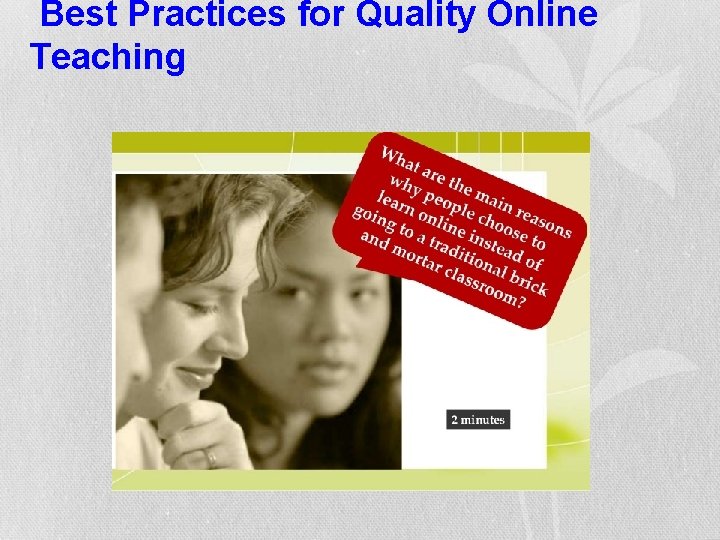
Best Practices for Quality Online Teaching
Social Presence By Yishen Lai ISSUE: The challenge of creating social presence online. Ways to let the students know that you are PRESENT! • Feedback & time: Meet the time frame expectations so the students feel less socially isolated. • Facilitation of discussion: Join in the online discussions. Let the students know that the teacher is present and reads their work. • Tone: Share personal information, feelings, and emotions to increase connection with students. (use of emoticons) • Humor: May help with social presence and improve learning. • Group learning: It is engaging and productive to use small groups online. Other methods include: scheduling time for interacting, discussion boards, blogs, technical support, welcoming messages, etc. Reference: Brandi Scollins-Mantha, March 2008: http: //www. itdl. org/journal/mar_08/article 02. htm
Building Community By Hao Yang Issue/challenge: Students feel isolated in online classes. A good video on how to built online community Some tips offered in the video include: • hold a self-introduction activity and using social icebreakers, • student profile-goals-personal, (Blog, profiles, FB? ) • celebrations of accomplishment, gallery of student work, • shared cyberspace-FB/We. Chat • sharing knowledge (in Q&A, or HELP) • collaboration through group work, • collaborate with other students in the world(synchronous), • involve students in decisions -student voting/suggesting (online survey, micropoll. com), • post class event picture/video, (flickr/picasa, Youtube) • create a class logo, make a class T-shirt
Communication By Jane-Na Chang · Designate areas for frequent and updated announcements and discussion · Set high expectations, rules, guidelines, and communication protocol · Monitor regularly and provide constructive feedback promptly · Maintain constant presence with contact info to build relationships
Feedback and Assessment By Xiaoxuan Li Challenge (feedback & assessment is supposed to be provided by the instructor to improve some of the aspects listed below) 1. Community Environment (the intangible online platform lessen the presence of “classmates” and authority of “instructor” ) 2. Real Communication (manifested in the posts in terms of Reply/Debate/Discussion among Students/ teacher and students, without being in a real classroom, the learners may get rid of the responsibilities that they are supposed to have, or act in a perfunctory way) 3. Creativity (content may tend to be similar or feedback may lack of diversity given there may big number of learners in the online course) 4. Comparison/Conclusion (instructor may not sum up/relate the similar information presented by learners in time, which may fail to re-conduct or guide the online discussion/points of the focus back onto the track as the initial design) Best Practices (may consider, but not the best) 1. diverse activities to help all participants with different learning styles/habits get involved 2. provide a detailed rubrics/criteria on “basic structure of your post” or ”content to cover” for learners at the very beginning 3. provide differentiate feedback or assessment designed for different groups 4. conduct Peer Evaluation in terms of activities or assignments and further Discussion/reflection mainly instructed by teacher
Teaching Strategies By Lichang Tan Best Practices Suggest: • Establish a Learning Contact with each student • Use online portfolio like Lingua. Folio for checking language proficiency or goal setting. • Present lectures via audio or video over the internet • Package notes together with links to download or send via email • Break a long presentation into shorter segments, and more to the point • Engaging students on discussion by using discussion forums • Provide lots of opportunities for group working: role playing, games between groups, small group works, projects, collaborative learning and case study.
Student Tracking By Shufan Huang Different Methods to track student participation: • LMS embedded tools • Wimba/other embedded VOIP/audio-recording options • Sky • Google hangout • Voice thread From CALICO 2014 workshop https: //docs. google. com/document/preview? hgd=1&id=1 Bs 4 J e. UNPjz. LSg 2 Ig. Py. AVub. Ao. NMkqh. K 7 X 9 Nq 1 Qbb. I 7 HQ Other online tools: • Weebly. com provide statistic of your views if you use that platform. • Zondle. com provide learner participation and progress statistic
Copyright By Xiaowei Hunt Issues: • Student copying assignments and turning in as original work; • Student using someone else’s online work without citing or giving credit to the original author(s) or owner(s). Best practices suggest: Instructor states clearly and early on in the syllabus that • a student should always turn in his/her own work, and violation will result in 0 point or disciplinary action; • a student should always give credit to the work of original owner(s) when borrowing/using someone else’s resources. http: //nvlearningacademy. net/support/technical-requirements/
- Slides: 20