
Bes Vis An Visualization software for BESIII experiment

Bes. Vis An Visualization software for BESIII experiment Zhengyun YOU School of Physics , PKU 2005. 12. 28
Outline What is Bes. Vis; How to use Bes. Vis; Highlights in Bes. Vis; Next work;
What is Bes. Vis is a software for BESIII Event Display, Detector Visualization. Object Oriented, C++, based on ROOT and GDML; Start from Oct, 2005; Developed by Zhengyun YOU in Peking University;
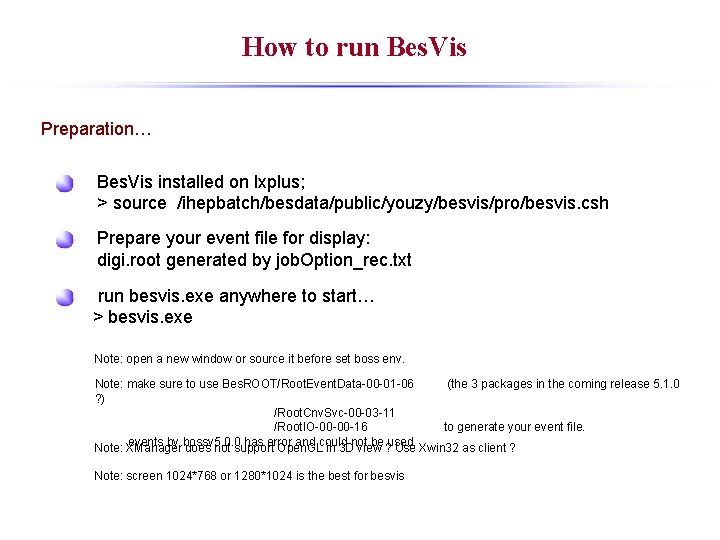
How to run Bes. Vis Preparation… Bes. Vis installed on lxplus; > source /ihepbatch/besdata/public/youzy/besvis/pro/besvis. csh Prepare your event file for display: digi. root generated by job. Option_rec. txt run besvis. exe anywhere to start… > besvis. exe Note: open a new window or source it before set boss env. Note: make sure to use Bes. ROOT/Root. Event. Data-00 -01 -06 (the 3 packages in the coming release 5. 1. 0 ? ) /Root. Cnv. Svc-00 -03 -11 /Root. IO-00 -00 -16 to generate your event file. events by bossv 5. 0. 0 has error and could not be used. Note: XManager does not support Open. GL in 3 D view ? Use Xwin 32 as client ? Note: screen 1024*768 or 1280*1024 is the best for besvis
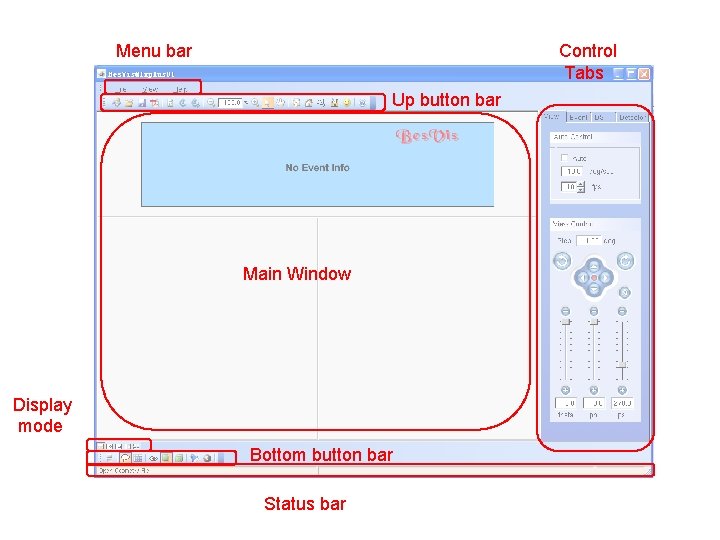
Menu bar Control Tabs Up button bar Main Window Display mode Bottom button bar Status bar
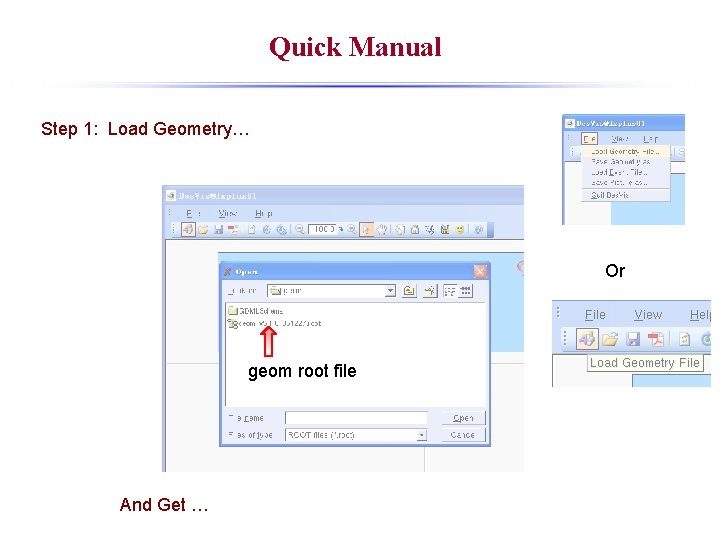
Quick Manual Step 1: Load Geometry… Or geom root file And Get …
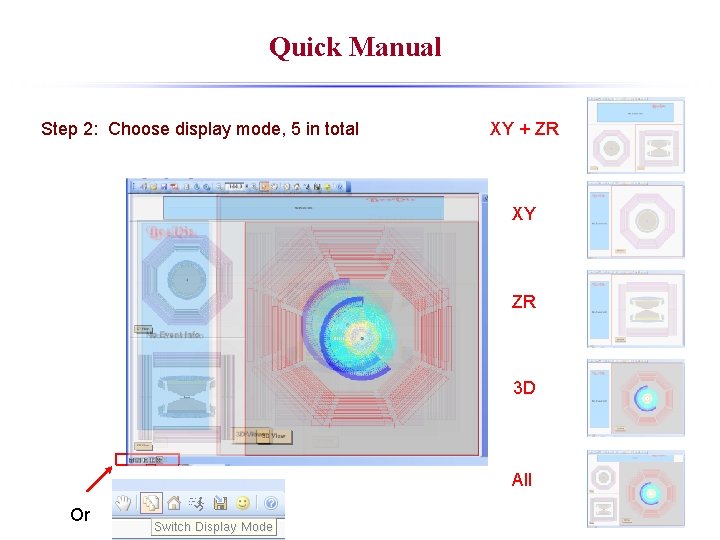
Quick Manual Step 2: Choose display mode, 5 in total XY + ZR XY ZR 3 D All Or
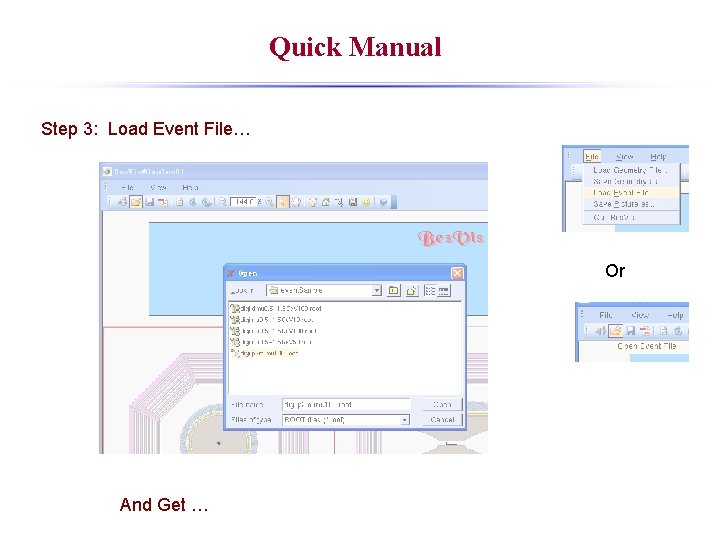
Quick Manual Step 3: Load Event File… Or And Get …
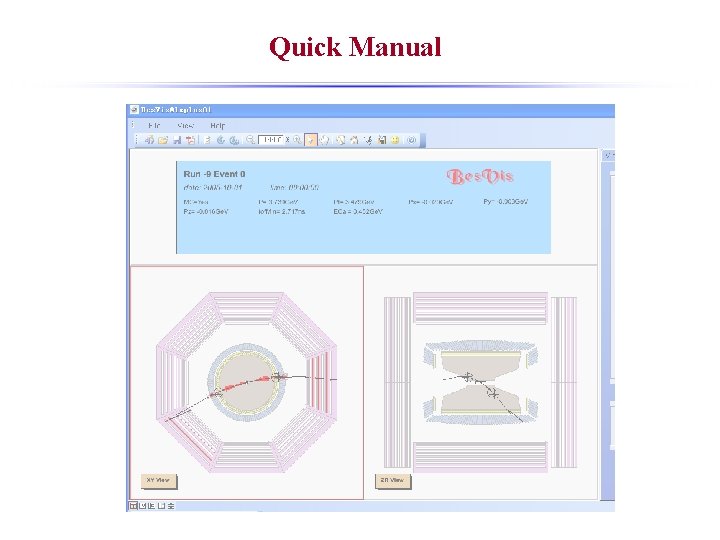
Quick Manual
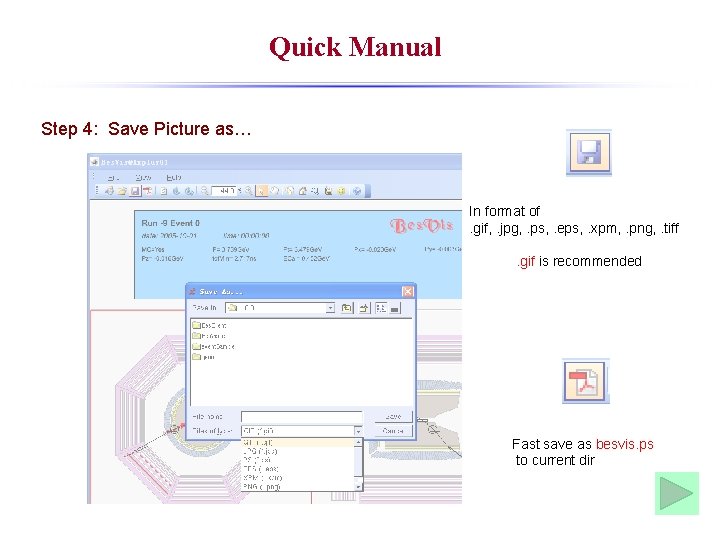
Quick Manual Step 4: Save Picture as… In format of. gif, . jpg, . ps, . eps, . xpm, . png, . tiff. gif is recommended Fast save as besvis. ps to current dir
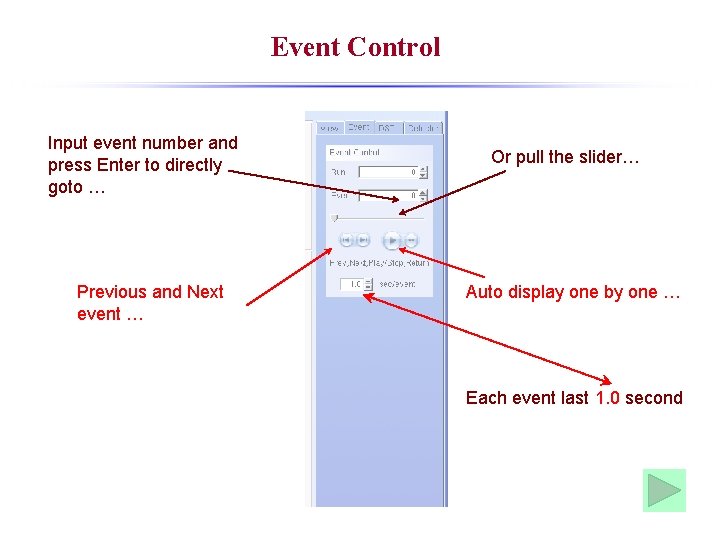
Event Control Input event number and press Enter to directly goto … Previous and Next event … Or pull the slider… Auto display one by one … Each event last 1. 0 second
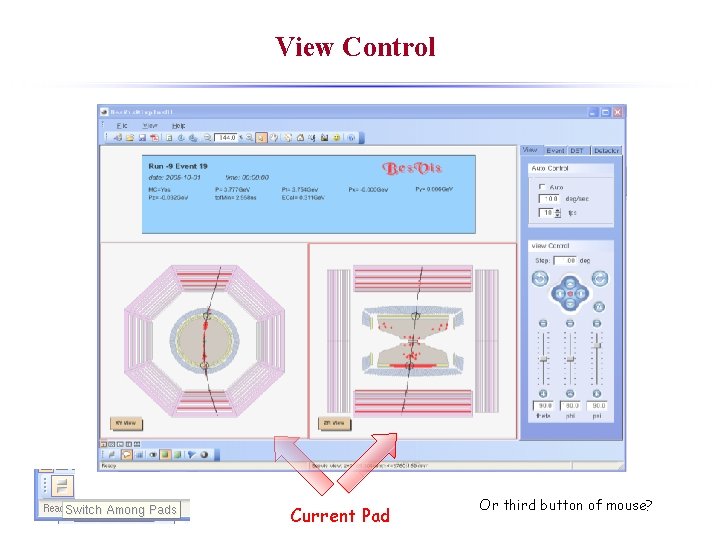
View Control Current Pad Or third button of mouse?
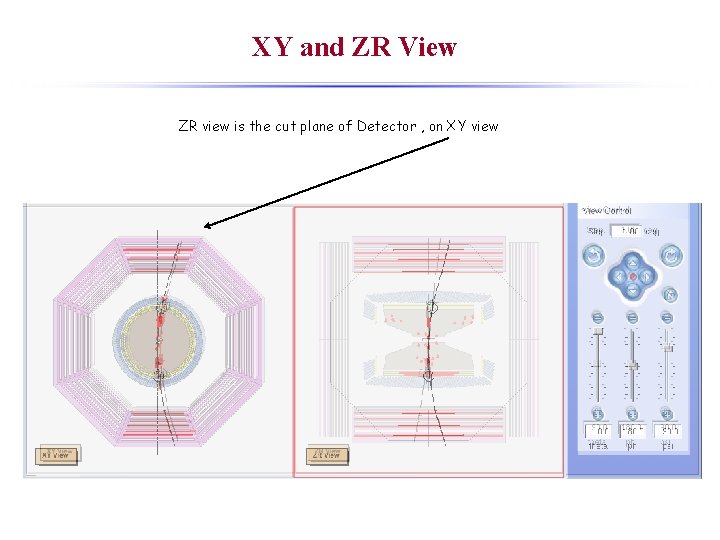
XY and ZR View ZR view is the cut plane of Detector , on XY view
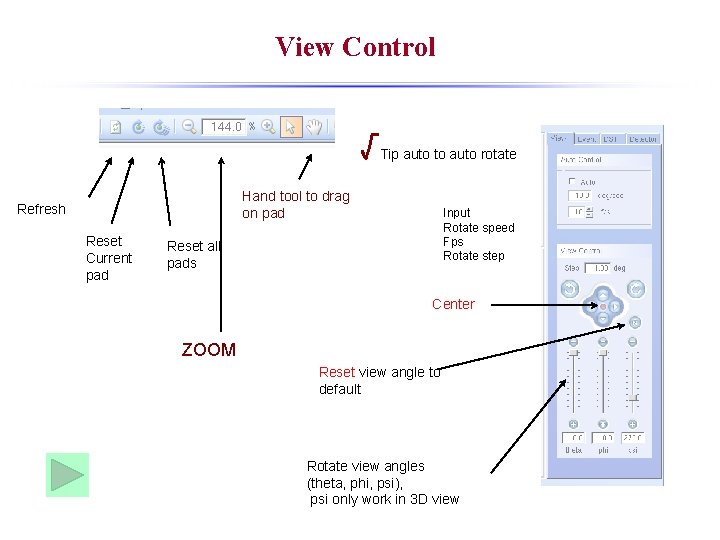
View Control √Tip auto to auto rotate Hand tool to drag on pad Refresh Reset Current pad Input Rotate speed Fps Rotate step Reset all pads Center ZOOM Reset view angle to default Rotate view angles (theta, phi, psi), psi only work in 3 D view
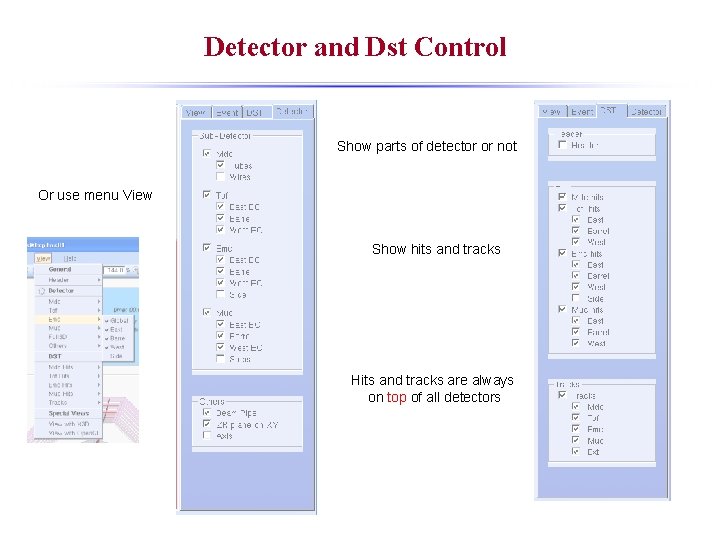
Detector and Dst Control Show parts of detector or not Or use menu View Show hits and tracks Hits and tracks are always on top of all detectors
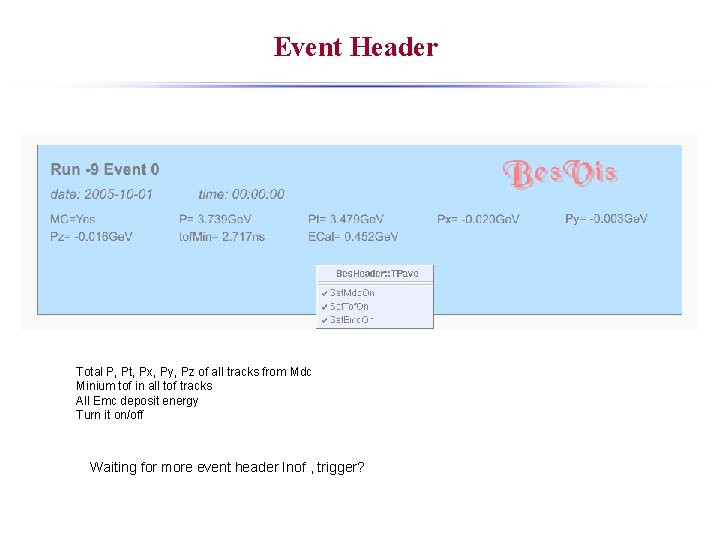
Event Header Total P, Pt, Px, Py, Pz of all tracks from Mdc Minium tof in all tof tracks All Emc deposit energy Turn it on/off Waiting for more event header Inof , trigger?
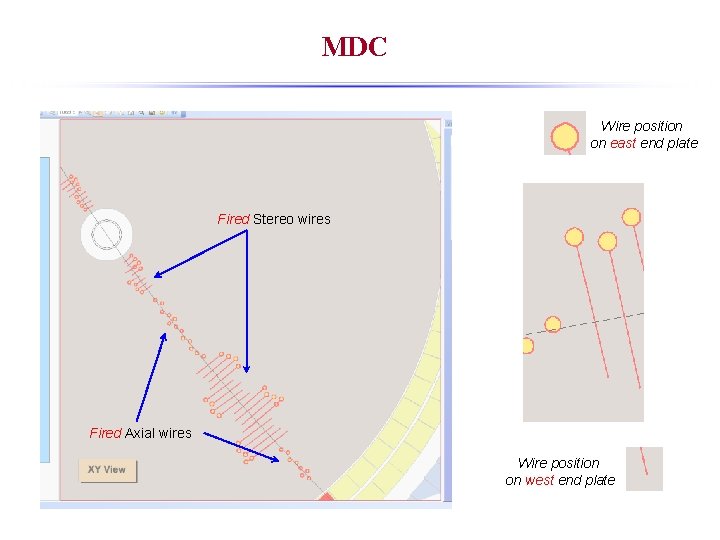
MDC Wire position on east end plate Fired Stereo wires Fired Axial wires Wire position on west end plate
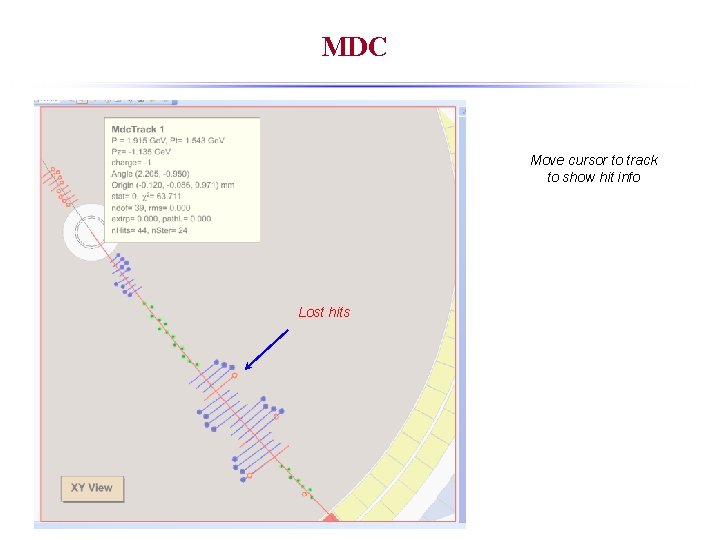
MDC Move cursor to track to show hit info Lost hits
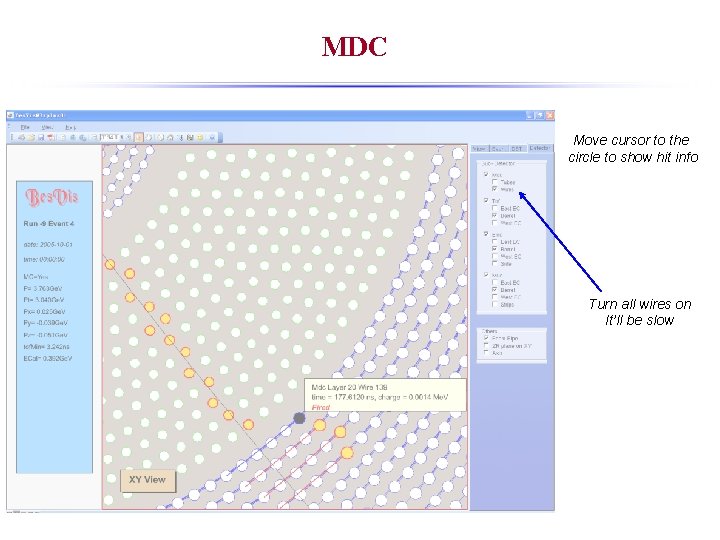
MDC Move cursor to the circle to show hit info Turn all wires on It’ll be slow
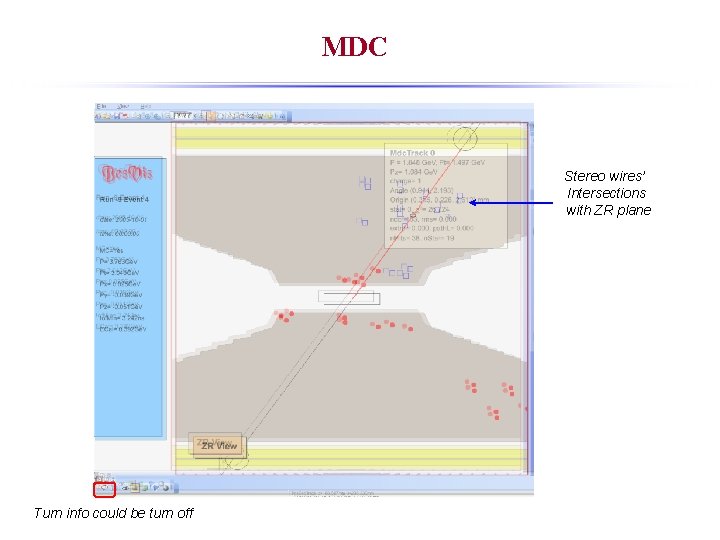
MDC Stereo wires’ Intersections with ZR plane Turn info could be turn off
TOF
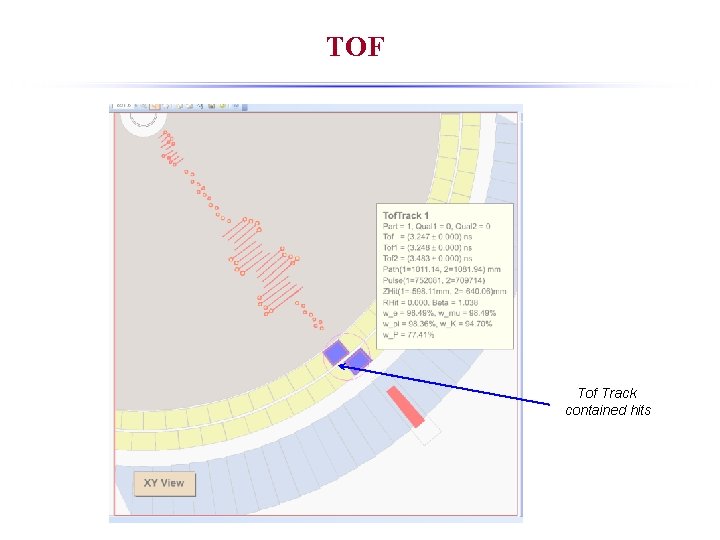
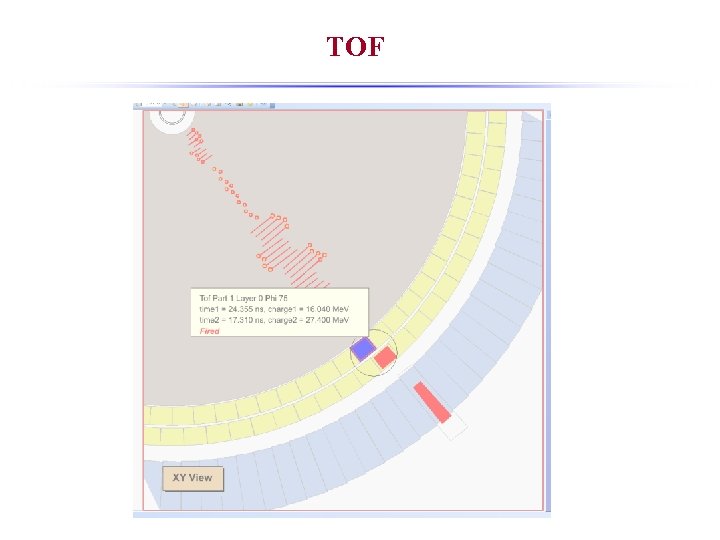
TOF Tof Track contained hits
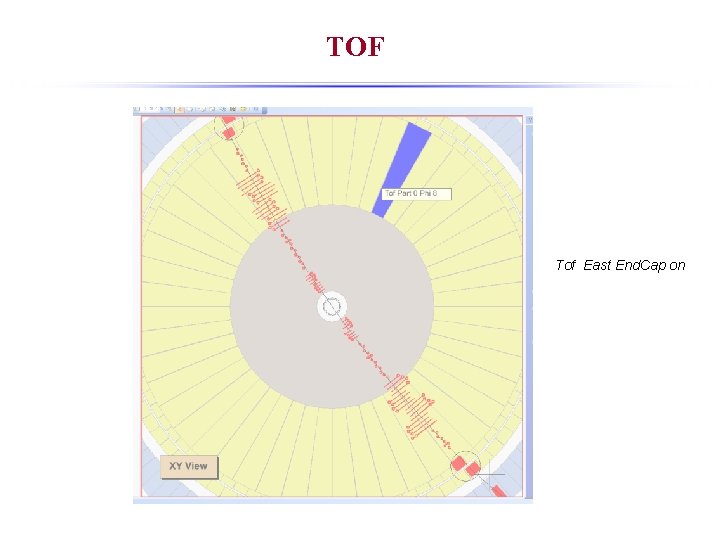
TOF Tof East End. Cap on
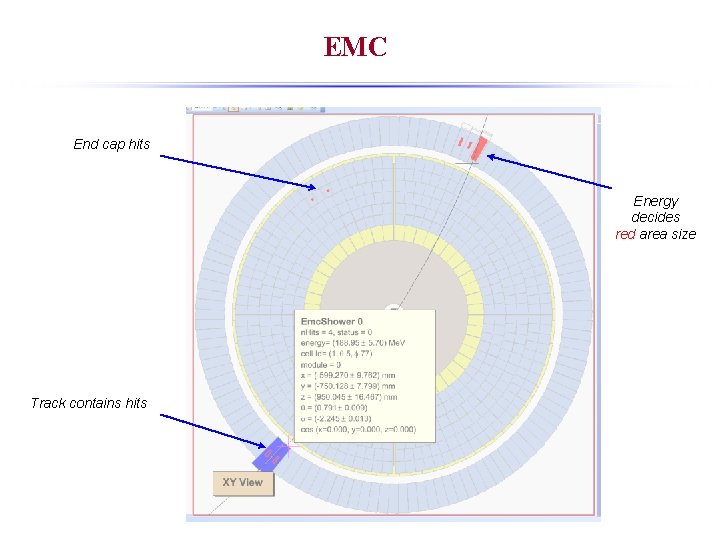
EMC End cap hits Energy decides red area size Track contains hits
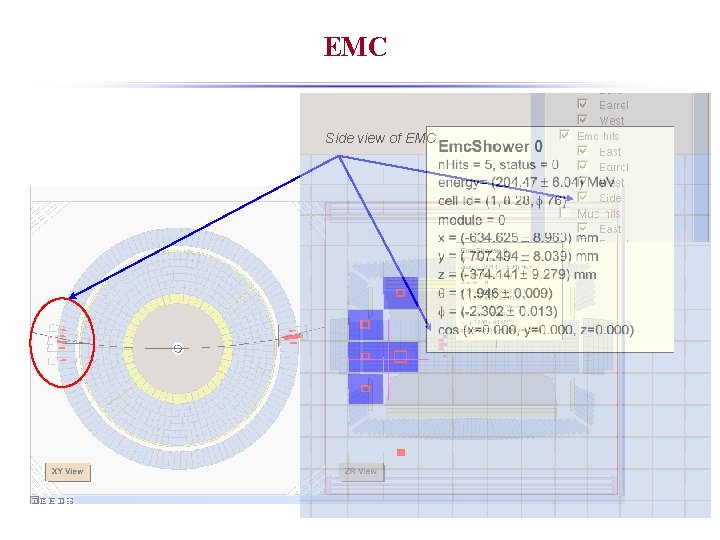
EMC Side view of EMC
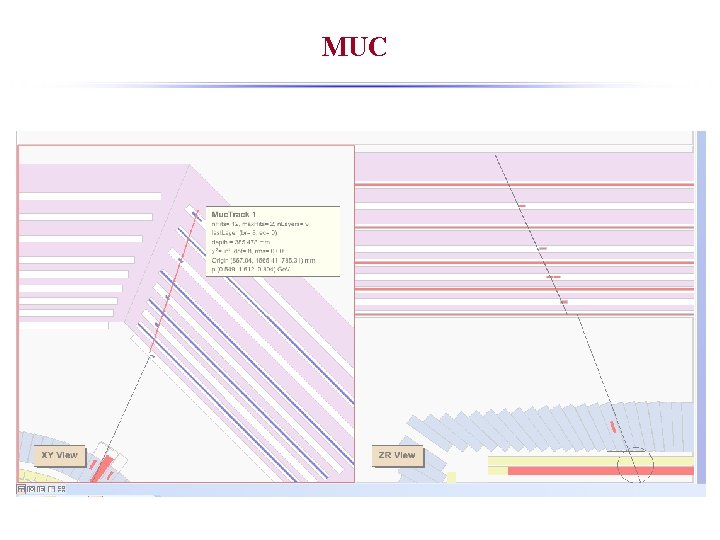
MUC
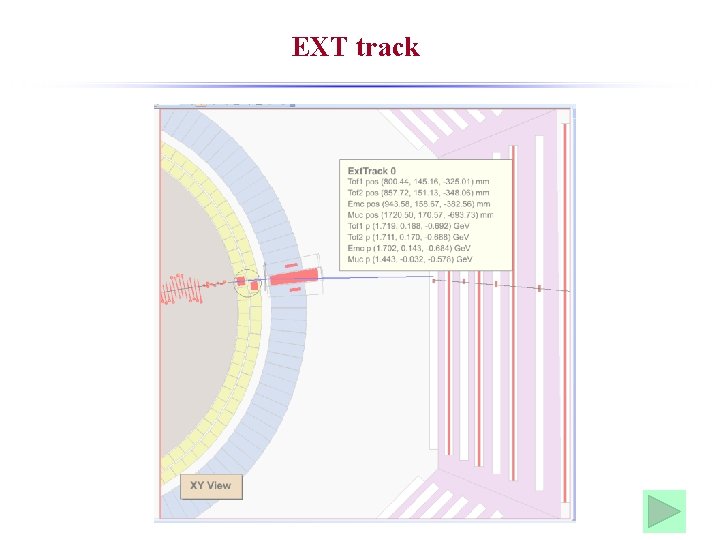
EXT track
Others Set your home position Go to your home position Save your option Load your option Very useful for different users
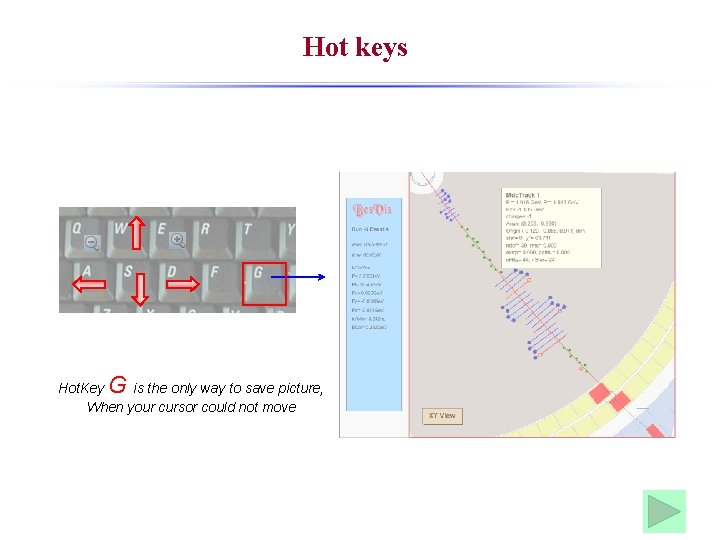
Hot keys G Hot. Key is the only way to save picture, When your cursor could not move
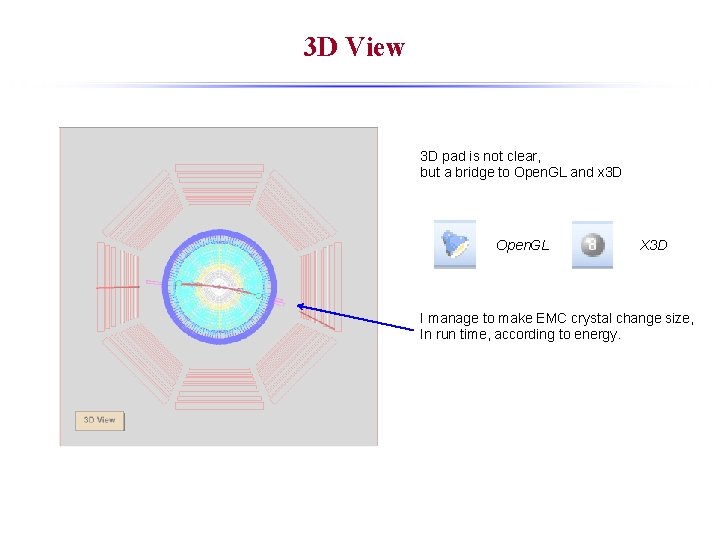
3 D View 3 D pad is not clear, but a bridge to Open. GL and x 3 D Open. GL X 3 D I manage to make EMC crystal change size, In run time, according to energy.
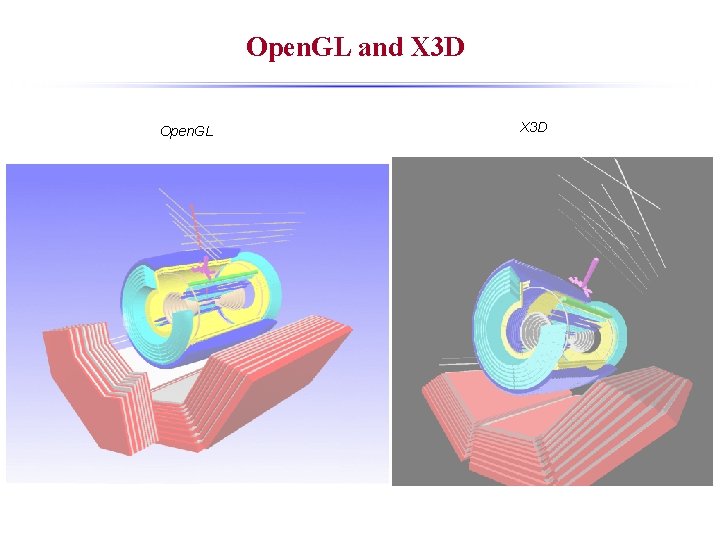
Open. GL and X 3 D Open. GL X 3 D
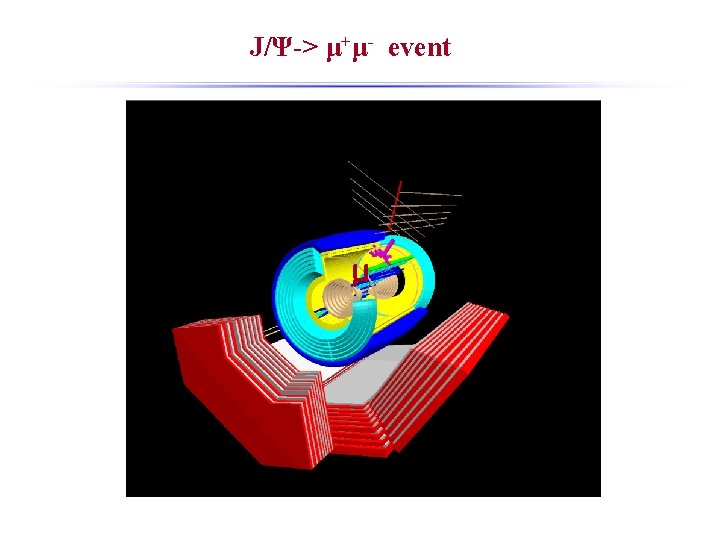
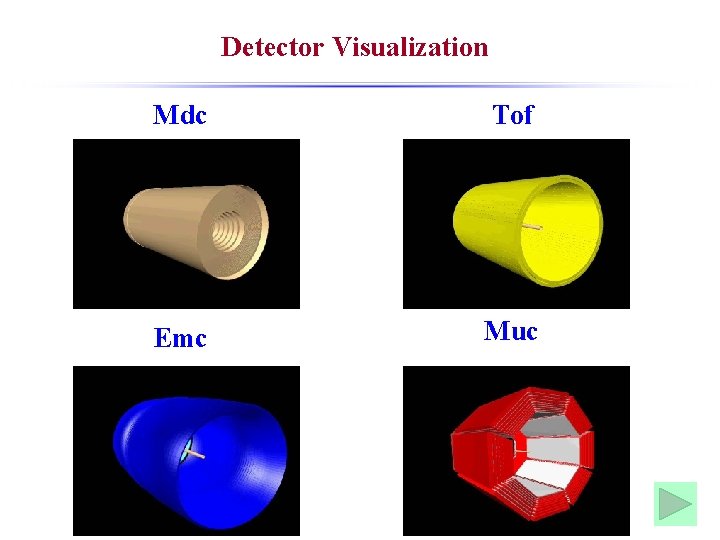
Detector Visualization Mdc Tof Emc Muc
Highlight in Bes. Vis is based on ROOT, and expand more functions than ROOT; All codes are written from the beginning, so a completely new software for BESIII; Many event display software in other experiments have been investigated; ZEUS, CDF, PHENIX, ATLAS(Fast), -- based on ROOT, codes viewed. Babar, STAR, CMS, LHCb, CLEO, BESII -- use some other software and platforms Realize their good functions and my new ideas in Bes. Vis; Details…
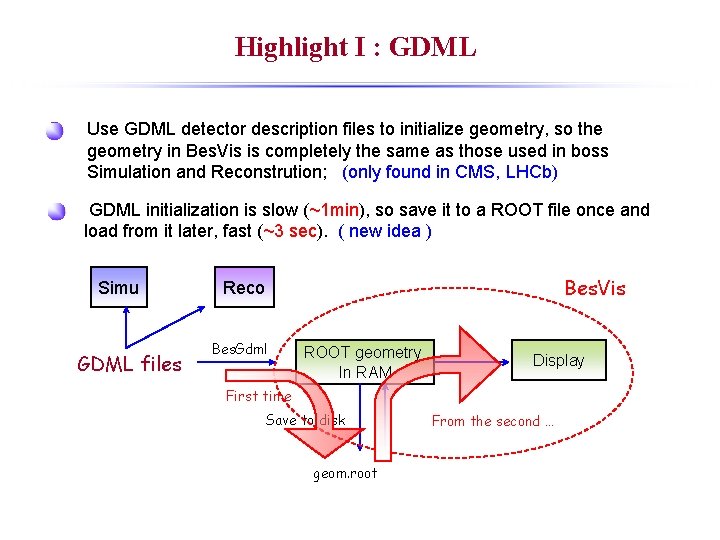
Highlight I : GDML Use GDML detector description files to initialize geometry, so the geometry in Bes. Vis is completely the same as those used in boss Simulation and Reconstrution; (only found in CMS, LHCb) GDML initialization is slow (~1 min), so save it to a ROOT file once and load from it later, fast (~3 sec). ( new idea ) Simu GDML files Bes. Vis Reco Bes. Gdml ROOT geometry In RAM Display First time Save to disk geom. root From the second …
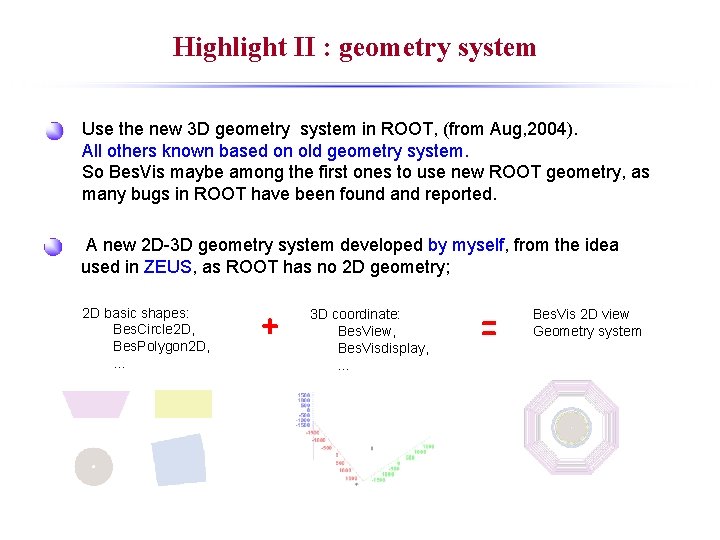
Highlight II : geometry system Use the new 3 D geometry system in ROOT, (from Aug, 2004). All others known based on old geometry system. So Bes. Vis maybe among the first ones to use new ROOT geometry, as many bugs in ROOT have been found and reported. A new 2 D-3 D geometry system developed by myself, from the idea used in ZEUS, as ROOT has no 2 D geometry; 2 D basic shapes: Bes. Circle 2 D, Bes. Polygon 2 D, … + 3 D coordinate: Bes. View, Bes. Visdisplay, … = Bes. Vis 2 D view Geometry system
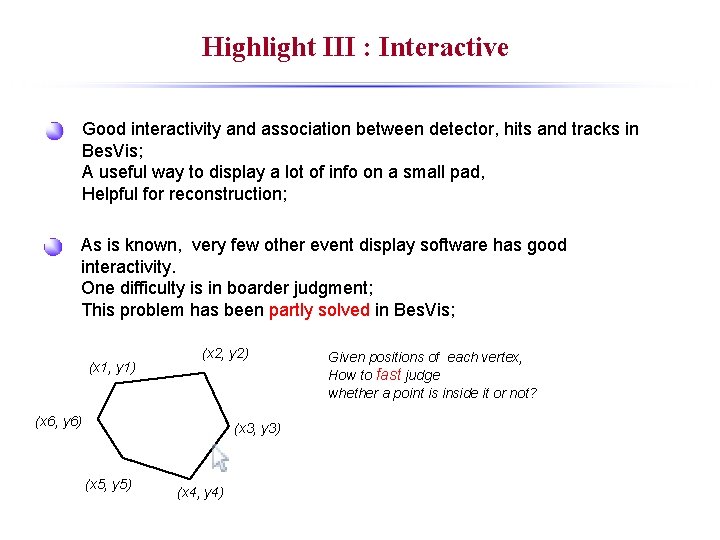
Highlight III : Interactive Good interactivity and association between detector, hits and tracks in Bes. Vis; A useful way to display a lot of info on a small pad, Helpful for reconstruction; As is known, very few other event display software has good interactivity. One difficulty is in boarder judgment; This problem has been partly solved in Bes. Vis; (x 1, y 1) (x 2, y 2) (x 6, y 6) (x 3, y 3) (x 5, y 5) (x 4, y 4) Given positions of each vertex, How to fast judge whether a point is inside it or not?
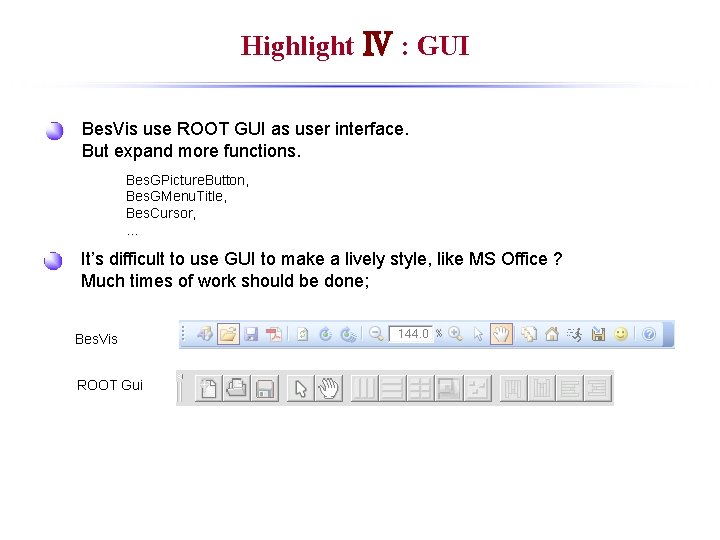
Highlight Ⅳ : GUI Bes. Vis use ROOT GUI as user interface. But expand more functions. Bes. GPicture. Button, Bes. GMenu. Title, Bes. Cursor, … It’s difficult to use GUI to make a lively style, like MS Office ? Much times of work should be done; Bes. Vis ROOT Gui
Highlight Ⅳ : Animation Bes. Vis has animation in -- Auto display event, -- Auto rotation. Open. GL , X 3 d window has no connection with original 3 D pad once they are created. How the auto rotation was realized? Use ROOT_v 4. 03. 02 and keep it unchanged. Although much more work should be done.
Next work will focus on 1. Test the correctness of displayed info. 2. Find bugs in software and fix them. (many has been found, but more exist…) 3. We need more people to use it. New functions and graphic engine will be considered.

Thank you!
- Slides: 41