
Behavioral Modeling with UML 2 0 Power Point
Behavioral Modeling with UML 2. 0 Power. Point Presentation derived from Dennis, Wixom & Tegarden Systems Analysis and Design John Wiley & Sons, Inc. . and from IBM/Rational Course on UML 2. 0 Most slides Copyright 2001 © John Wiley & Sons. Others © IBM/Rational. Slide 1
Objectives • Understand the rules and style guidelines for sequence and communication diagrams and behavioral state machines. • Understand the processes used to create sequence and communication diagrams and behavioral state machines. • Be able to create sequence and communication diagrams and behavioral state machines. • Understand the relationship between the behavioral models and the structural and functional models.
Key Ideas • Behavioral models describe the internal dynamic aspects of an information system that supports business processes in an organization • Key UML behavioral models are: sequence diagrams, collaboration diagrams, and statechart diagrams
CONTEXT: UML DIAGRAMS
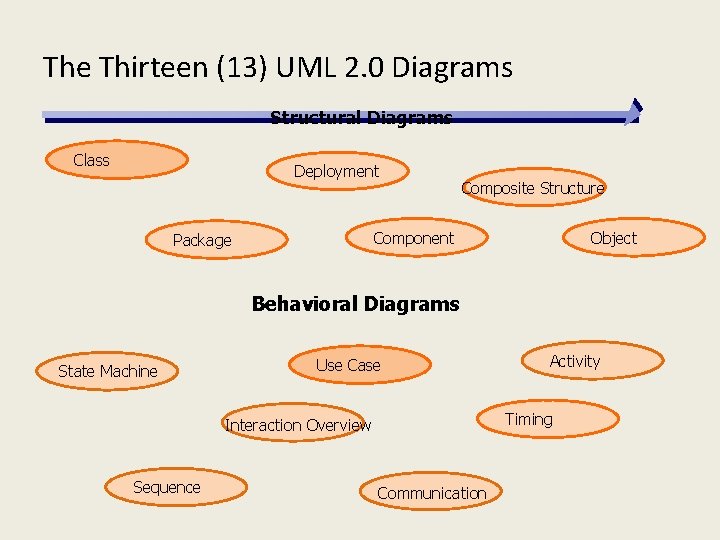
The Thirteen (13) UML 2. 0 Diagrams Structural Diagrams Class Deployment Composite Structure Component Package Object Behavioral Diagrams State Machine Use Case Timing Interaction Overview Sequence Activity Communication
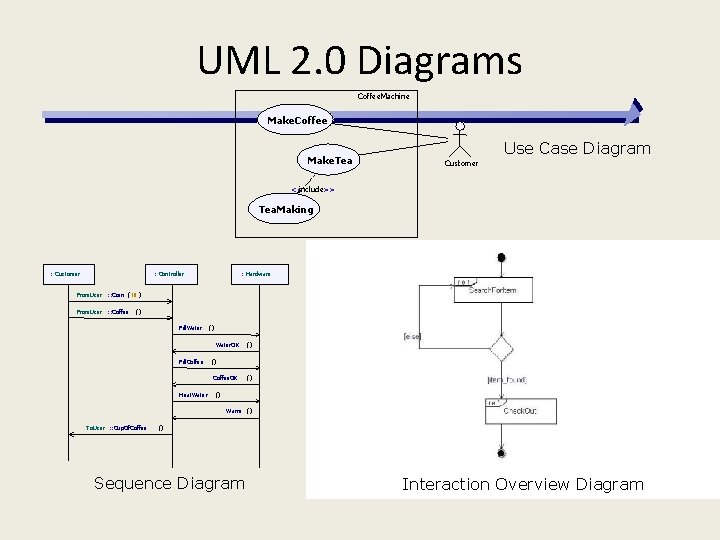
UML 2. 0 Diagrams Coffee. Machine Make. Coffee Make. Tea Use Case Diagram Customer <<include>> Tea. Making : Customer : Controller From. User : : Coin (10 ) From. User : : Coffee : Hardware () Fill. Water () Water. OK Fill. Coffee () Coffee. OK Heat. Water () () () Warm () To. User : : Cup. Of. Coffee () Sequence Diagram Interaction Overview Diagram
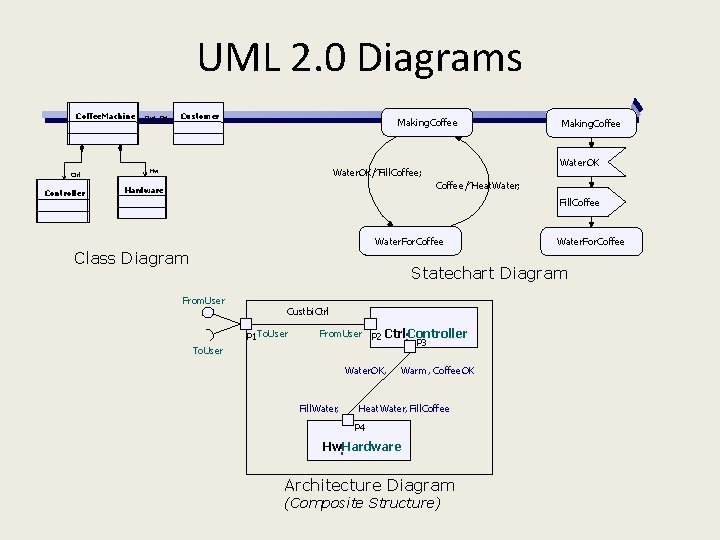
UML 2. 0 Diagrams Coffee. Machine Ctrl Controller Cust CM Customer Making. Coffee Water. OK/^Fill. Coffee; Hw Making. Coffee/^Heat. Water; Hardware Fill. Coffee Water. For. Coffee Class Diagram Water. For. Coffee Statechart Diagram From. User Custbi. Ctrl P 1 To. User : From. User P 2 Ctrl Controller P 3 Water. OK, Fill. Water, Warm , Coffee. OK Heat. Water, Fill. Coffee P 4 Hw: Hardware Architecture Diagram (Composite Structure)
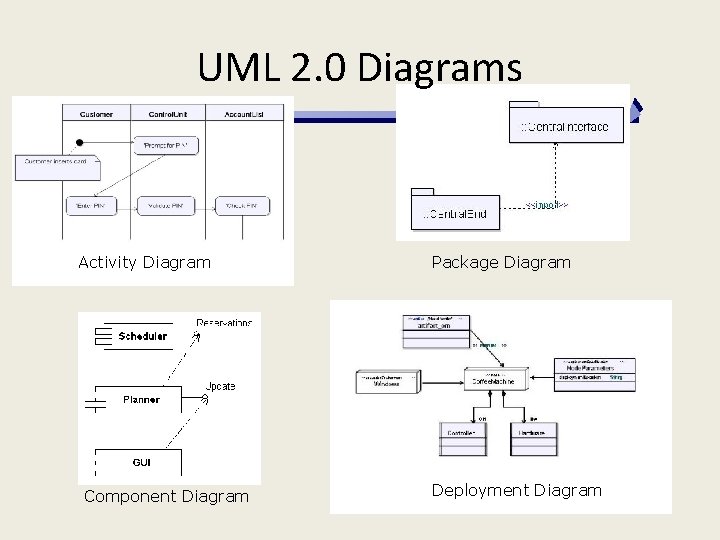
UML 2. 0 Diagrams Activity Diagram Component Diagram Package Diagram Deployment Diagram
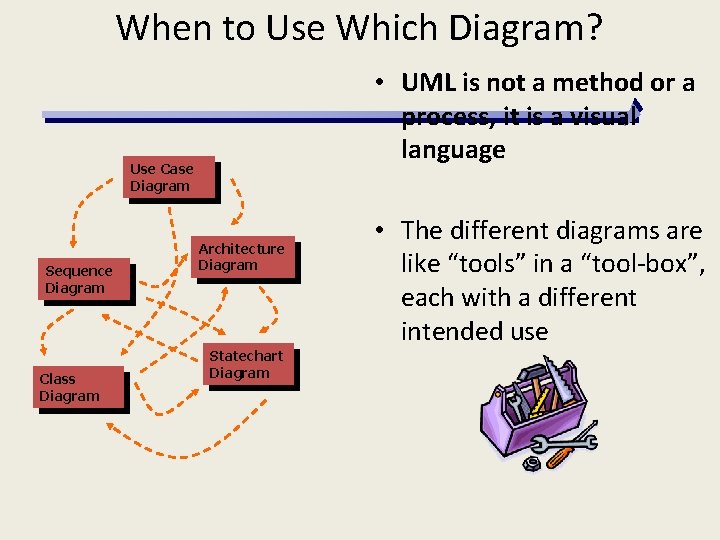
When to Use Which Diagram? • UML is not a method or a process, it is a visual language Use Case Diagram Sequence Diagram Class Diagram Architecture Diagram Statechart Diagram • The different diagrams are like “tools” in a “tool-box”, each with a different intended use
CONTEXT: PROCESS MODELS
How Does UML Fit Into a Process? • UML is the communication language used during the Analysis and Design Phases – aids communication between stakeholders and developers • Using UML a complete, accurate and fully consistent description of the system can be created • Using UML allows mistakes and errors to be easily identified. The process of looping through the system, removing errors is absolutely essential and unavoidable, and is described as iteration. • Iteration occurs within all phases
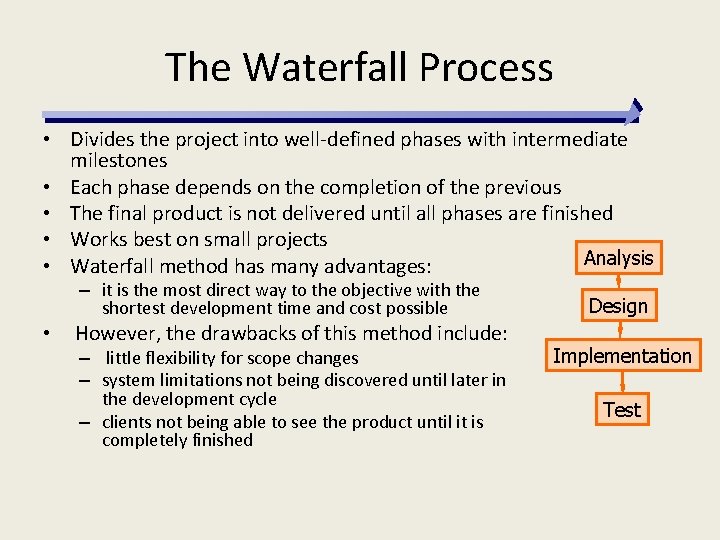
The Waterfall Process • Divides the project into well-defined phases with intermediate milestones • Each phase depends on the completion of the previous • The final product is not delivered until all phases are finished • Works best on small projects Analysis • Waterfall method has many advantages: – it is the most direct way to the objective with the shortest development time and cost possible • However, the drawbacks of this method include: – little flexibility for scope changes – system limitations not being discovered until later in the development cycle – clients not being able to see the product until it is completely finished Design Implementation Test
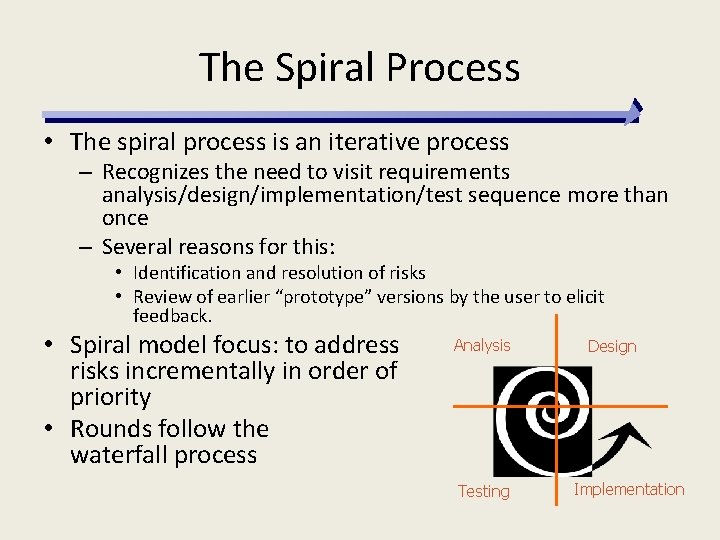
The Spiral Process • The spiral process is an iterative process – Recognizes the need to visit requirements analysis/design/implementation/test sequence more than once – Several reasons for this: • Identification and resolution of risks • Review of earlier “prototype” versions by the user to elicit feedback. • Spiral model focus: to address risks incrementally in order of priority • Rounds follow the waterfall process Analysis Testing Design Implementation
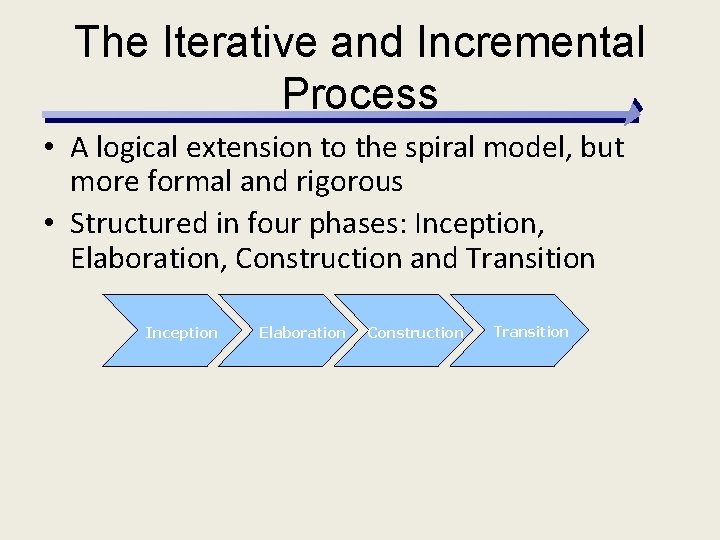
The Iterative and Incremental Process • A logical extension to the spiral model, but more formal and rigorous • Structured in four phases: Inception, Elaboration, Construction and Transition Inception Elaboration Construction Transition
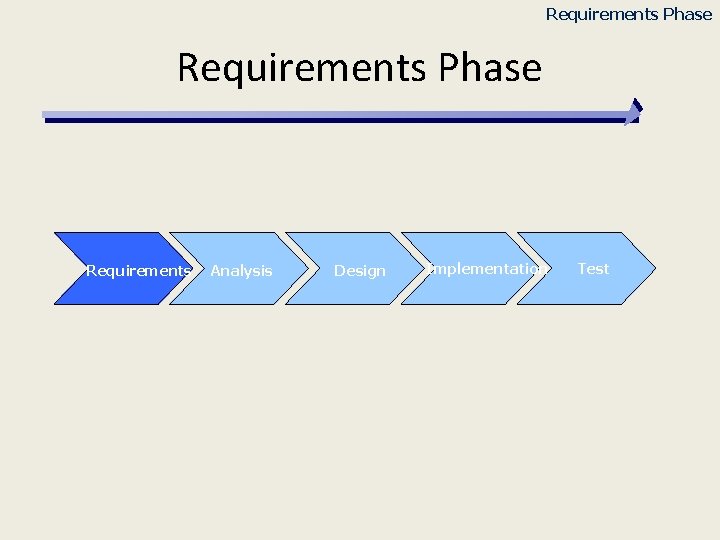
Requirements Phase Requirements Analysis Design Implementation Test
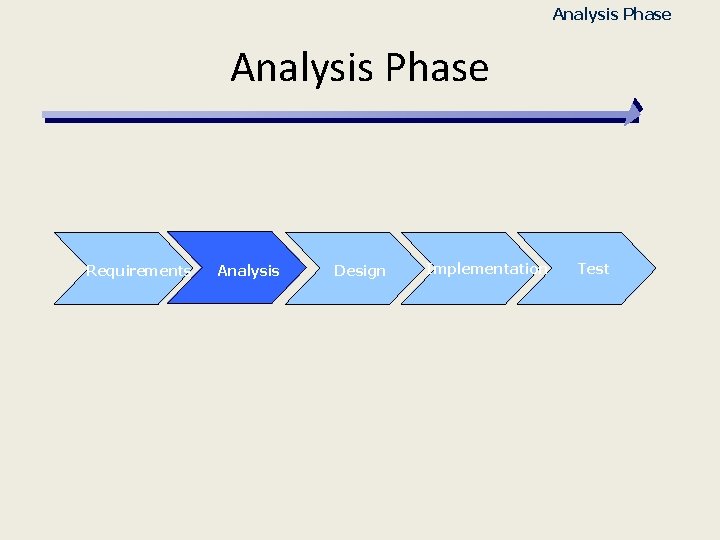
Analysis Phase Requirements Analysis Design Implementation Test
Analysis Phase • Understand the problem domain • Create a model describing the problem domain – Free from any technical or implementation details – Detailed enough to allow simulation on paper or by using a modeling tool • Activities: – – – Acquire domain knowledge Perform use case analysis Define the necessary classes and relationships Define the behavior and collaboration between classes Test the resulting model
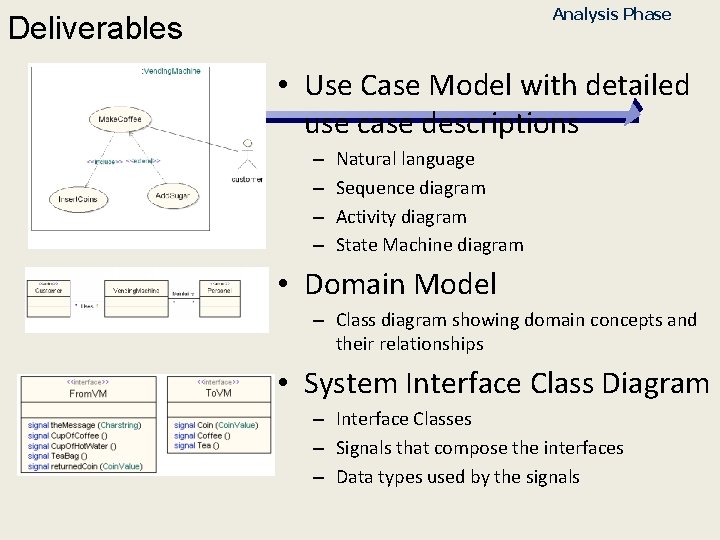
Analysis Phase Deliverables • Use Case Model with detailed use case descriptions – – Natural language Sequence diagram Activity diagram State Machine diagram • Domain Model – Class diagram showing domain concepts and their relationships • System Interface Class Diagram – Interface Classes – Signals that compose the interfaces – Data types used by the signals
Analysis Phase When is the Analysis Phase Finished? • When the Use Cases describe the functional aspects of the System to build • When the Conceptual Model expresses the major components of the problem domain • When the system interface is well defined • When developers feel comfortable estimating the time it will take to develop each use case
BEHAVIORAL MODELS
Behavioral Models • Systems have static &dynamic characteristics – Structural models describe the static aspects of the system – Behavioral models describe the dynamics and interactions of the system and its components • Behavioral models describe how the classes described in the structural models interact in support of the use cases.
INTERACTION DIAGRAMS
Interaction Diagram Components • Objects an instantiation of a class • Operations the behaviors of an instance of a class • Messages information sent to objects to tell them to execute one of their behaviors
Kinds of Interaction Diagrams • Sequence Diagrams • Communication Diagrams Copyright 2001 © John Wiley & Sons, Inc. All rights reserved. Slide 24
Sequence Diagrams • Model the behavior of use cases by describing the way groups of objects interact to complete the task. • Show sequences of messages (“interactions”) between instances in the system • Each diagram depicts a possible set of messages only (a ”scenario”) – not all possible messages • Are read left to right and descending • Emphasize time ordering
System Level Sequence Diagrams • Describe the interaction between the Actors and the System – Remember: Black box • Define the System Interface • Can be used as System Level Test Cases Slide 26
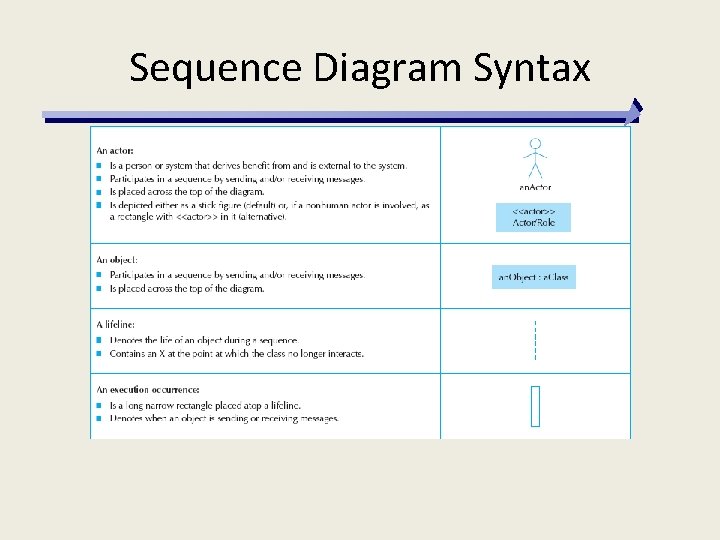
Sequence Diagram Syntax
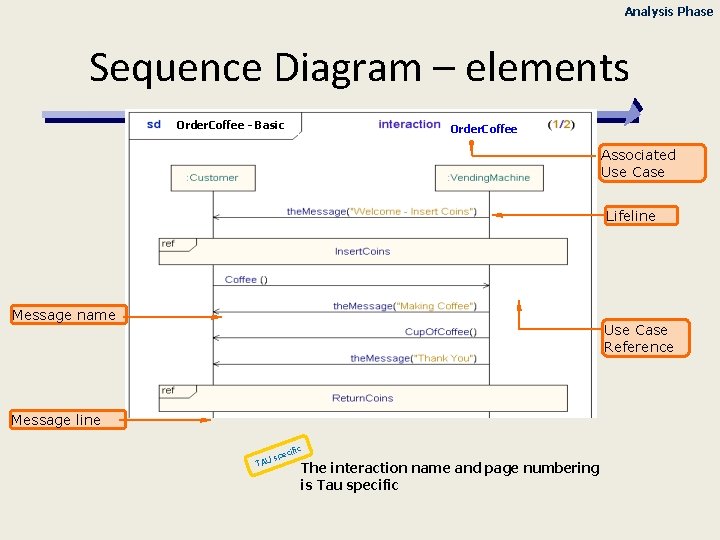
Analysis Phase Sequence Diagram – elements Order. Coffee - Basic Order. Coffee Associated Use Case Lifeline Message name Use Case Reference Message line TAU cific spe The interaction name and page numbering is Tau specific
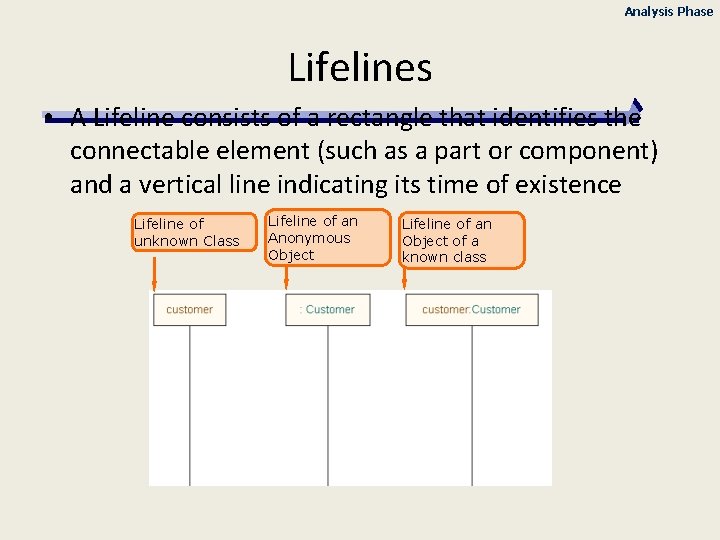
Analysis Phase Lifelines • A Lifeline consists of a rectangle that identifies the connectable element (such as a part or component) and a vertical line indicating its time of existence Lifeline of unknown Class Lifeline of an Anonymous Object Lifeline of an Object of a known class
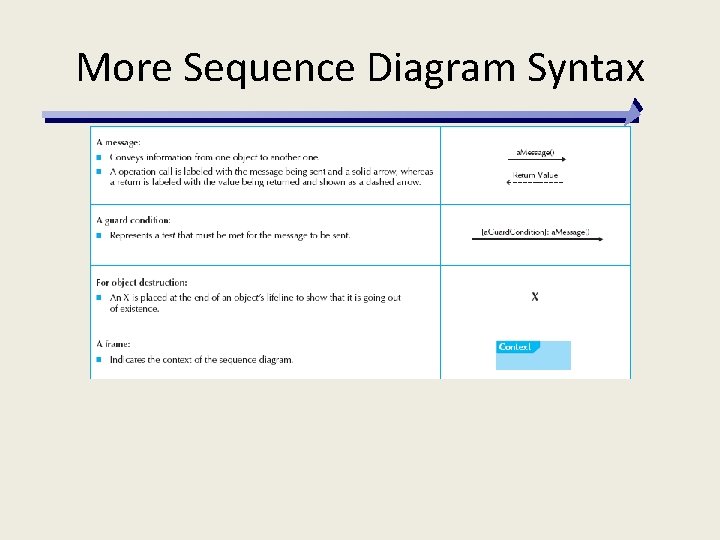
More Sequence Diagram Syntax
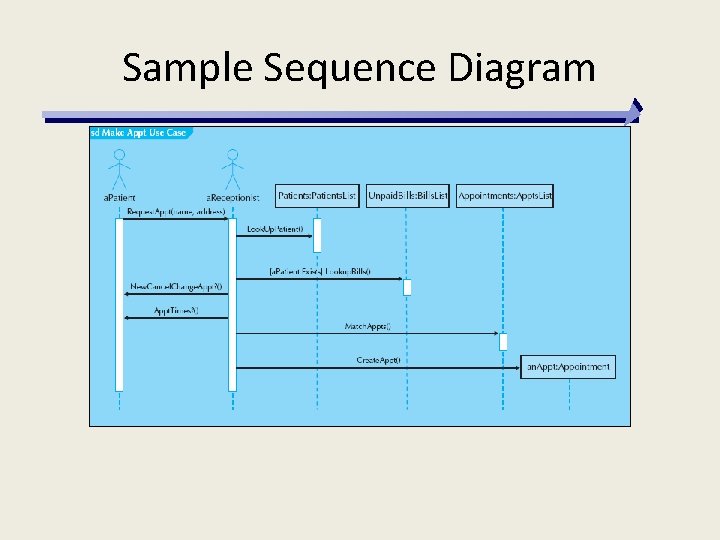
Sample Sequence Diagram
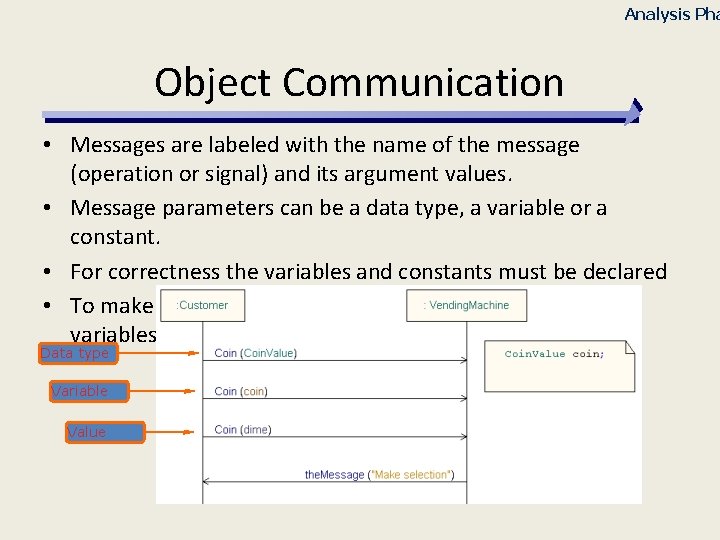
Analysis Pha Object Communication • Messages are labeled with the name of the message (operation or signal) and its argument values. • Message parameters can be a data type, a variable or a constant. • For correctness the variables and constants must be declared • To make the interaction more general use data types or variables as parameters Data type Variable Value
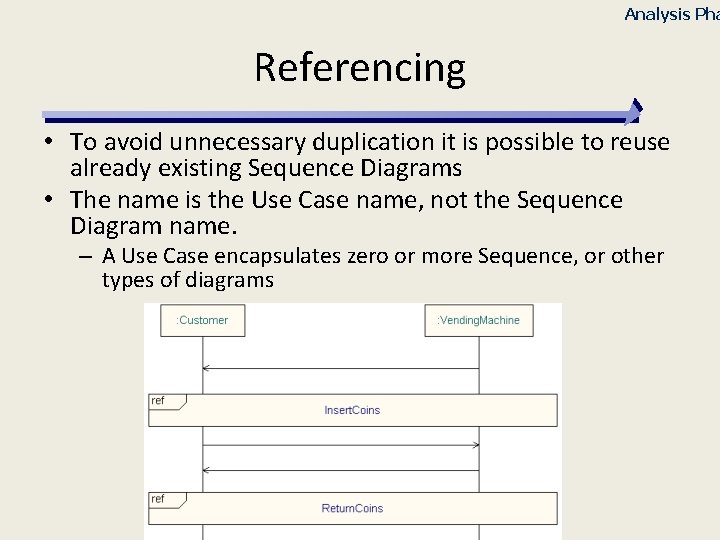
Analysis Pha Referencing • To avoid unnecessary duplication it is possible to reuse already existing Sequence Diagrams • The name is the Use Case name, not the Sequence Diagram name. – A Use Case encapsulates zero or more Sequence, or other types of diagrams
Steps to Build Sequence Diagrams (Dennis) 1. 2. 3. 4. Set the context Identify which objects will participate Set the lifeline for each object Lay out the messages from top to bottom of the diagram based on the order in which they are sent 5. Add execution occurrence to each object‘s lifeline 6. Validate the sequence diagram
Steps to System Level Sequence Diagrams Analysis Phase (alternate view) 1. Select a Use Case to model 2. Select a scenario: – – – Basic: positive and straightforward behavior Alternative Exception 3. Add lifelines for the System and each involved Actor 4. Add interactions between the Actors and the System using arrows 5. Name the arrows using message names and parameters – Keep it simple, no need to provide all parameters at this point
Analysis Pha Sequence Diagram Guidelines • Keep the diagram simple – If it is too complex, perhaps it should be broken down into separate diagrams • Don’t capture all the scenarios in one diagram – One diagram per scenario
INTERACTION OVERVIEW DIAGRAMS Slide 37
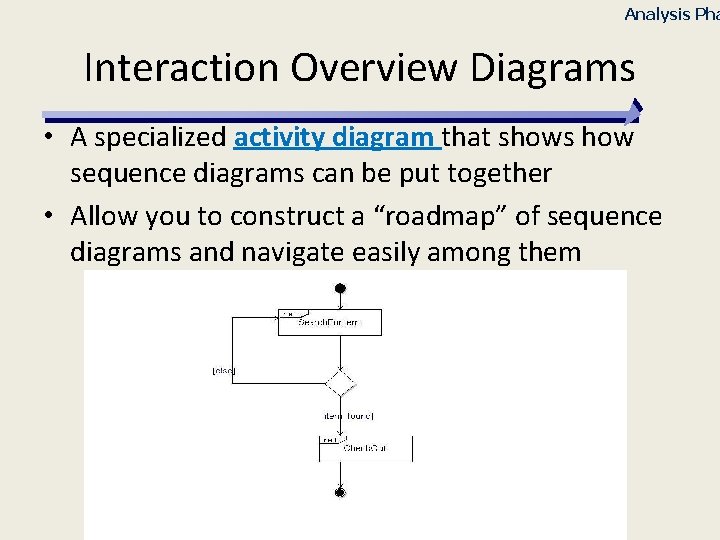
Analysis Pha Interaction Overview Diagrams • A specialized activity diagram that shows how sequence diagrams can be put together • Allow you to construct a “roadmap” of sequence diagrams and navigate easily among them
Interaction Overview Diagram Guidelines Analysis Phase • Keep the diagram simple – If it is too complex, perhaps it should be broken down into separate diagrams • Show different Sequence Diagrams interconnect with each other
COMMUNICATION DIAGRAMS
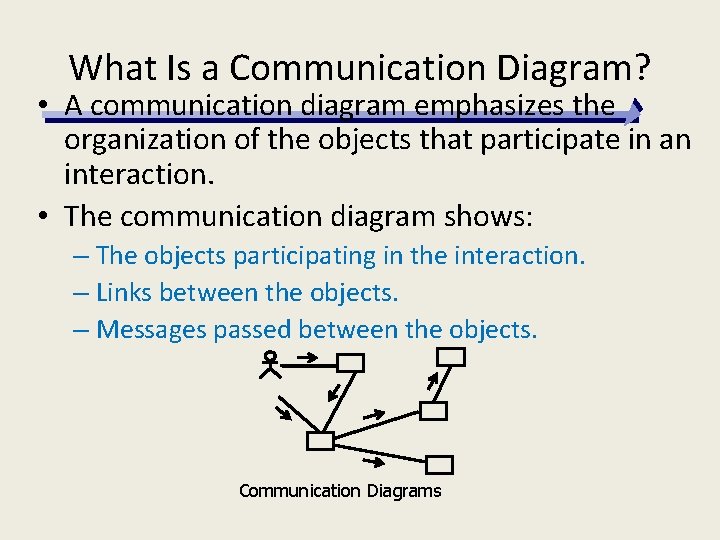
What Is a Communication Diagram? • A communication diagram emphasizes the organization of the objects that participate in an interaction. • The communication diagram shows: – The objects participating in the interaction. – Links between the objects. – Messages passed between the objects. Communication Diagrams
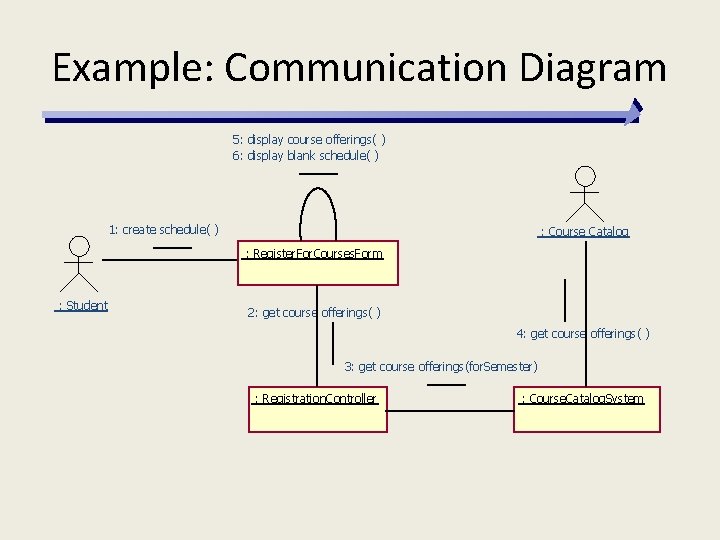
Example: Communication Diagram 5: display course offerings( ) 6: display blank schedule( ) 1: create schedule( ) : Course Catalog : Register. For. Courses. Form : Student 2: get course offerings( ) 4: get course offerings( ) 3: get course offerings(for. Semester) : Registration. Controller : Course. Catalog. System
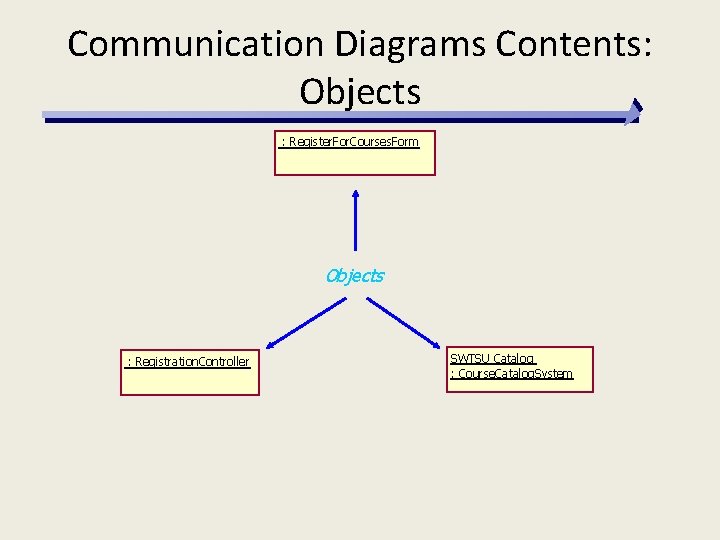
Communication Diagrams Contents: Objects : Register. For. Courses. Form Objects : Registration. Controller SWTSU Catalog : Course. Catalog. System
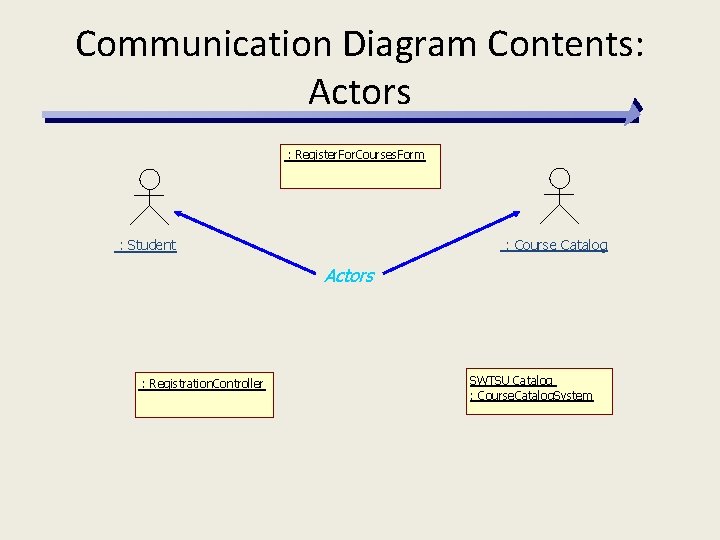
Communication Diagram Contents: Actors : Register. For. Courses. Form : Course Catalog : Student Actors : Registration. Controller SWTSU Catalog : Course. Catalog. System
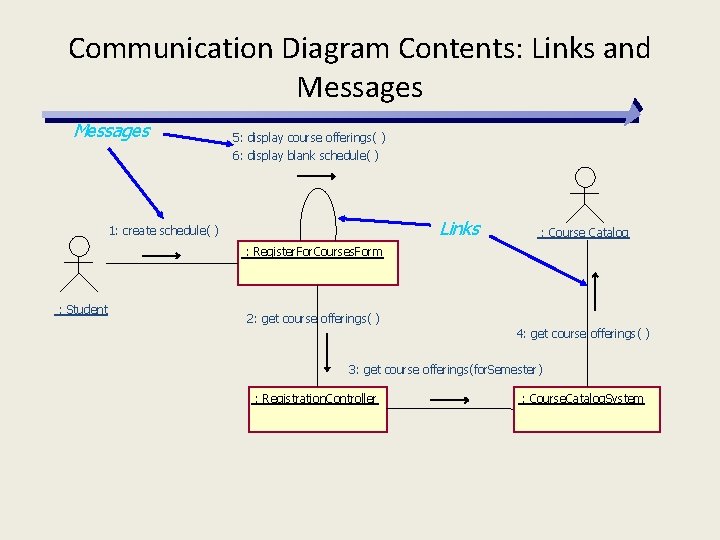
Communication Diagram Contents: Links and Messages 5: display course offerings( ) 6: display blank schedule( ) Links 1: create schedule( ) : Course Catalog : Register. For. Courses. Form : Student 2: get course offerings( ) 4: get course offerings( ) 3: get course offerings(for. Semester) : Registration. Controller : Course. Catalog. System
Sequence and Communication Diagram Similarities • Semantically equivalent – Can convert one diagram to the other without losing any information • Model the dynamic aspects of a system • Model a use-case scenario
Sequence and Communication Diagram Differences Sequence diagrams § Show the explicit sequence of messages § Show execution occurrence § Better for visualizing overall flow § Better for real-time specifications and for complex scenarios Communication diagrams § Show relationships in addition to interactions § Better for visualizing patterns of communication § Better for visualizing all of the effects on a given object § Easier to use for brainstorming sessions
ACTIVITY DIAGRAMS
Analysis Pha Activity Diagrams • Activity diagrams describe the workflow behavior of a system • Activity diagrams can show activities that are conditional or parallel. • Activity Diagrams are useful for: – analyzing a use case by describing what actions need to take place and when they should occur – describing a complicated sequential algorithm – modeling applications with parallel processes – modeling bussiness workflow
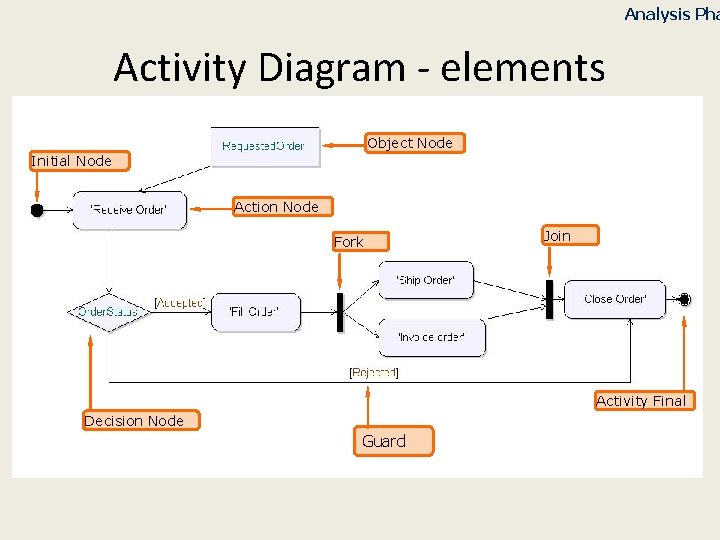
Analysis Pha Activity Diagram - elements Object Node Initial Node Action Node Fork Join Activity Final Decision Node Guard
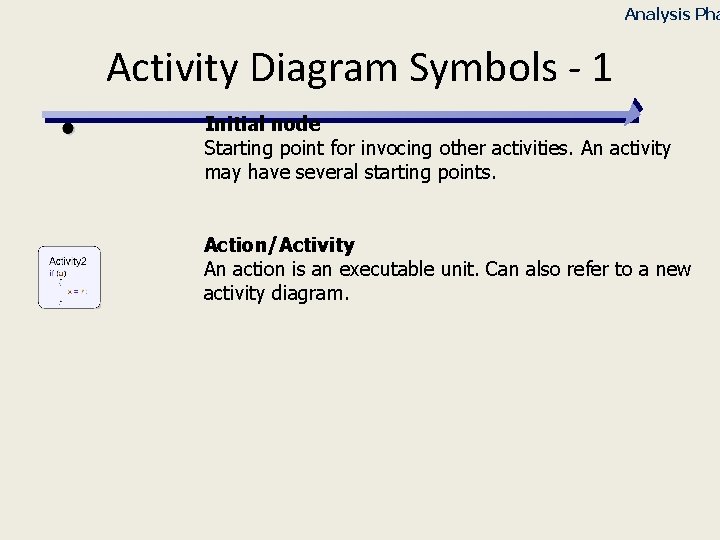
Analysis Pha Activity Diagram Symbols - 1 Initial node Starting point for invocing other activities. An activity may have several starting points. Action/Activity An action is an executable unit. Can also refer to a new activity diagram.
Analysis Pha Action States and Activity States • Each state in an activity diagrams is either: – an action state • describes an atomic action • the outgoing transitions are implicitly triggered by the completion of the action in the state – or an activity state • describes an enduring activity which can be interrupted • invokes an activity graph • the activity state is not exited until the final state of the nested graph is reached.
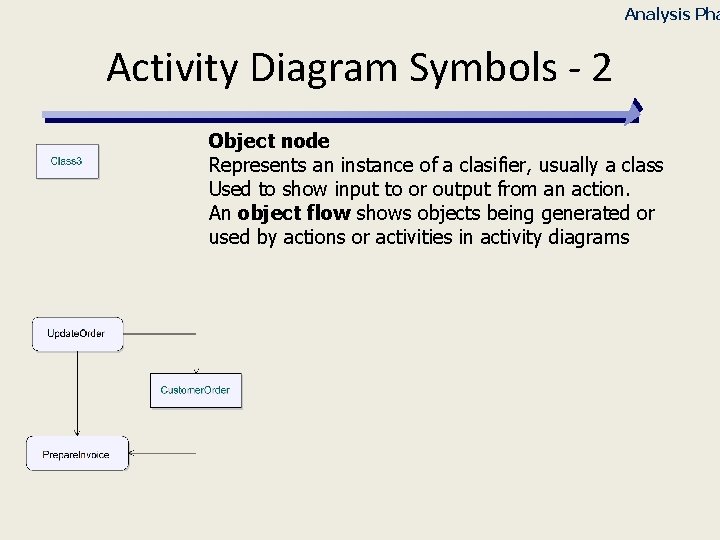
Analysis Pha Activity Diagram Symbols - 2 Object node Represents an instance of a clasifier, usually a class Used to show input to or output from an action. An object flow shows objects being generated or used by actions or activities in activity diagrams
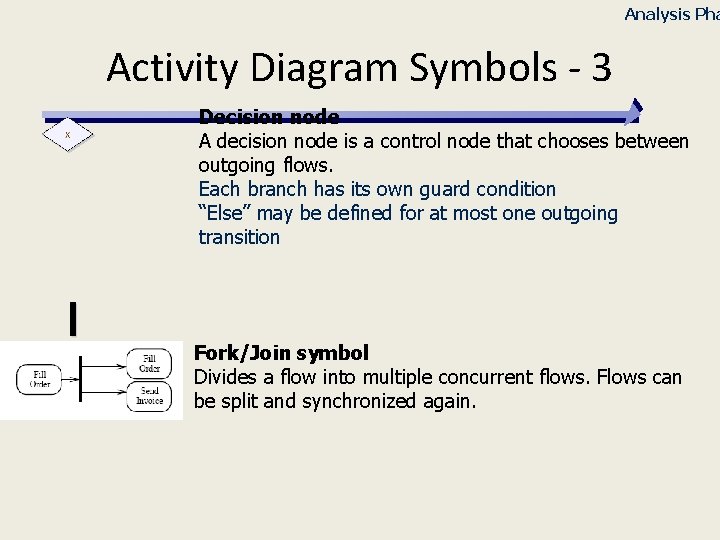
Analysis Pha Activity Diagram Symbols - 3 Decision node A decision node is a control node that chooses between outgoing flows. Each branch has its own guard condition “Else” may be defined for at most one outgoing transition Fork/Join symbol Divides a flow into multiple concurrent flows. Flows can be split and synchronized again.
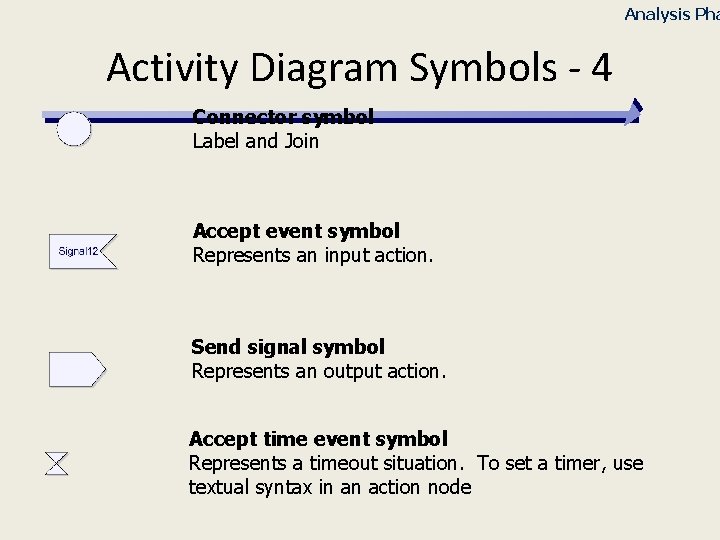
Analysis Pha Activity Diagram Symbols - 4 Connector symbol Label and Join Accept event symbol Represents an input action. Send signal symbol Represents an output action. Accept time event symbol Represents a timeout situation. To set a timer, use textual syntax in an action node
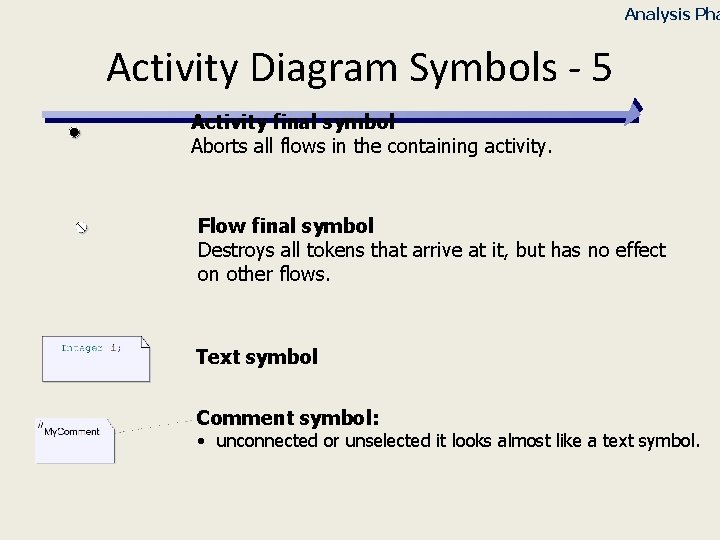
Analysis Pha Activity Diagram Symbols - 5 Activity final symbol Aborts all flows in the containing activity. Flow final symbol Destroys all tokens that arrive at it, but has no effect on other flows. Text symbol Comment symbol: • unconnected or unselected it looks almost like a text symbol.
Analysis Pha Activity Diagram Symbols - 6 Activity Partition (Swim lanes) Swim lanes visually group the action states. They have no semantics but are often used to show a relation between activities, for example activities performed by a person, business unit etc. Swimlanes can also contain other swimlanes. You can also indicate that a swimlane represents a certain part or that it represents an external entity.
Analysis Pha Activity Diagram – Swimlane Example • Transitions can take place from one swim lane to another
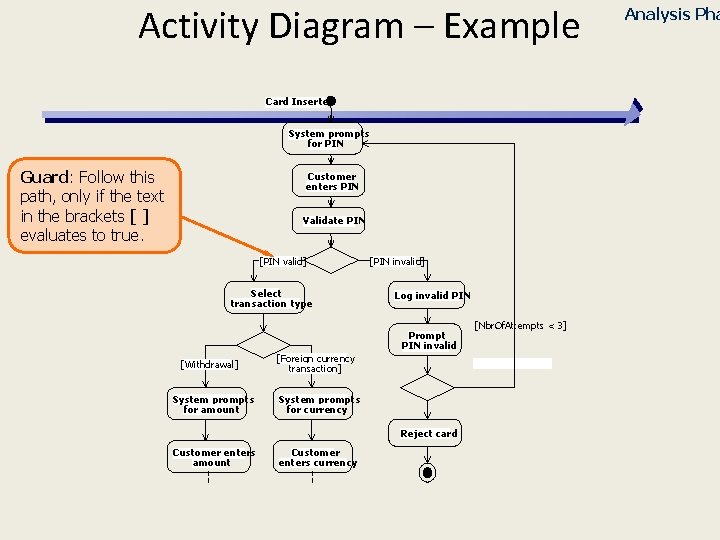
Activity Diagram – Example Card Inserted System prompts for PIN Guard: Follow this path, only if the text in the brackets [ ] evaluates to true. Customer enters PIN Validate PIN [PIN valid] Select transaction type [PIN invalid] Log invalid PIN Prompt PIN invalid [Withdrawal] System prompts for amount [Foreign currency transaction] System prompts for currency Reject card Customer enters amount Customer enters currency [Nbr. Of. Attempts < 3] Analysis Pha
Analysis Pha Activity Diagram Guidelines • Keep the diagram simple – The focus is easy communication. Don’t be too formal • Swimlanes should only represent the Actors and the System • All required Object Nodes should be part of the Conceptual Model – Revise the Model if necessary • Try to capture all the scenarios of the Use Case in one diagram – But be careful not to overload the diagram. If necessary use more than one per Use Case • Emphasize the collaborative and parallel aspects of the behavior
Analysis Pha Drawing Activity Diagram • Remember, this is an iterative process • Select a Use Case to model • Look at all scenarios: – Basic: positive and straightforward behavior – Alternative – Exception • Find the Use Case participants • Find the main activities – Internal and Intermediate activities will be defined in later phases • Find the Decision Criteria that defines the transition between activities • Find the Input and the Output for the activities • Determine which activities are parallel/concurrent and which ones are sequential Exercise 8
Analysis Pha Assignment Build Activity Diagram • Identify the participating candidates and draw the associated swim lane • Identify and define activities • Identify and define transitions between those activities • Add the necessary decision nodes that are necessary to understand the use case • If pertinent, add the Object Nodes and Flows
BEHAVIORAL STATE MACHINES
Analysis Pha State Machine Diagram • A state machine diagram specifies the dynamic behavior of an element in a reactive, event-driven way • Specifies a finite number of states of an element and how transitions between states are performed in response to events • Typically not used for all objects – Just for complex ones
Analysis Phase State Machine Diagram Usage • To elaborate use case specifications • To specify high-level system behavior during analysis • Capture significant events that can act on an object
Analysis Phase System Level State Machine Diagram • Defining a System Level State Machine that includes all Use Cases would be unrealistic – Too many system states – Too many possible transitions • Instead, a System Level State Machine should be created to show only some aspects of the functionality • Each of these State Machines could be used to do partial simulation of the System – On paper – Using a UML tool
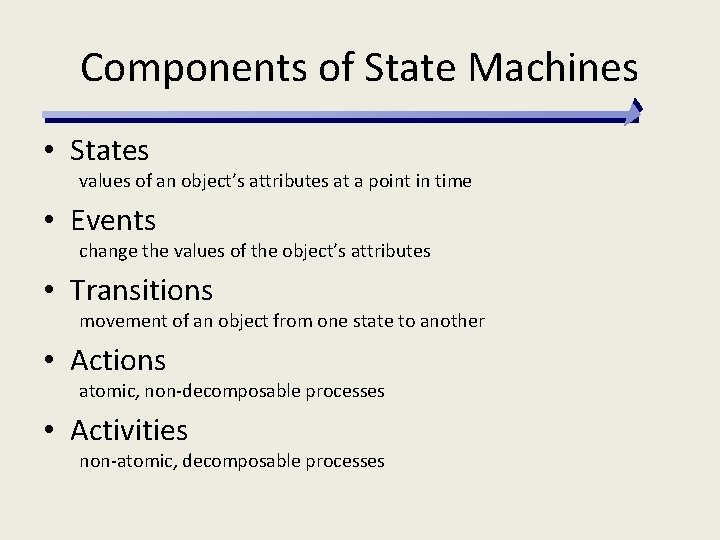
Components of State Machines • States values of an object’s attributes at a point in time • Events change the values of the object’s attributes • Transitions movement of an object from one state to another • Actions atomic, non-decomposable processes • Activities non-atomic, decomposable processes
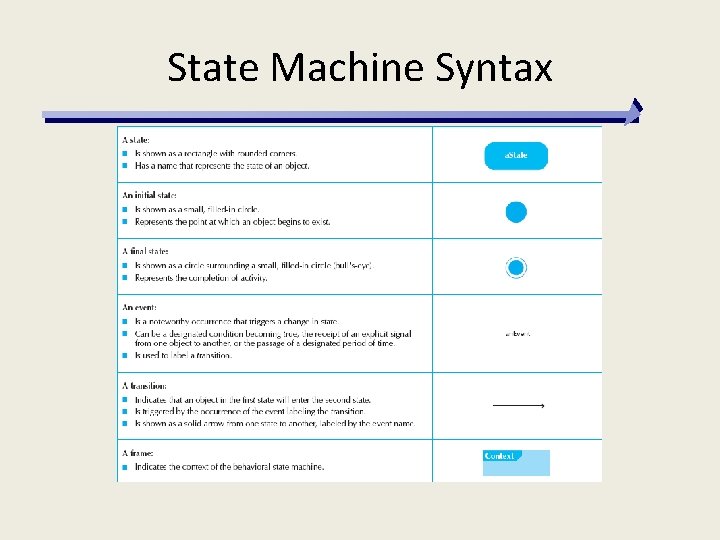
State Machine Syntax
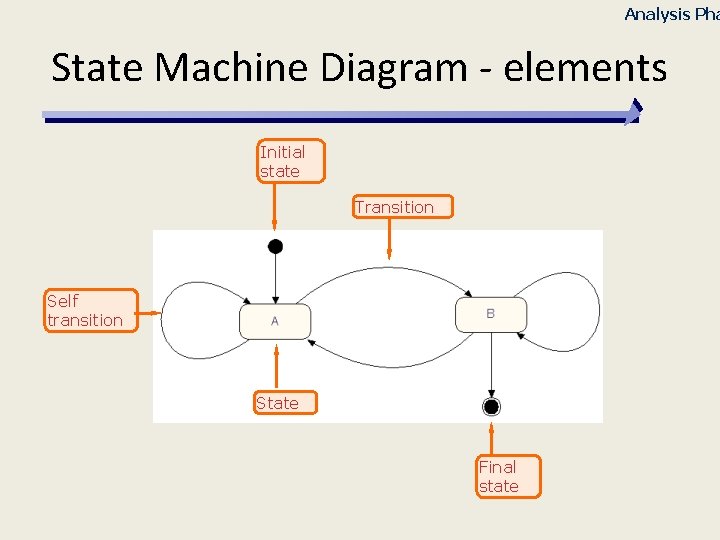
Analysis Pha State Machine Diagram - elements Initial state Transition Self transition State Final state
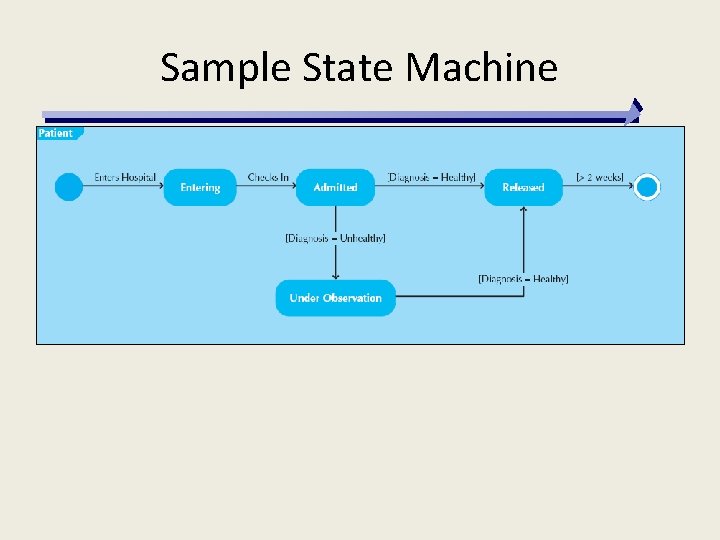
Sample State Machine
![Analysis Pha Transition (1) event-name ( parameter-list ) [ guard-condition] / action-expression; Event-name Parameter-list](http://slidetodoc.com/presentation_image_h/9f05a46cd8212403b39c7300d5f0a111/image-71.jpg "Analysis Pha Transition (1) event-name ( parameter-list ) [ guard-condition] / action-expression; Event-name Parameter-list")
Analysis Pha Transition (1) event-name ( parameter-list ) [ guard-condition] / action-expression; Event-name Parameter-list TAU Action-expression Guard-condition cific spe The action language in transitions is Tau specific
![Analysis Pha Transition (2) event-name ( parameter-list ) [ guard-condition] / action-expression; § incoming-signal-name](http://slidetodoc.com/presentation_image_h/9f05a46cd8212403b39c7300d5f0a111/image-72.jpg "Analysis Pha Transition (2) event-name ( parameter-list ) [ guard-condition] / action-expression; § incoming-signal-name")
Analysis Pha Transition (2) event-name ( parameter-list ) [ guard-condition] / action-expression; § incoming-signal-name / signal-output; 4 Warm / ^Fill. Water; § incoming-signal-name ( parameter-list ) / operation-call; 4 Coin(face. Value) / Amount = Add. Coin ( Amount , face. Value ); 4 The variable that will contain the parameter value, must be declared and visible within the scope of the state machine
![Analysis Pha Transition (3) event-name ( parameter-list ) [ guard-condition] / action-expression; § [](http://slidetodoc.com/presentation_image_h/9f05a46cd8212403b39c7300d5f0a111/image-73.jpg "Analysis Pha Transition (3) event-name ( parameter-list ) [ guard-condition] / action-expression; § [")
Analysis Pha Transition (3) event-name ( parameter-list ) [ guard-condition] / action-expression; § [ guard-condition] / signal-output ( parameters-list ); 4[Amount >= drink. Cost] / ^the. Message(“Please make your drink selection”); § incoming-signal-name [guard-condition] / signal-output; 4 Tea [Amount < drink. Cost] / ^Get. Tea. Bag;
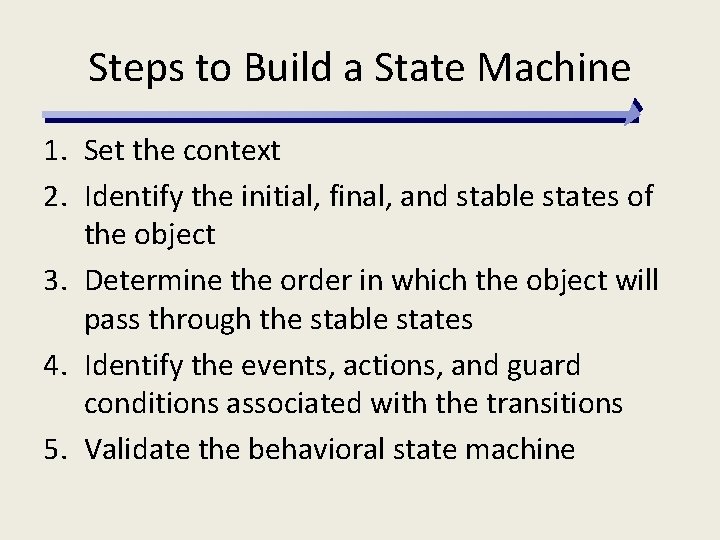
Steps to Build a State Machine 1. Set the context 2. Identify the initial, final, and stable states of the object 3. Determine the order in which the object will pass through the stable states 4. Identify the events, actions, and guard conditions associated with the transitions 5. Validate the behavioral state machine
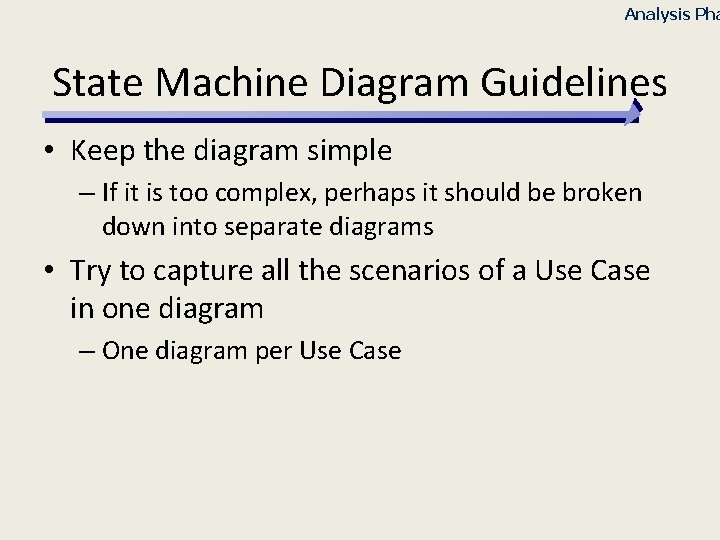
Analysis Pha State Machine Diagram Guidelines • Keep the diagram simple – If it is too complex, perhaps it should be broken down into separate diagrams • Try to capture all the scenarios of a Use Case in one diagram – One diagram per Use Case
Analysis Phase Drawing State Machine Diagrams • Find the Classes or Use Cases that are important enough to justify a behavior analysis • Find the main states – Internal and Intermediate states will be defined later in the Design phase • Find the required transitions to fulfill all the Actors’ requests • As for the Sequence Diagram, name the incoming request and answers in a natural language. Message names will be defined/refined later. • Do not define sub-state machine – Keep it simple – Simply give the short description of the internal state behavior
CRUD ANALYSIS
CRUD Analysis • Labels object interaction in 4 possible ways – Create – Read – Update – Delete • Matrix representation of objects and interactions • Most useful as a system-wide representation – Identify complex objects – Catch omissions – Group closely related classes
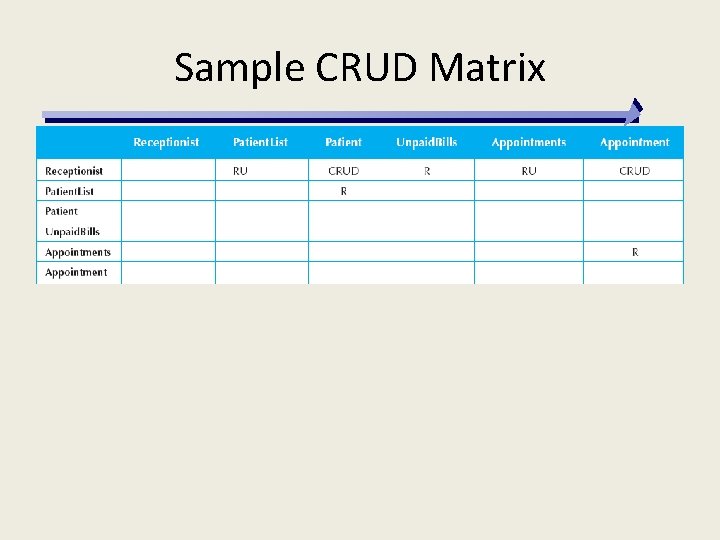
Sample CRUD Matrix
- Slides: 79