
Begin Datablast GCSE Computing Computer Systems Define a

Begin Datablast GCSE Computing
Computer Systems • Define a computer system • Describe the importance of computer systems • Explain the need for reliability • Explain the need for professional standards • Ethical, environmental, legal issues
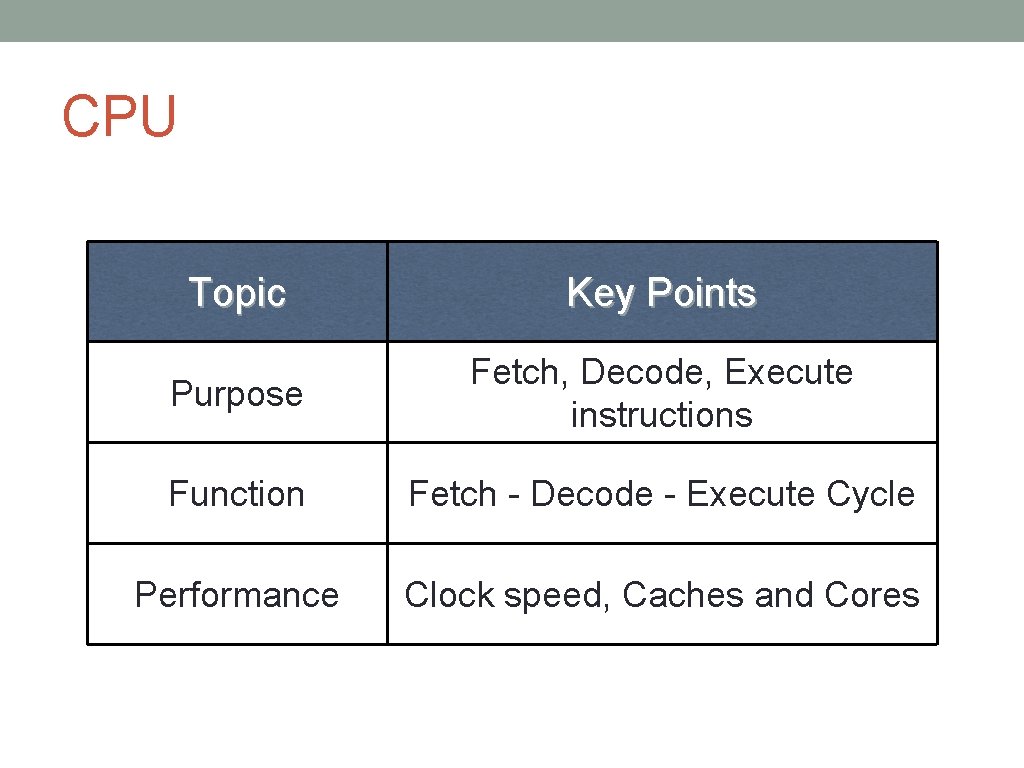
CPU Topic Key Points Purpose Fetch, Decode, Execute instructions Function Fetch - Decode - Execute Cycle Performance Clock speed, Caches and Cores
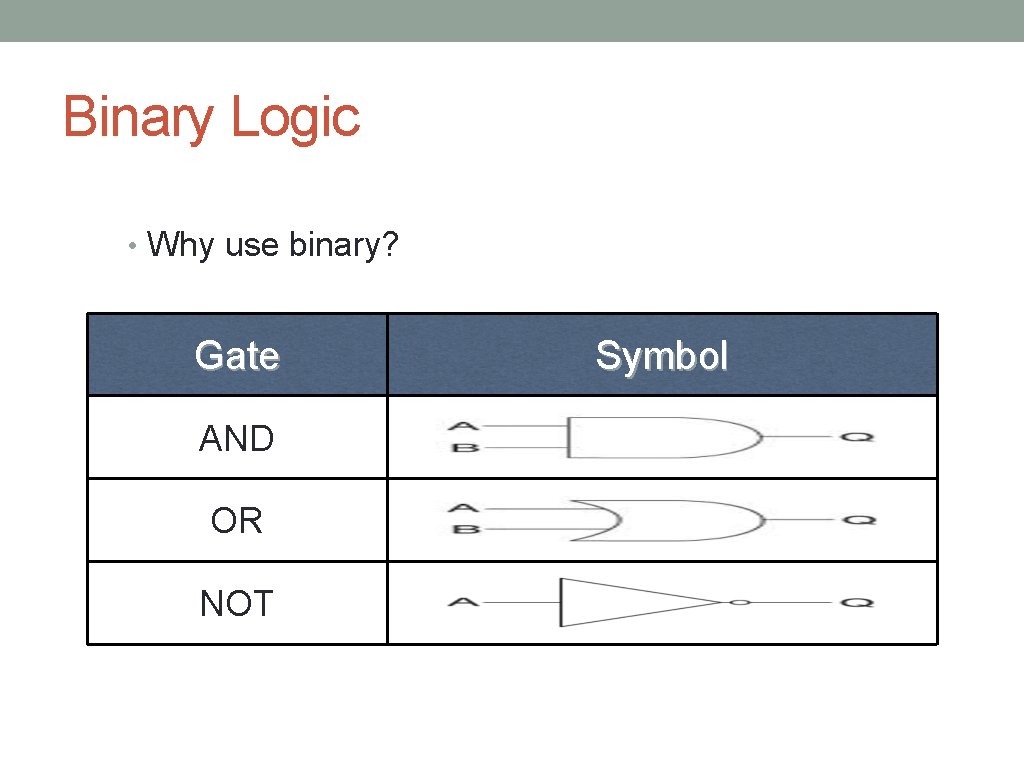
Binary Logic • Why use binary? Gate AND OR NOT Symbol

RAM vs ROM Topic Key Points RAM Currently running programs, currently used data ROM Startup instructions Issues Volatile vs non-volatile Size

Memory Topic Key Points Cache Buffer, small, quick RAM Main memory Virtual Memory Hard drive, large, slooow
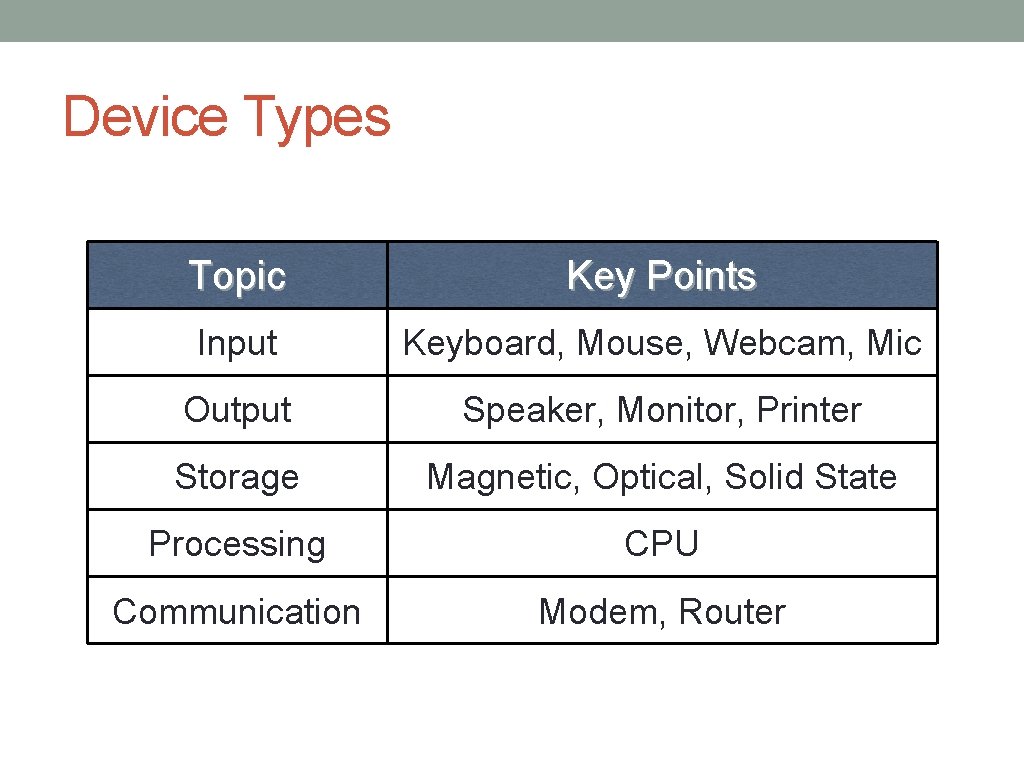
Device Types Topic Key Points Input Keyboard, Mouse, Webcam, Mic Output Speaker, Monitor, Printer Storage Magnetic, Optical, Solid State Processing CPU Communication Modem, Router
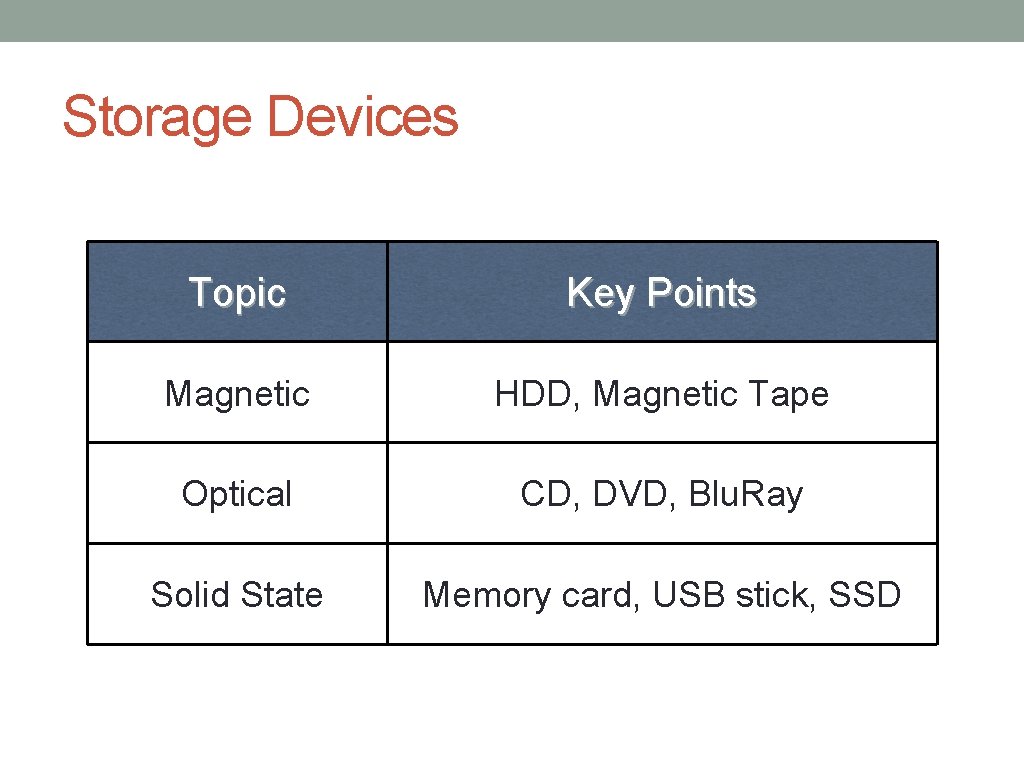
Storage Devices Topic Key Points Magnetic HDD, Magnetic Tape Optical CD, DVD, Blu. Ray Solid State Memory card, USB stick, SSD
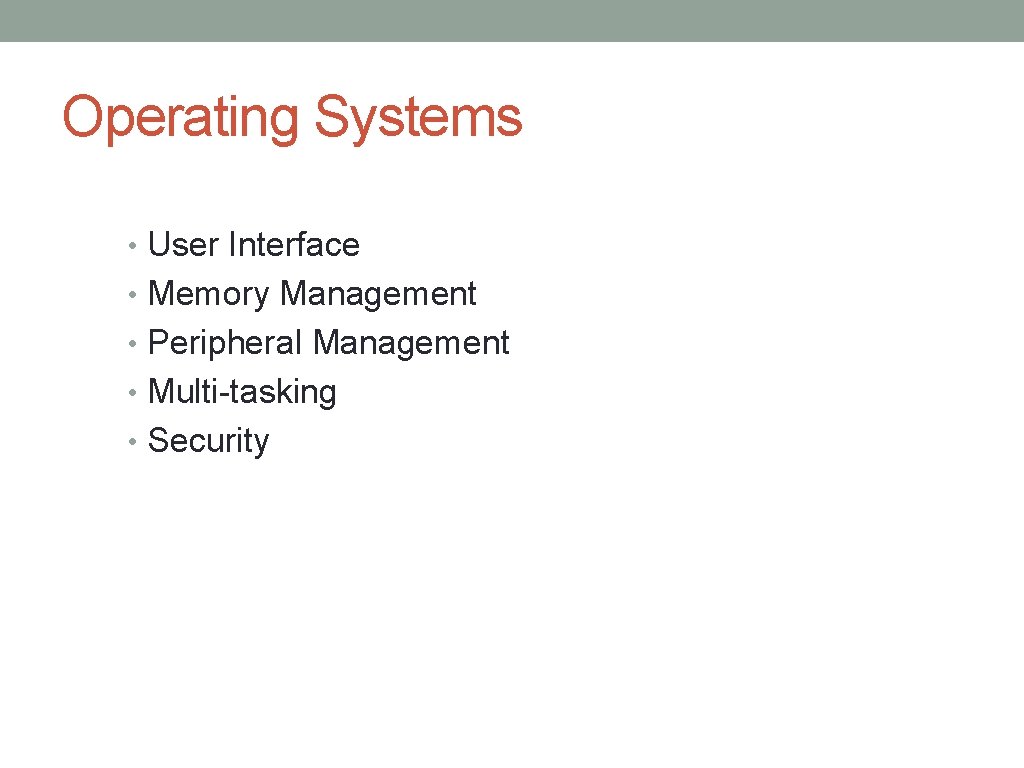
Operating Systems • User Interface • Memory Management • Peripheral Management • Multi-tasking • Security
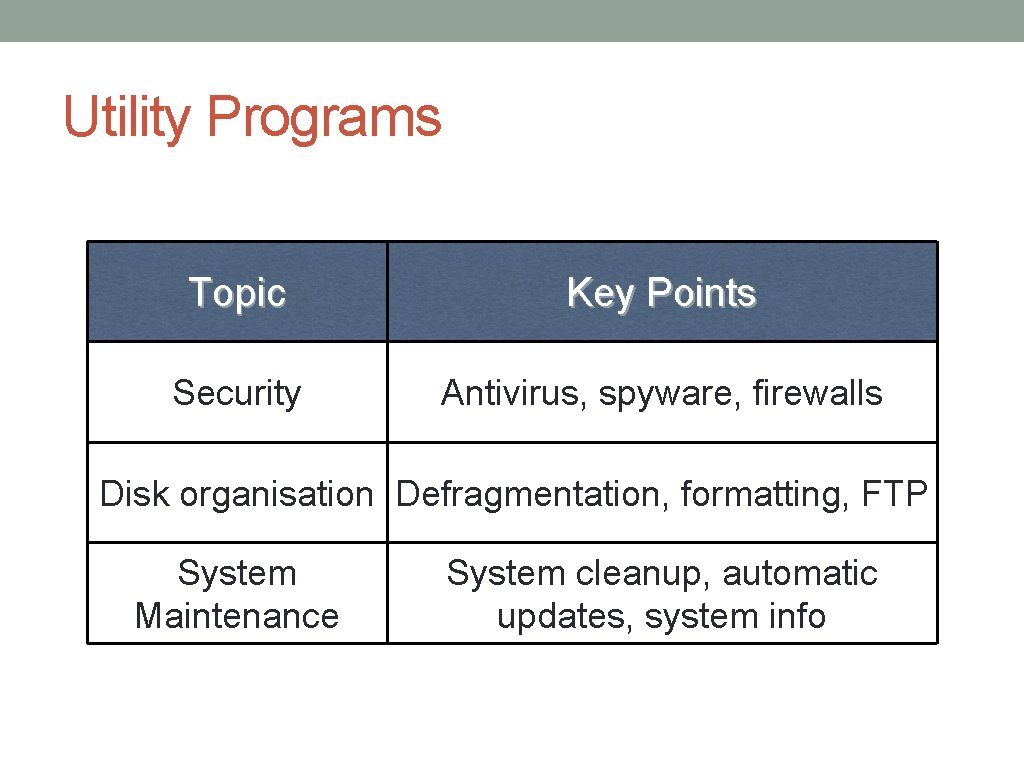
Utility Programs Topic Key Points Security Antivirus, spyware, firewalls Disk organisation Defragmentation, formatting, FTP System Maintenance System cleanup, automatic updates, system info
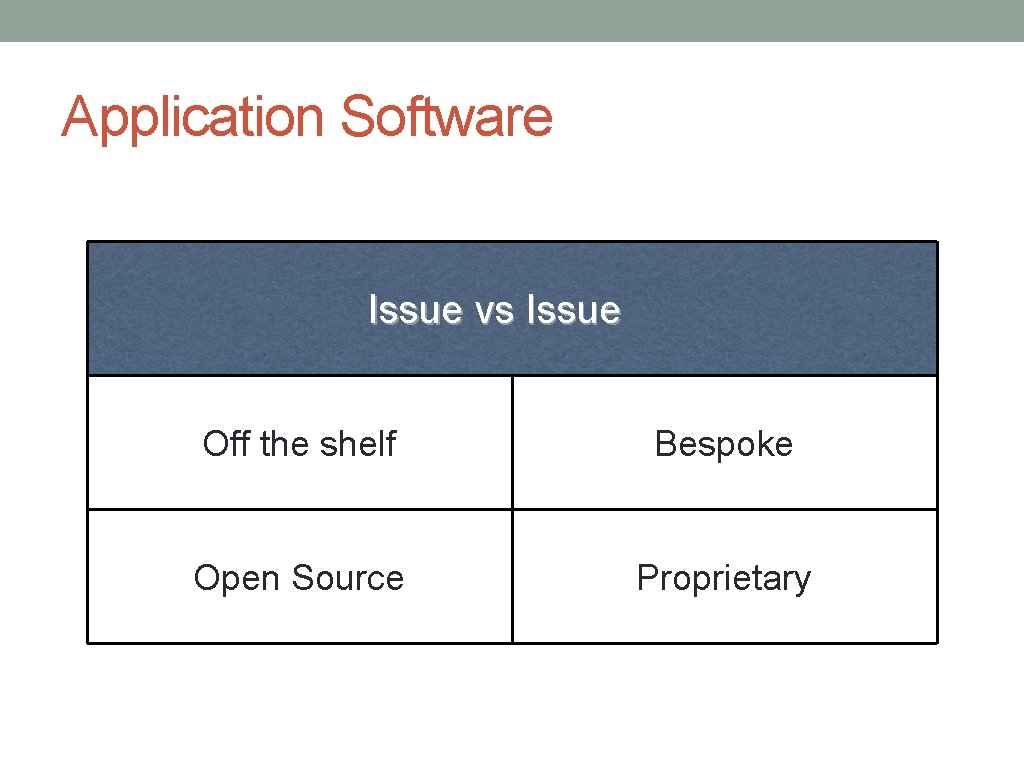
Application Software Issue vs Issue Off the shelf Bespoke Open Source Proprietary
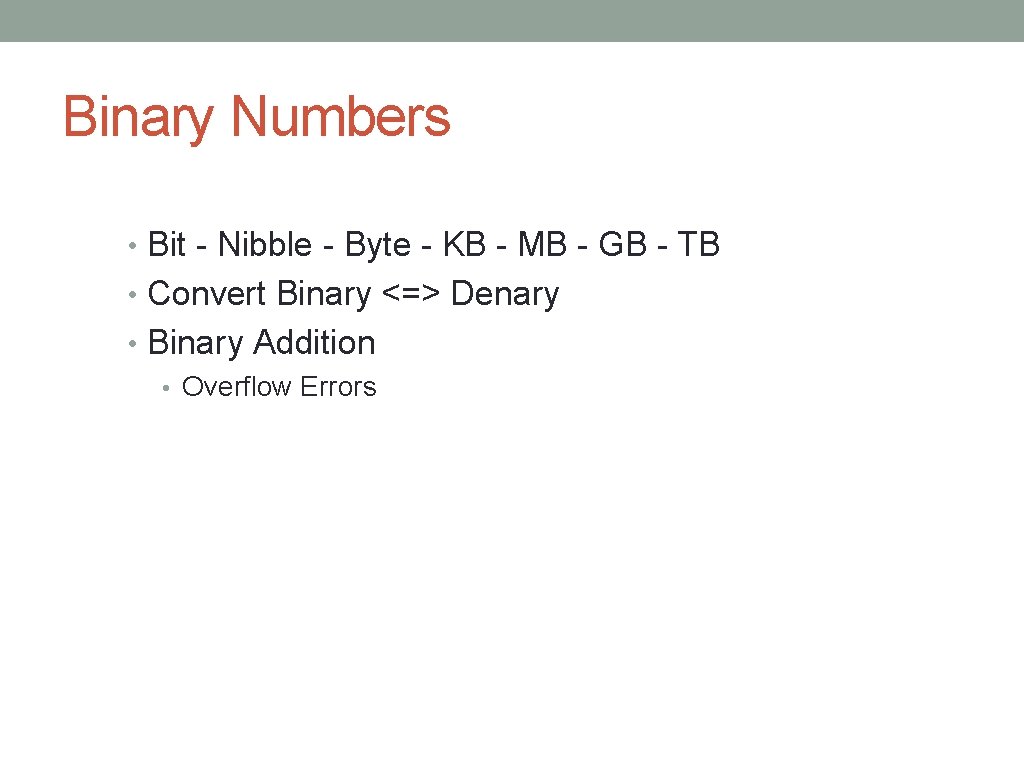
Binary Numbers • Bit - Nibble - Byte - KB - MB - GB - TB • Convert Binary <=> Denary • Binary Addition • Overflow Errors
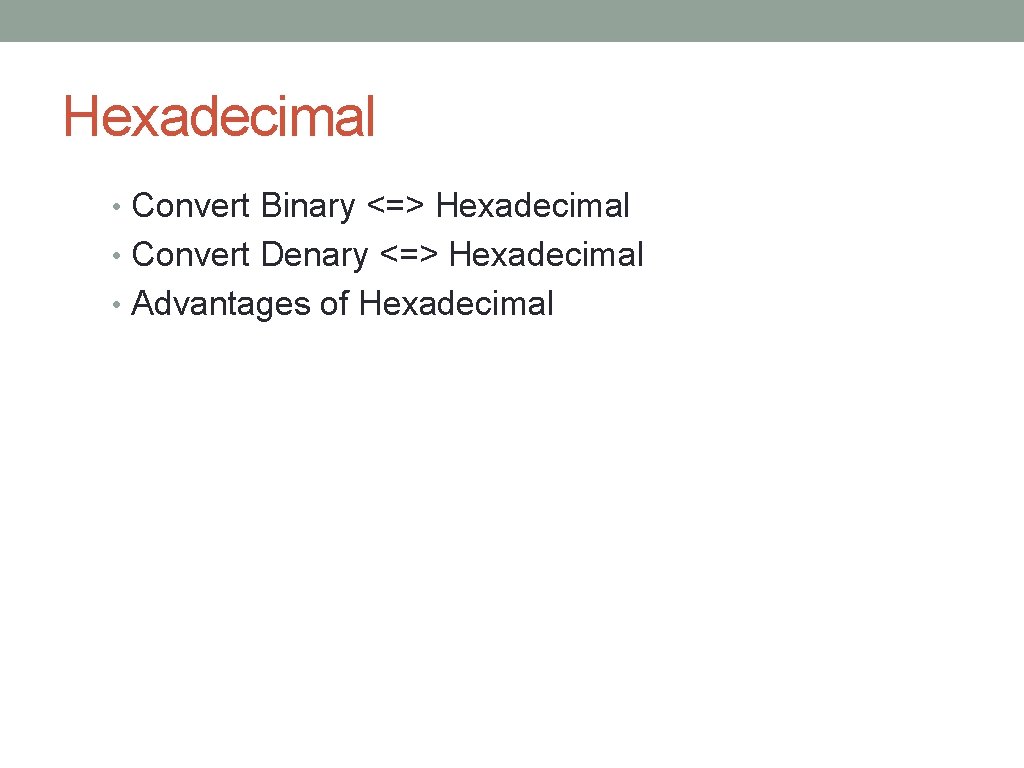
Hexadecimal • Convert Binary <=> Hexadecimal • Convert Denary <=> Hexadecimal • Advantages of Hexadecimal
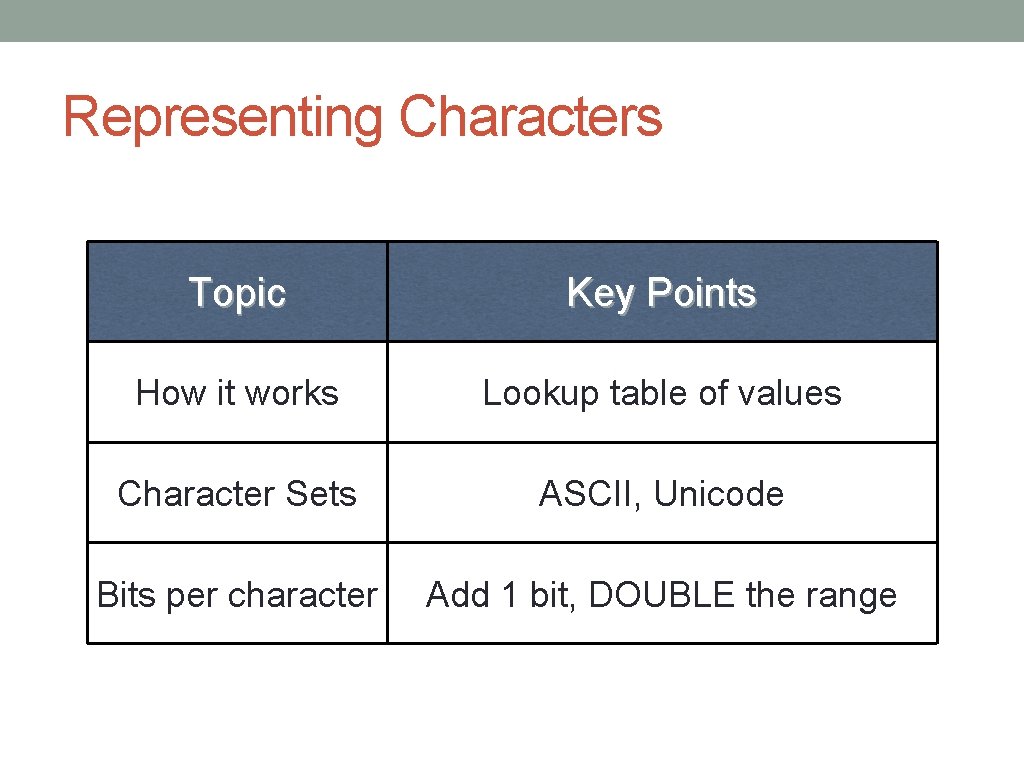
Representing Characters Topic Key Points How it works Lookup table of values Character Sets ASCII, Unicode Bits per character Add 1 bit, DOUBLE the range
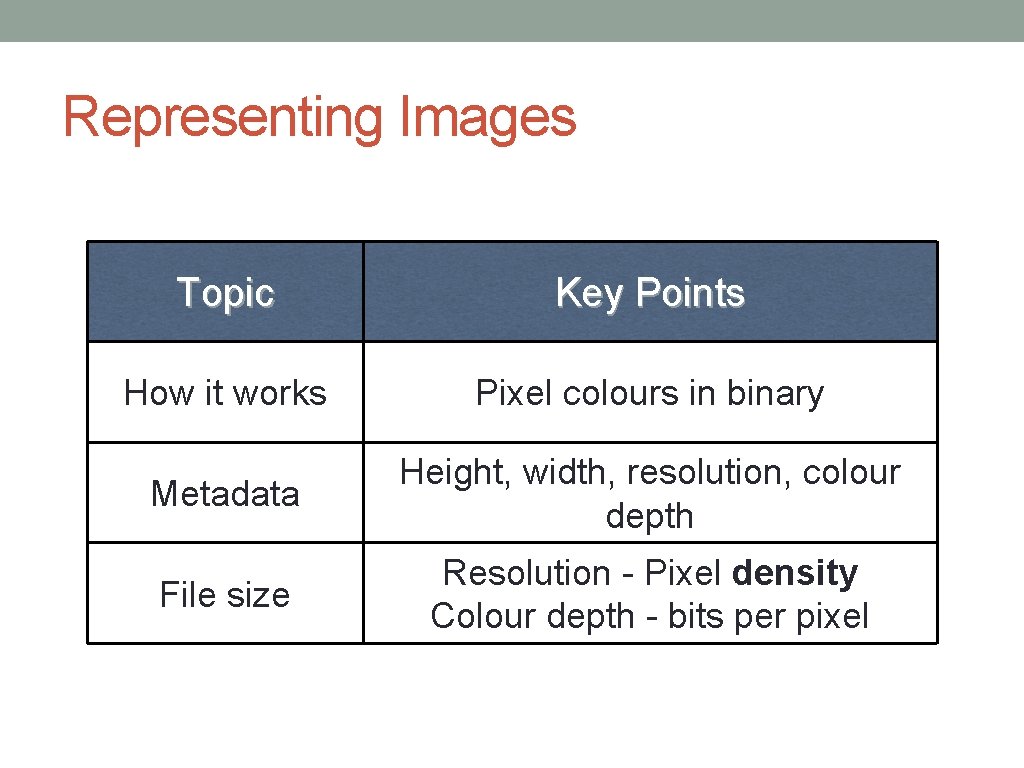
Representing Images Topic Key Points How it works Pixel colours in binary Metadata Height, width, resolution, colour depth File size Resolution - Pixel density Colour depth - bits per pixel
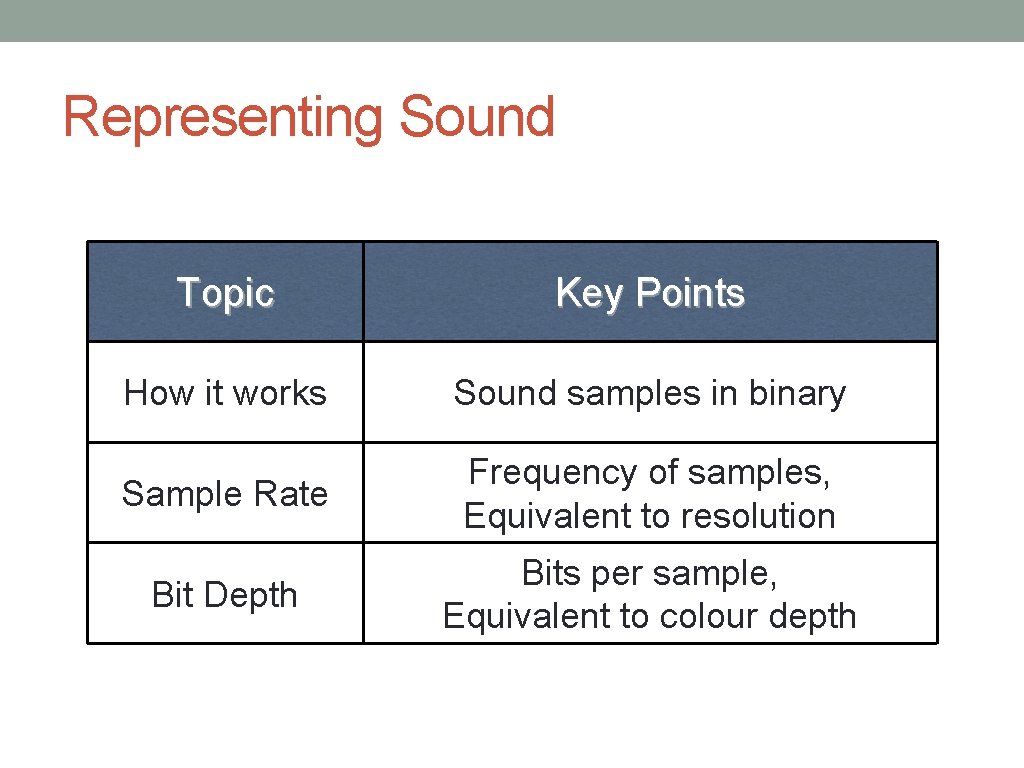
Representing Sound Topic Key Points How it works Sound samples in binary Sample Rate Frequency of samples, Equivalent to resolution Bit Depth Bits per sample, Equivalent to colour depth
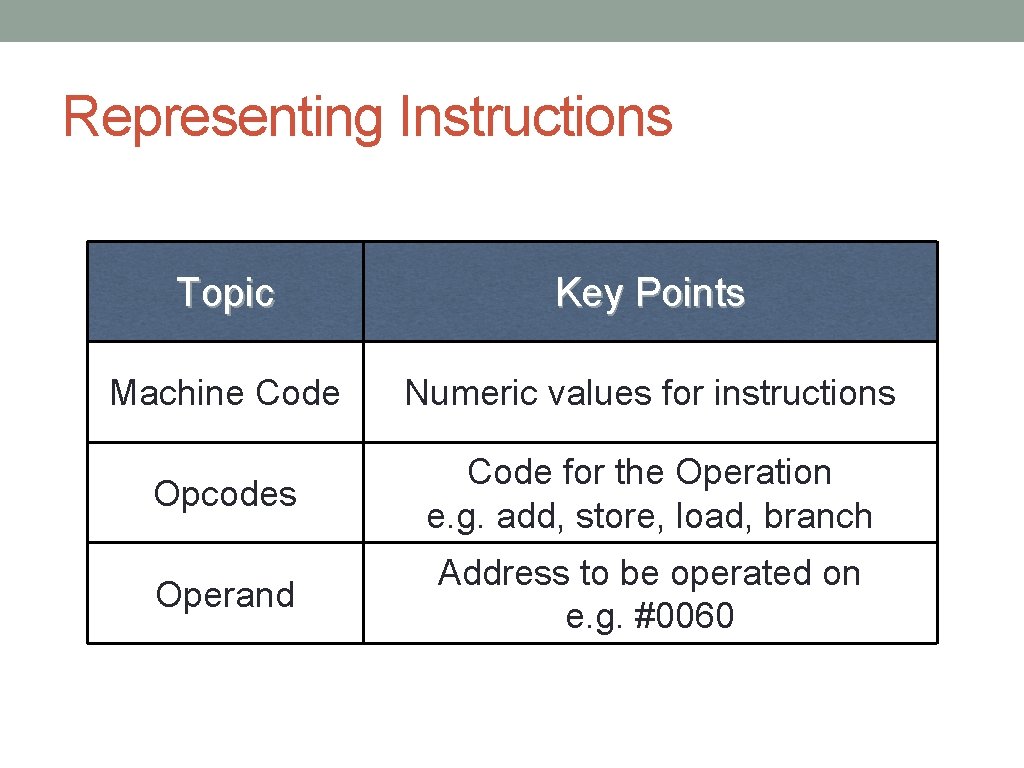
Representing Instructions Topic Key Points Machine Code Numeric values for instructions Opcodes Code for the Operation e. g. add, store, load, branch Operand Address to be operated on e. g. #0060
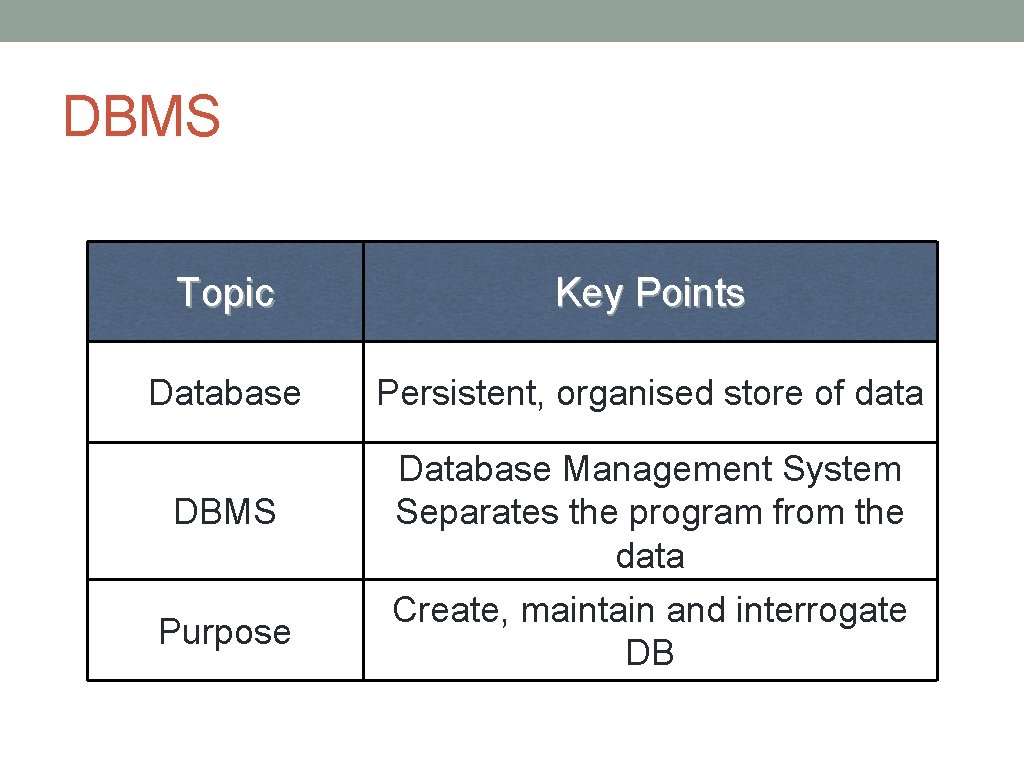
DBMS Topic Key Points Database Persistent, organised store of data DBMS Database Management System Separates the program from the data Purpose Create, maintain and interrogate DB
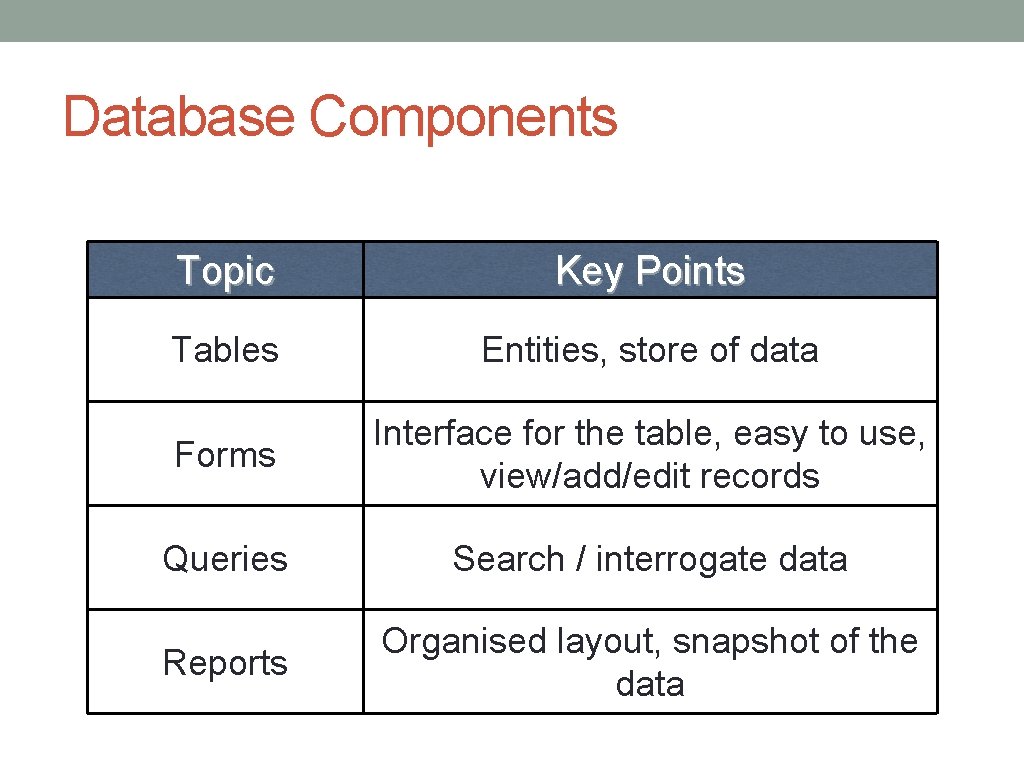
Database Components Topic Key Points Tables Entities, store of data Forms Interface for the table, easy to use, view/add/edit records Queries Search / interrogate data Reports Organised layout, snapshot of the data
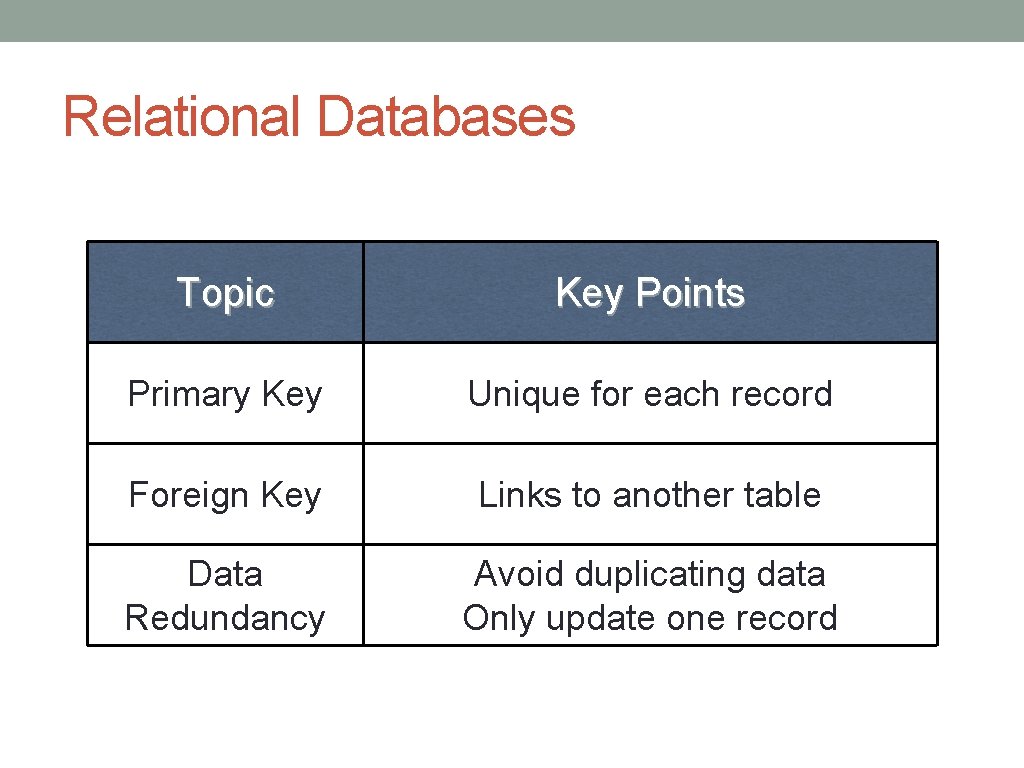
Relational Databases Topic Key Points Primary Key Unique for each record Foreign Key Links to another table Data Redundancy Avoid duplicating data Only update one record
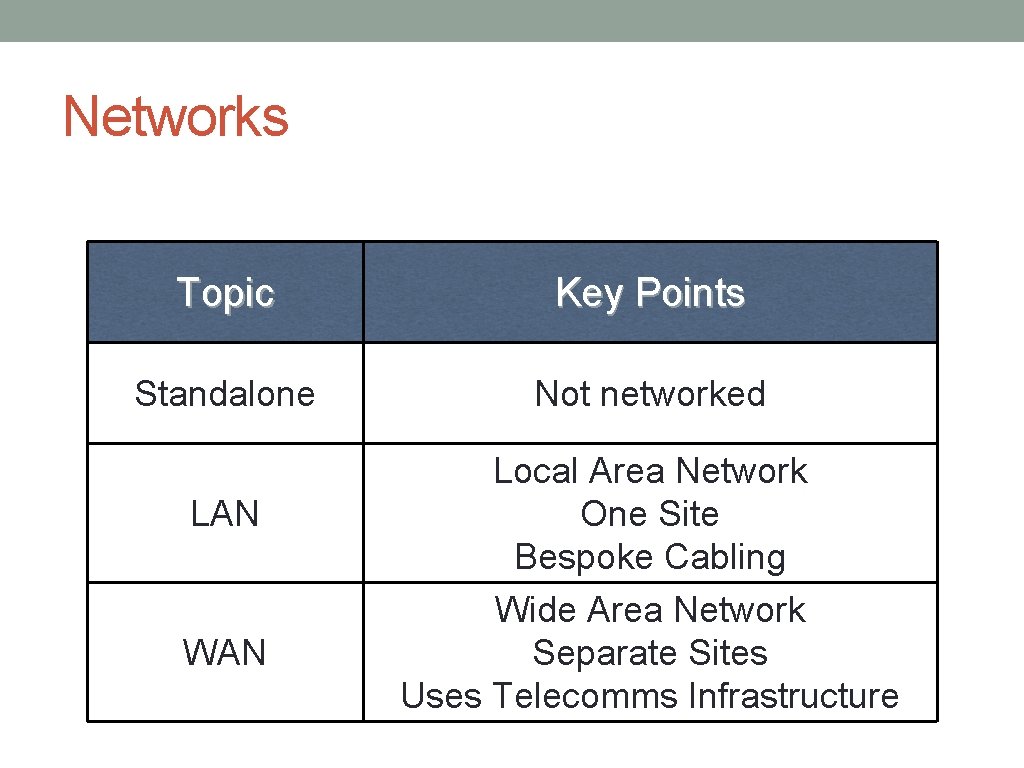
Networks Topic Key Points Standalone Not networked LAN WAN Local Area Network One Site Bespoke Cabling Wide Area Network Separate Sites Uses Telecomms Infrastructure
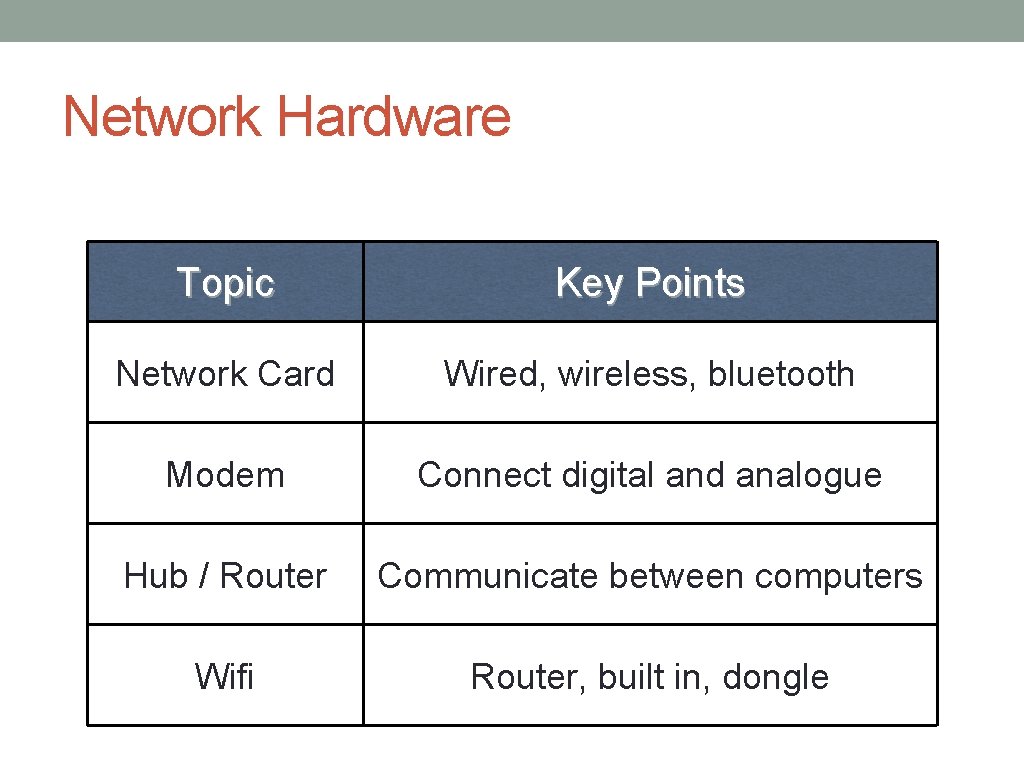
Network Hardware Topic Key Points Network Card Wired, wireless, bluetooth Modem Connect digital and analogue Hub / Router Communicate between computers Wifi Router, built in, dongle
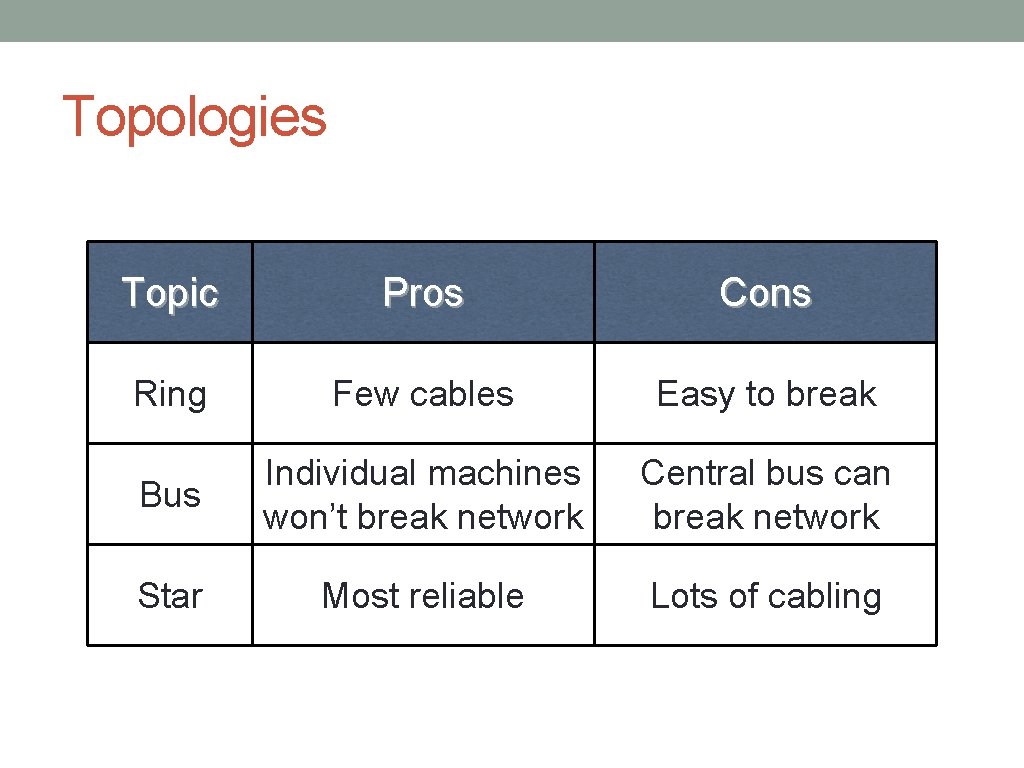
Topologies Topic Pros Cons Ring Few cables Easy to break Bus Individual machines won’t break network Central bus can break network Star Most reliable Lots of cabling
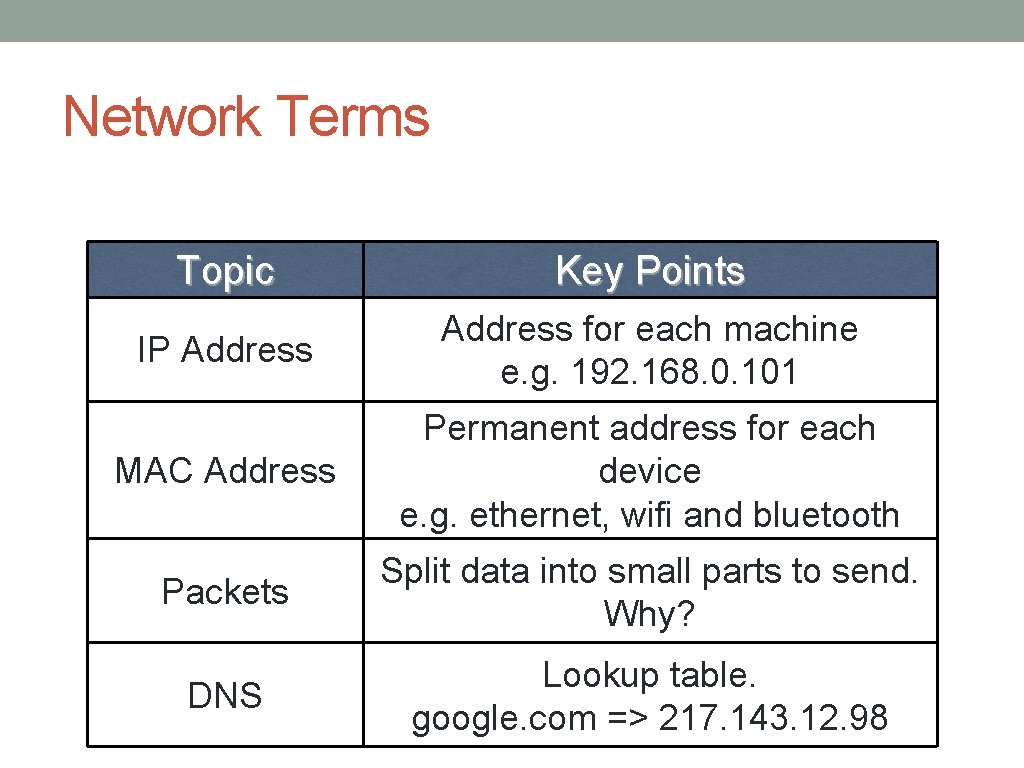
Network Terms Topic Key Points IP Address for each machine e. g. 192. 168. 0. 101 MAC Address Permanent address for each device e. g. ethernet, wifi and bluetooth Packets Split data into small parts to send. Why? DNS Lookup table. google. com => 217. 143. 12. 98
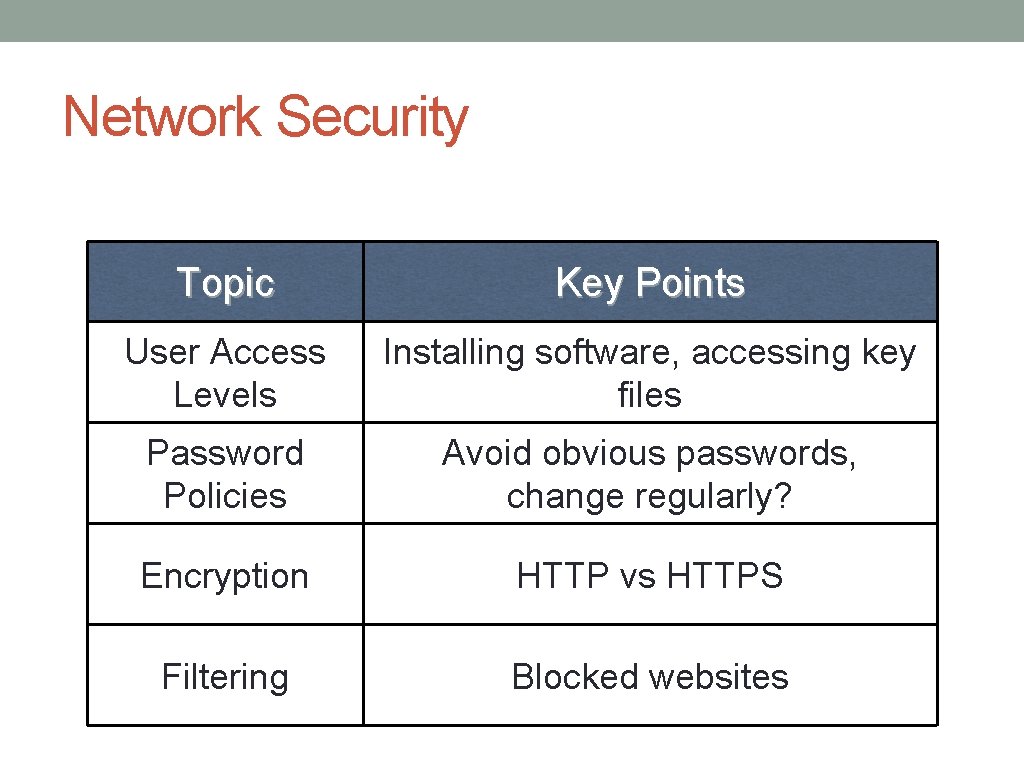
Network Security Topic Key Points User Access Levels Installing software, accessing key files Password Policies Avoid obvious passwords, change regularly? Encryption HTTP vs HTTPS Filtering Blocked websites
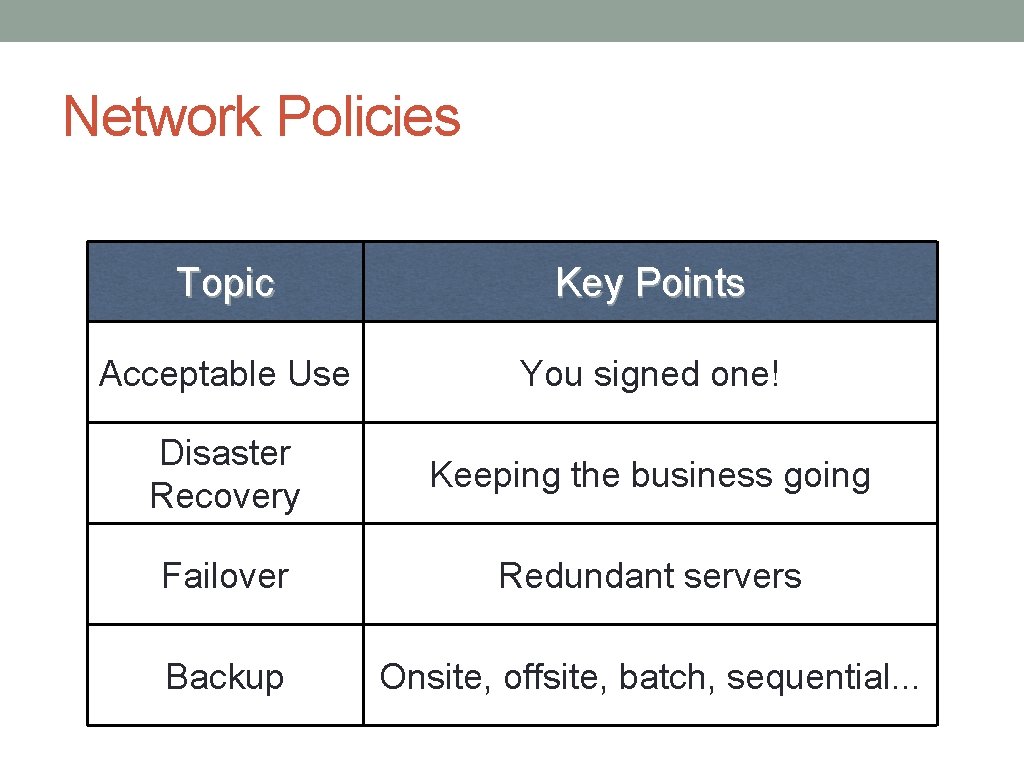
Network Policies Topic Key Points Acceptable Use You signed one! Disaster Recovery Keeping the business going Failover Redundant servers Backup Onsite, offsite, batch, sequential. . .
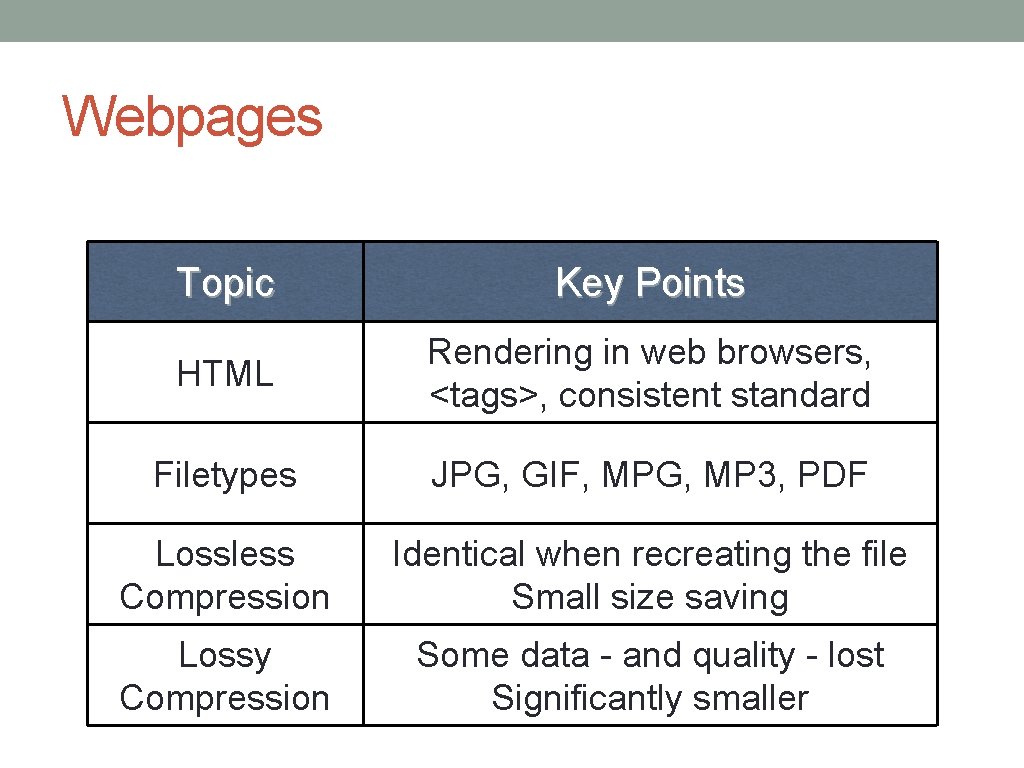
Webpages Topic Key Points HTML Rendering in web browsers, <tags>, consistent standard Filetypes JPG, GIF, MPG, MP 3, PDF Lossless Compression Identical when recreating the file Small size saving Lossy Compression Some data - and quality - lost Significantly smaller
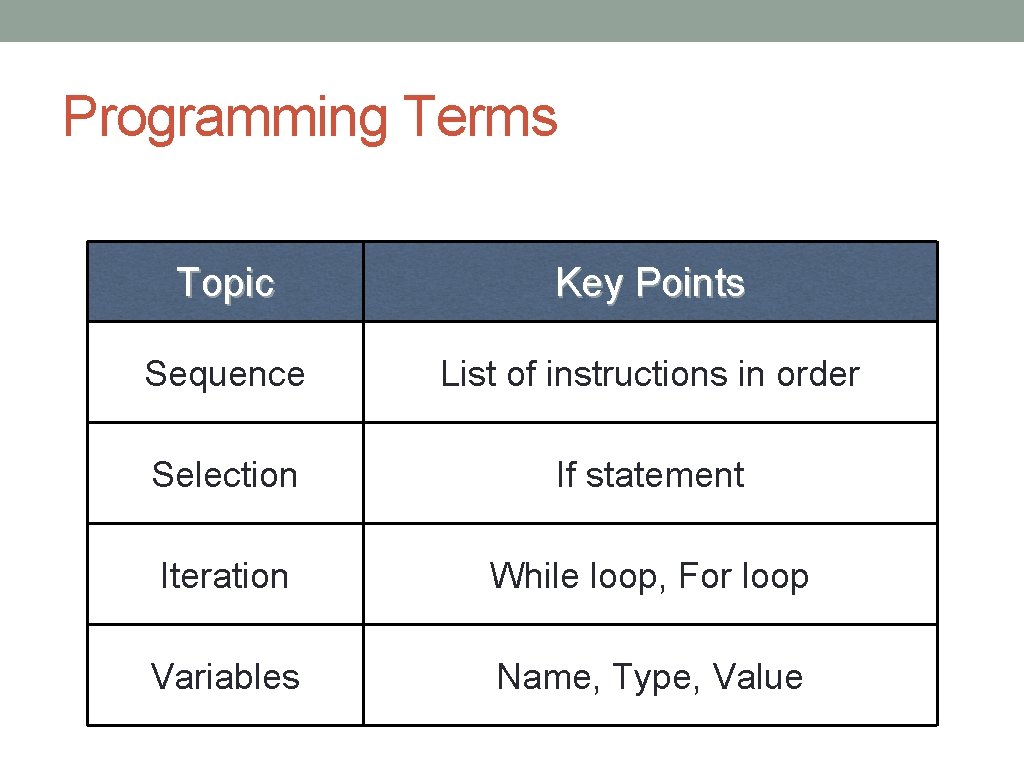
Programming Terms Topic Key Points Sequence List of instructions in order Selection If statement Iteration While loop, For loop Variables Name, Type, Value
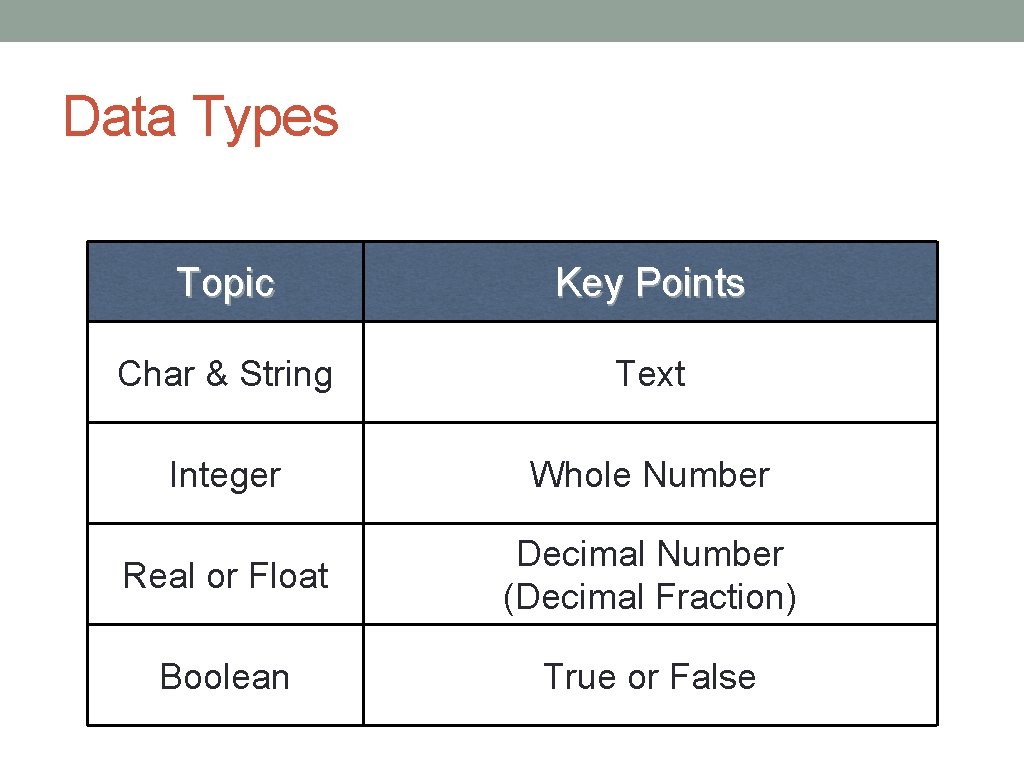
Data Types Topic Key Points Char & String Text Integer Whole Number Real or Float Decimal Number (Decimal Fraction) Boolean True or False
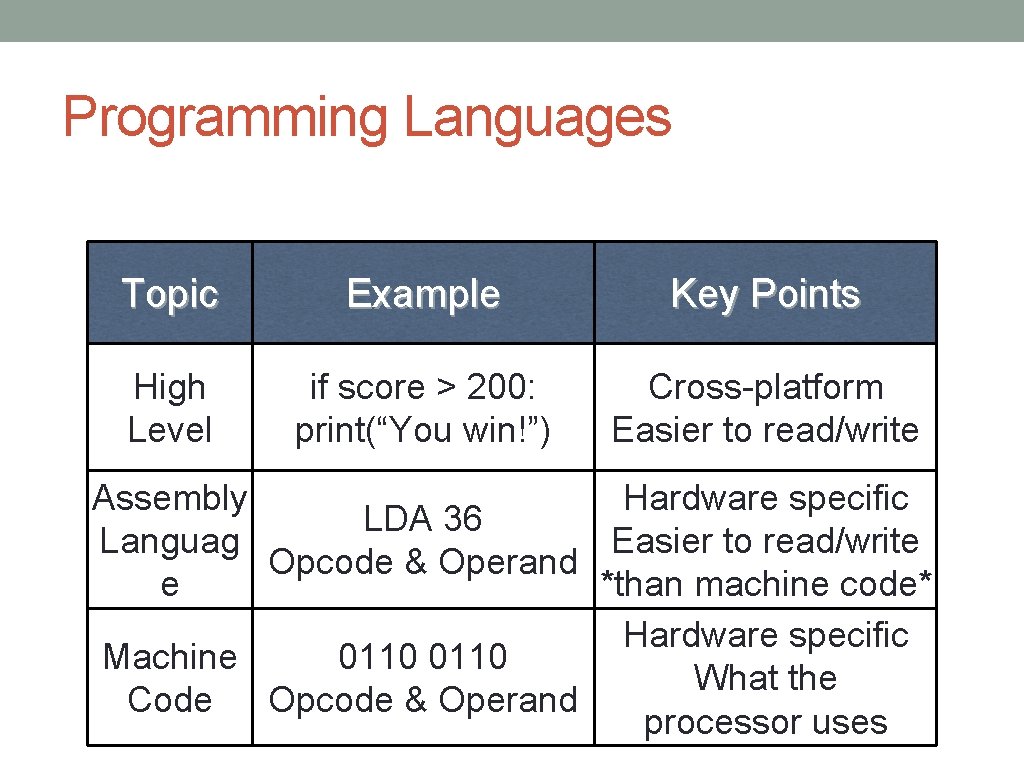
Programming Languages Topic Example Key Points High Level if score > 200: print(“You win!”) Cross-platform Easier to read/write Assembly Hardware specific LDA 36 Languag Easier to read/write Opcode & Operand e *than machine code* Hardware specific Machine 0110 What the Code Opcode & Operand processor uses
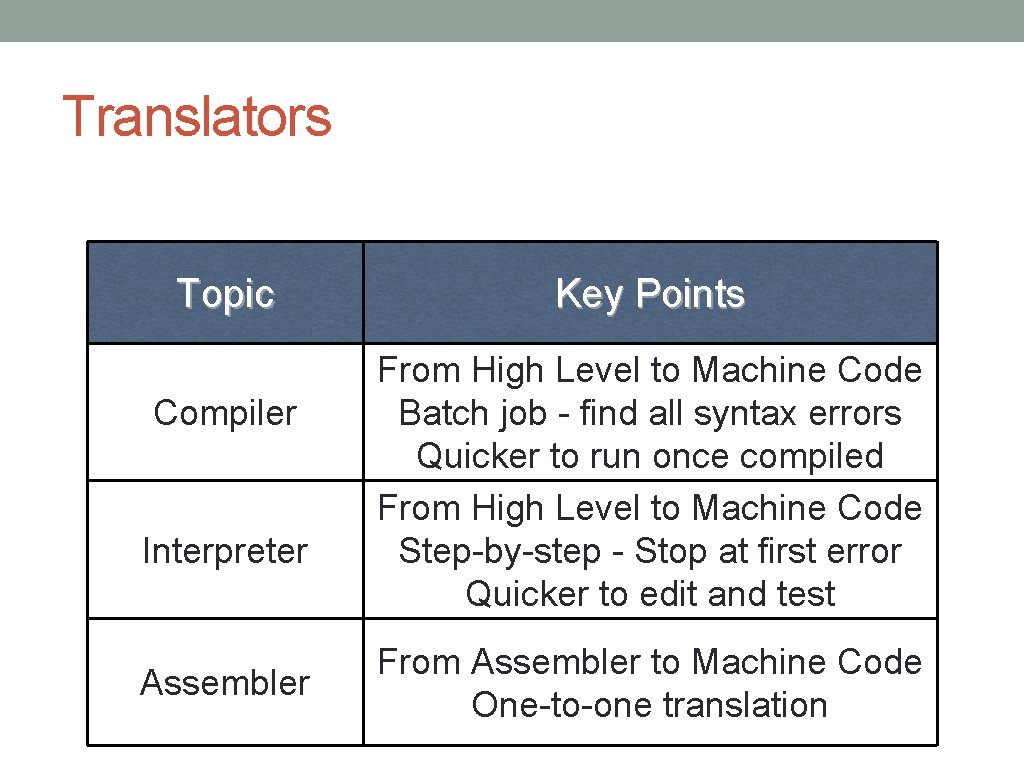
Translators Topic Compiler Interpreter Assembler Key Points From High Level to Machine Code Batch job - find all syntax errors Quicker to run once compiled From High Level to Machine Code Step-by-step - Stop at first error Quicker to edit and test From Assembler to Machine Code One-to-one translation
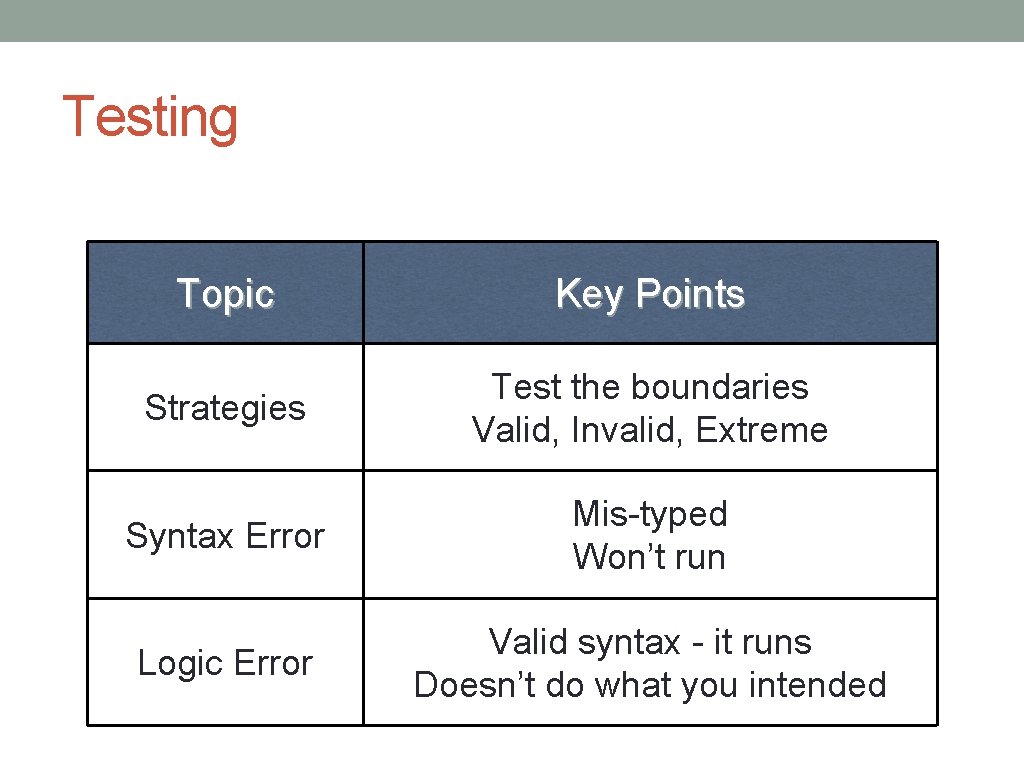
Testing Topic Key Points Strategies Test the boundaries Valid, Invalid, Extreme Syntax Error Mis-typed Won’t run Logic Error Valid syntax - it runs Doesn’t do what you intended

Answer ALL questions ! You do not have to do them in order! See if there are hints elsewhere in the paper to help you answer earlier questions. Leave no answers blank! Relax and read each question carefully.
- Slides: 33