
Because learning changes everything Chapter 2 Process Models
Because learning changes everything. ® Chapter 2 Process Models Part 1 - The Software Process © 2020 Mc. Graw Hill. All rights reserved. Authorized only for instructor use in the classroom. No reproduction or further distribution permitted without the prior written consent of Mc. Graw Hill.

Generic Process Model Access the text alternative for slide images. © Mc. Graw Hill 2
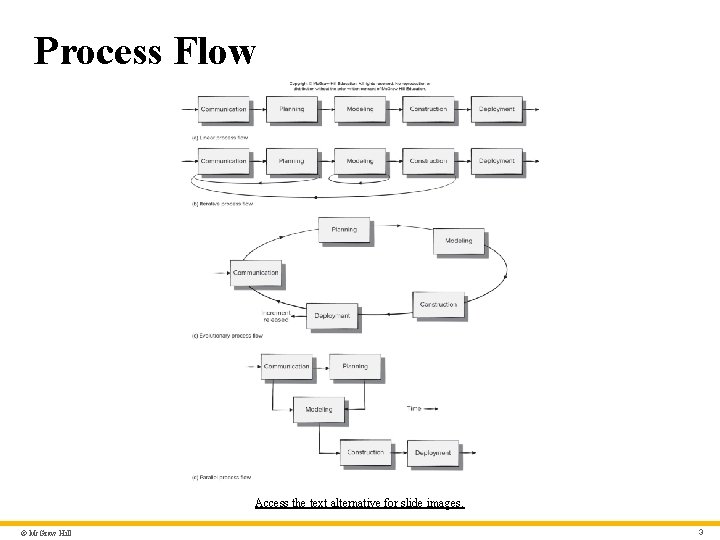
Process Flow Access the text alternative for slide images. © Mc. Graw Hill 3
Identifying a Task Set A task set defines the actual work to be done to accomplish the objectives of a software engineering action. A task set is defined by creating several lists: • A list of the tasks to be accomplished. • A list of the work products to be produced. • A list of the quality assurance filters to be applied. © Mc. Graw Hill 4
Process Assessment and Improvement • The existence of a software process is no guarantee that software will be delivered on time, or meet the customer’s needs, or that it will exhibit long-term quality characteristics. • Any software process can be assessed to ensure that it meets a set of basic process criteria that have been shown to be essential for successful software engineering. • Software processes and activities should be assessed using numeric measures or software analytics (metrics). © Mc. Graw Hill 5
Prescriptive Process Models 1 Prescriptive process models advocate an orderly approach to software engineering. That leads to a two questions: • If prescriptive process models strive for structure and order, are they appropriate for a software world that thrives on change? • If we reject traditional process models and replace them with something less structured, do we make it impossible to achieve coordination and coherence in software work? © Mc. Graw Hill 6
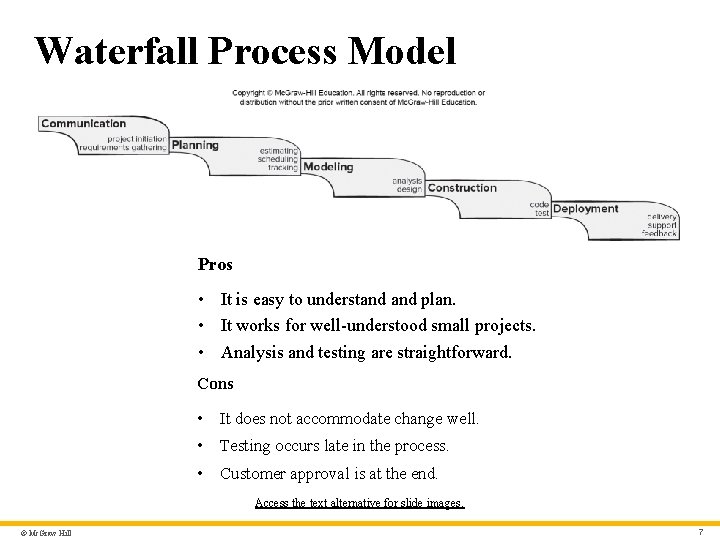
Waterfall Process Model Pros • It is easy to understand plan. • It works for well-understood small projects. • Analysis and testing are straightforward. Cons • It does not accommodate change well. • Testing occurs late in the process. • Customer approval is at the end. Access the text alternative for slide images. © Mc. Graw Hill 7
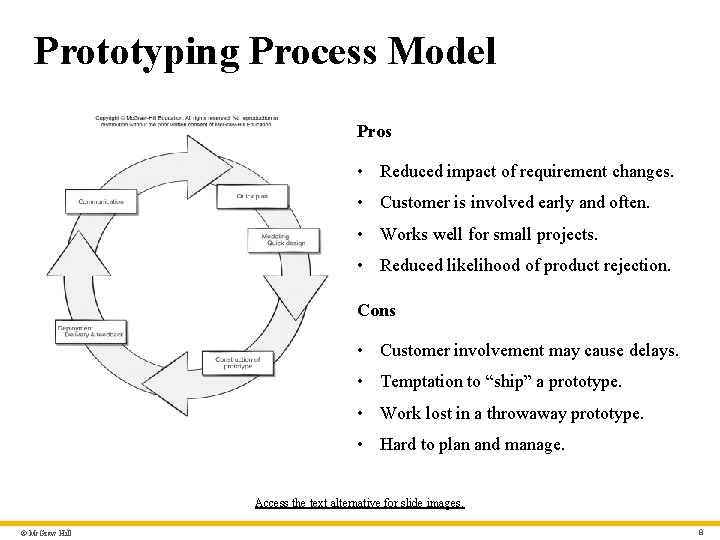
Prototyping Process Model Pros • Reduced impact of requirement changes. • Customer is involved early and often. • Works well for small projects. • Reduced likelihood of product rejection. Cons • Customer involvement may cause delays. • Temptation to “ship” a prototype. • Work lost in a throwaway prototype. • Hard to plan and manage. Access the text alternative for slide images. © Mc. Graw Hill 8
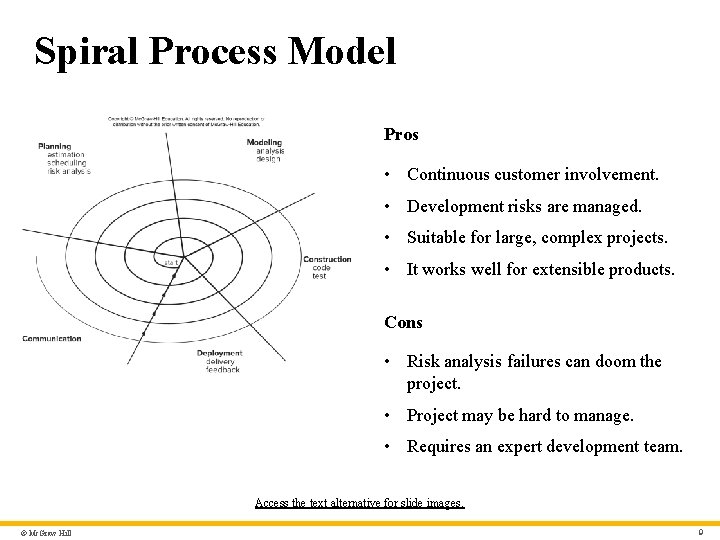
Spiral Process Model Pros • Continuous customer involvement. • Development risks are managed. • Suitable for large, complex projects. • It works well for extensible products. Cons • Risk analysis failures can doom the project. • Project may be hard to manage. • Requires an expert development team. Access the text alternative for slide images. © Mc. Graw Hill 9
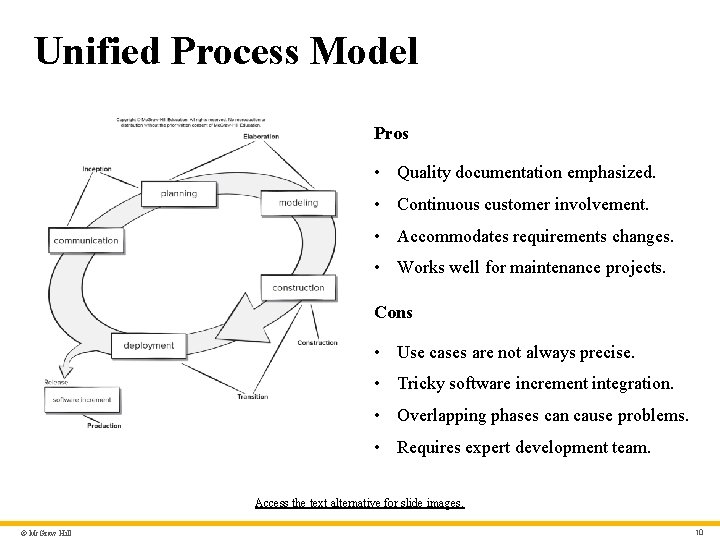
Unified Process Model Pros • Quality documentation emphasized. • Continuous customer involvement. • Accommodates requirements changes. • Works well for maintenance projects. Cons • Use cases are not always precise. • Tricky software increment integration. • Overlapping phases can cause problems. • Requires expert development team. Access the text alternative for slide images. © Mc. Graw Hill 10
Prescriptive Process Models 2 Prescriptive process models advocate an orderly approach to software engineering. That leads to a two questions: • If prescriptive process models strive for structure and order, are they appropriate for a software world that thrives on change? • If we reject traditional process models and replace them with something less structured, do we make it impossible to achieve coordination and coherence in software work? © Mc. Graw Hill 11
Because learning changes everything. www. mheducation. com © 2020 Mc. Graw-Hill Education. All rights reserved. Authorized only for instructor use in the classroom. No reproduction or further distribution permitted without the prior written consent of Mc. Graw-Hill Education. ®
- Slides: 12