
BBC Microbit Objective of the lesson Use Block
BBC Microbit
Objective of the lesson Use Block Editor to make a Love ‘O’ Meter • All of you will: – Create a random number if pin P 0 is pressed • Most of you will: – Create a random message if pin P 0 is pressed • Some of you will: – Create an image to accompany the message 2
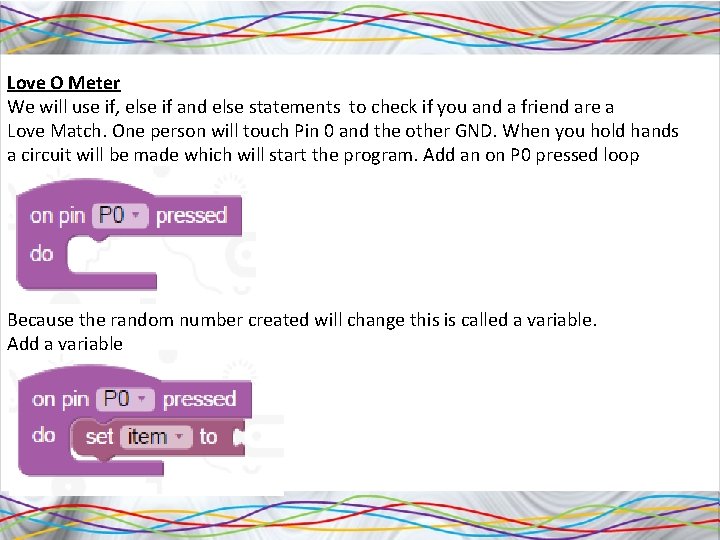
Love O Meter We will use if, else if and else statements to check if you and a friend are a Love Match. One person will touch Pin 0 and the other GND. When you hold hands a circuit will be made which will start the program. Add an on P 0 pressed loop Because the random number created will change this is called a variable. Add a variable
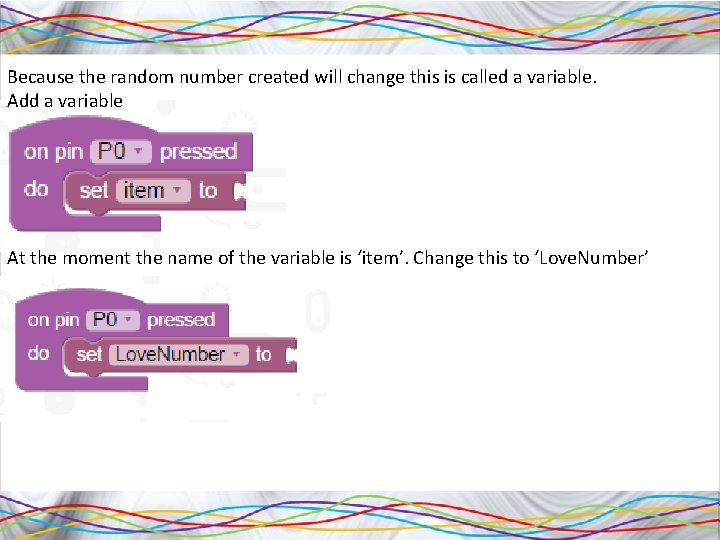
Because the random number created will change this is called a variable. Add a variable At the moment the name of the variable is ‘item’. Change this to ‘Love. Number’
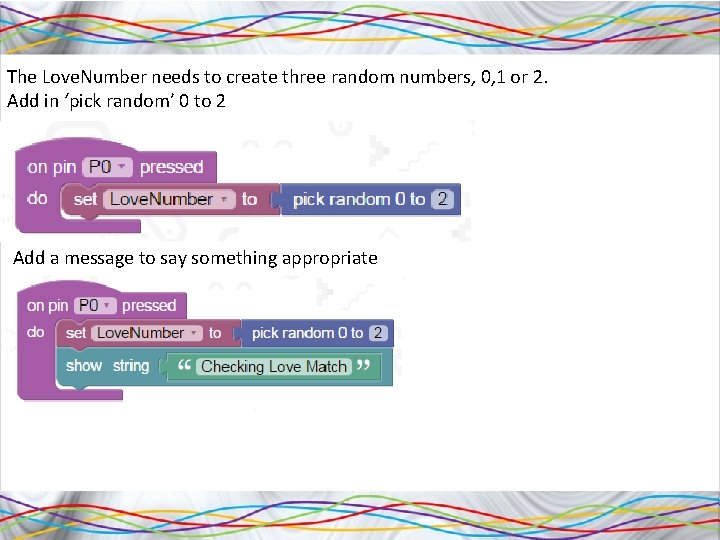
The Love. Number needs to create three random numbers, 0, 1 or 2. Add in ‘pick random’ 0 to 2 Add a message to say something appropriate
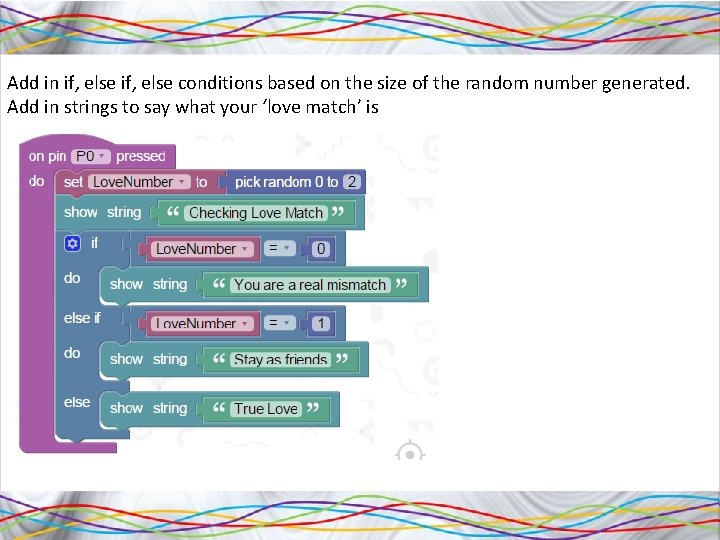
Add in if, else conditions based on the size of the random number generated. Add in strings to say what your ‘love match’ is
Challenge 1. See if you can add in extra messages by creating more random numbers 2. See if you can get it to add in images as well as messages. Maybe these will be hearts of different brightness depending on the love match 3. See if you can develop a fortune teller game that tells your fortune when you make a connection between P 0 and GND

Answers
- Slides: 8