
BBC MICRO BIT Lesson 5 Music Music The
BBC MICRO: BIT Lesson 5 Music
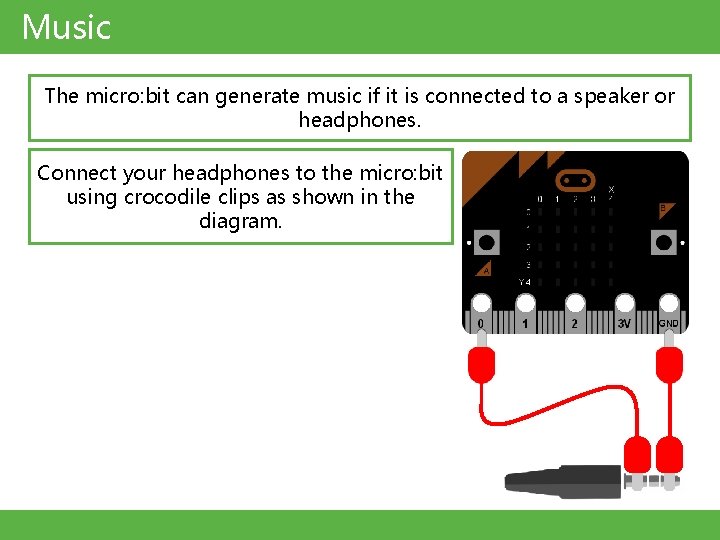
Music The micro: bit can generate music if it is connected to a speaker or headphones. Connect your headphones to the micro: bit using crocodile clips as shown in the diagram.
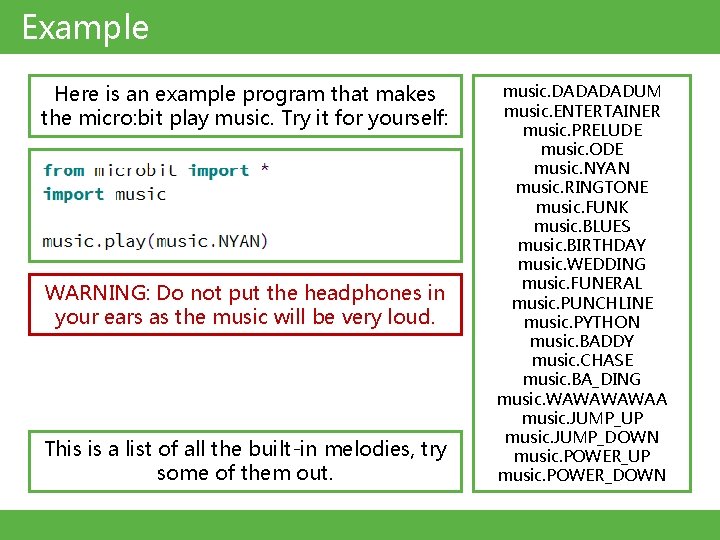
Example Here is an example program that makes the micro: bit play music. Try it for yourself: WARNING: Do not put the headphones in your ears as the music will be very loud. This is a list of all the built-in melodies, try some of them out. music. DADADADUM music. ENTERTAINER music. PRELUDE music. ODE music. NYAN music. RINGTONE music. FUNK music. BLUES music. BIRTHDAY music. WEDDING music. FUNERAL music. PUNCHLINE music. PYTHON music. BADDY music. CHASE music. BA_DING music. WAWAA music. JUMP_UP music. JUMP_DOWN music. POWER_UP music. POWER_DOWN
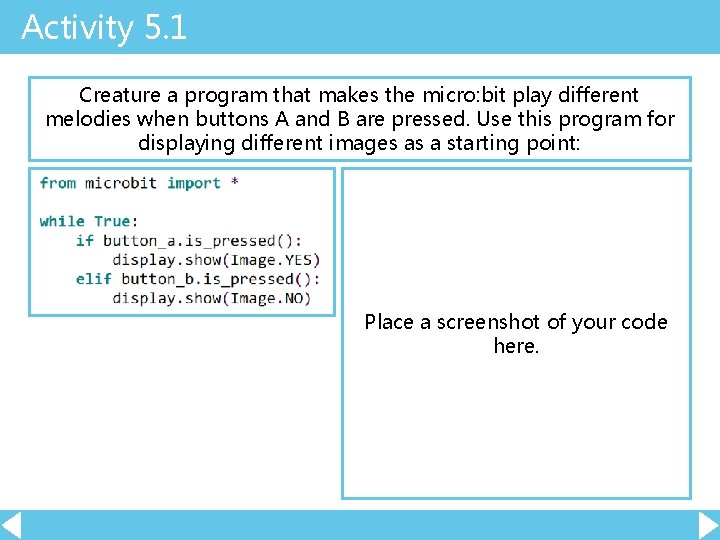
Activity 5. 1 Creature a program that makes the micro: bit play different melodies when buttons A and B are pressed. Use this program for displaying different images as a starting point: Place a screenshot of your code here.
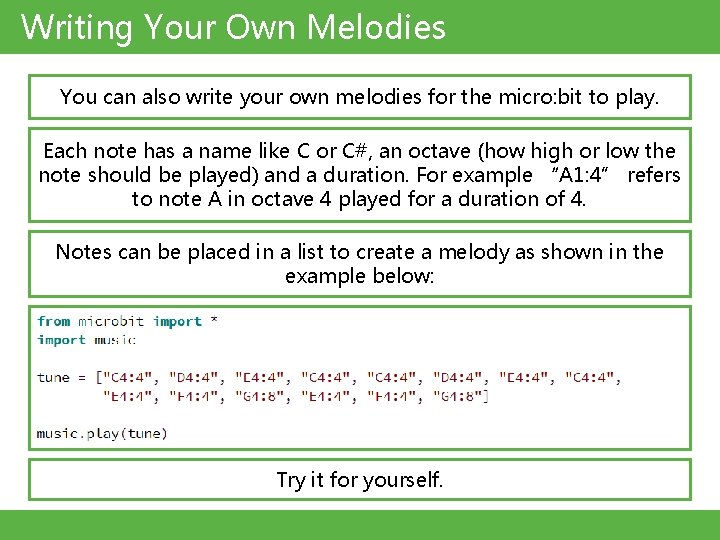
Writing Your Own Melodies You can also write your own melodies for the micro: bit to play. Each note has a name like C or C#, an octave (how high or low the note should be played) and a duration. For example “A 1: 4” refers to note A in octave 4 played for a duration of 4. Notes can be placed in a list to create a melody as shown in the example below: Try it for yourself.
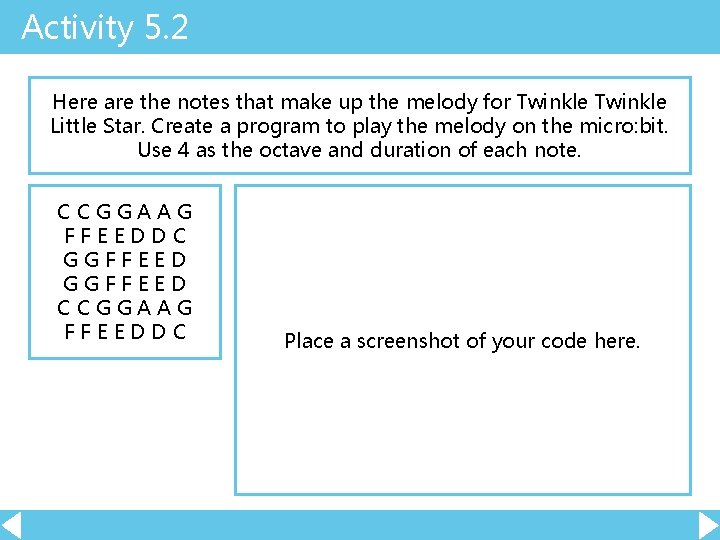
Activity 5. 2 Here are the notes that make up the melody for Twinkle Little Star. Create a program to play the melody on the micro: bit. Use 4 as the octave and duration of each note. CCGGAAG FFEEDDC GGFFEED CCGGAAG FFEEDDC Place a screenshot of your code here.
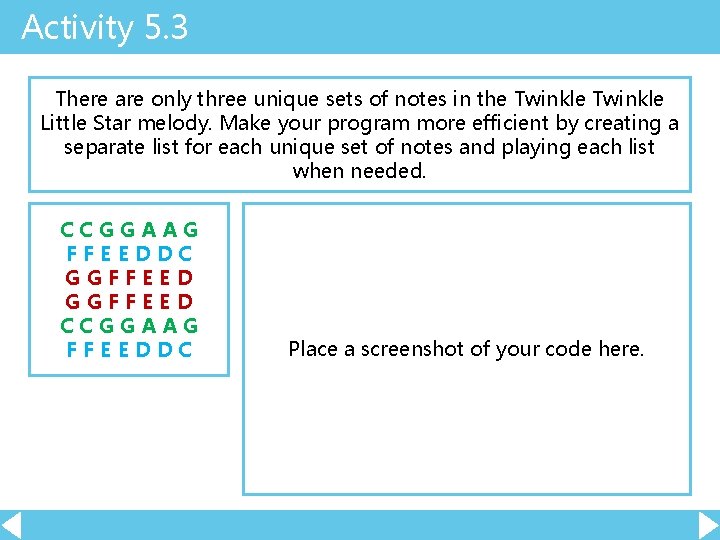
Activity 5. 3 There are only three unique sets of notes in the Twinkle Little Star melody. Make your program more efficient by creating a separate list for each unique set of notes and playing each list when needed. CCGGAAG FFEEDDC GGFFEED CCGGAAG FFEEDDC Place a screenshot of your code here.
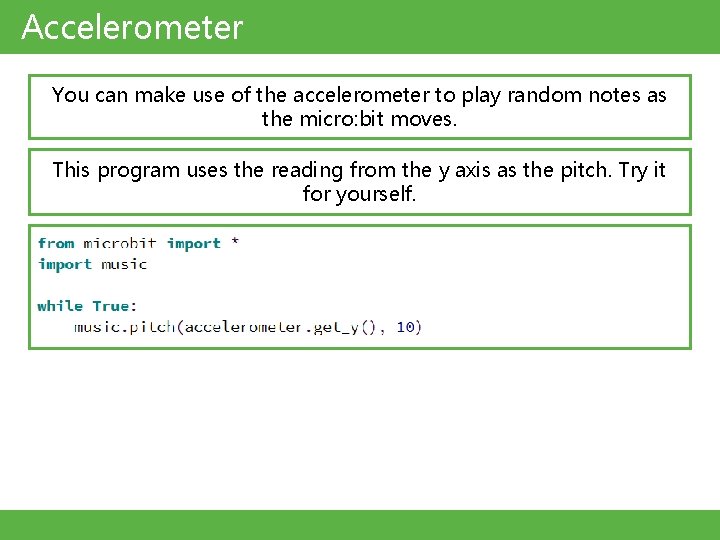
Accelerometer You can make use of the accelerometer to play random notes as the micro: bit moves. This program uses the reading from the y axis as the pitch. Try it for yourself.
Extension Find the notes for another song on the internet and create a program to play it. Place a screenshot of your code here.
- Slides: 9