
Basics of Web Design 1 Learning Outcomes 2

Basics of Web Design 1
Learning Outcomes 2
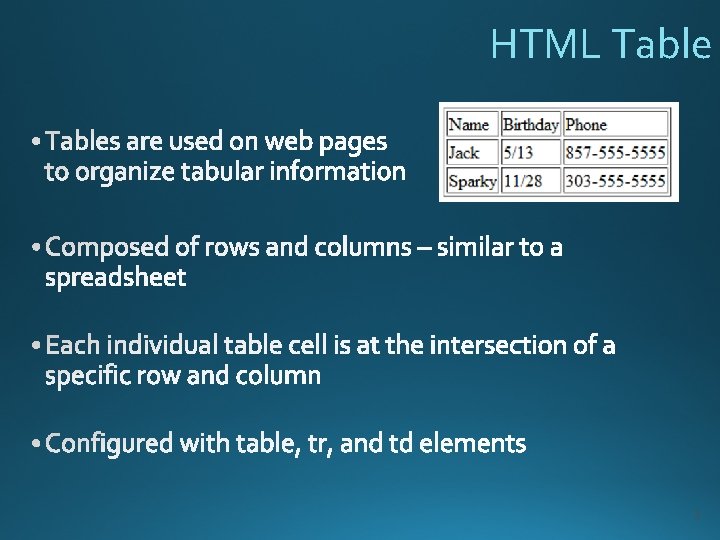
HTML Table 3
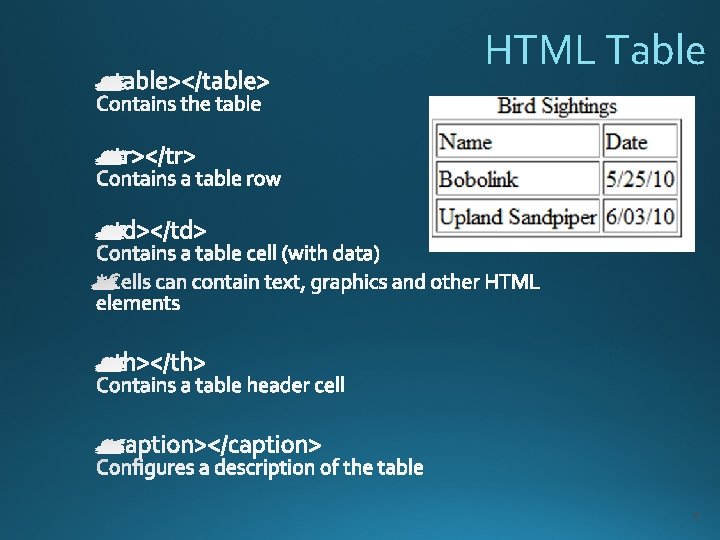
HTML Table 4
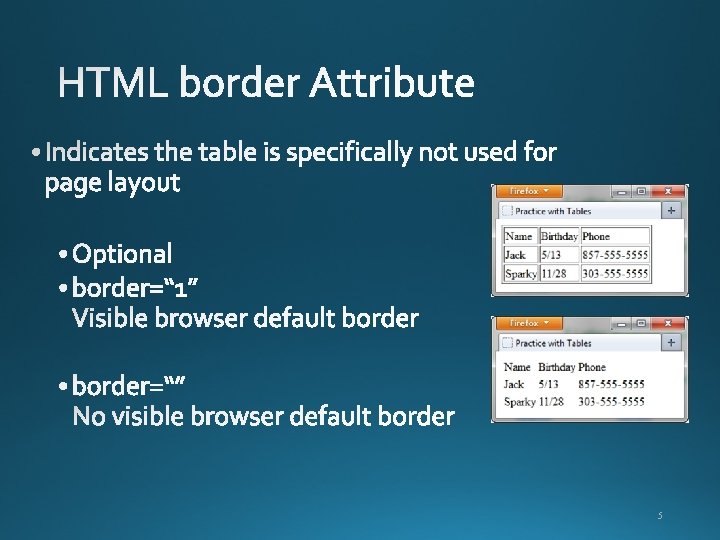
5
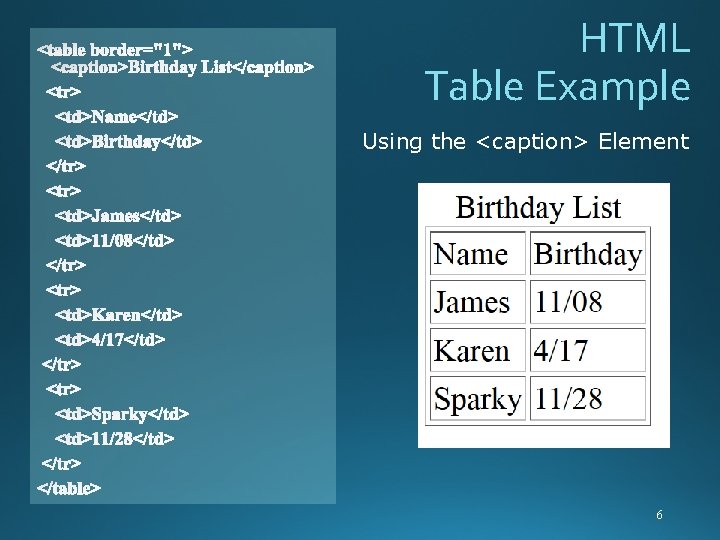
HTML Table Example Using the <caption> Element 6
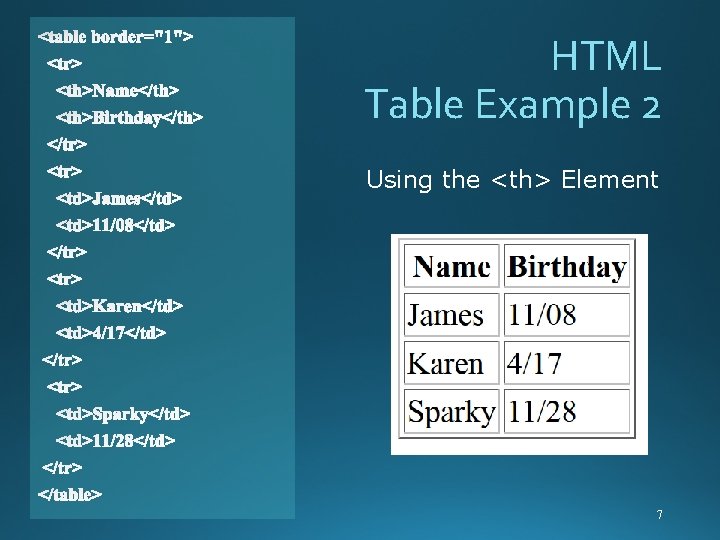
HTML Table Example 2 Using the <th> Element 7
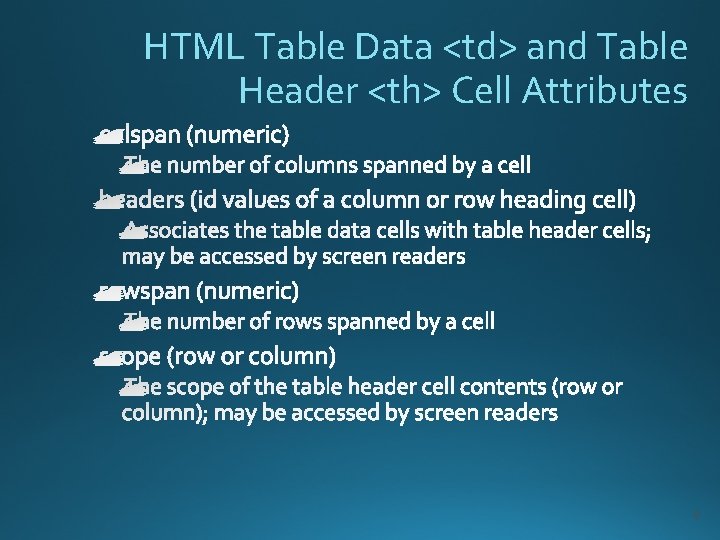
HTML Table Data <td> and Table Header <th> Cell Attributes 8
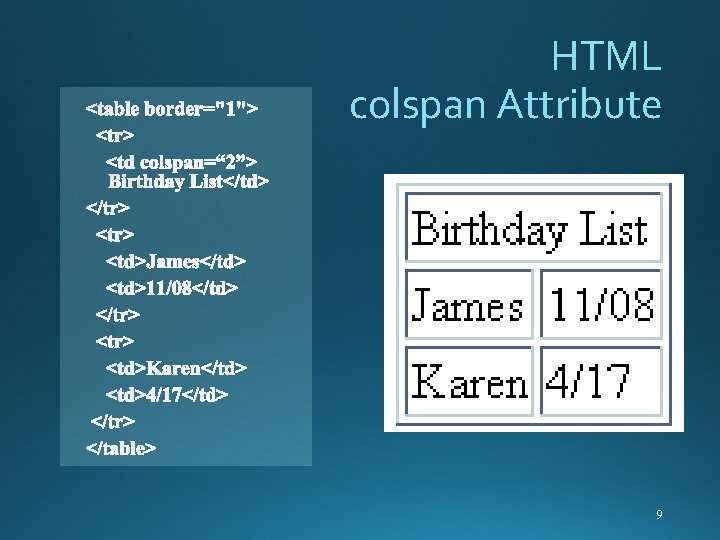
HTML colspan Attribute 9
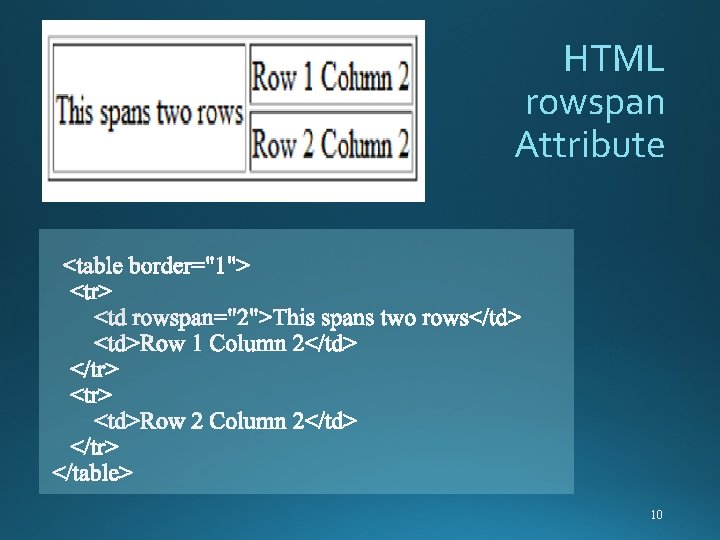
HTML rowspan Attribute 10
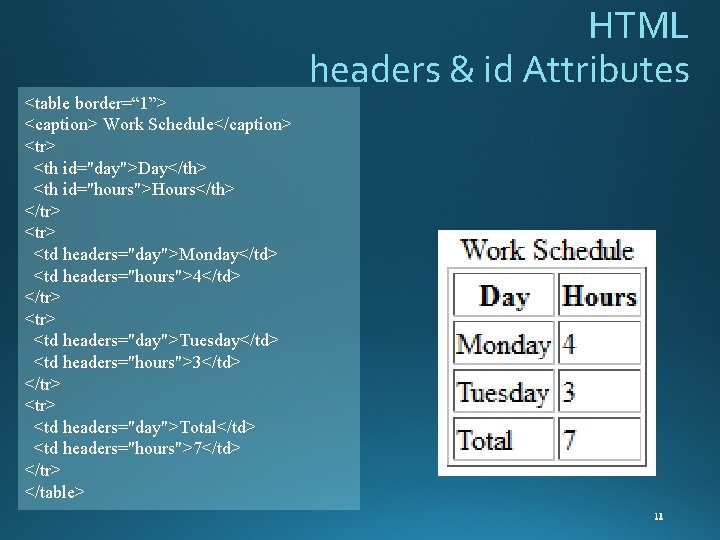
HTML headers & id Attributes <table border=“ 1”> <caption> Work Schedule</caption> <tr> <th id="day">Day</th> <th id="hours">Hours</th> </tr> <td headers="day">Monday</td> <td headers="hours">4</td> </tr> <td headers="day">Tuesday</td> <td headers="hours">3</td> </tr> <td headers="day">Total</td> <td headers="hours">7</td> </tr> </table>

HTML scope Attribute <table border=“ 1”> <caption>Bird Sightings</caption> <tr> <th scope=“col”>Name</th> <th scope=“col”>Date</th> </tr> <td >Bobolink</td> <td>5/25/10</td> </tr> <td >Upland Sandpiper</td> <td>6/03/10</td></tr> </table>
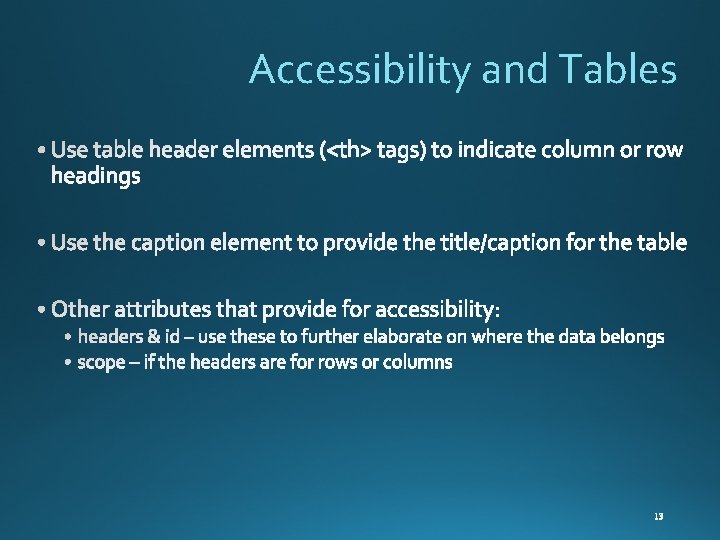
Accessibility and Tables
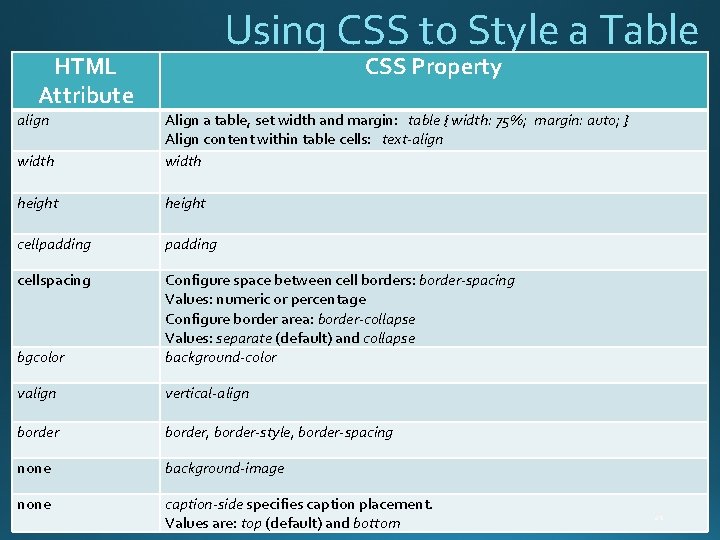
Using CSS to Style a Table HTML Attribute align CSS Property width Align a table, set width and margin: table { width: 75%; margin: auto; } Align content within table cells: text-align width height cellpadding cellspacing bgcolor Configure space between cell borders: border-spacing Values: numeric or percentage Configure border area: border-collapse Values: separate (default) and collapse background-color valign vertical-align border, border-style, border-spacing none background-image none caption-side specifies caption placement. Values are: top (default) and bottom
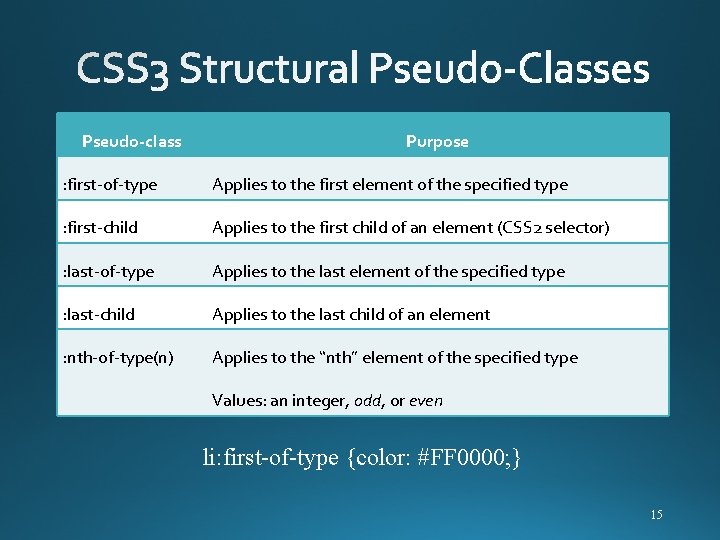
Pseudo-class Purpose : first-of-type Applies to the first element of the specified type : first-child Applies to the first child of an element (CSS 2 selector) : last-of-type Applies to the last element of the specified type : last-child Applies to the last child of an element : nth-of-type(n) Applies to the “nth” element of the specified type Values: an integer, odd, or even li: first-of-type {color: #FF 0000; } 15
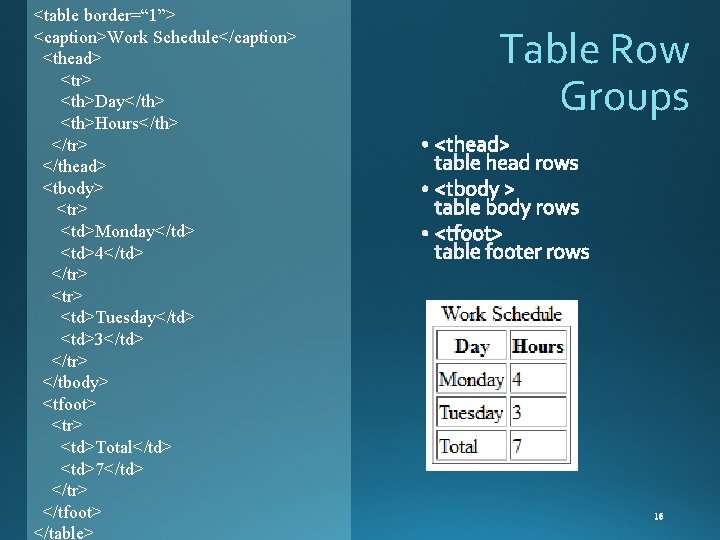
<table border=“ 1”> <caption>Work Schedule</caption> <thead> <tr> <th>Day</th> <th>Hours</th> </tr> </thead> <tbody> <tr> <td>Monday</td> <td>4</td> </tr> <td>Tuesday</td> <td>3</td> </tr> </tbody> <tfoot> <tr> <td>Total</td> <td>7</td> </tr> </tfoot> </table> Table Row Groups

Summary 17
- Slides: 17