
Basic Webpage Design Understanding Web Technologies and Applications
Basic Webpage Design Understanding Web Technologies and Applications
Objectives • To know the basics of the Internet and HTML • To identify the HTML Coding Standards • To learn the Basic Web Page Tags • Formatting tags to Your Page • To identify the tools in developing web pages • Definition of terms
Let us review • In the simplest sense, the Internet is a collection of inter-connected computers (servers) over shared lines. • Servers are just like the computers you use at home and work, but more powerful. • The Internet became “browse-able” in the 1990 s with the creation of the HTTP protocol and creation of HTML.

Getting Started • We will be using MS Notepad to write our HTML. • Pages will be saved to your floppy disk. • Pages will be viewed as they are created in your browser. • We will use this overhead presentation as well as handouts and the yahoo group.
Basic HTML HTTP – Hyper. Text Transfer Protocol Method by which a computer jumps from one page to another by clicking on links. HTML – Hyper. Text Markup Language Markup language that allows for the formatting of Internet Documents. Plain Text Language Universal Compatibility Most-recent version is HTML 4. 0
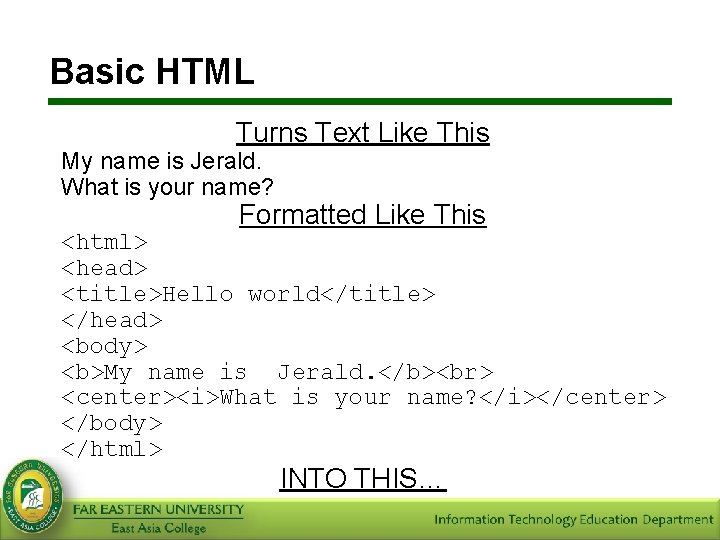
Basic HTML Turns Text Like This My name is Jerald. What is your name? Formatted Like This <html> <head> <title>Hello world</title> </head> <body> <b>My name is Jerald. </b> <center><i>What is your name? </i></center> </body> </html> INTO THIS…
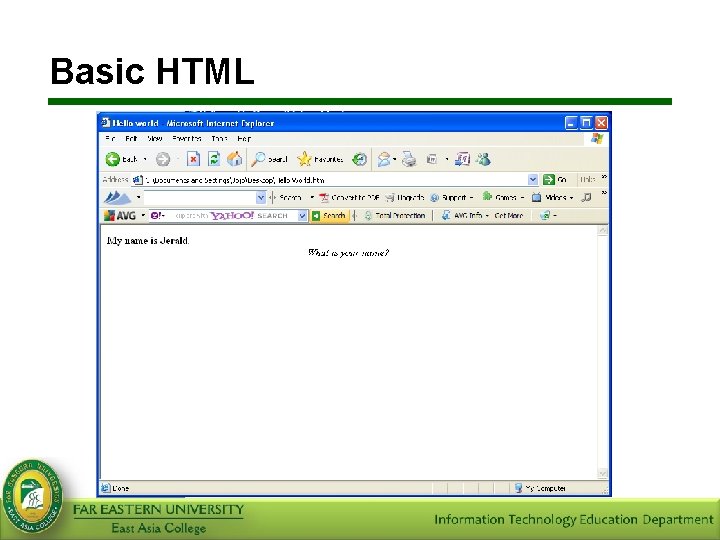
Basic HTML
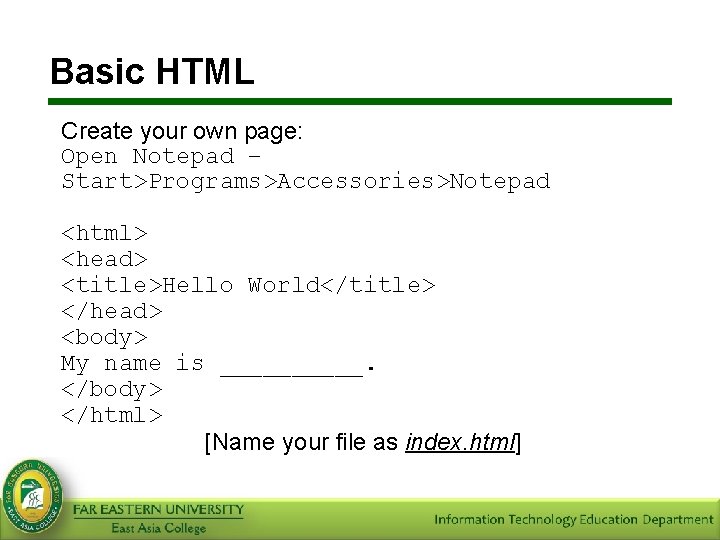
Basic HTML Create your own page: Open Notepad – Start>Programs>Accessories>Notepad <html> <head> <title>Hello World</title> </head> <body> My name is _____. </body> </html> [Name your file as index. html]
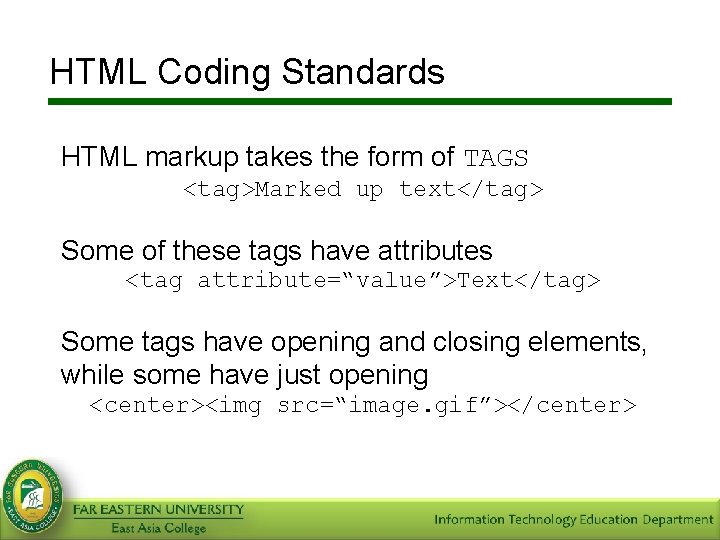
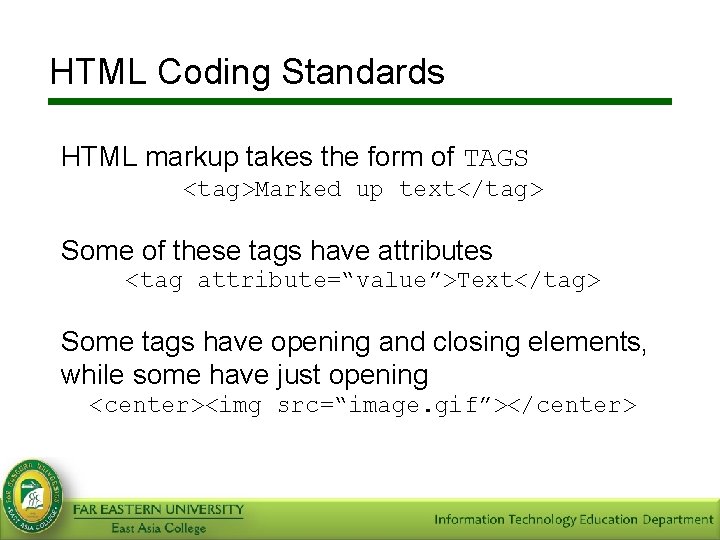
HTML Coding Standards HTML markup takes the form of TAGS <tag>Marked up text</tag> Some of these tags have attributes <tag attribute=“value”>Text</tag> Some tags have opening and closing elements, while some have just opening <center><img src=“image. gif”></center>
HTML Coding Standards HTML markup takes the form of TAGS <tag>Marked up text</tag> Some of these tags have attributes <tag attribute=“value”>Text</tag> Some tags have opening and closing elements, while some have just opening <center><img src=“image. gif”></center>
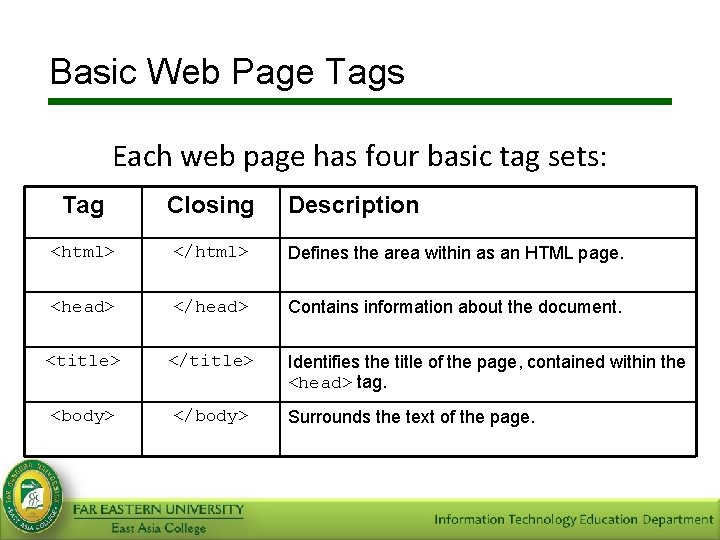
Basic Web Page Tags Each web page has four basic tag sets: Tag Closing Description <html> </html> Defines the area within as an HTML page. <head> </head> Contains information about the document. <title> </title> <body> </body> Identifies the title of the page, contained within the <head> tag. Surrounds the text of the page.
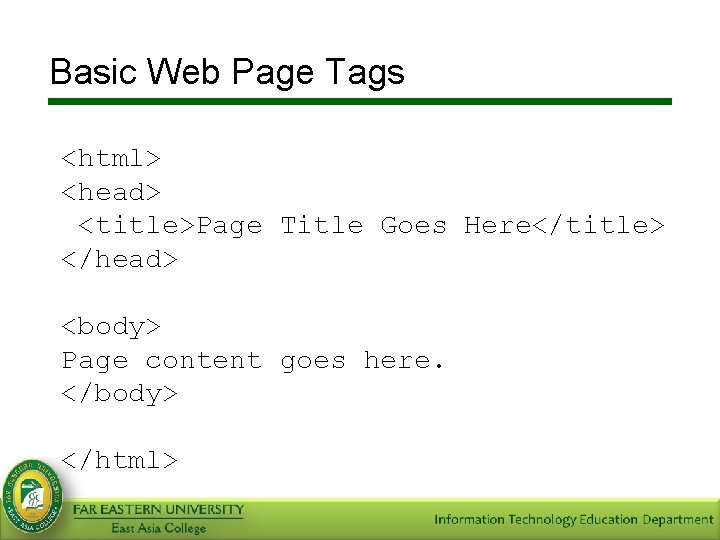
Basic Web Page Tags <html> <head> <title>Page Title Goes Here</title> </head> <body> Page content goes here. </body> </html>
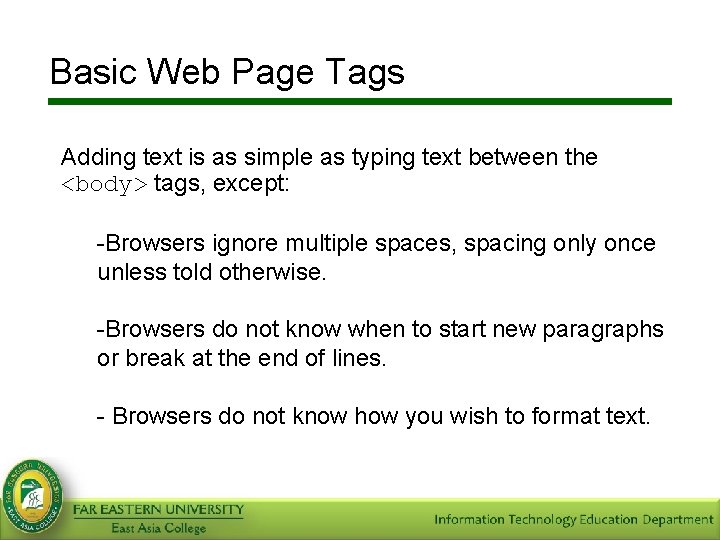
Basic Web Page Tags Adding text is as simple as typing text between the <body> tags, except: -Browsers ignore multiple spaces, spacing only once unless told otherwise. -Browsers do not know when to start new paragraphs or break at the end of lines. - Browsers do not know how you wish to format text.
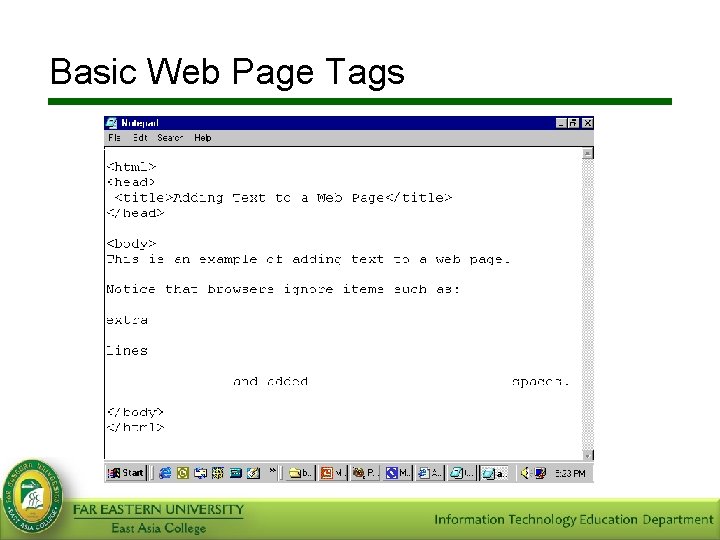
Basic Web Page Tags
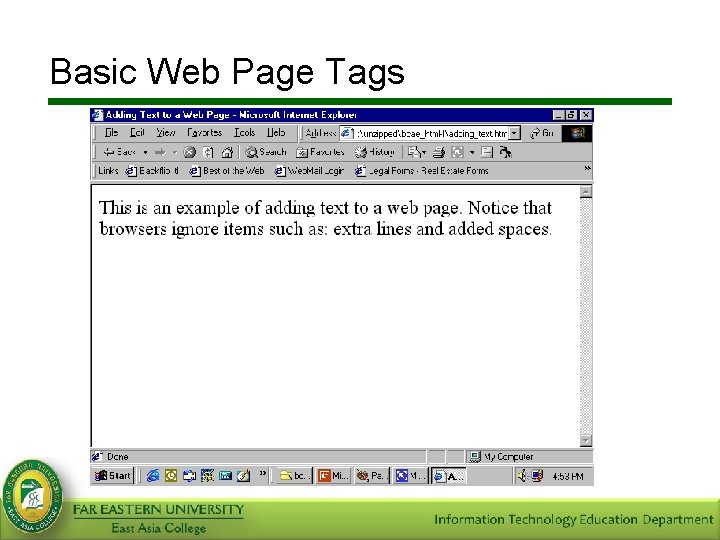
Basic Web Page Tags
Basic Web Page Tags Paragraph • The <p> tag tells the browser to insert a new paragraph. – The closing tag for this (</p>) is optional, but recommended. • The <p> tag has one attribute, ‘align’ that controls the on-page alignment of your paragraph. – Options are left, center, right, justify – This attribute has been Deprecated in HTML 4. 0.
Basic Web Page Tags Line Breaks To insert a line break, use the tag. Note, that this tag has no closing tag. Ex. ‘Hello World’: Hello World
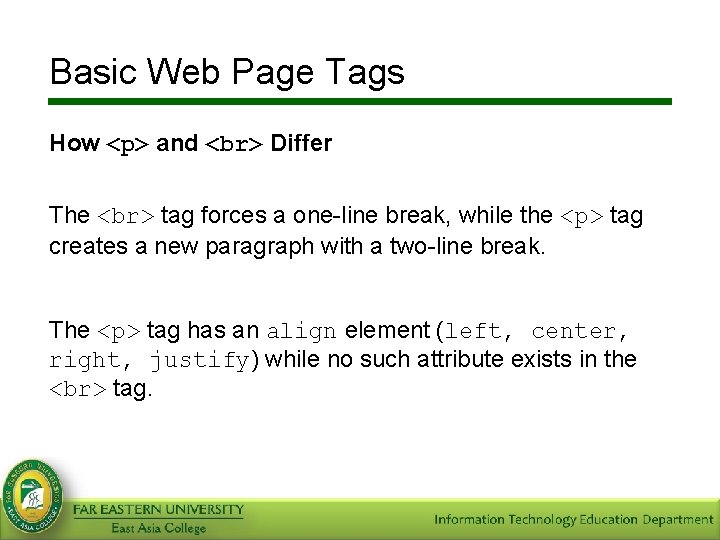
Basic Web Page Tags How <p> and Differ The tag forces a one-line break, while the <p> tag creates a new paragraph with a two-line break. The <p> tag has an align element (left, center, right, justify) while no such attribute exists in the tag.
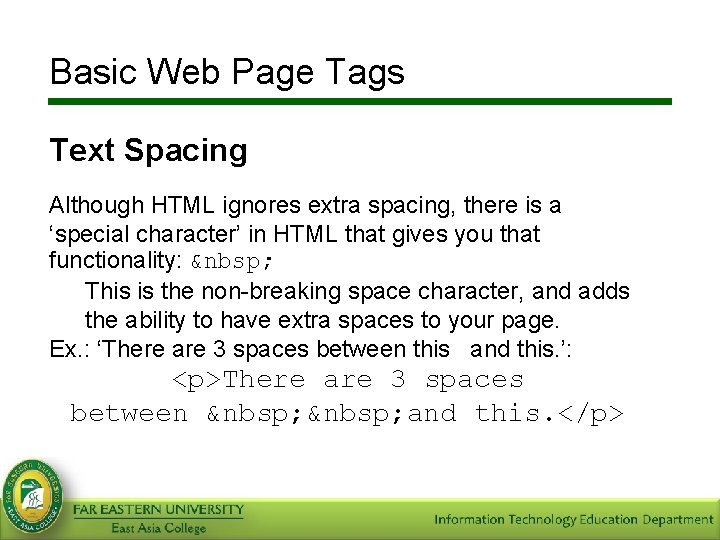
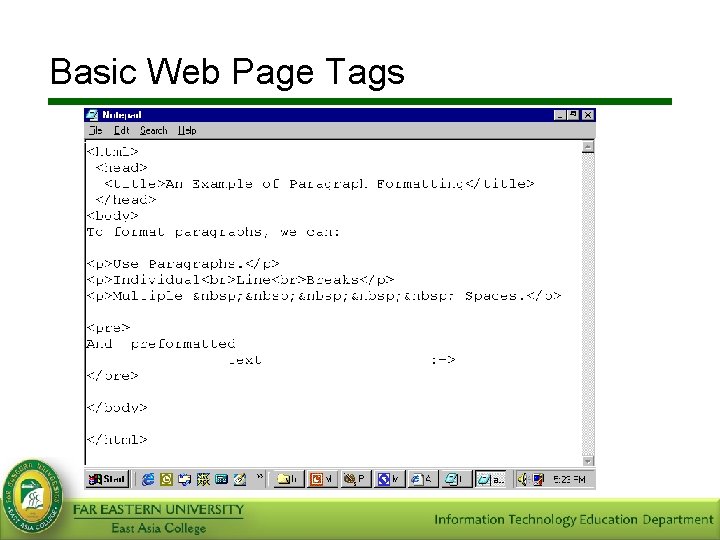
Basic Web Page Tags Text Spacing Although HTML ignores extra spacing, there is a ‘special character’ in HTML that gives you that functionality: This is the non-breaking space character, and adds the ability to have extra spaces to your page. Ex. : ‘There are 3 spaces between this and this. ’: <p>There are 3 spaces between and this. </p>
Basic Web Page Tags
Basic Web Page Tags Use of colors In HTML, we can control the color of our pages, our fonts, our elements, and more. There are 216 colors in the color-safe palette. Colors are referenced using their RGB (Red, Green, Blue) color code or their name.
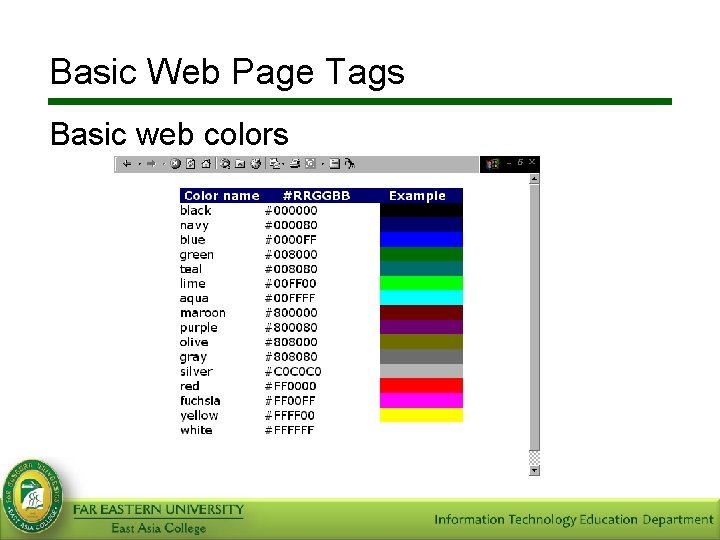
Basic Web Page Tags Basic web colors
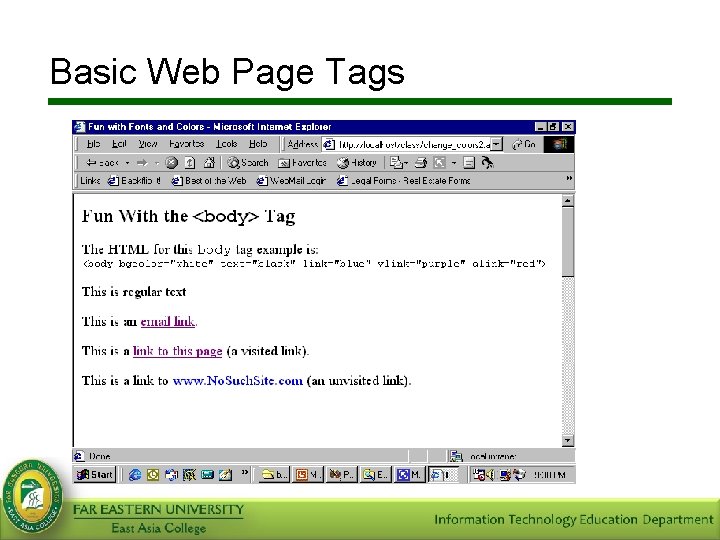
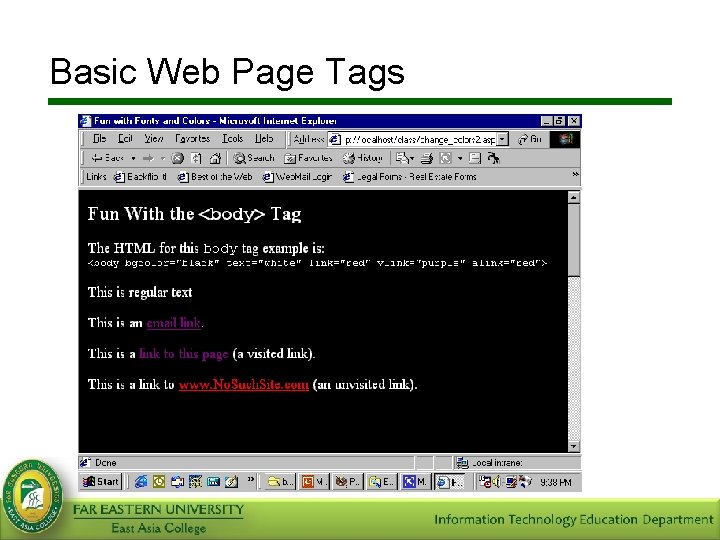
Basic Web Page Tags The <body> tag is required for all HTML documents and defines the area where the document’s content is contained. You can also use the <body> tag to define some of the formatting for the entire page. Attributes taken by the <body> tag include bgcolor, background, text, link, vlink, as well as margins.
Basic Web Page Tags Attributes bgcolor – the page’s background color. background – the page’s background image. text – the default color of all the page’s text. link – the default color for all links. alink – the default color for all default links. vlink – the default color for all visited links.
Basic Web Page Tags <body> Tag – Margins Can be controlled for newer browsers, but each browser has its own tags. Internet Explorer topmargin – controls the top margin leftmargin – controls the left margin Netscape Navigator marginheight – controls the top marginwidth – controls the left margin All sizes are in pixels, or 1 x 1 dots on your screen. This attribute should be used sparingly.
Basic Web Page Tags
Basic Web Page Tags
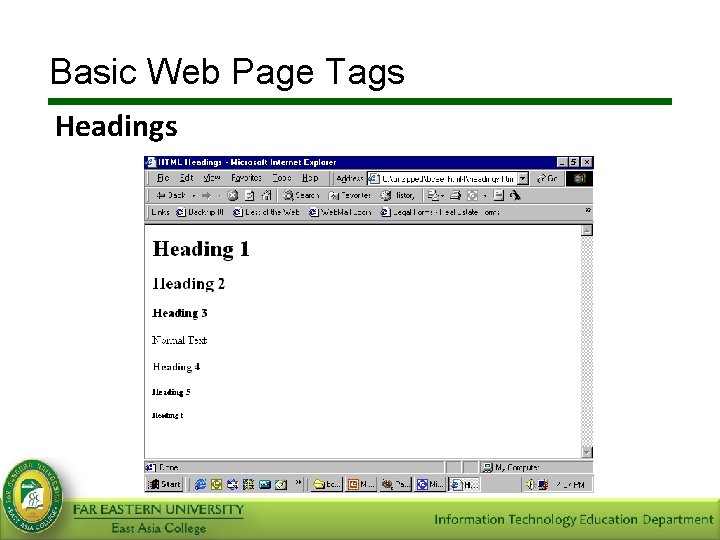
Basic Web Page Tags Headings • Headings help you better structure and format your documents. • Heading tags are <h 1> to <h 6>. – Each has an opening and closing tag – <h 1> has the largest font, and <h 6> the smallest. – Like <p> has an align attribute, which has been deprecated in HTML 4. 0. – <h 4> - <h 6> are actually smaller than your normal text font and should be used sparingly.
Basic Web Page Tags Headings
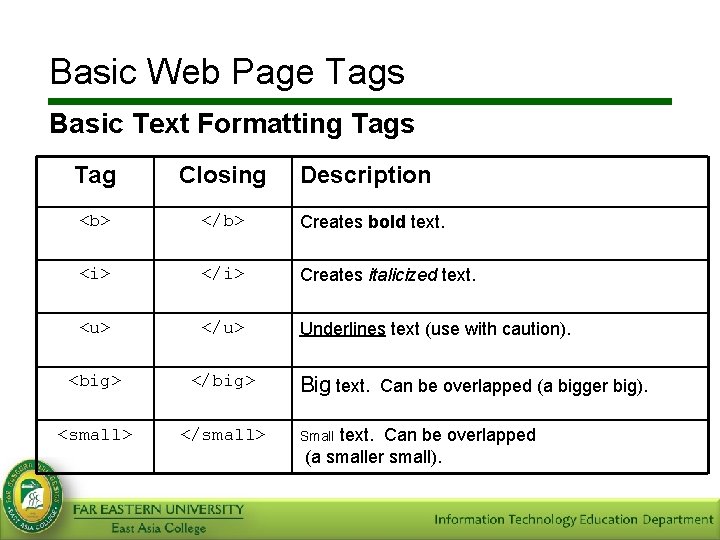
Basic Web Page Tags Basic Text Formatting Tags Tag Closing Description <b> </b> Creates bold text. <i> </i> Creates italicized text. <u> </u> Underlines text (use with caution). <big> </big> <small> </small> Big text. Can be overlapped (a bigger big). text. Can be overlapped (a smaller small). Small
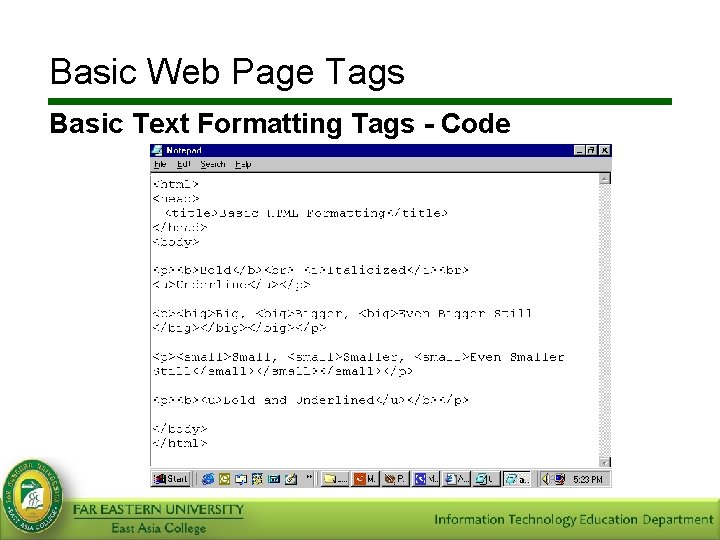
Basic Web Page Tags Basic Text Formatting Tags - Code
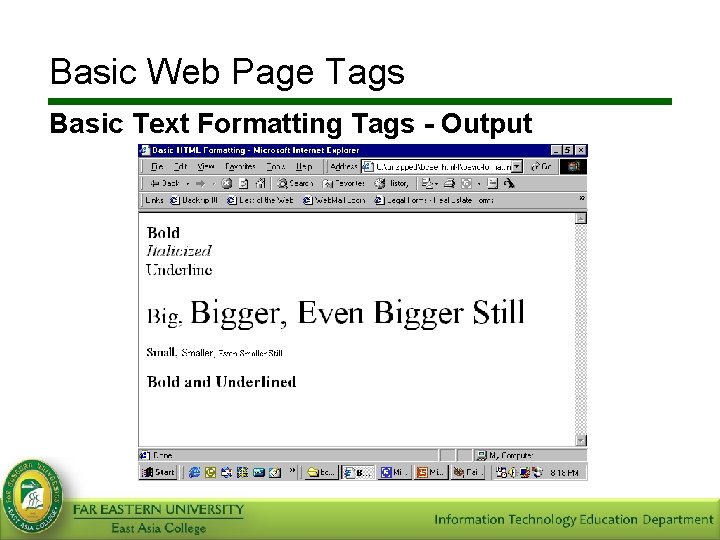
Basic Web Page Tags Basic Text Formatting Tags - Output
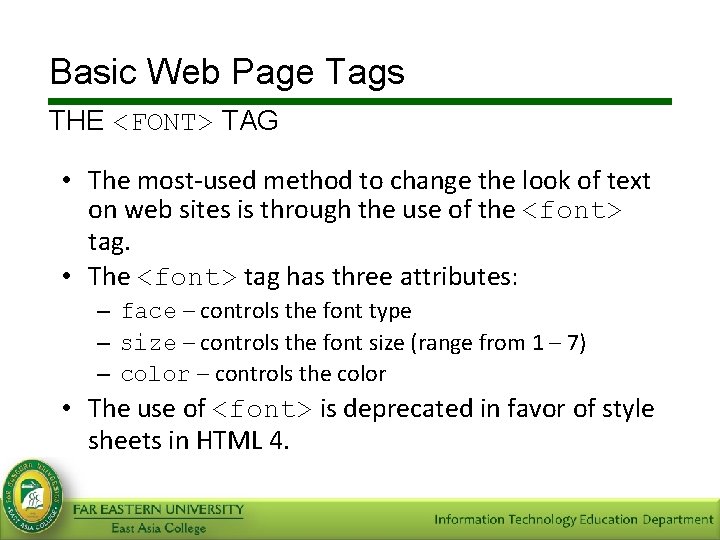
Basic Web Page Tags THE <FONT> TAG • The most-used method to change the look of text on web sites is through the use of the <font> tag. • The <font> tag has three attributes: – face – controls the font type – size – controls the font size (range from 1 – 7) – color – controls the color • The use of <font> is deprecated in favor of style sheets in HTML 4.
Basic Web Page Tags THE <FONT> TAG • Face – This attribute determines the type face of the font (what the font looks like). The three most common font faces are: • Arial • Times New Roman • Courier – The font selected must exist on the user’s computer or else it will not display correctly.
Basic Web Page Tags THE <FONT> TAG • Size – There are seven basic sizes ranging from 1 to 7 – Font Size 1 = 8 pts – Font Size 2 = 10 pts – Font Size 3 = 12 pts – Font Size 4 = 14 pts – Font Size 5 = 18 pts –Font Size 6 = 24 pts –Font Size 7 = 36 pts
Basic Web Page Tags THE <FONT> TAG • Color – There are two ways to assign color using the color attribute, with the name or RGB (red, green, blue) hexadecimal value: • • • Red Green Blue Black White #FF 0000 #00 FF 00 #0000 FF #000000 #FFFFFF – For a list of colors and their numerical equivalent, see http: //www. experimentalmedia. com/class/colors. html
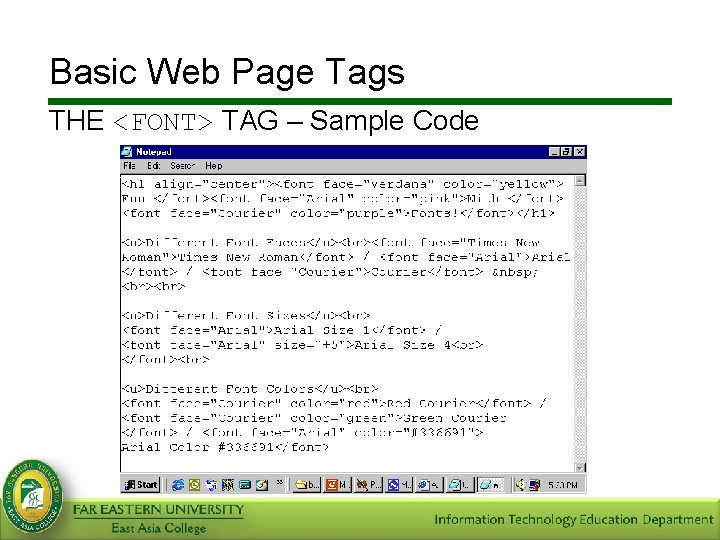
Basic Web Page Tags THE <FONT> TAG – Sample Code
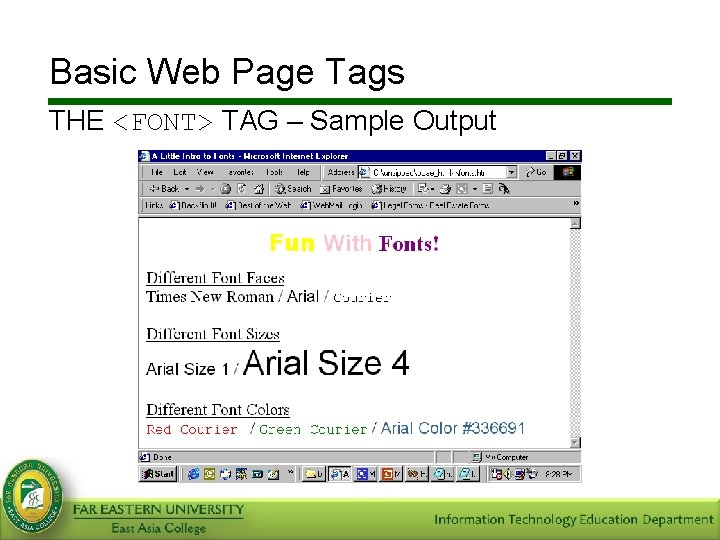
Basic Web Page Tags THE <FONT> TAG – Sample Output
Summary • • Three essential codes are the HTML, HEAD, and BODY. In HTML, colors are referenced using their RGB (Red, Green, Blue) color code or their name. In formatting your HTML document, you can use different types of formatting. Some examples of formatting tags are <font>, <h 1>-<h 6>, <b>, and <p>. Body tag is where you put all the content that will be displayed on your webpage.
- Slides: 39