
Basic User Guide Installation Data preparation Examples Convolutional
Basic User Guide • Installation • Data preparation • Examples – Convolutional Neural Network (CNN) • Dataset: CIFAR-10 • Single Worker / Synchronous / Downpour – Restricted Boltzmann Machine (RBM) • Dataset: MNIST • Single Worker 1
Installation • Download git clone https: //github. com/apache/incubator-singa. git clone https: //git-wip-us. apache. org/repos/asf/incubator-singa. git – Virtual. Box Image http: //www. comp. nus. edu. sg/~dbsystem/singa/docs/quick-start Username: singa Password: singa # get latest version cd singa git fetch origin master • Compile . /autogen. sh. /configure make
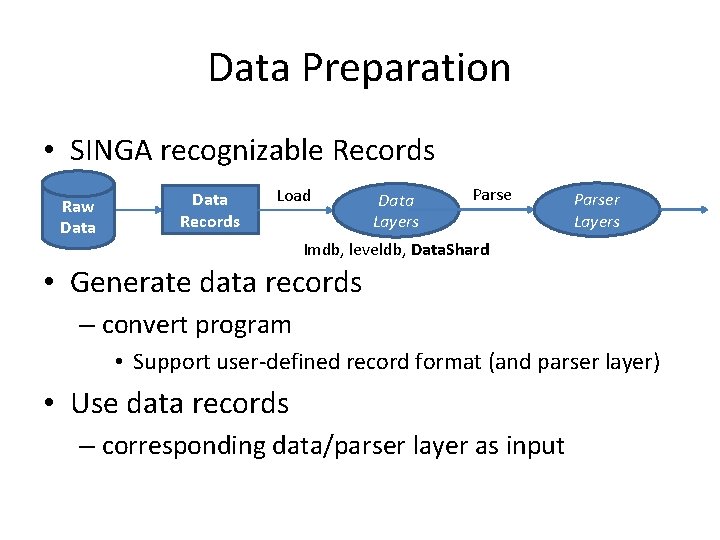
Data Preparation • SINGA recognizable Records Raw Data Records Load Data Layers Parser Layers Imdb, leveldb, Data. Shard • Generate data records – convert program • Support user-defined record format (and parser layer) • Use data records – corresponding data/parser layer as input
Convert program for Data. Shard // a built-in lightweight data layer class Data. Shard { bool Insert(const std: : string& key, const google: : protobuf: : Message& tuple); // write bool Next(std: : string* key, google: : protobuf: : Message* val); // read }; Message Single. Labelmage. Record { repeated int 32 shape; // the shape of contained data, e. g. 32*32 for a image optional int 32 label; // label for classification optional bytes pixel; // pixels of a image repeated float data; // feature vector }; singa: : Data. Shard my. Shard(outputpath, k. Create); singa: : Single. Labelmage. Record record; record->add_shape( int_val ); // for repeated field record->set_label( int_val ); // key (string) is a unique record ID (e. g. , converted from a number starting from 0) my. Shard. Insert( key, record );
![Prepared Datasets • Datasets – CIFAR-10[1] – MNIST[2] examples/cifar 10/create_shard. cc examples/mnist/create_shard. cc •](http://slidetodoc.com/presentation_image_h2/26b072bead900c9a41b5d2ea51910017/image-5.jpg "Prepared Datasets • Datasets – CIFAR-10[1] – MNIST[2] examples/cifar 10/create_shard. cc examples/mnist/create_shard. cc •")
Prepared Datasets • Datasets – CIFAR-10[1] – MNIST[2] examples/cifar 10/create_shard. cc examples/mnist/create_shard. cc • Generate records # go to example folder $ cp Makefile. example Makefile $ make download # download raw data $make create # generate data records – Already done for you in virtualbox [1] http: //www. cs. toronto. edu/~kriz/cifar. html [2] http: //yann. lecun. com/exdb/mnist/

Examples (CNN)

Examples (CNN) layer { name: "data" type: k. Shard. Data sharddata_conf { path: "examples/cifar 10_train_shard" batchsize: 16 random_skip: 5000 } exclude: k. Test # exclude for the testing net } layer { name: "data" type: k. Shard. Data sharddata_conf { path: "examples/cifar 10_test_shard“ batchsize: 100 } exclude: k. Train # exclude for the training net }
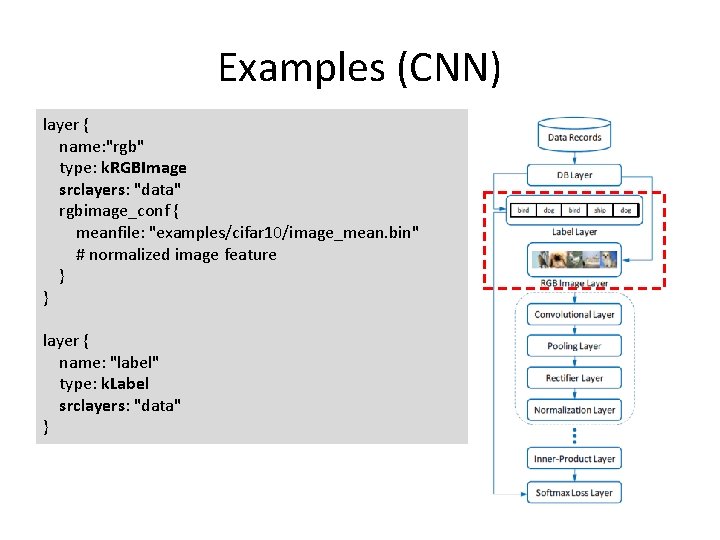
Examples (CNN) layer { name: "rgb" type: k. RGBImage srclayers: "data" rgbimage_conf { meanfile: "examples/cifar 10/image_mean. bin" # normalized image feature } } layer { name: "label" type: k. Label srclayers: "data" }
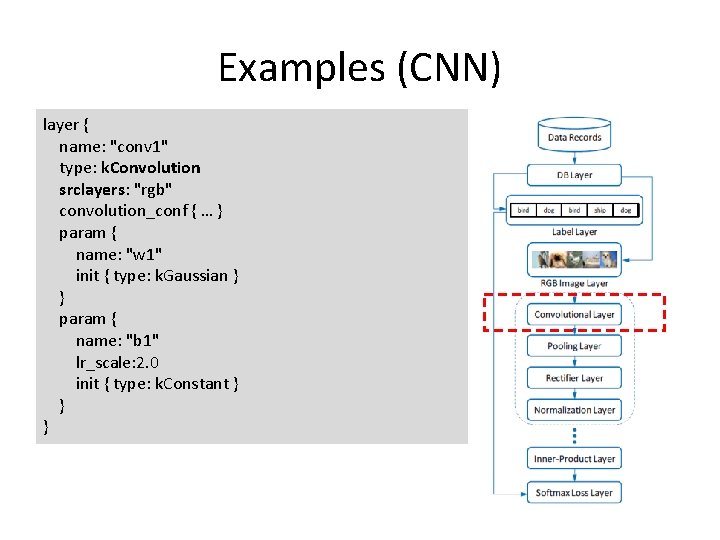
Examples (CNN) layer { name: "conv 1" type: k. Convolution srclayers: "rgb" convolution_conf { … } param { name: "w 1" init { type: k. Gaussian } } param { name: "b 1" lr_scale: 2. 0 init { type: k. Constant } } }
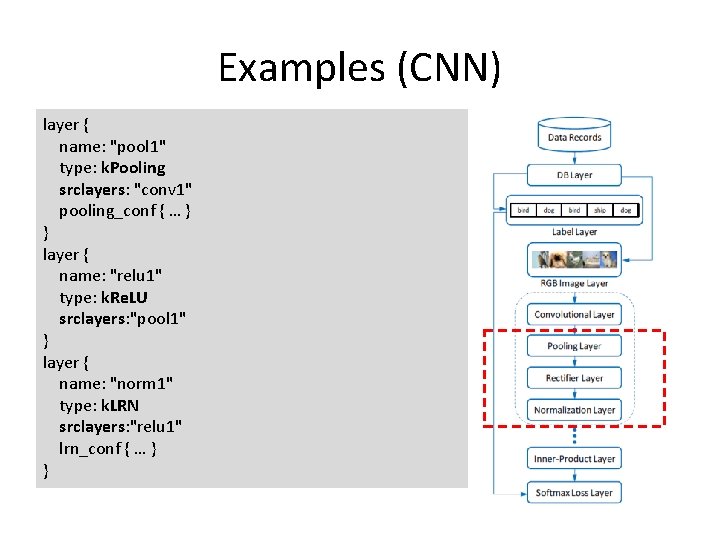
Examples (CNN) layer { name: "pool 1" type: k. Pooling srclayers: "conv 1" pooling_conf { … } } layer { name: "relu 1" type: k. Re. LU srclayers: "pool 1" } layer { name: "norm 1" type: k. LRN srclayers: "relu 1" lrn_conf { … } }
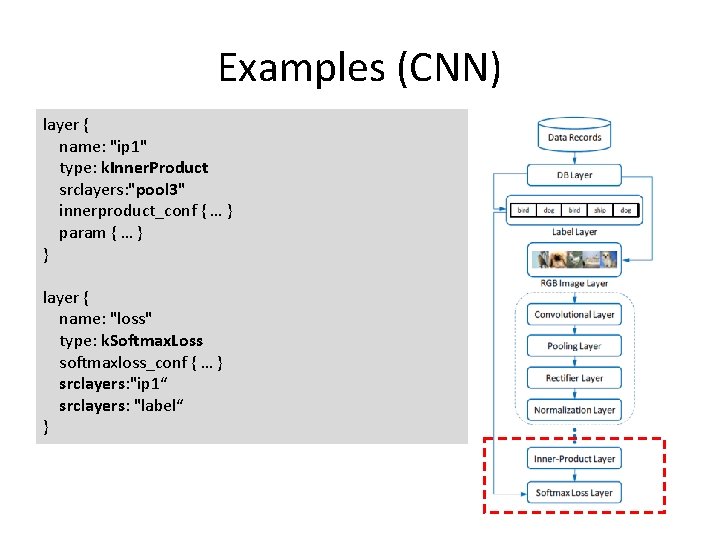
Examples (CNN) layer { name: "ip 1" type: k. Inner. Product srclayers: "pool 3" innerproduct_conf { … } param { … } } layer { name: "loss" type: k. Softmax. Loss softmaxloss_conf { … } srclayers: "ip 1“ srclayers: "label“ }
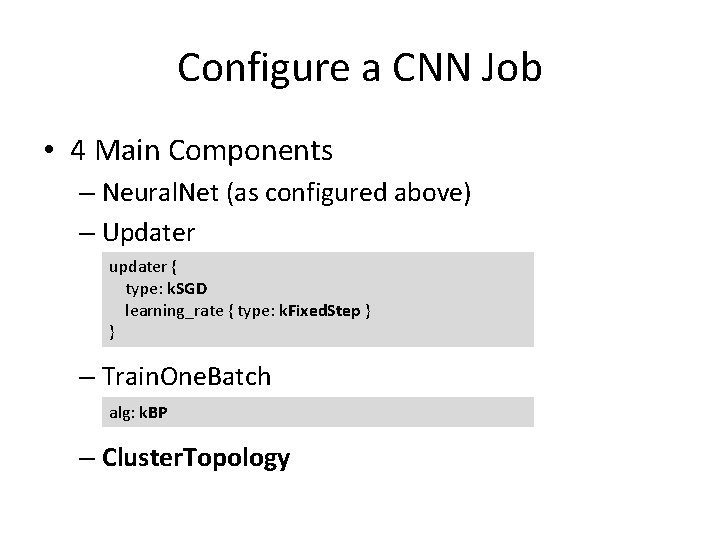
Configure a CNN Job • 4 Main Components – Neural. Net (as configured above) – Updater updater { type: k. SGD learning_rate { type: k. Fixed. Step } } – Train. One. Batch alg: k. BP – Cluster. Topology
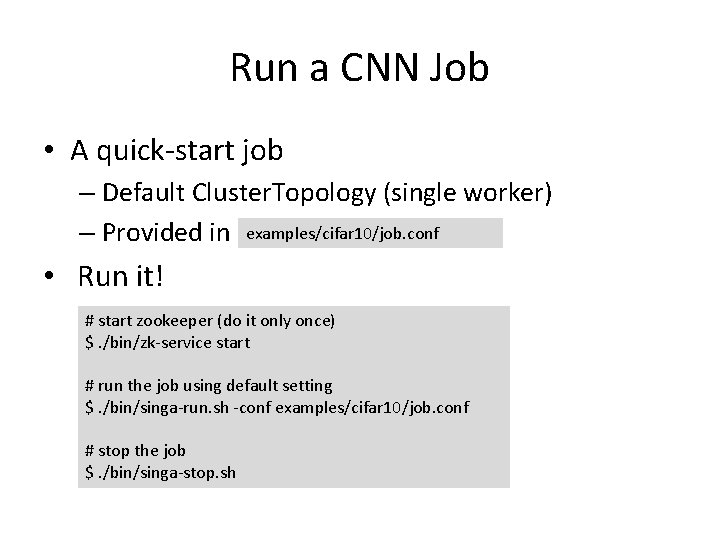
Run a CNN Job • A quick-start job – Default Cluster. Topology (single worker) – Provided in examples/cifar 10/job. conf • Run it! # start zookeeper (do it only once) $. /bin/zk-service start # run the job using default setting $. /bin/singa-run. sh -conf examples/cifar 10/job. conf # stop the job $. /bin/singa-stop. sh
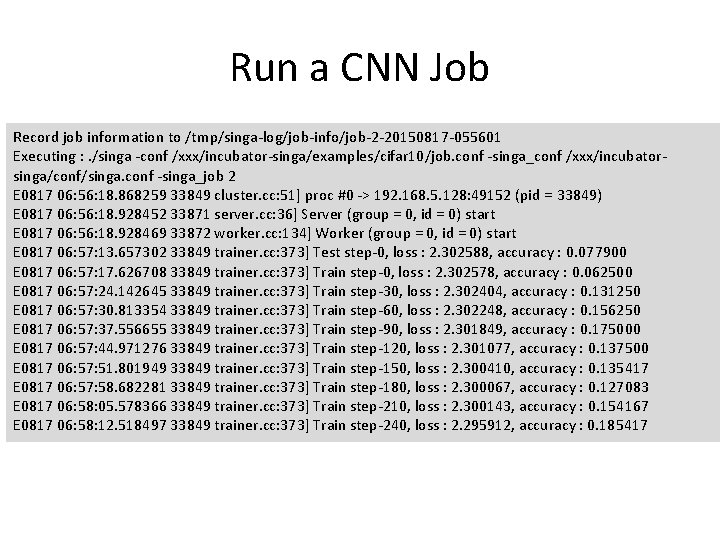
Run a CNN Job Record job information to /tmp/singa-log/job-info/job-2 -20150817 -055601 Executing : . /singa -conf /xxx/incubator-singa/examples/cifar 10/job. conf -singa_conf /xxx/incubatorsinga/conf/singa. conf -singa_job 2 E 0817 06: 56: 18. 868259 33849 cluster. cc: 51] proc #0 -> 192. 168. 5. 128: 49152 (pid = 33849) E 0817 06: 56: 18. 928452 33871 server. cc: 36] Server (group = 0, id = 0) start E 0817 06: 56: 18. 928469 33872 worker. cc: 134] Worker (group = 0, id = 0) start E 0817 06: 57: 13. 657302 33849 trainer. cc: 373] Test step-0, loss : 2. 302588, accuracy : 0. 077900 E 0817 06: 57: 17. 626708 33849 trainer. cc: 373] Train step-0, loss : 2. 302578, accuracy : 0. 062500 E 0817 06: 57: 24. 142645 33849 trainer. cc: 373] Train step-30, loss : 2. 302404, accuracy : 0. 131250 E 0817 06: 57: 30. 813354 33849 trainer. cc: 373] Train step-60, loss : 2. 302248, accuracy : 0. 156250 E 0817 06: 57: 37. 556655 33849 trainer. cc: 373] Train step-90, loss : 2. 301849, accuracy : 0. 175000 E 0817 06: 57: 44. 971276 33849 trainer. cc: 373] Train step-120, loss : 2. 301077, accuracy : 0. 137500 E 0817 06: 57: 51. 801949 33849 trainer. cc: 373] Train step-150, loss : 2. 300410, accuracy : 0. 135417 E 0817 06: 57: 58. 682281 33849 trainer. cc: 373] Train step-180, loss : 2. 300067, accuracy : 0. 127083 E 0817 06: 58: 05. 578366 33849 trainer. cc: 373] Train step-210, loss : 2. 300143, accuracy : 0. 154167 E 0817 06: 58: 12. 518497 33849 trainer. cc: 373] Train step-240, loss : 2. 295912, accuracy : 0. 185417
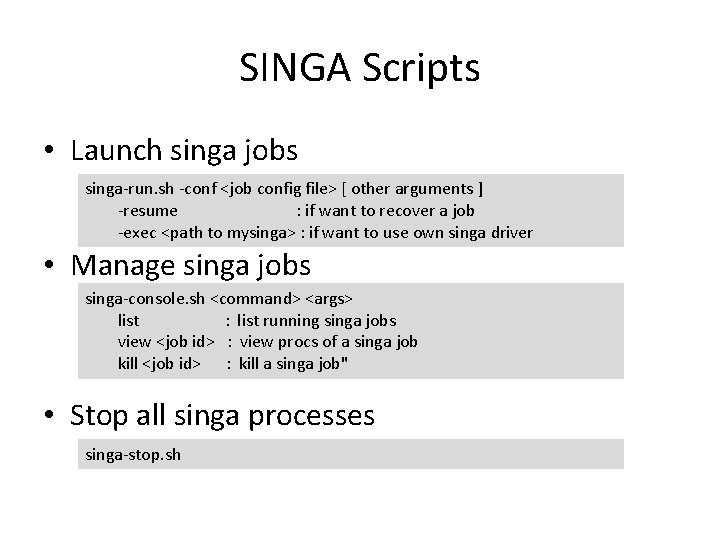
SINGA Scripts • Launch singa jobs singa-run. sh -conf <job config file> [ other arguments ] -resume : if want to recover a job -exec <path to mysinga> : if want to use own singa driver • Manage singa jobs singa-console. sh <command> <args> list : list running singa jobs view <job id> : view procs of a singa job kill <job id> : kill a singa job" • Stop all singa processes singa-stop. sh
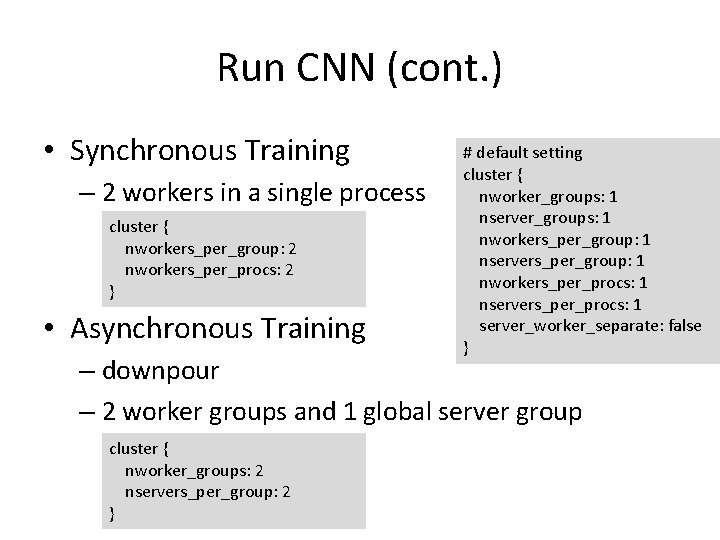
Run CNN (cont. ) • Synchronous Training – 2 workers in a single process cluster { nworkers_per_group: 2 nworkers_per_procs: 2 } • Asynchronous Training # default setting cluster { nworker_groups: 1 nserver_groups: 1 nworkers_per_group: 1 nservers_per_group: 1 nworkers_per_procs: 1 nservers_per_procs: 1 server_worker_separate: false } – downpour – 2 worker groups and 1 global server group cluster { nworker_groups: 2 nservers_per_group: 2 }
Examples (RBM-Auto Encoder)
Examples (RBM-Auto Encoder)
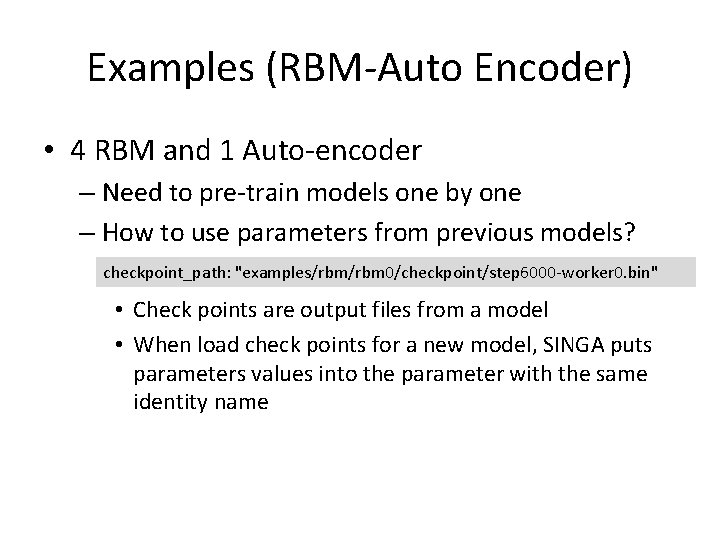
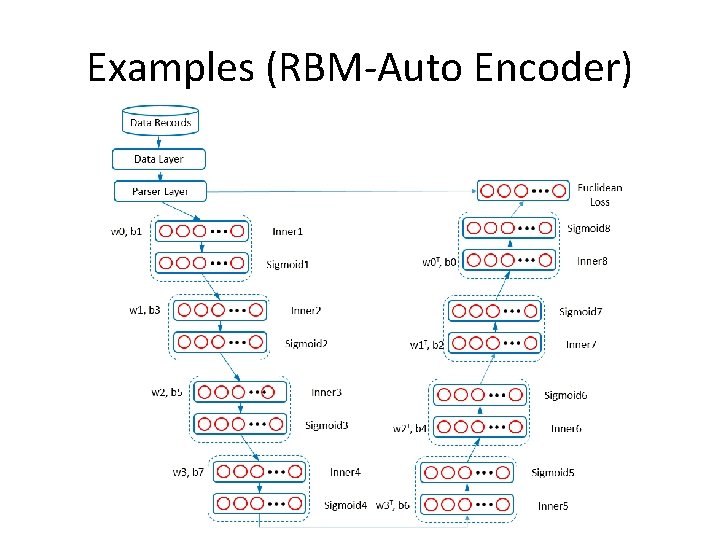
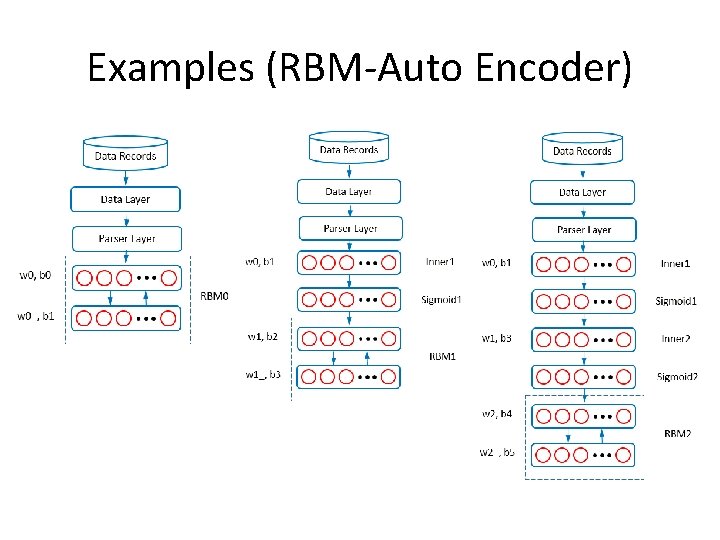
Examples (RBM-Auto Encoder) • 4 RBM and 1 Auto-encoder – Need to pre-train models one by one – How to use parameters from previous models? checkpoint_path: "examples/rbm 0/checkpoint/step 6000 -worker 0. bin" • Check points are output files from a model • When load check points for a new model, SINGA puts parameters values into the parameter with the same identity name
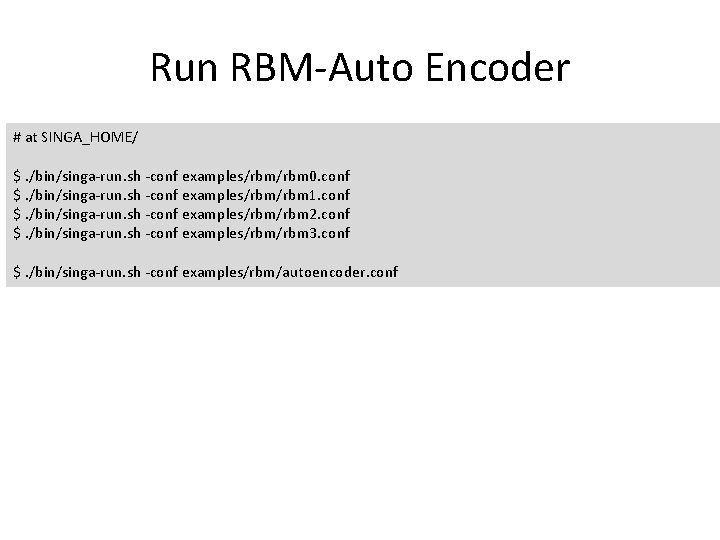
Run RBM-Auto Encoder # at SINGA_HOME/ $. /bin/singa-run. sh -conf examples/rbm 0. conf $. /bin/singa-run. sh -conf examples/rbm 1. conf $. /bin/singa-run. sh -conf examples/rbm 2. conf $. /bin/singa-run. sh -conf examples/rbm 3. conf $. /bin/singa-run. sh -conf examples/rbm/autoencoder. conf
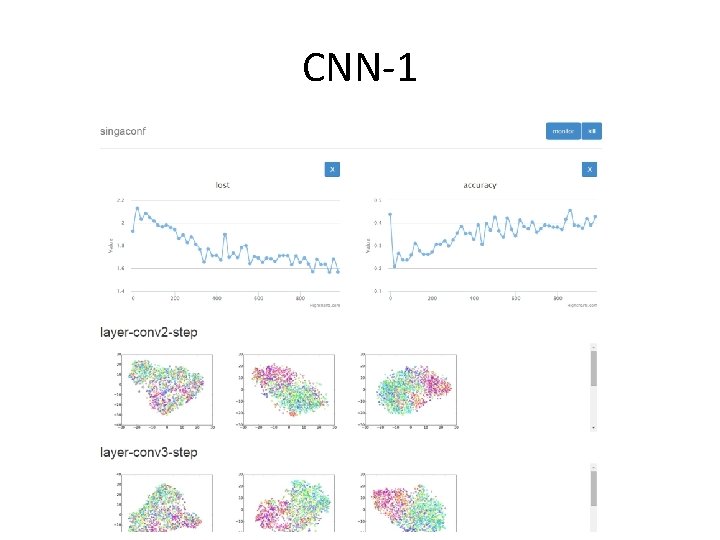
CNN-1
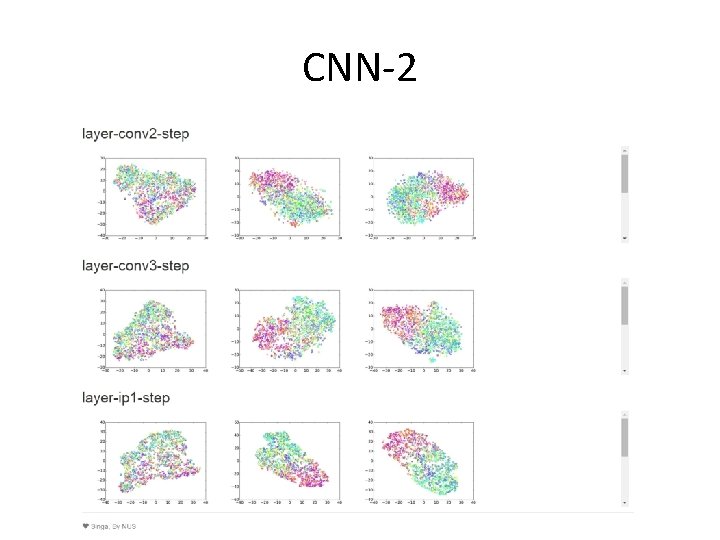
CNN-2
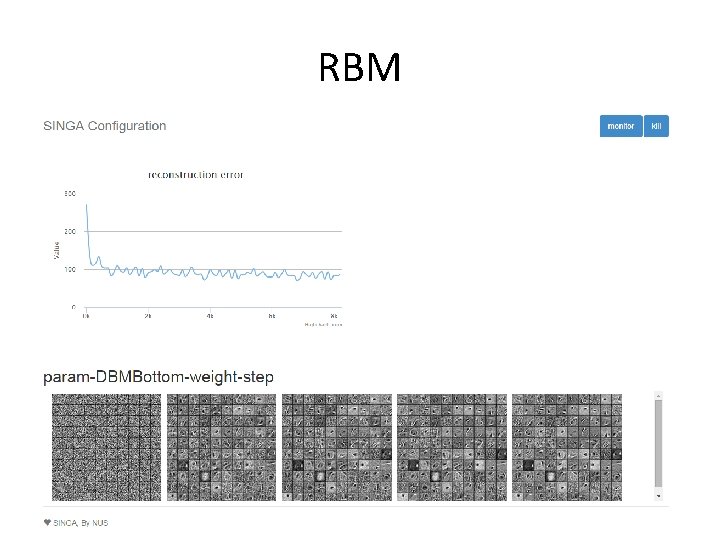
RBM
- Slides: 23