
Basic Oracle Architecture Presented to HIOUG 21 Jun2005
Basic Oracle Architecture Presented to HIOUG 21 -Jun-2005 By Byron Bush
Workshop Objectives • Identify high-level architectural components of an Oracle Database • Describe the function of each of these components • Identify Oracle Database internal data structures • Define the mechanisms used when processing Insert/Update/Delete statements

Most people call it a “Database” Technically an Oracle Database is broken into two high-level components 1. INSTANCE – Non-persistent, memory-based processes and structures 2. DATABASE – Persistent, disk-based data and control files
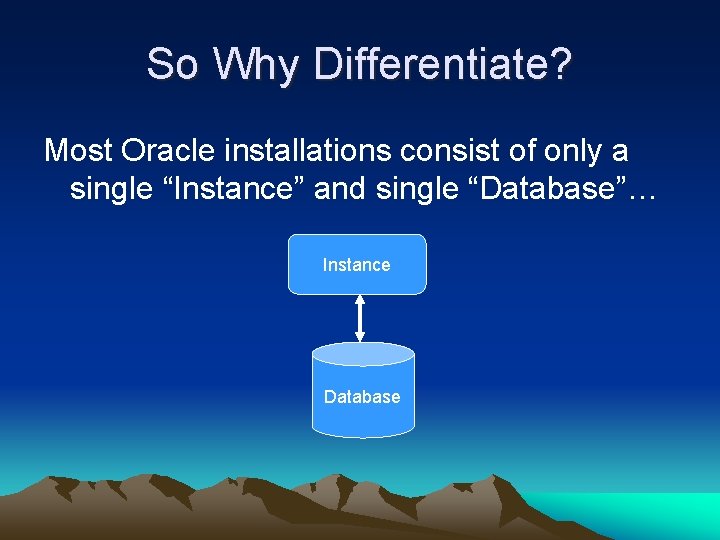
So Why Differentiate? Most Oracle installations consist of only a single “Instance” and single “Database”… Instance Database
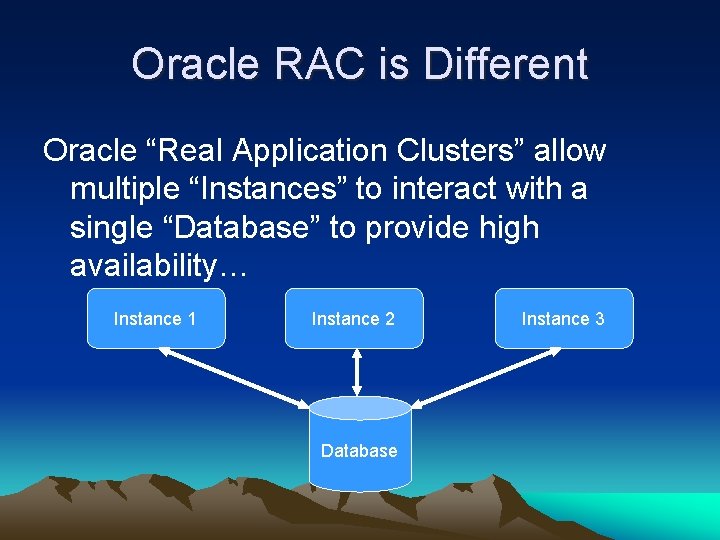
Oracle RAC is Different Oracle “Real Application Clusters” allow multiple “Instances” to interact with a single “Database” to provide high availability… Instance 1 Instance 2 Database Instance 3
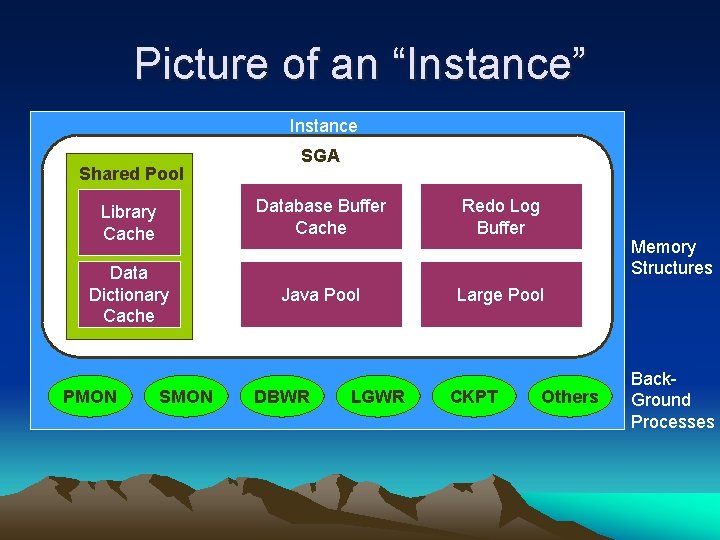
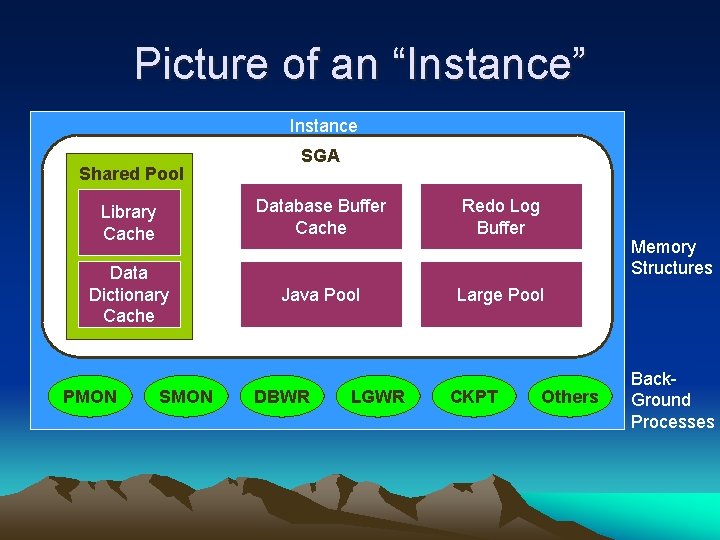
“Instance” a Little Closer An Oracle Instance… – Is a means to access an Oracle Database – Always opens one and only one Database – Consists of memory and background process structures
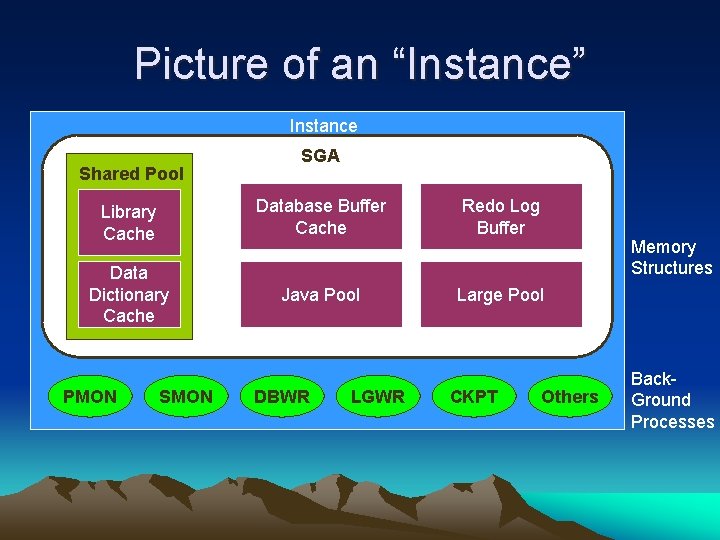
Picture of an “Instance” Instance Shared Pool SGA Library Cache Database Buffer Cache Redo Log Buffer Data Dictionary Cache Java Pool Large Pool PMON SMON DBWR LGWR CKPT Memory Structures Others Back. Ground Processes
“Database” a Little Closer An Oracle Database… – Is a collection of data that is treated as a unit – Consists of three file types
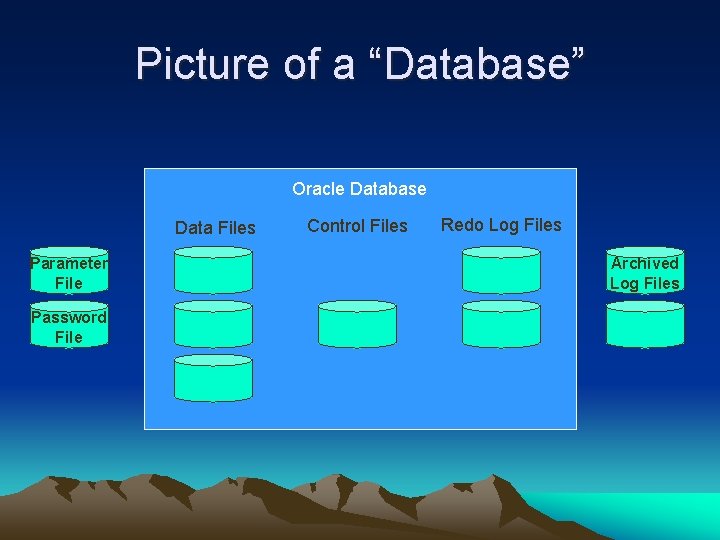
Picture of a “Database” Oracle Database Data Files Parameter File Password File Control Files Redo Log Files Archived Log Files
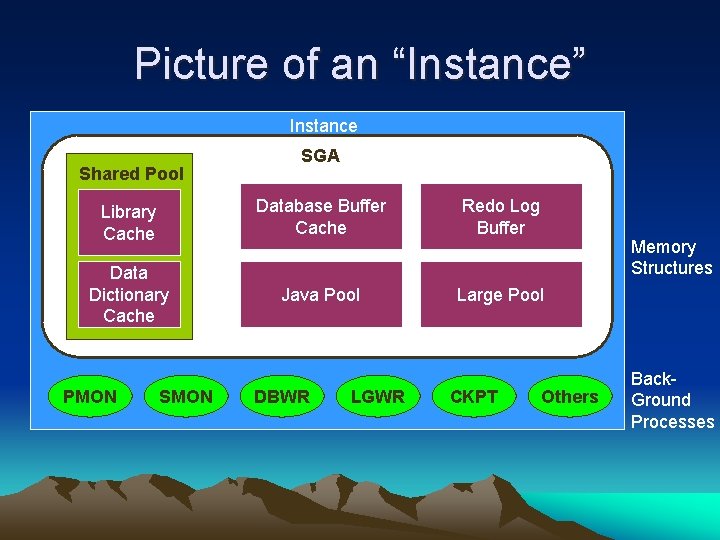
Picture of an “Instance” Instance Shared Pool SGA Library Cache Database Buffer Cache Redo Log Buffer Data Dictionary Cache Java Pool Large Pool PMON SMON DBWR LGWR CKPT Memory Structures Others Back. Ground Processes

Memory Structure Oracle’s memory structure consists of two memory areas known as: 1. System Global Area (SGA): Allocated at instance start up, and is a fundamental component of an Oracle Instance 2. Program Global Area (PGA): Allocated when the server process is started
System Global Area • The SGA consists of several memory structures: – – Shared Pool Database Buffer Cache Redo Log Buffer Other structures • There are two additional memory structures that can be configured within the SGA: – Large Pool – Java Pool
System Global Area • The size of the SGA is determined by the parameters that set the sizes of the various pools; these parameters are dynamic • The SGA_MAX_SIZE parameter sets the maximum size of the SGA (so you can limit it) and is not a dynamic parameter Thanks Ned!
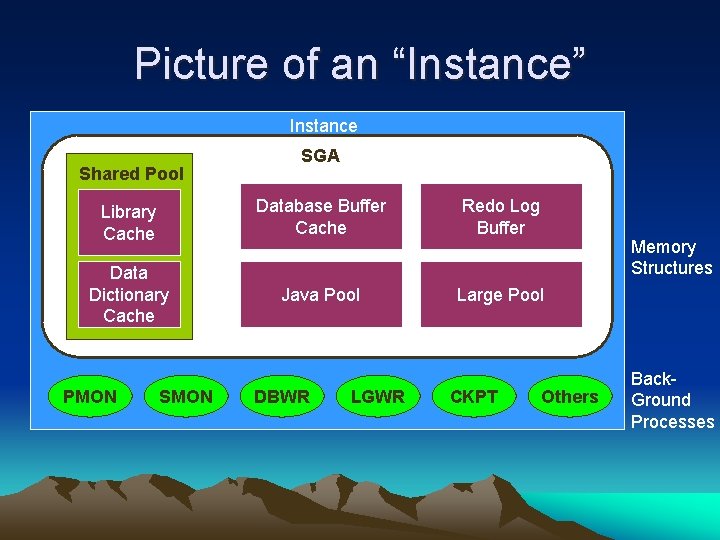
Picture of an “Instance” Instance Shared Pool SGA Library Cache Database Buffer Cache Redo Log Buffer Data Dictionary Cache Java Pool Large Pool PMON SMON DBWR LGWR CKPT Memory Structures Others Back. Ground Processes
Shared Pool • Used to store: – Most recently executed SQL statements – Most recently used data definitions • It consists of two key performance-related memory structures: – Library Cache – Data Dictionary Cache • Sized by the parameter SHARED_POOL_SIZE
Library Cache • Stores information about the most recently used SQL and PL/SQL statements • Enables the sharing of commonly used statements • Is managed by a least recently used (LRU) algorithm • Consists of two structures – Shared SQL area – Shared PL/SQL area • Size is determined by the Shared Pool sizing
Picture of an “Instance” Instance Shared Pool SGA Library Cache Database Buffer Cache Redo Log Buffer Data Dictionary Cache Java Pool Large Pool PMON SMON DBWR LGWR CKPT Memory Structures Others Back. Ground Processes
Data Dictionary Cache • A collection of the most recently used definitions in the database • Includes information about database files, tables, indexes, columns, users, privileges, and other database objects • During the parse phase, the server process looks at the data dictionary for information to resolve object names and validate access
Database Buffer Cache • Stores copies of data blocks that have been retrieved from the data files • Enables great performance gains when you obtain and update data • Managed through an LRU algorithm • DB_BLOCK_SIZE determines primary block size
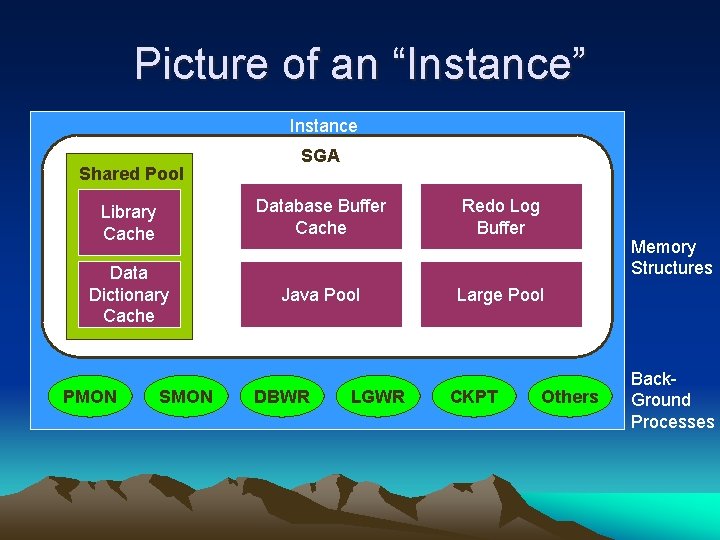
Picture of an “Instance” Instance Shared Pool SGA Library Cache Database Buffer Cache Redo Log Buffer Data Dictionary Cache Java Pool Large Pool PMON SMON DBWR LGWR CKPT Memory Structures Others Back. Ground Processes
Redo Log Buffer • Records all changes made to the database data blocks • Primary purpose is recovery • Changes recorded within are called redo entries • Redo entries contain information to reconstruct or redo changes • Size defined by LOG_BUFFER
Large Pool • An optional area of memory in the SGA • Relieves the burden place on the Shared Pool • Used for: – Session memory for the Shared Server – I/O server processes – Backup and restore operations for RMAN • Does not use an LRU list • Sized by LARGE_POOL_SIZE • Can be dynamically resized
Java Pool • Services parsing requirements for Java commands • Required if installing and using Java • Sized by JAVA_POOL_SIZE parameter
Oracle “Process” Structure • Oracle takes advantage of various types of Processes: – User Process: Started at the time a database user requests connection to the Oracle Server – Server Process: Connects to the Oracle instance and is started when a user establishes a session – Background Processes: Started when an Oracle instance is started
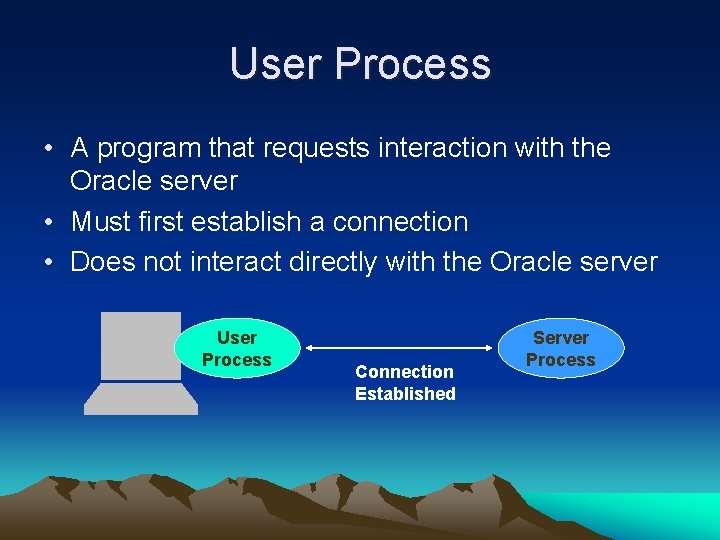
User Process • A program that requests interaction with the Oracle server • Must first establish a connection • Does not interact directly with the Oracle server User Process Connection Established Server Process
Server Process • A program that directly interacts with the Oracle server • Fulfills calls generated and returns results • Can be dedicated or shared server
Picture of an “Instance” Instance Shared Pool SGA Library Cache Database Buffer Cache Redo Log Buffer Data Dictionary Cache Java Pool Large Pool PMON SMON DBWR LGWR CKPT Memory Structures Others Back. Ground Processes
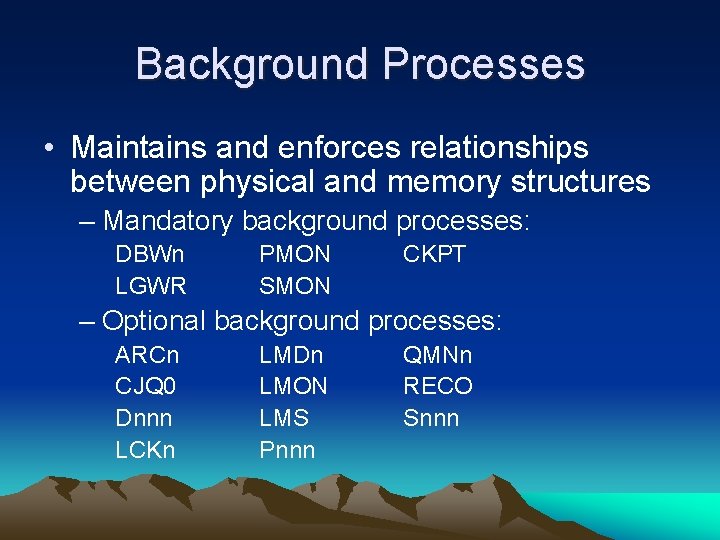
Background Processes • Maintains and enforces relationships between physical and memory structures – Mandatory background processes: DBWn LGWR PMON SMON CKPT – Optional background processes: ARCn CJQ 0 Dnnn LCKn LMDn LMON LMS Pnnn QMNn RECO Snnn
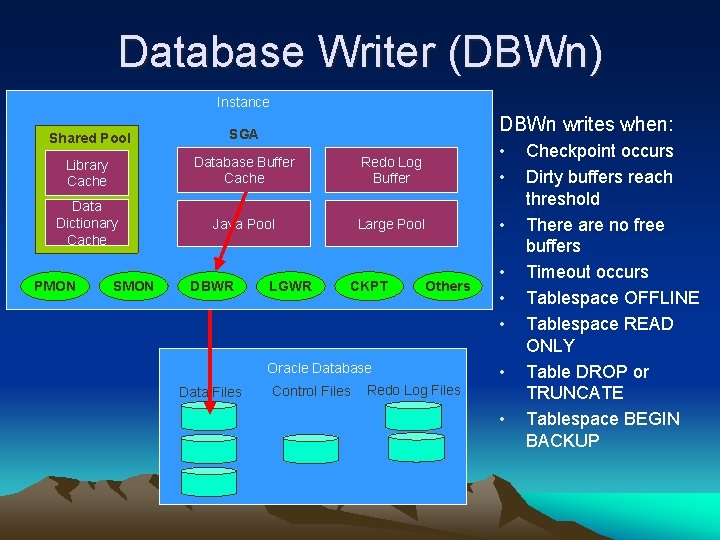
Database Writer (DBWn) Instance DBWn writes when: Shared Pool SGA Library Cache Database Buffer Cache Redo Log Buffer • • Data Dictionary Cache Java Pool Large Pool • PMON SMON DBWR LGWR CKPT Others Oracle Database Data Files Control Files • • Redo Log Files • Checkpoint occurs Dirty buffers reach threshold There are no free buffers Timeout occurs Tablespace OFFLINE Tablespace READ ONLY Table DROP or TRUNCATE Tablespace BEGIN BACKUP
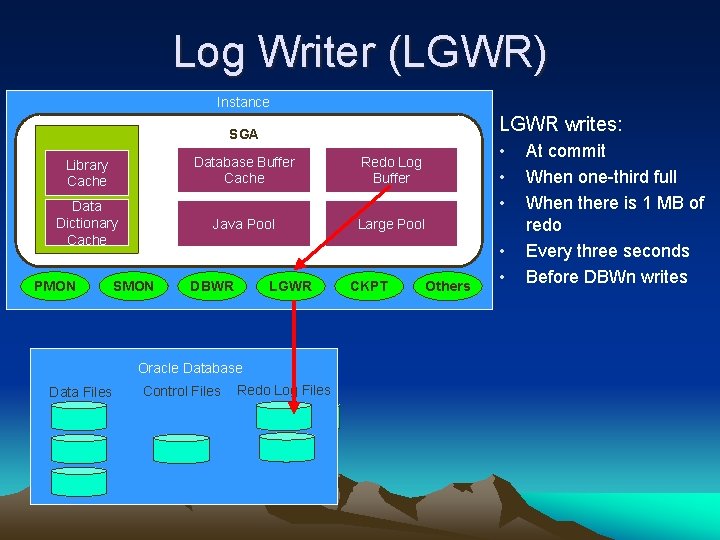
Log Writer (LGWR) Instance LGWR writes: Shared Pool SGA Library Cache Database Buffer Cache Redo Log Buffer Data Dictionary Cache Java Pool Large Pool PMON SMON DBWR LGWR Oracle Database Data Files Control Files Redo Log Files CKPT • • • Others • • At commit When one-third full When there is 1 MB of redo Every three seconds Before DBWn writes
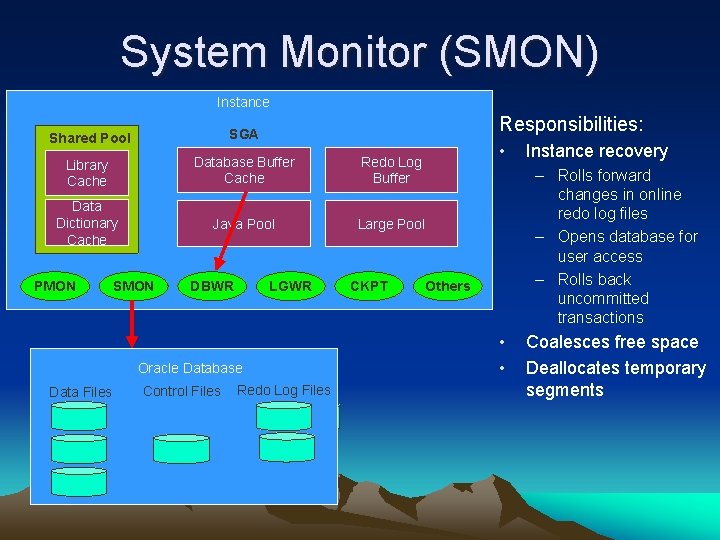
System Monitor (SMON) Instance Responsibilities: Shared Pool SGA Library Cache Database Buffer Cache Redo Log Buffer Data Dictionary Cache Java Pool Large Pool PMON SMON DBWR LGWR Oracle Database Data Files Control Files Redo Log Files CKPT • Instance recovery – Rolls forward changes in online redo log files – Opens database for user access – Rolls back uncommitted transactions Others • • Coalesces free space Deallocates temporary segments
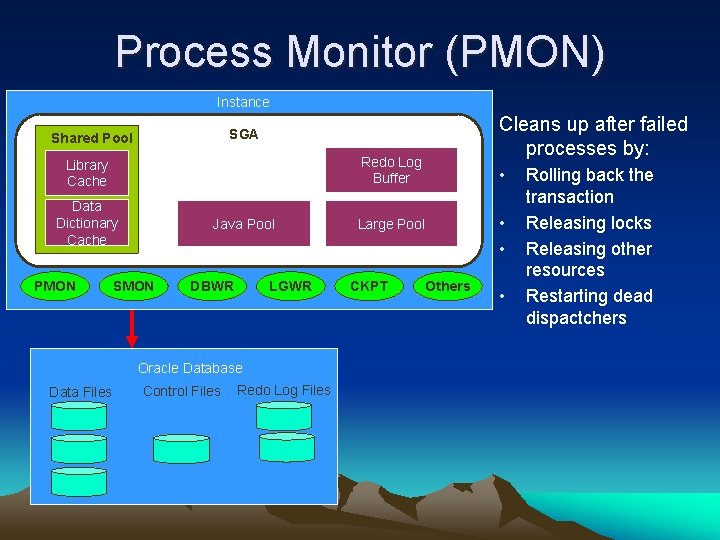
Process Monitor (PMON) Instance Shared Pool SGA Library Cache Database Buffer Cache Redo Log Buffer Data Dictionary Cache Java Pool Large Pool PMON SMON DBWR LGWR Oracle Database Data Files Control Files Redo Log Files CKPT Cleans up after failed processes by: • • • Others • Rolling back the transaction Releasing locks Releasing other resources Restarting dead dispactchers
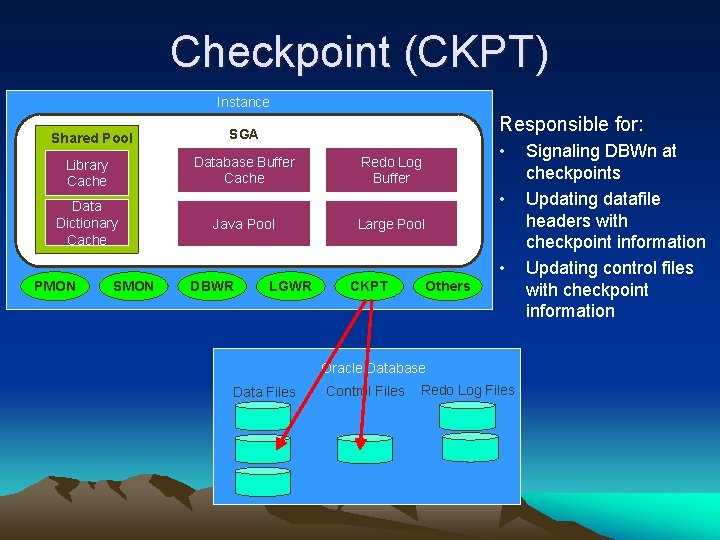
Checkpoint (CKPT) Instance Responsible for: Shared Pool SGA Library Cache Database Buffer Cache Data Dictionary Cache Java Pool • Redo Log Buffer • Large Pool • PMON SMON DBWR LGWR CKPT Others Oracle Database Data Files Control Files Redo Log Files Signaling DBWn at checkpoints Updating datafile headers with checkpoint information Updating control files with checkpoint information
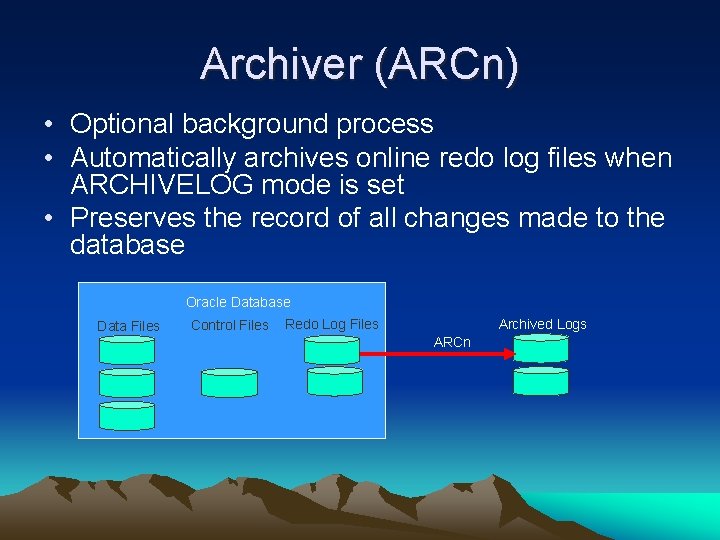
Archiver (ARCn) • Optional background process • Automatically archives online redo log files when ARCHIVELOG mode is set • Preserves the record of all changes made to the database Oracle Database Data Files Control Files Archived Logs Redo Log Files ARCn
Oracle Data Storage Oracle keeps all system and user data in two basic storage containers: 1. Tablespace… a logical entity known only to Oracle 2. Data Files… physical files that may (typically) be seen from the operating system
Tablespaces • Can belong to only one database at a time • Consist of one or more data files • Are further divided into logical units of store
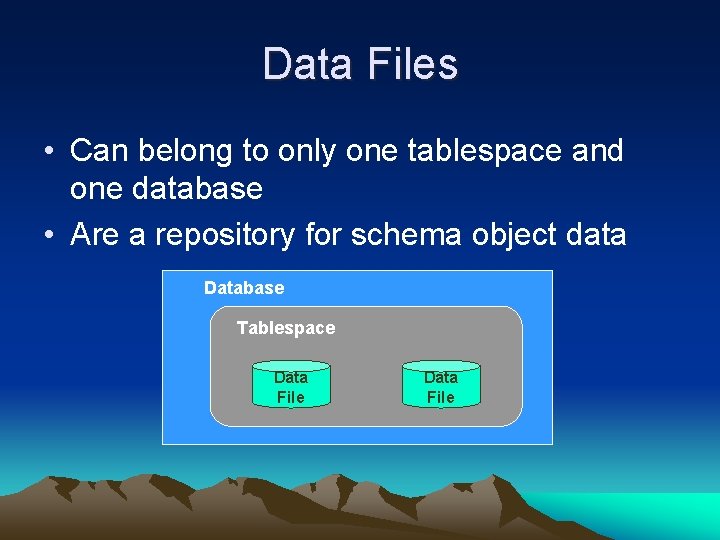
Data Files • Can belong to only one tablespace and one database • Are a repository for schema object data Database Tablespace Data File
2 Types of Tablespace 1. Tablespaces required by Oracle for normal operations 2. Tablespaces that contain data and indexes that support your applications
Required Tablespaces • System – Contains the Oracle Data Dictionary • Sysaux - New to 10 g; supports historic monitoring / tuning • Temporary – Used for disk-based sorting of data (select. . . from…order by) • Undo – Used for transaction consistency during Insert / Update / Delete statements
SQL Statements (IUDS) • • Insert Update Delete Select What happens when someone connects to the database and issues one of these statements?
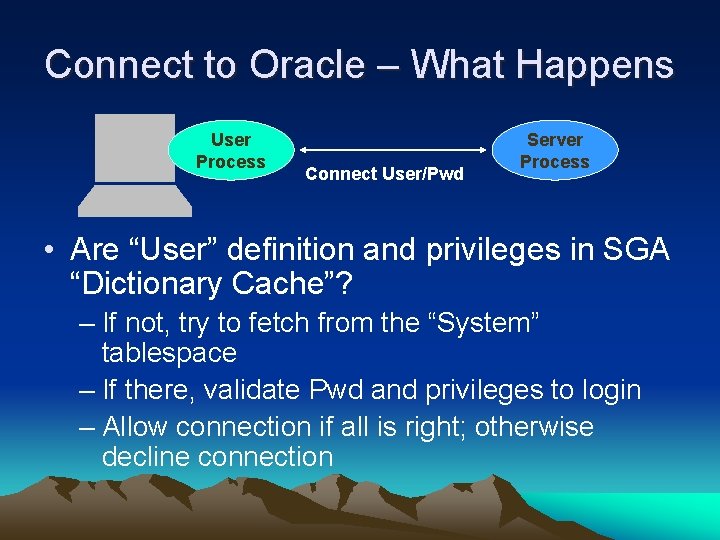
Connect to Oracle – What Happens User Process Connect User/Pwd Server Process • Are “User” definition and privileges in SGA “Dictionary Cache”? – If not, try to fetch from the “System” tablespace – If there, validate Pwd and privileges to login – Allow connection if all is right; otherwise decline connection
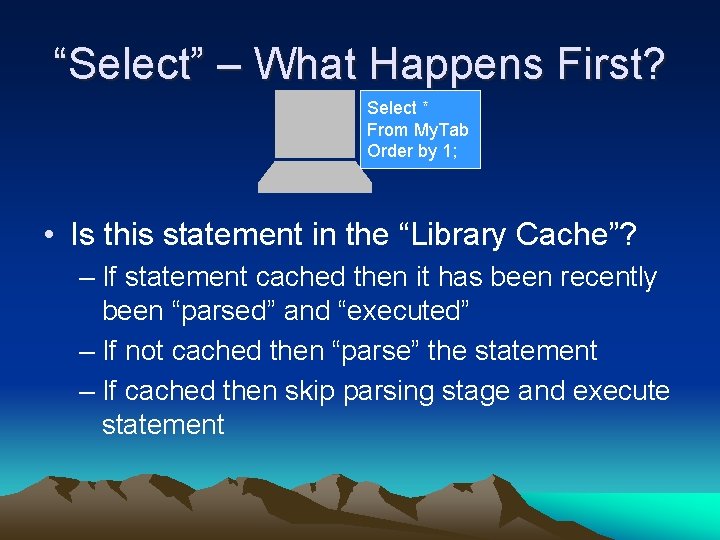
“Select” – What Happens First? Select * From My. Tab Order by 1; • Is this statement in the “Library Cache”? – If statement cached then it has been recently been “parsed” and “executed” – If not cached then “parse” the statement – If cached then skip parsing stage and execute statement
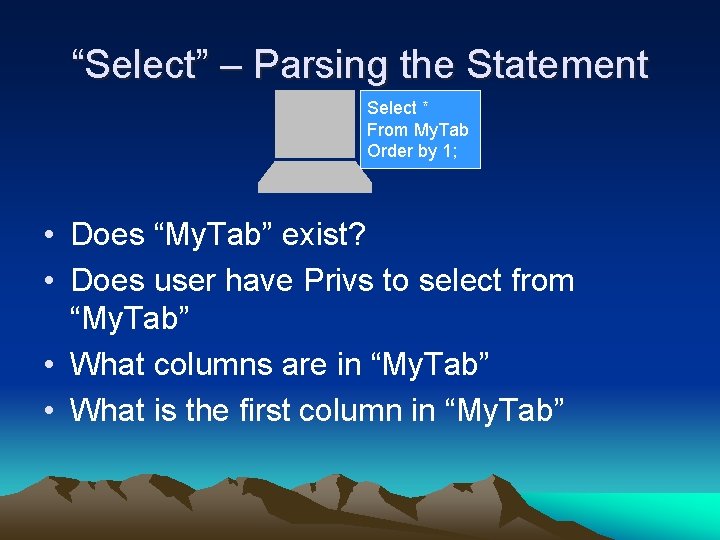
“Select” – Parsing the Statement Select * From My. Tab Order by 1; • Does “My. Tab” exist? • Does user have Privs to select from “My. Tab” • What columns are in “My. Tab” • What is the first column in “My. Tab”
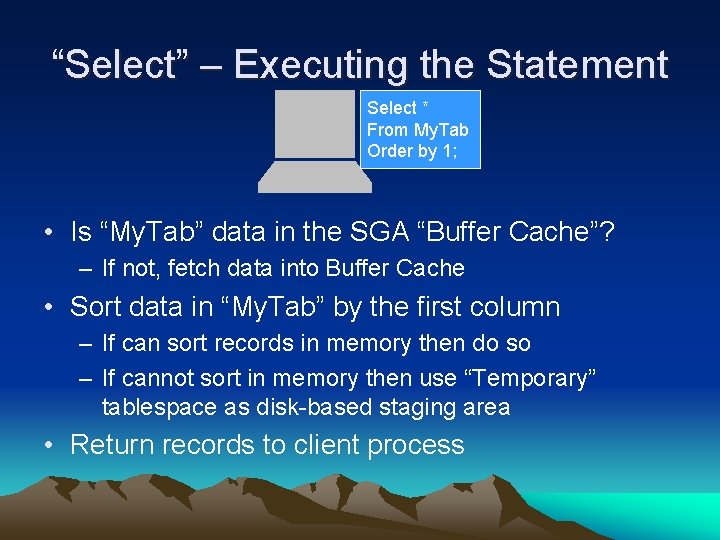
“Select” – Executing the Statement Select * From My. Tab Order by 1; • Is “My. Tab” data in the SGA “Buffer Cache”? – If not, fetch data into Buffer Cache • Sort data in “My. Tab” by the first column – If can sort records in memory then do so – If cannot sort in memory then use “Temporary” tablespace as disk-based staging area • Return records to client process
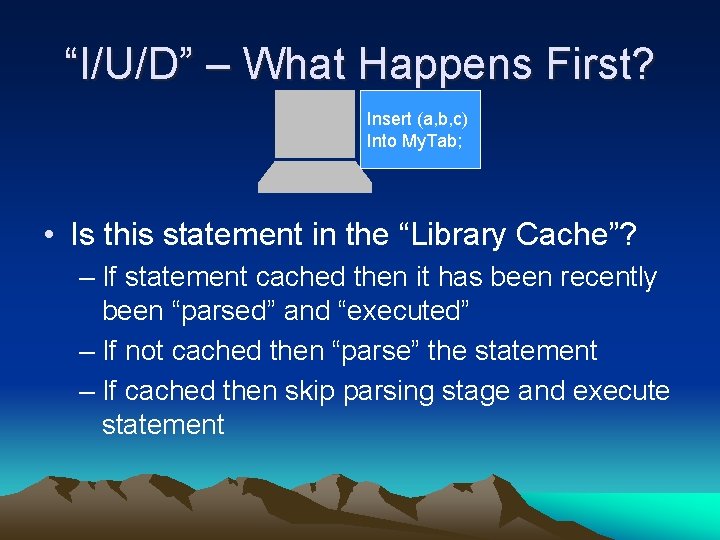
“I/U/D” – What Happens First? Insert (a, b, c) Into My. Tab; • Is this statement in the “Library Cache”? – If statement cached then it has been recently been “parsed” and “executed” – If not cached then “parse” the statement – If cached then skip parsing stage and execute statement
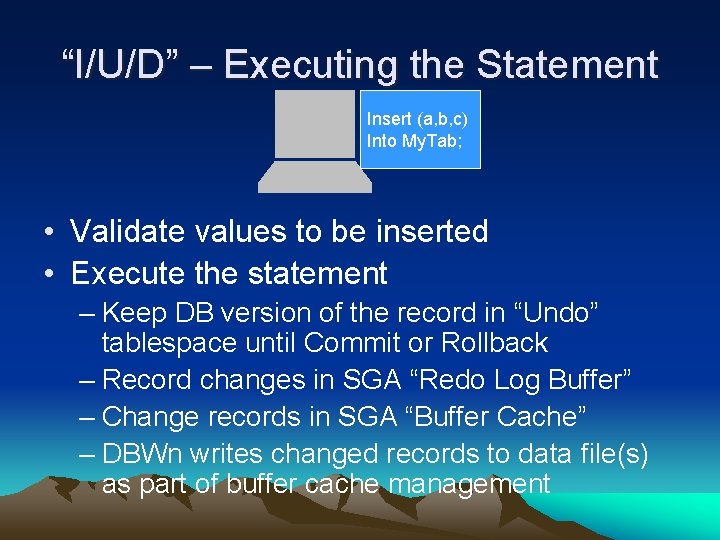
“I/U/D” – Executing the Statement Insert (a, b, c) Into My. Tab; • Validate values to be inserted • Execute the statement – Keep DB version of the record in “Undo” tablespace until Commit or Rollback – Record changes in SGA “Redo Log Buffer” – Change records in SGA “Buffer Cache” – DBWn writes changed records to data file(s) as part of buffer cache management
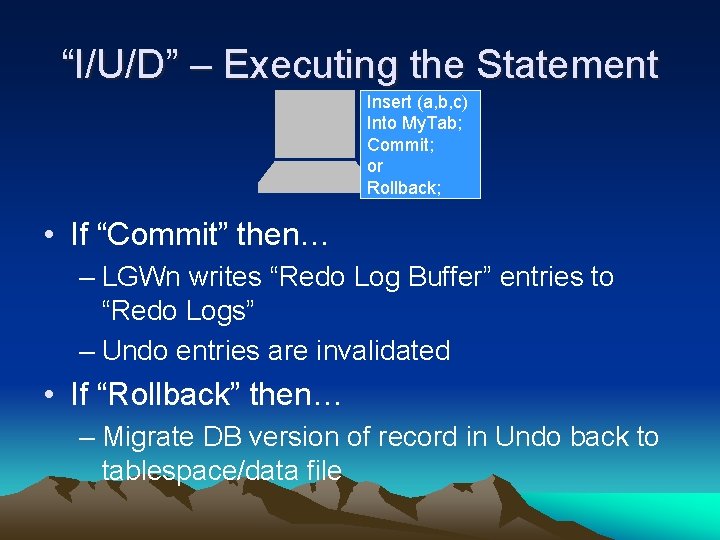
“I/U/D” – Executing the Statement Insert (a, b, c) Into My. Tab; Commit; or Rollback; • If “Commit” then… – LGWn writes “Redo Log Buffer” entries to “Redo Logs” – Undo entries are invalidated • If “Rollback” then… – Migrate DB version of record in Undo back to tablespace/data file
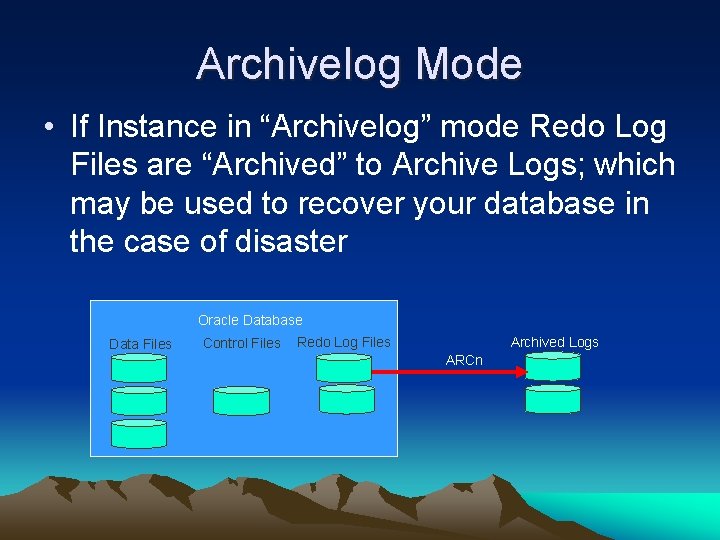
Archivelog Mode • If Instance in “Archivelog” mode Redo Log Files are “Archived” to Archive Logs; which may be used to recover your database in the case of disaster Oracle Database Data Files Control Files Archived Logs Redo Log Files ARCn
Summary • What we called a “Database” is really an “Instance” and a “Database. ” • An Oracle “Instance” is not persistent. It consists of the System Global Area (SGA) and a collection of processes. • An Oracle “Database” is persistent. It consists of a collection of “Required” and “User” tablespaces (with corresponding data files) along with other supporting files. • Nearly every component of the “Instance” and “Database” are mobilized to execute SQL statements.
- Slides: 49