
Basic Of Networking NETWORK CONCEPTS l Network Topology
Basic Of Networking
NETWORK CONCEPTS l Network Topology l OSI Reference Model l Protocols l Hub , Switch , Router l Cabling

Network l What’s Network l Types Of Network l LAN (Local Area Network) l MAN (Metropolitan Area Network) l WAN (Wide Area Network) l Peer To Peer Networking l Server Base Networking l Host (Sender of Information) l Guest (Receiver of Information)
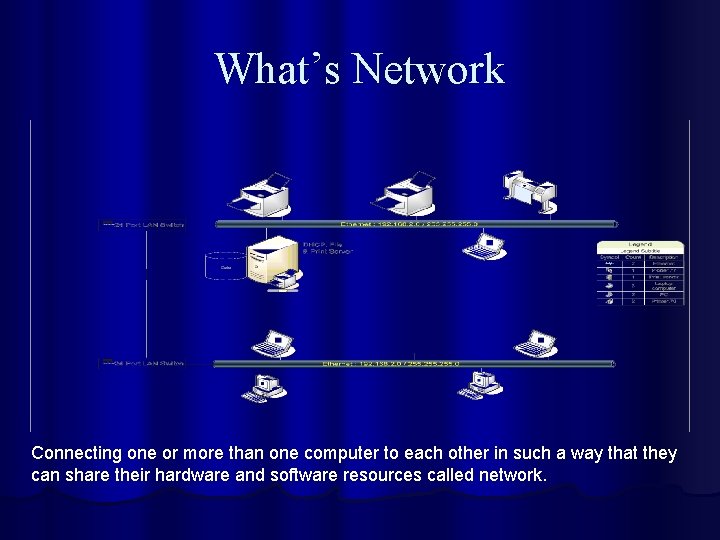
What’s Network Connecting one or more than one computer to each other in such a way that they can share their hardware and software resources called network.
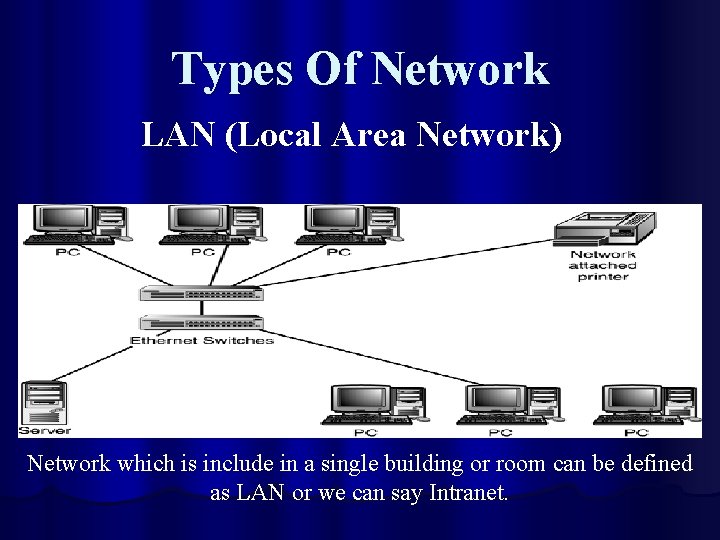
Types Of Network LAN (Local Area Network) Network which is include in a single building or room can be defined as LAN or we can say Intranet.
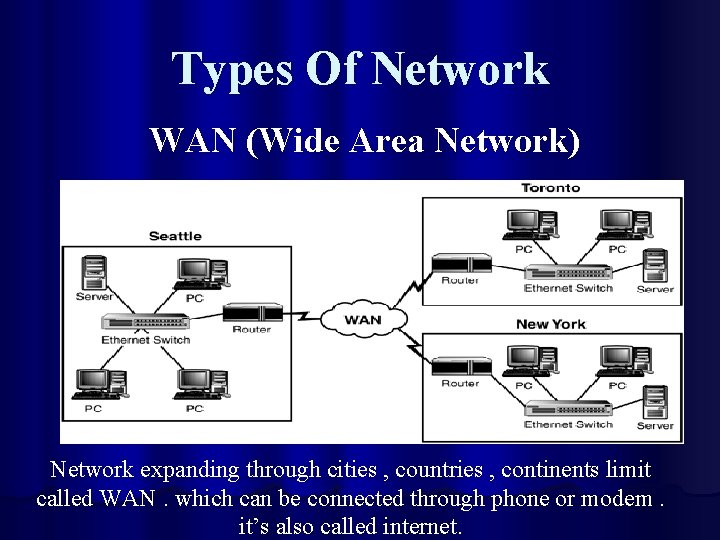
Types Of Network WAN (Wide Area Network) Network expanding through cities , countries , continents limit called WAN. which can be connected through phone or modem. it’s also called internet.
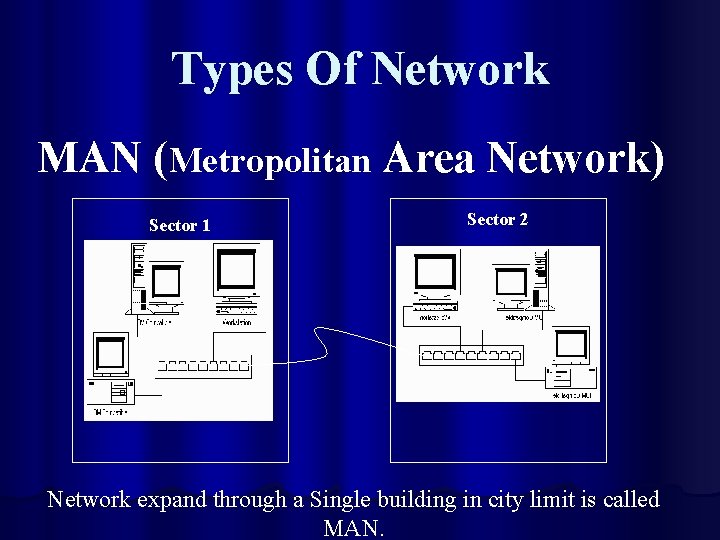
Types Of Network MAN (Metropolitan Area Network) Sector 1 Sector 2 Network expand through a Single building in city limit is called MAN.
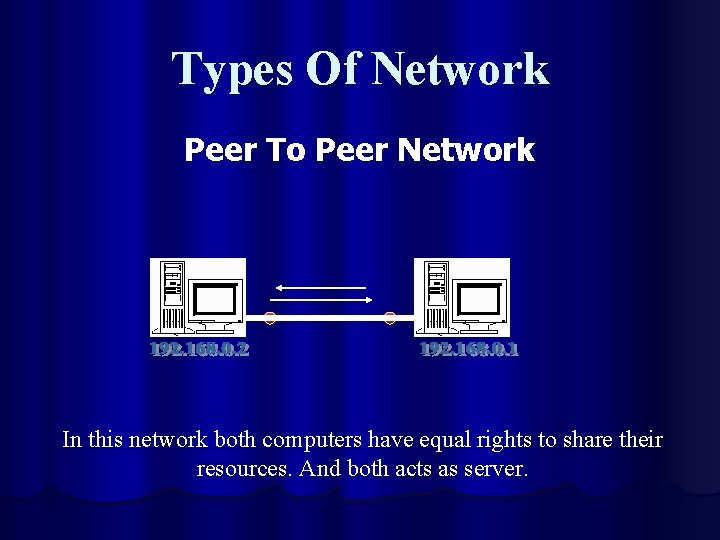
Types Of Network Peer To Peer Network In this network both computers have equal rights to share their resources. And both acts as server.
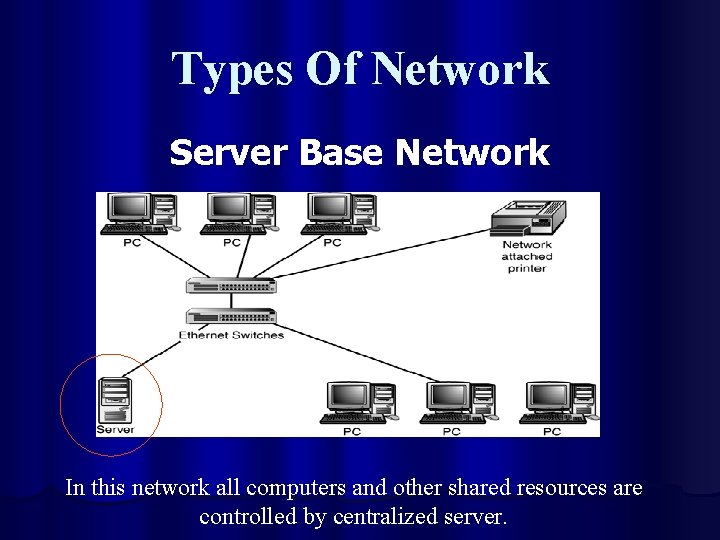
Types Of Network Server Base Network In this network all computers and other shared resources are controlled by centralized server.
Topologies l Network topology refers to the Physical structure or layout of a network. l Types of Topologies are. l Star / Hierarchical l Bus l Ring l Mesh l Hybrid
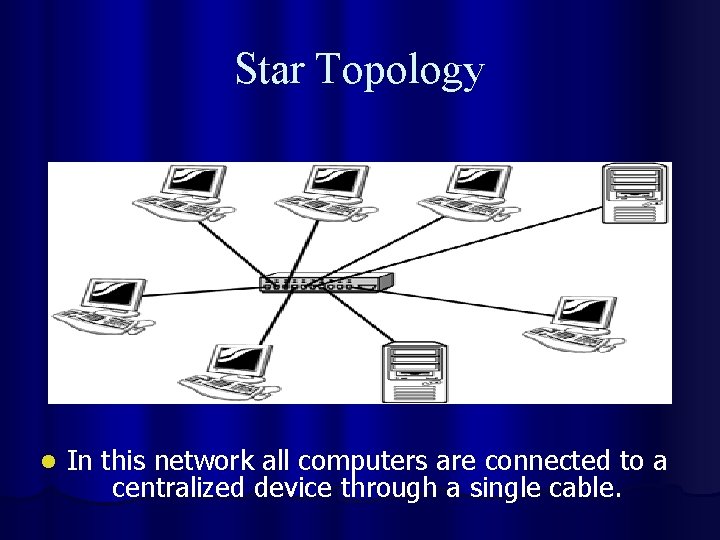
Star Topology l In this network all computers are connected to a centralized device through a single cable.
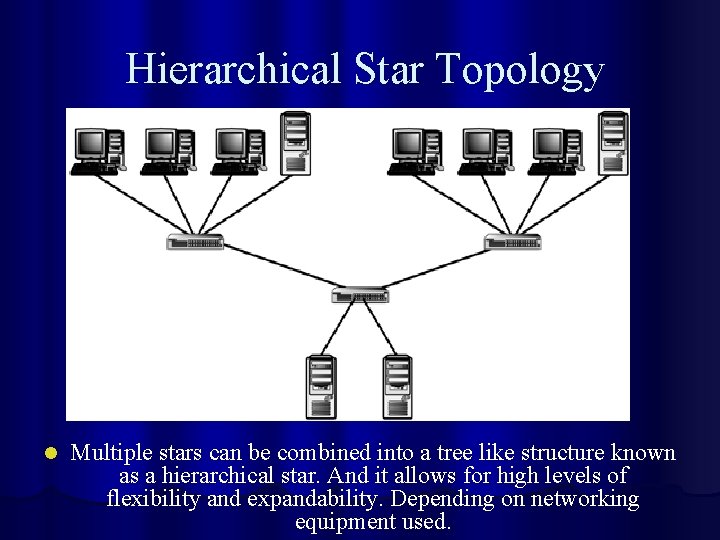
Hierarchical Star Topology l Multiple stars can be combined into a tree like structure known as a hierarchical star. And it allows for high levels of flexibility and expandability. Depending on networking equipment used.
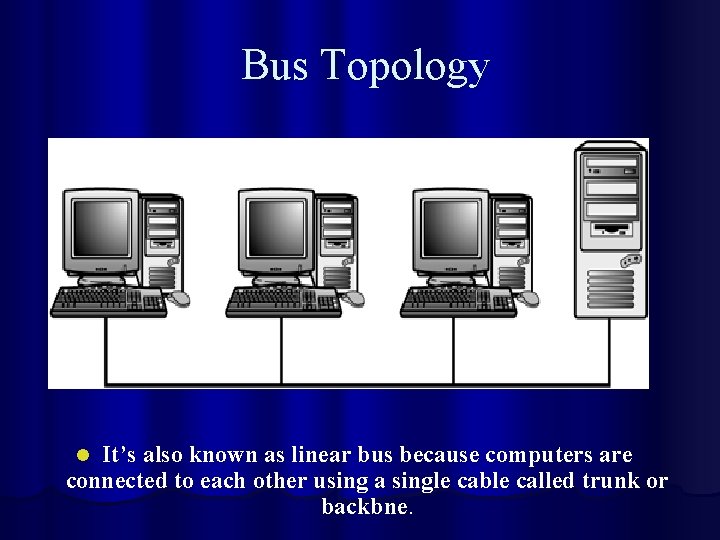
Bus Topology It’s also known as linear bus because computers are connected to each other using a single cable called trunk or backbne. l
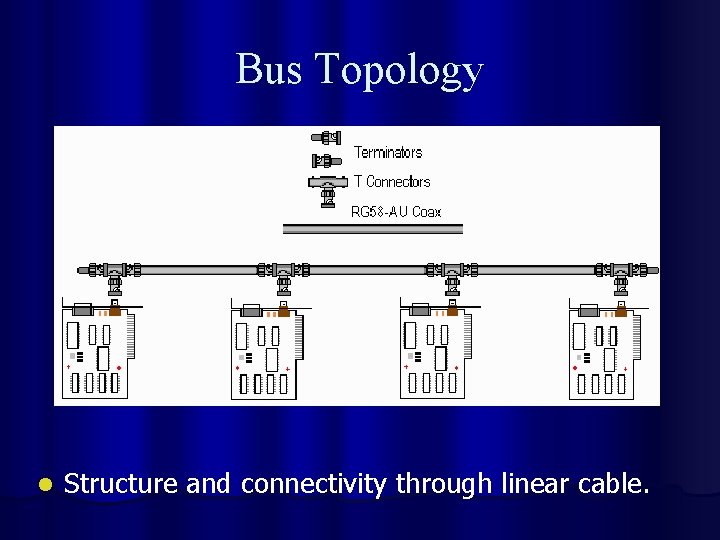
Bus Topology l Structure and connectivity through linear cable.
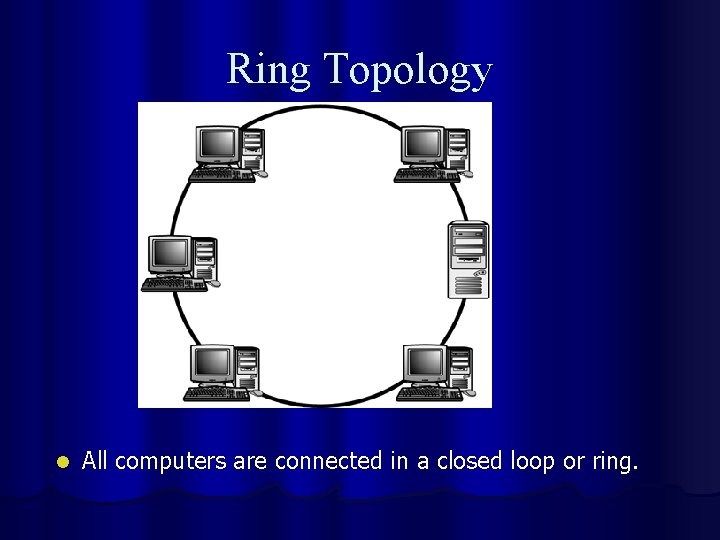
Ring Topology l All computers are connected in a closed loop or ring.
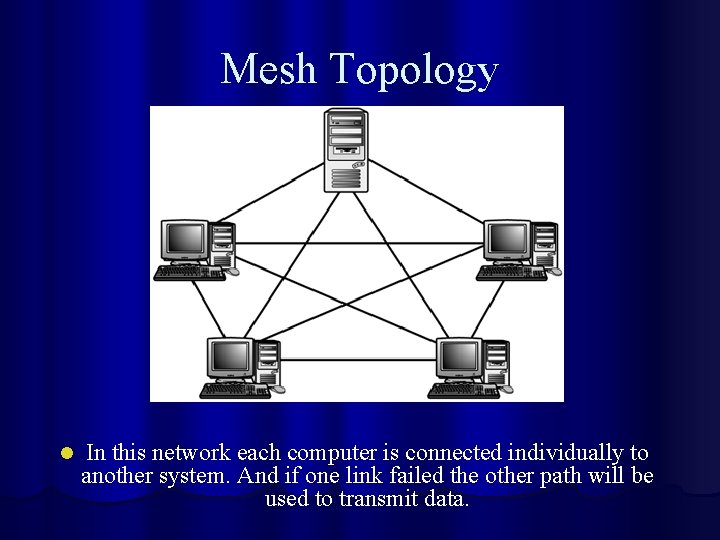
Mesh Topology l In this network each computer is connected individually to another system. And if one link failed the other path will be used to transmit data.
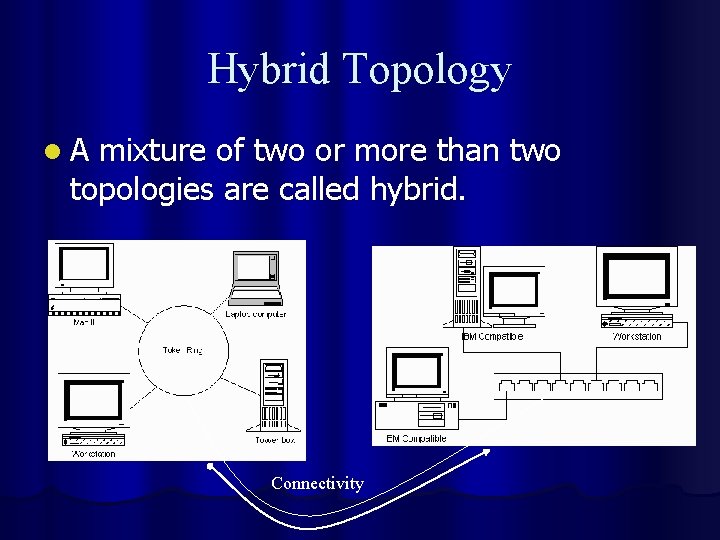
Hybrid Topology l. A mixture of two or more than two topologies are called hybrid. Connectivity
OSI Reference Model l Open Systems Interconnection Reference Model l Standard model for network communications l Allows dissimilar networks to communicate l Defines 7 protocol layers
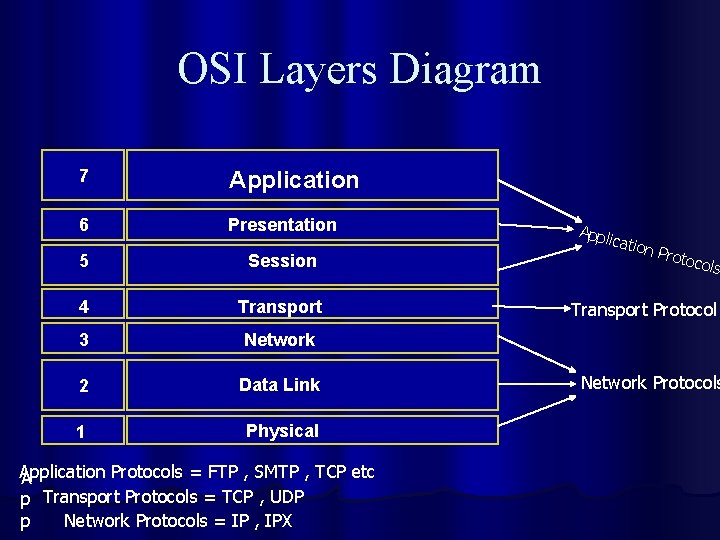
OSI Layers Diagram 7 Application 6 Presentation 5 Session 4 Transport 3 Network 2 Data Link 1 Physical Application Protocols = FTP , SMTP , TCP etc A p Transport Protocols = TCP , UDP Network Protocols = IP , IPX p Appli catio n Pro tocol s Transport Protocol Network Protocols
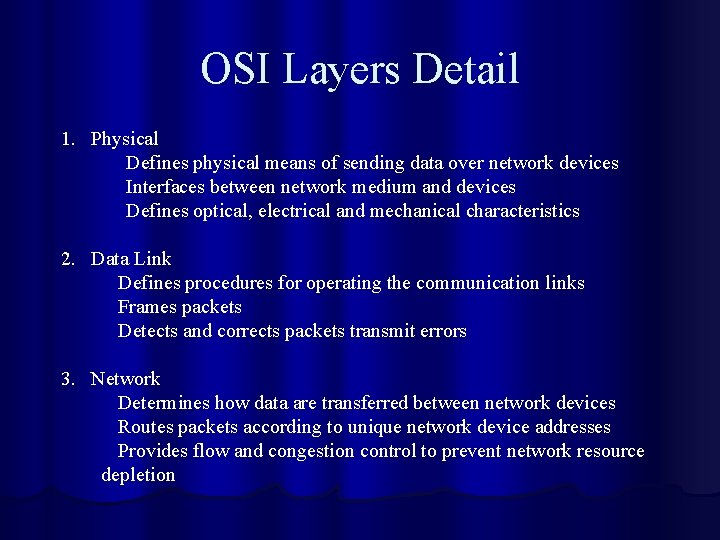
OSI Layers Detail 1. Physical Defines physical means of sending data over network devices Interfaces between network medium and devices Defines optical, electrical and mechanical characteristics 2. Data Link Defines procedures for operating the communication links Frames packets Detects and corrects packets transmit errors 3. Network Determines how data are transferred between network devices Routes packets according to unique network device addresses Provides flow and congestion control to prevent network resource depletion
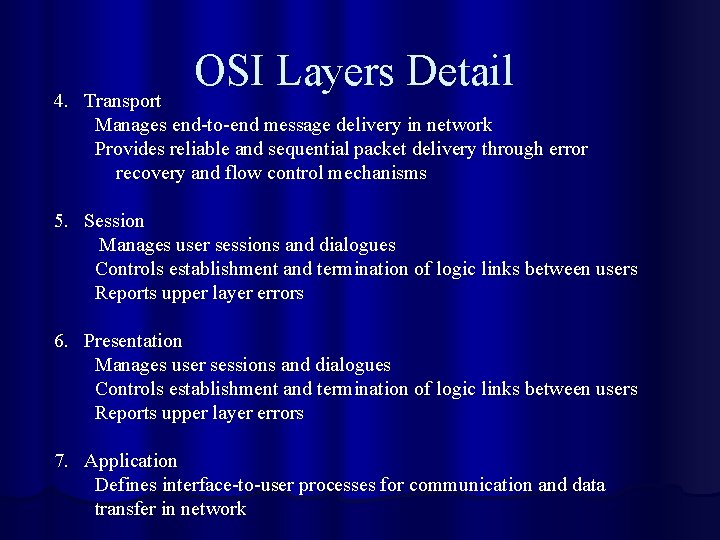
OSI Layers Detail 4. Transport Manages end-to-end message delivery in network Provides reliable and sequential packet delivery through error recovery and flow control mechanisms 5. Session Manages user sessions and dialogues Controls establishment and termination of logic links between users Reports upper layer errors 6. Presentation Manages user sessions and dialogues Controls establishment and termination of logic links between users Reports upper layer errors 7. Application Defines interface-to-user processes for communication and data transfer in network
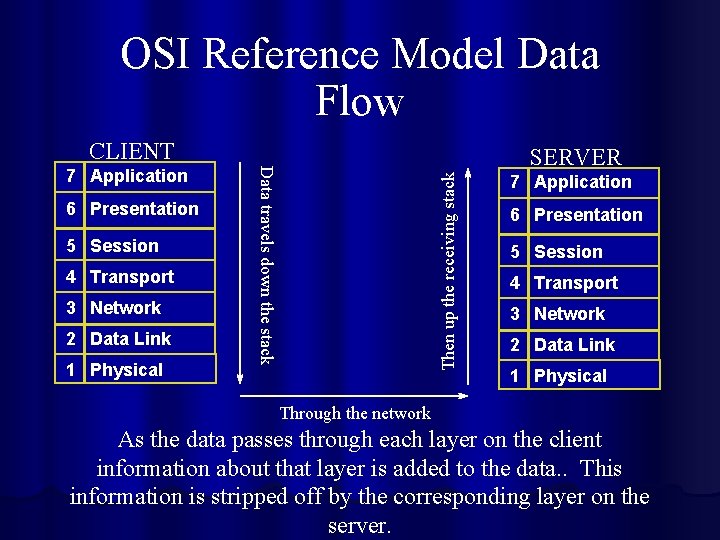
OSI Reference Model Data Flow CLIENT 5 Session 4 Transport 3 Network 2 Data Link 1 Physical Then up the receiving stack 6 Presentation Data travels down the stack 7 Application SERVER 7 Application 6 Presentation 5 Session 4 Transport 3 Network 2 Data Link 1 Physical Through the network As the data passes through each layer on the client information about that layer is added to the data. . This information is stripped off by the corresponding layer on the server.
Hub (Hybrid Unit Board) l It works on layer one (Physical) l It has One Collision domain or one way for sending data. l It always broadcast. l It communicates computers of one network. l It’s differentiated by it’s sticker and it’s port (hub link)
Switch l It works on layer two (data link) l It has many collision domain. Each port is one collision domain. l It broadcasts at first time. l It communicates all computers of same network. l It’s speed is better than Hub.

Router l l It works on layer three (Network) It communicates different network. It has it’s own OS which can be configured by Computer. It has four Modes User Mode l Privileged Mode l Global Mode l Sub Global Mode. l l It’s best than all.

Protocols l Protocols are set of rules for computers use to communicate over a network. l TCP/IP (Transmission Control Protocol / Internet Protocol). l It’s default protocol which is used for computers to communicate with other computers in the network. l It provides addresses which is 32 bits. l Divided into 4 octets and each octet contain 8 bits. E. g. 192. 168. 0. 1
TCP/IP Addressing l IP address is a 32 -bit number that identifies a host on a TCP/IP network. l IP Address is divided into three Classes l Class A (0. 0 – 126. 255) l Class B (128. 0. 0. 0 – 191. 255) l Class C (192. 0. 0. 0 – 223. 255) l IP addresses have two Parts l Host l Network
TCP/IP Addressing l Host l l Network l l It’s called for the computer address. It’s called for the Network Address in which the host located. Every Classes of TCP/IP Identify their own number of Hosts and Network. l Network portion of IP specified by Mask (255).
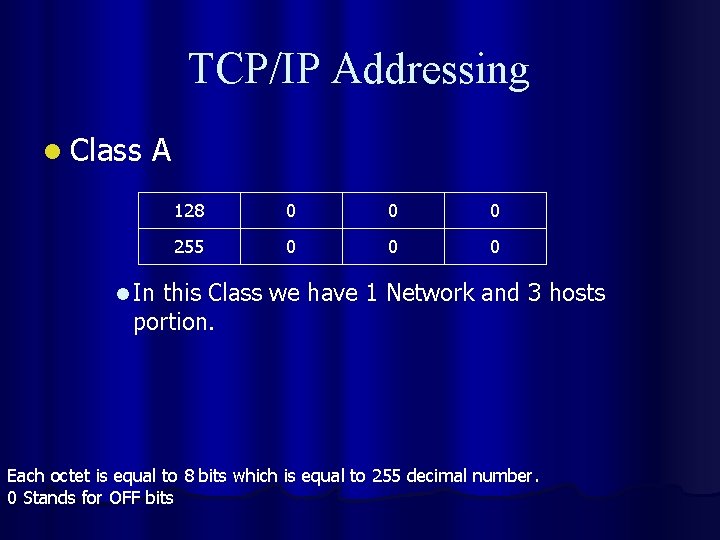
TCP/IP Addressing l Class A 128 0 0 0 255 0 0 0 l In this Class we have 1 Network and 3 hosts portion. Each octet is equal to 8 bits which is equal to 255 decimal number. 0 Stands for OFF bits
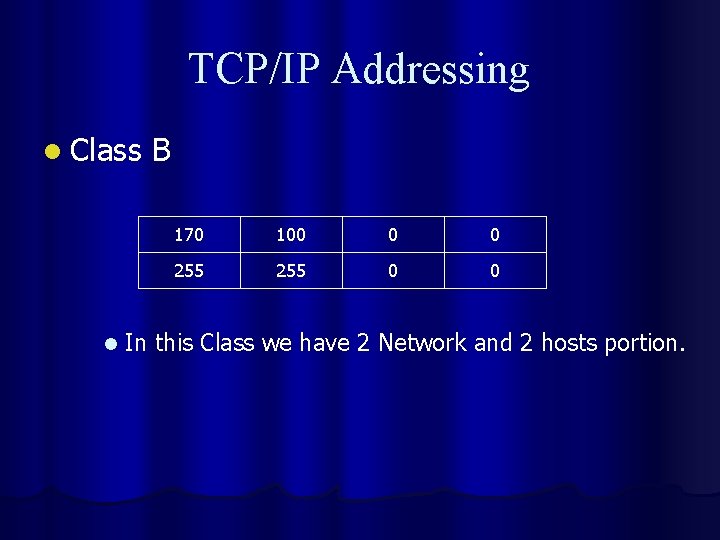
TCP/IP Addressing l Class l B 170 100 0 0 255 0 0 In this Class we have 2 Network and 2 hosts portion.
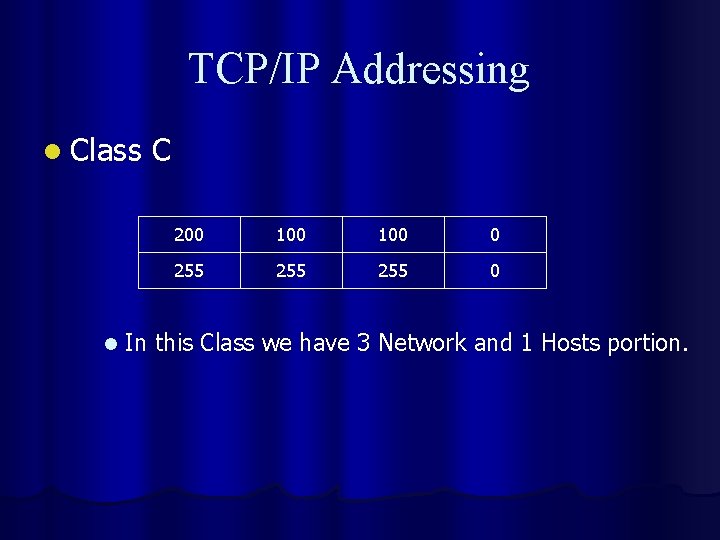
TCP/IP Addressing l Class l C 200 100 0 255 255 0 In this Class we have 3 Network and 1 Hosts portion.

Protocols l There are other protocols like l IPX / SPX l Apple Talk l Netbios l NWlink etc l These protocols were used with Workstations , Macintosh and Apple Talk computers.
Network Cabling l There are lots of Cables which are used in Network to communicate computers and Network devices to each others. The main cables are. l Straight through Cables l Cross through Cables l Rollover cables

Straight Through Cables l This type of cables are used to join two different divices. l E. g. PC to Switch , Switch to Router , PC to Hub.
Cross Through Cable l It connects same devices. l E. g. PC to PC , Switch to Switch etc.
Rollover Cables l It connects switch or Router to computer through console port.
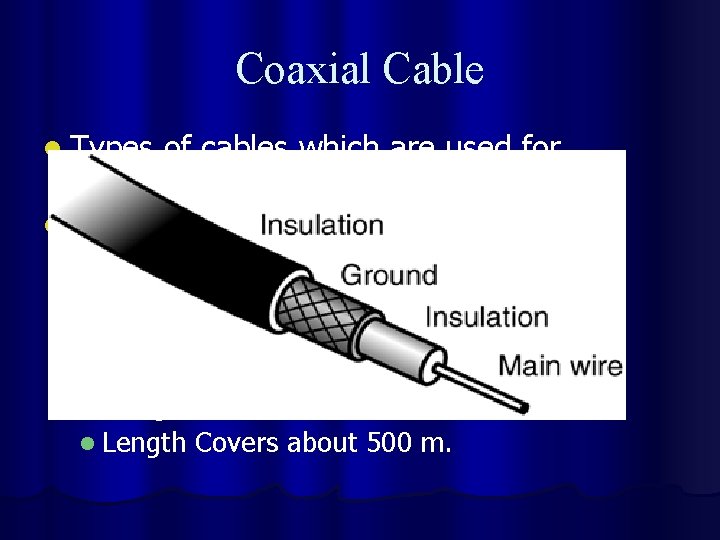
Coaxial Cable l Types of cables which are used for communication. l Co axial l Made By Copper , l Data move in the form of Electronic l cheap but slow. l The connector of this wire is BNC. l E. g. TV Cable l Length Covers about 500 m.
Twisted-Pair l l It ‘s the network media of choice It’s well suited to the need of the modern network. It’s used for both telephone and Network. Two Types T-P Cables Shielded Twisted pair (STP) l Untwisted Twisted Pair (UTP) l The difference between STP and UTP is the extra shielding cover of it. l The distance is longer than UTP. l

Fiber Optic Cables l It’s newcomer in the Networking scene. l Uses Electric signals to send data transmission. l Travels distances measured in Kilometers. l Covers the distance of 10 Km plus. l It’s costly than other cables.
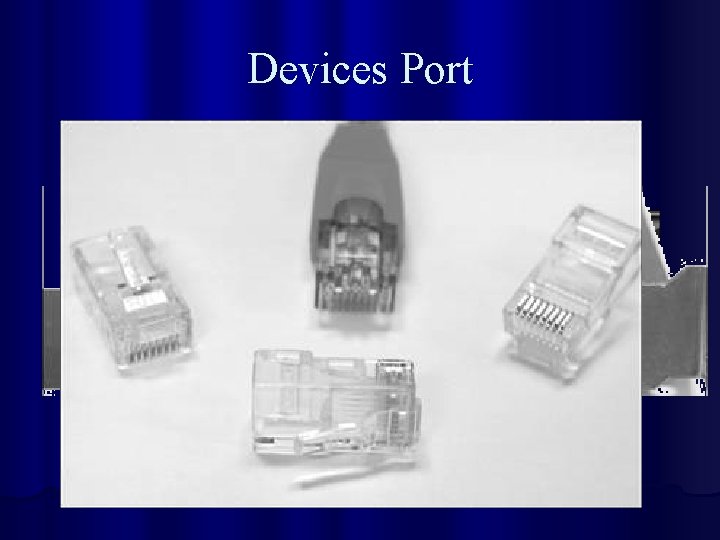
Devices Port
- Slides: 40