
Basic Instrumentation Handling the instruments form the basis
Basic Instrumentation Handling the instruments form the basis of the practical knowledge and learning its mechanism of working ensures the proper handling and significance of its usage Related LOs: Environment and health safety issues > Prior Viewing - IDD-1. Extraction of bacterial protein, IDD-6. Extraction of serum protein > Future Viewing – IDD-11. Protein quantification Course Name: Basic Instrumentation Level(UG/PG): UG Author(s): Dinesh Raghu, Vinayak Pachapur Mentor: Dr. Sanjeeva Srivastava *The contents in this ppt are licensed under Creative Commons Attribution-Non. Commercial-Share. Alike 2. 5 India license

1 Learning objectives • 2 1. 2. 3 3. 4 5 After interacting with this Learning Object, the learner will be able to: Operate the steps involved in the instruments Analyse theory and the mechanism of working for different instruments Assess the troubleshooting steps involved in the experiments.
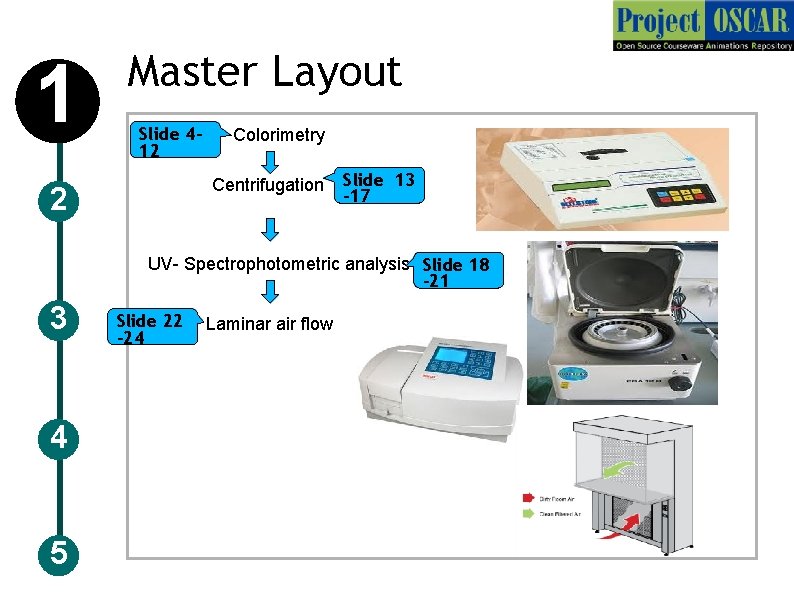
1 Master Layout 2 Centrifugation Slide 412 Colorimetry Slide 13 -17 UV- Spectrophotometric analysis Slide 18 -21 3 4 5 Slide 22 -24 Laminar air flow
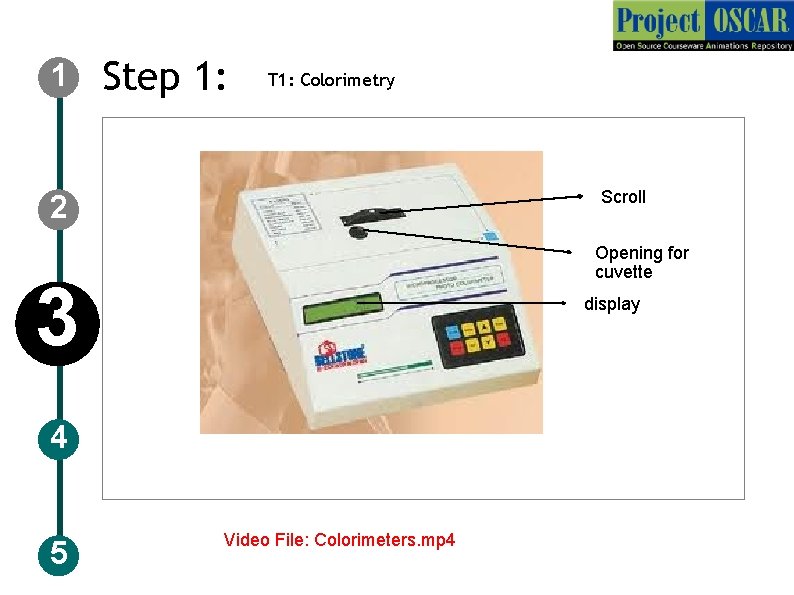
1 Step 1: T 1: Colorimetry Scroll 2 Opening for cuvette 3 display 4 5 Video File: Colorimeters. mp 4
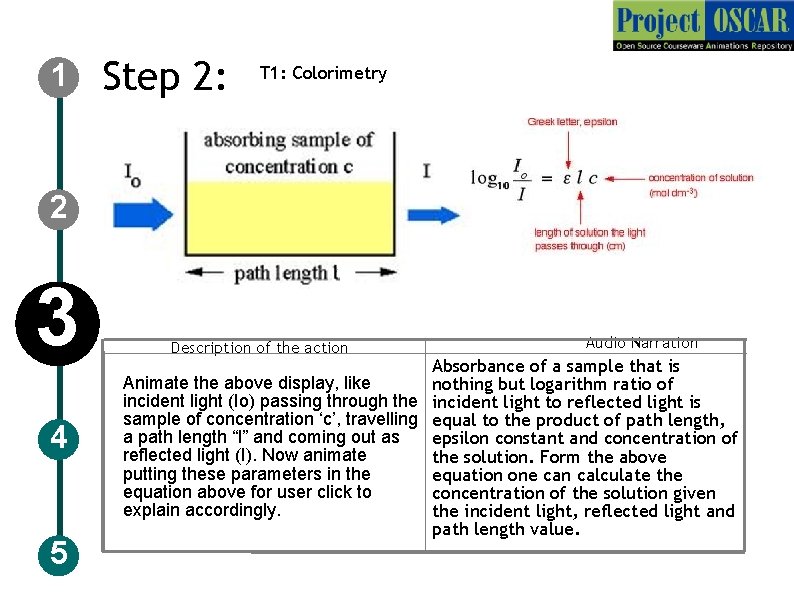
1 Step 2: T 1: Colorimetry 2 3 4 5 Description of the action Audio Narration Absorbance of a sample that is Animate the above display, like nothing but logarithm ratio of incident light (Io) passing through the incident light to reflected light is sample of concentration ‘c’, travelling equal to the product of path length, a path length “l” and coming out as epsilon constant and concentration of reflected light (I). Now animate the solution. Form the above putting these parameters in the equation one can calculate the equation above for user click to concentration of the solution given explain accordingly. the incident light, reflected light and path length value.
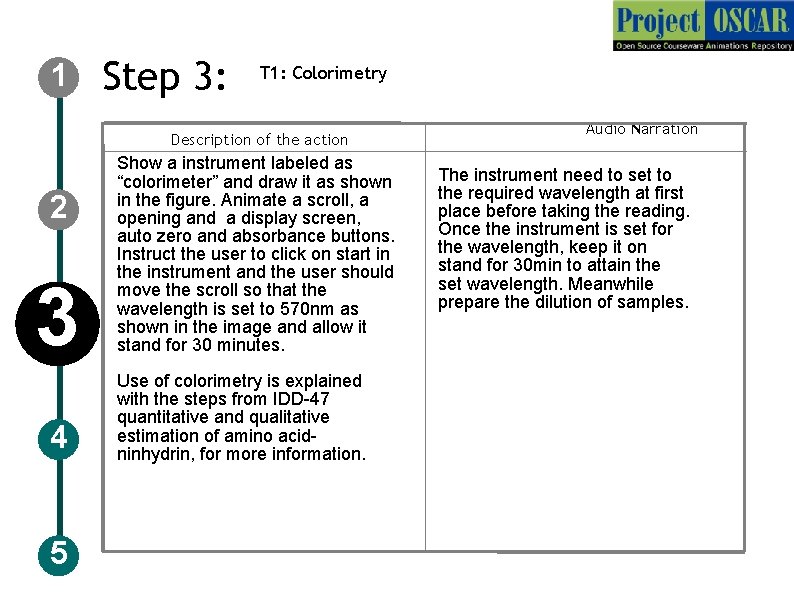
1 Step 3: T 1: Colorimetry Description of the action 2 3 4 5 Show a instrument labeled as “colorimeter” and draw it as shown in the figure. Animate a scroll, a opening and a display screen, auto zero and absorbance buttons. Instruct the user to click on start in the instrument and the user should move the scroll so that the wavelength is set to 570 nm as shown in the image and allow it stand for 30 minutes. Use of colorimetry is explained with the steps from IDD-47 quantitative and qualitative estimation of amino acidninhydrin, for more information. Audio Narration The instrument need to set to the required wavelength at first place before taking the reading. Once the instrument is set for the wavelength, keep it on stand for 30 min to attain the set wavelength. Meanwhile prepare the dilution of samples.
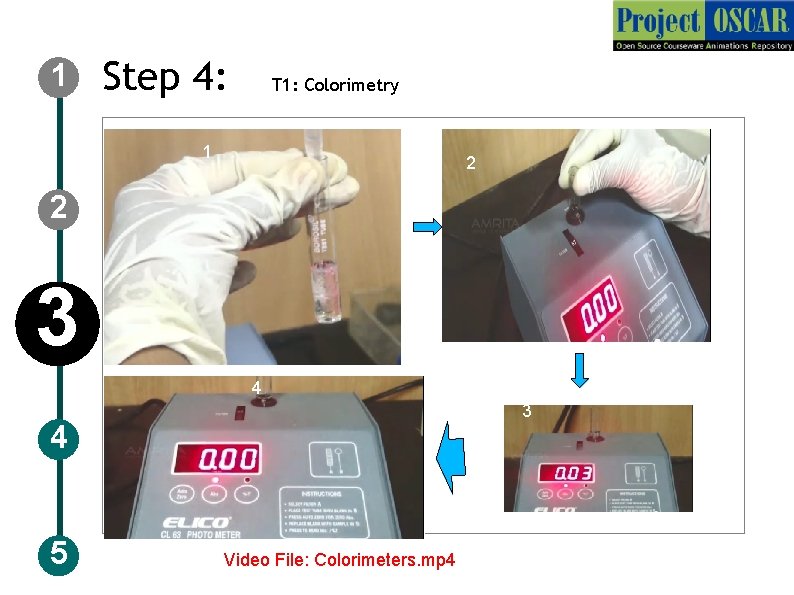
1 Step 4: T 1: Colorimetry 1 2 2 3 4 5 Video File: Colorimeters. mp 4
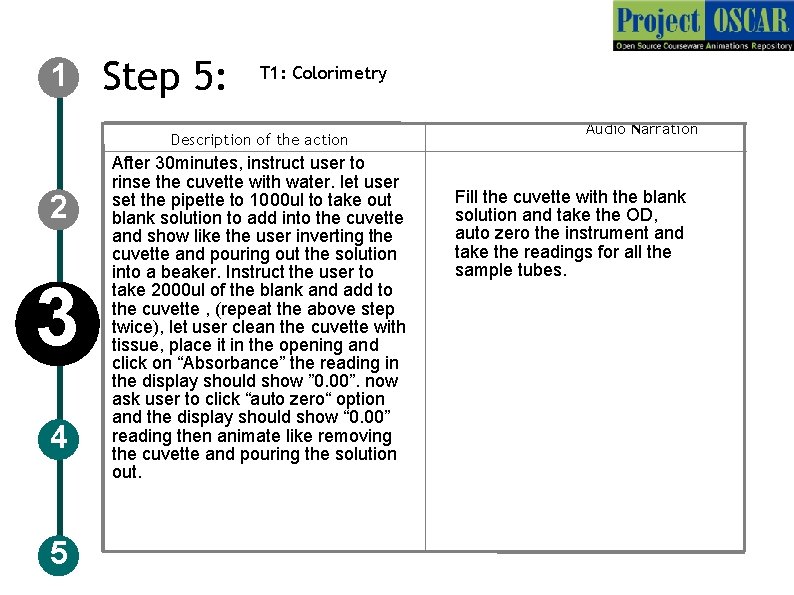
1 Step 5: T 1: Colorimetry Description of the action 2 3 4 5 After 30 minutes, instruct user to rinse the cuvette with water. let user set the pipette to 1000 ul to take out blank solution to add into the cuvette and show like the user inverting the cuvette and pouring out the solution into a beaker. Instruct the user to take 2000 ul of the blank and add to the cuvette , (repeat the above step twice), let user clean the cuvette with tissue, place it in the opening and click on “Absorbance” the reading in the display should show ” 0. 00”. now ask user to click “auto zero“ option and the display should show “ 0. 00” reading then animate like removing the cuvette and pouring the solution out. Audio Narration Fill the cuvette with the blank solution and take the OD, auto zero the instrument and take the readings for all the sample tubes.
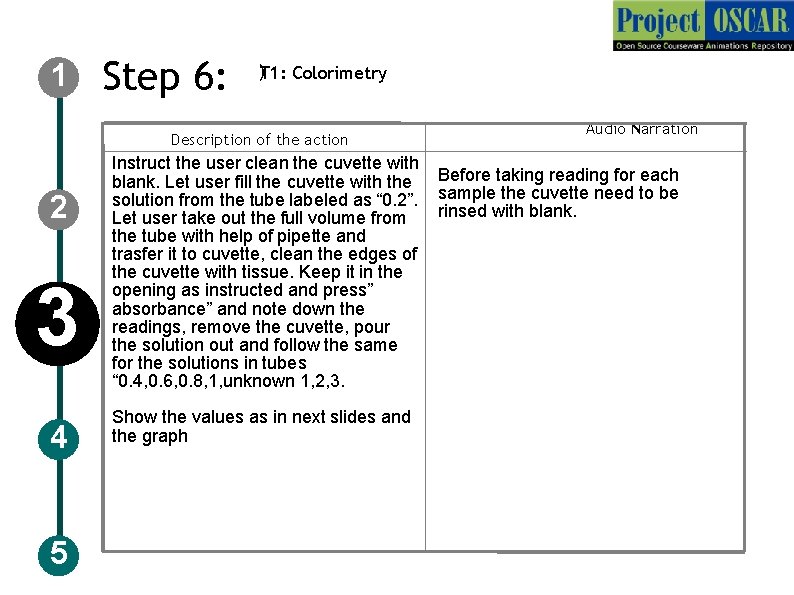
1 Step 6: )T 1: Colorimetry Description of the action 2 3 4 5 Instruct the user clean the cuvette with blank. Let user fill the cuvette with the solution from the tube labeled as “ 0. 2”. Let user take out the full volume from the tube with help of pipette and trasfer it to cuvette, clean the edges of the cuvette with tissue. Keep it in the opening as instructed and press” absorbance” and note down the readings, remove the cuvette, pour the solution out and follow the same for the solutions in tubes “ 0. 4, 0. 6, 0. 8, 1, unknown 1, 2, 3. Show the values as in next slides and the graph Audio Narration Before taking reading for each sample the cuvette need to be rinsed with blank.
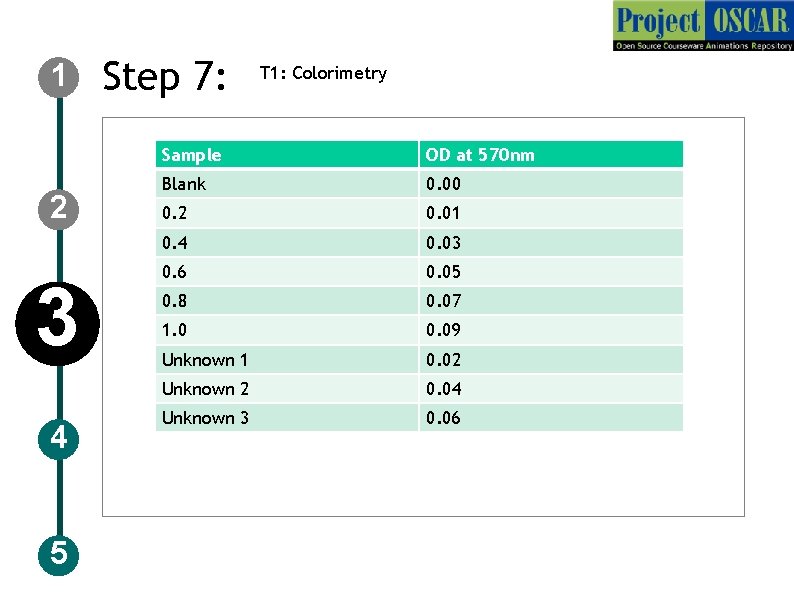
1 2 3 4 5 Step 7: T 1: Colorimetry Sample OD at 570 nm Blank 0. 00 0. 2 0. 01 0. 4 0. 03 0. 6 0. 05 0. 8 0. 07 1. 0 0. 09 Unknown 1 0. 02 Unknown 2 0. 04 Unknown 3 0. 06
1 2 3 4 5 Step 8: T 1: Colorimetry
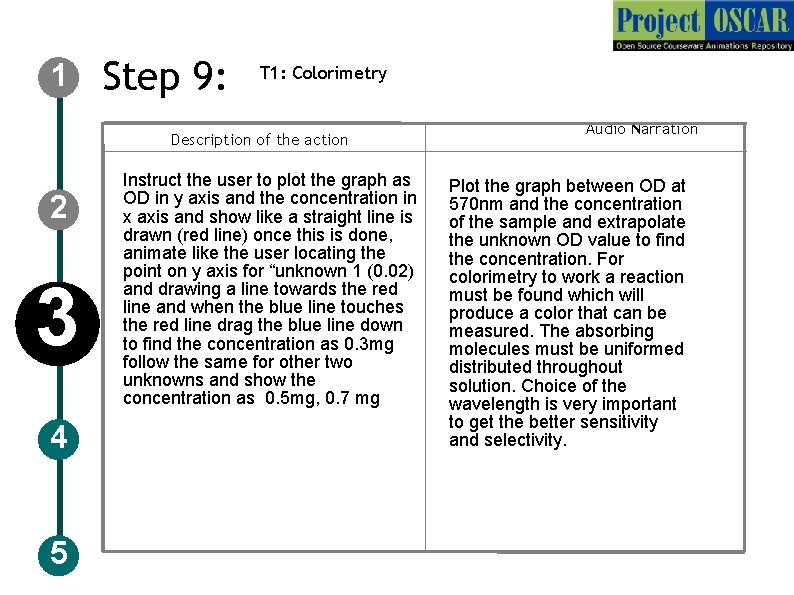
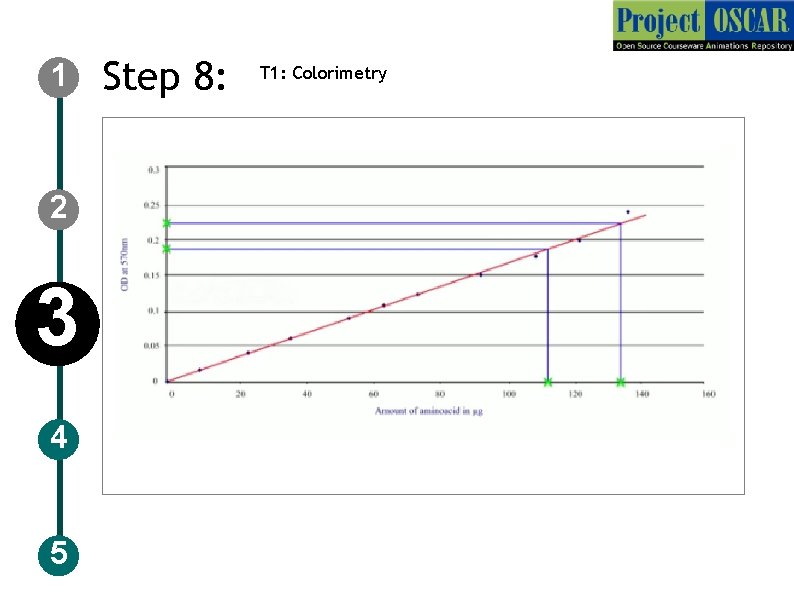
1 Step 9: T 1: Colorimetry Description of the action 2 3 4 5 Instruct the user to plot the graph as OD in y axis and the concentration in x axis and show like a straight line is drawn (red line) once this is done, animate like the user locating the point on y axis for “unknown 1 (0. 02) and drawing a line towards the red line and when the blue line touches the red line drag the blue line down to find the concentration as 0. 3 mg follow the same for other two unknowns and show the concentration as 0. 5 mg, 0. 7 mg Audio Narration Plot the graph between OD at 570 nm and the concentration of the sample and extrapolate the unknown OD value to find the concentration. For colorimetry to work a reaction must be found which will produce a color that can be measured. The absorbing molecules must be uniformed distributed throughout solution. Choice of the wavelength is very important to get the better sensitivity and selectivity.
1 Step 1: T 2: centrifugation 2 3 4 5 rotor Centrifuge Video File: Centrifuge. MTS and Centrifuge_part 2. MTSc
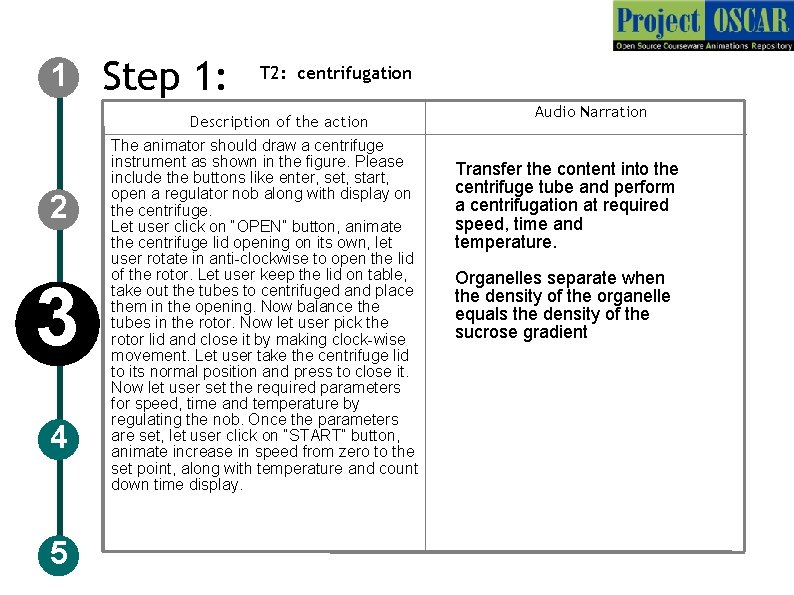
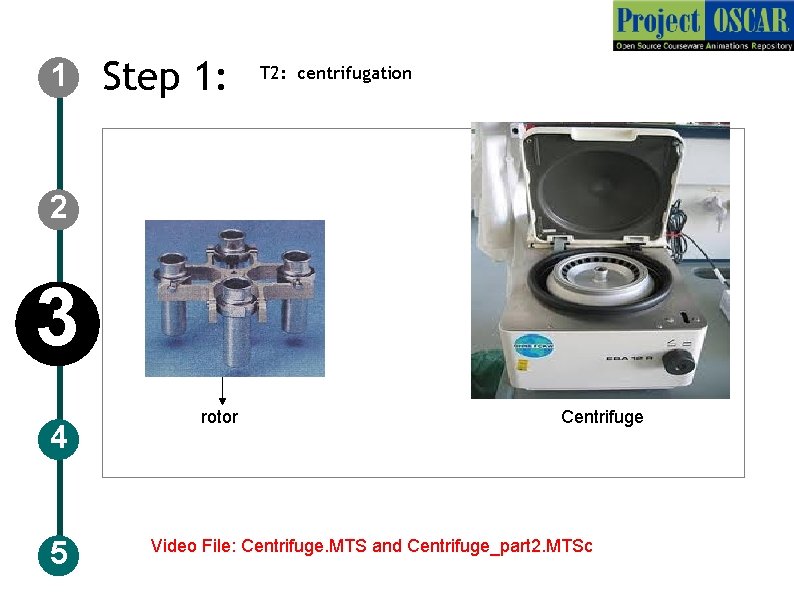
1 Step 1: T 2: centrifugation Description of the action 2 3 4 5 The animator should draw a centrifuge instrument as shown in the figure. Please include the buttons like enter, set, start, open a regulator nob along with display on the centrifuge. Let user click on “OPEN” button, animate the centrifuge lid opening on its own, let user rotate in anti-clockwise to open the lid of the rotor. Let user keep the lid on table, take out the tubes to centrifuged and place them in the opening. Now balance the tubes in the rotor. Now let user pick the rotor lid and close it by making clock-wise movement. Let user take the centrifuge lid to its normal position and press to close it. Now let user set the required parameters for speed, time and temperature by regulating the nob. Once the parameters are set, let user click on “START” button, animate increase in speed from zero to the set point, along with temperature and count down time display. Audio Narration Transfer the content into the centrifuge tube and perform a centrifugation at required speed, time and temperature. Organelles separate when the density of the organelle equals the density of the sucrose gradient
1 Step 2: T 2: centrifugation 2 3 r A B 4 5 http: //www. youtube. com/watch? v=Ih. JNFGfs. Uus
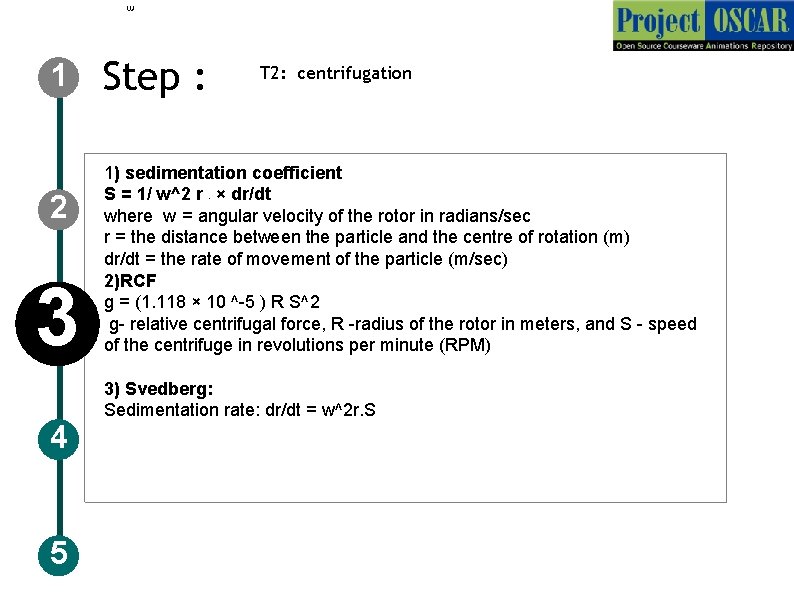
1 2 3 4 5 Step : T 2: centrifugation 1) sedimentation coefficient S = 1/ w^2 r × dr/dt where w = angular velocity of the rotor in radians/sec r = the distance between the particle and the centre of rotation (m) dr/dt = the rate of movement of the particle (m/sec) 2)RCF g = (1. 118 × 10 ^-5 ) R S^2 g- relative centrifugal force, R -radius of the rotor in meters, and S - speed of the centrifuge in revolutions per minute (RPM) r 3) Svedberg: Sedimentation rate: dr/dt = w^2 r. S
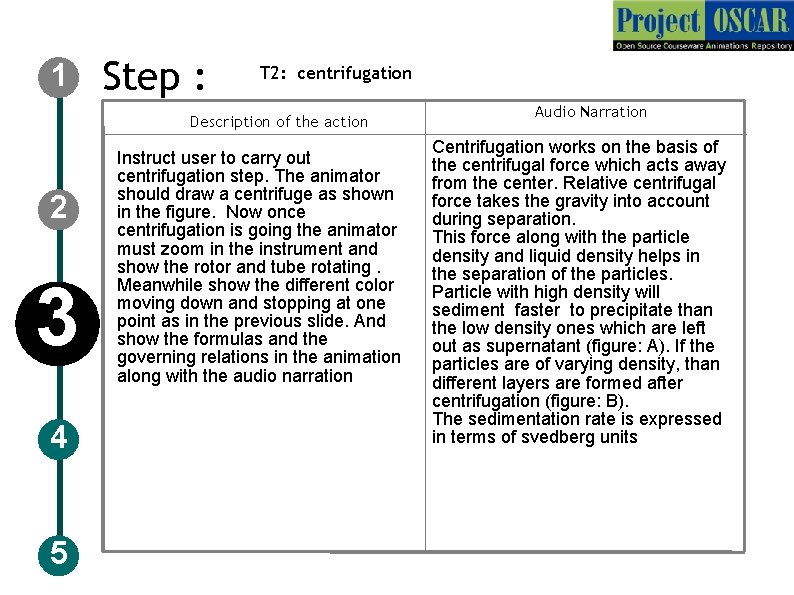
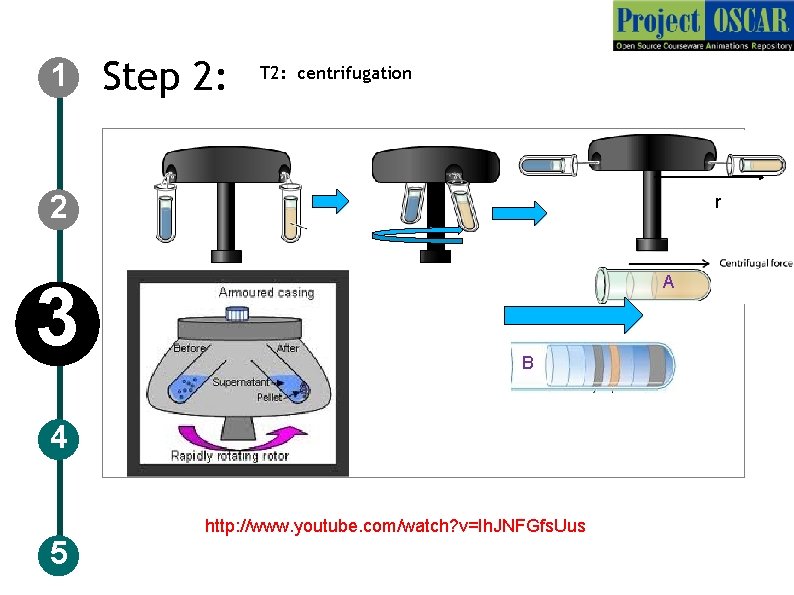
1 Step : T 2: centrifugation Description of the action 2 3 4 5 Instruct user to carry out centrifugation step. The animator should draw a centrifuge as shown in the figure. Now once centrifugation is going the animator must zoom in the instrument and show the rotor and tube rotating. Meanwhile show the different color moving down and stopping at one point as in the previous slide. And show the formulas and the governing relations in the animation along with the audio narration Audio Narration Centrifugation works on the basis of the centrifugal force which acts away from the center. Relative centrifugal force takes the gravity into account during separation. This force along with the particle density and liquid density helps in the separation of the particles. Particle with high density will sediment faster to precipitate than the low density ones which are left out as supernatant (figure: A). If the particles are of varying density, than different layers are formed after centrifugation (figure: B). The sedimentation rate is expressed in terms of svedberg units
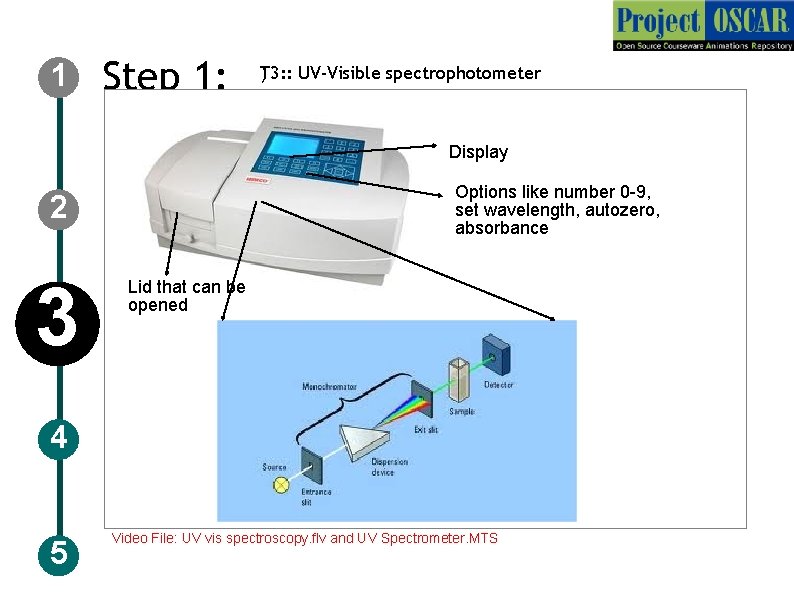
1 Step 1: ) T 3: : UV-Visible spectrophotometer Display Options like number 0 -9, set wavelength, autozero, absorbance 2 3 Lid that can be opened 4 5 Video File: UV vis spectroscopy. flv and UV Spectrometer. MTS
1 2 3 4 5 Step 1: T 3: : UV-Visible spectrophotometer Description of the action Animate the instrument as in figure and redraw the instruments with the specification mentioned in the figure and zoom the instrument and show a schematic as shown in the figure with the labeling but redraw completely. Go through the IDD enzyme assay for more information. Audio Narration UV-Visible spectrophotometer has a monochromator, light source and sample holder and detector, Light from the source are converted to a monochromatic light of particular wavelength and allow it pass through the sample and amount of light that emerges is detected by a detector. The wavelength used in the specific for the sample to be measured.
1 Step 2: T 3: : UV-Visible spectrophotometer 2 3 4 5 L
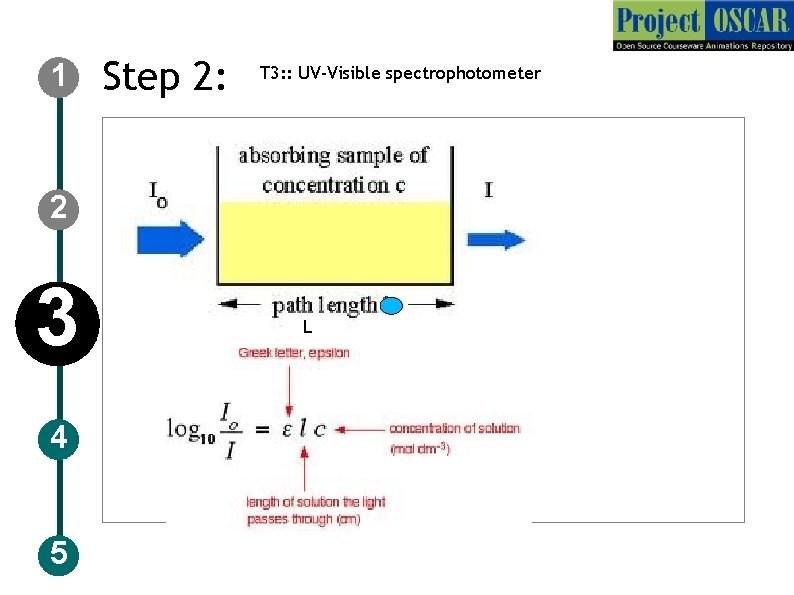
1 Step 3: T 3: : UV-Visible spectrophotometer Description of the action 2 3 4 5 Now show the figure as in slide (redraw) followed by the formula which is given in the slide, audio narration should take place simultaneously show the animation of air flow in the direction shown in the figure Audio Narration UV-Visible spectrophotometer works on the basis of Beer-Lambert’s law, the law relates the absorbance and the concentration of the solution. In the equation L signifies the path length, C concentration, E (epsilon) absorption coefficient and Io and I corresponds to the intensity of light before entering the solution and the intensity after coming out of the solution. The intensity of the light coming out of the cuvette decreases when the concentration of the substances in the cuvette increases.
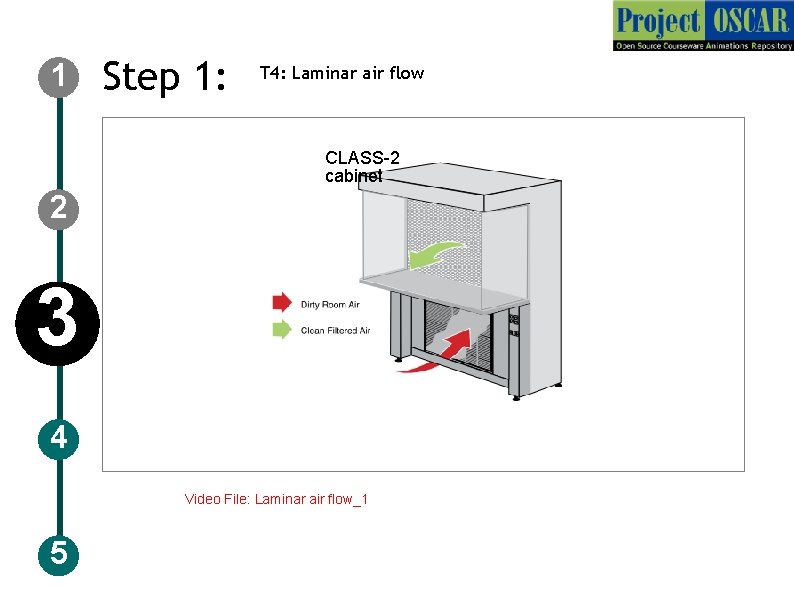
1 Step 1: T 4: Laminar air flow CLASS-2 cabinet 2 3 4 Video File: Laminar air flow_1 5
1 Step 2 : T 4: Laminar air flow Description of the action 2 3 4 5 Audio Narration Laminar air hood is used to maintain the aseptic Go through the IDD for the condition that can be used for microbiological bacterial extraction to know the activities. The laminar air flow used in usage of laminar air flow (slide laboratories uses horizontal air flow type with the 6, 7), let the user click on the air flow direction is facing towards the user and laminar flow in the figure to know the velocity of air flow is maintained constant. The filters used are of different types depending the mechanism of working of on the type of sample used. The biosafety laminar flow and the types of cabinets is of 3 classes. Class 1 - for has HEPA cabinet filters that removes contaminants from the exhaust air. This is only for environment protection Class 2 - for common usage in microbiological activities, this cabinet has HEPA filters for filtering the entering air and the exhaust air and provide personnel, environmental and product protection. Class 3 - for handling most pathogenic microbes especially in maximum containment labs. HEPA (High efficiency particulate air removes 99. 97% of particles of size 0. 3 micro meters. The UV in the cabinet is used prior to the usage of cabinet to kill existing organism in cabinet. Air flow prevents the entry of any microbes from the environment.
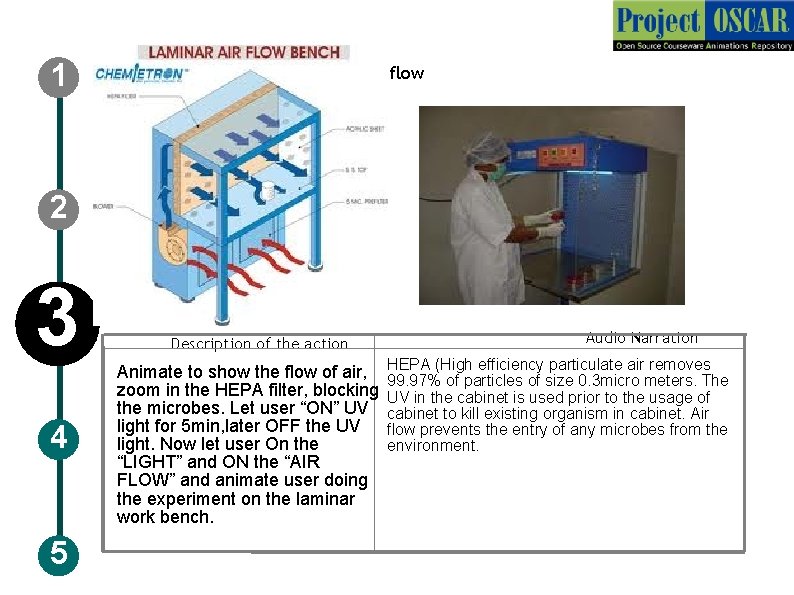
1 Step 2 : T 4: Laminar air flow 2 3 4 5 Description of the action Animate to show the flow of air, zoom in the HEPA filter, blocking the microbes. Let user “ON” UV light for 5 min, later OFF the UV light. Now let user On the “LIGHT” and ON the “AIR FLOW” and animate user doing the experiment on the laminar work bench. Audio Narration HEPA (High efficiency particulate air removes 99. 97% of particles of size 0. 3 micro meters. The UV in the cabinet is used prior to the usage of cabinet to kill existing organism in cabinet. Air flow prevents the entry of any microbes from the environment.
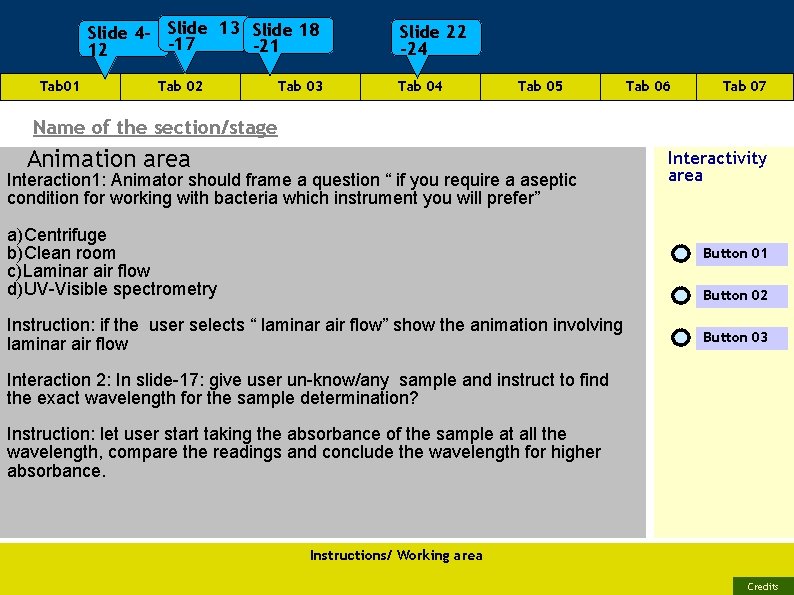
Slide 4 - Slide 13 Slide 18 -17 -21 12 Tab 01 Tab 02 Tab 03 Slide 22 -24 Tab 05 Tab 06 Tab 07 Name of the section/stage Animation area Interaction 1: Animator should frame a question “ if you require a aseptic condition for working with bacteria which instrument you will prefer” a)Centrifuge b)Clean room c)Laminar air flow d)UV-Visible spectrometry Interactivity area Button 01 Button 02 Instruction: if the user selects “ laminar air flow” show the animation involving laminar air flow Button 03 Interaction 2: In slide-17: give user un-know/any sample and instruct to find the exact wavelength for the sample determination? Instruction: let user start taking the absorbance of the sample at all the wavelength, compare the readings and conclude the wavelength for higher absorbance. Instructions/ Working area Credits
APPENDIX 1 Questionnaire: Question 1 Absorbance can be taken using a) Calorimetry b) Spectroscopy c) spectrophotometry d) Refractometry Question 2 UV-Visible spectrophotometer works based on a) b) c) d) Beers law Lamberts Law Beer-Lamberts Law Raman spectrum Question 3: As the absorbance increases , the intensity of the outcoming light a) b) c) d) Decreases Increases Remains same zero
APPENDIX 2 1. 2. 3. 4. 5. 6. Links for further reading Reference websites: http: //www. stanford. edu/dept/EHS/prod/researchlab/bio/docs/typ es_biosafety_cabinets. pdf http: //www. nuaire. com/download/brochure/airegard_laminar_airfl ow_products. pdf http: //www. structuralchemistry. org/teaching/downloads/scm 08_1 0. pdf http: //www. fondriest. com/pdf/thermo_colorimeter_theory. pdf Video for pipette: http: //www. labtricks. com/2010/01/11/how-touse-a-pipette/ Video for buffer preparation: http: //www. labtricks. com/2010/01/01/how-to-make-and-phbuffers/
APPENDIX 3 Summary The instruments discussed are routinely used in the proteomics experiment. Each and every step of the instrument as a principle behind, which when followed properly will yield better result.
- Slides: 28