
Basic functionality Antenna Pattern Antenna positioning Reports and
Basic functionality: Antenna Pattern Antenna positioning Reports and debug mode European Communications Office Jean-Philippe Kermoal (ECO) 05 June 2012 EUROPEAN COMMUNICATIONS OFFICE Nansensgade 19 DK-1366 Copenhagen Denmark Telephone: Telefax: + 45 33 89 63 00 + 45 33 89 63 30 E-mail: eco@eco. cept. org Web Site: http: //www. cept. org/eco
Outline Antenna pattern Antenna pointing Exercise #9 Reports + debug mode Exercise #10 SEAMCAT workshop Jean-Philippe Kermoal / ECO Page 2 05 June 2012
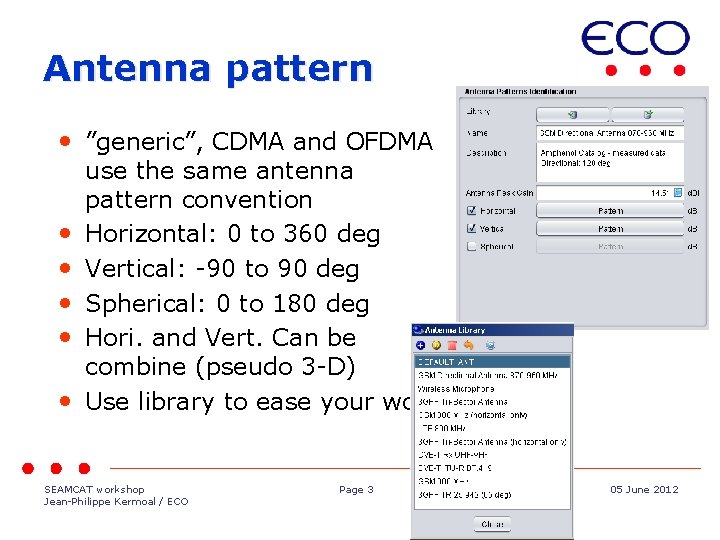
Antenna pattern • ”generic”, CDMA and OFDMA • • • use the same antenna pattern convention Horizontal: 0 to 360 deg Vertical: -90 to 90 deg Spherical: 0 to 180 deg Hori. and Vert. Can be combine (pseudo 3 -D) Use library to ease your work SEAMCAT workshop Jean-Philippe Kermoal / ECO Page 3 05 June 2012

Antenna pointing • Allows beamforming tracking (e. g. Airplane) SEAMCAT workshop Jean-Philippe Kermoal / ECO Page 4 05 June 2012

Antenna pointing convention • Horizontal antenna pattern angle definition: positive counter-clockwise to the 0 deg reference • Azimuth angle: positive counter-clockwise to the 0 deg reference • Elevation angle: positive clockwise to the 0 deg reference SEAMCAT workshop Jean-Philippe Kermoal / ECO Page 5 05 June 2012
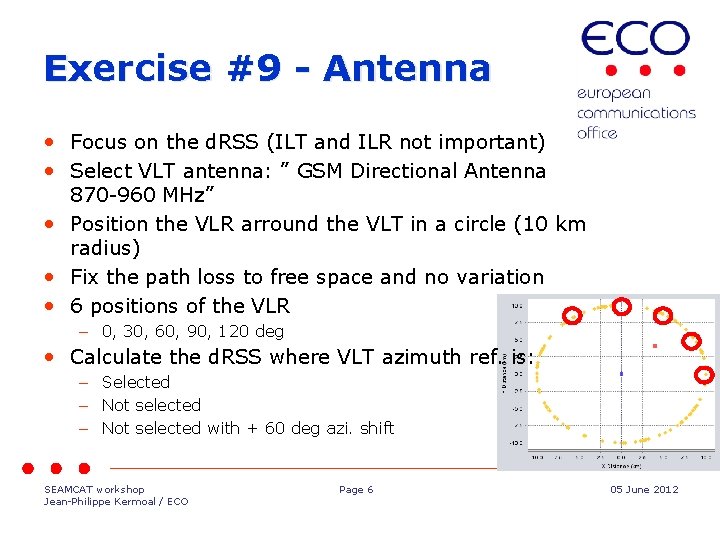
Exercise #9 - Antenna • Focus on the d. RSS (ILT and ILR not important) • Select VLT antenna: ” GSM Directional Antenna 870 -960 MHz” • Position the VLR arround the VLT in a circle (10 km radius) • Fix the path loss to free space and no variation • 6 positions of the VLR – 0, 30, 60, 90, 120 deg • Calculate the d. RSS where VLT azimuth ref. is: – Selected – Not selected with + 60 deg azi. shift SEAMCAT workshop Jean-Philippe Kermoal / ECO Page 6 05 June 2012
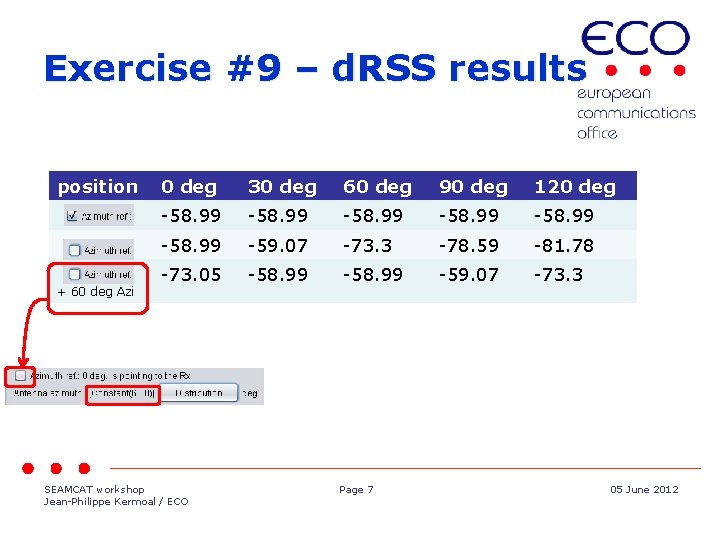
Exercise #9 – d. RSS results position + 60 deg Azi 0 deg 30 deg 60 deg 90 deg 120 deg -58. 99 -59. 07 -73. 3 -78. 59 -81. 78 -73. 05 -58. 99 -59. 07 -73. 3 SEAMCAT workshop Jean-Philippe Kermoal / ECO Page 7 05 June 2012
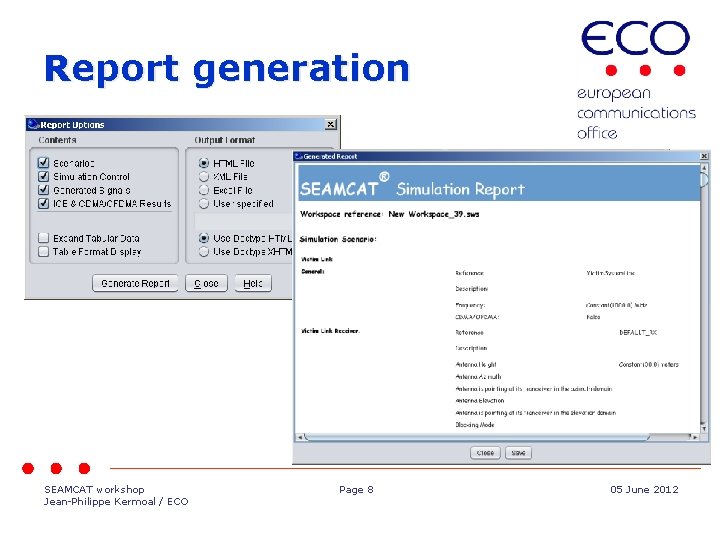
Report generation SEAMCAT workshop Jean-Philippe Kermoal / ECO Page 8 05 June 2012
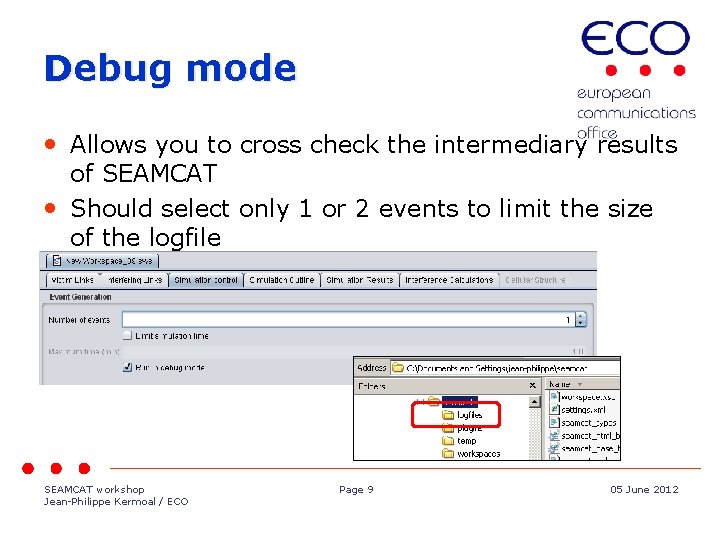
Debug mode • Allows you to cross check the intermediary results of SEAMCAT • Should select only 1 or 2 events to limit the size of the logfile SEAMCAT workshop Jean-Philippe Kermoal / ECO Page 9 05 June 2012
Exercise #10 - debug • Generate your own report • Generate a logfile and cross check h. Allows you to cross check the intermediary results of SEAMCAT • Should select only 1 or 2 events to limit the size of the logfile SEAMCAT workshop Jean-Philippe Kermoal / ECO Page 10 05 June 2012
Thank you - Any Questions? SEAMCAT workshop Jean-Philippe Kermoal / ECO Page 05 June 2012
- Slides: 11