
Basic Concepts Link Physical pathway between devices Line
Basic Concepts • Link: Physical pathway between devices • Line Configuration: Attachment of communications devices to a link – Point-to-point (dedicated link between 2 devices) – Multipoint (more than 2 devices can use) • Link ≠ wire Winter 2005 EE EE 766 Computer Interfacing and Protocols 2 - 1
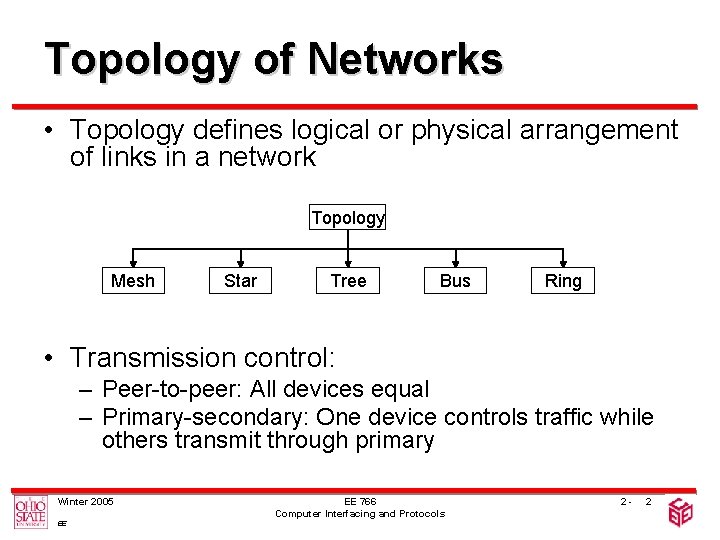
Topology of Networks • Topology defines logical or physical arrangement of links in a network Topology Mesh Star Tree Bus Ring • Transmission control: – Peer-to-peer: All devices equal – Primary-secondary: One device controls traffic while others transmit through primary Winter 2005 EE EE 766 Computer Interfacing and Protocols 2 - 2

Topologies • Mesh: – Dedicated point-to-point links to every other device – n(n-1)/2 links, n-1 interfaces per device • Star: – Point-to-point link only to a central controller – n links, 1 interface per device Winter 2005 EE EE 766 Computer Interfacing and Protocols Hub 2 - 3
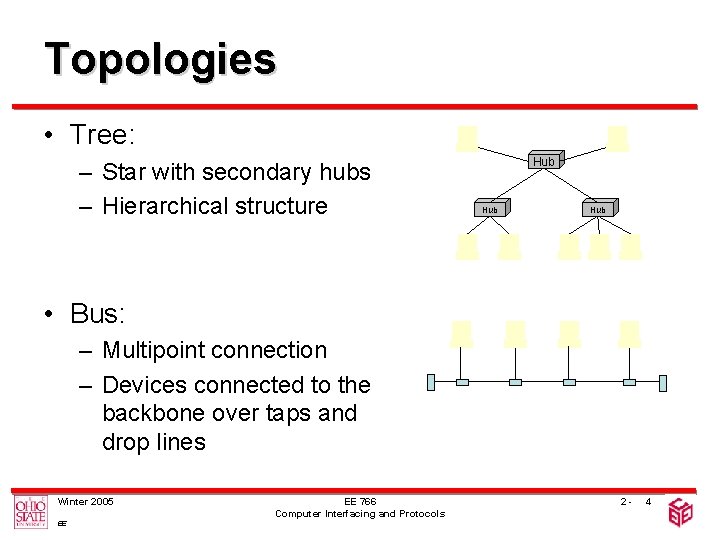
Topologies • Tree: – Star with secondary hubs – Hierarchical structure Hub Hub • Bus: – Multipoint connection – Devices connected to the backbone over taps and drop lines Winter 2005 EE EE 766 Computer Interfacing and Protocols 2 - 4
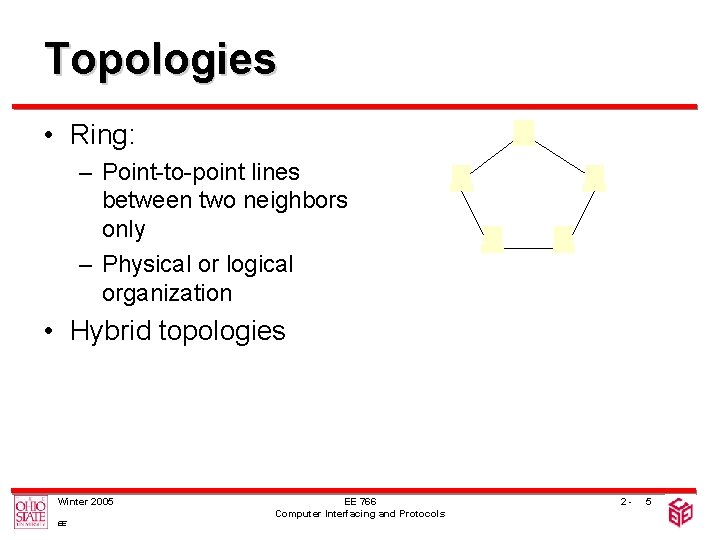
Topologies • Ring: – Point-to-point lines between two neighbors only – Physical or logical organization • Hybrid topologies Winter 2005 EE EE 766 Computer Interfacing and Protocols 2 - 5
Comparison of Topologies • Mesh: – Pros • Parallelism in communication Higher capacity Robustness • High security (privacy) • Easy fault identification and isolation – Cons • High interface and device cost • Hard to install/reconfigure • Limited expandability Winter 2005 EE EE 766 Computer Interfacing and Protocols 2 - 6
Comparison of Topologies • Star: – Pros • • Easy installation/reconfiguration 1 interface/host needed (cheap) Robustness Link failures affect only 1 host Relatively easy fault isolation – Cons • Traffic goes over a bottleneck Single point of failure Diminishing capacity/node • Limited expandability Winter 2005 EE EE 766 Computer Interfacing and Protocols 2 - 7
Comparison of Topologies • Tree: – Pros and cons similar to star topologies – Additional Pros • Hierarchical Structure Prioritization and isolation of traffic Better expandability – Additional Cons • More central nodes with lower vitality • Link failures affect entire subtrees Winter 2005 EE EE 766 Computer Interfacing and Protocols 2 - 8
Comparison of Topologies • Bus: – Pros • Very easy installation • Can be used to connect other subnetworks – Cons • • • Winter 2005 EE Difficult fault isolation Single point of failure (consider reflections) Hard to reconfigure Diminishing capacity/node Decreasing signal strength with additional taps Bus length limited (signal strength and bus access) EE 766 Computer Interfacing and Protocols 2 - 9
Comparison of Topologies • Ring: – Pros • Easy installation/reconfiguration (move only 2 connections) • Easy fault isolation – Cons • Unbalanced delay due to unidirectional nature • Link or node failures affect the entire topology (can be resolved with 2 rings or automatically closing switches) Winter 2005 EE EE 766 Computer Interfacing and Protocols 2 - 10

Transmission Mode • Direction of signal flow on link – Simplex (one directional) • Keyboards, monitors, TV broadcast… – Half Duplex (one direction at a time) First Later • Walkie-Talkies, CB radios Winter 2005 EE EE 766 Computer Interfacing and Protocols 2 - 11

Transmission Mode – (Full) Duplex (bidirectional) • Either sharing the same line or utilizing two simplex connections • Telephone network Winter 2005 EE EE 766 Computer Interfacing and Protocols 2 - 12
Categories of Networks • Local Area Networks – Limited geographic area (up to few km) – Privately owned and operated – Single type of topology • Metropolitan Area Networks – Extends over an entire city – Stand-alone or interconnection of LANs – Public or private • Wide Area Networks – Long distance communications – Public and private components – If entirely owned by a single company Enterprise Winter 2005 EE EE 766 Computer Interfacing and Protocols 2 - 13
- Slides: 13