
Baselining Windows and Comparative Analysis Quick and Easy
Baselining Windows and Comparative Analysis: Quick and Easy Kevin Fuller May 2012 GIAC GSEC, GCIA, GCIH Gold, GAWN, GSNA Gold, GPEN, GWAPT SANS Technology Institute - Candidate for Master of Science Degree 1 1
System Baselining • Measurement of System Information • Point in Time • Well Defined • Supports other activities • • System performance measurements Troubleshooting Forensics Incident Response SANS Technology Institute - Candidate for Master of Science Degree 2
The Benefit of System Baselining • Troubleshooting – Configuration Management • Audit – Baseline against audit technical standards – Re-measure against baseline for compliance • Incident Handling/Forensics – Differences in known state - compromise SANS Technology Institute - Candidate for Master of Science Degree 3
The Challenge • Time consuming process – Manual processes – Different tools – Different output formats • The result – Not done – Focus on certain measurements – Familiarity with the system SANS Technology Institute - Candidate for Master of Science Degree 4
A Solution • Commercial Product? – Expensive – What is under the hood • Free and open source • A combination of tools – Windows Forensics Toolkit – KDiff 3 SANS Technology Institute - Candidate for Master of Science Degree 5
Windows Forensics Toolchest (WFT) • Created by Monty Mc. Dougal • Forensics information collection tool • Automated batch processing script – Windows tools – Third party tools • Organizes output into folder structure – HTML and text SANS Technology Institute - Candidate for Master of Science Degree 6
KDiff 3 • Created by Joachim Eibl • Comparative analysis tool – Two and three way comparative analysis – Line by line – Character by character • It can also do a comparative analysis of folders as well as files SANS Technology Institute - Candidate for Master of Science Degree 7
WFT Setup • wft –fetchtools • Copies Windows tools by version • Helix • Internet download • wft –fixcfg • Tools inventory • Hash check • Save output to second. cfg file • Overwrite wft. cfg with second. cfg SANS Technology Institute - Candidate for Master of Science Degree 8
Using WFT • Default start = Interactive mode • Series of questions • Defaults good enough • Volume C on multi-volume systems • Output • Organized by System Name, date/time • HTML output • Text output SANS Technology Institute - Candidate for Master of Science Degree 9
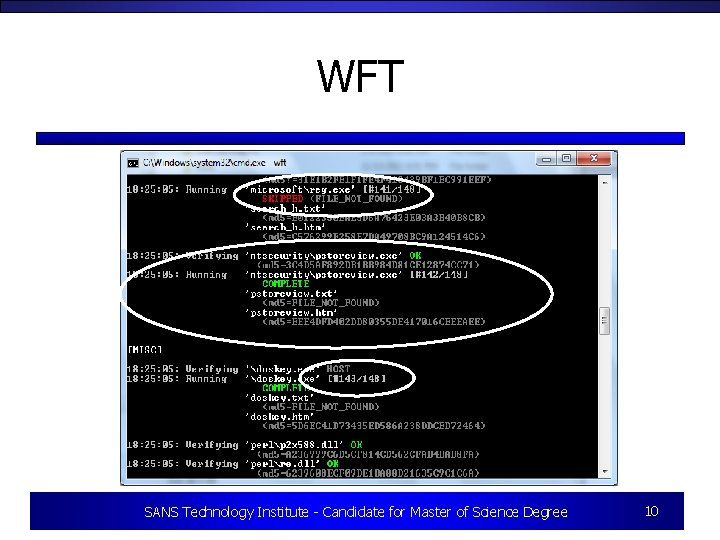
WFT SANS Technology Institute - Candidate for Master of Science Degree 10
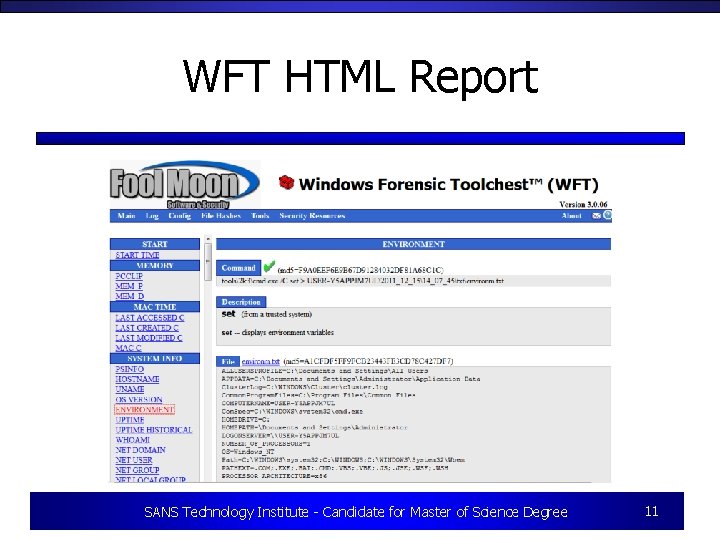
WFT HTML Report SANS Technology Institute - Candidate for Master of Science Degree 11
Running KDiff 3 • Must be installed on a Windows system • Load original baseline and latest run – Select the output directory – Use text versions • Lines up the files(s) content – Differences noted – Details color coded SANS Technology Institute - Candidate for Master of Science Degree 12
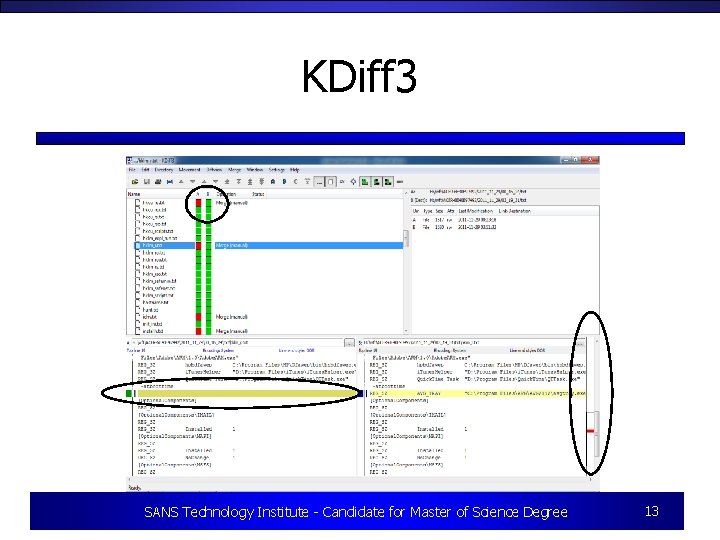
KDiff 3 SANS Technology Institute - Candidate for Master of Science Degree 13
Gotchas • Some tools missing after setup • Helix version • Windows 7 – UAC – Some tools will not work • False Positives • You must still analyze the output! SANS Technology Institute - Candidate for Master of Science Degree 14
Summary • Budget constraints, increased threats • System baselining is more important than ever • Tools such as WFT and KDiff 3 can increase efficiencies through automation • The output still must be analyzed • For more information see “Quick and Effective Windows System Baselining and Comparative Analysis for Troubleshooting and Incident Response” in the SANS Reading Room (http: //bit. ly/Ak. BHJd ) SANS Technology Institute - Candidate for Master of Science Degree 15
- Slides: 15