
Background Key stage 3 and ICT What are
Background Key stage 3 and ICT: What are they? Statute currently demands that all pupils aged 7, 11 and 14 be tested in “core” subjects of English, maths and science. These are known as key stages 1, 2 and 3. There is no requirement to test Information Communication Technology but there is a requirement for teachers to report an attainment level for pupils at key stage 3. The project which informed this presentation may lead to a statutory assessment in ICT at key stage 3. ICT is: Information Communication Technology

My first assumption is: That everyone has read my accompanying paper That we know what data we need, we’ve been testing for a long time
My second assumption is: That my first assumption is untrue
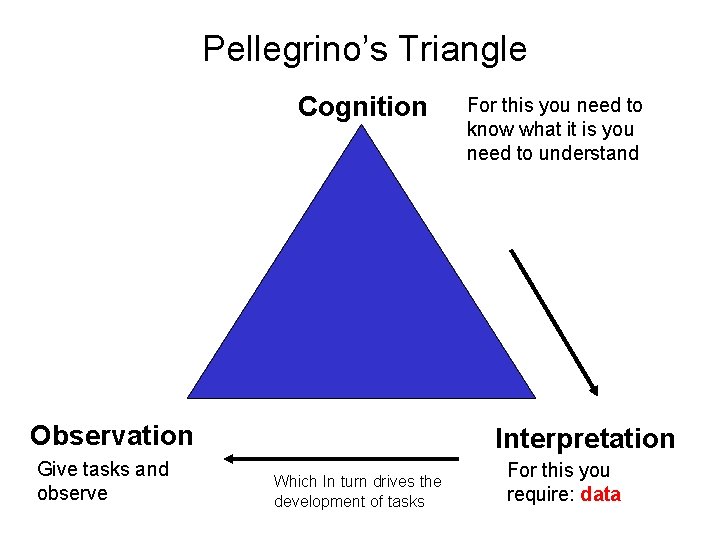
Pellegrino’s Triangle Cognition Observation Give tasks and observe For this you need to know what it is you need to understand Interpretation Which In turn drives the development of tasks For this you require: data
Why do we need data? To deliver value to learners To provide valid information to stakeholders, to prove the test project meets its business case To inform the development of the test model and test construction, marking and reporting, both formatively and summatively, To improve test delivery infrastructure To prove validity
What we are measuring and why Questions that have been asked: Is the on screen test comparable to the paper test? Are the results reliable? Do questions perform in the same way on screen as on paper? Are pupils disadvantaged by their level of computer literacy? How do we make the tests secure? Does having different types of equipment affect the results? How do we present the questions in a different media?
Questions that should be being asked : What can we test using this medium? How do we deliver assessments that are fair to learners? How can we model this around the known opportunities and limitations the medium offers? How do we build a process model that provides all stakeholders with confidence that their needs are being met? What information can we elicit from an e-assessment? What data is required to support the information needs of all the stakeholders?
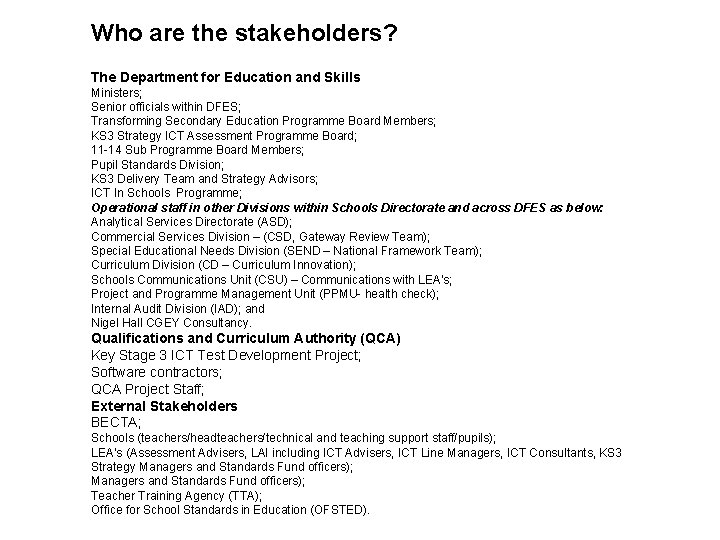
Who are the stakeholders? The Department for Education and Skills Ministers; Senior officials within DFES; Transforming Secondary Education Programme Board Members; KS 3 Strategy ICT Assessment Programme Board; 11 -14 Sub Programme Board Members; Pupil Standards Division; KS 3 Delivery Team and Strategy Advisors; ICT In Schools Programme; Operational staff in other Divisions within Schools Directorate and across DFES as below: Analytical Services Directorate (ASD); Commercial Services Division – (CSD, Gateway Review Team); Special Educational Needs Division (SEND – National Framework Team); Curriculum Division (CD – Curriculum Innovation); Schools Communications Unit (CSU) – Communications with LEA’s; Project and Programme Management Unit (PPMU- health check); Internal Audit Division (IAD); and Nigel Hall CGEY Consultancy. Qualifications and Curriculum Authority (QCA) Key Stage 3 ICT Test Development Project; Software contractors; QCA Project Staff; External Stakeholders BECTA; Schools (teachers/headteachers/technical and teaching support staff/pupils); LEA’s (Assessment Advisers, LAI including ICT Advisers, ICT Line Managers, ICT Consultants, KS 3 Strategy Managers and Standards Fund officers); Teacher Training Agency (TTA); Office for School Standards in Education (OFSTED).

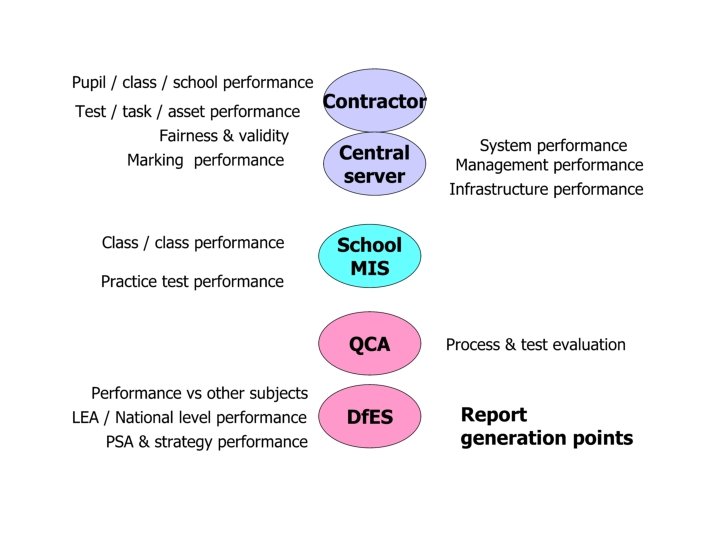
Indicative stakeholder requirements: Marking rules refinement, through updating a rules base or marking scheme. Government or management performance statistics Contract performance information – hardware/software interaction, screen refresh time, speed of data processing, support etc Formative and summative report statement development Marking algorithm, including sufficiency threshold, performance, Software security performance measures, such as number of hacking attempts. Teaching strategy management – washback Business case metrics On going user acceptance testing, including regression testing of software developments The pedagogic need for the test, eg a diagnostic maths test for 11 year olds from reporting a standardised score, a strengths / weaknesses profile of performance & %ile ranking Proof of validity. Test security
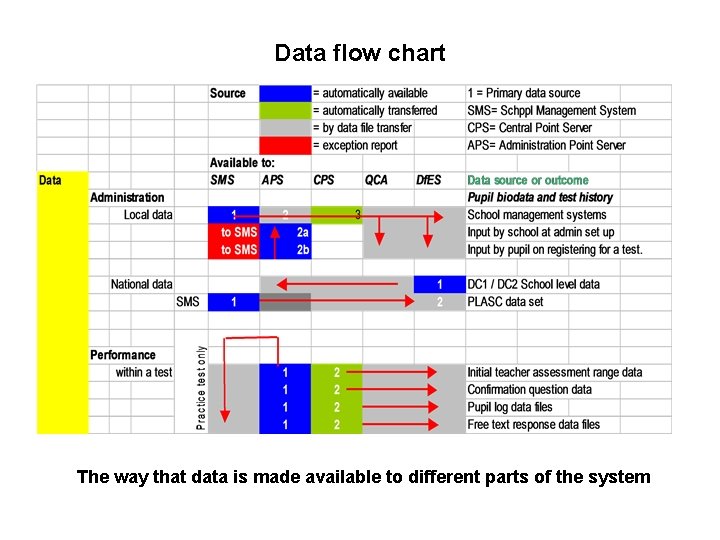
Data flow chart The way that data is made available to different parts of the system

Data relationships School PLASC Hard ware Infrastructure Subject Specif. Socio – economic Soft ware Non-sub Specif. Test data Technical Pupil Summative Award Stats Algorithms Data Marking schema Report Diagno stics Test Audit trail Time taken Task / process Changes Formative Random isation Sub tasks Test path Parameters Adapt. Ivity Algorithms Answer Revisits Question Correct answer Adaptivity Curric cover Delivery Mode Parameters textual audio

Data & reporting schema
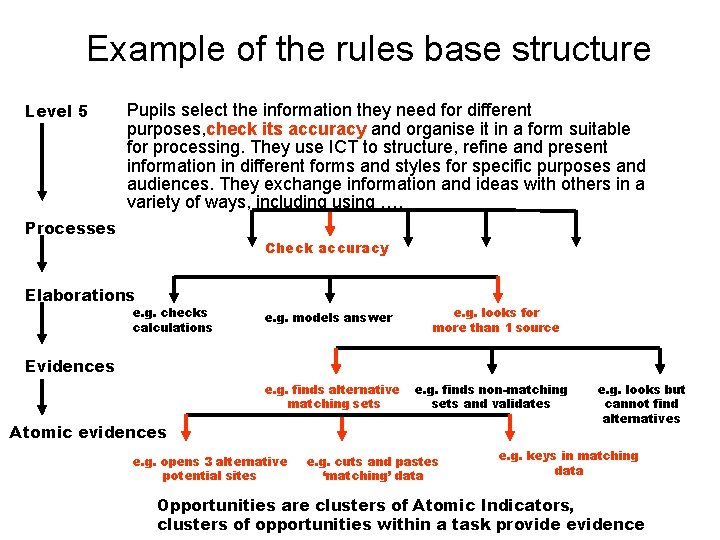
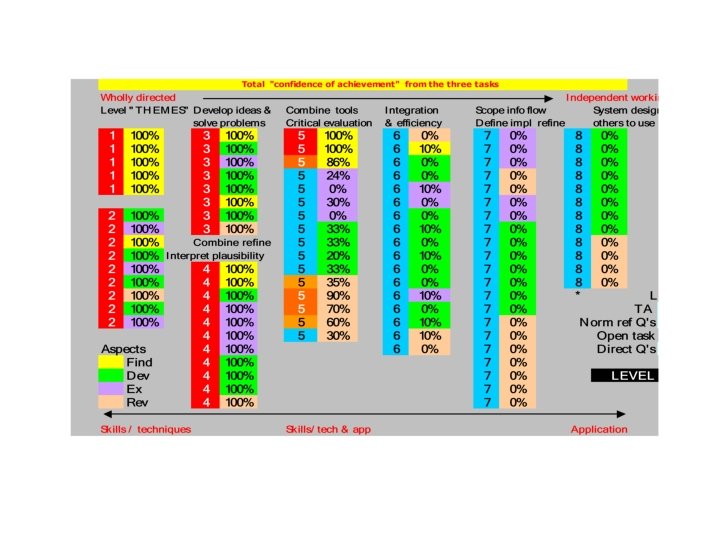
Example of the rules base structure Level 5 Pupils select the information they need for different purposes, check its accuracy and organise it in a form suitable for processing. They use ICT to structure, refine and present information in different forms and styles for specific purposes and audiences. They exchange information and ideas with others in a variety of ways, including using …. Processes Check accuracy Elaborations e. g. checks calculations e. g. models answer e. g. looks for more than 1 source Evidences e. g. finds alternative matching sets e. g. finds non-matching sets and validates Atomic evidences e. g. opens 3 alternative potential sites e. g. cuts and pastes ‘matching’ data e. g. looks but cannot find alternatives e. g. keys in matching data Opportunities are clusters of Atomic Indicators, clusters of opportunities within a task provide evidence
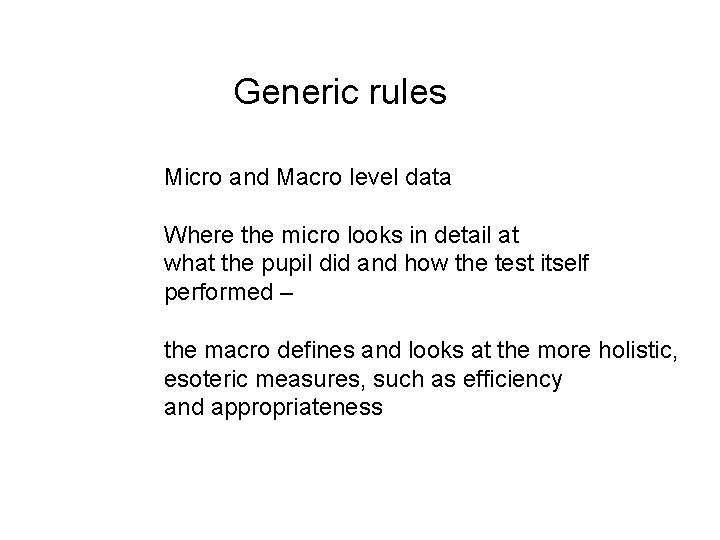
Generic rules Micro and Macro level data Where the micro looks in detail at what the pupil did and how the test itself performed – the macro defines and looks at the more holistic, esoteric measures, such as efficiency and appropriateness
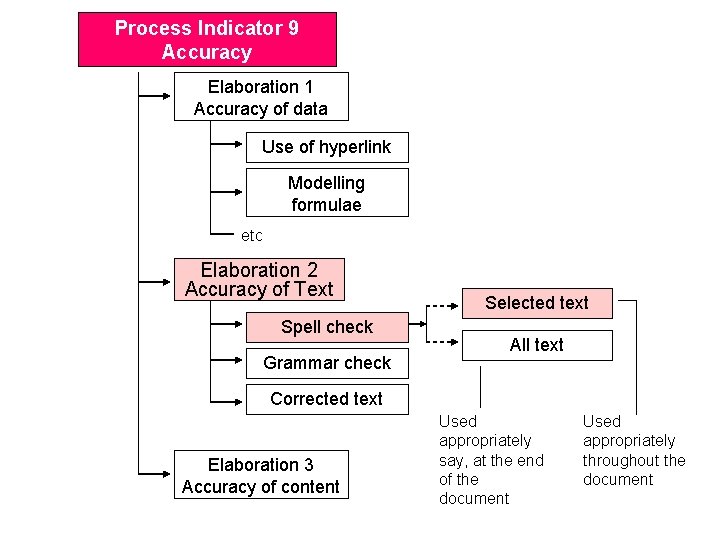
Process Indicator 9 Accuracy Elaboration 1 Accuracy of data Use of hyperlink Modelling formulae etc Elaboration 2 Accuracy of Text Spell check Grammar check Selected text All text Corrected text Elaboration 3 Accuracy of content Used appropriately say, at the end of the document Used appropriately throughout the document
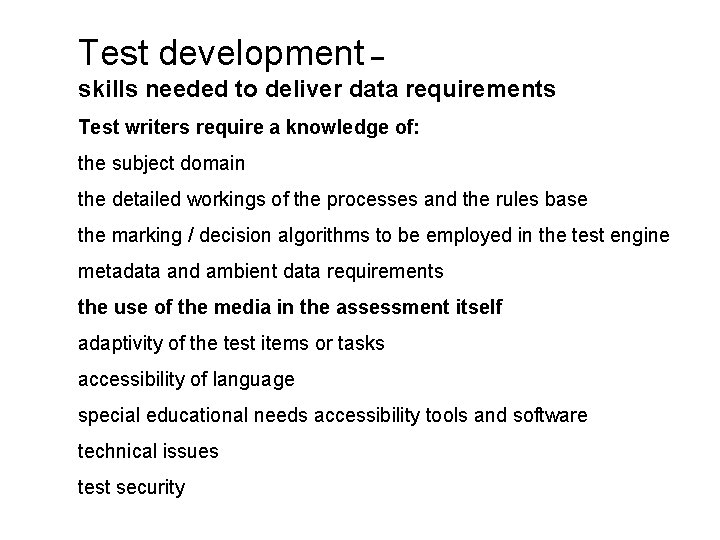
Test development – skills needed to deliver data requirements Test writers require a knowledge of: the subject domain the detailed workings of the processes and the rules base the marking / decision algorithms to be employed in the test engine metadata and ambient data requirements the use of the media in the assessment itself adaptivity of the test items or tasks accessibility of language special educational needs accessibility tools and software technical issues test security
Software schema for the Test Package Set
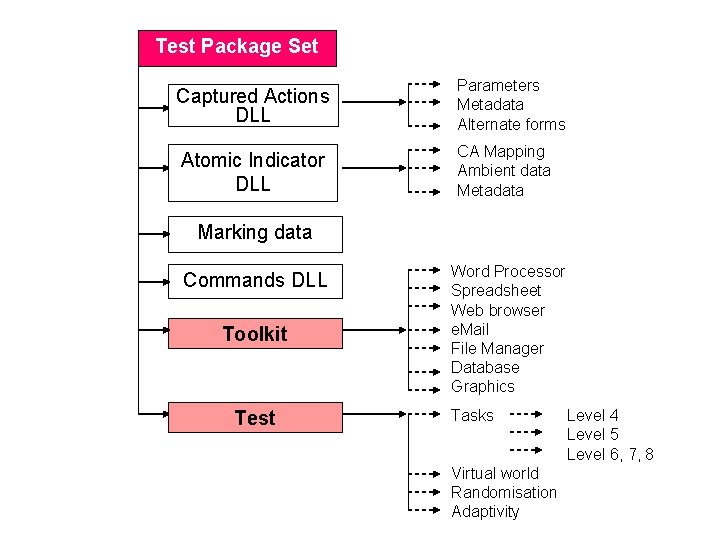
Test Package Set Captured Actions DLL Atomic Indicator DLL Parameters Metadata Alternate forms CA Mapping Ambient data Metadata Marking data Commands DLL Toolkit Test Word Processor Spreadsheet Web browser e. Mail File Manager Database Graphics Tasks Virtual world Randomisation Adaptivity Level 4 Level 5 Level 6, 7, 8
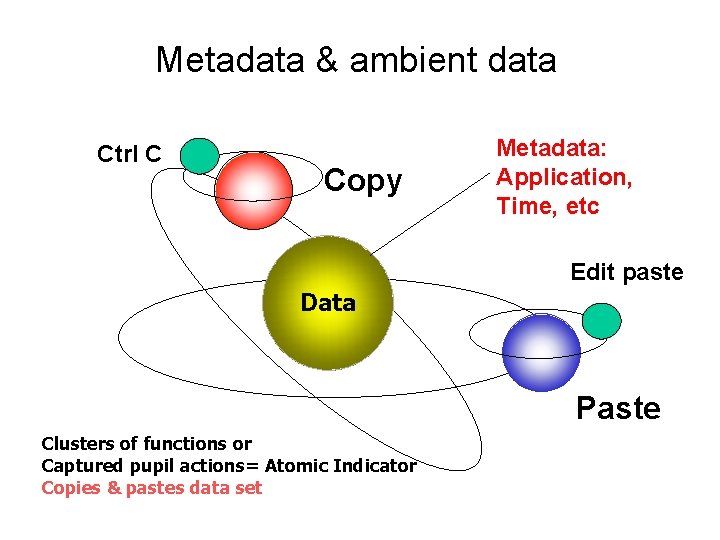
Metadata & ambient data Ctrl C Copy Metadata: Application, Time, etc Edit paste Data Paste Clusters of functions or Captured pupil actions= Atomic Indicator Copies & pastes data set
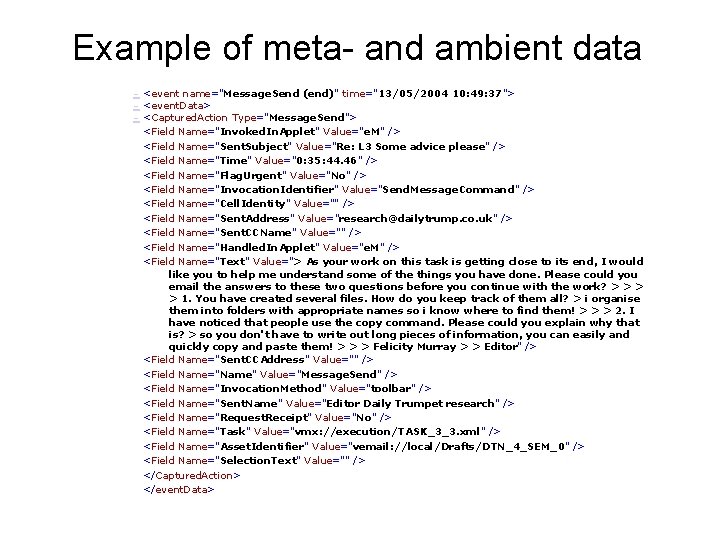
Example of meta- and ambient data - <event name="Message. Send (end)" time="13/05/2004 10: 49: 37"> - <event. Data> - <Captured. Action Type="Message. Send"> <Field Name="Invoked. In. Applet" Value="e. M" /> <Field Name="Sent. Subject" Value="Re: L 3 Some advice please" /> <Field Name="Time" Value="0: 35: 44. 46" /> <Field Name="Flag. Urgent" Value="No" /> <Field Name="Invocation. Identifier" Value="Send. Message. Command" /> <Field Name="Cell. Identity" Value="" /> <Field Name="Sent. Address" Value="research@dailytrump. co. uk" /> <Field Name="Sent. CCName" Value="" /> <Field Name="Handled. In. Applet" Value="e. M" /> <Field Name="Text" Value="> As your work on this task is getting close to its end, I would like you to help me understand some of the things you have done. Please could you email the answers to these two questions before you continue with the work? > > 1. You have created several files. How do you keep track of them all? > i organise them into folders with appropriate names so i know where to find them! > > > 2. I have noticed that people use the copy command. Please could you explain why that is? > so you don't have to write out long pieces of information, you can easily and quickly copy and paste them! > > > Felicity Murray > > Editor" /> <Field Name="Sent. CCAddress" Value="" /> <Field Name="Name" Value="Message. Send" /> <Field Name="Invocation. Method" Value="toolbar" /> <Field Name="Sent. Name" Value="Editor Daily Trumpet research" /> <Field Name="Request. Receipt" Value="No" /> <Field Name="Task" Value="vmx: //execution/TASK_3_3. xml" /> <Field Name="Asset. Identifier" Value="vemail: //local/Drafts/DTN_4_SEM_0" /> <Field Name="Selection. Text" Value="" /> </Captured. Action> </event. Data>
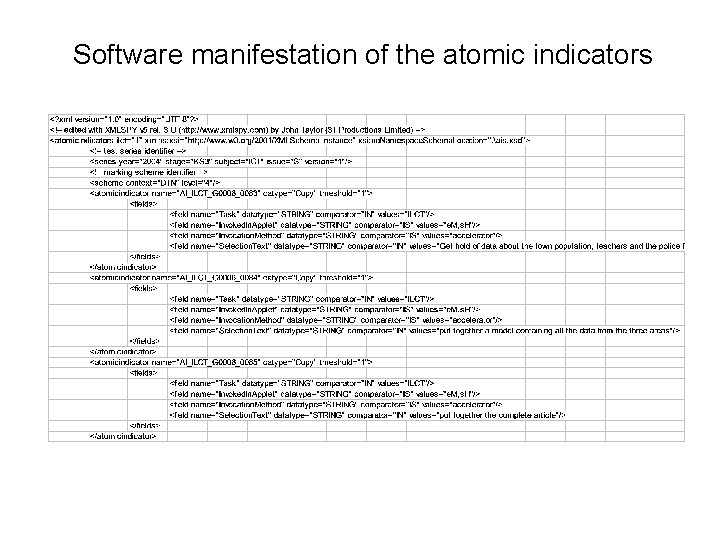
Software manifestation of the atomic indicators
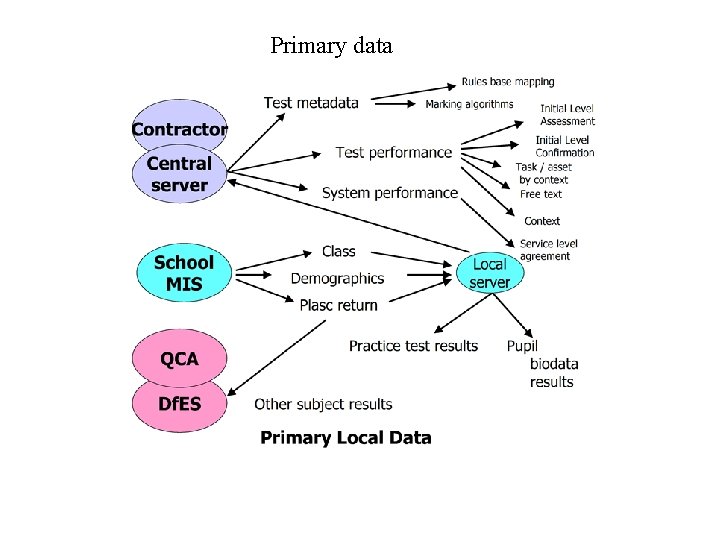
Primary data
Data
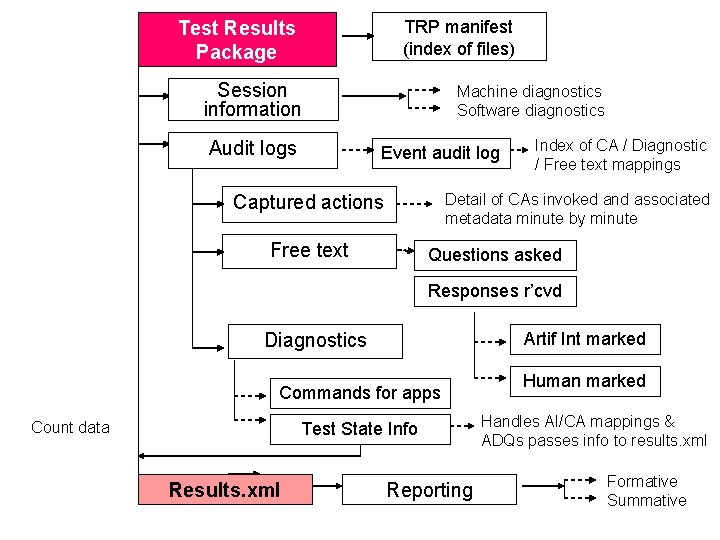
TRP manifest (index of files) Test Results Package Session information Audit logs Machine diagnostics Software diagnostics Event audit log Index of CA / Diagnostic / Free text mappings Detail of CAs invoked and associated metadata minute by minute Captured actions Free text Questions asked Responses r’cvd Artif Int marked Diagnostics Commands for apps Count data Test State Info Results. xml Reporting Human marked Handles AI/CA mappings & ADQs passes info to results. xml Formative Summative
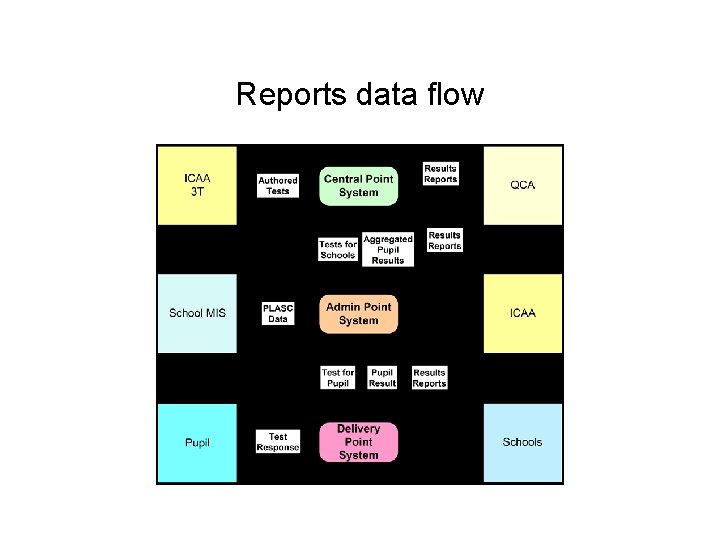
Reports data flow
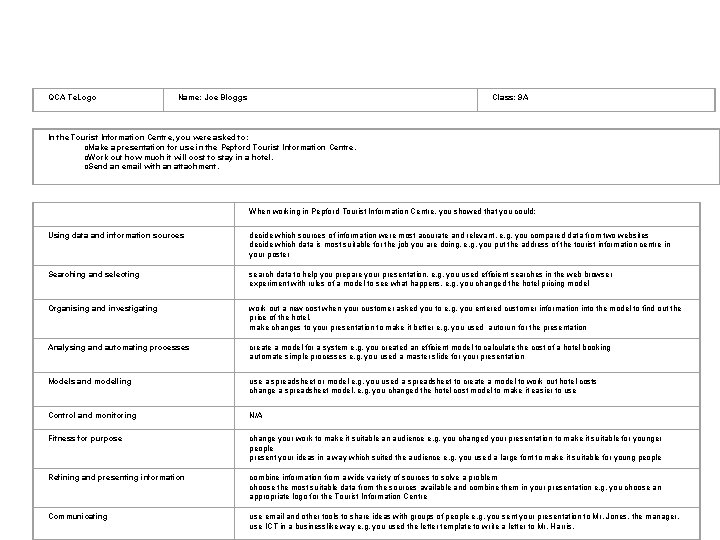
QCA Te. Logo Name: Joe Bloggs Class: 9 A In the Tourist Information Centre, you were asked to: o. Make a presentation for use in the Pepford Tourist Information Centre. o. Work out how much it will cost to stay in a hotel. o. Send an email with an attachment. When working in Pepford Tourist Information Centre, you showed that you could: Using data and information sources decide which sources of information were most accurate and relevant, e. g. you compared data from two websites decide which data is most suitable for the job you are doing, e. g. you put the address of the tourist information centre in your poster Searching and selecting search data to help you prepare your presentation, e. g. you used efficient searches in the web browser experiment with rules of a model to see what happens, e. g. you changed the hotel pricing model Organising and investigating work out a new cost when your customer asked you to e. g. you entered customer information into the model to find out the price of the hotel. make changes to your presentation to make it better e. g. you used autorun for the presentation Analysing and automating processes create a model for a system e. g. you created an efficient model to calculate the cost of a hotel booking automate simple processes e. g. you used a master slide for your presentation Models and modelling use a spreadsheet or model e. g. you used a spreadsheet to create a model to work out hotel costs change a spreadsheet model, e. g. you changed the hotel cost model to make it easier to use Control and monitoring N/A Fitness for purpose change your work to make it suitable an audience e. g. you changed your presentation to make it suitable for younger people present your ideas in a way which suited the audience e. g. you used a large font to make it suitable for young people Refining and presenting information combine information from a wide variety of sources to solve a problem choose the most suitable data from the sources available and combine them in your presentation e. g. you choose an appropriate logo for the Tourist Information Centre Communicating use email and other tools to share ideas with groups of people e. g. you sent your presentation to Mr. Jones, the manager. use ICT in a businesslike way e. g. you used the letter template to write a letter to Mr. Harris.
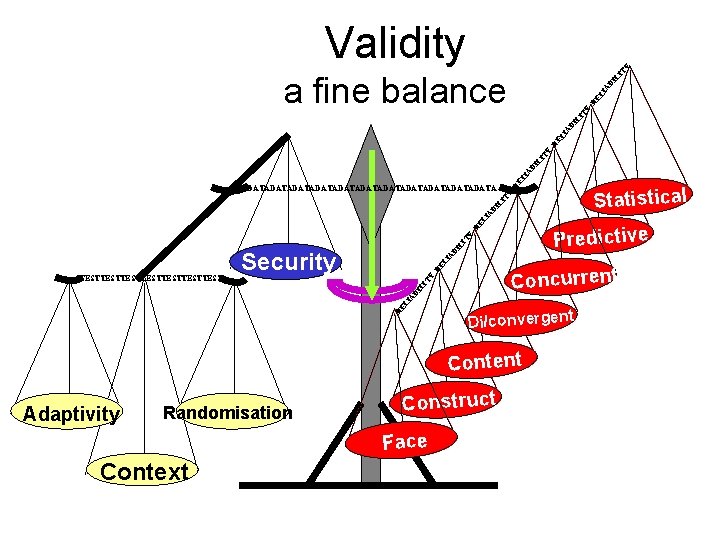
LI TY Validity TY Statistical LI AB IL I DATADATADATADATADATADATA RE LI AB IL I TY RE LI AB IL IT Y RE LI A BI a fine balance LI Security TY RE Concurrent RE LI AB I LI TESTTESTTESTTEST AB IL IT Y RE Predictive Di/convergent Content Adaptivity Randomisation Construct Face Context
- Slides: 31