
B Braun Space Control Product details Overview Variants
B. Braun Space. Control – Product details Overview Variants in Application Safety features Therapy diversity Anesthesia Further Options

Space. Control is making the pump universal… § Space. Control is an expanded programming station for B. Braun Space Pumps. § Space. Control increases the features of a single pump acc. to therapeutic needs in special therapies. § Space. Control offers a unique user interface structure in the field of infusion technique. § The colored touch-screen display enables all users to program all Space Pumps via its excellently ergonomic handling structure. § With the integrated barcode software all relevant therapy data can be transmitted into the Space Pumps in a very safe and costefficient way. § Space. Control makes it possible that one type of pump can be used in all areas of the hospital and for all necessary forms of therapies. 2 Chapter 5. 3 - 2

Space. Control – General Overview Expanded Programming Station Connection to pump Big coloured touch screen display for a simple and easy programming of a single pump Status LED and Infrared interface Press here, then pull to open Protected display through slide-in technology for safe transports Pen Optional input for central pressure measuremen t Barcode reader socket 3 Chapter 5. 3 - 3
Space. Station – How does it work? § Space. Control only can be used together with a connected pump. § Space. Control can be used with a single pump as one stand-alone unit. § Space. Control also can be used together with Space. Station as a central user interface for all pumps. § Space. Control does not have an integrated power source, it receives the power via the pump also if it is used with Space. Station. § Space. Control adapts itself to the data of the connected pump. § The „brain“ is located in the pumps. 4 Chapter 5. 3 - 4

Space. Control - Variants of Applications Space. Control with Infusomat Space. Control with Perfusor Space. Control with Space. Station 5 Chapter 5. 3 - 5
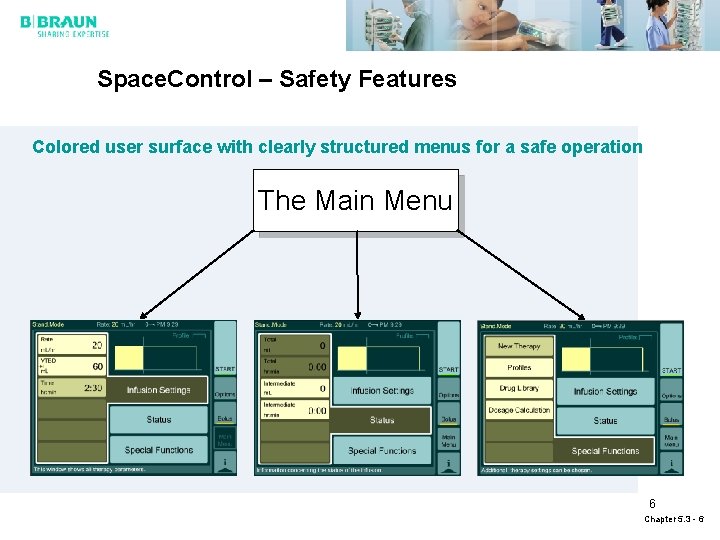
Space. Control – Safety Features Colored user surface with clearly structured menus for a safe operation The Main Menu 6 Chapter 5. 3 - 6

Space. Control – Safety Features Comfortable and safe data input via barcode reader § Pre-set medications for a safe input of drug-related parameters. § The barcoded drug parameters can be identical with the parameters in the drug library. § Barcode- and druglist editor as a common software tool. § The barcode data include all drug parameters as well as patient ID and colored-related drug illuminations. 7 Chapter 5. 3 - 7

Space. Control – Safety Features Safe central data input per pump ð Selection of the pump directly at the pump assures that the right data will be transmitted to the right pump No mix up of pumps 1 Choose your pump to be modified A log-in key at the pump adapts the required pump to Space. Control. 2 Then set parameters at Space. Control 8 Chapter 5. 3 - 8
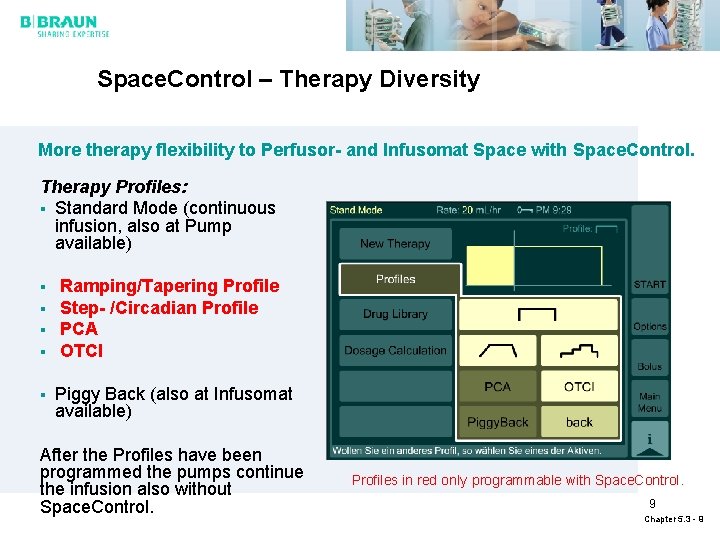
Space. Control – Therapy Diversity More therapy flexibility to Perfusor- and Infusomat Space with Space. Control. Therapy Profiles: § Standard Mode (continuous infusion, also at Pump available) § § § Ramping/Tapering Profile Step- /Circadian Profile PCA OTCI Piggy Back (also at Infusomat available) After the Profiles have been programmed the pumps continue the infusion also without Space. Control. Profiles in red only programmable with Space. Control. 9 Chapter 5. 3 - 9
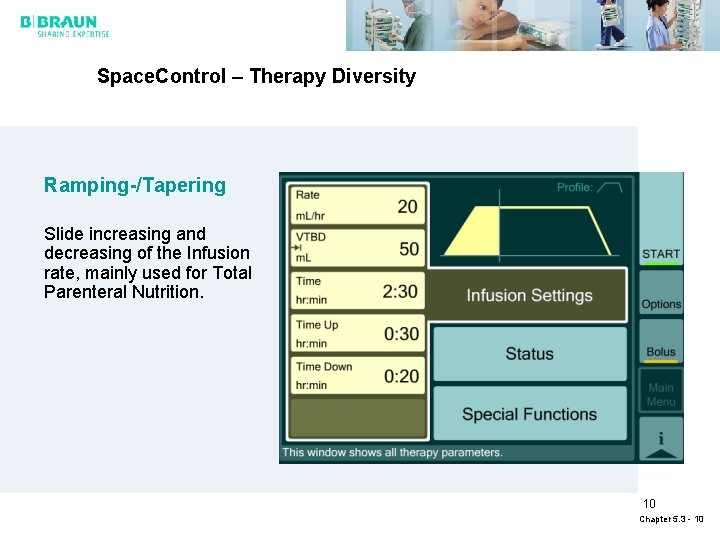
Space. Control – Therapy Diversity Ramping-/Tapering Slide increasing and decreasing of the Infusion rate, mainly used for Total Parenteral Nutrition. 10 Chapter 5. 3 - 10
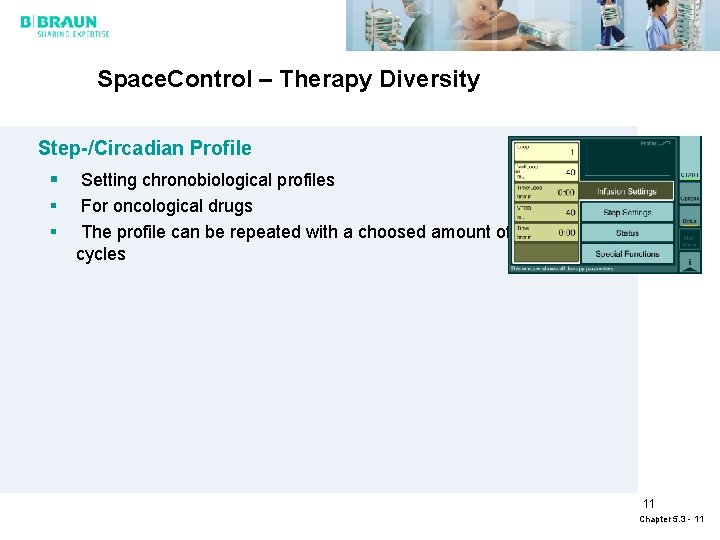
Space. Control – Therapy Diversity Step-/Circadian Profile § § § Setting chronobiological profiles For oncological drugs The profile can be repeated with a choosed amount of cycles 11 Chapter 5. 3 - 11
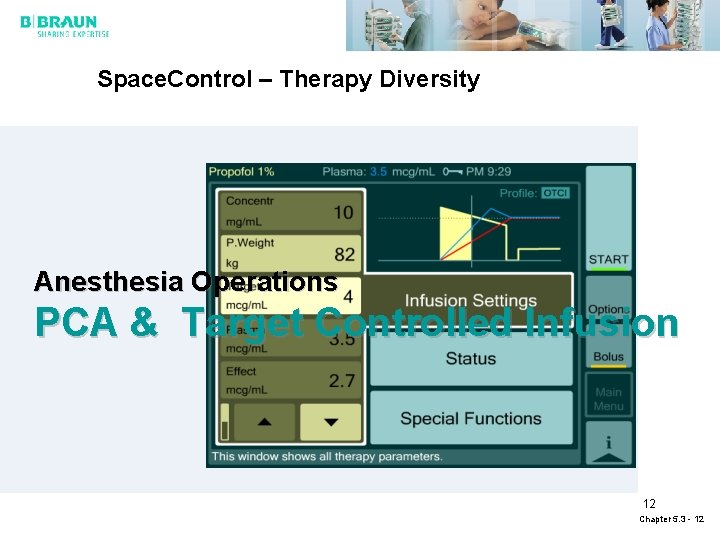
Space. Control – Therapy Diversity Anesthesia Operations PCA & Target Controlled Infusion 12 Chapter 5. 3 - 12
Space. Control – Therapy Diversity Patient Controlled Analgesia (PCA) § Perfusor- And Infusomat Space can be loaded with a PCA profile. § No modification of the pump housing for therapy lock necessary. § A special container compartment for the Infusomat Space offers an outstanding feature for comfortable mobility. § Three Safety levels for parameter adjustments via the service menu available. 13 Chapter 5. 3 - 13

Space. Control – Therapy Diversity Patient Controlled Analgesia (PCA) Safety Locking mechanism Perfusor Space Via a PCA key the syringe holder can be locked to prevent unauthorized remove of the syringe Container 250 ml for adoption to Infusomat Space Bag compartment, easily to be pushed underneath the pump. 14 Chapter 5. 3 - 14

Space. Control – Therapy Diversity Target Controlled Infusion B. Braun Space. Station with 3 Perfusor Space and B. Braun Space. Control is a combination of components of the B. Braun Space System, optimized for Total Intra Venous Anesthesia. The application of certain drugs may be performed as TCI. 15 Chapter 5. 3 - 15
Space. Control – Therapy Diversity Target Controlled Infusion – Features and Benefits § Smallest and lightest TIVA workstation § Integrated battery pack for a safe and easy transport from induction room to OR. § Easy transport of the TCI pump because TCI is incorporated in the pumps § Lower costs due to the use of generic Propofol § Higher user comfort by - Touch Screen - Graphical color display of therapy courses § Higher patient safety by - Showing effect site concentrations - Using drug library with predefined rate-limits 16 Chapter 5. 3 - 16

The Workflow in Anesthesia with B. Braun Space Induction Room Operation Theatre Recovery Room with PCA button Ward ICU 17 Chapter 5. 3 - 17

Where to sell § Completion of existing balanced anesthesia devices (highest potential) § Promotion of B. Braun Space. Anesthesia exclusively for TIVA (has the advantage that no gas-scavenging is needed and a normal ventilator can be used) § In hospitals, in ambulatory operation centers, for general practitioners 18 Chapter 5. 3 - 18
Space. Control – Therapy Diversity Features of Space. Control for Anesthesia § Color screen with comprehensive information § Touch screen usage § Structure - Basic informantion area on top - Navigation area on the right side - Information and controlling area in the middle § PCA-button SP for Lock-Function § Bolus possibility 19 Chapter 5. 3 - 19
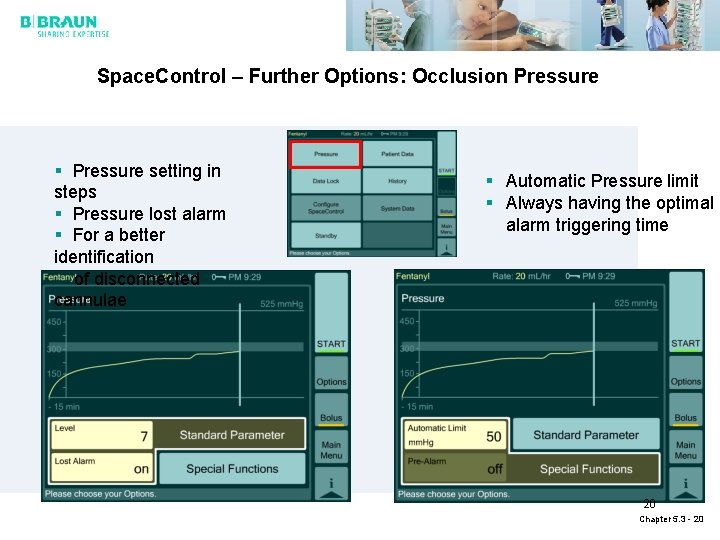
Space. Control – Further Options: Occlusion Pressure § Pressure setting in steps § Pressure lost alarm § For a better identification of disconnected cannulae § Automatic Pressure limit § Always having the optimal alarm triggering time 20 Chapter 5. 3 - 20
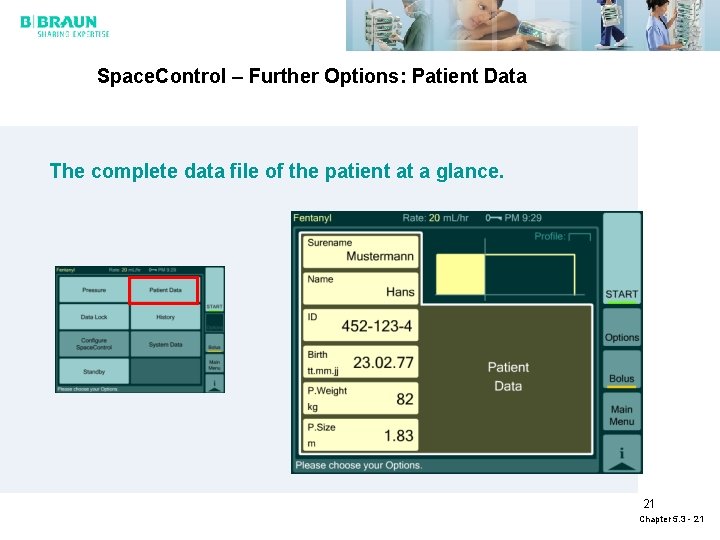
Space. Control – Further Options: Patient Data The complete data file of the patient at a glance. 21 Chapter 5. 3 - 21

Space. Control – Further Options: Data Lock in 2 levels for a single pump or centrally for all pumps in one bed-side system. 22 Chapter 5. 3 - 22
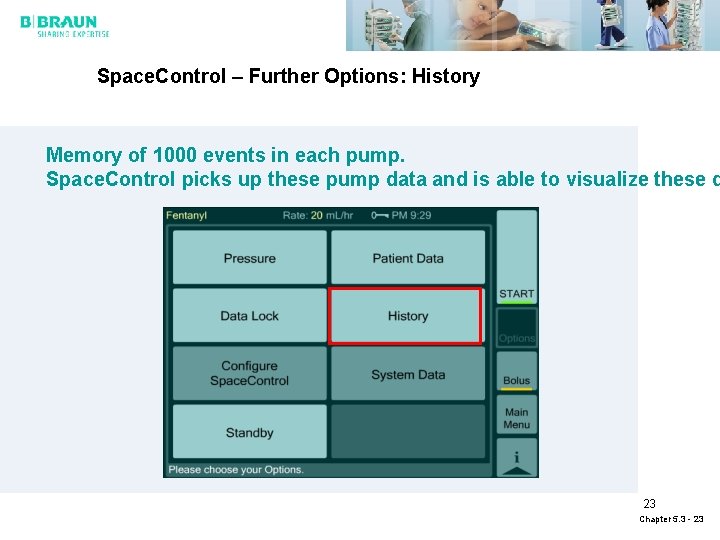
Space. Control – Further Options: History Memory of 1000 events in each pump. Space. Control picks up these pump data and is able to visualize these d 23 Chapter 5. 3 - 23

Space. Control – Further Options: Configuration of the Display Configuration of the display for individual needs: § Run graphic § Display (Brightness, contrast § Country-specific values for pressure (mm. HG, bar etc. ), Date, clock adjustments 24 Chapter 5. 3 - 24

Space. Control – Further Options: System Data This function enables the user to control functions of Space. Com (see Chapter Space. Com) 25 Chapter 5. 3 - 25
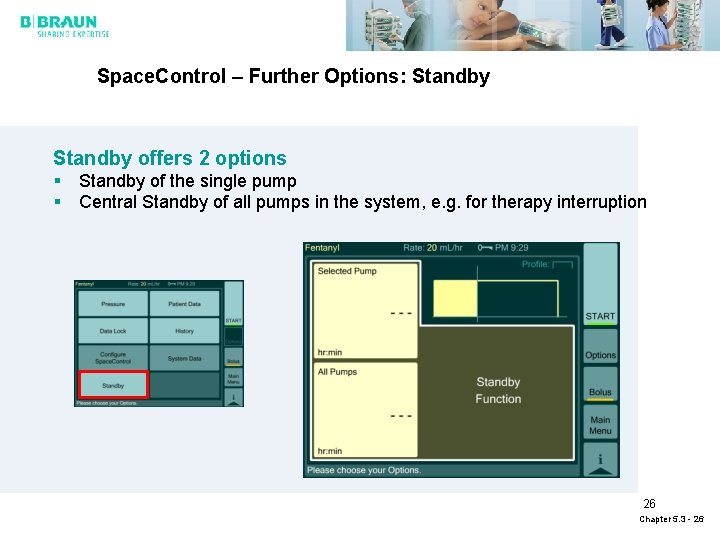
Space. Control – Further Options: Standby offers 2 options § Standby of the single pump § Central Standby of all pumps in the system, e. g. for therapy interruption 26 Chapter 5. 3 - 26
- Slides: 26