
Azure Storage replication THE DATA IN YOUR MICROSOFT
- Slides: 6
Azure Storage replication THE DATA IN YOUR MICROSOFT AZURE STORAGE ACCOUNT IS ALWAYS REPLICATED TO ENSURE DURABILITY AND HIGH AVAILABILITY. AZURE STORAGE REPLICATION COPIES YOUR DATA SO THAT IT IS PROTECTED FROM PLANNED AND UNPLANNED EVENTS RANGING FROM TRANSIENT HARDWARE FAILURES, NETWORK OR POWER OUTAGES, MASSIVE NATURAL DISASTERS, AND SO ON. YOU CAN CHOOSE TO REPLICATE YOUR DATA WITHIN THE SAME DATA CENTER, ACROSS ZONAL DATA CENTERS WITHIN THE SAME REGION, AND EVEN ACROSS REGIONS.
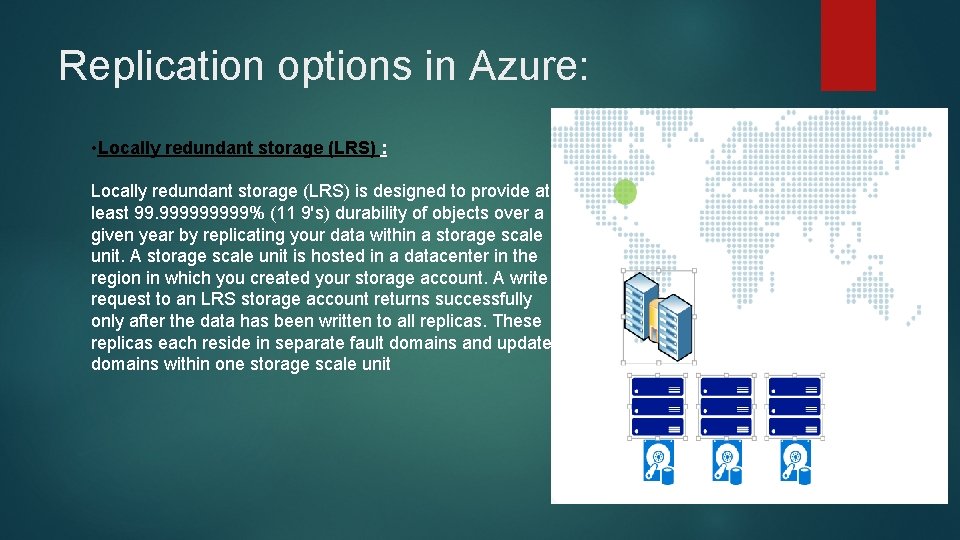
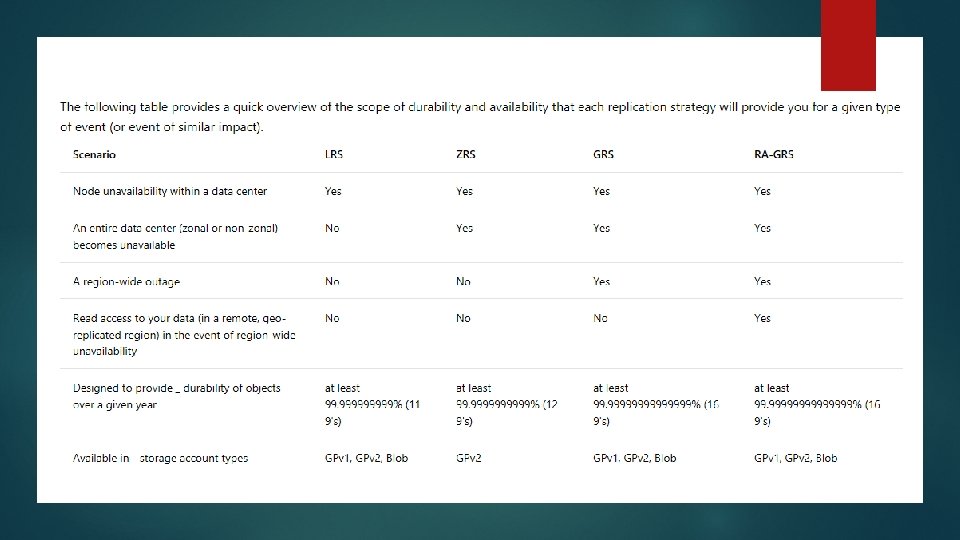
Replication options in Azure: • Locally redundant storage (LRS) : Locally redundant storage (LRS) is designed to provide at least 99. 99999% (11 9's) durability of objects over a given year by replicating your data within a storage scale unit. A storage scale unit is hosted in a datacenter in the region in which you created your storage account. A write request to an LRS storage account returns successfully only after the data has been written to all replicas. These replicas each reside in separate fault domains and update domains within one storage scale unit
Zone-redundant storage (ZRS): Zone Redundant Storage (ZRS) synchronously replicates your data across three storage clusters in a single region. Each storage cluster is physically separated from the others and resides in its own availability zone (AZ). Each availability zone, and the ZRS cluster within it, is autonomous, with separate utilities and networking capabilities. Storing your data in a ZRS account ensures that you will be able access and manage your data in the event that a zone becomes unavailable. ZRS provides excellent performance and extremely low latency. ZRS currently supports standard, general-purpose v 2 (GPv 2) account types. ZRS is available for block blobs, non-disk page blobs, files, tables, and queues. ZRS is generally available in the following regions: US East 2 US Central North Europe West Europe France Central Southeast Asia
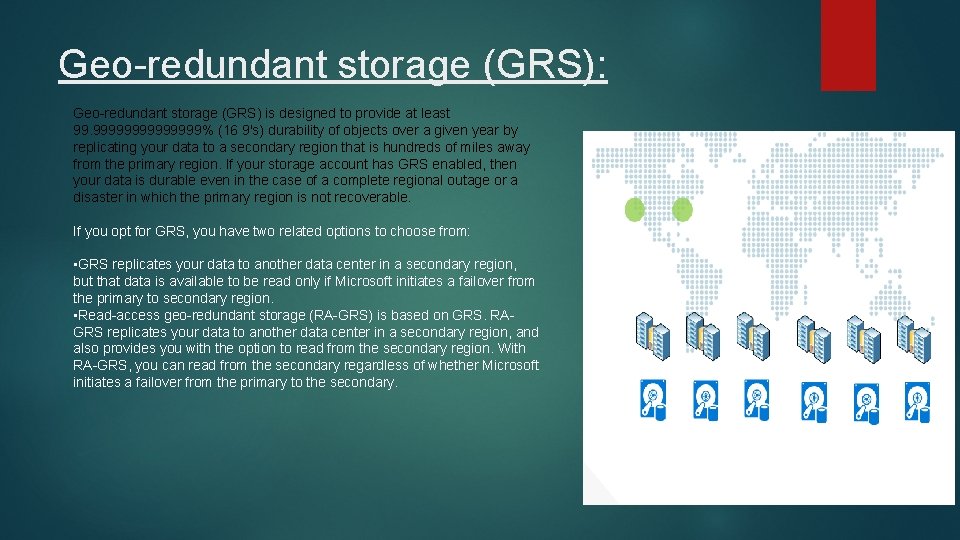
Geo-redundant storage (GRS): Geo-redundant storage (GRS) is designed to provide at least 99. 9999999% (16 9's) durability of objects over a given year by replicating your data to a secondary region that is hundreds of miles away from the primary region. If your storage account has GRS enabled, then your data is durable even in the case of a complete regional outage or a disaster in which the primary region is not recoverable. If you opt for GRS, you have two related options to choose from: • GRS replicates your data to another data center in a secondary region, but that data is available to be read only if Microsoft initiates a failover from the primary to secondary region. • Read-access geo-redundant storage (RA-GRS) is based on GRS. RAGRS replicates your data to another data center in a secondary region, and also provides you with the option to read from the secondary region. With RA-GRS, you can read from the secondary regardless of whether Microsoft initiates a failover from the primary to the secondary.
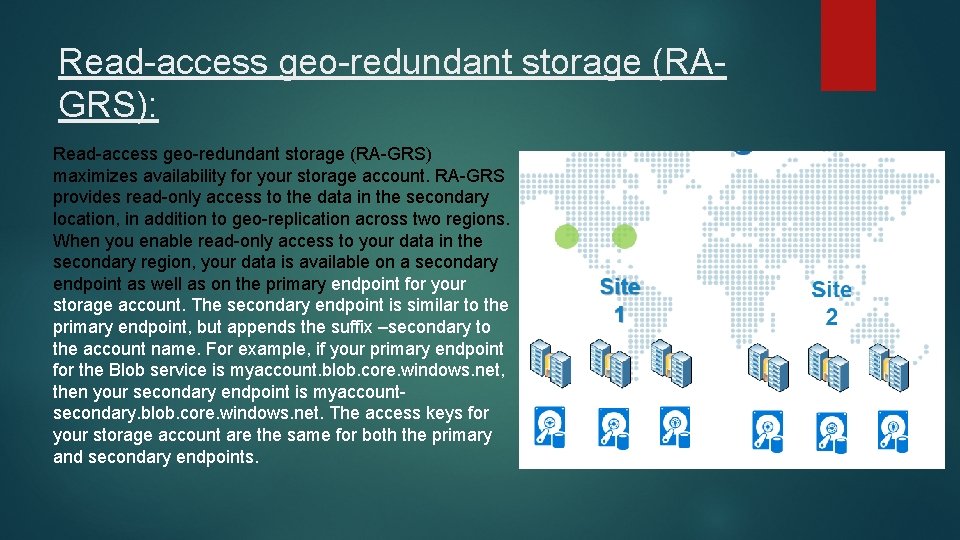
Read-access geo-redundant storage (RAGRS): Read-access geo-redundant storage (RA-GRS) maximizes availability for your storage account. RA-GRS provides read-only access to the data in the secondary location, in addition to geo-replication across two regions. When you enable read-only access to your data in the secondary region, your data is available on a secondary endpoint as well as on the primary endpoint for your storage account. The secondary endpoint is similar to the primary endpoint, but appends the suffix –secondary to the account name. For example, if your primary endpoint for the Blob service is myaccount. blob. core. windows. net, then your secondary endpoint is myaccountsecondary. blob. core. windows. net. The access keys for your storage account are the same for both the primary and secondary endpoints.